


Natural Language Processing Articles
Claude for Kubernetes YAML Generation and Debugging
Automated Resume Screener: NLP-Based Python Project with Source Code
What is Lemmatization in NLP? A Complete Beginner's Guide
What Is NLP in Artificial Intelligence? A Beginner’s Guide to How It Works in 2026


Get In Touch For Details! Request More Information
How to Use Hugging Face Transformers: Load and Run Any NLP Model
Jul 09, 2026 3 Min Read 494 Views
(Last Updated)
Ever wondered how tools like chatbots, AI writing assistants, and language translation apps understand human language? The answer often lies in transformer-based NLP models.
The good news is that you don’t need to build these models from scratch. With Hugging Face Transformers, you can load and run thousands of pre-trained NLP models with just a few lines of Python code.
Table of contents
- TL;DR
- What is Hugging Face Transformers?
- Why Learn Hugging Face Transformers?
- Benefits of Using Transformers
- Access Thousands of Pre-Trained Models
- Faster AI Development
- Beginner-Friendly Workflow
- Step 1: Install Hugging Face Transformers
- Step 2: Load Your First NLP Model
- Step 3: Understand Tokenizers and Models
- Tokenizer
- Model
- Step 4: Run Different NLP Tasks Using Pipelines
- Text Classification
- Text Generation
- Question Answering
- Translation
- Step 5: Choose the Right Hugging Face Model
- Step 6: Fine-Tune a Model for Your Own Data
- Real-World Examples of Hugging Face Transformers
- Customer Support Chatbots
- Content Moderation
- Healthcare NLP
- Financial Analysis
- Common Mistakes to Avoid
- Using Large Models Without Understanding Requirements
- Ignoring Data Quality
- Treating Pre-Trained Models as Perfect
- Learning Only the API
- Build Your AI Skills with HCL GUVI
- Conclusion
- FAQs
- Whcat are Hugging Face Transformers used for?
- Do I need deep learning knowledge to use Transformers?
- Is Hugging Face Transformers free?
- Which programming language is used with Hugging Face?
- What is the difference between BERT and GPT models?
- Can I train my own Hugging Face model?
- Is Hugging Face useful for AI jobs?
- How long does it take to learn Hugging Face?
TL;DR
Hugging Face Transformers is an open-source library that allows developers to use pre-trained NLP models for tasks like text classification, question answering, translation, summarization, and text generation.
You can load models using the pipeline() function, customize them with tokenizers, and integrate them into real-world applications. Learning Transformers is now an essential skill for AI engineers, data scientists, and developers working with Generative AI.
What is Hugging Face Transformers?
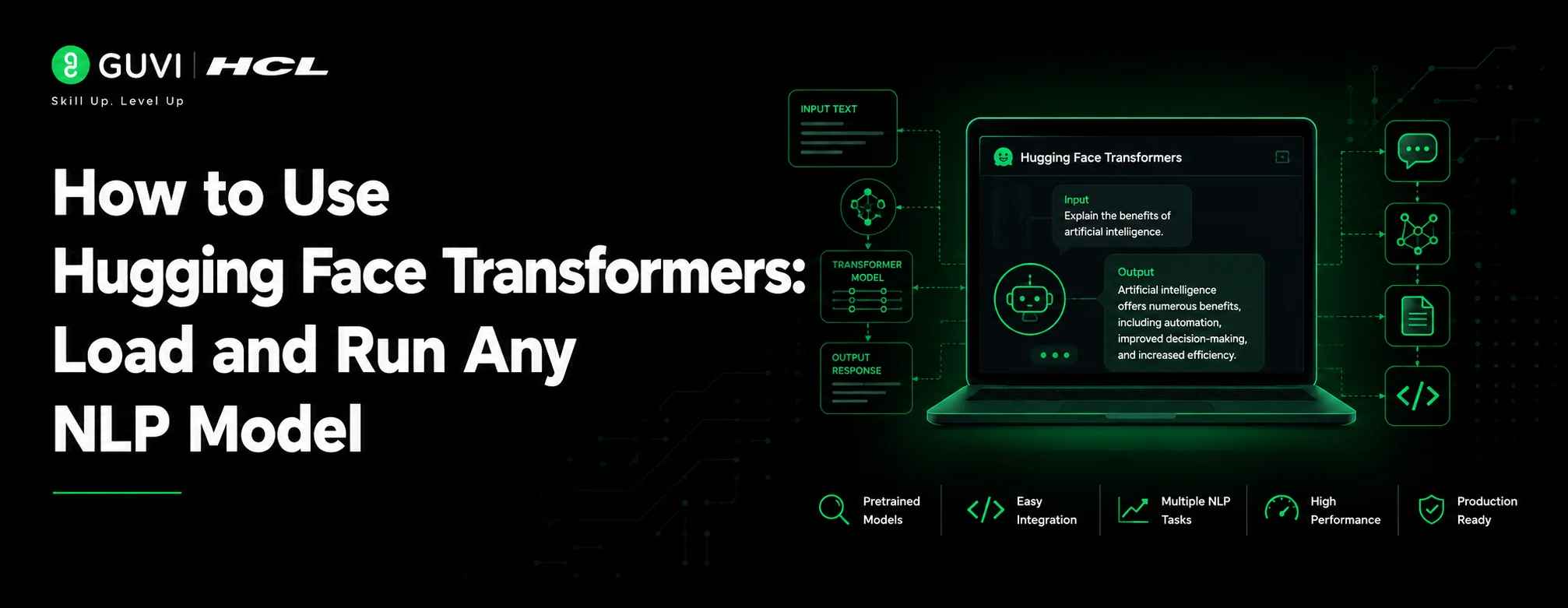
[In-article image 1: The infographic should depict the heading title. Show an illustration of a transformer model pipeline: text input → tokenizer → AI model → output.]
Hugging Face Transformers is a popular open-source machine learning library that provides thousands of pre-trained transformer models for natural language processing (NLP), computer vision, and audio tasks.
In simple terms, it allows you to take an already-trained AI model and use it for your own application without spending weeks training one from zero.
You can use Hugging Face models for:
- Text generation
- Sentiment analysis
- Language translation
- Text summarization
- Question answering
- Named entity recognition
- Chatbots
The library supports popular architectures such as BERT, GPT, T5, RoBERTa, and many more.
Why Learn Hugging Face Transformers?
The AI industry is rapidly moving toward ready-to-use foundation models.
According to industry reports, the global AI software market is expected to grow significantly through 2030 as organizations adopt AI automation, Generative AI, and intelligent applications.
Learning Hugging Face gives you practical experience with the same model ecosystem used by AI developers worldwide.
Benefits of Using Transformers
Access Thousands of Pre-Trained Models
Instead of training a model from scratch, you can download existing models trained on massive datasets.
Examples:
- BERT for understanding text
- GPT-style models for generation
- T5 for text-to-text tasks
Faster AI Development
Transformers reduce development time by providing:
- Ready-made models
- Tokenizers
- Training utilities
- Deployment support
Beginner-Friendly Workflow
Even beginners can build NLP applications by using simple APIs.
Step 1: Install Hugging Face Transformers
[In-article image 2: The infographic should depict the heading title. Show a developer installing Python packages with terminal icons.]
Before loading models, install the required libraries.
You need:
- Python
- Transformers library
- PyTorch or TensorFlow backend
Install Transformers using:
pip install transformers
For PyTorch support:
pip install torch
Once installed, you are ready to use pre-trained NLP models.
Step 2: Load Your First NLP Model
The easiest way to start is with the pipeline() function.
It automatically handles:
- Loading the model
- Preparing input text
- Running inference
- Returning results
Example:
from transformers import pipeline
classifier = pipeline(“sentiment-analysis”)
result = classifier(“I love learning artificial intelligence”)
print(result)
Output:
[
{‘label’: ‘POSITIVE’,
‘score’: 0.99}
]
In just a few lines, you created a sentiment analysis system.
Step 3: Understand Tokenizers and Models
[In-article image 3: The infographic should depict the heading title. Show text being converted into tokens and processed by an AI model.]
Behind every transformer model are two important components:
Tokenizer
A tokenizer converts text into numbers that the model understands.
Example:
Sentence:
“AI is changing the world”
becomes:
[101, 9931, 2003, 4634, 1996, 2088]
The model processes these numerical representations.
Model
The model analyzes the tokens and produces predictions.
Together:
Text → Tokenizer → Transformer Model → Output
Step 4: Run Different NLP Tasks Using Pipelines
One of the biggest advantages of Hugging Face is the variety of ready-to-use pipelines.
Text Classification
Used for:
- Spam detection
- Customer feedback analysis
- Review monitoring
Example:
pipeline(“text-classification”)
Text Generation
Used for:
- AI writing tools
- Content assistants
- Creative applications
Example:
generator = pipeline(“text-generation”)
generator(
“Artificial intelligence is”,
max_length=50
)
Question Answering
Used for:
- Customer support bots
- Document search systems
Example:
qa = pipeline(“question-answering”)
qa(
question=”What is AI?”,
context=”AI enables machines to learn from data.”
)
Translation
Used for:
- Language conversion
- Multilingual applications
Example:
translator = pipeline(
“translation_en_to_fr”
)
Step 5: Choose the Right Hugging Face Model
Thousands of models are available, but choosing the right one matters.

| Task | Recommended Models |
| Text Understanding | BERT, RoBERTa |
| Text Generation | GPT-based models |
| Summarization | T5, BART |
| Translation | MarianMT |
| Question Answering | BERT variants |
Start with smaller models when learning because they require less computing power.
Step 6: Fine-Tune a Model for Your Own Data
Pre-trained models work well, but sometimes you need customization.
Fine-tuning means training an existing model on your own dataset.
Examples:
A healthcare company can fine-tune a model to understand medical documents.
A company can fine-tune a chatbot using customer support conversations.
Fine-tuning usually involves:
- Preparing a dataset
- Tokenizing text
- Training the model
- Evaluating results
- Deploying the model
Real-World Examples of Hugging Face Transformers
Customer Support Chatbots
Companies use transformer models to understand customer questions and generate helpful responses.
Content Moderation
Platforms analyze user-generated content to detect:
- Toxic comments
- Spam
- Harmful content
Healthcare NLP
AI systems process medical documents to extract important information.
Financial Analysis
Banks use NLP models to analyze reports, news, and customer feedback.
Common Mistakes to Avoid
1. Using Large Models Without Understanding Requirements
Many beginners immediately try huge models.
Large models require:
- More memory
- More computing power
- Higher costs
Start small and scale gradually.
2. Ignoring Data Quality
A model is only as good as the data it receives.
Poor-quality text can create unreliable outputs.
Always clean and validate your data.
3. Treating Pre-Trained Models as Perfect
Pre-trained models can make mistakes.
Always evaluate:
- Accuracy
- Bias
- Reliability
before using them in production.
4. Learning Only the API
Using pipelines is easy, but understanding:
- Tokenization
- Attention mechanisms
- Model architecture
helps you become a stronger AI developer.
Build Your AI Skills with HCL GUVI
Understanding Hugging Face Transformers is a valuable step toward becoming an AI engineer.
If you want to learn Python, Machine Learning, Deep Learning, Generative AI, and MLOps through hands-on projects, explore HCL GUVI’s AI and Machine Learning program.
A structured learning path helps you move from experimenting with models to building real-world AI applications.
Conclusion
Learning how to use Hugging Face Transformers to load and run NLP models gives you practical exposure to modern AI development.
You can start with simple pipelines, explore different transformer architectures, and gradually move toward fine-tuning and deployment.
The key is not memorizing every model. It is understanding how to select, customize, and apply AI models to solve real problems.
Start with one NLP task, build a small project, and expand your AI portfolio step by step.
FAQs
1. Whcat are Hugging Face Transformers used for?
Hugging Face Transformer is used to build NLP applications such as chatbots, translators, summarizers, sentiment analysis tools, and AI assistants.
2. Do I need deep learning knowledge to use Transformers?
No. Beginners can use pipelines without advanced knowledge, but understanding deep learning helps with customization.
3. Is Hugging Face Transformers free?
Yes, the Transformers library is open source. Some hosted services may have separate usage costs.
4. Which programming language is used with Hugging Face?
Python is the most commonly used language with Hugging Face Transformers.
5. What is the difference between BERT and GPT models?
BERT focuses on understanding text, while GPT-style models focus mainly on generating text.
6. Can I train my own Hugging Face model?
Yes. You can fine-tune existing models using your own datasets.
7. Is Hugging Face useful for AI jobs?
Yes. Knowledge of Transformers, NLP, and Generative AI is increasingly valuable for AI engineering roles.
8. How long does it take to learn Hugging Face?
A beginner can understand the basics within a few weeks. Becoming job-ready requires practice with projects and deployment.
Success Stories

About the Author
Salini Balasubramaniam
A curious, information-savvy writer loves to turn deep insights into authentic and engaging content that connects. With experience in writing for brands and driving audience engagement, I believe that words can make a powerful difference.
View all posts by Salini Balasubramaniam
Connect with me @












Did you enjoy this article?