


Career Articles
Accountant vs Data Analyst Salary in India After Switching Careers - Best Guide
Finance Managers: Could Data Science Be Your Next Career Move?
Insurance Claims Executive to Data Analyst: Is It a Good Switch?
Banking Executive (Loans, KYC) to Data Analyst: Skills and Career Path


Get In Touch For Details! Request More Information
Work From Home Productivity Tips for Developers: 8 Strategies That Work
Jul 16, 2026 4 Min Read 545 Views
(Last Updated)
Working from home sounds ideal until you find yourself debugging a tricky bug while your phone buzzes, your family is in the next room, and Slack has somehow accumulated 47 unread messages since the morning standup. Developer focus is fragile. It takes roughly 20 minutes to reach deep work and a single notification to break it. This guide covers the most effective work from home productivity tips for developers in 2026, based on how developer focus actually works rather than generic advice about waking up early and making your bed.
Table of contents
- TL;DR Summary
- Why Working From Home Is Harder for Developers
- Work From Home Productivity Tips for Developers: 8 Strategies That Work
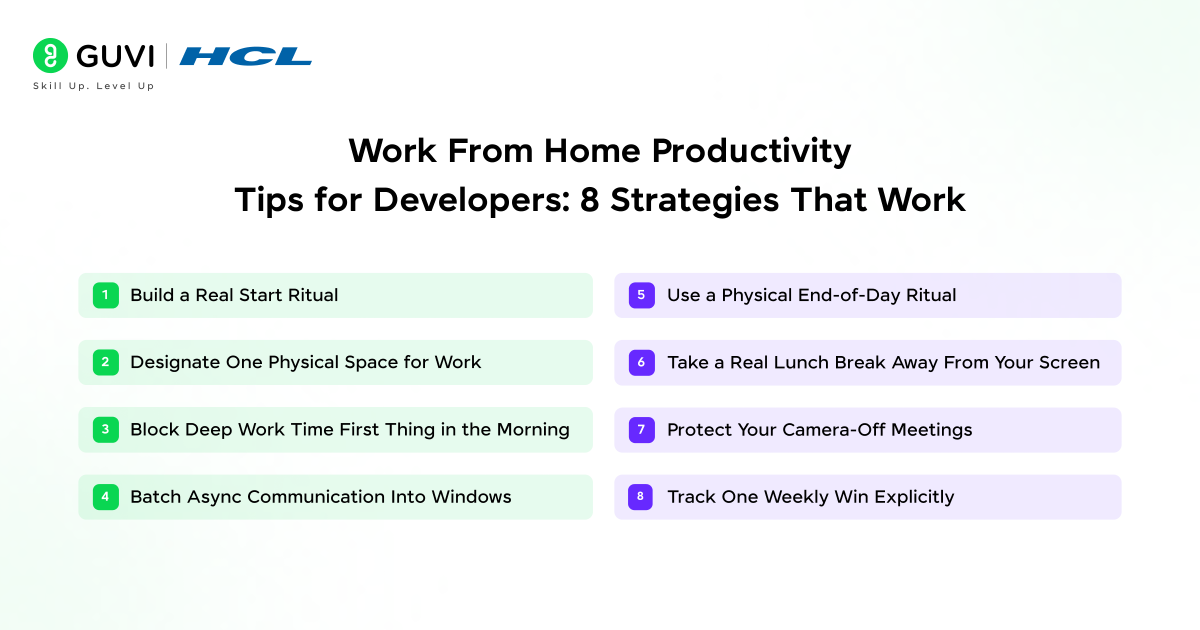
- Build a Real Start Ritual
- Designate One Physical Space for Work
- Block Deep Work Time First Thing in the Morning
- Batch Async Communication Into Windows
- Use a Physical End-of-Day Ritual
- Take a Real Lunch Break Away From Your Screen
- Protect Your Camera-Off Meetings
- Track One Weekly Win Explicitly
- Tools That Help
- 💡 Did You Know?
- Common Mistakes to Avoid
- Conclusion
- FAQs
- What are the best work from home productivity tips for developers?
- How do I avoid distractions while coding at home?
- How many hours should a developer work from home each day?
- How do I separate work and personal life while working from home?
- What tools help developer productivity at home?
TL;DR Summary
- Work from home productivity tips for developers start with one rule: design your environment before you try to discipline your behaviour.
- The biggest killers of developer focus at home are context switching, meeting overload, notification noise, and blurred work-life boundaries.
- Fix your physical setup first, then protect your deep work blocks, then manage communication on your terms.
- A developer who protects 3 to 4 hours of uninterrupted focus daily ships more than one who sits at their desk for 10 hours of fragmented time.
- The goal is not to work more at home. It is to work better.
Why Working From Home Is Harder for Developers
Office environments, for all their drawbacks, had one structural advantage: they physically separated work from everything else. At home, that separation does not exist unless you build it deliberately.
Developers face specific challenges that general productivity advice misses. Writing and debugging code is cognitively expensive. You cannot do it in fragmented 15-minute windows between meetings. A context switch costs roughly 20 minutes of ramp-up time each way. A day with five one-hour meetings is not a day with three hours of coding time. It is a day with almost no usable coding time, just recovery windows between interruptions.
That is the core problem these work from home productivity tips for developers are designed to solve.
Working from home effectively is a skill just like any technical skill. It takes intentional design. If you are building the technical skills to go alongside that, HCL GUVI’s Full Stack Development Course and AI Software Development Course are both IITM Pravartak certified and designed for flexible, self-paced learning that fits around your working schedule.
Work From Home Productivity Tips for Developers: 8 Strategies That Work
1. Build a Real Start Ritual
The most effective work from home productivity tip for developers is not about the work itself. It is about the transition into it. Your brain needs a signal that work has started.
Pick a consistent trigger: make coffee, change into different clothes, go for a 10-minute walk, then sit at your desk. Do it the same way every day. Within a week, your brain starts associating the ritual with focus mode. The ritual replaces the commute as a mental state transition.
2. Designate One Physical Space for Work
If you work from your bed and sleep in your bed, your brain eventually treats both as the same mode. A dedicated workspace does not need to be a separate room. It needs to be a consistent location associated only with work.
Even a specific chair at a table that you only sit at during working hours is enough to create the separation your brain needs to switch into focus mode reliably.
3. Block Deep Work Time First Thing in the Morning
Schedule your most demanding technical work before standup if possible. Context is fresh, notifications have not piled up, and your focus is at its daily peak. Block two to three hours explicitly in your calendar and treat them as unmovable. This is one of the highest-impact work from home productivity tips for developers because it shapes everything else around your best hours.
4. Batch Async Communication Into Windows
Checking Slack continuously throughout the day costs recovery time even when nothing is urgent. Set two to three fixed windows per day for messages — mid-morning after deep work, and after lunch. Close notifications the rest of the time. Tell your team once. Almost nobody has a problem with it.
5. Use a Physical End-of-Day Ritual
Without a commute, many developers find themselves at their desk at 9pm. Close your laptop, write your first task for tomorrow in a notebook, and leave the workspace. This signals to your brain that work is done and enables genuine recovery.
6. Take a Real Lunch Break Away From Your Screen
Eating lunch while checking tickets is not a break. It is a context switch. Even 30 minutes away from your screen measurably restores focus and reduces the afternoon energy slump that kills late-day coding quality.

7. Protect Your Camera-Off Meetings
Camera-on meetings are significantly more draining for developers who are already cognitively tired. Establish team norms where camera-on is the exception for structured reviews, not the default for every standup.
8. Track One Weekly Win Explicitly
At the end of each week, write down one concrete thing you shipped. Remote work makes contributions invisible. Tracking your own progress prevents the “I worked all week but achieved nothing” feeling that erodes motivation over time.
Tools That Help
| Tool | What It Does |
| Forest or Be Focused | Pomodoro timer to protect focus blocks |
| Krisp | AI noise cancellation for calls from noisy home environments |
| Notion or Obsidian | Daily task tracking and personal knowledge management |
| LinearB | Automatically protects focus time in your calendar |
| Cold Turkey or Freedom | Blocks distracting sites during deep work sessions |
💡 Did You Know?
- A study by Microsoft Research found that developers need an average of 10 to 15 minutes to resume complex code tasks after an interruption, and that fragmented work schedules reduce code output quality more than total hours worked. The work from home productivity tips for developers in this guide are designed specifically around this reality.
Common Mistakes to Avoid
- Treating hours at the desk as a proxy for productivity. The developer who writes 200 focused lines of well-tested code in three hours is more productive than the one who stares at a screen for nine. Track what you shipped, not how long you sat down.
- Saying yes to every meeting invite. Not every meeting requires your presence. Before accepting, ask whether your attendance changes the outcome. If the answer is no, decline and ask for notes. Protecting your calendar is one of the most direct work from home productivity tips for developers at any experience level.
- Skipping physical activity entirely. Movement is not a wellness add-on. It is a cognitive performance requirement. Even a 20-minute walk mid-day measurably improves afternoon focus and problem-solving ability. Treat it as a mandatory part of your working day.
Conclusion
The most effective work from home productivity tips for developers are not about grinding harder. They are about protecting focus, reducing friction, and creating the structural conditions that let deep technical work actually happen. Start with your environment. Block your best hours for your hardest work. Batch communication into windows. End the day with a ritual. These habits do not require willpower once they become structure, and structure is what makes remote work sustainable long term.
FAQs
1. What are the best work from home productivity tips for developers?
The highest-impact work from home productivity tips for developers are: block deep work time before standup, batch async communication into two or three windows, create a consistent start and end ritual, and protect your physical workspace as a work-only zone.
2. How do I avoid distractions while coding at home?
Use a site blocker like Freedom or Cold Turkey during deep work sessions, close all non-essential apps and browser tabs, put your phone in another room, and communicate your focus hours clearly to your team and household.
3. How many hours should a developer work from home each day?
Quality of focus matters far more than total hours. Most developers reach peak cognitive output in 4 to 6 hours of genuine focus time. Working more than that without breaks produces diminishing returns and increases error rates.
4. How do I separate work and personal life while working from home?
Use a dedicated physical workspace, follow a consistent end-of-day ritual, and close your laptop at a set time. Do not check Slack after hours. The separation is behavioural and structural, not geographical.
5. What tools help developer productivity at home?
Pomodoro timers like Forest protect focus blocks. Noise-cancelling apps like Krisp handle meeting quality. Calendar tools like Clockwise automatically protect focus time. Task managers like Notion keep your work visible and trackable.
Success Stories

About the Author
Jebasta
I translate the language of data into stories that anyone can understand. As a writer with a data science background, I simplify analytics, AI, and decision-making so beginners and enthusiasts can confidently explore the world of data.
View all posts by Jebasta
Connect with me @














Did you enjoy this article?