


Python Articles
Ray Serve Tutorial: How to Deploy Scalable ML Models with RayServe
SQLModel: Combining SQLAlchemy + Pydantic for Cleaner Code


Get In Touch For Details! Request More Information

What Is EOF Error in Python? Causes, Fixes, and Solutions
Jul 06, 2026 5 Min Read 426 Views
(Last Updated)
Imagine you are reading a book, and you expect the next chapter to start, but instead the book ends. You reach the end of the file when you were expecting more content. This is exactly what an EOF error means in Python. EOF stands for “End of File” and it happens when your code tries to read more data than actually exists.
EOF errors are one of the most common mistakes beginners make in Python. The error message might seem confusing at first, but once you understand what it means, fixing it becomes straightforward. Most EOF errors come from waiting for user input that never arrives or trying to read from an empty file.
If you are learning Python, writing programs that take user input, or reading data from files, understanding EOF errors is essential. This guide explains what EOF error in Python are, why they happen, and how to fix them.
Table of contents
- Quick TL;DR Summary
- Common Causes of EOF Error
- Simple Example: EOF Error in Action
- Fixing EOF Errors in Different Scenarios
- Scenario 1: Input loop with EOF handling
- Scenario 2: Reading from a file safely
- Scenario 3: Taking multiple inputs
- Scenario 4: Input validation with retry
- Using Try-Except to Handle EOF Error
- Preventing EOF Errors
- Conclusion
- FAQs
- What does EOF mean in Python?
- How do I fix an EOF error?
- Why does my input() call crash with EOF error?
- Can I prevent EOF errors?
- What is the difference between EOF error and other input errors?
Quick TL;DR Summary
- This guide explains EOF errors in Python, which occur when your program tries to read input or data that does not exist or when the input stream ends unexpectedly.
- You will learn the most common causes of EOF errors including infinite input loops, file reading problems, and incorrect use of input functions like input() and raw_input().
- Step-by-step examples show you how to identify EOF errors, understand the error message, and fix them in your code.
- Practical solutions demonstrate how to validate input, handle file endings properly, and avoid EOF errors through defensive programming practices.
- You will understand how to use try-except blocks to catch and handle EOF errors gracefully instead of letting your program crash.
What Is an EOF Error in Python?
EOF (End of File) Error in Python occurs when the input() function attempts to read user input but reaches the end of the input stream before receiving any data. This typically happens when a program expects input that is not provided, such as in automated execution environments, file redirection scenarios, or when the input stream is unexpectedly closed. Python raises an EOFError exception in these cases, which can be handled using a try-except block to prevent the program from crashing.
The error message looks like:
EOFError: EOF when reading a line
This error happens when your program tries to read input that does not exist. The most common cause is trying to read from an empty input stream or running an interactive program in a non-interactive environment.
EOF errors are not syntax errors. Your code is correct, but the runtime conditions cause the problem.
Read More: Python Exception Handling
Common Causes of EOF Error

- Using input() in a loop incorrectly
The most common cause is an infinite loop expecting input that never arrives.
# This causes EOF error
while True:
name = input(“Enter your name: “)
print(name)
If you run this and press Ctrl + D (or Ctrl + Z on Windows), the program crashes with an EOF error.
- Reading from an empty file
Trying to read from a file that has no content or is already at the end.
with open(“file.txt”, “r”) as file:
line = file.readline()
print(line)
If the file is empty, readline() returns an empty string, but multiple read attempts cause problems.
- Using raw_input() in Python 2 with no input
In Python 2, raw_input() without available input causes EOF error.
# Python 2 code
name = raw_input(“Enter name: “)
Note: Python 3 uses input() instead of raw_input().
- Running interactive code in non-interactive mode
Running a script in a non-interactive environment (like a web server or automation tool) when it expects user input.
- Reading beyond file end
Trying to read more lines than exist in a file.
with open(“file.txt”, “r”) as file:
for i in range(100): # File has only 10 lines
line = file.readline()
print(line)
An EOF (End of File) error is closely tied to how operating systems manage input streams. When a program requests input, it expects data to be available from a source such as the keyboard, a file, or a redirected stream. If the stream ends unexpectedly—often triggered by Ctrl + D on Linux/macOS or Ctrl + Z on Windows—the operating system signals that no more data is available. In Python, functions like input() may raise an EOFError if they attempt to read beyond the available input. Properly handling this condition helps make programs more robust when working with files, scripts, pipelines, and user input.

Simple Example: EOF Error in Action

- Code that causes EOF error
# This will cause EOF error if run from a script with no input
age = input(“Enter your age: “)
print(f”You are {age} years old”)
- Error message you see
Traceback (most recent call last):
File “script.py”, line 1, in <module>
age = input(“Enter your age: “)
EOFError: EOF when reading a line
- Why it happens
When you run this script from a file without providing input, the input stream is empty. The input() function tries to read, finds nothing, and crashes.
- How to fix it
Use a try-except block to handle the error:
try:
age = input(“Enter your age: “)
print(f”You are {age} years old”)
except EOFError:
print(“No input provided”)
While EOF errors are common among beginners, experienced developers typically avoid them by writing code that anticipates missing or unexpected input. In Python, this often means wrapping input operations in try-except blocks or validating data before processing it. Automated testing systems and online coding platforms frequently redirect input from files or predefined streams, making proper EOF handling especially important. Learning to manage EOF conditions is an introduction to defensive programming—the practice of designing software that can gracefully handle errors, invalid input, and edge cases instead of failing unexpectedly.
Fixing EOF Errors in Different Scenarios
Scenario 1: Input loop with EOF handling
# Wrong way (causes crash)
while True:
name = input(“Enter name (or stop to exit): “)
if name.lower() == “stop”:
break
print(f”Hello, {name}”)
# Right way (handles EOF)
while True:
try:
name = input(“Enter name (or stop to exit): “)
if name.lower() == “stop”:
break
print(f”Hello, {name}”)
except EOFError:
print(“\nEnd of input reached”)
break
Scenario 2: Reading from a file safely
# Problematic way
with open(“file.txt”, “r”) as file:
while True:
line = file.readline()
if not line:
break
print(line.strip())
# Safe way (using for loop)
with open(“file.txt”, “r”) as file:
for line in file:
print(line.strip())
Scenario 3: Taking multiple inputs
# Without EOF handling (crashes if no input)
try:
age = input(“Enter age: “)
name = input(“Enter name: “)
email = input(“Enter email: “)
print(f”{name}, {age}, {email}”)
except EOFError:
print(“Incomplete input received”)
Scenario 4: Input validation with retry
def get_number_input(prompt):
while True:
try:
value = input(prompt)
return int(value)
except EOFError:
print(“No input available”)
return None
except ValueError:
print(“Please enter a valid number”)
age = get_number_input(“Enter your age: “)
if age:
print(f”You are {age} years old”)
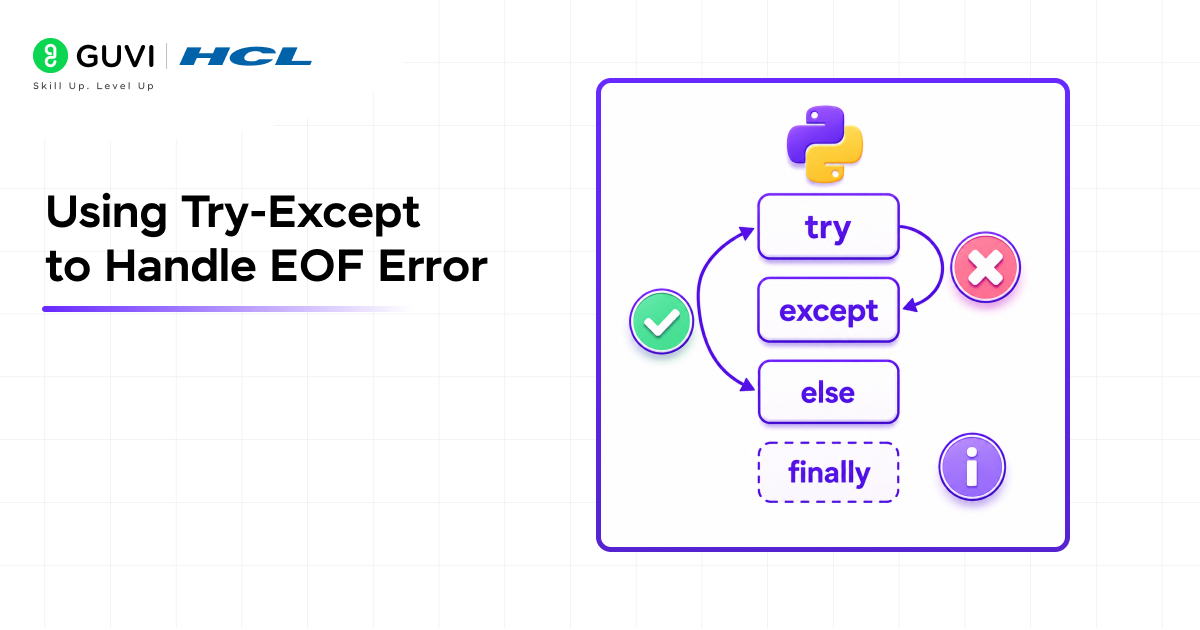
Using Try-Except to Handle EOF Error
- Basic try-except structure
try:
# Code that might cause EOF error
data = input(“Enter data: “)
except EOFError:
# What to do if EOF error occurs
print(“No input provided, using default”)
data = “default”
- Catching multiple exceptions
try:
age = input(“Enter your age: “)
age = int(age)
except EOFError:
print(“No input provided”)
age = 0
except ValueError:
print(“Invalid number entered”)
age = 0
- Using else clause
try:
name = input(“Enter name: “)
except EOFError:
print(“No input”)
else:
# This runs only if no exception occurred
print(f”Welcome, {name}”)
- Using finally clause
try:
data = input(“Enter data: “)
except EOFError:
data = None
finally:
# This always runs
print(“Input operation completed”)
Preventing EOF Errors
- Check if input is available
import sys
if sys.stdin.isatty():
# Running interactively
name = input(“Enter name: “)
else:
# Running non-interactively, read from stdin
try:
name = sys.stdin.readline().strip()
except EOFError:
name = “Unknown”
- Provide default values
user_input = input(“Enter name (or press Enter for default): “) or “Guest”
print(f”Welcome, {user_input}”)
- Use conditional input
import sys
if sys.stdin.isatty(): # Interactive mode
count = int(input(“How many items? “))
else: # Non-interactive mode
count = 5 # Use default
To learn more on Python programming, enroll in this HCL GUVI’s Python course designed for beginners and aspiring developers. Gain hands-on experience, strengthen your problem-solving abilities, and build industry-ready Python programming skills that real employers demand while working on practical projects and earning an industry-recognized certification.
Conclusion
EOF errors in Python occur when your program tries to read input or data that does not exist. The error message “EOFError: EOF when reading a line” means the input stream ended unexpectedly.
The most common cause is using input() in loops without handling the case where no input is available. Other causes include reading from empty files or running interactive code in non-interactive environments.
The solution is using try-except blocks to catch EOF errors gracefully. When you catch an EOF error, you can use default values, exit the loop, or handle the situation appropriately for your application.
Always test your programs by providing no input to identify potential EOF errors before they cause problems in production.
FAQs
1. What does EOF mean in Python?
EOF stands for “End of File”. In Python, an EOF error means the program tried to read input or data, but the input stream ended unexpectedly.
2. How do I fix an EOF error?
Use a try-except block to catch the EOFError exception. Provide a default value, exit the loop, or handle the situation appropriately for your program.
3. Why does my input() call crash with EOF error?
This happens when input() tries to read a line, but no input is available. This occurs when running scripts with no input source or when the input stream closes unexpectedly.
4. Can I prevent EOF errors?
Yes, use try-except blocks to catch them. Check if input is available using sys.stdin.isatty() or provide default values for inputs.
5. What is the difference between EOF error and other input errors?
EOF error means the input stream ended. ValueError means invalid data was entered. TypeError means wrong data type. Each requires different handling.
Success Stories

About the Author
Vishalini Devarajan
An Aerospace Engineer turned content writer, I focus on making complex concepts easy to understand through well-structured, reader-friendly blogs. Whether it’s a technical topic or a non-technical one, I love creating content that is clear, engaging, and impactful.
View all posts by Vishalini Devarajan
Connect with me @















Did you enjoy this article?