


Python Articles
Ray Serve Tutorial: How to Deploy Scalable ML Models with RayServe
SQLModel: Combining SQLAlchemy + Pydantic for Cleaner Code


Get In Touch For Details! Request More Information

What Is Method Overloading in Python? A Complete Guide
Jul 06, 2026 9 Min Read 310 Views
(Last Updated)
Method overloading in Java/C++ lets you define multiple functions with the same name but different parameter lists; the compiler picks the right one. In Python, redefining a function simply replaces the previous one; there’s no compile-time dispatch by signature.
That’s because Python is dynamically typed and treats functions as runtime objects, so a single flexible definition (default args, *args/**kwargs) usually covers multiple use cases. To simulate overloading, you can use defaults and argument unpacking, runtime type checks, and functools. singledispatch, or third‑party multipledispatch.
In the article below, we are going to see default and keyword arguments, *args/**kwargs with type checks, and functools. singledispatch and the multipledispatch library.
Table of contents
- TL;DR
- What Does Method Overloading Mean in OOP?
- Why Python Does Not Support Native Method Overloading
- Approach 1: Default Arguments
- Approach 2: Variable-Length Arguments with *args
- Approach 3: Using **kwargs for Named Arguments
- Approach 4: Type Checking With isinstance()
- Approach 5: functools. single-dispatch
- Approach 6: The multipledispatch Library
- Advantages of Method Overloading
- Choosing the Right Approach
- Method Overloading vs. Method Overriding: A Quick Distinction
- Method Overloading
- Method Overriding
- FAQ
- Q: If I define the same method twice in a class, do both exist?
- Q: When should I use default arguments vs *args/**kwargs?
- Q: How does functools. Single-dispatch work and when to use it?
- Q: Can I overload methods based on multiple argument types in standard Python?
- Q: Is runtime type checking with isinstance() a bad idea?
TL;DR
- Python does not support compile‑time method overloading like Java/C++; the last definition with the same name replaces earlier ones.
- Use default arguments, *args/**kwargs, or runtime type checks to handle different call patterns in a single method.
- For type‑based dispatch, prefer functools. singledispatch / singledispatchmethod (standard library) for single-argument type dispatch.
- Use the multipledispatch third‑party library if you need true overload‑style dispatch on multiple argument types.
- Choose the simplest tool that fits the problem: defaults and *args for variable arity, singledispatch for clean single‑arg type variants, and multipledispatch for multi‑arg type dispatch.
What Is Method Overloading in Python?
Method overloading is the concept of defining multiple methods with the same name but different parameter lists within a class. Unlike languages such as Java and C++, Python does not support native method overloading because a later method definition overrides earlier ones with the same name. Instead, Python achieves similar flexibility using techniques such as default arguments, variable-length arguments (*args and **kwargs), type checking, and modules like functools.singledispatch. These approaches allow a single method to handle different numbers or types of inputs while maintaining clean and readable code.
What Does Method Overloading Mean in OOP?
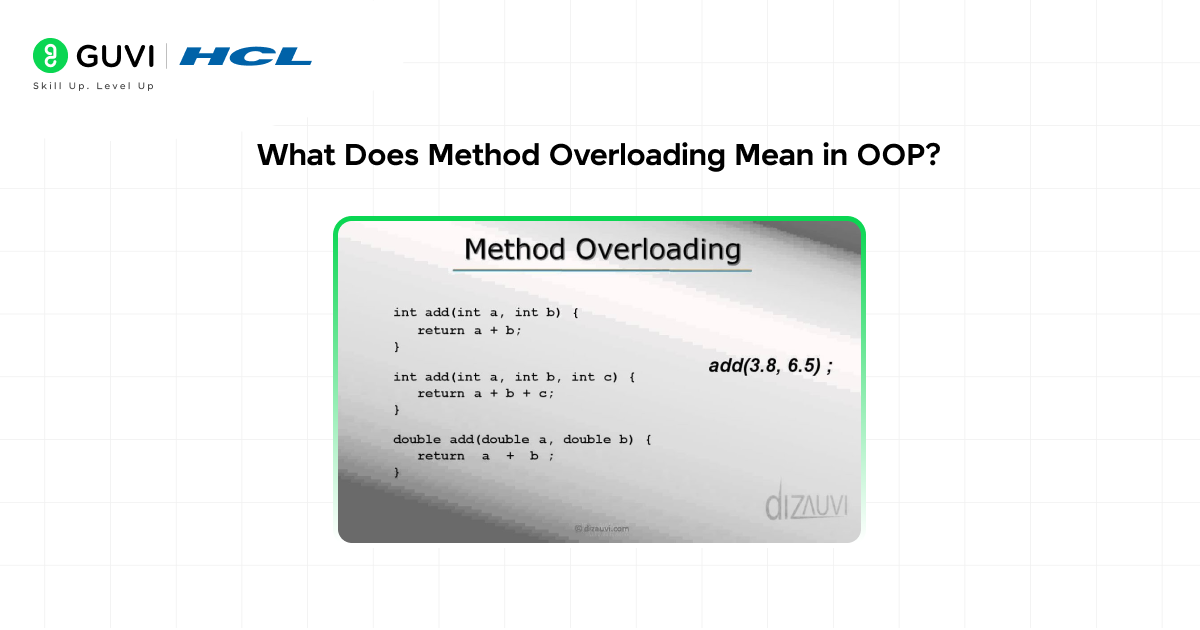
- Method overloading is a fundamental concept in object-oriented programming that enables a class to define multiple methods with the same name but different parameters.
- This powerful feature allows developers to create versatile functions capable of handling various data types and performing distinct operations based on the types and number of arguments passed.
- In languages like Java and C++, when you call a method, the compiler looks at both the method name and the types and number of arguments to determine which version to execute.
- This means you can have three versions of a method called calculate(), one that takes an integer, one that takes two integers, and one that takes a float, and the right version is selected automatically at compile time.
- Method overloading in Python entails the capability to create several methods that share the same name while having different parameters within a single class.
- This allows a method to perform different tasks based on the arguments passed to it.
- Despite Python’s lack of support for the classical method overloading found in languages like Java and C++, default parameters, variable-length arguments, or additional libraries like multipledispatch can accomplish comparable results.
Why Python Does Not Support Native Method Overloading
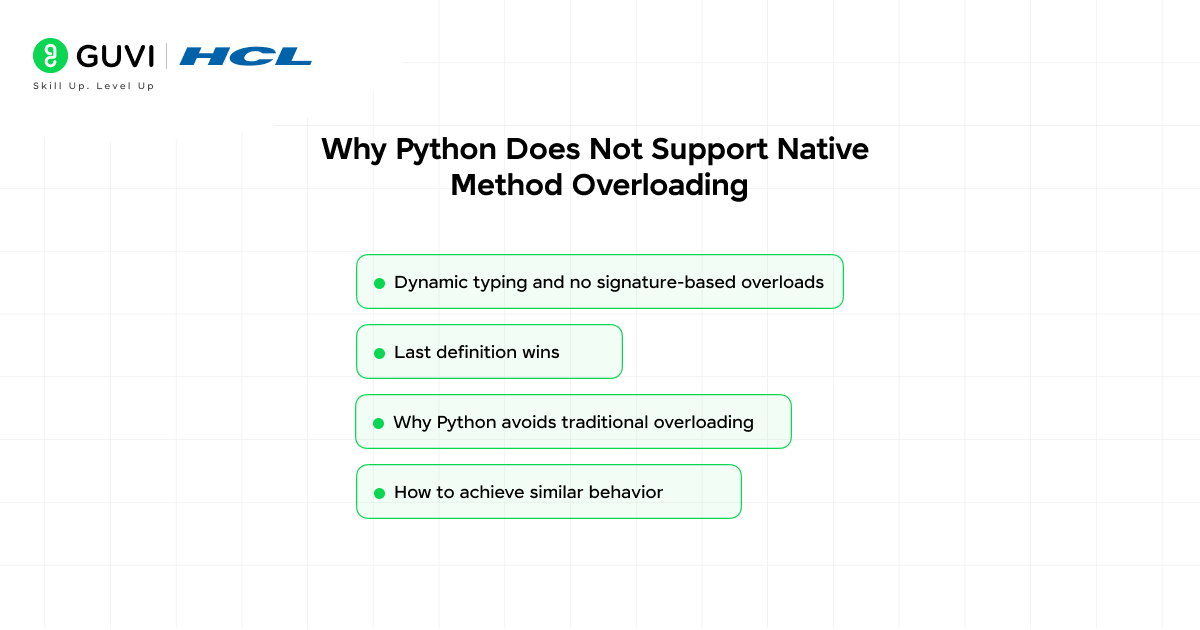
- Dynamic typing and no signature-based overloads
- Python is dynamically typed, so function identity isn’t based on parameter types or counts. The language has no built-in mechanism to treat the same function name with different parameter signatures as distinct definitions.
- Last definition wins
- If you define multiple functions with the same name in the same namespace, the last definition replaces earlier ones because functions are stored as name→object entries (like dictionary values).
- Why Python avoids traditional overloading
- Traditional compile-time overloading (as in Java/C++) would add complexity to Python’s simple, readable model by requiring signature-based dispatch. Python instead prefers explicit, simple behaviors that fit dynamic typing.
- How to achieve similar behavior
- Use default arguments, *args/**kwargs, type checks, or single-dispatch/generic functions (functools.singledispatch) to handle different parameter patterns within one function.
Here is a direct demonstration of what happens when you try Java-style overloading in Python:
class Calculator:
def add(self, a, b):
return a + b
def add(self, a, b, c): # This replaces the first add method
return a + b + c
calc = Calculator()
# The first add method no longer exists
print(calc.add(5, 10, 15)) # Output: 30 (works fine)
try:
print(calc.add(5, 10)) # Raises TypeError
except TypeError as e:
print(f”Error: {e}”)
# Error: add() missing 1 required positional argument: ‘c’
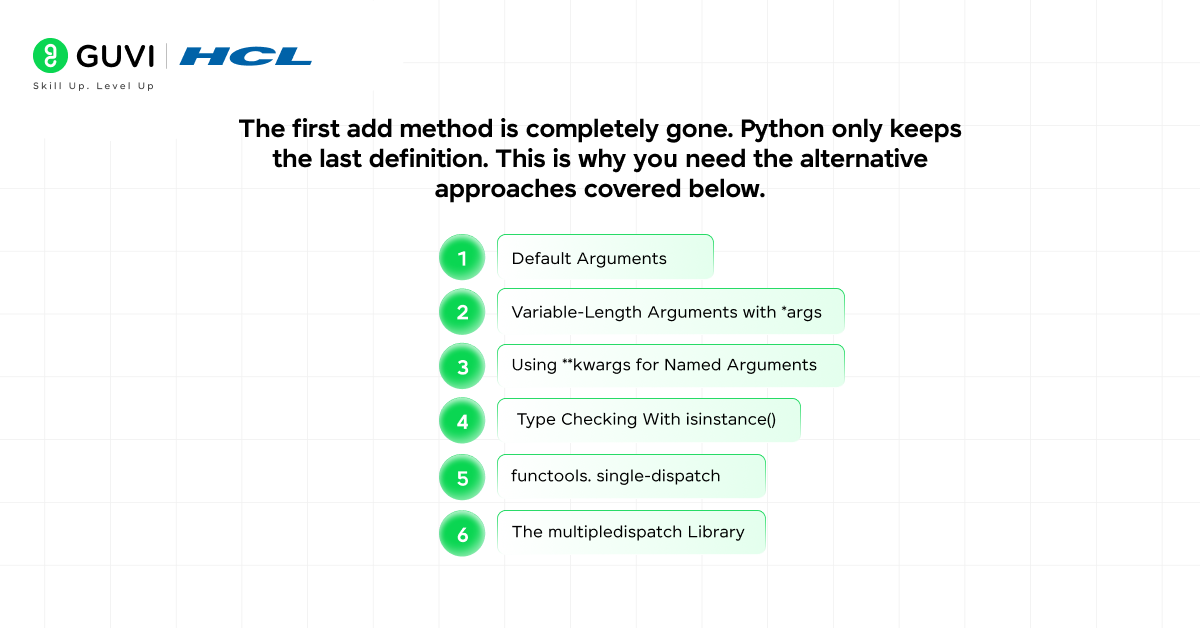
The first add method is completely gone. Python only keeps the last definition. This is why you need the alternative approaches covered below.

Approach 1: Default Arguments
The simplest and most Pythonic way to simulate method overloading is by using default arguments. By giving parameters default values, the same method can be called with different numbers of arguments:
class Calculator:
def add(self, a, b, c=0, d=0):
return a + b + c + d
calc = Calculator()
# Call with 2 arguments
print(calc.add(5, 10)) # Output: 15
# Call with 3 arguments
print(calc.add(5, 10, 15)) # Output: 30
# Call with 4 arguments
print(calc.add(5, 10, 15, 20)) # Output: 50
- You can achieve overloading by defining a function with default arguments. This function has three parameters, but two of them have default values, so it can be called with one, two, or three arguments, and Python will use the defaults for any that are not provided.
- Default arguments work well when the method always performs the same operation, but with a variable number of inputs.
- The advantage is simplicity and readability. The limitation is that all optional parameters must follow the required ones, and you cannot have different types trigger different behaviors automatically.
Approach 2: Variable-Length Arguments with *args
When you do not know in advance how many arguments will be passed, *args lets the method accept any number of positional arguments as a tuple:
class MathOperations:
def add(self, *args):
if len(args) == 0:
return 0
elif len(args) == 1:
return args[0]
elif len(args) == 2:
print(f”Adding two numbers: {args[0]} + {args[1]}”)
return args[0] + args[1]
else:
print(f”Adding {len(args)} numbers: {args}”)
return sum(args)
ops = MathOperations()
print(ops.add()) # Output: 0
print(ops.add(5)) # Output: 5
print(ops.add(5, 10)) # Adding two numbers: 5 + 10 → 15
print(ops.add(5, 10, 15, 20)) # Adding 4 numbers → 50
- Using variable-length arguments, a single method name can handle different cases and work when provided a different number of arguments. It is easier to read and simpler to maintain with defaults.
- The one problem with this approach is that it is limited to only defaults and variable-length arguments, and depending on the complexity of the situation, it can also be less readable.
Python intentionally avoids traditional signature-based function overloading found in languages like Java and C++. Because Python is dynamically typed and functions are first-class runtime objects, a name typically refers to a single callable object rather than multiple versions distinguished by parameter types. This design keeps the language simpler and encourages flexible patterns such as default arguments, *args, and **kwargs. For situations where type-based dispatch is useful, Python provides official solutions such as functools.singledispatch (introduced in Python 3.4) and singledispatchmethod (added in Python 3.8), while third-party libraries like multipledispatch enable dispatch based on multiple argument types.
Approach 3: Using **kwargs for Named Arguments
**kwargs captures any number of keyword arguments as a dictionary, which is useful when callers might pass different named parameters:
class UserProfile:
def create_profile(self, **kwargs):
profile = {}
if “name” in kwargs:
profile[“name”] = kwargs[“name”]
if “age” in kwargs:
profile[“age”] = kwargs[“age”]
if “email” in kwargs:
profile[“email”] = kwargs[“email”]
if “phone” in kwargs:
profile[“phone”] = kwargs[“phone”]
return profile
user = UserProfile()
# Call with just a name
print(user.create_profile(name=”Alice”))
# Output: {‘name’: ‘Alice’}
# Call with more details
print(user.create_profile(name=”Bob”, age=25, email=”[email protected]”))
# Output: {‘name’: ‘Bob’, ‘age’: 25, ’email’: ‘[email protected]’}
# Call with all fields
print(user.create_profile(
name=”Carol”, age=30,
email=”[email protected]”, phone=”555-1234″
))
# Output: {‘name’: ‘Carol’, ‘age’: 30, ’email’: ‘[email protected]’, ‘phone’: ‘555-1234’}
You can also combine *args and **kwargs for maximum flexibility:
class FlexibleCalculator:
def calculate(self, *args, **kwargs):
operation = kwargs.get(“operation”, “sum”)
if operation == “sum”:
return sum(args)
elif operation == “product”:
result = 1
for n in args:
result *= n
return result
elif operation == “average”:
return sum(args) / len(args) if args else 0
calc = FlexibleCalculator()
print(calc.calculate(1, 2, 3, 4, 5)) # 15
print(calc.calculate(2, 3, 4, operation=”product”)) # 24
print(calc.calculate(10, 20, 30, operation=”average”)) # 20.0
Approach 4: Type Checking With isinstance()
When you need truly different behavior based on the type of argument passed, you can check types explicitly inside the method:
class DataProcessor:
def process(self, data):
if isinstance(data, int):
print(f”Processing integer: squaring {data}”)
return data ** 2
elif isinstance(data, float):
print(f”Processing float: rounding {data}”)
return round(data, 2)
elif isinstance(data, str):
print(f”Processing string: uppercasing ‘{data}'”)
return data.upper()
elif isinstance(data, list):
print(f”Processing list: sorting {data}”)
return sorted(data)
elif isinstance(data, dict):
print(f”Processing dict: extracting keys”)
return list(data.keys())
else:
raise TypeError(f”Unsupported type: {type(data)}”)
processor = DataProcessor()
print(processor.process(5)) # 25
print(processor.process(3.14159)) # 3.14
print(processor.process(“hello”)) # HELLO
print(processor.process([3, 1, 4, 1, 5])) # [1, 1, 3, 4, 5]
print(processor.process({“b”: 2, “a”: 1})) # [‘b’, ‘a’]
Another approach is to manually handle different argument types or numbers within a single method using conditionals or type checking to define the behavior of the method based on the passed arguments.
Approach 5: functools. single-dispatch
Python’s standard library provides functools. singledispatch, a decorator that enables type-based dispatch for standalone functions. For methods in a class, you use singledispatchmethod available from Python 3.8 onwards:
from functools import singledispatch, singledispatchmethod
# For standalone functions
@singledispatch
def process(data):
raise NotImplementedError(f”Cannot process type: {type(data)}”)
@process.register(int)
def _(data):
return f”Integer: {data ** 2}”
@process.register(str)
def _(data):
return f”String: {data.upper()}”
@process.register(list)
def _(data):
return f”List: {sorted(data)}”
print(process(5)) # Integer: 25
print(process(“hello”)) # String: HELLO
print(process([3, 1, 2])) # List: [1, 2, 3]
# For class methods (Python 3.8+)
class Formatter:
@singledispatchmethod
def format(self, data):
raise NotImplementedError(f”Cannot format type: {type(data)}”)
@format.register(int)
def _(self, data):
return f”Integer formatted: {data:,}”
@format.register(float)
def _(self, data):
return f”Float formatted: {data:.2f}”
@format.register(str)
def _(self, data):
return f”String formatted: ‘{data.strip()}'”
formatter = Formatter()
print(formatter.format(1000000)) # Integer formatted: 1,000,000
print(formatter.format(3.14159)) # Float formatted: 3.14
print(formatter.format(” hello “)) # String formatted: ‘hello’
The singledispatch decorator allows function overloading based on the type of the first input. It enables constructing a generic function and then registering several implementations for different sorts of parameters.
Approach 6: The multipledispatch Library
For the closest experience to true method overloading as found in Java and C++, the multipledispatch library provides dispatch based on the types of multiple arguments:
# First install: pip install multipledispatch
from multipledispatch import dispatch
class Product:
@dispatch(int, int)
def calculate(self, a, b):
result = a * b
print(f”Multiplying two integers: {a} × {b} = {result}”)
return result
@dispatch(int, int, int)
def calculate(self, a, b, c):
result = a * b * c
print(f”Multiplying three integers: {a} × {b} × {c} = {result}”)
return result
@dispatch(float, float)
def calculate(self, a, b):
result = round(a * b, 4)
print(f”Multiplying two floats: {a} × {b} = {result}”)
return result
@dispatch(str, int)
def calculate(self, text, times):
result = text * times
print(f”Repeating string ‘{text}’ {times} times: {result}”)
return result
p = Product()
p.calculate(3, 4) # Multiplying two integers: 3 × 4 = 12
p.calculate(2, 3, 4) # Multiplying three integers: 2 × 3 × 4 = 24
p.calculate(2.5, 4.0) # Multiplying two floats: 2.5 × 4.0 = 10.0
p.calculate(“hello”, 3) # Repeating string ‘hello’ 3 times: hellohellohello
The multipledispatch library provides true method overloading. Separate functions are created for different argument signatures, and based on the number and type of arguments, the correct version is called automatically. This method is closest to true method overloading in Python.
Advantages of Method Overloading
- Method overloading improves code clarity by allowing developers to use the same method name for similar operations, making the code easier to understand and maintain.
- It enhances flexibility by making it possible for a single function to manage various data inputs, which lessens the demand to create numerous method names for the same tasks.
- Using consistent method names across different input types also improves the developer experience for anyone using your class.
- Instead of remembering add_two_integers(), add_three_integers(), and add_floats(), they simply call add() with whatever they have. The interface is simpler and more memorable.
Choosing the Right Approach
Knowing which technique to use depends on what exactly you need:
- Use default arguments when optional parameters extend a core operation, and all parameters are the same type. It is the simplest and most readable option for most cases.
- Use *args when the number of arguments is variable, but the operation is the same for all of them, like summing an arbitrary number of values.
- Use **kwargs when callers might pass different named parameters in different combinations, like a flexible configuration or profile builder.
- Use type checking with isinstance() when the method needs genuinely different behavior based on the type of a single argument and you want to keep everything in one place.
- Use singledispatchmethod when you want clean separation of implementations by type within a class and want to use Python’s standard library without installing anything extra.
- Use multiple dispatch when you need dispatch based on the types of multiple arguments, which is the closest to traditional method overloading and the most appropriate for complex cases.
Method Overloading vs. Method Overriding: A Quick Distinction
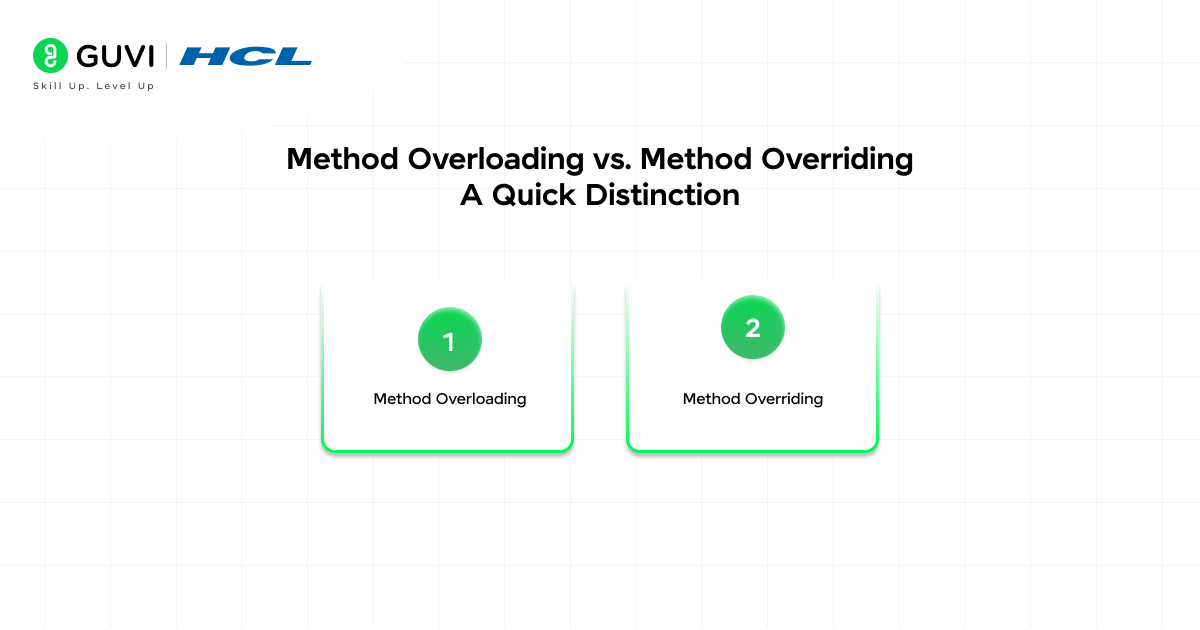
In-article image 1: The infographic should depict the title above and the 2 points below.
1. Method Overloading
- Overloading means a class offers multiple versions of the same method name that differ by their parameter lists or how they accept arguments. In languages without built-in overload syntax (like Python), similar behavior is achieved with default arguments, *args/**kwargs, or type checks within a single method.
2. Method Overriding
- Overriding occurs when a subclass defines a method with the same name as one in its parent class. The subclass’s implementation replaces the parent’s when called on subclass instances, allowing specialized behavior while preserving the same method interface.
Now that you understand method overloading in Python, how Python doesn’t support traditional overloading but lets you simulate it with default arguments, *args, **kwargs, and conditional logic inside a single method,, are you ready to go deeper into object‑oriented programming and master core Python and programming concepts? edureka+2 Start learning with HCL GUVI’s Programming Course and build strong, practical skills in Python, OOP, and real‑world development.
Wrapping Up
Method overloading in Python works differently from what Java or C++ developers expect, but that difference reflects a deliberate design philosophy. Python’s dynamic typing makes separate method definitions for different parameter types unnecessary in most cases.
The same flexibility is achieved through default arguments, variable-length arguments, type checking, and dispatch decorators, each suited to a different kind of problem. Understanding all these approaches gives you real versatility as a Python developer. For simple cases, default arguments are clear and sufficient. For type-based dispatch, singledispatchmethod from the standard library is clean and dependency-free.
For the closest experience to the traditional method of overloading with multiple argument types, multiple dispatch delivers exactly that. The key is matching the right tool to the actual problem rather than trying to force Python into patterns borrowed from other languages.
FAQ
Q: If I define the same method twice in a class, do both exist?
A: No, the last definition wins. Earlier definitions are overwritten because the function name is just a key in the class namespace.
Q: When should I use default arguments vs *args/**kwargs?
A: Use default arguments when you know the optional parameters and their order. Use *args when you need an arbitrary number of positional arguments. Use **kwargs for flexible named parameters or when callers may supply varying option names.
Q: How does functools. Single-dispatch work and when to use it?
A: singledispatch creates a generic function and lets you register implementations for specific types of the first argument. Use it when behavior should vary cleanly by the type of a single input while keeping code organized and extensible.
Q: Can I overload methods based on multiple argument types in standard Python?
A: Not natively. For multi-argument type dispatch, use a library like multipledispatch (pip install multipledispatch), which supports registering functions for specific combinations of argument types.
Q: Is runtime type checking with isinstance() a bad idea?
A: Not necessarily, it’s simple and explicit. But overusing isinstance can lead to cluttered code and reduced extensibility. Prefer singledispatch or polymorphism (duck‑typing / separate classes implementing the same interface) when it improves clarity and maintainability.
Success Stories

About the Author
Vishalini Devarajan
An Aerospace Engineer turned content writer, I focus on making complex concepts easy to understand through well-structured, reader-friendly blogs. Whether it’s a technical topic or a non-technical one, I love creating content that is clear, engaging, and impactful.
View all posts by Vishalini Devarajan
Connect with me @













Did you enjoy this article?