


Python Articles
What Is GUI in Python? A Beginner's Guide
Probability Basics: A Clear Introduction
How to Use Python in Excel: A Step-by-Step Guide for Beginners


Get In Touch For Details! Request More Information
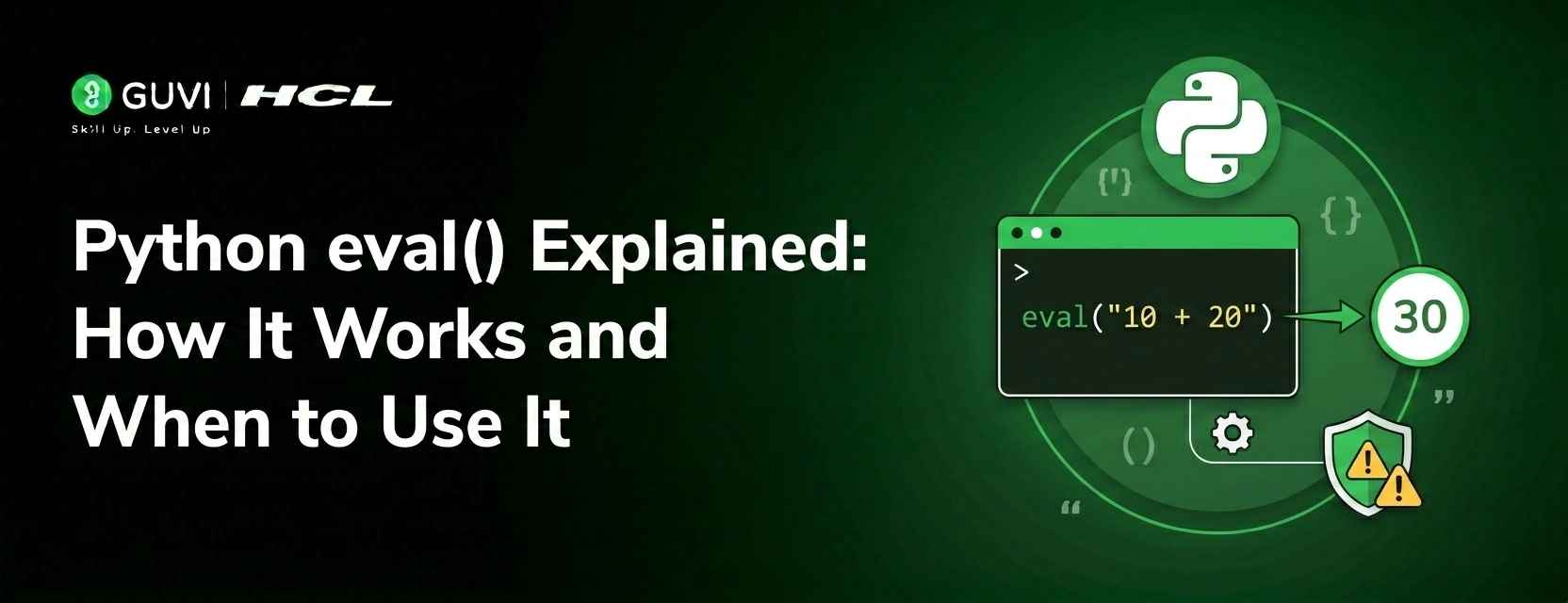
Python eval() Explained: How It Works and When to Use It
Jun 28, 2026 8 Min Read 34 Views
(Last Updated)
Python’s eval() lets you turn a string into executable code at runtime. eval (“3 + 4”) returns 7, showcasing the language’s expressiveness and flexibility. This dynamic evaluation powers simple calculators, configurable expression-driven systems, and lightweight code generation tools without building a custom parser.
Use it carefully, though: executing untrusted strings is a serious security risk and can be mitigated by input validation, restricted globals, or safer alternatives like ast.literal_eval for simple literals.
In this article, we will walk through everything you need to understand about python eval(). We will cover its syntax and three parameters, walk through practical code examples for different use cases, explain the security risks clearly and honestly, show you how to restrict its execution environment, and introduce the safer alternatives you should reach for first.
Table of contents
- TL;DR
- The Syntax of Python eval()
- How eval() Actually Works Internally
- Step 1: Parse the string
- Step 2: Compile to bytecode
- Step 3: Execute the bytecode
- Step 4: Return the result
- Basic Examples of eval()
- Using eval() With Variables in Scope
- Using eval() With globals and locals
- Practical Use of eval Case 1: A Dynamic Calculator
- Practical Use of eval Case 2: Dynamic Configuration and Runtime Code
- The Security Risk: Why eval() Can Be Dangerous
- How to Restrict eval() for Safer Use
- Safe Alternatives to eval()
- eval() vs exec(): Understanding the Difference
- Quick Reference: When to Use and When to Avoid eval()
- FAQ
- When should I use eval()?
- How can I make eval() safer?
- What’s a safe alternative to eval() for parsing data?
- Can eval() execute statements like assignments or loops?
- What happens if I call eval() without globals/locals?
TL;DR
- eval() executes a string containing a Python expression and returns its result; use it for dynamic expression evaluation.
- Signature: eval(expression, globals=None, locals=None). expression must be an expression (not statements). globals/locals control the execution namespace.
- Dangerous with untrusted input it can run arbitrary code. Prefer ast.literal_eval, json.loads, or operator-based dispatch when possible.
- You can limit risk by providing restricted globals/locals (e.g., {“_builtins_”: {}}) and validating input, but sandboxing eval perfectly is hard.
- Use exec() for statements (no return value) and eval() for expressions (returns value); both carry similar security concerns.
What Is eval() in Python?
eval() is a built-in Python function that takes a string containing a valid Python expression, interprets it as Python code, evaluates it, and returns the resulting value. It accepts an expression string along with optional globals and locals dictionaries that control the variables, functions, and objects accessible during evaluation. While eval() can be useful for dynamically evaluating expressions, it should be used with caution because executing untrusted input can create serious security risks.
The Syntax of Python eval()
- Expression (required)
The first parameter, expression, is required and must be a string containing a valid Python expression. eval() accepts expressions that produce a value (for example, 3 + 4, len(“hello”), or x * 2).
It does not accept statements; passing a statement such as x = 5 or a for loop will raise a SyntaxError.
- Globals (optional)
The second parameter, globals, is an optional dictionary that defines the global namespace available to the evaluated expression. If provided, it controls which global variables and functions the expression can access. If not provided, eval() uses the calling code’s current global scope.
- Locals (optional)
The third parameter, locals, is an optional dictionary (or mapping) that defines the local namespace for the evaluation. It works like globals but for local names. If locals is omitted, eval() uses the calling code’s current local scope (or the globals dict if only two arguments are given).
- Default behavior and safety note
If neither globals nor locals is passed, eval() executes the expression using the current global and local scope of the caller.
These namespace parameters are the main tool for restricting what the evaluated code can access and so are important for making eval() safer (for example, by supplying a limited globals dict or using safer alternatives like ast.literal_eval when appropriate).
How eval() Actually Works Internally
Here it is rewritten as step-wise subheadings, with each step concise and clear.
Step 1: Parse the string
- Python checks the string for valid Python syntax.
- If the string contains invalid syntax, Python raises a SyntaxError and stops before any execution.
Step 2: Compile to bytecode
- The parsed expression is converted into Python bytecode, the same intermediate form the interpreter uses for regular code.
- This compilation prepares the code for execution.

Step 3: Execute the bytecode
- The bytecode is executed by the Python virtual machine.
- You can supply globals and locals dictionaries to control the execution namespace.
Step 4: Return the result
- The value produced by executing the expression is returned to the caller.
- Example: eval(“3 + 4”) returns 7.
Notes on usage and safety
- evaluates expressions only (not full statements like loops or def), while exec() can run statements.
- Running eval() on untrusted input is dangerous because it can execute arbitrary code; prefer safer alternatives (e.g., ast.literal_eval for literals) or strong input validation.
Basic Examples of eval()
Starting with the simplest use case makes the function’s behavior immediately clear.
# Basic arithmetic expressions

result1 = eval("3 + 4")

print(result1)        # Output: 7

print(type(result1))  # Output: <class 'int'>

result2 = eval("10 * 2.5")

print(result2)        # Output: 25.0

result3 = eval("2 ** 8")

print(result3)        # Output: 256

# String operations

result4 = eval("'Hello' + ' ' + 'World'")

print(result4)        # Output: Hello World

# Boolean expressions

result5 = eval("5 > 3 and 10 < 20")

print(result5)        # Output: True

# Using Python built-in functions inside eval

result6 = eval("len('Python')")

print(result6)        # Output: 6

result7 = eval("max(10, 25, 7, 18)")

print(result7)        # Output: 25
Notice something important in the output of the first example: it returns an actual integer, not a string. It does not just interpret the expression visually. It fully evaluates it and returns the native Python type of the result. This is fundamentally different from simply printing a string that looks like a number.
Using eval() With Variables in Scope
When globals and locals are not specified, eval() has access to all variables in the current scope. This allows expressions to reference variables defined in the surrounding code.
x = 10

y = 20

z = 5

# eval() can access variables from the current scope

result = eval("x + y * z")

print(result)    # Output: 110  (10 + 20*5 = 110)

# Using variables in comparisons

name = "Alice"

result2 = eval("name.upper() + ' is learning Python'")

print(result2)   # Output: ALICE is learning Python

# Calling functions defined in the current scope

def square(n):

    return n ** 2

result3 = eval("square(x) + y")

print(result3)   # Output: 120  (100 + 20)
The fact that it silently inherits the full current namespace when no globals or locals are provided is precisely what makes it dangerous with untrusted input, but also what makes it convenient for quick internal use cases.
Python’s eval() function does much more than evaluate text—it first compiles the supplied expression into Python bytecode and then executes it inside the current Python virtual machine. Because of this, the result is returned as a native Python object such as an integer, float, list, or other data type, rather than a string. While this makes eval() convenient for internal tools, calculators, and dynamic configuration expressions, it also makes it dangerous when used with untrusted input. Since eval() can access the current execution scope by default, improper use is one of the most common causes of remote code execution (RCE) vulnerabilities in Python applications.
Using eval() With globals and locals
The second and third parameters give you explicit control over what the evaluated expression can see and access.
# Providing specific variables through locals

exec_locals = {'a': 10, 'b': 20}

result = eval("a * b", {}, exec_locals)

print(result)    # Output: 200

# The expression cannot access variables outside exec_locals

x = 999

try:

    result = eval("x + a", {}, exec_locals)

except NameError as e:

    print(f"Error: {e}")

    # Error: name 'x' is not defined

# Providing math functions through globals

import math

math_globals = {

    "sin": math.sin,

    "cos": math.cos,

    "pi": math.pi,

    "__builtins__": {}   # disable built-in functions

}

result = eval("sin(pi / 2)", math_globals)

print(result)    # Output: 1.0

result2 = eval("cos(0)", math_globals)

print(result2) # Output: 1.0- The eval() function lets you control the environment in which the expression runs. You can use the optional globals and locals dictionaries to define which variables and functions eval() can access. globals provides the global variables for the evaluation.
- Locals provides the local variables for the evaluation. If you do not provide globals and locals, eval() uses the current environment.
- Passing an empty dictionary {} as globals and a specific dictionary as locals creates an isolated sandbox where the expression can only see exactly what you explicitly provided.
Practical Use of eval Case 1: A Dynamic Calculator
One of the most common legitimate uses of eval() is building a calculator that accepts mathematical expressions from users or configuration files:
def calculate(expression):

    allowed_chars = set("0123456789 +-*/().**% ")

    # Basic validation: only allow safe characters

    if not all(c in allowed_chars for c in expression):

        raise ValueError(f"Invalid characters in expression: {expression}")

    # Restricted namespace: only math operations allowed

    safe_globals = {"__builtins__": {}}

    safe_locals = {

        "abs": abs,

        "round": round,

        "pow": pow,

        "max": max,

        "min": min,

    }

    try:

        result = eval(expression, safe_globals, safe_locals)

        return result

    except Exception as e:

        raise ValueError(f"Could not evaluate expression: {e}")

# Testing the calculator

expressions = [

    "2 + 3 * 4",

    "100 / 4 - 5",

    "2 ** 10",

    "abs(-42)",

    "round(3.14159, 2)"

]

for expr in expressions:

    print(f"{expr} = {calculate(expr)}")

Output:

2 + 3 * 4 = 14

100 / 4 - 5 = 20.0

2 ** 10 = 1024

abs(-42) = 42

round(3.14159, 2) = 3.14
For internal tools processing trusted input, eval() works well as a calculator alternative. The alternative is writing your own expression parser, which is significantly more work for the same result.
Practical Use of eval Case 2: Dynamic Configuration and Runtime Code
eval() is also useful when you need to evaluate expressions that are not known until runtime, such as those loaded from configuration files or generated by other parts of your program:
# Simulating a configuration system with dynamic expressions

config = {

    "discount_rate": "0.15",

    "tax_formula": "price * 0.08",

    "bonus_formula": "base_salary * 0.10 + 500"

}

# Evaluate tax formula with a specific price

price = 200

tax = eval(config["tax_formula"])

print(f"Tax on ${price}: ${tax}")    # Tax on $200: $16.0

# Evaluate bonus formula

base_salary = 50000

bonus = eval(config["bonus_formula"])

print(f"Bonus: ${bonus}")            # Bonus: $5500.0

# Dynamic operation selection

def apply_operation(values_str, operation):

    values = eval(values_str)        # e.g., "[5, 2, 9, 1]"

    result = eval(f"{operation}({values_str})")

    return result

print(apply_operation("[5, 2, 9, 1]", "max"))  # 9

print(apply_operation("[5, 2, 9, 1]", "min"))  # 1

print(apply_operation("[5, 2, 9, 1]", "sum"))  # 17
Configuration systems, templating engines, and developer tools occasionally require constructing and executing code at runtime. This pattern makes sense when the code comes from a controlled source, like a configuration file you wrote. It becomes dangerous when the input comes from users or external systems.
The Security Risk: Why eval() Can Be Dangerous
This is the section that every beginner must read carefully. eval() is one of the most dangerous functions in Python when used with untrusted input, and the risk is real, not theoretical.
While eval() is powerful, it carries risks. Never use eval() with untrusted input. If you let a user provide the string for eval(), they could type malicious code. This code could delete files from your system.
Here is a concrete example of what a malicious user could pass to an unprotected eval():
# DANGEROUS: Never do this in production code

user_input = input("Enter expression: ")

result = eval(user_input)   # SECURITY VULNERABILITY

If a user types any of the following, the results could be catastrophic:

# User inputs that could cause serious damage:

# Delete all files in current directory

"__import__('os').system('rm -rf *')"

# Read sensitive files from the system

"open('/etc/passwd').read()"

# Access environment variables containing secrets

"__import__('os').environ"

# Execute arbitrary shell commands

"__import__('subprocess').run(['ls', '-la'])"
Python’s eval() automatically inserts a reference to the dictionary of builtins into globals before parsing the expression. A malicious user could exploit this behavior by using the built-in function _import__() to get access to dangerous system functionality.
How to Restrict eval() for Safer Use
When you genuinely need eval(), the globals and locals parameters are your primary defense mechanism.
import re

def safe_math_eval(expression):

    # Step 1: Validate input characters

    pattern = r'^[0-9\s\+\-\*\/\%\(\)\.\*\*]+$'

    if not re.match(pattern, expression):

        raise ValueError("Expression contains invalid characters")

    # Step 2: Restrict namespace completely

    safe_globals = {"__builtins__": {}}    # disable ALL built-ins

    safe_locals = {}                        # no variables allowed

    # Step 3: Evaluate in the restricted environment

    try:

        result = eval(expression, safe_globals, safe_locals)

        return result

    except ZeroDivisionError:

        raise ValueError("Division by zero")

    except Exception as e:

        raise ValueError(f"Invalid expression: {e}")

# Safe use

print(safe_math_eval("2 + 3 * 4"))       # 14

print(safe_math_eval("100 / 5"))          # 20.0

print(safe_math_eval("2 ** 8"))           # 256

# Blocked dangerous inputs

try:

    safe_math_eval("__import__('os').system('ls')")

except ValueError as e:

print(f"Blocked: {e}")- By setting __builtins__ to None, we disable all built-in functions, and then only safe functions are allowed in safe_locals, thereby reducing risks.
- For expression calculation, you can use the ast.literal_eval() function in the ast module. ast.literal_eval() can only parse Python’s literal structures such as strings, numbers, tuples, lists, dictionaries, and cannot execute operations such as function calls and variable references, so it is safer.
- When the input is untrusted, there is no completely effective way to avoid the security risks associated with eval(). However, you can minimize your risk by restricting the execution environment of eval().
Safe Alternatives to eval()
Before reaching for eval(), consider these safer alternatives that cover most common use cases:
ast.literal_eval() is the best alternative when you need to parse Python data structures like lists, dictionaries, tuples, and strings from user input:
import ast

# Safe: only parses literal Python structures

data = ast.literal_eval("[1, 2, 3, {'key': 'value'}]")

print(data)         # [1, 2, 3, {'key': 'value'}]

print(type(data))   # <class 'list'>

# Also safe for numbers, strings, booleans

number = ast.literal_eval("42")

print(number)       # 42

# Cannot execute arbitrary code - this raises ValueError

try:

    ast.literal_eval("__import__('os').system('ls')")

except ValueError as e:

    print(f"Safely blocked: {e}")
json.loads() is the right choice when parsing data that comes in JSON format from APIs or configuration files:
import json

json_data = '{"name": "Alice", "age": 30, "scores": [95, 87, 92]}'

data = json.loads(json_data)

print(data["name"])     # Alice

print(data["scores"])   # [95, 87, 92]
The operator module is useful for dynamic mathematical operations without the security risk:
import operator

ops = {

    '+': operator.add,

    '-': operator.sub,

    '*': operator.mul,

    '/': operator.truediv

}

def calculate(a, op_symbol, b):

    if op_symbol not in ops:

        raise ValueError(f"Unsupported operation: {op_symbol}")

    return ops[op_symbol](a, b)

print(calculate(10, '+', 5))    # 15

print(calculate(10, '*', 3))    # 30
eval() vs exec(): Understanding the Difference
A common source of confusion for beginners is the difference between eval() and exec(). They are related but serve different purposes:
# eval() evaluates EXPRESSIONS and RETURNS a value

result = eval("3 + 4")

print(result)    # 7

# exec() executes STATEMENTS but returns None

exec("x = 3 + 4")

print(x)         # 7  (x was set in the current namespace)

print(exec("3 + 4"))  # None

# eval() raises SyntaxError for statements

try:

    eval("x = 10")    # Assignment is a statement, not expression

except SyntaxError as e:

    print(f"SyntaxError: {e}")
Use eval() when you need the result of an expression. Use exec() when you want to execute statements that have side effects like variable assignments or function definitions. Both carry similar security risks and both should be used with great caution.
Quick Reference: When to Use and When to Avoid eval()
- Use eval() when the input comes from a trusted source like your own configuration files or internal program logic, when you need to evaluate mathematical expressions in a tightly controlled sandbox, when the use case genuinely cannot be solved with ast.literal_eval(), json.loads(), or the operator module, and when performance optimization requires dynamic expression evaluation in a controlled environment.
- Avoid eval() when the expression string comes from user input, web requests, API responses, or any external source. Avoid it when ast.literal_eval() would solve the same problem more safely. Avoid it in production code handling sensitive data or operations.
Now that you understand how Python’s eval() dynamically evaluates string expressions and where it’s safe (or unsafe) to use it, ready to go deeper into Python and build real, secure programs? Start learning Python with HCL GUVI’s Programming Course and master core concepts, functions, and best practices for writing clean, safe code
Wrapping Up
eval() is one of Python’s most powerful and most misunderstood built-in functions. The ability to treat a string as executable code and get a result back is genuinely useful in the right contexts, from dynamic calculators and configuration-driven systems to developer tools that need runtime code generation. Understanding how its three parameters work, especially how globals and locals create an execution sandbox, gives you the control you need to use it responsibly.
The security risks are real and should never be dismissed. Any eval() call that processes input from an untrusted source is a potential vulnerability. The rule is simple: reach for ast.literal_eval() or json.loads() first, use the operator module for dynamic math, and only turn to eval() when you have exhausted safer alternatives and can guarantee the expression comes from a trusted, controlled source with a properly restricted namespace.
FAQ
1. When should I use eval()?
Only for trusted, controlled expressions you cannot handle with safer tools — e.g., internal config expressions, developer tools, or controlled runtime code generation where you can tightly restrict the namespace.
2. How can I make eval() safer?
Validate the string (allow only safe characters/patterns), pass restricted globals/locals (set “_builtins_” to {} or None), and expose only the specific functions/values needed. Even then, treat it cautiously.
3. What’s a safe alternative to eval() for parsing data?
Use ast.literal_eval() for Python literals (numbers, strings, lists, dicts, tuples). Use json.loads() for JSON data and the operator module or a small expression parser for controlled math.
4. Can eval() execute statements like assignments or loops?
No. eval() only evaluates expressions. Use exec() to run statements (but exec() returns None and is similarly risky).
5. What happens if I call eval() without globals/locals?
eval() runs in the current scope and can access your variables and builtins, which is convenient but increases the attack surface if the input is untrusted.
Success Stories

About the Author
Vishalini Devarajan
An Aerospace Engineer turned content writer, I focus on making complex concepts easy to understand through well-structured, reader-friendly blogs. Whether it’s a technical topic or a non-technical one, I love creating content that is clear, engaging, and impactful.
View all posts by Vishalini Devarajan
Connect with me @











Did you enjoy this article?