


Software Development Articles
How to Read and Understand System Design Diagrams?
System Engineer Roles and Responsibilities: 12 Proven Duties for Growth
SAP Consultant Roles and Responsibilities: 12 Proven Duties for Growth and Success
Network Engineer Roles and Responsibilities: 12 Essential Duties for Success


Get In Touch For Details! Request More Information
What is System Design? A Beginner-Friendly Guide
Jul 16, 2026 8 Min Read 1010 Views
(Last Updated)
You open Instagram. In under a second, your feed loads with photos from people you follow, ads tailored to your interests, and stories from 50 different accounts. Somewhere, hundreds of millions of other people are doing the exact same thing at the exact same moment. Nothing crashes. Nothing is slow. It all just works.
That is not an accident. Someone designed it that way. And the discipline behind that invisible, silent engineering is called system design.
This guide explains system design from scratch. Just plain explanations, real-world analogies, and the kind of understanding that makes you look at every app you use in a completely different way.
Quick Answer
System design is the process of planning how different parts of a software application will work together to handle real-world demands. It covers how data is stored and retrieved, how the system handles millions of users, what happens when something breaks, and how the whole thing stays fast and reliable. Every major app you use, from Google to WhatsApp to Netflix, was built on thoughtful system design decisions.
Table of contents
- What is System Design?
- Why System Design Matters
- Performance Problems
- Downtime and Outages
- Inability to Scale
- Core Concepts of System Design
- Scalability
- Load Balancing
- Databases
- Caching
- APIs
- Microservices vs Monolith
- Availability and Reliability
- Single Point of Failure
- How a Request Moves Through a System
- Step 1: You Type and Hit Search
- Step 2: The Load Balancer Receives It
- Step 3: The Application Server Processes It
- Step 4: Cache is Checked First
- Step 5: Database is Queried if Needed
- Step 6: Response is Returned
- Where System Design is Used in the Real World
- 💡 Did You Know?
- Conclusion
- FAQs
- Do I need to know how to code to learn system design?
- Is system design only for senior engineers?
- What is the difference between system design and software architecture?
- How long does it take to learn system design?
- What is the best resource to learn system design from scratch?
What is System Design?
Imagine you are opening a restaurant. On your first day, you have five tables, one chef, and one cashier. You take an order, the chef cooks it, and the cashier handles payment. Simple. It works perfectly. Now imagine your restaurant becomes famous overnight and 500 people show up tomorrow morning. One chef. One cashier. Five tables. The whole thing falls apart.
System design is the process of thinking through that problem before it happens. How many chefs will you need? Do you need a separate person just for washing dishes? Should you have one kitchen or two? What happens if the chef calls in sick? How do you make sure table seven gets their food at the same time as table three?
Software systems face the exact same questions, just with servers instead of chefs and users instead of customers. System design is the art and science of answering those questions before the restaurant opens.
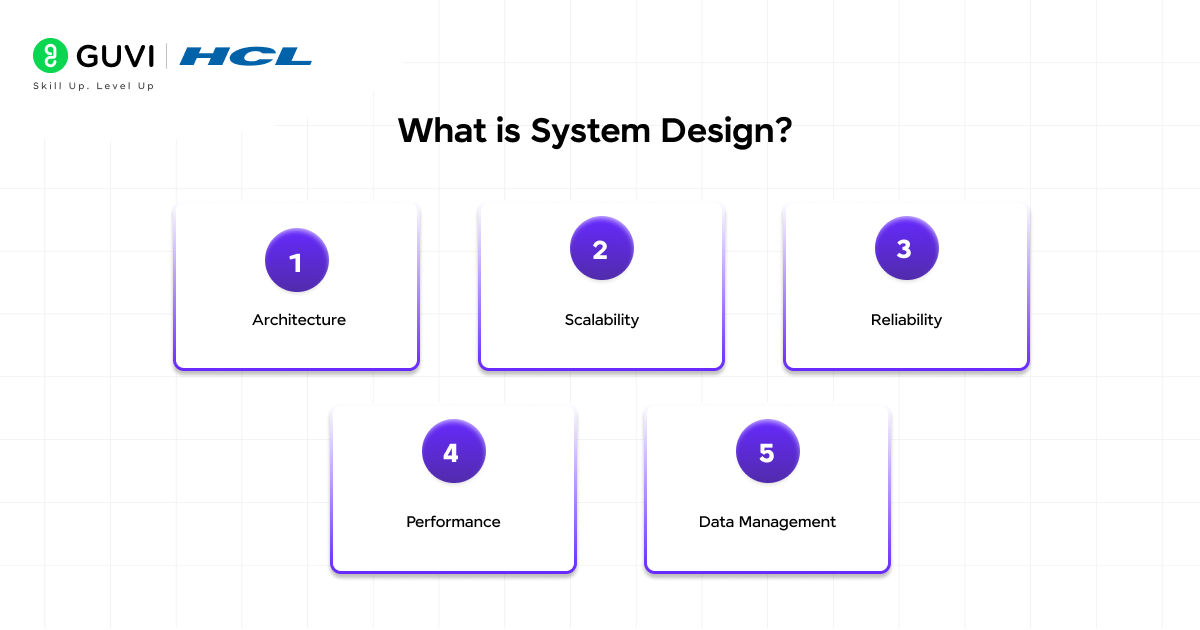
What system design involves:
- Architecture: Deciding which components exist in the system and how they connect to each other
- Scalability: Planning how the system handles growth from 100 users to 100 million users
- Reliability: Ensuring the system keeps working even when individual parts break down
- Performance: Making sure responses are fast enough that users never notice a delay
- Data management: Deciding how information is stored, retrieved, updated, and protected
Why System Design Matters
System design is one of those skills that is invisible when it is done well and painfully obvious when it is done badly. Here are the real consequences of getting it wrong.
1. Performance Problems
A poorly designed system slows down as users increase. This is not a code problem. It is an architecture problem.
- Amazon found that every 100 milliseconds of added loading time costs them 1% in sales
- Google found that a half-second delay in search results causes a 20% drop in traffic
- 53% of mobile users abandon a page that takes more than 3 seconds to load
- These are not software bugs. They are system design failures.
2. Downtime and Outages
Without proper system design, one broken component can take down the entire application.
- If your entire app runs on a single server and that server crashes, everything stops
- A well-designed system anticipates failures and keeps running even when individual parts break
- Think of it like a city’s electricity grid. When one substation fails, other substations take over. Your lights stay on. That is reliability by design.
3. Inability to Scale
A system designed for 1,000 users will break under 1 million users unless it was designed to grow.
- Twitter faced this in its early years. The site crashed so often during traffic spikes that the “fail whale” (their error page image) became famous.
- The problem was not bad engineering. It was a system designed for a much smaller scale that was asked to do something it was never built to handle.
Do check out HCL GUVI’s AI Software Development Course if you want to learn system design and build real-world applications. This beginner-friendly program offers hands-on projects, live sessions, and industry-recognized certifications to help you become job-ready.
Core Concepts of System Design
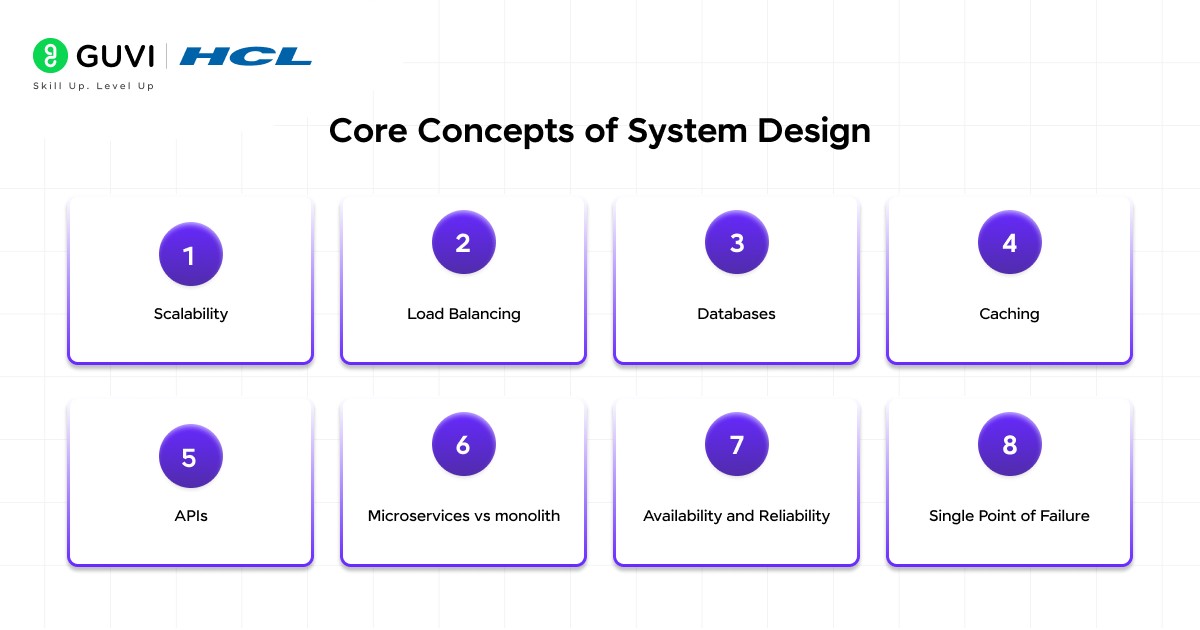
These are the ideas you will encounter every time system design comes up. Each one is explained in plain English with a real-world comparison.
1. Scalability
Scalability is the ability of a system to handle more work without falling apart. There are two ways to scale a system.
Vertical scaling is like upgrading from a small car to a bigger car. You are still driving one car, just a more powerful one. You add more memory, a faster processor, or more storage to the existing server. It is simple, but there is a ceiling. Eventually, no single machine can be made powerful enough.
Horizontal scaling is like calling in extra taxis instead of upgrading your one car. You add more servers instead of making one server more powerful. This is how companies like Netflix and Google handle hundreds of millions of users simultaneously.
- Vertical scaling: One server gets bigger. Simpler but limited.
- Horizontal scaling: More servers are added. Complex but almost unlimited.
- The real world equivalent: A road with one lane that gets wider (vertical) versus a road where you add more lanes (horizontal).
2. Load Balancing
When you add multiple servers through horizontal scaling, a new problem appears. How do you decide which server handles which user’s request? That is the job of a load balancer.
A load balancer is like a traffic cop standing at a busy intersection. Instead of letting all cars pile into one lane, the traffic cop directs cars evenly across all available lanes. No one lane gets overwhelmed. Traffic flows smoothly.
In software, a load balancer sits in front of your servers and distributes incoming requests across all of them. If one server is busy, the load balancer sends the next request to a less busy one.
- What it prevents: One server getting overwhelmed while others sit idle
- Real world example: When you call a customer service line and the automated system says “your call will be directed to an available agent,” that routing is load balancing
- Why it matters: Without load balancing, horizontal scaling would not work
3. Databases
Every application needs to store information somewhere. Databases are where that information lives. There are two main types.
Relational databases (SQL) store information in organised tables, like a spreadsheet. Each row is a record. Each column is a property. The rows in different tables can be linked together. Think of a library where every book is catalogued with a title, author, ISBN, and location, all in a structured format. MySQL, PostgreSQL, and SQLite are popular examples.
Non-relational databases (NoSQL) store information more flexibly. Instead of rigid tables, data can be stored as documents, key-value pairs, or graphs. Think of a collection of sticky notes rather than a spreadsheet. Each note can have different information on it. MongoDB and Redis are popular examples.
- SQL is best when: Your data is highly structured and relationships between records matter
- NoSQL is best when: Your data is large, varied, or needs to be written and retrieved very quickly
- The simple rule: If you are tracking transactions or user accounts with fixed fields, use SQL. If you are storing unstructured data like social media posts or product catalogues that vary widely, consider NoSQL.
4. Caching
Every time a user asks your application for information, the app normally goes to the database to fetch it. Database reads take time. If a million users ask for the same data, that is a million database reads when only one is actually needed.
Caching is the solution. A cache stores a copy of frequently requested data in a much faster location, usually in memory, so the application can retrieve it instantly without touching the database every time.
Think of it like a sticky note on your desk. If your boss asks you the same question every morning, you write the answer on a sticky note instead of searching through filing cabinets every time. The filing cabinet is the database. The sticky note is the cache.
- What caching does: Stores answers to common questions so the database is not asked the same thing repeatedly
- Where caches live: Usually in RAM (memory), which is much faster than reading from disk
- Real-world example: When you revisit a website and it loads faster the second time, that is caching at work. Your browser saved parts of the page locally.
- The catch: Cached data can become stale. If the original data changes, the cache must be updated too. Managing this is called cache invalidation, and it is one of the famously tricky problems in system design.
5. APIs
An API (Application Programming Interface) is the way two different software systems talk to each other. It is the messenger that carries requests from one system and returns responses to another.
Think of a restaurant waiter. You (the user) sit at the table and tell the waiter what you want. The waiter goes to the kitchen (the server and database) and brings back your food. You never go into the kitchen directly. The waiter is the API.
- What APIs do: Let one application use the features or data of another without needing to understand how it works internally
- Real-world example: When you click “Sign in with Google,” your app is calling Google’s API to verify your identity. Your app never sees your Google password. It just receives a “yes, this user is who they say they are” response.
- Why it matters for system design: APIs let large systems be broken into independent pieces that communicate with each other. They are the connective tissue of modern software.

6. Microservices vs Monolith
This is one of the biggest architecture decisions in system design. Should your application be one big program, or many small ones that work together?
A monolith is one big application that does everything. All the login logic, all the payment processing, all the search features, all in one place. It is like having one chef in your restaurant who can cook every dish, handle the desserts, wash dishes, and manage the bookings. Simple to start with. It becomes a problem when the restaurant gets busy.
Microservices is the opposite approach. You split the application into small, independent services that each do one thing. A login service. A payment service. A search service. They all talk to each other through APIs. It is like having specialist kitchen staff, a head chef, a pastry chef, a saucier, each focused on their role. Harder to manage, but much easier to scale and fix.
| Monolith | Microservices |
| One big codebase | Many small, independent services |
| Easier to start building | Easier to scale and update |
| One failure can affect everything | Failure in one service does not break others |
| Best for small teams and early products | Best for large teams and complex products |
| Simple deployment | Complex deployment (container tools like Docker and Kubernetes) |
7. Availability and Reliability
Availability is how often a system is up and running. It is expressed as a percentage.
- 99% availability means the system is down for about 3.65 days per year
- 99.9% means about 8.7 hours of downtime per year
- 99.99% (four nines) means about 52 minutes of downtime per year
- 99.999% (five nines) means about 5 minutes of downtime per year
Most consumer apps aim for at least 99.9%. Financial systems and healthcare platforms typically aim for 99.99% or higher because downtime has real-world consequences.
Reliability is about consistency. A reliable system does what it promises every time, not just most of the time. A system can be available (running) but unreliable (returning wrong answers). The goal is both.
- How systems achieve high availability: Multiple servers (so one failure does not matter), automatic failover (a backup takes over instantly), load balancers, and geographic distribution across data centres
- The backup generator analogy: A hospital cannot afford to lose power during surgery. So they have a backup generator that kicks in automatically. High availability in software is the same idea.
8. Single Point of Failure
A single point of failure is any component in your system whose failure would bring down the entire thing. Identifying and eliminating these is a core goal of system design.
- A database with no backup is a single point of failure. If it goes down, the app has no data.
- A single server with no load balancer is a single point of failure. If the server crashes, nobody can use the app.
- How to fix it: Redundancy. Have a backup. Mirror your database. Run multiple servers. Store copies of data in multiple locations. If anything fails, something else is already ready to take over.
How a Request Moves Through a System
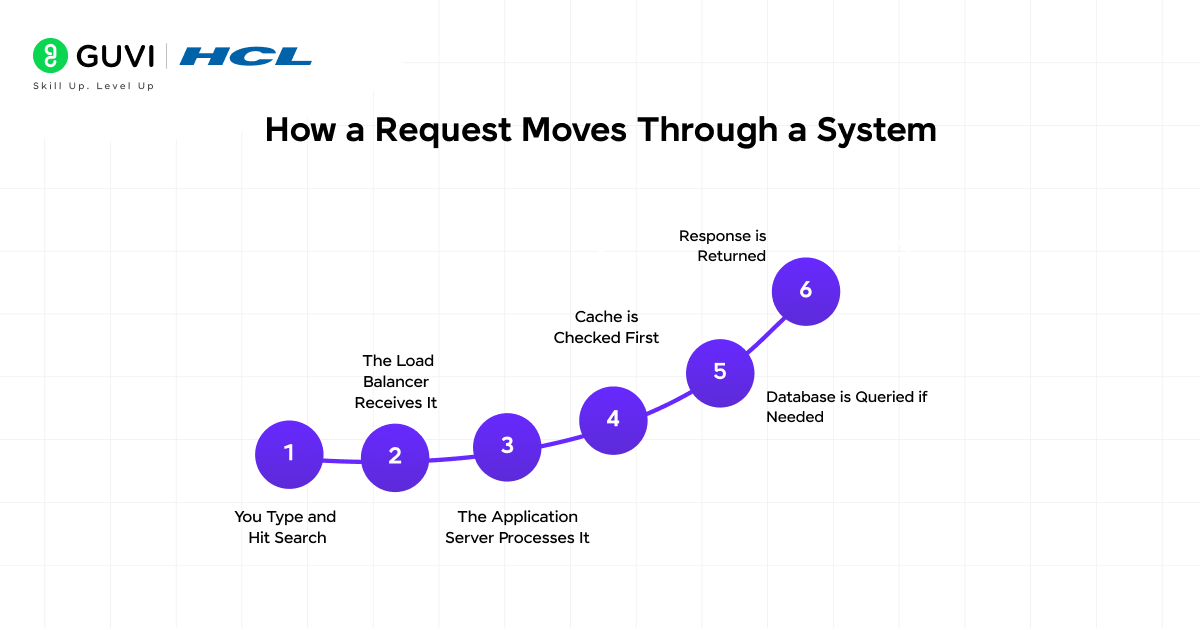
The best way to understand system design is to trace what actually happens when you do something simple, like searching on Google.
Step 1: You Type and Hit Search
Your browser sends a request over the internet to Google’s servers. This request travels through DNS servers that translate “google.com” into a numerical IP address your browser can use.
Step 2: The Load Balancer Receives It
Google does not run on one server. They have thousands. A load balancer receives your request and decides which server should handle it, routing it to the least busy one.
Step 3: The Application Server Processes It
The server receives your search query. It runs logic to understand what you are looking for and begins preparing a response.
Step 4: Cache is Checked First
Before going to any database, the server checks the cache. If a million other people have searched the same thing in the last few minutes, the answer is already stored in memory. The response is returned instantly without touching a database at all.
Step 5: Database is Queried if Needed
If the cache does not have the answer, the application queries the database for the relevant information. Google’s search index (a type of specialised database) is queried to find the most relevant results for your search.
Step 6: Response is Returned
The server assembles your results and sends them back to your browser through the load balancer. Your screen shows the results. The whole process takes under half a second.
That simple act, one search, involved load balancers, caches, multiple databases, and application servers working together. That coordination is system design.
Where System Design is Used in the Real World
System design principles appear in every application you use. Here are some examples that connect the concepts above to apps you know.
| App | Key System Design Challenge | How It Is Solved |
| Deliver messages to 2 billion users in real time | Message queues, distributed servers, CDNs | |
| Netflix | Stream video without buffering to 260 million users | CDN, caching, horizontal scaling |
| Uber | Match drivers and riders in real time, globally | Location databases, real-time APIs, load balancing |
| Amazon | Handle Black Friday traffic spikes without crashing | Auto-scaling, microservices, multiple data centres |
| Google Search | Return results in under a second from billions of pages | Distributed indexing, aggressive caching, parallel processing |
💡 Did You Know?
- Amazon’s early checkout page was a monolith. When it broke, the whole website went down. The shift to microservices is credited with making Amazon’s infrastructure reliable enough to eventually sell as a service to others. That service became Amazon Web Services (AWS), now worth over $100 billion annually.
- The concept of caching is older than computers. Librarians used card catalogues to avoid searching every book every time a patron asked for something. The principle is identical to how modern software caches data.
- WhatsApp reached 1 billion users with a team of only 55 engineers before being acquired by Facebook. The efficiency came largely from careful system design decisions that let a very small team manage an enormous, reliable infrastructure.
Conclusion
System design is what separates an app that works in a demo from one that works for a billion people. It is the discipline of thinking ahead, designing for failure, planning for scale, and making intentional trade-offs rather than accidental ones.
You do not need to memorise every component or master every concept to benefit from understanding system design. Even a basic understanding of how a load balancer works, why caching exists, and what makes a database choice significant will change how you think about every application you build or use.
The best time to learn system design is before you need it. Because once your restaurant is full of 500 customers and the kitchen cannot keep up, the time to redesign the kitchen was months ago.
Start with one concept. Follow the curiosity. The understanding builds faster than you expect.
FAQs
1. Do I need to know how to code to learn system design?
You do not need deep coding experience to understand system design concepts. Many ideas like caching, load balancing, and databases can be understood through analogies before writing any code. That said, practical system design skills deepen significantly when you have built at least one real application.
2. Is system design only for senior engineers?
No. While system design interviews are common for senior roles, the concepts apply at every level. Junior developers who understand system design make better decisions daily, from choosing data structures to writing APIs that work well under load.
3. What is the difference between system design and software architecture?
They overlap significantly. System design tends to focus on the large-scale components and how they interact, including servers, databases, and networks. Software architecture tends to focus more on code structure, design patterns, and how components within a single service are organised. In practice, many people use the terms interchangeably.
4. How long does it take to learn system design?
You can learn the core concepts in four to six weeks of consistent study. Becoming genuinely strong at system design takes months to years of practice because the real skill is recognising trade-offs in new situations, which only comes from exposure to many different problems and systems.
5. What is the best resource to learn system design from scratch?
The best starting point is working through real examples. Design a URL shortener, design a chat app, design a notification service. The concepts stick when you apply them to concrete problems. Engineering blogs from Netflix, Uber, Airbnb, and Discord are free, current, and written by the people who built those systems
Success Stories

About the Author
Jebasta
I translate the language of data into stories that anyone can understand. As a writer with a data science background, I simplify analytics, AI, and decision-making so beginners and enthusiasts can confidently explore the world of data.
View all posts by Jebasta
Connect with me @












Did you enjoy this article?