


Artificial Intelligence and Machine Learning Articles
Claude for Code Documentation with JSDoc
How to Integrate Claude into a Next.js App with App Router


Get In Touch For Details! Request More Information
Google Opal: Google’s No-Code Tool for Building AI Apps
May 28, 2026 6 Min Read 1240 Views
(Last Updated)
Not too long ago, building an app meant hiring developers, writing thousands of lines of code, and spending months in development. Today, that equation is changing fast.
Google Opal is a new experimental tool from Google Labs that lets you build and share powerful AI mini-apps by chaining together prompts, models, and tools, all using simple natural language and visual editing. Google Developers: You don’t need to know Python. You don’t need a computer science degree. All you need is a clear idea of what you want to build.
Whether you’re a teacher creating a quiz generator, a marketer automating content workflows, or a founder prototyping an internal tool, Opal puts app-building in your hands. In this article, you’ll get a complete look at what Google Opal is, how it works, and what you can actually do with it.
TL;DR
- Google Opal is a no-code AI mini-app builder from Google Labs that lets you create functional, shareable AI-powered apps using plain English, no programming skills needed.
- It works by translating your natural language description into a visual, step-by-step workflow that you can edit, rearrange, and refine without writing a single line of code.
- Opal is now directly integrated into the Gemini web app, available through the Gems manager, allowing users to create and reuse custom AI mini-apps without leaving the Gemini interface.
- It connects to Google’s Gemini models and tools like web search, Google Docs, Sheets, and Slides, making it powerful for content creators, educators, marketers, and small business owners.
- Opal is currently available as a free experimental tool under Google Labs, with usage limits that may evolve over time, and has expanded from a US-only beta to 160+ countries.
Table of contents
- What is Google Opal?
- How Did Opal Come About?
- How Does Google Opal Work?
- Key Features of Google Opal
- Natural Language Workflow Builder
- Two Editing Modes
- Template Gallery
- Tool Integrations
- Advanced Debugging
- Free Hosting With Shareable Links
- Real-World Use Cases of Google Opal
- For Students and Educators
- For Content Creators and Marketers
- For Small Business Owners
- For Developers and Prototypers
- Who Should Use Google Opal?
- Limitations to Know Before You Start
- How to Get Started With Google Opal
- Conclusion
- FAQs
- What is Google Opal?
- Is Google Opal free to use?
- What is Google Opal used for?
- How is Google Opal different from ChatGPT or Gemini?
- Does Google Opal require coding skills?
What is Google Opal?
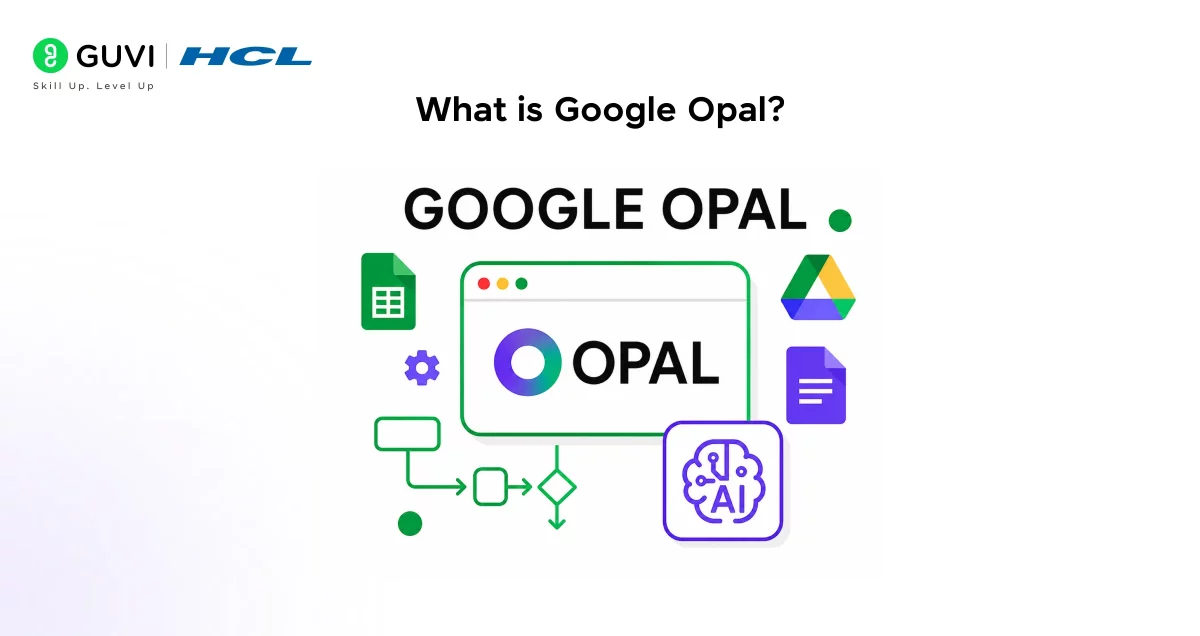
Google Opal is a no-code AI app builder developed under Google Labs. It falls into the growing category of “vibe-coding” tools, platforms where you describe what you want in plain language, and AI handles the rest.
Instead of hiring a developer or wiring APIs together, you type your idea and Opal turns it into a small app you can run and share. The apps you create are called “Opals”, AI mini-apps that can handle tasks like web research, text generation, content summarization, quiz creation, and more.
A few things that define what Opal is:
- Browser-based: Everything runs in your browser. No installs, no setup.
- No-code: You interact through natural language and a visual editor.
- Shareable: Every app you build comes with a link others can use instantly.
- Powered by Gemini: Opal uses Google’s Gemini models for reasoning and generation.
Think of it as a visual workflow builder with Google’s most capable AI models running under the hood.
Read More: Is Vibe Coding the Future of Software Development?
How Did Opal Come About?
Google introduced Opal as an experimental no-code AI app builder in public beta via Google Labs in the US, designed to broaden access to AI app development and enable non-technical users to prototype and build tools quickly.
The launch was Google’s direct response to the surging popularity of “vibe-coding” tools. The company joined a long list of competitors, including Canva, Figma, and Replit, that are making tools to encourage non-technical people to create prototypes of apps without having to do any coding.
Opal was introduced in July 2025, and by November 2025 it had already expanded to over 160 countries, a remarkably fast global rollout for an experimental tool that started as a US-only beta just a few months earlier.

How Does Google Opal Work?
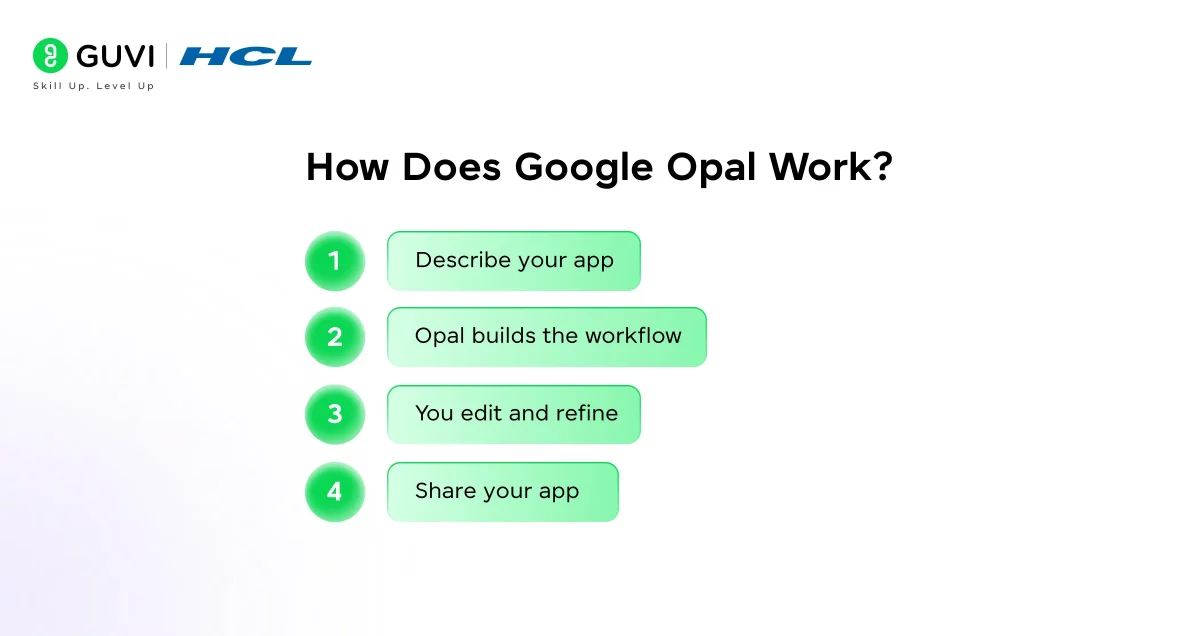
Understanding Opal’s underlying logic helps you get more out of it. At its core, Opal takes what you describe in plain English and converts it into a structured, multi-step workflow.
Here’s how the process works from start to finish:
Step 1: Describe your app
You open Opal and type what you want your app to do. For example: “Create a tool that takes a YouTube link, extracts the transcript, and returns a 10-bullet summary with title ideas.”
Step 2: Opal builds the workflow
Opal translates your instructions into a visual workflow, giving you fine-grained control without ever needing to see a line of code. Each step appears as a node in a flowchart.
Step 3: You edit and refine
You can edit these blocks visually, drag to reorder, add or delete steps, tweak prompts, and more. You can also just describe a change in plain language, and Opal will update the workflow accordingly.
Step 4: Share your app
Once it behaves the way you want, Opal hosts the mini-app for you. You get a shareable link, and other people can use your Opal app without seeing or editing the workflow.
The visual representation of each workflow is one of Opal’s biggest advantages. Instead of wondering what’s happening inside a black box, you can see each step clearly, and fix it if something goes wrong.
Key Features of Google Opal
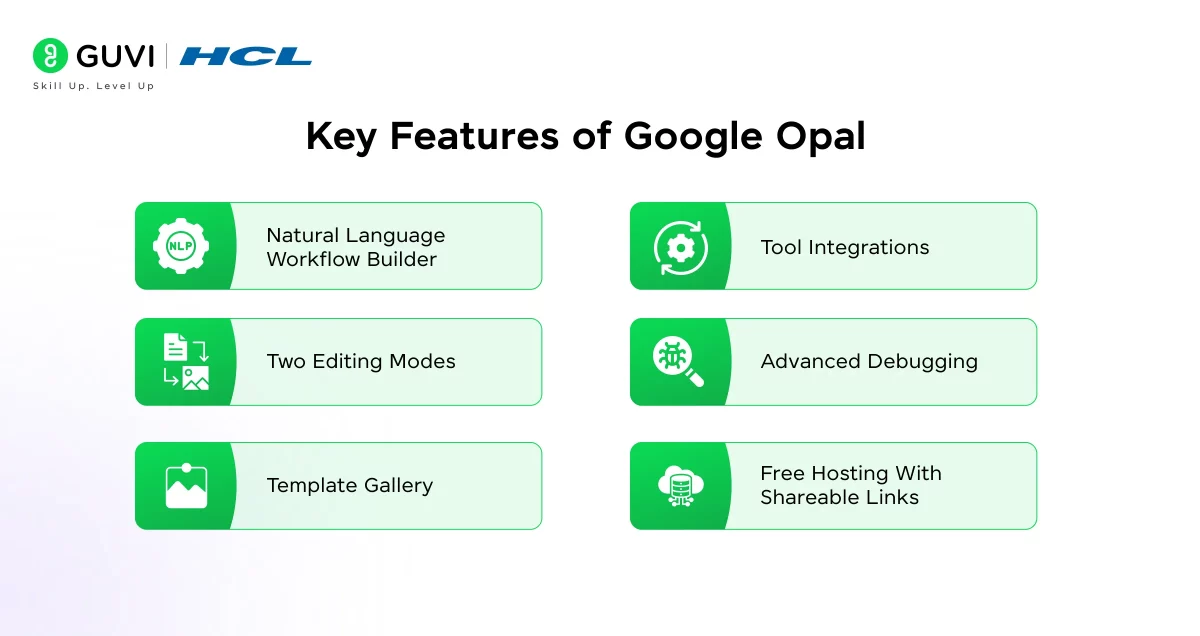
Opal is packed with features that make it genuinely useful, not just a demo. Here’s what stands out:
1. Natural Language Workflow Builder
Users can begin by describing the desired functionality in plain language. Opal then translates these descriptions into a visual workflow comprising interconnected steps, each representing a specific task or operation.
You’re not clicking through endless menus or filling in form fields. You just talk to it.
2. Two Editing Modes
The platform supports two modes of interaction: conversational and visual. In conversational mode, users can continue to describe changes in natural language. In visual mode, users can directly manipulate the workflow by adding, removing, or adjusting steps using a drag-and-drop interface.
This flexibility means both beginners and more technical users can work the way they prefer.
3. Template Gallery
Opal includes a gallery of templates, pre-built mini-apps that showcase the potential of what you can create with the tool. These range from business profilers and book recommenders to social media helpers, blog writers, and marketing tools.
You can use them as-is or remix them into something entirely your own.
4. Tool Integrations
Opal uses Google’s Gemini models for text and image generation. It can connect to tools like web search and other services, so your app can fetch fresh information, not just static prompts.
You can also integrate with Google Docs, Slides, and Sheets, which is a big advantage if you’re already working within Google’s ecosystem.
5. Advanced Debugging
Opal now supports advanced debugging for workflows. You can run your workflow step-by-step in the visual editor or iterate on a specific step in the console panel. Errors are displayed in real time and localised to the exact step where the failure occurred.
This is genuinely useful, especially when you’re building something with five or six steps and one of them isn’t behaving as expected.
6. Free Hosting With Shareable Links
Opal handles all the hosting for you, no web servers required. You can share and publish Opal apps immediately.
This removes one of the biggest barriers in traditional app development: deployment. Your app is live the moment you’re happy with it.
Real-World Use Cases of Google Opal
The best way to understand Opal is to see what people are actually building with it. Here are some practical examples:
For Students and Educators
- Upload lecture notes → generate flashcards, summaries, and quizzes automatically
- Build a personalised study planner based on exam dates and subject topics
- Create a PDF-to-quiz tool for classroom assessments
For Content Creators and Marketers
- Turn a product description into hooks, scripts, and caption ideas for social media
- Build a blog writing tool that generates outlines, drafts, and SEO suggestions from a topic
- Automate weekly content calendars by inputting your niche and tone preferences
For Small Business Owners
- Build a meeting-to-email tool: summarise notes → extract action items → draft follow-up messages
- Create a business profile generator that researches and summarises competitors
- Prototype internal reporting tools without involving a developer
For Developers and Prototypers
Opal is a great tool to accelerate prototyping AI ideas and workflows, demonstrate a proof of concept with a functional app, and build custom AI apps to boost your productivity at work.
If you regularly find yourself setting up the same multi-step prompts repeatedly, building that into an Opal saves significant time.
Because Opal is integrated into a general AI assistant like Gemini, some common workflow patterns people are building include daily briefings that summarise emails and calendar events into one morning report, study helpers that accept PDFs and generate flashcards, and trip planners that turn travel prompts into full itineraries with checklists.
Who Should Use Google Opal?
Opal isn’t just for developers. It’s designed for anyone who regularly performs repetitive, multi-step tasks that involve AI.
According to Google, Opal is especially useful for content creators and marketers looking to systematise research, writing, and asset generation; students and teachers creating learning tools, quiz makers, and study helpers; entrepreneurs and small teams prototyping internal tools without a dev team; and developers looking to quickly prototype ideas and share demos before building a full app in code.
If any of those describe you, Opal is worth exploring.
Limitations to Know Before You Start
Opal is genuinely impressive, but it’s still an experimental tool and there are a few things worth keeping in mind.
The absence of custom domain integration suggests the platform is positioned primarily for prototyping and small-scale sharing rather than full commercial deployment at this stage.
A few other limitations to be aware of:
- Not for native apps: Opal is not a platform for building apps that can run natively on Android, iOS, Windows, or Mac devices. These are mini-apps that run in a web container tethered to your Google account.
- Still experimental: Features, quotas, and availability can change as Google continues developing it.
- Complex workflows may need debugging: While the advanced debugging tools help, some processes take longer than ideal, and there were occasional glitches with certain templates during testing.
- No public API yet: There is no widely announced public API for programmatic access to Opal workflows; integration is mainly through Gemini’s web UI.
That said, for prototyping, productivity, and learning, these limitations rarely get in the way.
How to Get Started With Google Opal
Getting started with Opal takes less than five minutes. Here’s what you need to do:
- Go to opal.google or open the Gemini web app at gemini.google.com
- Sign in with your Google account
- Browse the template gallery to see what others have built and get a feel for what’s possible
- Click “New Opal” and describe the app you want in plain language
- Review the generated workflow — each step will appear as a node in the visual editor
- Edit, rearrange, or add steps as needed using either the visual editor or conversational mode
- Test your app using the step-by-step debug mode to catch any issues
- Share your app using the generated link — anyone with a Google account can use it
The learning curve is minimal. Most people get a working mini-app on their first attempt.
If you’re serious about learning languages like Mojo and want to apply them in real-world scenarios, don’t miss the chance to enroll in HCL GUVI’s Intel & IITM Pravartak Certified Artificial Intelligence & Machine Learning Course, co-designed by Intel. It covers Python, Machine Learning, Deep Learning, Generative AI, Agentic AI, and MLOps through live online classes, 20+ industry-grade projects, and 1:1 doubt sessions, with placement support from 1000+ hiring partners.
Conclusion
Google Opal represents a genuine shift in how people can interact with AI, not just by asking questions, but by building tools. For anyone who has ever wished they could automate a repetitive workflow, create a custom assistant, or prototype an app without writing a single line of code, Opal makes that possible today.
It’s still experimental, and it won’t replace full-scale app development. But for the vast majority of use cases, education, content, productivity, and research, it’s remarkably capable. As Google continues expanding Opal and deepening its integration with Gemini, this is one tool that’s worth getting familiar with early.
FAQs
1. What is Google Opal?
Google Opal is a no-code AI mini-app builder from Google Labs. It lets you create, edit, and share AI-powered apps using plain language and a visual workflow editor, no coding required.
2. Is Google Opal free to use?
3. What is Google Opal used for?
Opal is used to build AI mini-apps for tasks like content summarisation, quiz generation, social media automation, business profiling, research briefings, and more. It’s designed for anyone who wants to automate multi-step workflows without writing code.
4. How is Google Opal different from ChatGPT or Gemini?
Success Stories

About the Author
Lukesh S
A professional content writer who has experience in freelancing and now working as a Technical Content Writer at HCL GUVI having sound knowledge in Blog Writing and Creative Writing!
View all posts by Lukesh S
Connect with me @








Did you enjoy this article?