


Artificial Intelligence and Machine Learning Articles
Finance Manager to Data Analytics: Career Growth, Salary and Seniority
How to Evaluate LLM Outputs in Production Deployments
AI/ML Skills Gap 2026: Why Companies Can't Find Job-Ready Talent
20 AI/ML Interview Questions Recruiters Can Use Without a Tech Background - Best Guide


Get In Touch For Details! Request More Information
What is a Vector Database in AI? How They Work
Sep 03, 2026 4 Min Read 1165 Views
(Last Updated)
Quick Answer: A vector database is a specialised database designed to store, index, and retrieve high-dimensional vector embeddings generated by AI models. These embeddings represent text, images, audio, or other data in numerical form. Vector databases enable fast similarity search using techniques like nearest neighbour search, making them essential for applications such as semantic search, recommendation systems, and Retrieval-Augmented Generation (RAG) in modern AI systems.
How does an AI system instantly find the most relevant answer from millions of documents without scanning each one manually? Traditional databases struggle with unstructured data, but vector databases solve this by transforming data into embeddings and enabling similarity-based retrieval. As AI applications scale, especially with LLMs and semantic search, vector databases have become a foundational component. They allow machines to “understand” meaning and not just keywords.
In this blog, you’ll learn what a vector database is, how it works, its architecture, use cases, and why it’s critical for modern AI systems.
- Around 23.2% of organizations already use vector databases or retrieval systems to enhance AI applications with custom data.
- Vector search can improve retrieval relevance by up to 40-60% compared to keyword-based search in semantic search systems.
- The vector database market is expected to grow from $2.58 billion in 2025 to $17.91 billion by 2034, showing rapid growth driven by AI adoption.
Table of contents
- What is a Vector Database in AI?
- Core Components of a Vector Database
- Step-by-Step Guide: How a Vector Database Works
- Step 1: Embedding Generation Pipeline
- Step 2: Vector + Metadata Ingestion
- Step 3: Index Construction (ANN)
- Step 4: Query Vectorization
- Step 5: Similarity Search (ANN Traversal)
- Step 6: Post-Filtering + Re-ranking
- Step 7: Retrieval Integration (RAG / Application Layer)
- Step 8: Index Maintenance + Optimization
- Vector Database vs Traditional Database
- Popular Vector Databases
- Real-World Use Cases of Vector Databases
- Conclusion
- FAQs
- What is a vector database used for?
- How is a vector database different from SQL databases?
- Why are vector databases important for LLMs?
- What is similarity search in vector databases?
What is a Vector Database in AI?
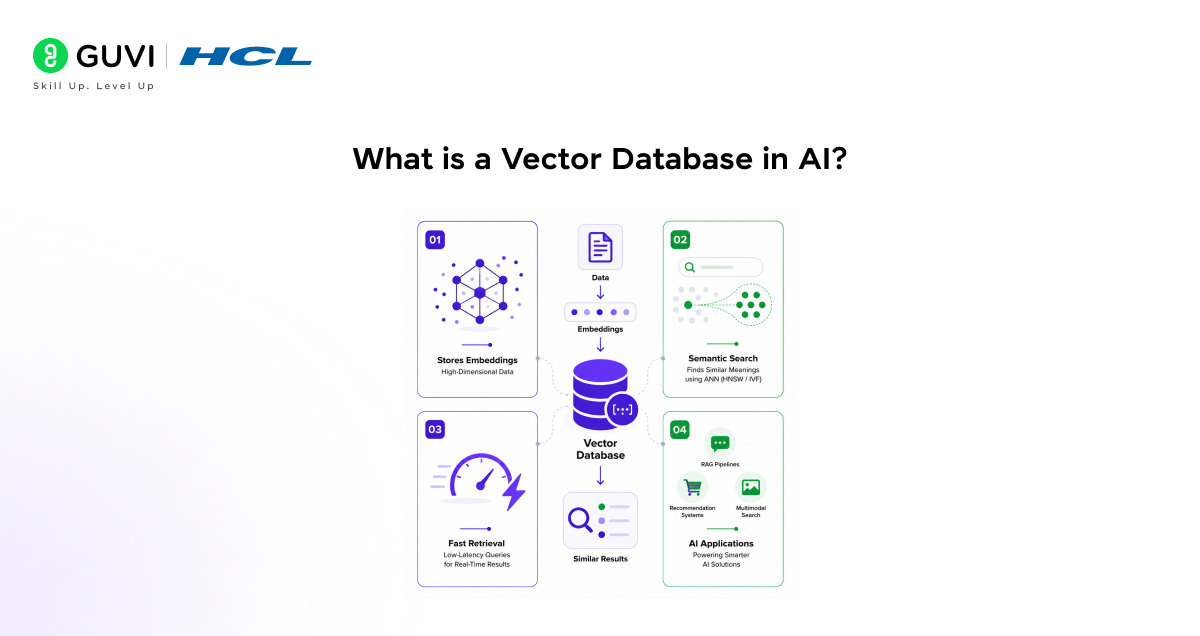
A vector database in AI is a specialized data store optimized for managing high-dimensional embeddings generated by machine learning models. It enables efficient similarity search using Approximate Nearest Neighbor algorithms such as HNSW or IVF, rather than exact matching. By indexing vector representations of unstructured data, it supports semantic retrieval, low-latency querying, and scalable operations for applications like RAG pipelines, recommendation systems, and multimodal search.
Core Components of a Vector Database
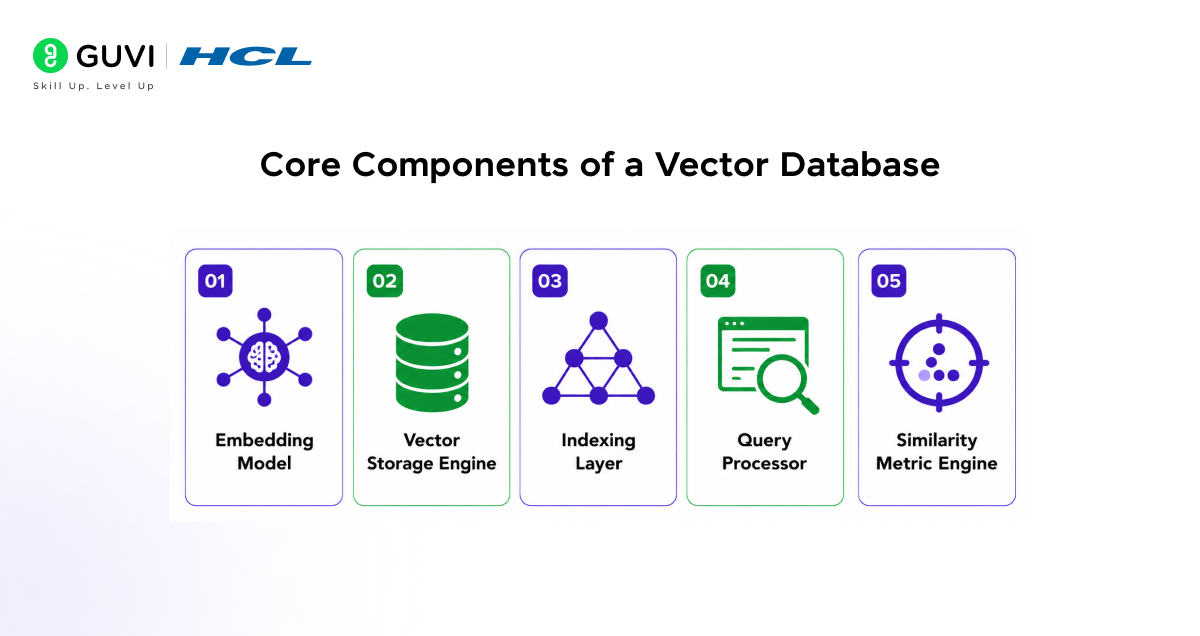
- Embedding Model: Converts raw data into vectors
- Vector Storage Engine: Stores high-dimensional vectors
- Indexing Layer: Enables fast search
- Query Processor: Handles incoming queries
- Similarity Metric Engine: Computes distance (cosine, Euclidean, dot product)
Step-by-Step Guide: How a Vector Database Works
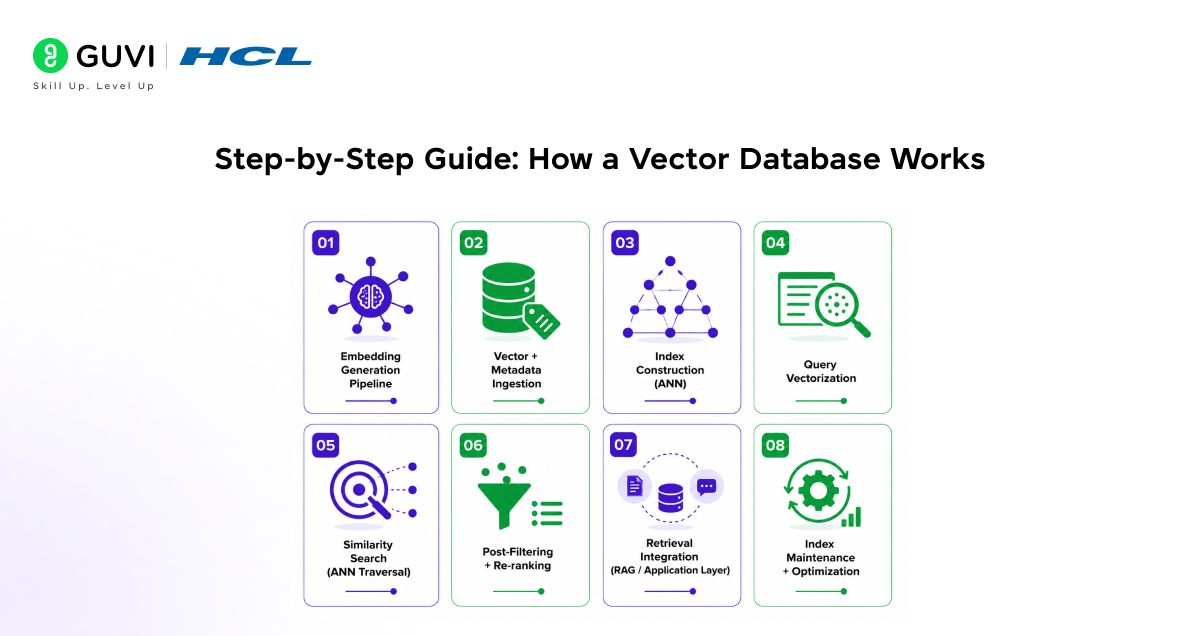
Step 1: Embedding Generation Pipeline
Raw unstructured data is converted into dense vector embeddings using a pretrained encoder (e.g., transformer-based models). Key considerations include embedding dimensionality (e.g., 384, 768, 1536), normalization (for cosine similarity), and chunking strategies for long documents. Consistent model usage is critical to avoid vector space drift.
Example: Text: “Best cafes in Delhi” → Chunked → Embedded → [0.21, -0.67, 0.89, …] (768-dim vector)
Step 2: Vector + Metadata Ingestion
Each vector is stored with a unique ID and rich metadata. Systems often support hybrid storage combining vector indexes with scalar filters (e.g., via inverted indexes or column stores). Batch ingestion pipelines and streaming ingestion (Kafka, etc.) are used in production.
Example: ID: 101
Vector: [0.21, -0.67, 0.89, …]
Metadata: {city: “Delhi”, type: “cafe”, rating: 4.5, tags: [“wifi”, “cozy”]}
Step 3: Index Construction (ANN)
To enable sub-linear search, vectors are indexed using ANN algorithms:
- HNSW: Graph-based, high recall, fast queries
- IVF: Clustering-based, reduces search space
- PQ: Compresses vectors to reduce memory
Hyperparameters (e.g., ef_search, nlist) directly impact recall-latency trade-offs.
Example: 1M vectors → HNSW index with ef_construction=200 → query latency ~10ms with ~95% recall
Go beyond understanding vector databases and build real-world AI systems with structured expertise. Join HCL GUVI’s Artificial Intelligence and Machine Learning Course to learn from industry experts and Intel engineers through live online classes, master in-demand skills like Python, SQL, ML, MLOps, Generative AI, and Agentic AI, and gain hands-on experience with 20+ industry-grade projects, 1:1 doubt sessions, and placement support with 1000+ hiring partners.
Step 4: Query Vectorization
User queries are encoded using the same embedding model. Preprocessing steps may include normalization, stopword handling, or query expansion. For multilingual systems, cross-lingual embeddings ensure alignment across languages.
Example: Query: “Top coffee spots in Delhi” → Embedded → [0.19, -0.70, 0.85, …]
Normalized for cosine similarity
Step 5: Similarity Search (ANN Traversal)
Instead of brute-force (O(n)), ANN traverses index structures to retrieve top-k nearest neighbors. Distance metrics used:
- Cosine similarity (semantic tasks)
- L2 distance (geometric tasks)
- Dot product (optimized for some models)
Search complexity becomes near (O(log n)).
Example: Top-3 results:
- ID 101 (score: 0.92)
- ID 245 (score: 0.89)
- ID 876 (score: 0.87)
Step 6: Post-Filtering + Re-ranking
Results are refined using metadata filters and optional re-ranking models:
- Boolean filters (city=Delhi, rating>4)
- Re-ranking via cross-encoders (BERT-based)
- LLM-based scoring for contextual relevance
This improves precision beyond raw vector similarity.
Example: Initial top-3 → apply filter rating>4 → 2 results remain → re-ranked using BERT → final order updated

Step 7: Retrieval Integration (RAG / Application Layer)
Top-k results are passed into downstream systems:
- RAG pipelines (context injection into LLM prompt)
- Recommendation engines (user-item similarity)
- Search APIs (semantic search)
Chunking and context window limits (e.g., 4k–128k tokens) must be managed carefully.
Example: Top documents → inserted into prompt → LLM generates: “Top cafes in Delhi include Cafe B and Cafe A based on reviews and ambiance.”
Step 8: Index Maintenance + Optimization
Production systems require continuous optimization:
- Incremental updates vs full index rebuild
- Vector quantization (PQ, OPQ) for memory efficiency
- Caching frequent queries (Redis layer)
- Re-embedding when model versions change
- Monitoring recall and drift
Example: New data arrives → streamed → embedded → added to HNSW graph → searchable in real-time without downtime
Vector Database vs Traditional Database
| Feature | Vector Database | Traditional Database |
| Data Type | Unstructured (embeddings) | Structured |
| Search Type | Similarity-based | Exact match |
| Use Case | AI, NLP, recommendations | Transactions, records |
| Scalability | High for embeddings | Limited for AI tasks |
| Performance | Optimized for ANN | Optimized for SQL queries |
Popular Vector Databases
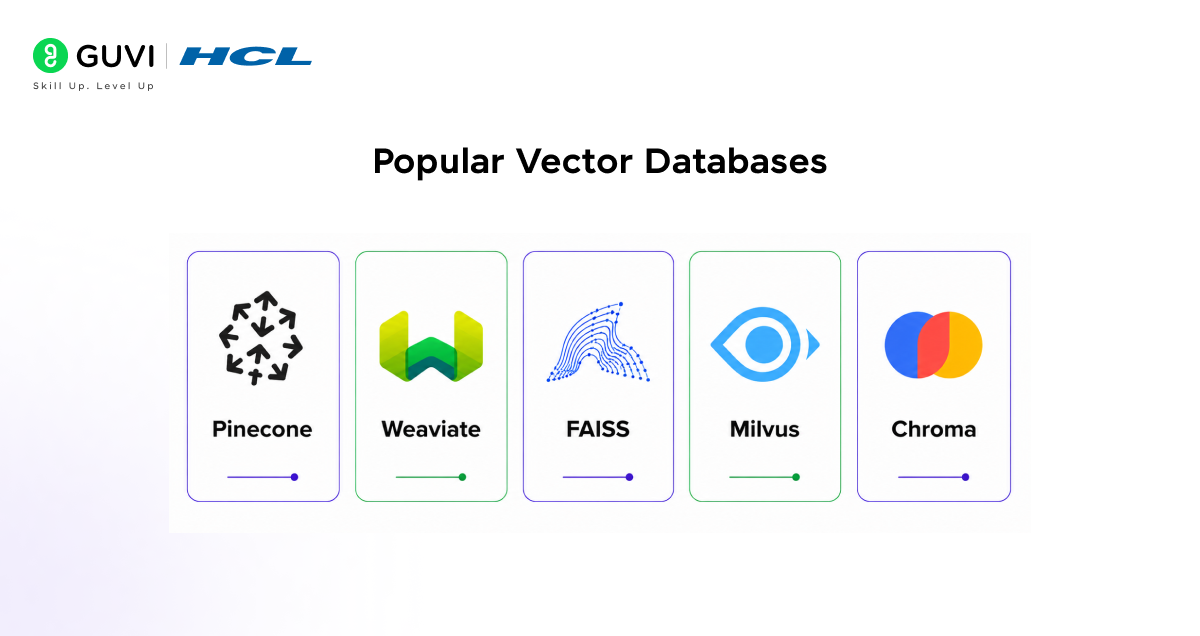
- Pinecone: A fully managed, cloud-native vector database designed for production-scale AI applications. It abstracts infrastructure complexity by handling indexing, scaling, and replication automatically. Pinecone supports real-time updates, hybrid search (vector + metadata), and low-latency retrieval, making it ideal for enterprise-grade RAG systems.
- Weaviate: An open-source vector database with built-in ML model integration and GraphQL-based querying. It supports hybrid search, schema-based data modeling, and modular vectorizers. Weaviate is widely used for semantic search and knowledge graph-like applications with strong filtering capabilities.
- FAISS: A high-performance library developed by Meta for efficient similarity search and clustering of dense vectors. FAISS operates at a lower level (library, not full DB), offering GPU acceleration and advanced indexing techniques like IVF and PQ. It is commonly used in research and custom-built retrieval systems.
- Milvus: A distributed, highly scalable vector database designed for large-scale AI workloads. Milvus supports multiple index types (HNSW, IVF, ANNOY), handles billion-scale vectors, and integrates well with big data ecosystems. It is optimized for high-throughput and real-time search scenarios.
- Chroma: A lightweight and developer-friendly vector database designed for rapid prototyping and LLM applications. Chroma is often used in local environments and supports tight integration with frameworks like LangChain. It is ideal for small to mid-scale RAG pipelines and experimentation.
Real-World Use Cases of Vector Databases
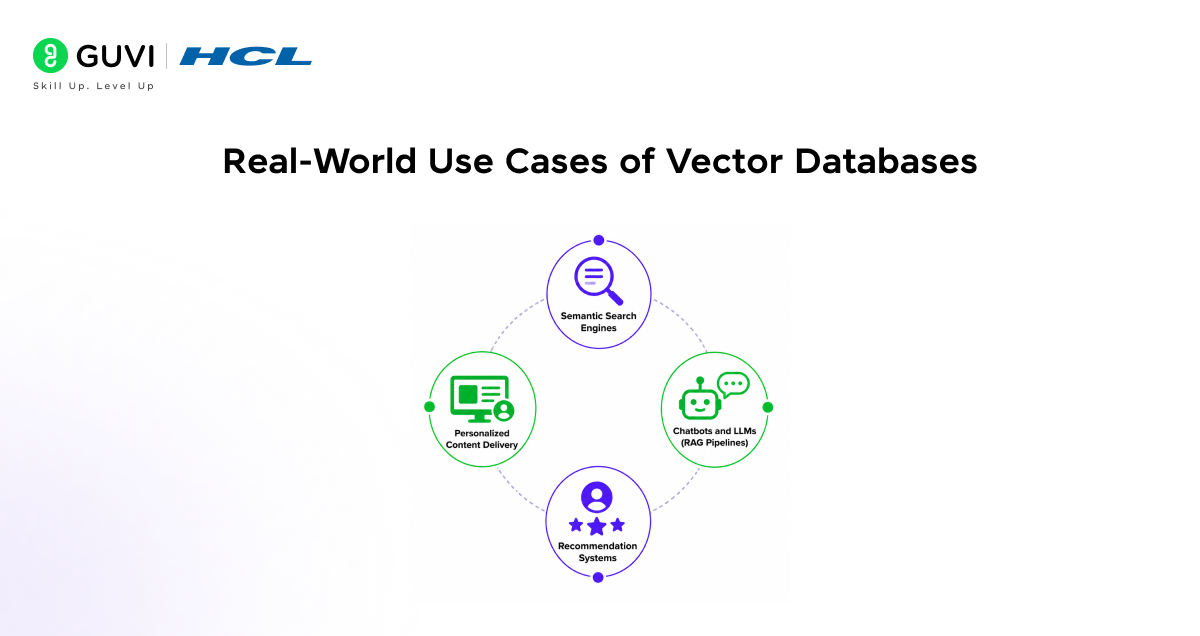
- Semantic Search Engines: Vector databases enable search systems to retrieve results based on meaning rather than exact keywords. This improves relevance in applications like document search, FAQs, and enterprise knowledge bases.
- Chatbots and LLMs (RAG Pipelines): Used in Retrieval-Augmented Generation, vector databases fetch relevant context before passing it to LLMs. This reduces hallucination and improves factual accuracy in AI-generated responses.
- Recommendation Systems: By comparing user and item embeddings, vector databases power personalized recommendations in e-commerce, streaming platforms, and content apps.
- Personalized Content Delivery: AI systems use vector databases to match user preferences with content embeddings, delivering highly personalized feeds and recommendations at scale.
Conclusion
Vector databases are transforming how AI systems store and retrieve information by enabling semantic understanding rather than keyword matching. As applications like LLMs, recommendation systems, and semantic search grow, vector databases will become a core part of modern data infrastructure. Understanding how they work is essential for building scalable, intelligent AI applications.
FAQs
What is a vector database used for?
Vector databases are used for storing and retrieving embeddings to enable similarity search in AI applications like semantic search, chatbots, and recommendation systems.
How is a vector database different from SQL databases?
Vector databases focus on similarity search using embeddings, while SQL databases handle structured data with exact queries.
Why are vector databases important for LLMs?
They enable Retrieval-Augmented Generation (RAG) by efficiently fetching relevant context for better and more accurate responses.
What is similarity search in vector databases?
It is the process of finding data points that are closest in vector space using distance metrics like cosine similarity.
Success Stories

About the Author
Vaishali
I'm a seasoned writer with four years of experience across technical, non-technical, and just about every genre or niche you can imagine. Adaptable and curious, I enjoy exploring new topics and making information engaging and easy to understand. Fueled by a steady stream of tea, I approach each project with creativity, reliability, and genuine enthusiasm for storytelling.
View all posts by Vaishali
Connect with me @

















Did you enjoy this article?