


Artificial Intelligence and Machine Learning Articles
AI/ML Skills Gap 2026: Why Companies Can't Find Job-Ready Talent
20 AI/ML Interview Questions Recruiters Can Use Without a Tech Background - Best Guide
How Industry-Backed AI/ML Bootcamps Are Changing the AI/ML Hiring Pipeline - Best Guide 2026
From IT Support to AI Engineer: A Realistic Career Switch Guide 2026


Get In Touch For Details! Request More Information
LangGraph Tutorial: Complete Guide to Building AI Workflows (2026)
Jun 16, 2026 10 Min Read 3075 Views
(Last Updated)
Imagine you have built a chatbot. It answers questions, it sounds smart, and it works perfectly. Then a user asks something that requires the bot to search the web, check a database, wait for approval, and then respond. Your neat little chain falls apart completely. That is not a chatbot problem. That is an AI workflow architecture problem. And that is exactly what LangGraph was designed to solve.
This complete LangGraph tutorial walks you through everything you need to know about building intelligent AI workflows in 2026. By the end, you will understand how to design, build, and run AI workflows that handle real-world complexity. Whether you are a developer exploring agent frameworks for the first time or an engineer looking to move beyond basic LangChain chains, this guide covers the what, why, and how of LangGraph from the ground up.
Quick Answer
LangGraph is an open-source Python framework built by the LangChain team, the creators of the popular LangChain library for creating stateful, graph-based AI workflows. It lets developers build AI agents that can loop, branch, retry, and pause for human input, all within a single structured system. It is free to use, production-ready, and trusted by companies like Klarna, Replit, and Elastic in 2026.
Table of contents
- What is LangGraph?
- Core Concepts in LangGraph
- State
- Nodes
- Edges
- Graph Compilation
- How to Install LangGraph
- Step 1: Set Up a Virtual Environment
- Step 2: Install LangGraph
- Step 3: Verify the Installation
- Building Your First LangGraph Workflow
- Step 1: Define the State
- Step 2: Define the Nodes
- Step 3: Define the Routing Function
- Step 4: Build and Compile the Graph
- Step 5: Run the Workflow
- Advanced LangGraph Features
- Checkpointing and Persistent State
- Human-in-the-Loop
- Multi-Agent Workflows
- LangGraph vs LangChain: When to Use Which
- Tips for Building Better AI Workflows With LangGraph
- 💡 Did You Know?
- Conclusion
- FAQs
- What is LangGraph used for?
- Do I need to know LangChain to use LangGraph?
- Is LangGraph free?
- What is a StateGraph in LangGraph?
- How is LangGraph different from CrewAI or AutoGen?
What is LangGraph?
LangGraph is a low-level orchestration framework for building AI agents and complex AI workflows. It is the most widely adopted tool for production-grade AI workflows in the Python ecosystem in 2026. It is built on top of LangChain but can also be used independently of the LangChain ecosystem. The core idea is simple: instead of defining your AI logic as a straight line from start to finish, you define it as a graph where each step is a node, each connection between steps is an edge, and the entire system shares a common state as it runs.
This sounds more complex than it is. Think of a flowchart. Each box in the flowchart is a node. Each arrow connecting boxes is an edge. The data flowing through the chart is the state. LangGraph turns that flowchart into a running Python program that can call language models, use tools, loop back on itself, and pause for a human to review something before continuing.
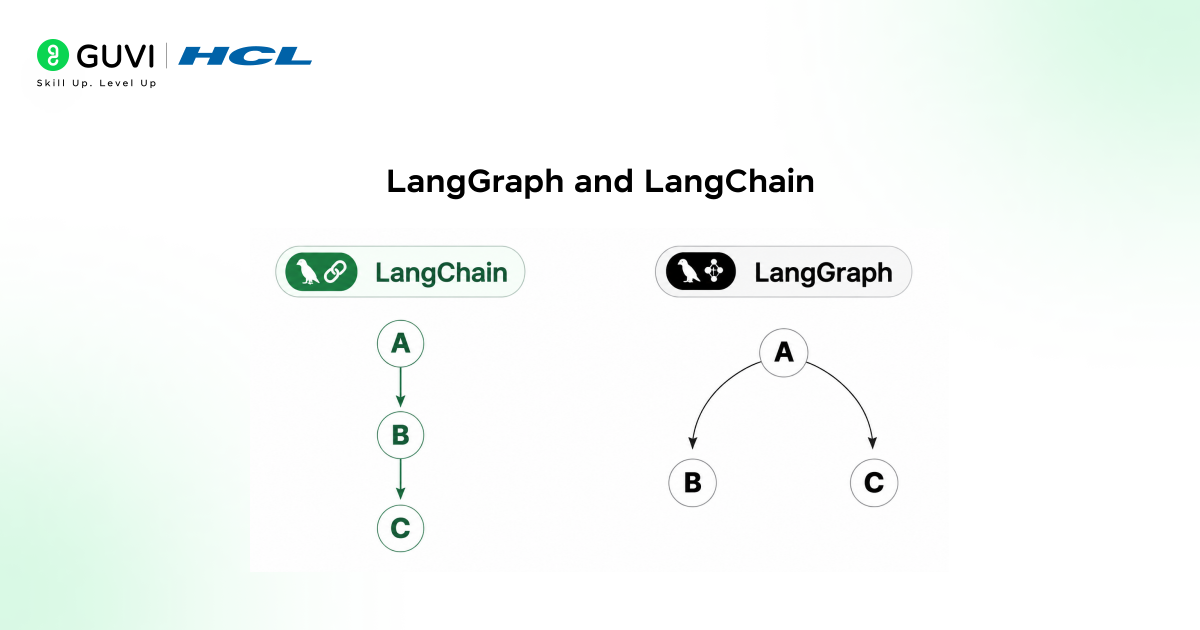
Traditional LangChain workflows are typically Directed Acyclic Graphs (DAGs) that move forward and terminate. LangChain is excellent for these linear pipelines. That works well for many use cases, but it becomes limiting once you want systems that iterate, re-evaluate intermediate results, or decide dynamically what to do next.
LangGraph addresses this by allowing cycles in the graph. Nodes can be revisited, decisions can be made repeatedly, and control flow is handled explicitly rather than being buried inside prompts. This is what makes it possible to build agents that plan, act, observe results, and continue until a stopping condition is met.
Riddle: A traditional AI chain runs from step 1 to step 10 and stops. But a real customer support agent sometimes needs to go back to step 3 after reaching step 8, depending on what the customer says. How can you build that without writing a tangled mess of if-else logic?
Answer: You use a graph instead of a chain. LangGraph lets you define a conditional edge from step 8 back to step 3 as a first-class part of your workflow. The routing logic is visible, testable, and separate from your business logic. That is the core design insight behind LangGraph.
Why LangGraph and Not Just LangChain?
LangChain is great for pipelines that run in a straight line: retrieve some data, send it to a model, get a response. LangGraph is the right choice when your AI workflow needs any of the following.
- Looping and retrying: When an AI agent needs to check its own output and try again, the framework handles this with a simple conditional edge back to the previous node.
- Branching logic: When different user inputs should trigger completely different paths through your workflow, the routing system handles them cleanly without nested if-else blocks.
- Human-in-the-loop: When a workflow needs to pause, wait for a human to approve or correct something, and then resume exactly where it stopped, this AI workflow framework has built-in support through checkpointing.
- Persistent state: When your AI agent needs to remember previous sessions and pick up where it left off, state gets persisted to a database so nothing is lost.
- Multi-agent systems: When multiple specialised AI agents need to collaborate on a task, the framework coordinates them through a shared state and explicit routing between agents.
According to Gartner’s March 2026 report, 40% of enterprise applications will embed agentic AI capabilities by year-end, up from 12% in 2025. LangGraph has become the dominant orchestration layer for agentic AI, particularly for teams building agentic AI workflows in regulated industries.
Thought to ponder: Most AI demos show a single model answering a single question. But most real business problems involve multiple steps, external data, approvals, and error handling. If a single LLM call cannot solve the problem, what does a complete solution actually look like?
Hint: It looks like a graph. A customer support escalation, for example, involves classifying the issue, attempting an automated response, checking whether the response was satisfactory, escalating to a human if not, logging the outcome, and updating the customer record. Each of those is a node in a LangGraph workflow. The conditions between them are edges. The ticket data is the state.
Do check out HCL GUVI’s AI & ML Course, especially if you’re interested in building real-world AI workflows after learning tools like LangGraph. This industry-focused course offers structured, mentor-led training with hands-on projects covering machine learning, deep learning, and deployment, helping you move from theory to practical implementation and become job-ready in the AI domain.
Core Concepts in LangGraph
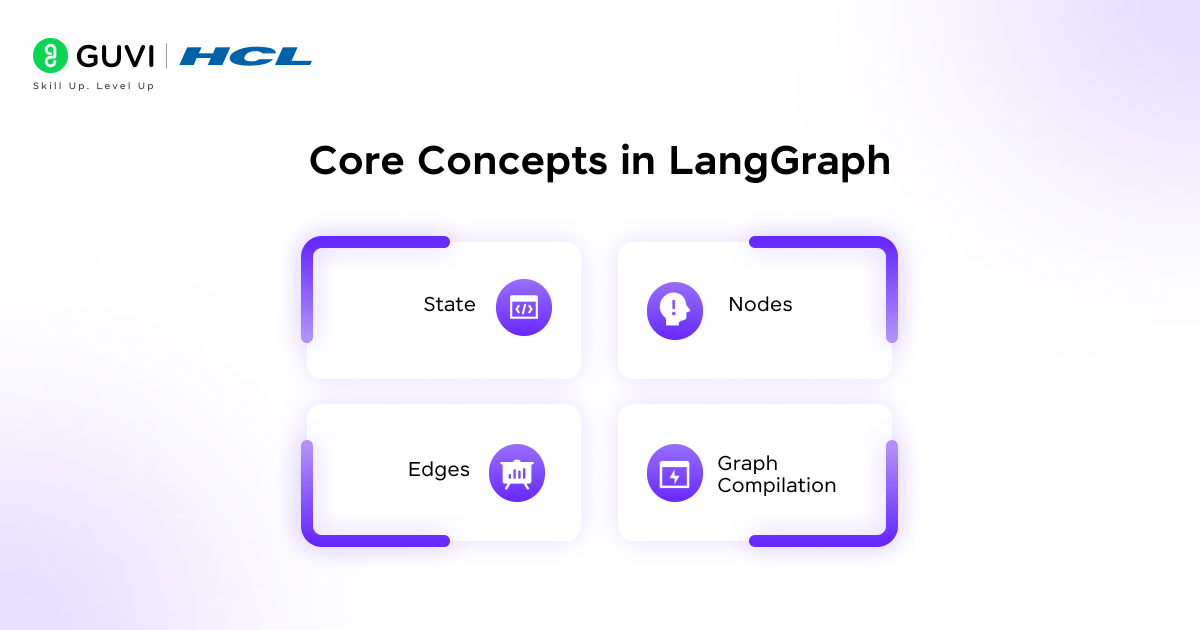
This section helps you to understand the four building blocks that every LangGraph workflow is made from. These are the same four concepts you will use whether you are building a simple chatbot or a production multi-agent system.
1. State
State is the shared memory of your AI workflow. It is a Python dictionary that every node in the graph can read from and write to. You define the state schema at the start using a TypedDict, which tells LangGraph what fields exist and what types they hold.
When a node finishes running, it returns a dictionary with the fields it wants to update. LangGraph merges those updates into the shared state and passes the updated state to the next node. Fields that a node does not touch stay exactly as they were.
- What it stores: Anything your StateGraph needs to carry between steps. This could be conversation messages, intermediate results, flags, counters, or the output of a tool call.
- How you define it: Using Python’s TypedDict. Each key in the TypedDict is a channel that nodes can read and update throughout the workflow.
- Why it matters: State is what allows this AI workflow framework to support loops, retries, and human-in-the-loop pauses. Because every node reads the same state, any node can see what every other node has done.
2. Nodes
Nodes are the workers in your workflow. Each node is a Python function that takes the current state as input, does something useful, and returns a dictionary with the state updates it wants to make.
A node can do anything: call a language model, run a search, query a database, apply business logic, or format a response. The node does not need to know what comes before it or after it. It just reads from state, does its job, and writes its result back to state.
- How you add them: Using workflow.add_node(“name”, function) inside your StateGraph. The name is a string you will reference when adding edges. The function is the Python function that does the actual work.
- What they return: A dictionary with only the state keys they want to update. You do not need to return every field, only the ones your node changed.
- Tip: Keep each node focused on one thing. A node that calls a model, formats output, and logs to a database is doing too much. Split it into three nodes and connect them with edges.
3. Edges
Edges define how the workflow moves between nodes. There are two types: regular edges and conditional edges.
A regular edge is a fixed connection from one node to another. When node A finishes, execution always moves to node B. You add one with workflow.add_edge(“node_a”, “node_b”).
A conditional edge is a branching connection. When a node finishes, a routing function looks at the current state and decides which node to go to next. This is where the real power of these AI workflows comes from.
- Regular edges: Used for fixed, sequential steps where the next step is always the same regardless of what happened.
- Conditional edges: Used for branching and looping. The routing function returns a string matching a node name, and LangGraph routes to that node.
- START and END: Every workflow starts by connecting to the special START node and ends when execution reaches the special END node.
4. Graph Compilation
After defining your state, nodes, and edges, you compile the graph by calling workflow.compile(). This step checks your AI workflow graph for structural errors, such as orphaned nodes with no edges, and returns a runnable application object.
Once compiled, you run your AI workflow by calling app.invoke(initial_state), passing in the starting state as a dictionary. The graph executes from START, moves through nodes according to your edges, and returns the final state when it reaches END.
Brain teaser: A LangGraph workflow has three nodes: classify, respond, and review. The review node checks if the response is good enough. If it is, the workflow ends. If it is not, the workflow goes back to the respond node and tries again. How many times can this loop run before it becomes a problem?
Answer: As many times as the logic allows, which is why you always need a stopping condition. In practice, you add a counter to your state and add a conditional edge that routes to END after a maximum number of retries, typically three to five. Without this, a poor routing function can cause your workflow to loop forever and burn through API credits. LangGraph does not automatically add stopping conditions. That is your responsibility as the developer. It is one of the most important safety patterns in any LangGraph AI workflow.
How to Install LangGraph
Getting started with LangGraph is straightforward. You will need Python 3.10 or newer. If you already have LangChain installed, you have most of the prerequisites ready. The recommended approach is to work inside a virtual environment to keep your dependencies isolated.
Step 1: Set Up a Virtual Environment
Open your terminal and run the following commands to create and activate a virtual environment.
On macOS and Linux, run python -m venv venv followed by source venv/bin/activate.
On Windows, run python -m venv venv followed by venv\Scripts\activate.
You should see the virtual environment name appear in your terminal prompt, confirming it is active.
Step 2: Install LangGraph
With your virtual environment active, install LangGraph using pip. Run pip install langgraph in your terminal. If you plan to use LangGraph with LangChain models and integrations, also run pip install langchain langchain-openai.
LangGraph is an MIT-licensed open-source library and is free to use. Like LangChain, it is actively maintained by the LangChain Inc team and designed with streaming workflows in mind.
Step 3: Verify the Installation
Open a Python shell and run import langgraph. If no error appears, your installation is working correctly. You are ready to build your first AI workflow.
Building Your First LangGraph Workflow
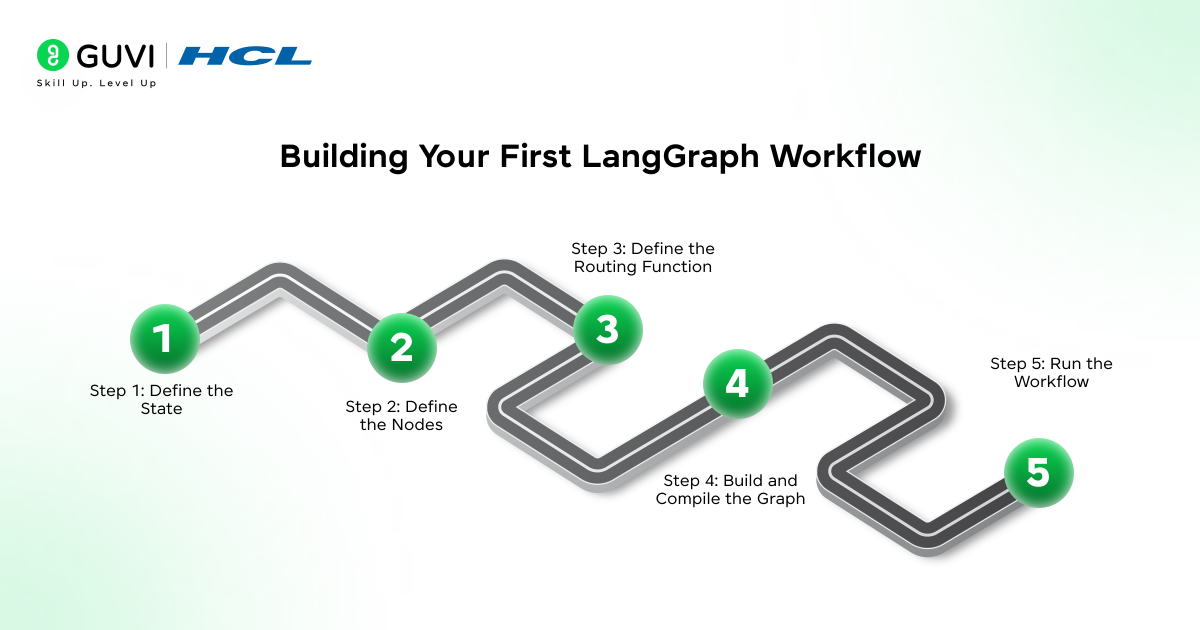
Now for the part that makes everything click: writing actual code. This example builds a simple but complete LangGraph workflow that classifies a user message and routes it to the correct handler.
Step 1: Define the State
Every LangGraph workflow starts with the state schema. In this example, the state holds the user message and the name of the next node to route to.
Write the following at the top of your Python file, with each import on its own line:
from typing import TypedDict from langgraph.graph import StateGraph, START, END
Then define the state class:

class WorkflowState(TypedDict): message: str route: str
This tells LangGraph that the workflow carries two pieces of data: the user message as a string and a routing decision as a string.
Step 2: Define the Nodes
Each node is a Python function. This workflow has three nodes: one that classifies the message, one that handles a technical question, and one that handles a general question.
def classify(state: WorkflowState): if “error” in state[“message”].lower() or “bug” in state[“message”].lower(): return {“route”: “technical”} return {“route”: “general”}
def handle_technical(state: WorkflowState): return {“message”: “Routing to technical support team.”}
def handle_general(state: WorkflowState): return {“message”: “Here is a general response to your query.”}
The classify node reads the message from state and sets the route field. The handler nodes return a new message. Notice that each node only returns the fields it changed.
Step 3: Define the Routing Function
The routing function is what powers your conditional edge. It reads the current state and returns the name of the next node to run.
def route_message(state: WorkflowState): return state[“route”]
This is a very simple routing function. In a real workflow, this function might call a language model to decide the route, check a database, or apply more complex business logic.
Step 4: Build and Compile the Graph
Now you connect everything together into a LangGraph StateGraph. The StateGraph class is the starting point of every AI workflow you build with this framework.
workflow = StateGraph(WorkflowState)
workflow.add_node(“classify”, classify) workflow.add_node(“technical”, handle_technical) workflow.add_node(“general”, handle_general)
workflow.add_edge(START, “classify”) workflow.add_conditional_edges(“classify”, route_message, {“technical”: “technical”, “general”: “general”}) workflow.add_edge(“technical”, END) workflow.add_edge(“general”, END)
app = workflow.compile()
You define the StateGraph, add three nodes, connect START to the classify node, add a conditional edge from classify to either the technical or general node, connect both to END, and compile.
Step 5: Run the Workflow
Invoke your compiled AI workflow with an initial state.
result = app.invoke({“message”: “I found a bug in the login flow”, “route”: “”}) print(result[“message”])
This will print: Routing to technical support team.
Change the message to something like “What are your business hours?” and the workflow will route to the general handler instead. That is conditional branching in LangGraph working exactly as designed.
Advanced LangGraph Features
Once you are comfortable with the basics, LangGraph has several powerful features that become essential for building production AI workflows.
1. Checkpointing and Persistent State
The framework implements state management through a graph-based architecture where nodes represent agent functions and edges define state transitions. For production agents, state management operates at three levels: working memory for the current conversation context, persistent storage for session resumption after interruptions, and checkpointing that allows agents to pause for human approval and continue from exactly where they stopped.
To enable persistence, pass a checkpointer when compiling your graph. For development, use MemorySaver. For production, use SqliteSaver or PostgresSaver for durable, restartable workflows.
- MemorySaver: Stores state in RAM. Fast and easy for development, but data disappears when the process restarts.
- SqliteSaver: Stores state in a local SQLite database. Data survives restarts and works well for single-server deployments.
- PostgresSaver: Stores state in a PostgreSQL database. The right choice for distributed production systems where multiple instances share state.
2. Human-in-the-Loop
One of the most valuable features for production AI workflows is the ability to pause execution, wait for a human to review or correct something, and then resume. You configure this by passing interrupt_before or interrupt_after when compiling your graph.
When the workflow reaches the specified node, it pauses and saves the current state. A human can inspect the state, make changes, and then call app.invoke again with the updated state and the same thread ID to resume exactly where it left off.
- Use case: An AI agent that drafts emails on behalf of a sales team. The workflow drafts the email, pauses for a human to review and edit it, and then sends it after approval.
- Use case: A financial analysis workflow that generates a report, pauses for a compliance officer to review the numbers, and submits only after sign-off.
3. Multi-Agent Workflows
Multi-agent AI systems benefit the most from this framework, where multiple specialised agents collaborate on a complex task. Agent workflows are modelled as directed graphs where each node represents a reasoning or tool-use step and edges define transitions between nodes. This architecture makes agent behaviour explicit, debuggable, and auditable.
A common pattern is the supervisor architecture. One node acts as a supervisor agent that reads the current task, decides which specialised agent should handle it next, and routes accordingly. Each specialised agent does its work, updates the shared state, and control returns to the supervisor.
- Researcher node: Searches the web for relevant information on the topic.
- Writer node: Takes the research and drafts a structured response.
- Fact-checker node: Reviews the draft and either approves it or sends it back to the writer.
- Supervisor node: Coordinates all three and decides when the final output is ready.
LangGraph vs LangChain: When to Use Which
A common question from developers new to this ecosystem is whether to use LangGraph or stick with LangChain for their AI workflows. The honest answer is that they solve different problems and are often used together in the same project.
| Use Case | Right Tool |
| Simple RAG pipeline | LangChain |
| Single-turn Q and A bot | LangChain |
| Linear document summarisation | LangChain |
| Agent that loops until a condition is met | LangGraph |
| Multi-step workflow with branching | LangGraph |
| Human-in-the-loop approval workflow | LangGraph |
| Multi-agent collaboration system | LangGraph |
| Workflow that resumes after a failure | LangGraph |
The decision to use this framework should be based on workflow complexity, not hype. If your agent needs to loop, retry, branch conditionally, or pause for external input, this AI workflow framework is the right choice. If you are building retrieval pipelines, Q and A bots, or single-turn interactions, LangChain’s simpler abstractions are sufficient.
For a practical walkthrough of building agents using both frameworks, refer to How to Build Agentic AI with LangChain and LangGraph, which covers their real-world usage scenarios.
Tips for Building Better AI Workflows With LangGraph
- Start with the state schema: Before writing any nodes or edges, decide what data your workflow needs to carry. A well-designed state schema makes your LangGraph AI workflows cleaner and easier to debug.
- Keep nodes small: Each node should do one thing. Nodes that do too much are hard to debug and hard to reuse in other workflows.
- Always add a stopping condition: Any LangGraph workflow that can loop must have a counter or a flag in the state that eventually routes it to END. Forgetting this is the most common beginner mistake.
- Use LangSmith for observability: LangSmith is the LangChain team’s tracing and evaluation platform. Connecting it to your LangGraph AI workflow gives you a visual trace of every execution, including which nodes ran and what state looked like at each step. This is essential for debugging complex AI workflows., which makes debugging significantly faster.
- Test conditional edges in isolation: Write unit tests for your routing functions before connecting them to the graph. Routing functions are the decision-makers in any AI workflow, and testing them separately is much easier than debugging them inside a full graph execution. A routing function that returns the wrong node name will cause a silent failure that is hard to trace.
- Use meaningful node names: Names like “classify”, “search”, and “respond” are far easier to debug than “node1”, “step2”, and “handler3”.
- Compile once, run many times: You compile your LangGraph AI workflow once and invoke it many times with different initial states. Recompiling inside a loop is a common performance mistake in AI workflow development.
💡 Did You Know?
- LangGraph is trusted in production by companies including Klarna, Replit, Elastic, and Ally Financial, making it one of the most widely adopted agentic AI workflow frameworks in enterprise use today.
- LangGraph 2.0 was released in February 2026, bringing guardrail nodes, declarative content filtering, rate limiting, and audit logging as built-in configuration options for agentic AI production deployments.
- The agentic AI market grew from $5.4 billion in 2024 to $7.6 billion in 2025 and is projected to reach $50.3 billion by 2030 at a 45.8% compound annual growth rate, with LangGraph positioned at the centre of this rapid growth.
- LangGraph is inspired by Google’s Pregel system and Apache Beam, and its public interface draws inspiration from NetworkX, a popular Python graph library.
Conclusion
If you are serious about building agentic AI systems that handle real-world complexity, this is the framework to learn. Simple chains break the moment your AI workflow needs to branch, loop, or involve a human. LangGraph handles all of that with clear, explicit primitives that make your agent behaviour visible and debuggable at every step.
Start with the state schema. Add a few nodes. Connect them with edges. Compile and run. That is all it takes to get your first LangGraph AI workflow running today. From there, your AI workflows can grow as complex as your use case demands. From there, you can grow into checkpointing, human-in-the-loop, and multi-agent systems as your use case demands.
FAQs
1. What is LangGraph used for?
LangGraph is used to build stateful agentic AI systems and complex AI workflows that involve branching logic, loops, retries, human approvals, and multi-agent coordination. It is the right choice whenever a simple linear LangChain chain is not enough for your use case.
2. Do I need to know LangChain to use LangGraph?
Not strictly. LangGraph can be used independently. However, since it is built on top of LangChain and shares the LangChain ecosystem, knowing LangChain basics makes LangGraph easier to learn. LangChain provides integrations with hundreds of model providers, vector databases, and tools that plug directly into your LangGraph AI workflows. LangChain and LangGraph together form a complete stack for building production AI systems.
3. Is LangGraph free?
Yes. LangGraph is an MIT-licensed open-source library and is completely free to use. LangSmith, the observability and tracing platform that pairs well with LangGraph, has a free tier for individual developers and paid tiers for teams.
4. What is a StateGraph in LangGraph?
StateGraph is the core class in LangGraph for building AI workflows. You initialise it with your state schema, add nodes and edges to it, and then compile it into a runnable application. The StateGraph class is the starting point of every LangGraph workflow.
5. How is LangGraph different from CrewAI or AutoGen?
LangGraph gives you lower-level control than CrewAI or AutoGen. It is more verbose to set up but gives you complete visibility into every decision point in your workflow. CrewAI uses a role-based agent model that is easier to start with. AutoGen models agents as conversation participants. LangGraph is the best choice for agentic AI systems where compliance, auditability, and precise control over agent behaviour are requirements.
Success Stories

About the Author
Jebasta
I translate the language of data into stories that anyone can understand. As a writer with a data science background, I simplify analytics, AI, and decision-making so beginners and enthusiasts can confidently explore the world of data.
View all posts by Jebasta
Connect with me @








Did you enjoy this article?