


Artificial Intelligence and Machine Learning Articles
How to Evaluate LLM Outputs in Production Deployments
AI/ML Skills Gap 2026: Why Companies Can't Find Job-Ready Talent
20 AI/ML Interview Questions Recruiters Can Use Without a Tech Background - Best Guide
How Industry-Backed AI/ML Bootcamps Are Changing the AI/ML Hiring Pipeline - Best Guide 2026


Get In Touch For Details! Request More Information
Getting Started with OpenAI Models: A Practical Guide
Jun 16, 2026 5 Min Read 2267 Views
(Last Updated)
What does it actually take to move from experimenting with AI to building applications that deliver consistent, production-ready results? Many developers and businesses understand the potential of OpenAI models, yet struggle with practical implementation, cost control, and reliability in real-world use. The gap is not in access to AI, but in knowing how to structure it correctly across setup, model selection, prompt design, and deployment.
Read this blog to understand how to set up, build, and scale applications using OpenAI models with clarity and control.
Quick Answer: To start with OpenAI models, set up the API, design clear prompts, choose suitable models, add context with embeddings, track usage, and apply best practices to build reliable, scalable AI applications. Focus on real use cases to improve accuracy, control costs, and move from experimentation to production-ready systems.
Table of contents
- What Are OpenAI Models?
- Key Capabilities of OpenAI Models
- Text Generation
- Code Generation
- Data Analysis
- Conversational AI
- How to Get Started with OpenAI Models: Step-by-Step Guide
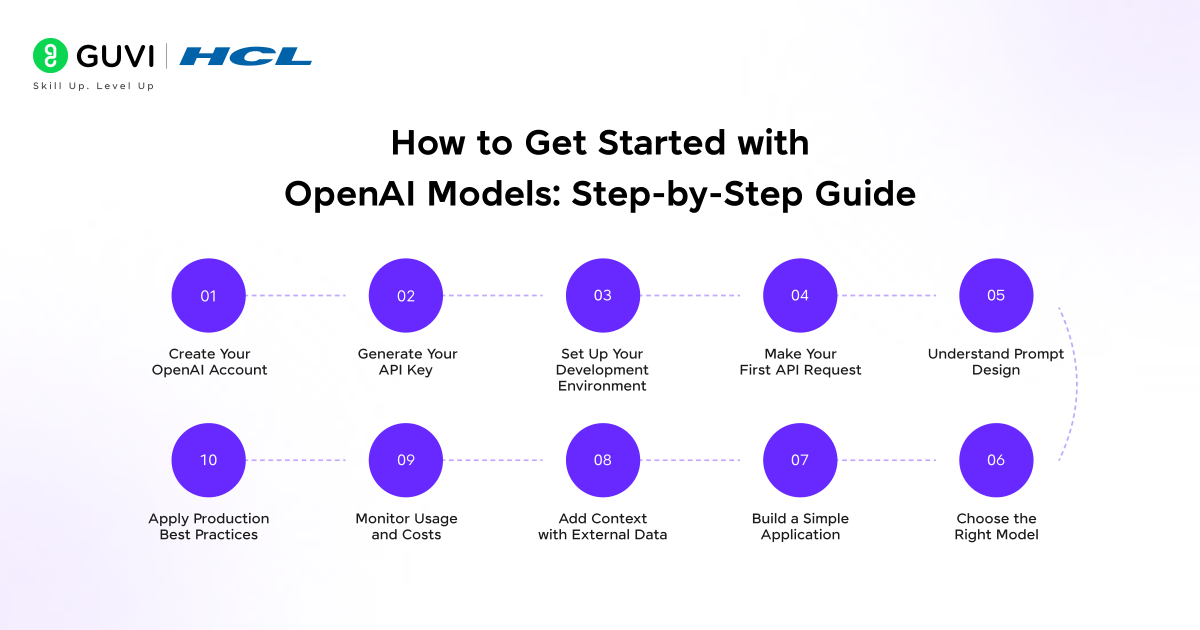
- Step 1: Create Your OpenAI Account
- Step 2: Generate Your API Key
- Step 3: Set Up Your Development Environment
- Step 4: Make Your First API Request
- Step 5: Understand Prompt Design
- Step 6: Choose the Right Model
- Step 7: Build a Simple Application
- Step 8: Add Context with External Data
- Step 9: Monitor Usage and Costs
- Step 10: Apply Production Best Practices
- Types of OpenAI Models
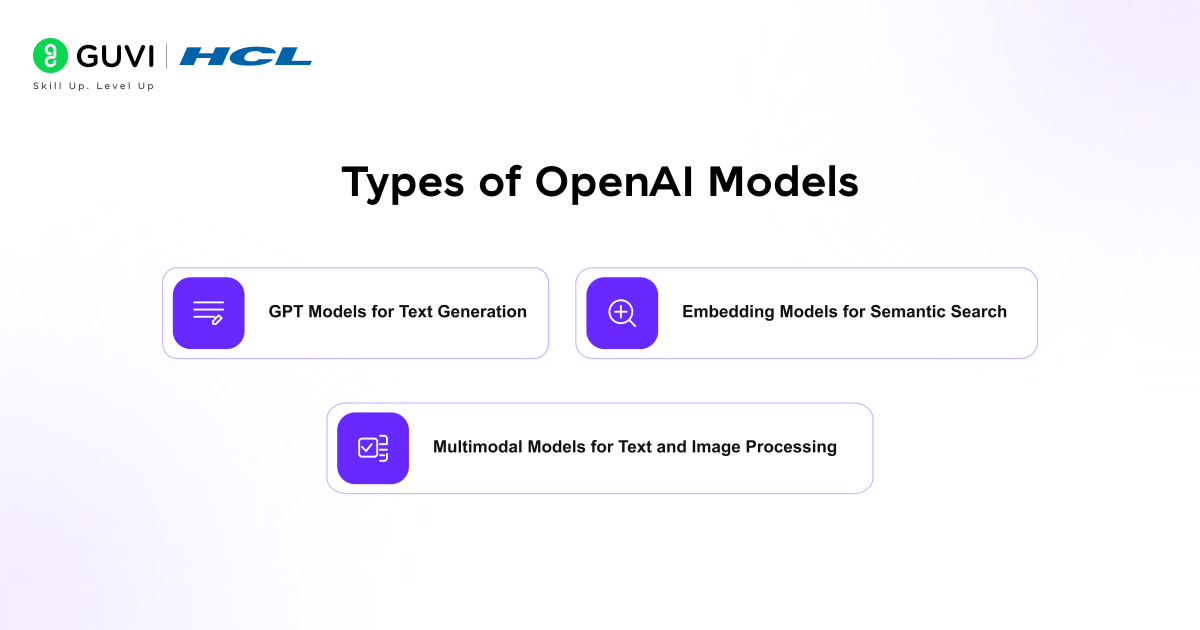
- GPT Models for Text Generation
- Embedding Models for Semantic Search
- Multimodal Models for Text and Image Processing
- Building Your First AI Application
- Example: Customer Support Chatbot with Order Tracking
- Architecture Overview
- How It Works Step by Step
- Extension with Context (Advanced Layer)
- Use Cases of OpenAI Models
- Production-Ready Best Practices for OpenAI Models
- Prompt Design: Define Output with Constraints
- Model Selection: Match Capability to Use Case
- Grounding Responses with Data
- Token Optimization: Control Cost and Latency
- Error Handling: Build for Real-World Failures
- Conclusion
- FAQs
- Which OpenAI model should beginners start with?
- Is OpenAI API free to use?
- Do I need coding skills to use OpenAI models?
What Are OpenAI Models?
OpenAI models are advanced machine learning systems trained on large-scale datasets of text, code, and structured information to process language and generate context-aware outputs. Built on transformer-based neural network architectures, these models analyze input, identify patterns, and produce responses that align with the intent and context of a given prompt.
Key Capabilities of OpenAI Models
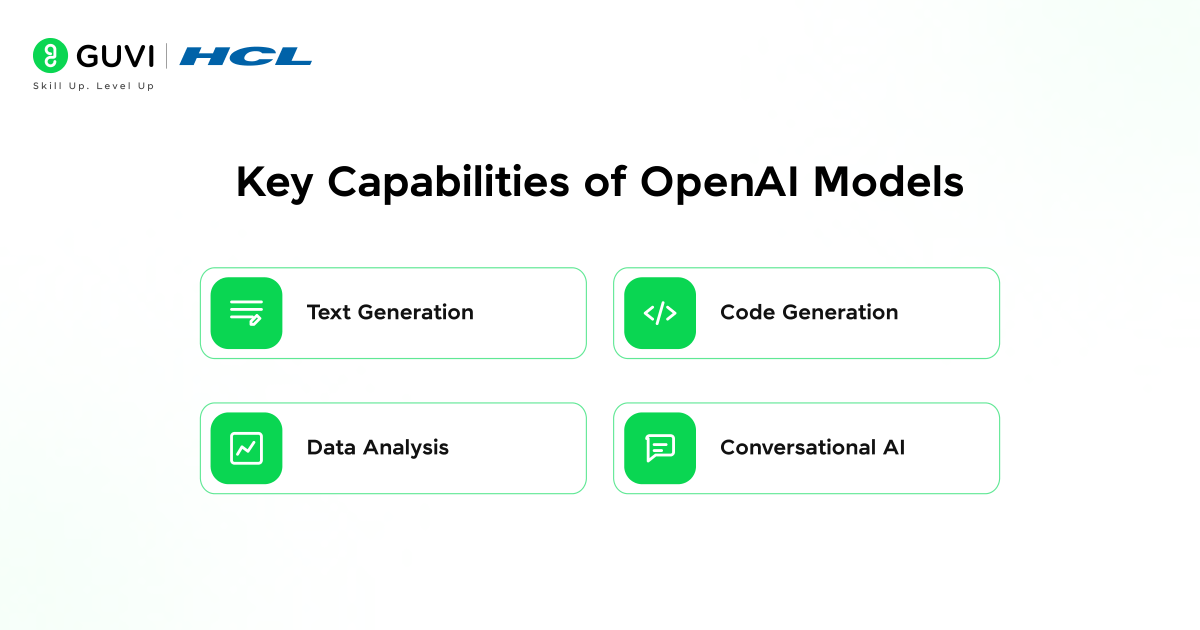
Text Generation
- Create structured content such as articles, summaries, and reports
- Generate domain-specific explanations with contextual consistency
Code Generation
- Write and debug code across multiple programming languages
- Assist in building functions, scripts, and technical workflows
Data Analysis
- Interpret structured datasets and explain trends
- Summarize insights from large volumes of information
Conversational AI
- Power chatbots and virtual assistants
- Handle multi-turn interactions with contextual continuity
How to Get Started with OpenAI Models: Step-by-Step Guide
Step 1: Create Your OpenAI Account
Begin by registering on the OpenAI platform.
- Visit the OpenAI developer platform
- Sign up using email or a Google account
- Access the dashboard after verification
The dashboard is where you manage API keys, monitor usage, and review requests. It acts as the control layer for all integrations.
Step 2: Generate Your API Key
The API key acts as the authentication mechanism between your application and OpenAI services.
- Navigate to API Keys in the dashboard
- Create a new secret key
- Store it securely in environment variables
Step 3: Set Up Your Development Environment
Choose a programming language based on your use case. Python and JavaScript are widely used due to strong ecosystem support.
Install the OpenAI library (Python example)
pip install openaiSet your API key (Linux or Mac)
export OPENAI_API_KEY="your_api_key"Set your API key (Windows)
setx OPENAI_API_KEY "your_api_key"This setup allows your application to authenticate requests without exposing sensitive data.
Step 4: Make Your First API Request
Start with a simple request to understand how input and output flow through the system.
from openai import OpenAI

client = OpenAI()

response = client.responses.create(

    model="gpt-4.1",

    input="Explain how OpenAI models work in simple terms"

)

print(response.output[0].content[0].text)
What happens here:
- You send a prompt as input
- The model processes the request
- A structured response is returned
This step validates that your setup is working correctly.
Step 5: Understand Prompt Design
The quality of output depends heavily on how instructions are written.
Effective prompt structure:
- Define the task clearly
- Provide context if required
- Specify output format
Example:
Instead of: Explain AI
Use: Explain OpenAI models in 150 words with a simple example for beginners
Clear prompts improve response accuracy and reduce unnecessary iterations.
Step 6: Choose the Right Model
Different models serve different purposes. Selection impacts cost, speed, and output quality.
- Use GPT models for text, chat, and reasoning
- Use embedding models for search and retrieval
- Use multimodal models when working with images and text
Practical approach: Start with a general-purpose model and refine selection based on performance and cost.
Step 7: Build a Simple Application
Move from testing to implementation.
Example use case: Basic chatbot
- User inputs a query
- Application sends it to OpenAI API
- Response is displayed in UI
Basic architecture: User Input → Backend → OpenAI API → Response → UI
This step helps translate API calls into real product functionality.
Step 8: Add Context with External Data
For business applications, generic responses are not sufficient. You need context from your own data.
- Store documents in a database
- Convert them into embeddings
- Retrieve relevant data before sending the prompt
This approach improves factual accuracy and relevance, especially in enterprise use cases.
Step 9: Monitor Usage and Costs
OpenAI pricing is based on token usage. Without tracking, costs can increase quickly.
- Monitor usage in the dashboard
- Set budget limits
- Optimize prompts to reduce unnecessary tokens
Optimization insight: Short, structured prompts reduce cost while maintaining output quality.
Step 10: Apply Production Best Practices
Before deploying to production, address reliability and security.
- Implement error handling and retries
- Add rate limiting
- Log requests and responses for debugging
- Protect API keys using secure storage
These practices improve system stability and maintain operational control.
Types of OpenAI Models
1. GPT Models for Text Generation
GPT models are designed to generate and interpret natural language with contextual accuracy. They are widely used across applications that require structured communication and reasoning.
Key applications include:
- Long-form content creation such as blogs and summaries
- Question answering with detailed explanations
- Email drafting and business communication
- Knowledge assistance across domains
Their proficiency to maintain context across multiple interactions makes them suitable for both single queries and continuous conversations.
2. Embedding Models for Semantic Search
Embedding models convert text into numerical vectors that represent meaning rather than keywords. These vectors allow systems to compare and retrieve information based on semantic similarity.
Core use cases:
- Enterprise search systems across large document repositories
- Recommendation engines based on user intent
- Retrieval-Augmented Generation pipelines
- Document clustering and classification
This approach improves retrieval accuracy, especially when exact keyword matches are not present.
3. Multimodal Models for Text and Image Processing
Multimodal models process both textual and visual inputs, allowing systems to interpret images alongside text and generate combined outputs.
Typical applications:
- Extracting insights from scanned documents or images
- Visual question answering
- Image captioning and interpretation
- AI assistants that work across text and visual inputs

Building Your First AI Application
Example: Customer Support Chatbot with Order Tracking
A practical way to understand how OpenAI models work in applications is to build a customer support chatbot that answers order-related queries. This example reflects a real business scenario where speed and accuracy directly impact user experience.
Use case: An e-commerce platform wants to reduce support tickets by automating responses to common customer queries such as order status, delivery timelines, and return policies.
Architecture Overview
User Input → Backend Server → OpenAI API → Response → User Interface
- The user enters a query on the website or app
- The backend processes the query and fetches relevant order data
- The request is sent to the OpenAI model with context
- The model generates a structured response
- The response is displayed to the user
How It Works Step by Step
- User Query: The user asks:
“Where is my order?” - Backend Context Injection: The system retrieves order details from the database:
- Order ID: 12345
- Status: Shipped
- Expected delivery: 2 days
- Prompt Sent to OpenAI Model: The backend sends a structured prompt:
“A customer is asking about their order. Order status is shipped and expected delivery is in 2 days. Provide a clear response.” - Model Response: The model generates:
“Your order has been shipped and is expected to arrive within 2 days.” - Response Displayed to User
The chatbot shows the answer in the interface.
Extension with Context (Advanced Layer)
To improve accuracy further, the system can integrate a retrieval layer:
- Store FAQs and policies as embeddings
- Retrieve relevant documents based on user queries
- Pass that context into the prompt before generating a response
Result: The chatbot can answer not only order status questions but also policy-related queries with accurate, context-aware responses.
Build a strong foundation in Generative AI beyond basic API usage. Download HCL GUVI’s GenAI eBook to understand real-world use cases, model workflows, and practical strategies for building scalable, production-ready AI applications.
Use Cases of OpenAI Models
- Customer Support Automation
OpenAI models are widely used to automate customer support workflows where response time and consistency are critical. Instead of relying entirely on human agents, businesses deploy AI assistants that handle common queries such as order tracking, refunds, account issues, and product information. In practice, these systems integrate with internal databases and ticketing platforms. The model processes user queries, retrieves relevant data when required, and generates structured responses.
- Enterprise Knowledge Search and Internal Assistants
Organizations often struggle with scattered information across documents, emails, and internal tools. OpenAI models, combined with embedding-based retrieval systems, solve this problem by enabling semantic search across large knowledge bases. Employees can ask natural language questions instead of manually searching through documents. The system retrieves relevant content and generates a clear, context-aware answer.
- Content Generation and Marketing Automation
OpenAI models, especially generative AI models, are used to generate high-quality content at scale while maintaining consistency in tone and structure. Marketing teams use these models for blog writing, ad copy, email campaigns, and product descriptions. The key advantage lies in speed and adaptability. Teams can generate drafts quickly and refine them based on brand guidelines and audience needs.
Production-Ready Best Practices for OpenAI Models
1. Prompt Design: Define Output with Constraints
- Specify output length, format, and structure in every prompt
- Use role-based instructions such as “Act as a financial analyst” to control tone and depth
- Break complex tasks into smaller prompts instead of a single large instruction
- Use examples in prompts when output consistency matters
2. Model Selection: Match Capability to Use Case
- Use high-capability models only for reasoning-heavy tasks
- Use lighter models for summarization, classification, or simple queries
- Test multiple models on the same task before finalizing selection
3. Grounding Responses with Data
- Pass relevant business data within the prompt or through retrieval pipelines
- Use embeddings to fetch context before generating responses
- Limit the context window to only necessary information
4. Token Optimization: Control Cost and Latency
- Keep prompts concise while retaining necessary context
- Avoid redundant instructions across repeated API calls
- Set maximum token limits to prevent excessive output
5. Error Handling: Build for Real-World Failures
- Implement retries with exponential backoff for API failures
- Handle rate limit errors gracefully
- Validate and sanitize model outputs before using them in applications
Move beyond basic API usage and build production-ready AI applications with structured learning. Join HCL GUVI’s AI & ML Course to master real-world skills in Generative AI, model deployment, and scalable AI systems with expert guidance and hands-on projects.
Conclusion
Getting started with OpenAI models requires a structured approach that goes beyond basic API usage. Success depends on clear prompt design, the right model selection, and grounding responses with relevant data.
From simple chatbots to context-aware systems, each step improves accuracy and reliability. Teams that focus on these fundamentals can move from experimentation to building scalable, production-ready AI applications.
FAQs
Which OpenAI model should beginners start with?
Start with a general-purpose GPT model for text and chat tasks. It provides a balance of capability, cost, and ease of use for most beginner applications.
Is OpenAI API free to use?
OpenAI follows a usage-based pricing model. Costs depend on tokens used, so monitoring and optimizing usage is important.
Do I need coding skills to use OpenAI models?
Basic programming knowledge helps with API integration. However, no-code and low-code tools can support simple use cases without deep technical expertise.
Success Stories

About the Author
Vaishali
I'm a seasoned writer with four years of experience across technical, non-technical, and just about every genre or niche you can imagine. Adaptable and curious, I enjoy exploring new topics and making information engaging and easy to understand. Fueled by a steady stream of tea, I approach each project with creativity, reliability, and genuine enthusiasm for storytelling.
View all posts by Vaishali
Connect with me @







Did you enjoy this article?