


Artificial Intelligence and Machine Learning Articles
How to Evaluate LLM Outputs in Production Deployments
AI/ML Skills Gap 2026: Why Companies Can't Find Job-Ready Talent
20 AI/ML Interview Questions Recruiters Can Use Without a Tech Background - Best Guide
How Industry-Backed AI/ML Bootcamps Are Changing the AI/ML Hiring Pipeline - Best Guide 2026


Get In Touch For Details! Request More Information
How to Build Agentic AI with LangChain and LangGraph in 2026
Sep 22, 2026 12 Min Read 3556 Views
(Last Updated)
Traditional AI applications usually respond to a prompt and stop. Agentic AI goes further by deciding what to do next, calling tools, reading results, updating its state, and repeating the process until a goal is completed.
This is where LangChain and LangGraph become useful. LangChain provides high-level agent abstractions, model integrations, tools, middleware, and retrieval capabilities. LangGraph provides lower-level orchestration for stateful workflows that need branching, loops, persistence, human approval, and custom execution logic.
In this tutorial, you will learn how to build agentic AI with LangChain and LangGraph, starting with tools and shared state before creating a working graph that can reason, act, observe results, and decide whether to continue.
Table of contents
- Quick Answer
- What Is Agentic AI
- What Is LangChain and What Is LangGraph
- What LangChain Does
- What LangGraph Does
- Why You Need Both Together
- The ReAct Pattern That Powers Agentic AI
- How to Set Up Your Environment
- How to Build Your First Agentic AI Workflow Step by Step
- Step 1: Create the File and Add Imports
- Step 2: Define the State
- Step 3: Create a Tool
- Step 4: Write the Three Core Functions
- Step 5: Build the Graph and Run Your Agent
- What Can You Build With LangChain and LangGraph
- LangChain create_agent vs LangGraph StateGraph: Which Should You Use?
- Use LangChain create_agent When
- Use LangGraph StateGraph When
- How Memory and Persistence Work in LangGraph
- Checkpointers
- Stores
- How to Add Human-in-the-Loop Approval in LangGraph
- How to Make LangChain and LangGraph Agents Production-Ready
- Define Explicit Stopping Conditions
- Validate Tool Arguments
- Handle Tool Failures
- Add Persistence for Long-Running Tasks
- Log Agent Decisions and Tool Calls
- Restrict Tool Permissions
- Add Human Approval for High-Risk Actions
- Tips for Building Better Agentic AI Systems
- 💡 Did You Know?
- Conclusion
- FAQs
- Do I need to know machine learning to build agentic AI with LangChain and LangGraph?
- What is the difference between LangChain and LangGraph?
- Can I use LangGraph with models other than OpenAI?
- How is agentic AI different from a regular chatbot?
- Is LangChain and LangGraph free to use?
Quick Answer
LangChain and LangGraph can be used together to build AI agents that reason, call tools, maintain state, and execute multi-step workflows.
- LangChain: Provides models, tools, agent abstractions, middleware, and integrations.
- LangGraph: Provides stateful graph orchestration using nodes, edges, shared state, and conditional routing.
- Agent Loop: The model chooses an action, executes a tool, reads the result, and decides what to do next.
- Memory: Checkpointers can persist thread-level graph state, while stores can maintain information across threads.
- Best Use: Use LangChain for standard agent workflows and LangGraph when you need custom control over branching, persistence, approvals, or long-running execution.
What Is Agentic AI
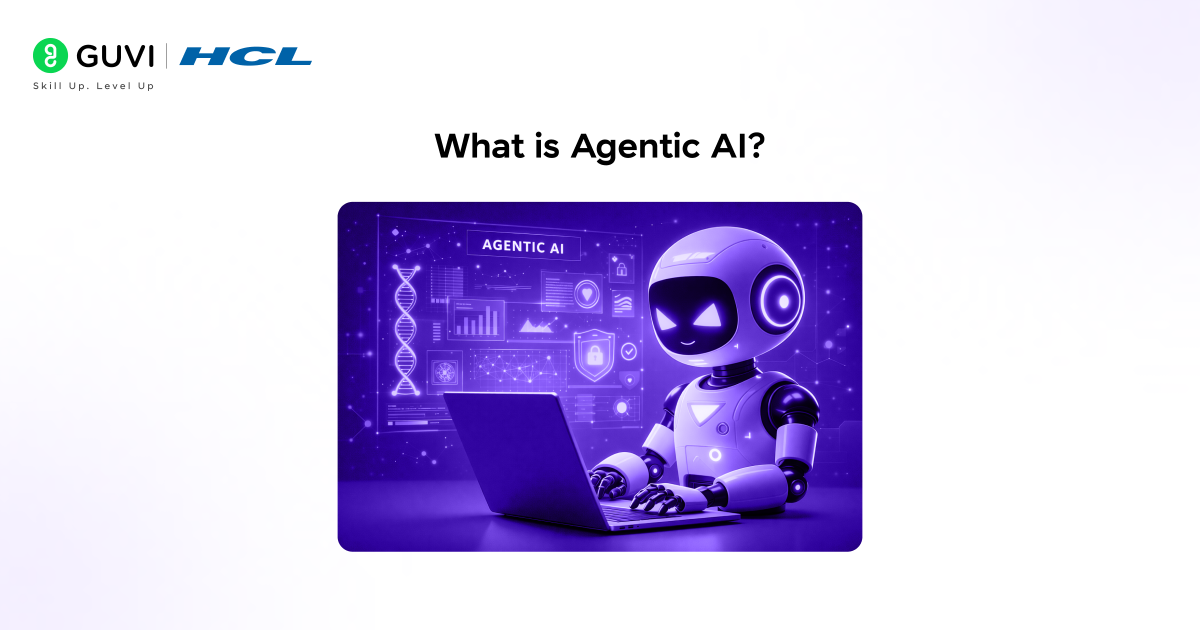
Regular AI gives you an answer. Agentic AI takes action. When you ask a regular LLM a question, it reads your prompt and generates a response. That is the end of the interaction. Agentic AI is different because it can break a goal into smaller steps, decide which tool to use at each step, execute those tools, look at the results, and then decide what to do next. It keeps going until the goal is complete.
Think of it like the difference between asking someone for directions and hiring a travel agent. One gives you information. The other plans the trip, books the tickets, arranges the hotel, and handles problems along the way. Agentic AI is the travel agent.
Here is something to think about: what tasks in your daily work require you to take multiple steps, check something, then decide what to do next based on the result? Those are exactly the tasks agentic AI is built for.
What Is LangChain and What Is LangGraph
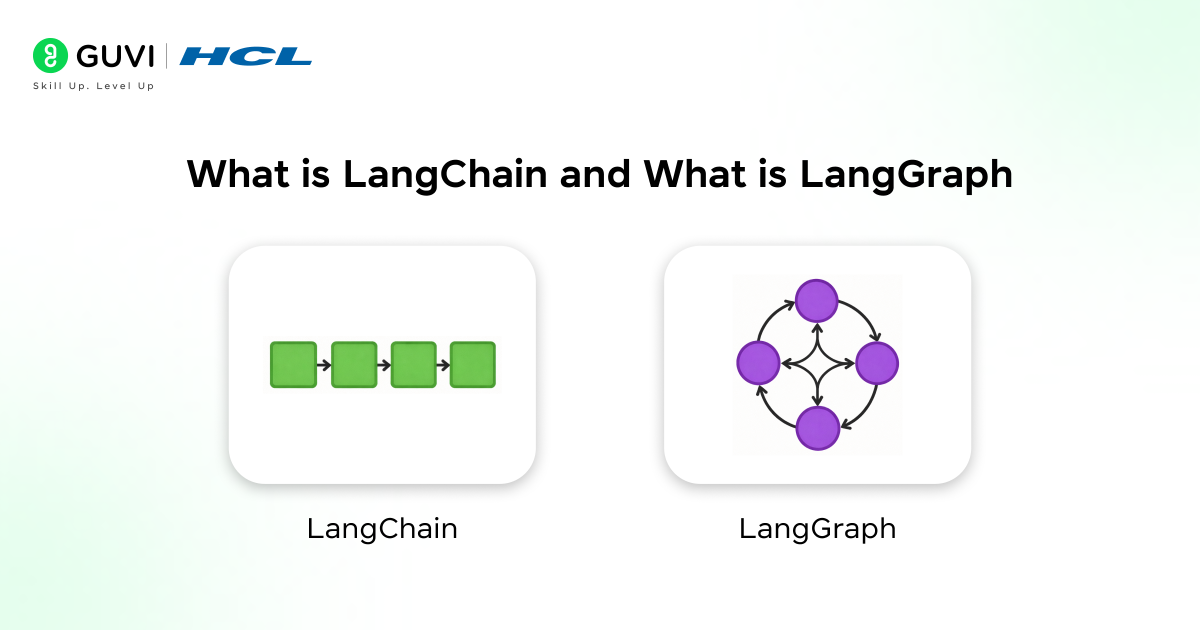
Before writing any code, you need to clearly understand what each tool does and why you need both. Many beginners try to use one without the other and run into walls quickly.
1. What LangChain Does
LangChain is an open-source Python framework that gives you the building blocks to create AI-powered applications. It connects your LLM to tools like web search, databases, APIs, and file systems. It also handles prompts, memory, and the logic of how your agent should behave step by step.
Think of LangChain as the toolbox. It has everything your agent needs to function, the LLM brain, the tools it can use, and the memory it can store things in. But a toolbox alone does not build a house. You need a blueprint for how everything connects.
- LLM integration means LangChain works with OpenAI, Anthropic, Google Gemini, and more out of the box
- Tool support means your agent can call web search, run Python code, query databases, and more
- Memory management means your agent can remember what happened earlier in a conversation
- Chain logic means you can define sequences of steps your agent should follow
Also read – Building a Language Model Application with LangChain
2. What LangGraph Does
LangGraph is a library built on top of LangChain that lets you define your agent’s workflow as a graph. A graph is just a way of saying: here are the steps (nodes) and here are the paths between them (edges). LangGraph lets your agent loop back, branch based on decisions, and handle complex multi-step workflows that a simple chain cannot manage.
If LangChain is the toolbox, LangGraph is the blueprint. It decides the order of operations, what happens when a tool returns an unexpected result, and when the agent should stop versus keep going.
- Nodes are individual steps in your workflow, like calling the LLM or running a tool
- Edges are the paths connecting nodes, deciding what runs next
- State is the shared memory that all nodes can read from and write to
- Conditional edges let your agent branch based on what the previous step returned
3. Why You Need Both Together
LangChain gives your agent capabilities. LangGraph gives your agent structure. Without LangChain, you have no tools or LLM integration. Without LangGraph, you have no way to manage complex workflows that loop, branch, or persist state across steps. Used together, they let you build production-ready agentic AI systems that can handle real-world tasks.
- LangChain alone works for simple linear workflows but breaks down when logic gets complex
- LangGraph alone provides the workflow engine but needs LangChain for LLM and tool access
- Together they cover everything from a simple chatbot to a multi-agent research system
- Production readiness means the combination handles failures, memory, and human-in-the-loop checks
4. The ReAct Pattern That Powers Agentic AI
The most important concept in agentic AI is the ReAct pattern. ReAct stands for Reason and Act. It describes how an agent thinks about what to do, takes an action, observes the result, and then reasons again about what to do next. This loop of reasoning and acting is what makes an agent autonomous.
LangChain and LangGraph implement the ReAct pattern natively. When your agent receives a task, it reasons about which tool to use, calls that tool, reads the result, reasons again based on what it found, and either acts again or returns a final answer. This cycle repeats until the task is done.
- Reason means the agent thinks about the current state and decides what action to take
- Act means the agent calls a tool or takes a step based on its reasoning
- Observe means the agent reads the output of the action it just took
- Loop means the agent repeats the cycle until it reaches a satisfactory final answer
Ask yourself this: when you solve a complex problem, do you figure out everything at once or do you take a step, see what happens, and adjust? Agentic AI uses the same approach.
Do check out HCL-GUVI’s AI/ML Course if you want to learn how to build real AI systems like agentic workflows using LangChain and LangGraph. The course covers Python, machine learning, deep learning, and hands-on AI projects with mentor support, helping you gain practical experience in building production-ready AI applications.
How to Set Up Your Environment
Getting your environment ready is the first real step. You do not need a powerful machine for this. A standard laptop with Python installed is enough to follow along with every example in this tutorial.
You will need Python 3.10 or above, an OpenAI API key or any other supported LLM API key, and a code editor. VS Code is a good choice if you do not have a preference.
1. Installing the Required Libraries
Open your terminal and run pip install langchain langgraph langchain-openai langchain-community to install everything you need in one command. This installs LangChain, LangGraph, the OpenAI integration, and the community tools package.
Once installed, set your OpenAI API key as an environment variable. In your terminal run export OPENAI_API_KEY=your_api_key_here on Mac or Linux. On Windows run set OPENAI_API_KEY=your_api_key_here in your command prompt.
- langchain is the core framework with chains, tools, and memory
- langgraph is the graph-based workflow engine for complex agents
- langchain-openai gives you the OpenAI LLM and embedding integrations
- langchain-community gives you access to hundreds of community-built tools and integrations
2. Understanding the Core Building Blocks
Before writing your first agent, you need to know the four building blocks you will use in every LangGraph workflow. These are the same blocks that power everything from a simple agent to a multi-agent production system.
The first block is the State. This is a Python dictionary that stores all the information your agent needs to carry across steps, like the user’s question, previous tool results, and the final answer.
The second block is Nodes. Each node is a Python function that takes the current state, does something like calling the LLM or running a tool, and returns an updated state.
The third block is Edges. Edges connect your nodes and tell LangGraph what to run next. The fourth block is the Graph itself, which is where you register all your nodes and edges and compile everything into a runnable workflow.
- State holds all the data that flows through your workflow from start to finish
- Nodes are the workers that read the state, do a job, and update the state
- Edges are the rules that decide which node runs after the current one finishes
- Graph is the container that wires everything together and makes it runnable
3. Setting Up Your First LangGraph File
Create a new file called agent.py in your project folder. At the top of the file, add your imports by writing from langgraph.graph import StateGraph, END, from langchain_openai import ChatOpenAI, and from typing import TypedDict, Annotated, List. These three imports give you everything you need to define a basic agent workflow.
Next define your state class. Write a class called AgentState that inherits from TypedDict and has a field called messages of type List. This state will hold the conversation history that flows between your nodes throughout the workflow.
- StateGraph is the LangGraph class you use to define and compile your graph
- END is a special LangGraph constant that tells the graph when to stop running
- ChatOpenAI is the LangChain class that gives you access to GPT-4 and other OpenAI models
- TypedDict lets you define the structure of your state so Python knows what fields to expect
How to Build Your First Agentic AI Workflow Step by Step
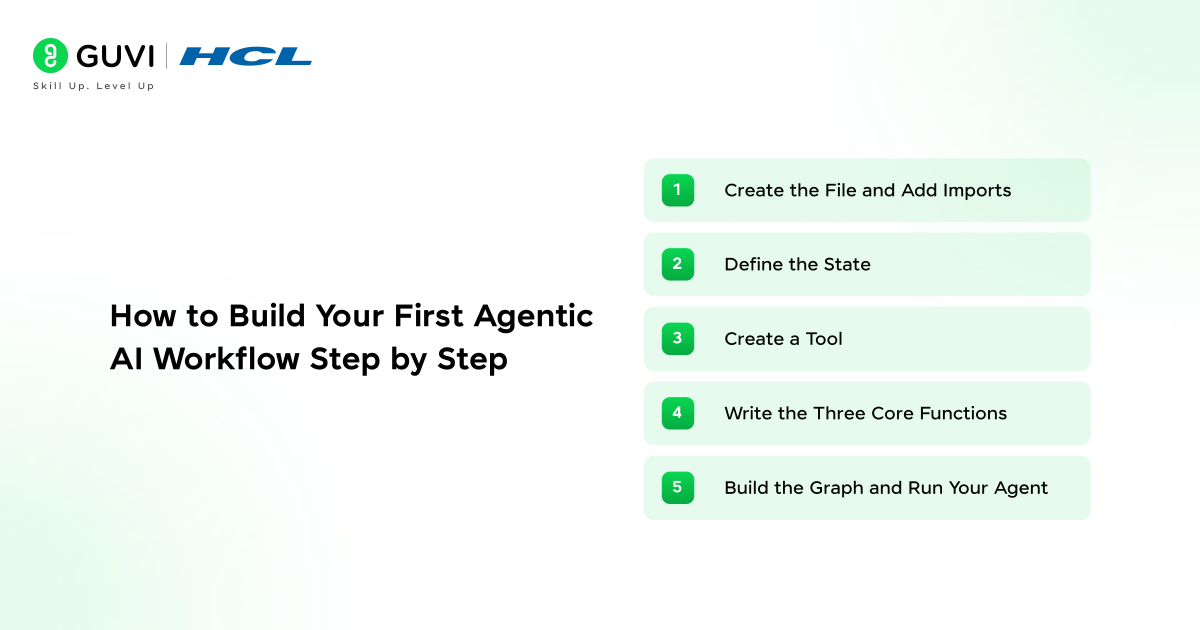
You are going to build a real working AI agent from scratch. Everything goes into one file called agent.py. By the end of Step 5 you will have a complete agent you can run on your own machine.
The agent works like this: you ask it a question, it decides if it needs to search for information, calls a search tool if it does, reads the result, and gives you a final answer. Simple, real, and fully agentic.
Do not skip steps. Each one adds a piece that the next step depends on.
Step 1: Create the File and Add Imports
Create a new file called agent.py in any folder on your computer. Open it in your code editor.
Now add these imports at the very top of the file. Each line brings in something your agent needs:
from langgraph.graph import StateGraph, END This gives you the graph builder and the END signal that tells your agent to stop.
from langchain_openai import ChatOpenAI. This connects you to the OpenAI GPT model.
from langchain_core.tools import tool. This lets you turn any Python function into a tool your agent can call.
from langchain_core.messages import HumanMessage, ToolMessage. These are the message types your agent uses to talk and receive tool results.
from typing import TypedDict, List, Annotated import operator. These handle type definitions and list operations for your state.
That is your imports done. Your file has 6 lines so far and is ready for the next piece.
- StateGraph is the main LangGraph class that holds all your nodes and edges together
- END is a special signal that tells the graph that the workflow is finished
- ChatOpenAI is your agent’s brain, the LLM that reasons and makes decisions
- HumanMessage wraps the user’s question so the LLM understands who sent it
Step 2: Define the State
The state is a shared dictionary that every node in your graph can read from and write to. Think of it as the agent’s memory as it works through the task.
Add this directly below your imports:
class AgentState(TypedDict): messages: Annotated[List, operator.add]
That is it. Just two lines. The messages field holds the full conversation history including your question, the LLM’s thoughts, tool calls, and tool results. Every node reads from this and adds to it.
The Annotated[List, operator.add] part simply means new messages get added to the list rather than replacing what was already there.
- TypedDict gives your state a clear structure Python can understand and validate
- messages list is the single place where the entire agent history lives during the run
- operator.add means every node appends its output to the list, nothing gets overwritten
- One field is enough for this agent because everything flows through messages
Step 3: Create a Tool
A tool is any Python function your agent can call when it needs to take action. You mark it with @tool above the function and write a clear docstring so the LLM knows when to use it.
Add this below your state definition:
@tool def search_web(query: str) -> str: “Search the web for current information on any topic. Use this when you need up-to-date facts.” return f”Search results for: {query} – LangGraph 0.2 released in 2025 with full multi-agent support.”
For now, this tool simulates a search result. In a real project, you would replace the return line with an actual search API call. The LLM does not care how the function works internally. It only reads the docstring to decide when to call it.
Now add these two lines below your tool:
tools = [search_web] llm = ChatOpenAI(model=”gpt-4o”, temperature=0) llm_with_tools = llm.bind_tools(tools)
bind_tools connects your tool to the LLM. Now, when the LLM reasons that it needs to search for something, it will call your function automatically.
- @tool registers the function so LangChain knows it is an agent tool
- Docstring is what the LLM reads to understand what the tool does and when to use it
- bind_tools links your tools to the LLM so it can choose to call them during reasoning
- temperature=0 means the agent makes consistent logical decisions every time it runs
Step 4: Write the Three Core Functions
You need three functions. The agent function that calls the LLM, the tool function that runs your search tool, and a condition function that decides whether to keep going or stop.
Add them one by one below your LLM setup.
First, the agent function:
def agent_node(state: AgentState): response = llm_with_tools.invoke(state[“messages”]) return {“messages”: [response]}
This reads all the messages in the state, sends them to GPT-4o, and adds the reply back to the state. Simple.
Second, the tool function:
def tool_node(state: AgentState): last_message = state[“messages”][-1] results = [] for tool_call in last_message.tool_calls: result = search_web.invoke(tool_call[“args”]) results.append(ToolMessage(content=result, tool_call_id=tool_call[“id”])) return {“messages”: results}
This reads the last message from the LLM, sees which tool it requested, runs that tool, and puts the result back into the state so the LLM can read it next.
Third, the condition function:
def should_continue(state: AgentState): last_message = state[“messages”][-1] if hasattr(last_message, “tool_calls”) and last_message.tool_calls: return “continue” return “end”
This checks the last LLM message. If the LLM wants to call a tool it returns “continue” and the graph goes to the tool node. If the LLM has a final answer it returns “end” and the graph stops.
- agent_node is the reasoning step, the LLM reads the history and decides what to do next
- tool_node is the action step, it runs the tool and puts the result back for the LLM to read
- should_continue is the traffic light between the two nodes, it controls the loop
- ToolMessage wraps the tool result so the LLM knows the result came from a tool call

Step 5: Build the Graph and Run Your Agent
This is the last step. You will wire all the pieces together, compile the graph, and run it.
Add this below your three functions:
graph = StateGraph(AgentState) graph.add_node(“agent”, agent_node) graph.add_node(“tools”, tool_node) graph.set_entry_point(“agent”) graph.add_conditional_edges(“agent”, should_continue, {“continue”: “tools”, “end”: END}) graph.add_edge(“tools”, “agent”) app = graph.compile()
Here is what each line does. add_node registers each function as a named step. set_entry_point tells the graph to start at the agent node. add_conditional_edges routes from the agent to either the tools node or END based on what should_continue returns. add_edge from tools back to agent creates the loop so the agent can reason again after every tool call. compile locks everything and makes it runnable.
Now add this at the very bottom of your file to run it:
result = app.invoke({“messages”: [HumanMessage(content=”What is LangGraph and when was it updated?”)]}) print(result[“messages”][-1].content)
Save the file and run python agent.py in your terminal.
Your agent will receive the question, reason that it needs current information, call search_web, read the result, think again, and print a final answer. That is the full ReAct loop running live on your machine. You just built a working agentic AI system.
- add_conditional_edges is what creates the reasoning loop between the agent and tools
- add_edge from tools to agent lets the LLM keep reasoning after every tool result
- compile turns your graph definition into something you can actually invoke and run
- app.invoke starts the whole workflow and returns the final state when the agent finishes
Build practical AI and Agentic AI skills with HCL GUVI’s Artificial Intelligence and Machine Learning Course Bundle. Learn machine learning, Generative AI, LangChain, AI application development, and real-world AI workflows through structured, application-focused training.
What Can You Build With LangChain and LangGraph
Once you understand the basics, the kinds of agents you can build grow quickly. These are the most practical and commonly built agentic AI systems in 2026.
1. Research and Summarization Agents
A research agent takes a question, searches multiple sources, reads and compares the results, and produces a clean structured summary. This is one of the most popular use cases because it saves hours of manual research work.
Your graph for this would have a planner node that breaks the question into sub-queries, a search node that queries each sub-topic, a grader node that checks if the results are relevant, and a summarizer node that writes the final answer. LangGraph manages the flow between all of these automatically.
- Planner node breaks the big question into smaller searchable queries
- Search node runs each query against a web search or a database tool
- Grader node checks if results are relevant and loops back to search if they are not
- The summarizer node takes all the relevant results and writes a clean final answer
2. Multi-Agent Systems
A multi-agent system is when you have several specialized agents that each handle one part of a task and pass results to each other. For example, a researcher agent gathers information, a writer agent drafts a report, and an editor agent reviews and refines it. LangGraph’s supervisor pattern makes this straightforward to implement.
You define a supervisor node that reads the task and decides which agent to call next. Each specialist agent is its own node with its own tools and instructions. The supervisor routes between them until the full task is complete.
- Supervisor node acts as the coordinator, deciding which specialist to call next
- Specialist agents each focus on one thing like research, writing, or data analysis
- Message passing is how agents share results with each other through the shared state
- Parallel execution is possible in LangGraph when two agents do not depend on each other
3. Retrieval Augmented Generation Agents
A RAG agent goes beyond basic RAG by adding decision-making to the retrieval process. Instead of always retrieving from the same source, the agent decides which source to query based on the question, grades the retrieved documents for relevance, rewrites the query if the results are not good enough, and only generates an answer when it has solid evidence.
This is called agentic RAG and it produces significantly better results than static RAG pipelines because the agent can course correct when retrieval fails.
- Query routing means the agent picks the right data source for each question
- Document grading means the agent checks if retrieved content actually answers the question
- Query rewriting means the agent tries a better search if the first attempt was not useful
- Answer generation only happens when the agent is satisfied with what it retrieved
LangChain create_agent vs LangGraph StateGraph: Which Should You Use?
Not every AI agent needs a manually constructed graph. In current LangChain, create_agent provides a higher-level way to build a standard tool-calling agent, while LangGraph’s StateGraph is useful when you need fine-grained control over state transitions and workflow logic.
1. Use LangChain create_agent When
Use create_agent when the workflow mainly follows this pattern:
User Request → Model → Tool Call → Tool Result → Model → Final Response
A basic structure looks like:
from langchain.agents import create_agent

def search_database(query: str) -> str:
    """Search the product database."""
    return f"Results for {query}"

agent = create_agent(
    model="openai:gpt-5.5",
    tools=[search_database],
    system_prompt="You are a product research assistant."
)

result = agent.invoke({
    "messages": [
        {"role": "user", "content": "Find information about product A"}
    ]
})
create_agent automatically manages the model and tool loop until the model stops requesting additional tools.
2. Use LangGraph StateGraph When
Use StateGraph when your workflow requires:
- Multiple conditional branches
- Custom state fields
- Human approval steps
- Parallel execution
- Explicit retry paths
- Different specialist agents
- Persistent checkpoints
- Custom stopping logic
- Complex deterministic and agentic steps
A LangGraph workflow may look like:
START → Planner → Research → Validate → Human Approval → Execute → END
The distinction is practical. Use the higher-level LangChain API when the standard agent loop is sufficient. Use LangGraph when the workflow itself needs to be explicitly designed and controlled.
How Memory and Persistence Work in LangGraph
State and persistent memory are related, but they are not the same thing. During a normal LangGraph execution, the graph state contains information nodes need while the workflow runs. Persistence allows that state to survive beyond one execution step or interaction. LangGraph currently separates persistence into two important concepts:
1. Checkpointers
A checkpointer stores snapshots of graph state for a specific thread.
This enables:
- Conversation continuity
- Resuming interrupted workflows
- Human-in-the-loop approval
- Failure recovery
- Inspecting previous graph states
A conversation can be associated with a thread_id, allowing LangGraph to retrieve the correct sequence of checkpoints when execution continues.
2. Stores
A store keeps application-defined information beyond a single thread.
This is useful for information such as:
- User preferences
- Persistent facts
- Saved account settings
- Learned application context
- Shared knowledge used across conversations
A simple way to think about the distinction is:
Checkpointer = What happened during this workflow
Store = Information the application should remember across workflows
Production agents often need both. The checkpointer preserves execution history, while a store provides longer-term application memory.
How to Add Human-in-the-Loop Approval in LangGraph
Giving an agent access to tools does not mean every tool should execute automatically. Actions such as sending an email, deleting a database record, issuing a refund, publishing content, or changing account permissions may require human approval. LangGraph supports this using interrupts.
A node can pause execution before a sensitive action:
from langgraph.types import interrupt

def approval_node(state):
    approved = interrupt({
        "question": "Approve this action?",
        "action": state["proposed_action"]
    })

    return {"approved": approved}
When interrupt() runs:
- Graph execution pauses.
- Current state is saved through the configured checkpointer.
- The application receives the approval request.
- A human reviews the proposed action.
- The graph resumes after a response is provided.
This creates workflows such as:
Agent Plans Action → Human Reviews → Approve or Reject → Agent Continues
Human approval is particularly useful for:
- Financial transactions
- Database modifications
- Customer communications
- Production deployments
- Account permission changes
- Sensitive API calls
This allows developers to increase agent autonomy without giving the system unrestricted authority over high-impact actions.
How to Make LangChain and LangGraph Agents Production-Ready
1. Define Explicit Stopping Conditions
Every loop needs a termination rule.
A production agent should stop when:
- The task succeeds
- A retry limit is reached
- The model-call limit is reached
- Required information is unavailable
- Human intervention is required
This prevents accidental infinite agent loops.
2. Validate Tool Arguments
Do not assume every model-generated tool call contains valid input.
Validate:
- Required fields
- Data types
- Allowed values
- User permissions
- Resource identifiers
A database tool should never execute destructive operations solely because the model generated syntactically valid arguments.
3. Handle Tool Failures
External APIs can fail, time out, return malformed data, or reject authentication.
Agents should distinguish between:
Retryable Error → Retry or choose another path
and:
Permanent Error → Stop or escalate
LangGraph’s ToolNode supports configurable tool error handling when developers build custom tool-execution workflows.
4. Add Persistence for Long-Running Tasks
If a 20-step workflow fails after step 18, the system should not necessarily repeat the first 17 steps.
Checkpointing allows stateful workflows to recover or resume from saved execution state.
5. Log Agent Decisions and Tool Calls
Track:
- Model calls
- Tool selected
- Tool arguments
- Tool result
- State changes
- Execution latency
- Errors
- Final outcome
This makes agent failures significantly easier to debug.
6. Restrict Tool Permissions
Give each agent only the tools required for its role.
A research agent may need web search but should not automatically receive access to payment APIs or production databases.
This follows the principle of least privilege.
7. Add Human Approval for High-Risk Actions
Use interrupts or approval nodes before actions that can create irreversible or high-impact changes.
A reliable production architecture therefore looks closer to:
Input → Agent → Tool Validation → Execute → Observe → Evaluate → Human Approval if Required → Continue or Stop
rather than simply:
Prompt → Agent → Tools → Done
Tips for Building Better Agentic AI Systems
- Keep your nodes small and focused: Each node should do one thing well. A node that calls the LLM, runs a tool, and updates three parts of the state is too complex and hard to debug.
- Write clear tool docstrings: The LLM reads your tool’s docstring to decide when to use it. A vague docstring means the agent will misuse the tool or ignore it entirely.
- Always define a stopping condition: Without a clear condition that moves the graph to END, your agent can loop forever. Always test your conditional edges carefully.
- Use temperature=0 for agents: Creative responses are great for writing tools but bad for agents that need to make consistent logical decisions. Keep temperature at zero for reliability.
- Start with one tool: Build your first agent with a single tool and get it working end to end before adding more. Each new tool adds complexity to the agent’s decision-making.
- Log your state at every step: During development, print the state after each node runs. Seeing the full state at each step makes debugging dramatically easier.
💡 Did You Know?
- LangGraph is an MIT-licensed open-source library, meaning it is completely free to use in personal and commercial projects with no restrictions.
- The ReAct pattern used in agentic AI was introduced in a 2022 research paper by Google and has since become the standard architecture for production AI agents.
- LangGraph supports human-in-the-loop checkpoints, meaning you can pause an agent mid-workflow, let a human review the state, and then resume execution from exactly where it stopped.
Conclusion
Building agentic AI with LangChain and LangGraph requires more than connecting an LLM to a tool. A reliable agent needs a clear state model, controlled tool access, routing logic, stopping conditions, persistence, error handling, and appropriate human oversight.
LangChain is useful for quickly creating standard agents with models and tools, while LangGraph becomes valuable when the workflow requires custom branching, loops, durable execution, memory, or human-in-the-loop control.
Once the basic agent works, the next step is to make it more realistic. Add a second tool, persist state with a checkpointer, handle tool failures, introduce an approval step for sensitive actions, and trace how state changes across each node.
Those capabilities turn a simple tool-calling demo into a structured agentic AI workflow that is much closer to how production systems are designed.
If you want to go deeper, also explore our guide on AutoGen Tutorial to see how different agentic frameworks compare.
FAQs
1. Do I need to know machine learning to build agentic AI with LangChain and LangGraph?
No. You do not need any machine learning background. You need basic Python skills, an understanding of functions and dictionaries, and the concepts covered in this tutorial. LangChain and LangGraph handle all the model complexity for you.
2. What is the difference between LangChain and LangGraph?
LangChain gives you the building blocks like LLM integration, tools, and memory. LangGraph gives you the workflow engine that connects those blocks into stateful graphs with loops, branches, and conditional logic. Most serious agentic AI projects use both together.
3. Can I use LangGraph with models other than OpenAI?
Yes. LangGraph works with any LLM that LangChain supports, which includes Anthropic Claude, Google Gemini, Mistral, LLaMA, and many more. You just swap out the LLM class in your code and everything else stays the same.
4. How is agentic AI different from a regular chatbot?
A regular chatbot takes a message and returns a reply. An agentic AI takes a goal, breaks it into steps, uses tools to gather information or take actions, reasons about the results, and keeps going until the goal is fully completed. It acts instead of just responding.
5. Is LangChain and LangGraph free to use?
Yes. Both LangChain and LangGraph are open-source and MIT-licensed, meaning they are completely free. You will pay for the LLM API you use, such as OpenAI or Anthropic, but the frameworks themselves have no cost.
Success Stories

About the Author
Vaishali
I'm a seasoned writer with four years of experience across technical, non-technical, and just about every genre or niche you can imagine. Adaptable and curious, I enjoy exploring new topics and making information engaging and easy to understand. Fueled by a steady stream of tea, I approach each project with creativity, reliability, and genuine enthusiasm for storytelling.
View all posts by Vaishali
Connect with me @





Did you enjoy this article?