


Javascript Articles
GraphQL with Strawberry Tutorial: Build Your First Python API
gRPC Tutorial: A Beginner's Guide to Building Fast, Modern APIs
Temporal Workflow Engine Tutorial: Build Reliable Workflows
Tauri 2.0 Desktop App Tutorial: Build Your First App Without the Bloat


Get In Touch For Details! Request More Information
What is a Callback Function in JavaScript?
Mar 07, 2026 4 Min Read 1712 Views
(Last Updated)
If you’ve been learning JavaScript for a while, you’ve probably come across the term callback function. It shows up in array methods, event handlers, timers, and almost every discussion about asynchronous JavaScript. At first, it can feel abstract or even unnecessary. Why pass a function into another function at all?
Here’s the thing. Callback functions are not an advanced trick. They are a core idea in JavaScript that explains how the language handles tasks, timing, and control flow. Once you truly understand callbacks, concepts like promises, async/await, and event-driven programming start to make much more sense.
In this article, you’ll learn what a callback function is, why it exists, how it works under the hood, and where you’ll use it in real-world JavaScript code. So, without further ado, let us get started!
Quick Answer:
A callback function in JavaScript is a function passed as an argument to another function and executed later, usually after a task completes. It is commonly used to handle asynchronous operations like events, timers, and API responses without blocking the program flow.
Table of contents
- What Is a Callback Function in JavaScript?
- Why Does JavaScript Use Callback Functions?
- Key Reasons Callbacks Exist
- Understanding Callbacks with a Basic Example
- What’s Happening Here?
- Functions Are First-Class Citizens in JavaScript
- Synchronous vs Asynchronous Callbacks
- Synchronous Callback Functions
- Asynchronous Callback Functions
- Real-World Use Cases of Callback Functions
- Event Handling
- API Requests (Traditional Approach)
- File Handling in Node.js
- Callback Functions with Parameters
- Error Handling with Callbacks
- The Error-First Callback Pattern
- Common Mistakes with Callback Functions
- Calling the Callback Too Early
- Forgetting to Call the Callback
- Passing the Result Instead of the Function
- When Should You Use Callback Functions?
- Conclusion
- FAQs
- What is a callback function in JavaScript with an example?
- Why are callback functions used in JavaScript?
- What is the difference between a callback and a promise?
- What is callback hell in JavaScript?
- Are callback functions still used in modern JavaScript?
What Is a Callback Function in JavaScript?
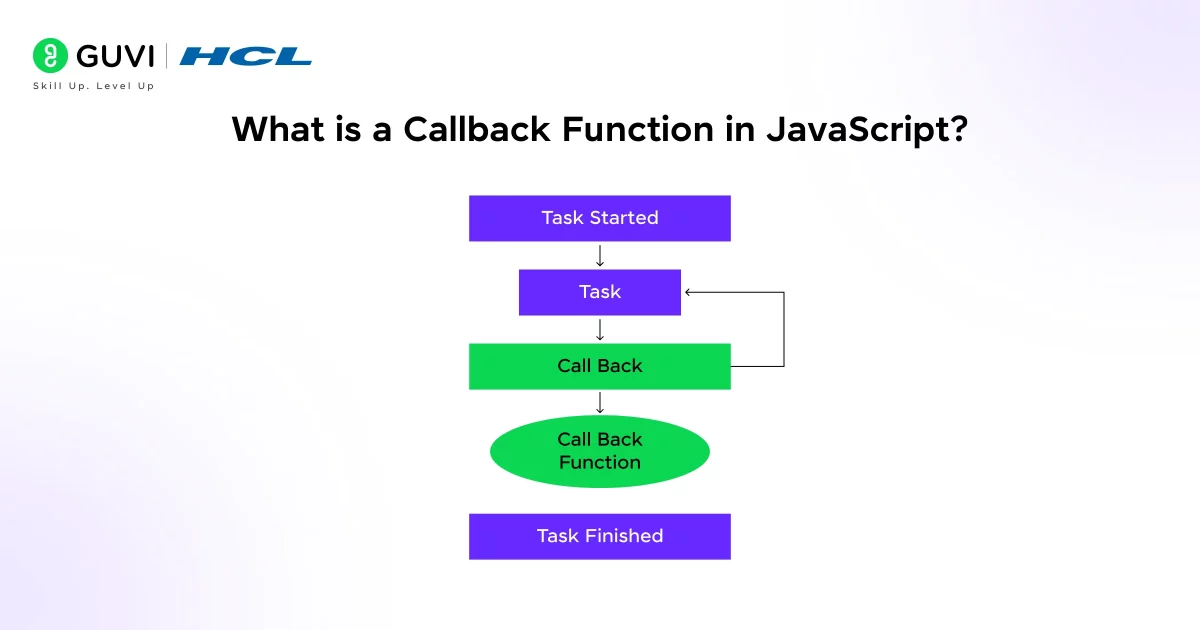
A callback function in JavaScript is a function that is passed as an argument to another function and is executed later.
Instead of calling a function immediately, you hand it over to another function and say, “Call this back when you’re done.”
In simple terms:
- One function takes responsibility for when something happens.
- The callback function defines what should happen next.
A Simple Definition:
You can think of a callback as: A function that runs after another function completes its task.
This idea might feel strange if you’re used to writing code line by line. But in JavaScript, this pattern is everywhere.
Why Does JavaScript Use Callback Functions?
JavaScript was designed to run in environments where waiting is expensive. Browsers shouldn’t freeze while waiting for a file to load or an API to respond. Servers shouldn’t block thousands of users while one task finishes.
Callbacks solve this problem.
Key Reasons Callbacks Exist
- JavaScript is single-threaded. It can do only one thing at a time. Callbacks help it manage tasks efficiently without blocking execution.
- Handling asynchronous operations. Tasks like fetching data, reading files, or waiting for user input don’t complete instantly.
- Flexible control flow. Callbacks let you decide what happens after a task finishes, instead of guessing when it will finish.
Understanding Callbacks with a Basic Example
Let’s start with a very simple synchronous example.
function greet(name, callback) {

  console.log("Hello " + name);

  callback();

}

function sayGoodbye() {

  console.log("Goodbye!");

}

greet("Kiran", sayGoodbye);
What’s Happening Here?
- greet is a function that accepts two parameters:
- name
- callback (which is a function)
- Inside greet, we log a message.
- Then we call callback().
The key idea is this: sayGoodbye is not executed immediately when it’s passed. It’s executed only when greet decides to call it.
Functions Are First-Class Citizens in JavaScript
To understand callbacks deeply, you need to understand one core concept.
In JavaScript, functions are first-class citizens.
This means:
- Functions can be stored in variables
- Functions can be passed as arguments
- Functions can be returned from other functions
Example
const add = function (a, b) {

  return a + b;

};

function calculate(x, y, operation) {

  return operation(x, y);

}

console.log(calculate(5, 3, add));
Here, add is a callback function passed into calculate.
This flexibility is what makes callbacks possible and powerful.
Synchronous vs Asynchronous Callbacks
Not all callbacks behave the same way. Understanding this difference is crucial.
Synchronous Callback Functions
A synchronous callback is executed immediately during the execution of the main function.
Example: Array Methods
const numbers = [1, 2, 3, 4];

numbers.forEach(function (num) {

  console.log(num);

});
Here:
- forEach takes a callback function.
- The callback runs immediately for each element.
- The code executes in order, without waiting.
Common Synchronous Callback Examples
- forEach()
- map()
- filter()
- reduce()
- sort()
These callbacks help you process data step by step.
Asynchronous Callback Functions
Asynchronous callbacks are executed later, after an operation completes. This is where callbacks become especially important.
Example: setTimeout
console.log("Start");

setTimeout(function () {

  console.log("This runs later");

}, 2000);

console.log("End");
Output
Start
End
This runs later
Even though setTimeout appears in the middle, its callback runs after 2 seconds.
That’s asynchronous behavior.
Learn More: 10 Best JavaScript Practices Every Developer Must Follow
Real-World Use Cases of Callback Functions
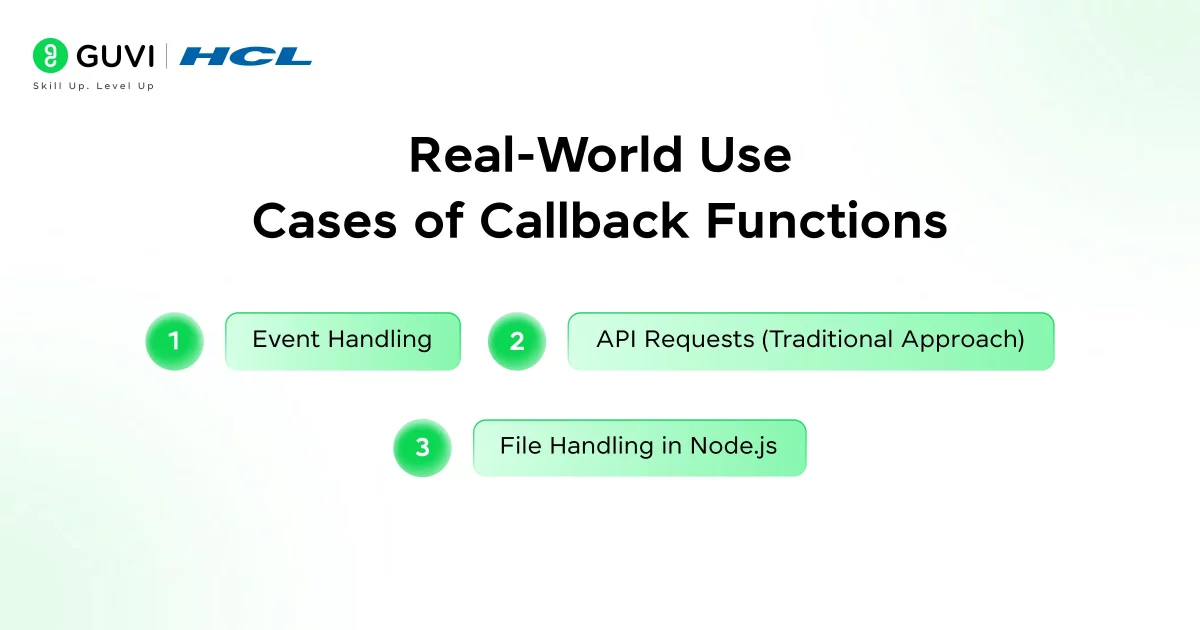
Callbacks aren’t theoretical. You use them constantly, even if you don’t realize it.
1. Event Handling
One of the most common uses of callbacks is event handling.
button.addEventListener("click", function () {

  console.log("Button clicked");

});
Here:
- You don’t know when the user will click.
- You provide a callback.
- The browser calls it at the right time.
2. API Requests (Traditional Approach)
Before promises became popular, callbacks were the primary way to handle API responses.
function fetchData(callback) {

  setTimeout(() => {

    callback("Data received");

  }, 1000);

}

fetchData(function (response) {

  console.log(response);

});
The callback runs only after the data is ready.

3. File Handling in Node.js
In Node.js, callbacks are used heavily for I/O operations.
const fs = require("fs");

fs.readFile("file.txt", "utf8", function (err, data) {

  if (err) {

    console.log("Error reading file");

    return;

  }

  console.log(data);

});
This pattern prevents blocking the server while reading files.
If you want to read more about howJavaScript paves the way for effective coding and its use cases, consider reading HCL GUVI’s Free Ebook: Ultimate JavaScript Ebook for Beginners, which covers the key concepts of JavaScript, including variables, conditional statements, loops, functions, and arrays.
Callback Functions with Parameters
Callbacks can also receive data from the main function.
function calculate(a, b, callback) {

  const result = a + b;

  callback(result);

}

calculate(10, 5, function (sum) {

  console.log("Result is:", sum);

});
This is extremely common when:
- Processing data
- Handling responses
- Chaining logic
Error Handling with Callbacks
In asynchronous callbacks, errors are often handled using a specific pattern.
The Error-First Callback Pattern
This is widely used in Node.js.
function getUserData(callback) {

  const error = false;

  if (error) {

    callback("Something went wrong", null);

  } else {

    callback(null, { name: "Alex" });

  }

}

getUserData(function (err, data) {

  if (err) {

    console.log(err);

    return;

  }

  console.log(data);

});
Why This Pattern Exists
- Consistent error handling
- Predictable structure
- Easy debugging
Common Mistakes with Callback Functions
Even experienced developers make these mistakes.
1. Calling the Callback Too Early
callback();

doSomething();
This defeats the purpose of a callback.
2. Forgetting to Call the Callback
This can cause your application to hang, especially in async flows.
3. Passing the Result Instead of the Function
// Incorrect

setTimeout(myFunction(), 1000);

// Correct

setTimeout(myFunction, 1000);
This is a very common beginner mistake.
When Should You Use Callback Functions?
Callbacks are a good choice when:
- The logic is simple
- The task is short-lived
- You want fine-grained control
- You’re working with existing callback-based APIs
They may not be ideal when:
- The flow becomes deeply nested
- Error handling becomes complex
- Multiple async operations depend on each other
Callbacks are everywhere in JS: behind the scenes, even functions you think of as synchronous can involve callbacks. For instance, many array and DOM methods use callback functions internally. By understanding callbacks now, you’ll have a solid foundation for asynchronous programming in JavaScript.
If you’re serious about mastering JavaScript in full-stack development and want to apply it in real-world scenarios, don’t miss the chance to enroll in HCL GUVI’s IITM Pravartak Certified Online MERN Full Stack Development Course with AI Integration. Build full stack skills in MERN with expert guidance, hands-on projects, and career support. Master in-demand tools like Git, MongoDB, Express, React, Node.js, and more!
Conclusion
Callback functions are one of the most important concepts in JavaScript. They explain how the language handles events, timing, and asynchronous behavior. While modern JavaScript offers cleaner abstractions like promises and async/await, callbacks remain the foundation beneath them.
If you understand callbacks well, you’re not just learning a syntax pattern. You’re learning how JavaScript thinks.
Once that clicks, everything else becomes easier.
FAQs
1. What is a callback function in JavaScript with an example?
A callback function is a function passed as an argument to another function and executed later. It allows you to control what happens after a task completes. Example: setTimeout(() => console.log(“Done”), 1000);
2. Why are callback functions used in JavaScript?
Callbacks are used to handle asynchronous operations like API calls, timers, and events. They prevent the code from blocking while waiting for a task to finish. This keeps JavaScript applications responsive.
3. What is the difference between a callback and a promise?
A callback is a function executed after a task completes. A promise represents a future value and provides cleaner chaining with .then(). Promises help avoid deeply nested callbacks.
4. What is callback hell in JavaScript?
Callback hell occurs when callbacks are nested inside multiple callbacks. This makes code hard to read, debug, and maintain. It is commonly solved using promises or async/await.
5. Are callback functions still used in modern JavaScript?
Yes, callbacks are still widely used in events, timers, and array methods. Even promises and async/await are built on top of callbacks internally. Understanding callbacks is essential for mastering JavaScript.
Success Stories

About the Author
Lukesh S
A professional content writer who has experience in freelancing and now working as a Technical Content Writer at HCL GUVI having sound knowledge in Blog Writing and Creative Writing!
View all posts by Lukesh S
Connect with me @








Did you enjoy this article?