


Web Development Articles
What Is CRUD? A Complete Guide to Create, Read, Update, Delete in Modern Applications
How to Build Your First ML Powered Web App (Even If You're Not a Data Scientist)
How to Stay Valuable as a Web Developer in The Era of AI [2026]
PHP Developer Resume: Writing Guide & Key to Landing Your Dream Job


Get In Touch For Details! Request More Information
Why Git and Linux Are Non-Negotiable
Feb 17, 2026 4 Min Read 455 Views
(Last Updated)
Git and Linux are the hidden engines behind every successful software project, yet most beginners skip them, chasing flashy frameworks and exciting visuals. The problem is, when something breaks or deadlines tighten, not knowing these tools can leave you stuck, frustrated, and scrambling for answers. Missing out on Git and Linux now can turn even simple projects into stressful puzzles.
Let’s find out why Git and Linux are essential for every developer. In this blog, you’ll discover how they keep your code safe, workflows smooth, and deployments reliable. Whether you’re a beginner, an aspiring developer, or someone looking to tackle real-world projects confidently, this guide will show you why mastering these tools early is the fastest way to become a capable, confident developer.
Quick Answer
Git and Linux are non-negotiable because they form the foundation of real-world software development. Git keeps your code organized, traceable, and safe. Linux powers servers, cloud platforms, DevOps workflows, and deployments. Knowing both makes you faster, more reliable, and far more confident when handling real projects.
Table of contents
- What Is Git?
- What Is Linux?
- Why Git Is Essential
- Why Linux Is Essential
- How Git and Linux Work Together
- Code To Deployment Workflow
- Debugging Is Faster And Clearer
- Automation And CI/CD
- Collaboration At Scale
- Why This Combination Matters
- 💡 Did You Know?
- Conclusion
- FAQs
- Do I have to master Git before Linux?
- Can someone build projects without knowing Linux?
- Is Git only useful when working in teams?
- Are GUI tools enough for Git and Linux?
What Is Git?
Git is a powerful version control system that tracks changes in your code over time. It allows developers to experiment safely, maintain a full history of their work, and manage multiple versions without losing progress. Understanding Git is crucial because it forms the backbone of professional development workflows, ensuring that projects remain organized and recoverable.
Git also makes collaboration easier by allowing team members to work on different features simultaneously, merge changes safely, and resolve conflicts efficiently. Without Git, managing code becomes chaotic, mistakes are harder to fix, and teamwork slows down significantly.
Key Features and Importance:
- Version Tracking: Records every change to your code, allowing you to review or revert to previous versions.
- Branching and Merging: Enables experimentation without affecting the main project, then safely integrates changes.
- Collaboration: Let multiple developers work on the same project without overwriting each other’s work.
- Safety Net: Provides a reliable way to recover from mistakes or accidental deletions.
What Is Linux?

Linux is an open-source operating system that powers most servers, cloud platforms, and production environments. It gives developers control over the system, stability for applications, and transparency in operations. Learning Linux is important to understand how software behaves in real-world environments.
With Linux, developers can navigate files, manage permissions, automate tasks, and troubleshoot issues effectively. Skipping Linux creates challenges in deployment, debugging, and cloud operations, making it difficult to handle projects confidently in professional settings.
Key Features and Importance:
- Command-Line Control: Allows precise system management and execution of tasks.
- File and Permission Management: Ensures security and proper access control for users and processes.
- Automation with Scripts: Let’s developers automate repetitive tasks to save time and reduce errors.
- Troubleshooting Tools: Provides ways to monitor, debug, and fix system issues efficiently.
Do check out the HCL GUVI DevOps Course to level up your Git and Linux skills together in one structured path. This program includes hands-on training in Linux basics such as commands, file permissions, and process handling, as well as Git version control, including staging, branching, merging, and rollback. It also covers essential DevOps tools and practices like automation, scripting, cloud services, and containerization, so you can apply what you learn to real workplace workflows.

Why Git Is Essential
Git is essential because it keeps projects organized, protects your work, and makes collaboration smooth. It lets developers track every change, experiment safely, and fix mistakes without losing progress. Learning Git early builds confidence, improves professionalism, and prevents chaos when projects grow.
Key Benefits Of Using Git:
- Version Control Safety: Git records every change so you can restore previous versions anytime.
- Collaboration Without Conflicts: Multiple people can work without overwriting each other’s work.
- Safe Experimentation: Branches let you test ideas without risking the main project.
- Clear History: Every update is documented, making debugging and reviews easier.
- Professional Workflow: Git matches real industry practices used in companies.
Why Linux Is Essential
Linux is essential because it gives developers control, stability, and visibility into how software really runs. Since most servers, production systems, and cloud platforms rely on Linux, knowing it helps you deploy confidently, solve problems faster, and work effectively in real-world environments.
Key Benefits Of Using Linux:
- System Control: You understand exactly how applications behave on the machine running them.
- Stability And Performance: Linux handles heavy workloads reliably without frequent crashes.
- Efficient Troubleshooting: Logs and terminal tools help you find and fix issues quickly.
- Automation Power: Shell scripts let you automate repetitive tasks with ease.
- Real-World Relevance: Most professional deployments and DevOps workflows run on Linux.
How Git and Linux Work Together
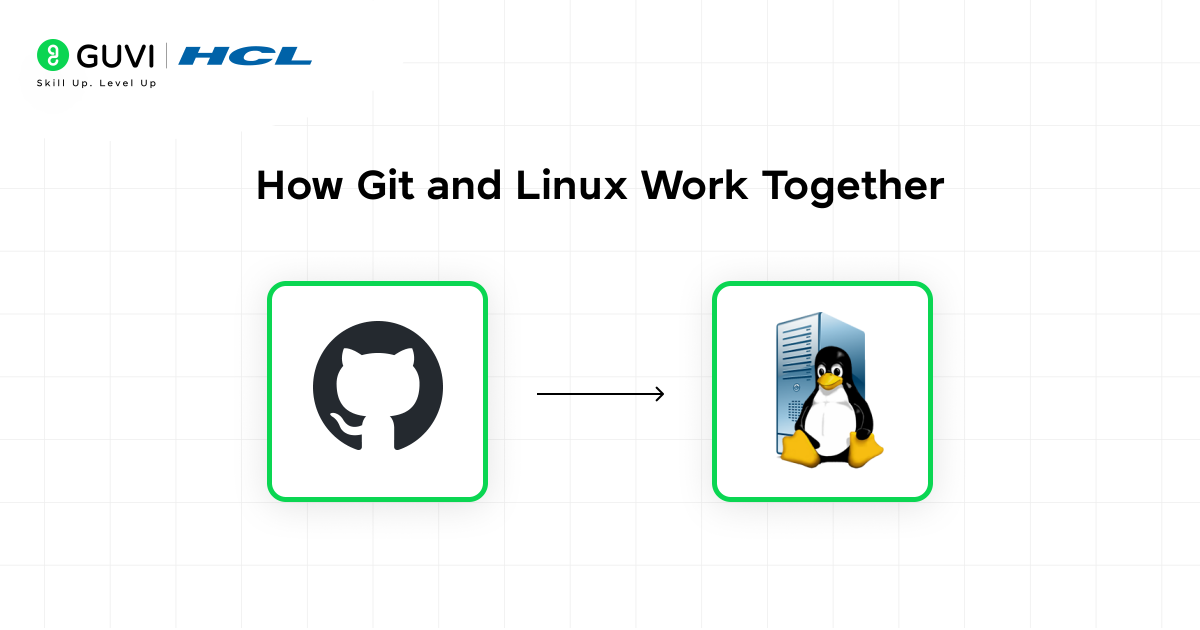
Git and Linux work together to manage everything from writing code to deploying it in real environments. In this section, you’ll see how they control the code-to-deployment workflow, make debugging clearer, power automation and CI/CD, support teamwork at scale, and ultimately create reliable professional development systems that companies depend on.
1. Code To Deployment Workflow
In professional development, code follows a clear path from writing to testing to deployment. Git controls how changes are tracked, while Linux ensures those changes run smoothly on servers. This structure prevents confusion, reduces risk, and keeps projects stable as new features are added.
Key Points:
• Organized History: Every update is recorded and easy to review.
• Reliable Releases: Problems can be reversed without damaging live systems.
• Consistent Environments: Teams use the same setup across all servers.
Example:
You push code to Git and Linux server pulls it, runs tests, and safely updates the live application.
2. Debugging Is Faster And Clearer
When something breaks, guessing wastes time and makes issues worse. Git shows exactly when a change was introduced, while Linux logs reveal what happened inside the system. Together, they make troubleshooting logical, evidence-based, and efficient.
Key Points:
• Traceable Issues: Errors connect directly to specific commits.
• Focused Fixes: Logs and history point to the real cause.
• Less Rework: Problems are solved faster with fewer mistakes.
Example:
A feature stops working. You review recent commits in Git, check Linux logs, and locate the issue accurately.
3. Automation And CI/CD
Modern teams automate repetitive work to avoid human error. Linux servers run scripts that pull code from Git, test it, and deploy updates automatically. This keeps deployments consistent, reduces delays, and improves reliability.
Key Points:
• Reduced Manual Errors: Scripts handle repetitive tasks safely.
• Faster Delivery: Features reach production more quickly.
• Instant Recovery: Rollbacks use Git history when needed.
Example:
A CI/CD script watches the repository, runs tests after each push, and deploys updates only when everything passes.
4. Collaboration At Scale
As teams grow, organization becomes critical. Git allows developers to work on separate features without overwriting each other. Linux provides a shared production environment where everything comes together and runs consistently.
Key Points:
• Clear Ownership: Every contribution is tracked with author history.
• No Lost Work: Branching prevents overwrites and conflicts.
• Stable Releases: Final builds behave the same for everyone.
Example:
Multiple developers push changes to Git, merge safely, and deploy to the same Linux environment without conflicts.
5. Why This Combination Matters
Git alone cannot manage servers, and Linux alone cannot manage code history. Using both git and linux gives control over the entire lifecycle, from the first line of code to live production deployment. This is why companies treat Git and Linux as essential skills for professional developers.
Key Points:
• End-to-End Control: Code and infrastructure stay aligned.
• Professional Workflow: Teams handle complex projects confidently.
• Job-Ready Skills: These tools match real-world industry expectations.
Example:
A team plans, builds, tests, deploys, and maintains applications using Git for version control and Linux for production management.
Do check out the HCL GUVI DevOps eBook if you want a simple overview of how DevOps works in real projects. It explains Git and Linux basics, CI/CD, Docker, Kubernetes, automation, and monitoring with clear examples. The focus is on real workflows so learners understand how software is built and deployed correctly.
💡 Did You Know?
- Linux runs the servers behind most of your favorite websites, from Netflix to Google.
- Git was created to manage the Linux kernel, the very heart of the operating system.
- Checking Git history and Linux logs can solve production issues faster than hours of guessing.
Conclusion
A strong software career isn’t built only on flashy frameworks or trendy tools. It relies on mastering fundamentals that keep your work organized, traceable, and reliable. Git gives control over every change in your code, while Linux shows how systems truly run. Together, they prepare you to handle real-world production environments confidently.
To take this knowledge further, apply Git and Linux in small projects, contribute to open-source repositories, or set up your own Linux server. Experiment with automation, explore version control strategies, and gradually work on larger collaborative projects. This transforms essential knowledge into professional skills you can use to solve real problems efficiently.
FAQs
1. Do I have to master Git before Linux?
No. Learn both side by side. Start with the basics and grow gradually as you practice.
2. Can someone build projects without knowing Linux?
Yes, but real deployments, cloud work, and debugging become harder. Even basic Linux skills make a big difference.
3. Is Git only useful when working in teams?
Not at all. It protects your code history, lets you experiment safely, and helps you recover from mistakes.
4. Are GUI tools enough for Git and Linux?
They help, but when problems get serious, command-line knowledge gives you control and clarity.
Success Stories

About the Author
Jebasta
I translate the language of data into stories that anyone can understand. As a writer with a data science background, I simplify analytics, AI, and decision-making so beginners and enthusiasts can confidently explore the world of data.
View all posts by Jebasta
Connect with me @

























Did you enjoy this article?