


Software Development Articles
My Google SDE Interview Experience: From Rejection to Selection [2026 Success Story]
Apple Interview Experience for Software Developers: What to Expect
Decoding Differences between Network OS and Distributed OS
Operating System Examples: Top OS Types, Features, and Uses Explained


Get In Touch For Details! Request More Information
Operating System Security: A Beginner’s Guide 2025
Jan 09, 2026 8 Min Read 2163 Views
(Last Updated)
Your computer’s security is only as strong as its weakest link. Operating system security provides essential protection to your computer’s resources, including CPU, memory, and most importantly, the data stored within it. Without proper security measures in place, unauthorized users may cause severe damage to your computer or the information it contains.
Security failures in operating systems can essentially lead to limitless bad consequences. Importantly, the goal of operating system security measures is to ensure the confidentiality, integrity, and availability of data and resources managed by the operating system. If you’re concerned about operating system security threats, you should be aware that security can be compromised in various ways, including authorization breaches, trap doors, invalid parameters, and rogue software.
In this beginner’s guide, you’ll learn the fundamentals of operating system security and protection, how to identify common threats, and implement basic operating system security features to safeguard your digital environment. Let’s get right to it!
Table of contents
- What is Operating System Security?
- Difference between protection and security
- Why OS security is foundational
- Common Operating System Security Threats
- 1) Malware: viruses, worms, trojans
- 2) Privilege escalation
- 3) Buffer overflow attacks
- 4) Command injection
- 5) Race conditions
- 6) Denial of Service (DoS)
- Core Principles of OS Security
- 1) Confidentiality: keeping data private
- 2) Integrity: preventing unauthorized changes
- 3) Availability: ensuring system uptime
- 4) Non-repudiation and accountability
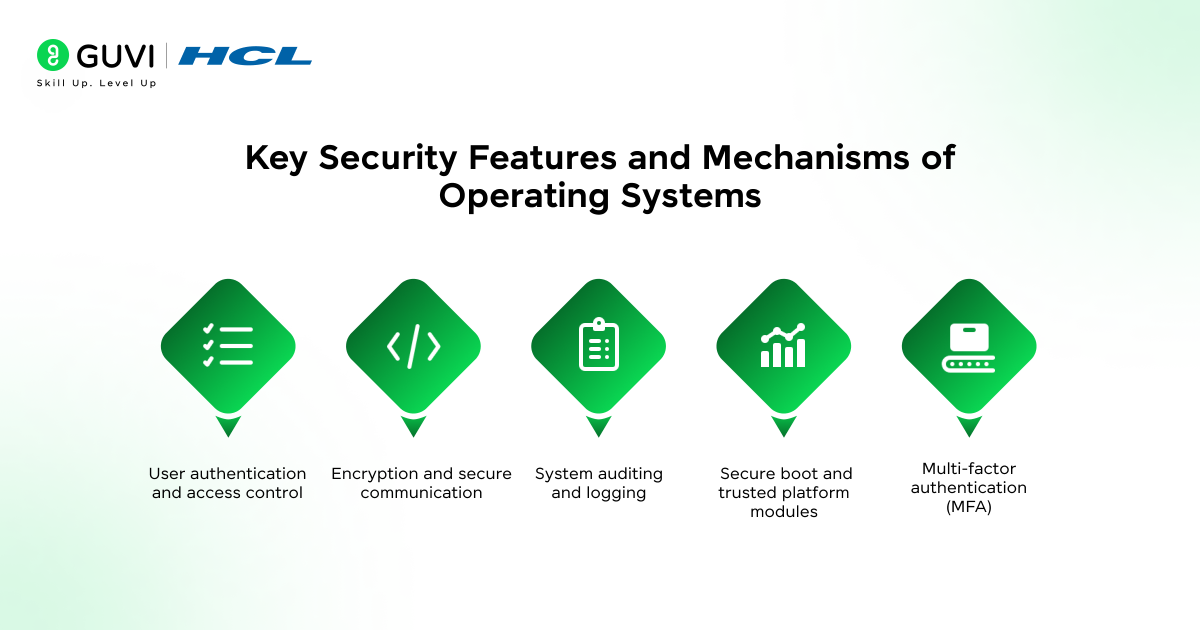
- Key Security Features and Mechanisms of Operating Systems
- 1) User authentication and access control
- 2) Encryption and secure communication
- 3) System auditing and logging
- 4) Secure boot and trusted platform modules
- 5) Multi-factor authentication (MFA)
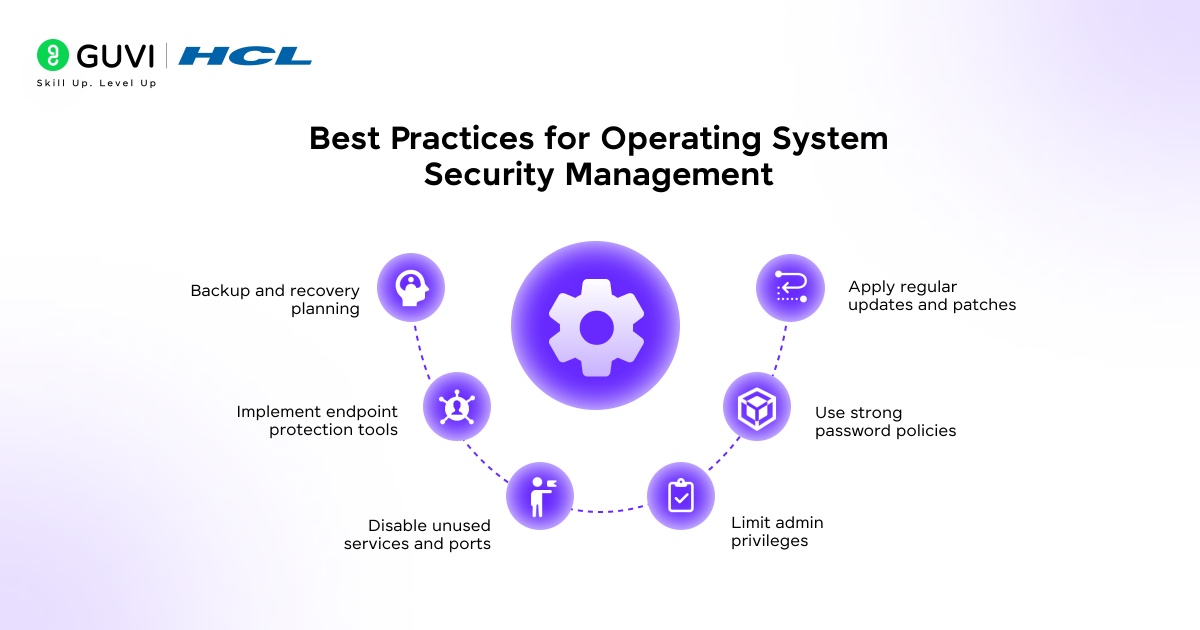
- Best Practices for Operating System Security Management
- 1) Apply regular updates and patches
- 2) Use strong password policies
- 3) Limit admin privileges
- 4) Disable unused services and ports
- 5) Implement endpoint protection tools
- 6) Backup and recovery planning
- Concluding Thoughts…
- FAQs
- Q1. What are the fundamental principles of operating system security?
- Q2. How can I protect my operating system from common security threats?
- Q3. What is multi-factor authentication and why is it important?
- Q4. How does encryption contribute to operating system security?
- Q5. What is the principle of least privilege and why is it important?
What is Operating System Security?
Operating system security refers to the policies and mechanisms designed to protect an operating system from threats and unauthorized access. It encompasses techniques and tools aimed at securing the OS against viruses, worms, spyware, and other forms of malware that could compromise your system.
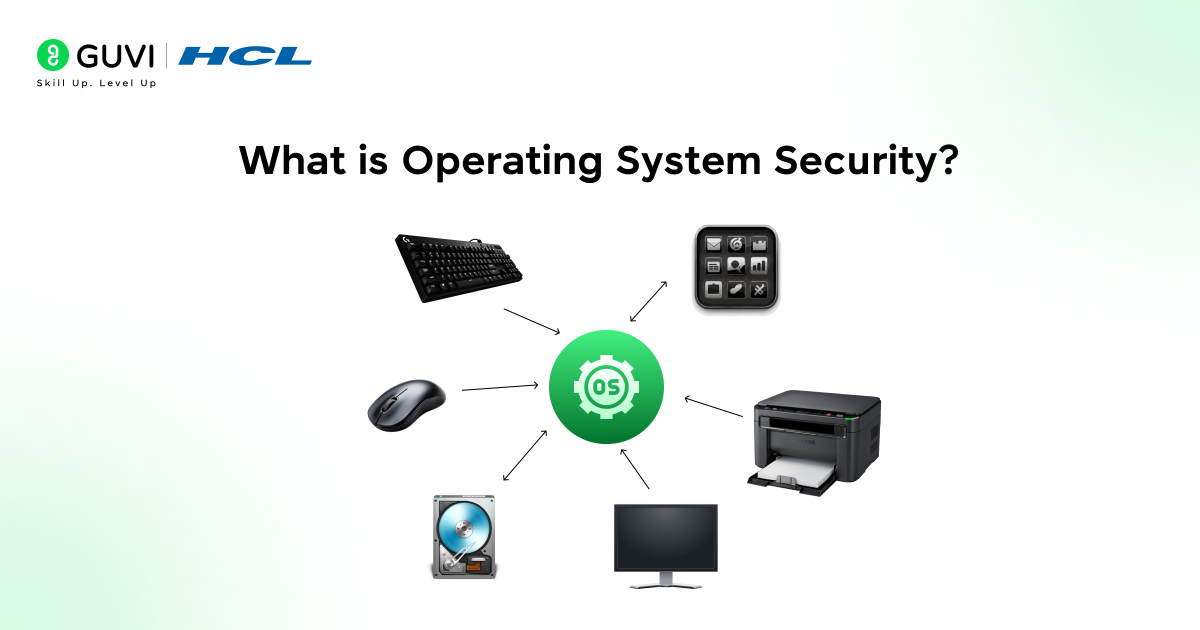
The scope of operating system security is comprehensive—it covers the protection of all system resources, including:
- Confidentiality: Ensuring your data remains private and accessible only to authorized users
- Integrity: Preventing unauthorized changes to your data and system files
- Availability: Making sure system resources remain accessible when needed by legitimate users
Operating system security primarily focuses on defending the system from both external and internal threats. This involves controlling access to various system objects like memory, files, and devices, while simultaneously managing authentication mechanisms and cryptographic protections.
Difference between protection and security
- Although often used interchangeably, protection and security serve different purposes in an operating system. Understanding this distinction is crucial for implementing effective safeguards.
- Protection deals with the system’s internal threats. It provides mechanisms for controlling access to processes, programs, and user resources within the system. For example, protection determines what files you can access or modify to maintain proper system functioning.
- In contrast, security tackles external threats to the system. It focuses on safeguarding system resources such as stored data, disks, and memory against harmful modifications and unauthorized access from outside sources. While protection controls who has access to system resources, security ensures that only authorized users can access the system itself.
- Furthermore, protection uses authorization mechanisms, whereas security employs encryption and authentication methods. Both work together to create a comprehensive defense system for your operating environment.
Why OS security is foundational
- Operating system security serves as the cornerstone of overall system security for several compelling reasons. First, the operating system manages access to hardware and resources, making it a prime target for attackers seeking to exploit vulnerabilities.
- Moreover, because of the crucial role operating systems play in any computer system, their security (or lack thereof) fundamentally impacts the overall security of your digital environment, including all applications running within it. A compromise of the underlying operating system will undoubtedly expose all applications to danger.
- Additionally, the operating system acts as the intermediary between hardware and software. Without adequate OS security, even the most secure applications become vulnerable. As one security expert noted, the security level of your platform is reduced to the security level of the most vulnerable application running on it.
- Operating system security is also vital because it creates separation between applications. It prevents a compromised application from affecting others, thereby containing potential damage.
- To put it simply, secure applications demand secure operating systems—making OS security not just important but truly foundational for your digital safety.

Common Operating System Security Threats
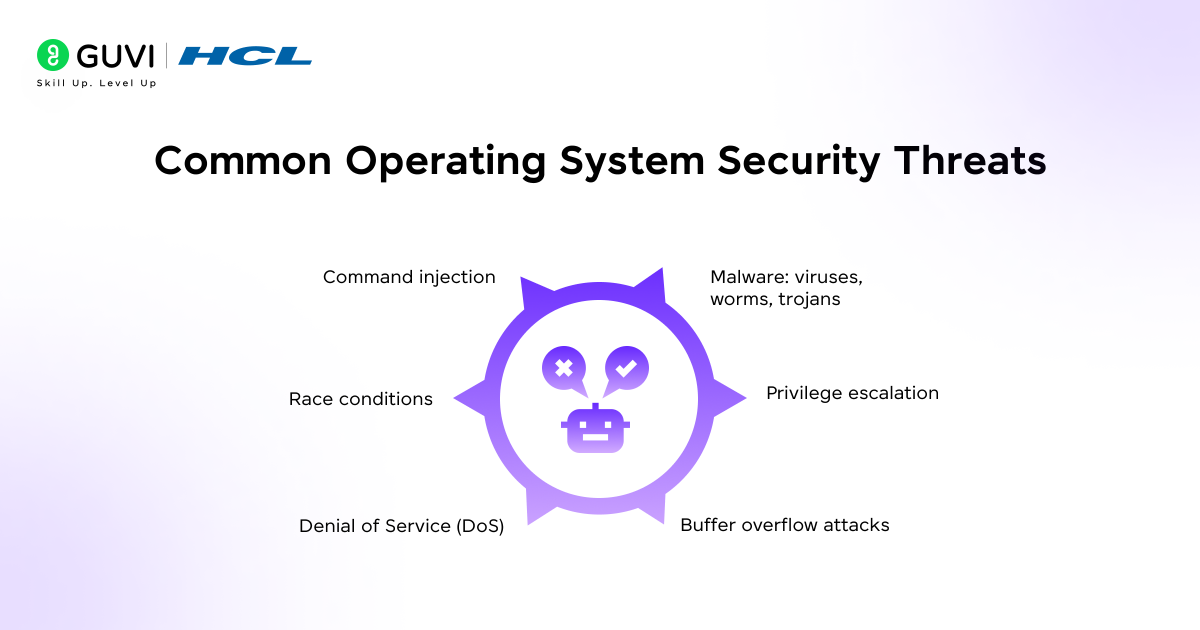
Despite robust defenses, operating systems face numerous security threats that can compromise your data and system integrity. Understanding these common threats is the first step toward effective protection.
1) Malware: viruses, worms, trojans
Malware (malicious software) is designed to damage computer systems, networks, or users without their consent. These programs come in various forms:
- Viruses attach themselves to executable files and spread when an infected file is passed between systems. They can be harmless or destructive, potentially modifying or deleting your data when triggered.
- Worms replicate themselves and spread through networks, looking for pathways between computers and shared storage areas. Unlike viruses, they don’t need host applications to execute.
- Trojans appear legitimate but perform malicious operations behind the scenes. These deceptive programs carry out harmful actions while presenting themselves as desirable software like games or apps.
2) Privilege escalation
Privilege escalation occurs when attackers exploit vulnerabilities to gain elevated access to resources normally protected by an application or user. This security threat comes in two primary forms:
- Vertical privilege escalation allows attackers to gain higher-level permissions, such as administrator or root access, enabling them to execute commands with elevated privileges and potentially gain complete system control.
- Horizontal privilege escalation involves gaining access at the same permission level but under different user identities, typically through stolen credentials.
3) Buffer overflow attacks
Buffer overflow happens when a program writes more data to a fixed-length memory buffer than it can hold. This excess data overflows and overwrites adjacent memory locations. Consequently, attackers can inject malicious code that:
- Overwrites adjacent data or executable code
- Causes erratic program behavior
- Potentially allows execution of arbitrary code
Modern operating systems implement protections like address space randomization and data execution prevention to mitigate these attacks, yet they remain a significant threat.
4) Command injection
- Command injection vulnerabilities arise when manufacturers fail to properly validate user input when constructing commands to execute on the operating system. This allows attackers to execute arbitrary commands on the host operating system, typically with the privileges of the vulnerable application.
- These attacks exploit the execution of system commands within applications, particularly when user input is insufficiently validated or sanitized before being passed to system functions.
5) Race conditions
- Race conditions occur when the operating system’s behavior depends on the sequence or timing of uncontrollable events. These vulnerabilities arise when multiple processes access shared data concurrently without proper synchronization, leading to unpredictable outcomes.
- A classic example involves two processes attempting to modify the same shared variable simultaneously. Without proper coordination, the final result becomes unpredictable, potentially allowing attackers to exploit the timing between operations.
6) Denial of Service (DoS)
DoS attacks aim to make computer systems or networks unavailable to legitimate users. These attacks typically work by:
- Flooding a target with traffic until it crashes or becomes unresponsive
- Overwhelming system resources, preventing normal operation
- Exploiting vulnerabilities in network protocols or applications
In a distributed denial-of-service (DDoS) attack, multiple machines work together to attack one target, often using a botnet—a group of hijacked internet-connected devices under an attacker’s control.
Understanding these threats provides the foundation for implementing effective operating system security measures to protect your digital assets and ensure system integrity.
Core Principles of OS Security
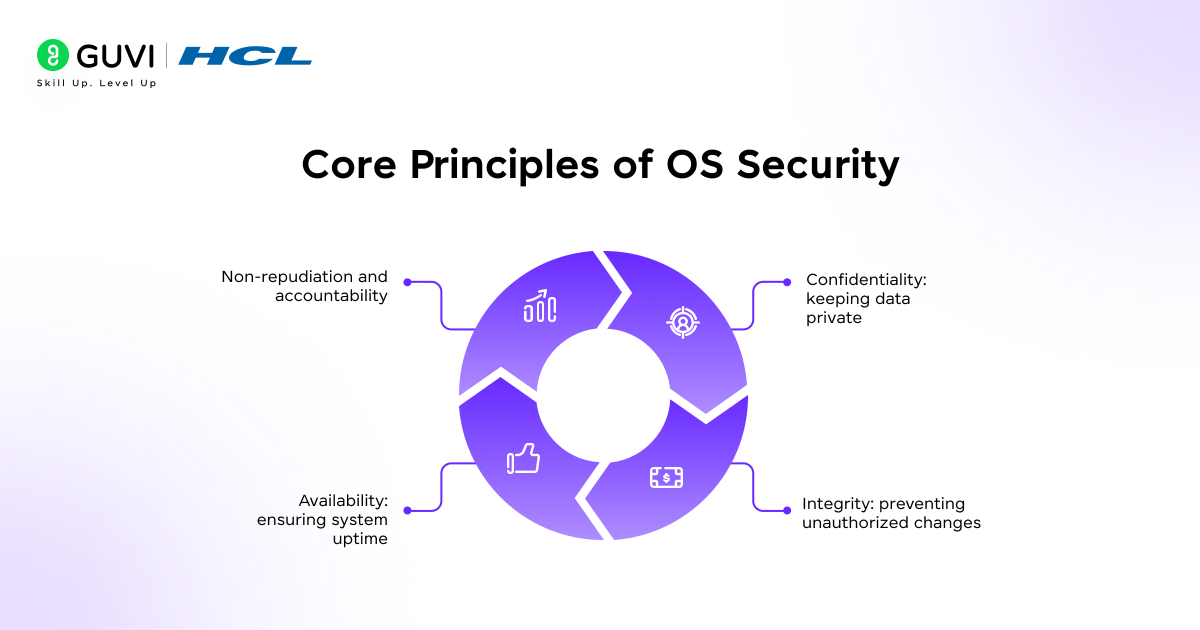
Every strong security system stands on core principles that protect your digital resources. These fundamental pillars of operating system security work together to create a comprehensive protection framework.
1) Confidentiality: keeping data private
Confidentiality ensures sensitive information remains accessible only to authorized users. This principle protects against unauthorized disclosure of your private data through several mechanisms.
Indeed, confidentiality involves controlling all forms of disclosure—reading, printing, displaying, and even revealing the existence of data. To implement this principle effectively, operating systems employ:
- Access control mechanisms (like access control lists)
- Encryption for data at rest and in transit
- Secure storage solutions to prevent unauthorized access
When dealing with sensitive information on your computer, confidentiality becomes especially important. For instance, while data stored on local queues might be protected by basic access control, encryption provides a greater level of security for truly sensitive information.
2) Integrity: preventing unauthorized changes
Integrity ensures your data remains complete, trustworthy, and unmodified by unauthorized users. This principle guarantees that information maintains its accuracy and reliability throughout its lifecycle.
The integrity of an information system means the data within it is complete and hasn’t been accidentally altered or deliberately tampered with. System integrity can be compromised through:
- Malware attacks
- Software bugs
- Accidental data corruption
- Unauthorized modifications
To preserve integrity, operating systems implement various safeguards. First, kernel integrity protection prevents modifications to critical system code. Second, page protection layers ensure user space code isn’t modified after signature verification. Third, checksums and cryptographic hashes verify data hasn’t been changed.
3) Availability: ensuring system uptime
Availability provides timely, reliable access to information and services for authorized users. This principle ensures your system resources remain accessible when needed, even under challenging conditions.
As a result, availability is central to business continuity and disaster recovery planning. Operating systems support this principle through:
- Redundant systems and components
- Regular maintenance and updates
- Network and application firewalls to prevent denial-of-service attacks
- Comprehensive backup and recovery procedures
Maintaining high availability requires protecting against both accidental failures and deliberate attacks. Therefore, safeguards against data loss must account for unpredictable events like power outages and natural disasters.
4) Non-repudiation and accountability
Non-repudiation ensures users cannot deny their actions within the system. This principle provides proof of who did what and when, creating accountability for all system interactions.
In practical terms, non-repudiation protects against claims by authors of not having authored documents, senders denying message transmission, receivers claiming they never received messages, or signatories denying signatures.
Operating systems implement non-repudiation primarily through:
- Digital signatures that securely associate a signer with a document
- Digital timestamps that prove when actions occurred
- Comprehensive audit trails and system logs
These mechanisms create a verifiable record that helps resolve disputes and track potentially malicious activities. For increased security, modern systems often capture biometric information alongside digital signatures to make repudiation even more difficult.
Together, these four principles form the foundation of effective operating system security management, providing a framework that guides the implementation of specific security features and measures.
Operating system security has evolved alongside the history of computing, and its origins are more interesting than you might expect:
The First OS Security Model Was Born in the 1970s: The concept of operating system security formally began with the creation of the Multics system (Multiplexed Information and Computing Service), which introduced layered security and access control — the foundation of modern OS protection.
The Term “Computer Virus” Dates Back to 1983: The first documented use of the term came from Fred Cohen’s research, where he created a self-replicating program to demonstrate how malicious code could spread between systems.
Your OS Kernel Is Like a Mini Fort Knox: The kernel, often just a few megabytes in size, controls every single interaction between hardware and software — making it one of the most tightly protected components in any system.
These facts reveal how operating system security, though often invisible, forms the backbone of modern cybersecurity — guarding everything from personal laptops to global data centers.
Key Security Features and Mechanisms of Operating Systems
Modern operating systems incorporate several key security features that work together to protect your digital assets. These mechanisms form the practical implementation of security principles, giving you concrete protection against various threats.
1) User authentication and access control
Authentication verifies who you are, serving as the first line of defense in operating system security. Most systems use a combination of these methods:
- Password-based authentication: The most common method where you provide a unique ID and password
- Biometric authentication: Uses unique biological traits like fingerprints, facial features, or voice patterns
- Token-based authentication: Employs physical devices or software tokens that generate security codes
Once authenticated, access control determines what resources you can use. Operating systems implement this through Access Control Lists (ACLs) which specify permissions for each user. Furthermore, advanced systems use Role-Based Access Control (RBAC), which assigns permissions based on your role rather than individual identity.
2) Encryption and secure communication
Encryption converts data into an unreadable format that can only be deciphered with the correct key. Modern operating systems use encryption in two states:
- Data at rest: Full-disk encryption protects stored information even if your device is lost or stolen. Examples include BitLocker for Windows and FileVault for macOS.
- Data in transit: Secure communication protocols like SSH (Secure Shell) encrypt data as it travels between systems. SSH provides encrypted remote login and file transfers while protecting against eavesdropping.
3) System auditing and logging
Auditing creates a detailed record of system activities, helping you track security incidents and verify compliance. Effective audit logs should capture:
- Operating system events (startups, shutdowns, service changes)
- Authentication attempts (successful or failed)
- Resource access (who accessed what and when)
- System configuration changes
The Linux Audit system, for instance, can track whether files have been accessed, modified, or executed, providing evidence if security breaches occur.
4) Secure boot and trusted platform modules
Secure Boot ensures only trusted software loads during startup, preventing malware from activating before your operating system. This technology verifies digital signatures of each piece of boot software, including firmware drivers and the operating system itself.
A Trusted Platform Module (TPM) is a dedicated microchip that securely stores authentication information like encryption keys. TPMs provide hardware-based security features including:
- Generation and secure storage of cryptographic keys
- Device authentication using built-in RSA keys
- Protection of system integrity during boot process
5) Multi-factor authentication (MFA)
MFA significantly enhances security by requiring two or more verification methods before granting access. These methods typically combine:
- Something you know (password or PIN)
- Something you have (smartphone or security token)
- Something you are (fingerprint or facial recognition)
Initially, MFA might seem inconvenient, yet it’s generally only required for first-time logins on devices. After that, you’ll typically just need your primary factor, making it both secure and user-friendly.
Best Practices for Operating System Security Management
Keeping your operating system secure requires ongoing attention and proactive measures. Implementing these key practices will fortify your digital defenses against evolving threats.
1) Apply regular updates and patches
- Security patches fix known vulnerabilities that attackers could exploit. Enabling automatic updates ensures timely installation of these critical fixes.
- If automatic updates aren’t available, designate specific times to manually check and install updates.
- Additionally, an unpatched system remains exposed to threats that developers have already addressed.
2) Use strong password policies
- A robust password policy serves as your first defense line. Secure passwords should have at least eight characters and include a combination of letters, numbers, and symbols.
- Group Policy in Windows environments can enforce password requirements like complexity and length.
- Notably, NIST now recommends passwords be at least 64 characters long, prioritizing length over complexity.
3) Limit admin privileges
- Following the principle of least privilege significantly reduces risk. Users should have only the minimal permissions needed to complete their tasks.
- Create separate accounts with administrative privileges, ensuring they have the least privileges needed for specific duties.
- Importantly, administrative accounts should be prevented from accessing the internet, email, and web services.
4) Disable unused services and ports
- Unnecessary services create potential entry points for attackers. Evaluate and disable services your system doesn’t need.
- For enhanced security, implement firewalls with a Deny-All-Permit-By-Exception principle.
- Furthermore, removing non-essential network protocols minimizes security exposure.
5) Implement endpoint protection tools
- Endpoint protection platforms (EPP) safeguard devices against malware and attacks using a combination of security techniques.
- These tools provide capabilities for security teams to investigate and remediate incidents.
- Markedly, 51% of IT professionals report that endpoint attacks succeed because their solutions can’t reliably detect new threats.
6) Backup and recovery planning
- Regular backups protect against data loss from security breaches or system failures.
- Define your Recovery Point Objective (RPO) and Recovery Time Objective (RTO) to ensure minimal disruption.
- Test your backups periodically to verify they work as expected. Above all, maintain multiple backup generations and store at least one copy off-site.
Ready to level up your tech security foundation? Enroll in the AI Software Development Course by HCL GUVI in partnership with IITM Pravartak and MongoDB — where you’ll gain hands-on skills across secure system design, real-world projects, and get four industry-recognised certifications to power your entry into top product-based companies.
Concluding Thoughts…
Operating system security stands as your first line of defense against an increasingly complex threat landscape. Throughout this guide, you’ve learned how various security mechanisms work together to safeguard your digital environment.
Taking these beginner steps toward securing your operating system will help protect your valuable data and maintain system integrity. While perfect security might seem unattainable, implementing these fundamental measures creates a solid defense against many common threats you’ll encounter.
FAQs
Q1. What are the fundamental principles of operating system security?
Operating system security is built on four core principles: confidentiality (keeping data private), integrity (preventing unauthorized changes), availability (ensuring system uptime), and non-repudiation (ensuring accountability for actions). These principles work together to create a comprehensive protection framework for your digital resources.
Q2. How can I protect my operating system from common security threats?
To protect your operating system, regularly update and patch your system, use strong passwords, limit administrative privileges, disable unused services and ports, implement endpoint protection tools, and maintain regular backups. These practices help safeguard against threats like malware, privilege escalation, and denial of service attacks.
Q3. What is multi-factor authentication and why is it important?
Multi-factor authentication (MFA) is a security feature that requires two or more verification methods before granting access to a system. It typically combines something you know (like a password), something you have (like a smartphone), and something you are (like a fingerprint). MFA is important because it significantly enhances security by adding an extra layer of protection against unauthorized access.
Q4. How does encryption contribute to operating system security?
Encryption plays a crucial role in operating system security by converting data into an unreadable format that can only be deciphered with the correct key. It protects data both at rest (stored on your device) and in transit (as it travels between systems). This ensures that even if unauthorized individuals gain access to your data, they cannot understand or use it without the encryption key.
Q5. What is the principle of least privilege and why is it important?
The principle of least privilege is a security concept where users are given only the minimum levels of access or permissions necessary to perform their job functions. This is important because it limits the potential damage that can occur from accidents, errors, or malicious actions. By restricting access rights, it reduces the attack surface and minimizes the risk of privilege escalation attacks.
Success Stories

About the Author
Jaishree Tomar
A recent CS Graduate with a quirk for writing and coding, a Data Science and Machine Learning enthusiast trying to pave my own way with tech. I have worked as a freelancer with a UK-based Digital Marketing firm writing various tech blogs, articles, and code snippets. Now, working as a Technical Writer at GUVI writing to my heart’s content!
View all posts by Jaishree Tomar
Connect with me @














Did you enjoy this article?