


Python Articles
How to Install Requirements.txt in Python: A Beginner's Step-by-Step Guide (2026)
How to Check if Python Is Installed on Your Computer


Get In Touch For Details! Request More Information
How to Write Unit Tests (and Why You Really Should) as a Python Developer
Feb 24, 2026 4 Min Read 352 Views
(Last Updated)
Writing Python code that works once is easy, but maintaining its reliability as projects grow is where many developers struggle. Bugs creep in during updates, refactoring becomes risky, and confidence in changes slowly drops.
This is where unit testing becomes essential for a Python developer. This blog explains why unit tests matter, how they protect your code, and how even beginners can start writing simple tests to build stable and maintainable Python applications.
Quick Answer
Unit tests are written by creating small test functions that check whether your Python code returns the expected output for given inputs. Using frameworks like unittest or pytest, developers write test cases, run them automatically, and compare actual results with expected behavior. Learning how to structure, run, and interpret these tests helps Python developers catch bugs early and build reliable code with confidence.
Table of contents
- What Are Unit Tests In Python
- Why Python Developers Should Write Unit Tests
- How To Write Unit Tests In Python
- Step 1: Understand What Needs To Be Tested
- Step 2: Use Python’s built-in unittest Module
- Step 3: Write Your First Test Case
- Step 4: Run Tests And Analyze Results
- Step 5: Expand Coverage With Edge Cases
- 💡 Did You Know?
- Conclusion
- FAQs
- How Many Unit Tests Should A Python Project Ideally Have?
- Do I Need To Write Unit Tests For Small Personal Python Projects?
- How Often Should Unit Tests Be Updated During Development?
- Is It Okay To Write Unit Tests After Completing The Code?
- Can Unit Tests Be Used As Documentation For Python Code?
What Are Unit Tests In Python
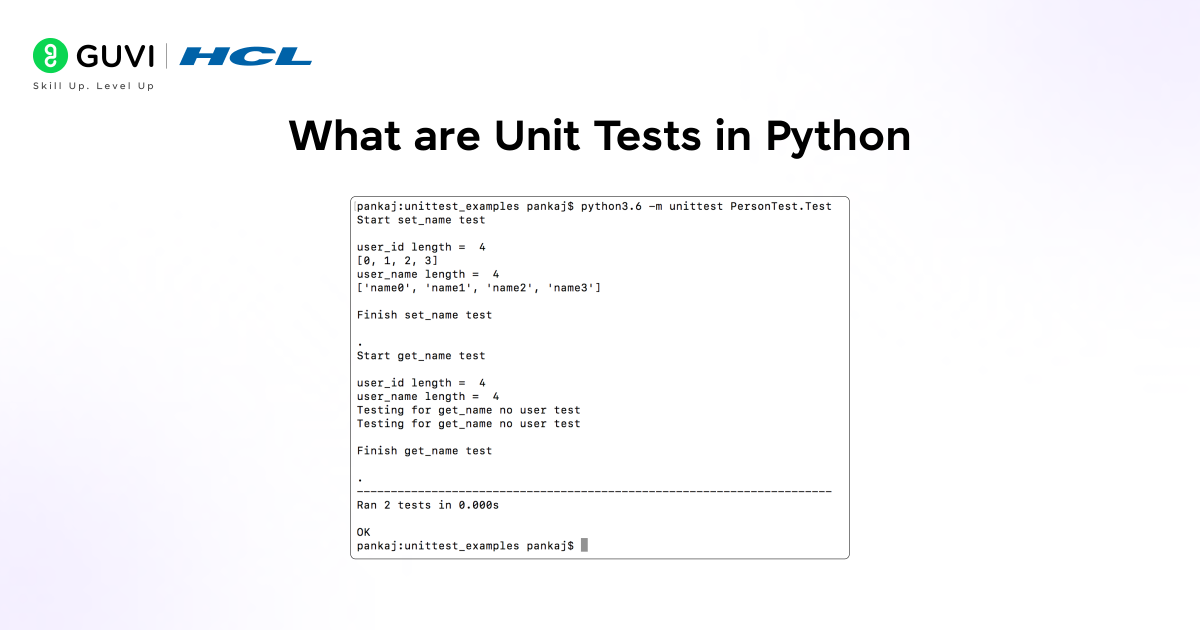
Python unit testing is the practice of writing small, focused tests to verify that individual functions or methods in a Python program work exactly as expected. Instead of testing the entire application at once, python unit testing allows developers to validate each unit of code independently, making debugging faster and code more reliable.
By using python unit testing, developers can catch logical errors early, improve code quality, and ensure that changes or updates do not break existing functionality. This approach is essential for building maintainable, scalable, and professional Python applications.
Key Points
- Single Unit Focus: Python unit testing checks one function or method at a time to ensure correct behavior.
- Automated Verification: Tests run automatically, reducing manual effort and human error.
- Consistent Output Validation: Confirms that the same inputs always produce the expected results.
- Early Bug Detection: Python unit testing helps identify issues before they spread across the codebase.
- Safe Code Changes: Enables confident refactoring without breaking existing logic.
Why Python Developers Should Write Unit Tests
Python unit testing is not just about finding bugs; it’s also about ensuring code quality. It is about building confidence in your code and ensuring that every part of your application behaves correctly as it grows. When Python projects scale or multiple developers work on the same codebase, unit tests act as a safety net that protects functionality.
For beginners and experienced developers alike, Python unit testing makes development more predictable and less stressful. It reduces debugging time, improves code structure, and helps maintain long term code quality in real-world applications.
Key Points
- Early Error Detection: Python unit testing catches bugs at the function level before they affect the full application.
- Improved Code Quality: Writing tests encourages cleaner logic and better-structured functions.
- Faster Debugging: When a test fails, developers know exactly where the problem exists.
- Confident Refactoring: Python unit testing allows safe code changes without breaking existing features.
- Professional Development Practice: Most production-level Python projects rely heavily on unit tests.
Do check out this HCL GUVI Python Course to strengthen your Python skills and learn best practices like python unit testing. It’s designed for beginners and helps you build confidence by applying concepts in real projects.
How To Write Unit Tests In Python
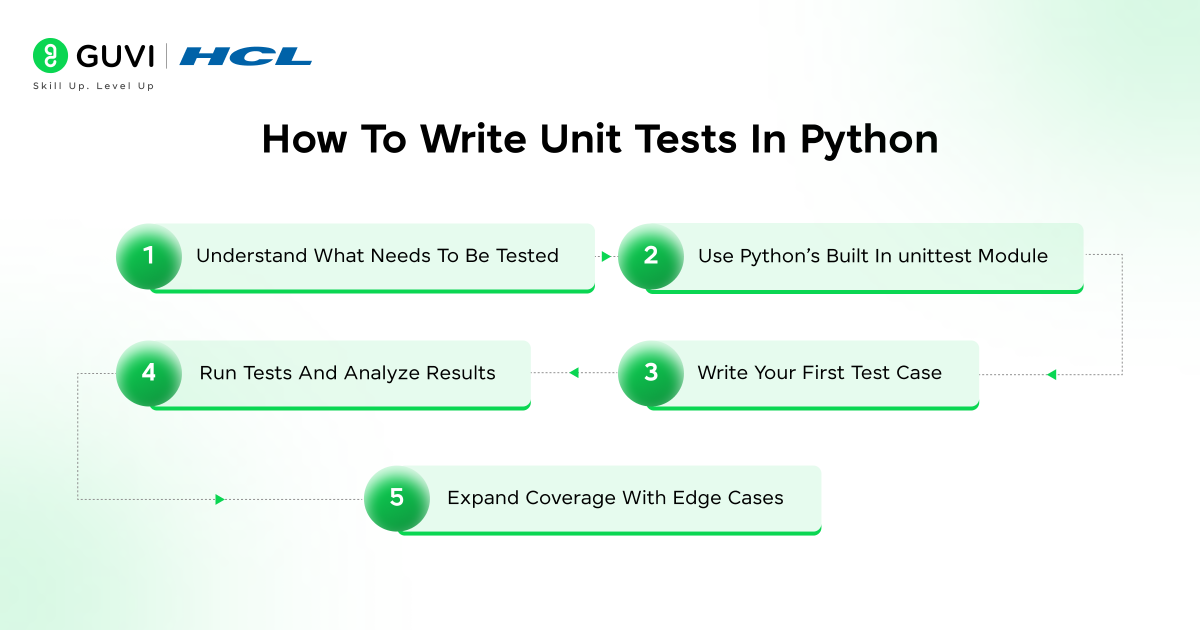
Writing Python unit testing code becomes much easier when developers follow a structured process instead of guessing what to test. Unit tests focus on small, independent parts of your application so bugs are caught early and logic stays reliable as the project grows. Below is a clear breakdown of how Python developers actually write unit tests in real projects.

Step 1: Understand What Needs To Be Tested
Before writing any test, you need clarity on what part of the code should be verified. In Python unit testing, the focus is always on the smallest logical units, usually individual functions or methods. Testing these small units ensures that each piece of logic behaves correctly on its own before it interacts with other parts of the system. This approach makes debugging faster and keeps test failures easy to understand.
Key Points
- Focus On Functions: Each test should target a single function or method.
- Single Responsibility: Functions with one purpose are easier to validate.
- Clear Output: Choose logic that produces predictable results.
Tip: If you struggle to define what to test, the function may be doing too many things.
Step 2: Use Python’s built-in unittest Module
Python provides a built-in testing framework called unittest, which forms the foundation of python unit testing for many developers. It allows you to group tests logically, compare expected and actual outcomes, and automatically report failures. Because it is part of the standard library, unittest is reliable, well documented, and commonly used in enterprise and open source projects.
Key Points
- No Installation Required: unittest comes with Python by default.
- Test Case Classes: Tests are organized inside classes.
- Assertion Methods: Built-in checks confirm whether results are correct.
Example: unittest helps verify calculations, validations, and business logic consistently.
Step 3: Write Your First Test Case
After setting up the structure, the next step in Python unit testing is writing actual test cases. Each test case should validate only one behavior so the result is clear and meaningful. Writing focused tests also makes it easier to understand what broke when a test fails and prevents confusion during debugging.
Key Points
- One Behavior Per Test: Avoid mixing multiple checks in one test.
- Descriptive Names: Test names should explain what is being verified.
- Consistent Results: Tests should behave the same every time they run.
Tip: Begin with common success scenarios before testing failures.
Step 4: Run Tests And Analyze Results
Running tests frequently is a core habit in Python unit testing. Tests give immediate feedback about whether recent changes affected existing functionality. When a test fails, the error message clearly shows which condition failed, helping developers fix issues quickly without scanning the entire codebase.
Key Points
- Fast Feedback Loop: Tests execute in seconds.
- Clear Failure Messages: Errors point directly to broken logic.
- Safe Refactoring: Developers can change code with confidence
Example: Many teams run tests after every feature update.
Step 5: Expand Coverage With Edge Cases
Once basic functionality is covered, Python unit testing shifts focus to edge cases. These tests validate how the code behaves with unexpected inputs, extreme values, or incorrect data types. Edge case testing is essential for building robust applications that do not break under real-world usage.
Key Points
- Boundary Conditions: Test limits and extremes.
- Invalid Inputs: Ensure errors are handled properly.
- Exception Testing: Confirm correct exceptions are raised.
Tip: Edge case tests often prevent the most serious production bugs.
💡 Did You Know?
- Python’s built in unittest framework was inspired by JUnit, the testing standard used in large enterprise applications, which is why python unit testing fits well even in large codebases.
- Many production bugs are not caused by complex logic, but by small edge cases that unit tests are designed to catch early.
- Developers who practice python unit testing regularly spend less time debugging and more time building new features.
You can also try out HCL GUVI’s Online Python IDE to practice writing and testing Python code directly in your browser. It’s beginner-friendly, requires no setup, and is perfect for experimenting with python unit testing and small projects.
Conclusion
Writing unit tests is not an extra task for Python developers. It is a practical habit that improves code quality, reduces bugs, and builds confidence while making changes. When python unit testing becomes part of your workflow, even small projects start to feel more reliable and professional.
By understanding what to test and how to write clear unit tests, Python developers can grow faster without fear of breaking existing code. As projects scale and logic becomes complex, strong unit tests act as a safety net that supports long term development and cleaner software.
FAQs
1. How Many Unit Tests Should A Python Project Ideally Have?
There is no fixed number, but every critical function that affects output, data, or user behavior should have at least one unit test to ensure reliability.
2. Do I Need To Write Unit Tests For Small Personal Python Projects?
Even small projects benefit from unit tests because they help build good habits and make future improvements easier without breaking existing logic.
3. How Often Should Unit Tests Be Updated During Development?
Unit tests should be updated whenever functionality changes or new features are added, so tests always reflect the current behavior of the code.
4. Is It Okay To Write Unit Tests After Completing The Code?
Yes, but writing tests alongside development usually results in better coverage and cleaner code structure over time.
5. Can Unit Tests Be Used As Documentation For Python Code?
Well written unit tests clearly show how functions are expected to behave, making them a useful reference for future developers.
Success Stories

About the Author
Jebasta
I translate the language of data into stories that anyone can understand. As a writer with a data science background, I simplify analytics, AI, and decision-making so beginners and enthusiasts can confidently explore the world of data.
View all posts by Jebasta
Connect with me @









Did you enjoy this article?