


Cloud Computing Articles
Advanced DNS Interview Questions for Senior Engineers: What to Expect in 2026
Advantages of Computer Network: Key Benefits, Limitations & Practical Applications


Get In Touch For Details! Request More Information
Types of Computer Networks Explained: A Simple Guide for Beginners (2025)
Jan 09, 2026 7 Min Read 1363 Views
(Last Updated)
Types of computer networks are all around you, connecting devices and enabling data sharing, whether across a room or around the world. Computer networks simply form the backbone of modern digital communication, allowing multiple devices to exchange information and share resources effectively.
When you use the internet, connect to Wi-Fi, or transfer files between devices, you’re using different types of networks without even realizing it. A network, in computer terms, is essentially a combination of connected devices that can communicate and share resources. From small personal networks linking just a few devices to massive worldwide systems, there are several distinct types of computer networks classified by their size, purpose, and functionality.
In this beginner-friendly guide, you’ll learn about the different types of computer networks, including LAN, WAN, MAN, PAN, and VPN, along with their real-world applications. Additionally, we’ll explore how these networks are classified based on geographical area, transmission medium, communication method, and ownership. Let’s begin!
Table of contents
- Quick Answer:
- What is a Computer Network?
- A) Types of Computer Networks by Geographical Area
- 1) Personal Area Network (PAN)
- 2) Local Area Network (LAN)
- 3) Metropolitan Area Network (MAN)
- 4) Wide Area Network (WAN)
- 4) Campus Area Network (CAN)
- B) Types of Networks Based on Transmission Medium
- 1) Wired networks (Ethernet, fiber)
- 2) Wireless networks (Wi-Fi, Bluetooth)
- 3) Passive Optical LAN (POLAN)
- C) Types of Computer Networks by Communication Method
- 1) Point-to-Point networks
- 2) Multipoint networks
- 3) Broadcast networks
- 4) Virtual Private Network (VPN)
- D) Types of Networks Based on Ownership and Access
- 1) Private networks
- 2) Public networks
- 3) Hybrid networks
- 4) Enterprise Private Network (EPN)
- Concluding Thoughts…
- FAQs
- Q1. What are the main types of computer networks based on geographical area?
- Q2. How do wired and wireless networks differ?
- Q3. What is a Virtual Private Network (VPN) and how does it work?
- Q4. What's the difference between private and public networks?
- Q5. What is a Passive Optical LAN (POLAN) and what are its advantages?
Quick Answer:
A computer network is a system of connected devices that communicate and share resources such as files, internet access, or printers using wired or wireless connections.
What is a Computer Network?
A computer network is a collection of computing devices connected to share information and resources. At its core, a network enables your devices to communicate, much like people in a conversation – sending, receiving, and processing information between them.
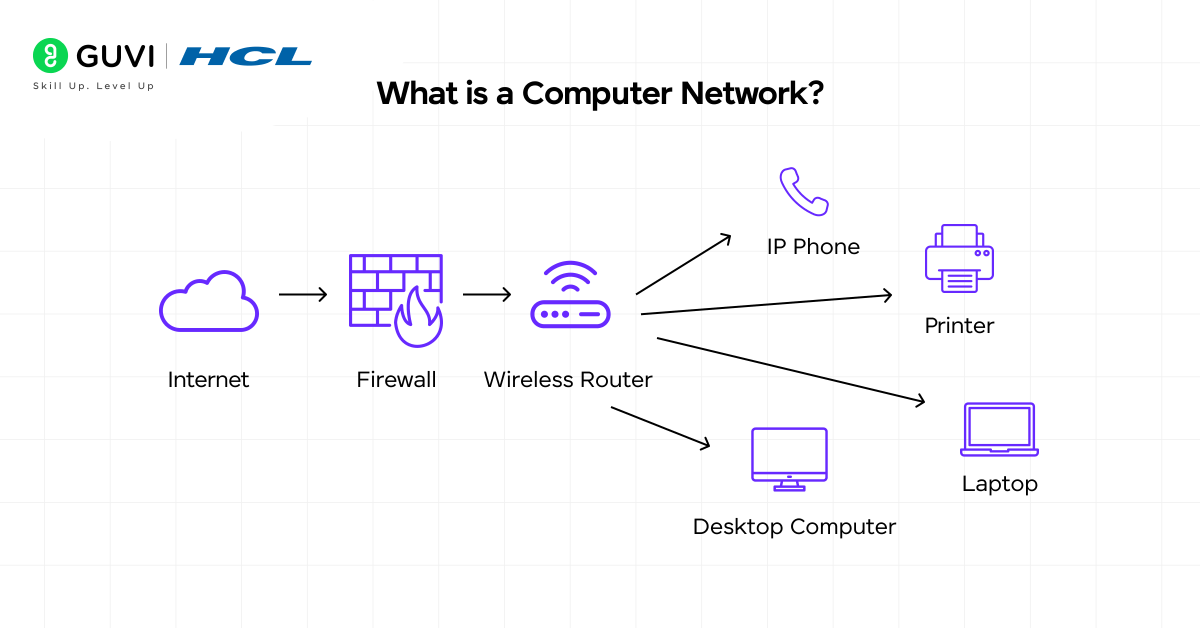
Picture this: Every time you send an email, print a document wirelessly, or browse a website, you’re relying on computer networks.
These networks consist of two or more computing devices that can transmit data and share resources with one another. Furthermore, they use a system of rules, called communications protocols, to organize how this information travels across physical cables or wireless connections.
Modern computer networks connect an array of devices beyond traditional computers:
- Laptops, desktops, and servers
- Smartphones and tablets
- IoT devices (cameras, door locks, thermostats, sensors)
The foundation of any network consists of several key components working together. Switches act as controllers, connecting computers, printers, and servers within a building or campus. They allow your devices to communicate with each other while sharing resources efficiently. Meanwhile, routers serve as dispatchers – they connect multiple networks, analyze data being sent, choose the best routes for transmission, and protect information from security threats.
For wireless connections, access points function as network amplifiers. While routers provide bandwidth, access points extend that coverage so multiple devices can connect from greater distances without cables.
How do networks identify all these connected devices? Through two main addressing systems:
- MAC addresses – unique “burned-in” identifiers assigned to network interface cards by manufacturers
- IP addresses – numbers assigned to network connections
These addresses work somewhat like postal addresses, ensuring data reaches the correct destination among numerous connected devices.
The physical infrastructure supporting networks can be either wired (using copper cables or optical fibers) or wireless (using radio-frequency media). This physical medium forms the highway on which digital information travels between devices.
A) Types of Computer Networks by Geographical Area
Computer networks are commonly classified based on their geographical scope – the physical area they cover and serve. This classification helps in understanding their design, capabilities, and appropriate use cases. From the smallest personal connections to worldwide systems, let’s explore each type based on its coverage area.
1) Personal Area Network (PAN)
Personal Area Networks connect devices within a very limited range around an individual person, typically spanning just 1-10 meters. These networks primarily serve your personal devices, creating a small connectivity bubble wherever you go.
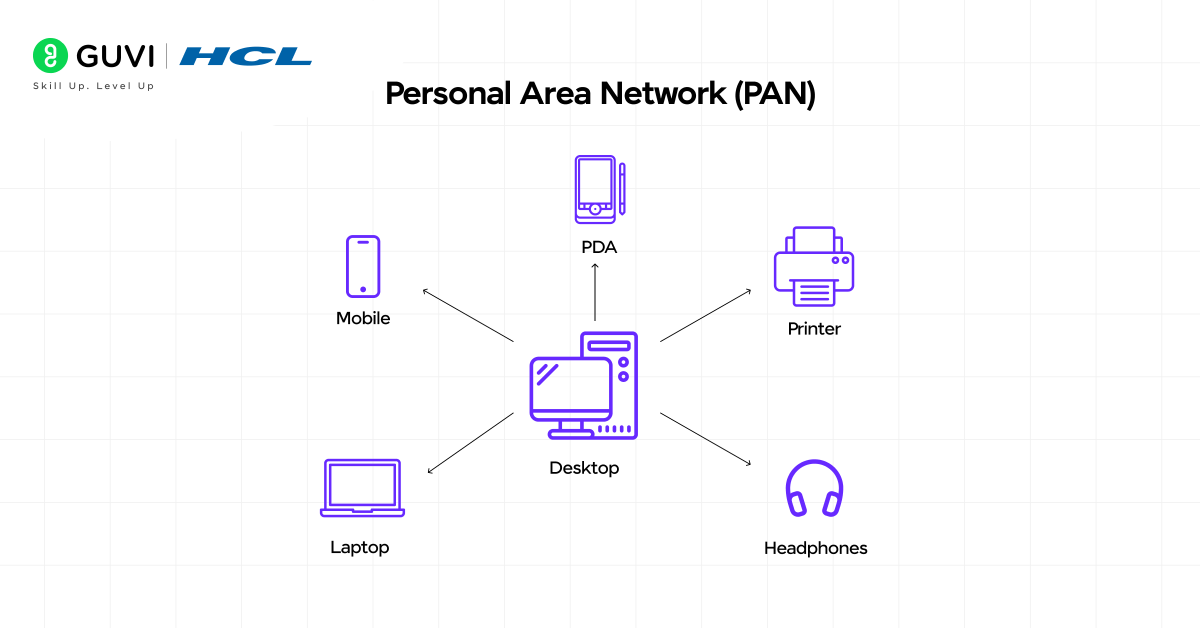
A PAN enables your personal gadgets like smartphones, tablets, laptops, wearables, and accessories to communicate and share data. Most commonly implemented using wireless technologies such as Bluetooth or infrared, though USB connections can also create wired PANs.
Key characteristics of PANs include:
- Very short range (up to 10 meters)
- High transmission speeds
- Low maintenance requirements
- Extremely easy setup
- Very low implementation cost
Common examples include connecting your smartphone to wireless earbuds via Bluetooth or using infrared communication between a TV and remote control.

2) Local Area Network (LAN)
Local Area Networks connect computers and devices within a limited geographical area, such as a single building, home, office, or school campus. Unlike the personal nature of PANs, LANs serve multiple users simultaneously.
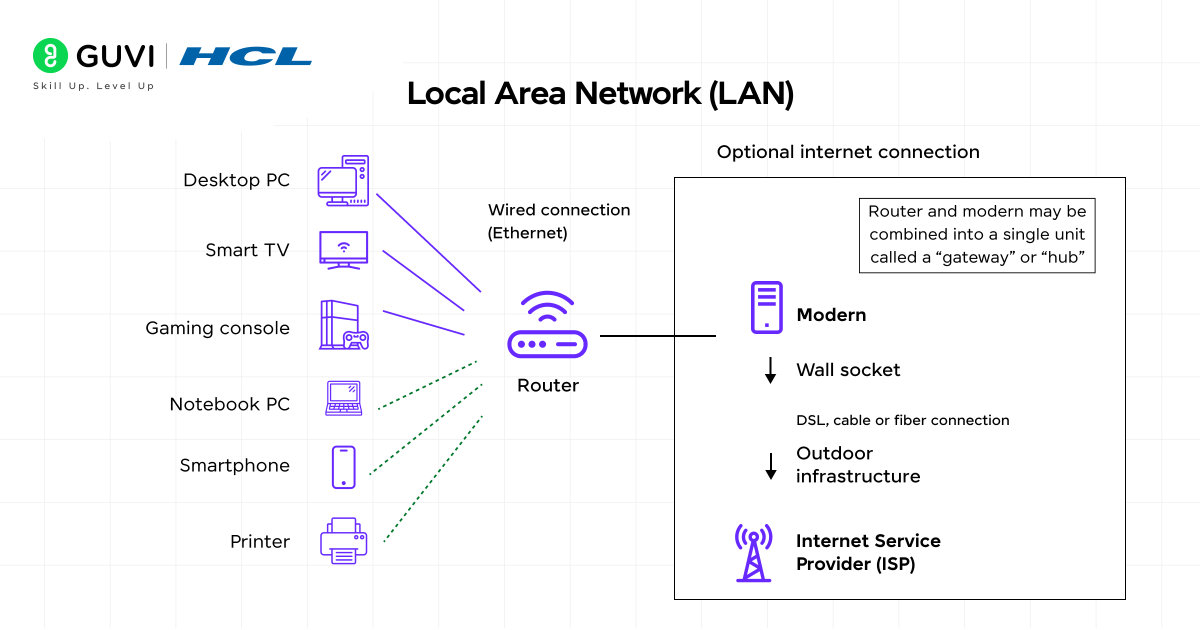
A LAN typically ranges up to 2 kilometers in coverage and utilizes Ethernet cables or Wi-Fi for connectivity. These networks excel at resource sharing – allowing connected devices to use a single internet connection, access shared printers, and exchange files easily.
LANs come in two main varieties:
- Client/server LANs: Several devices (clients) connect to a central server that manages file storage, applications, and network traffic
- Peer-to-peer LANs: Devices share resources equally without a central server
3) Metropolitan Area Network (MAN)
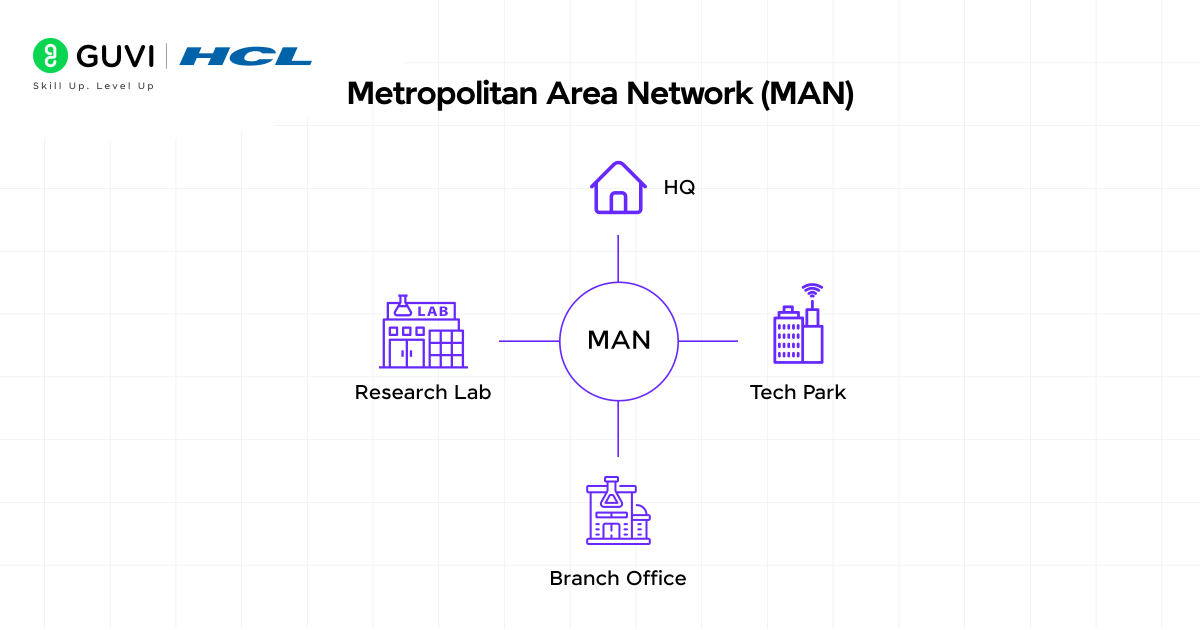
- Metropolitan Area Networks expand beyond single locations to connect multiple LANs across a city or metropolitan area. They bridge the gap between smaller LANs and larger WANs, providing city-wide connectivity.
- MANs typically span 5-50 kilometers and often utilize fiber optic cables to achieve reliable high-speed connections. They enable efficient communication between different buildings, campuses, or organizations within the same urban area.
- Unlike LANs that are usually managed by a single organization, MANs frequently combine networks from multiple entities. They’re commonly deployed in universities, municipal governments, and large corporations with multiple sites in the same metropolitan region.
4) Wide Area Network (WAN)
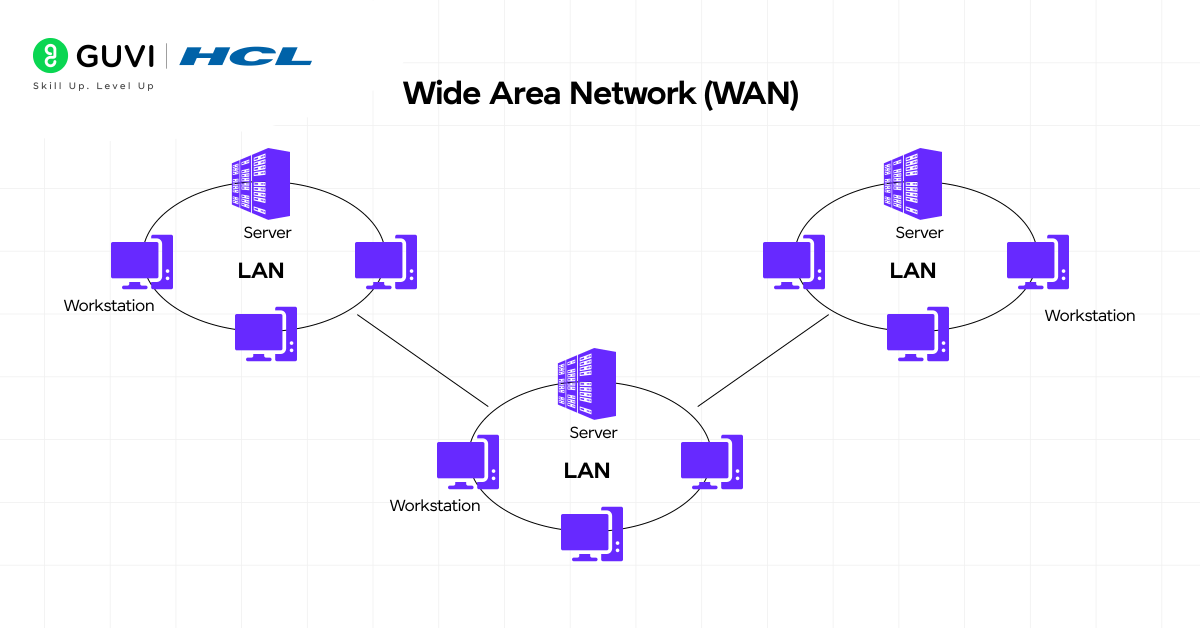
- Wide Area Networks connect computers and networks across large geographical distances, spanning cities, countries, or even continents. In essence, a WAN is a “network of networks” that links multiple LANs together.
- WANs cover areas exceeding 50 kilometers and typically use leased telecommunication circuits or Internet links. The Internet itself is considered the world’s largest WAN. Unlike local networks, WANs generally offer slower speeds but a much greater coverage area.
- These networks enable businesses with international offices to share resources and communicate globally. They utilize various technologies, including packet switching, TCP/IP protocols, and sophisticated routing systems.
4) Campus Area Network (CAN)
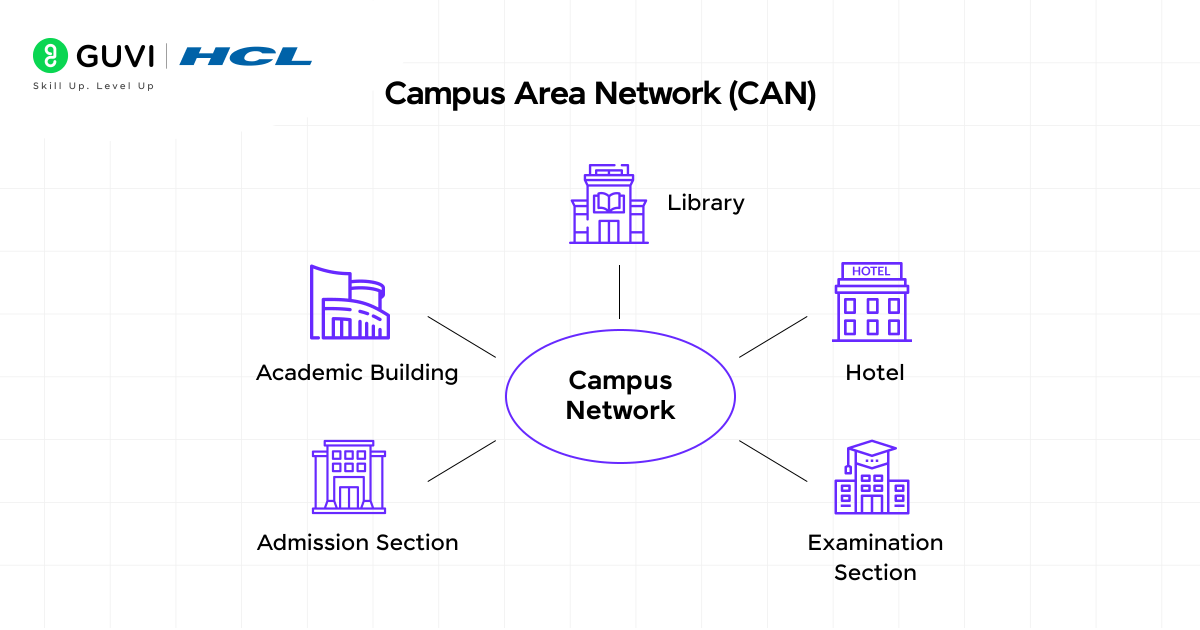
- Campus Area Networks connect multiple buildings within a specific, limited geographical area, such as university campuses, corporate facilities, or hospital complexes. A CAN exceeds the size of a single LAN but offers less coverage than both MANs and WANs.
- CANs are designed for organizations that need to link various buildings to facilitate efficient communication, resource sharing, and centralized management. They typically rely on a central hub to which other locations connect, providing more control over network resources compared to public networks.
- The key distinction between a CAN and other network types lies in its specialized purpose for campus environments and its intermediate geographical scope.
B) Types of Networks Based on Transmission Medium
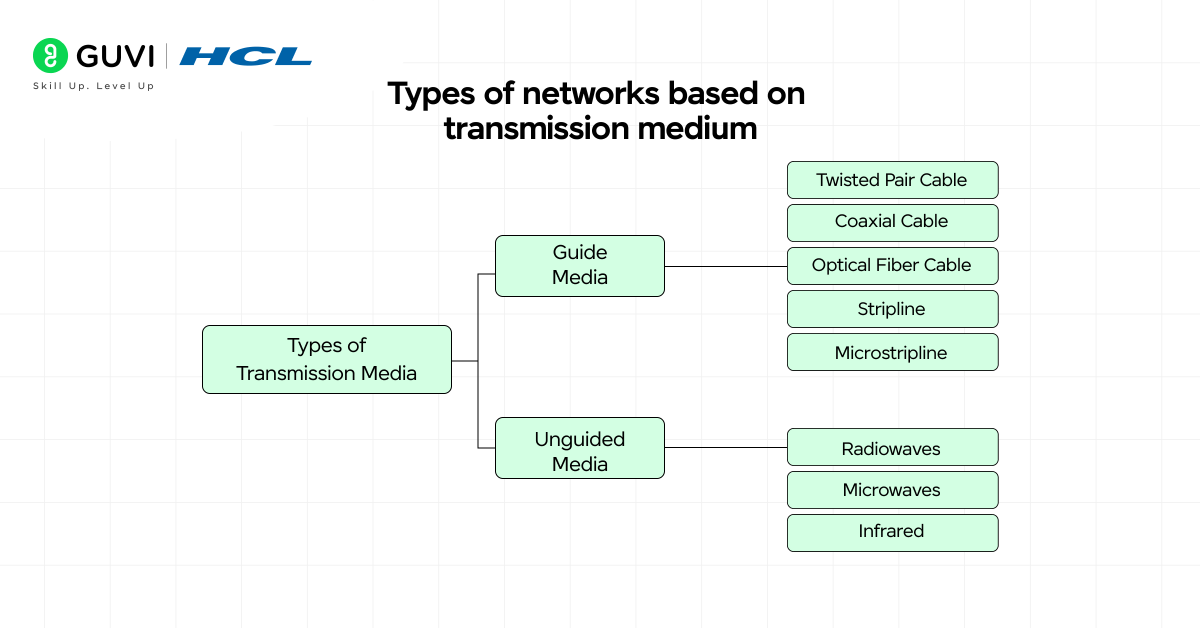
Network transmission medium refers to the physical pathway through which data travels between devices. How data moves from one point to another significantly impacts network performance, reliability, and cost-effectiveness.
1) Wired networks (Ethernet, fiber)
Wired networks utilize physical cables to transmit data between devices, offering stable and reliable connections. These networks primarily use two types of transmission media:
- Ethernet employs copper cables (typically twisted pair) for data transmission. These cables come in various categories like Cat5e, Cat6, and Cat7, supporting speeds from 10 Mbps to 10 Gbps. Ethernet connections excel in stability, with reliability rates of almost 99%. They’re ideal for situations requiring consistent performance, especially for video calls, online gaming, and office environments where minimal latency is crucial.
- Fiber optic cables transmit data using light pulses through thin strands of glass or plastic. These cables have revolutionized long-distance communication by carrying huge amounts of data with minimal signal loss. Fiber can run hundreds of miles without requiring signal repeaters, making it perfect for backbone connections between buildings or cities. Modern fiber networks can achieve speeds of up to 100 Gbps, significantly outpacing copper-based alternatives.
2) Wireless networks (Wi-Fi, Bluetooth)
Wireless networks eliminate physical cables by transmitting data through the air using radio waves, infrared, or electromagnetic signals.
- Wi-Fi operates in the 2.4 GHz, 5 GHz, and newer 6 GHz frequency bands with theoretical speeds of 100 Mbps, 1 Gbps, and 2 Gbps, respectively. This technology creates wireless access points that can connect up to 50 simultaneous users. Wi-Fi is governed by IEEE standards (802.11n, 802.11ac, 802.11ax) that continuously improve performance and security.
- Bluetooth functions as a short-range radio technology designed to connect personal devices within approximately 10 meters. Unlike Wi-Fi, which connects devices to the internet, Bluetooth creates direct device-to-device connections.
- It uses a clever technique called Frequency Hopping Spread Spectrum (FHSS) that switches between 79 different channels 1,600 times per second, making it resistant to interference. This makes Bluetooth ideal for connecting headphones, keyboards, and other personal accessories with lower power requirements.
3) Passive Optical LAN (POLAN)
Passive Optical LAN represents an innovative approach to network architecture that replaces traditional copper-based LANs with fiber optics. Unlike conventional networks with multiple switches and routers, POLAN simplifies infrastructure through:
- Single-mode fiber extending closer to end users
- Passive optical splitters that divide signals without electricity
- Optical Line Terminals (OLTs) and Optical Network Terminals (ONTs)
This architecture delivers significant advantages, particularly for larger installations. It reduces power consumption by approximately 50% compared to traditional LANs, eliminates the need for telecommunications rooms, and supports fiber lifespan exceeding 25 years versus the 5-7 year replacement cycle of copper networks.
To make your learning more interesting, here are a few surprising facts about how computer networks came to shape our digital world:
The Internet Began as ARPANET (1969): The first form of the internet, ARPANET, connected just four computers across U.S. universities — UCLA, Stanford, UCSB, and the University of Utah. This humble beginning eventually evolved into the global internet we use today.
First Email Was Sent in 1971: Ray Tomlinson, a computer engineer, sent the world’s first email between two machines placed side by side. He also introduced the “@” symbol to separate user names from host addresses — a convention still used in emails today.
Wi-Fi Is Older Than You Think: Though it became popular in the 2000s, Wi-Fi technology was first developed in 1991 as part of a project to improve cash register communication systems in the Netherlands.
These fun facts show how decades of innovation in computer networking laid the foundation for today’s hyper-connected digital age.
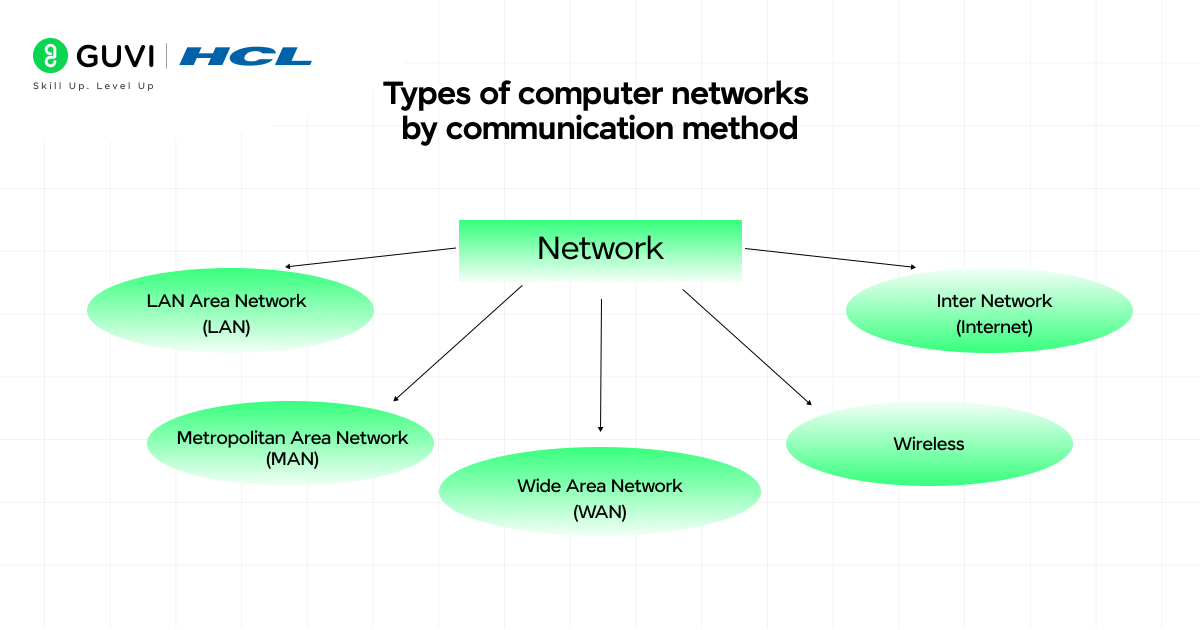
C) Types of Computer Networks by Communication Method
Communication methods determine how data moves between devices in a network, shaping how information flows and who receives it. Different communication approaches address specific network needs, from secure point-to-point links to widespread broadcasts.
1) Point-to-Point networks
Point-to-Point networks create dedicated communication channels between exactly two devices. In this straightforward configuration, a single sender connects directly with a single receiver. This arrangement offers several distinct advantages:
- Maximum bandwidth efficiency (no sharing required)
- Consistently low latency communication
- Enhanced security through isolated connections
These networks excel in situations requiring reliable, high-speed data transfer. They form the backbone of many critical infrastructure connections, including high-speed Ethernet links, fiber-optic communication systems, and data center interconnects.
For businesses with remote locations, point-to-point connectivity provides a direct link between facilities, offering instant and reliable communication. This approach works best when devices are relatively close or when security is paramount.
2) Multipoint networks
Multipoint networks connect three or more hosts through a hub-and-spoke topology. In this arrangement, a central node (the hub) communicates with multiple remote nodes (the spokes), creating a one-to-many structure.
The main characteristics of multipoint networks include:
- A central hub site often serving as headquarters
- Remote sites accessing resources from the main hub
- Ability to grow exponentially based on hardware and software capabilities
From the perspective of non-central nodes, each feels like it’s in an exclusive peer-to-peer relationship with the central node. This makes multipoint networks ideal for organizations with branch offices or distributed teams.
3) Broadcast networks
Broadcast networks transmit data from one device to all others simultaneously on the network. This one-to-all approach ensures widespread information delivery without repeating transmissions.
In broadcast communication:
- A single datagram is routed to all endpoints
- The network automatically replicates data as needed
- All devices receive the same message
Broadcasts typically operate within a broadcast domain (usually a subnet). When a computer sends a broadcast packet, it uses a special MAC address (FF:FF:FF:FF:FF:FF) that signals all devices to process the message rather than just those matching the specific address.
4) Virtual Private Network (VPN)
A Virtual Private Network creates a secure, encrypted tunnel for data traveling over public networks. VPNs protect your online traffic by:
- Encrypting all internet traffic (making it appear as gibberish to outsiders)
- Hiding your IP address and location
- Preventing third parties from monitoring your activities
VPNs act as overlay networks where connections between nodes travel through virtual circuits in larger networks instead of physical wires. This technology has gained significant popularity, with approximately 31% of internet users worldwide now using VPNs.
Beyond security, VPNs provide practical benefits for accessing restricted content, protecting sensitive information on public Wi-Fi, and maintaining privacy during everyday browsing activities.
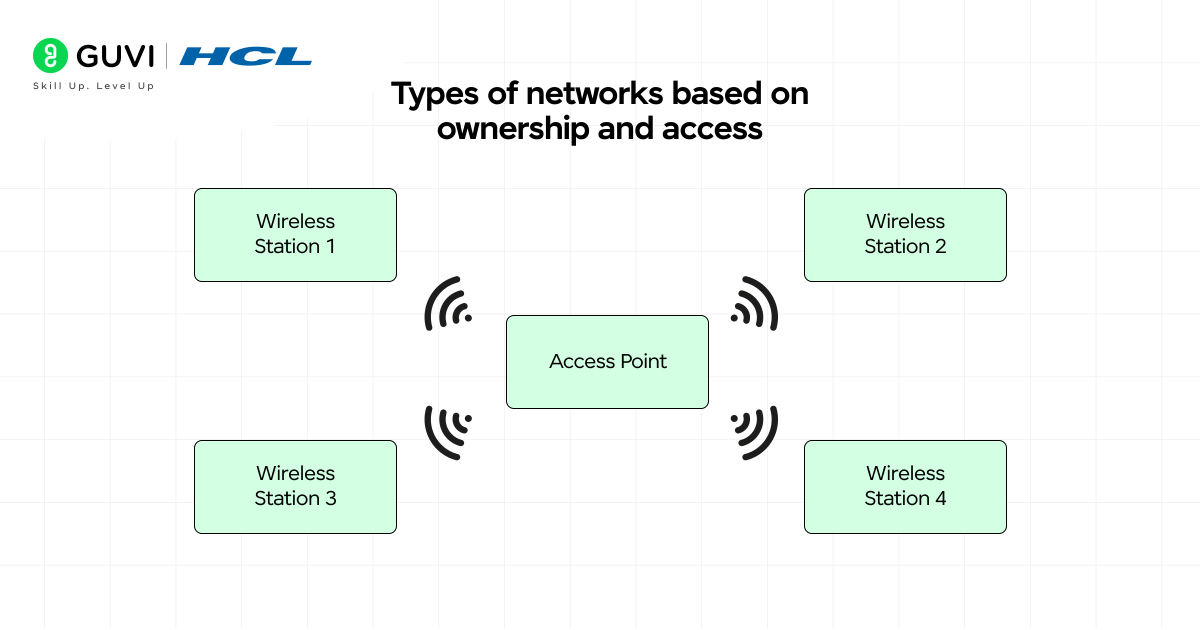
D) Types of Networks Based on Ownership and Access
Ownership and accessibility define who controls and uses a network, creating crucial distinctions in how networks function and who can access them. Let’s examine the four main categories based on these factors.
1) Private networks
Private networks operate under the exclusive control of a single organization, allowing only authorized users to connect and access resources. These networks prioritize security through firewalls and strict access policies. Indeed, their isolation from outside access makes them highly secure and reliable for handling sensitive information.
Common examples include:
- Corporate intranets for internal communications
- Hospital systems storing confidential patient data
- School campus networks with restricted access
2) Public networks
Public networks remain open to general public use with minimal authentication requirements. These networks typically come from Internet Service Providers (ISPs) or businesses in public spaces. At this point, it’s worth noting that they offer convenience at the cost of security vulnerabilities if used carelessly.
3) Hybrid networks
Hybrid networks combine at least two types of network infrastructure integrated together. This approach blends private and public elements, offering role-based access control where some parts remain restricted while others allow open access.
According to an Omdia survey, businesses choose hybrid models for their ability to deploy at scale without major redesign and guaranteed application performance.
4) Enterprise Private Network (EPN)
Enterprise Private Networks are custom-designed systems built specifically for businesses to share resources across different geographical regions. For this reason, they excel at handling bandwidth-intensive applications without creating bottlenecks.
EPNs optimize performance through tunneling protocols like Layer 2 Tunneling Protocol and Internet Protocol Security, ensuring privacy across all network operations.
If you’re ready to move beyond just networking basics and step into the world of building intelligent systems, check out the AI Software Development Course by HCL GUVI (in partnership with IITM Pravartak & MongoDB Inc.). With 300+ hours of live learning, AI-powered tools, and real-world projects, it’s the launchpad you need to become SDE-ready for top product companies.
Concluding Thoughts…
Computer networks form the invisible foundation of our digital world, connecting billions of devices across various distances and purposes. Throughout this guide, you’ve learned about the different classifications of networks based on geographical area, transmission medium, communication method, and ownership.
Computer networks might seem complex at first, but they essentially serve one primary purpose – connecting devices to share information and resources efficiently. This knowledge empowers you to navigate our interconnected world with greater confidence and understanding.
FAQs
Q1. What are the main types of computer networks based on geographical area?
The main types of computer networks based on geographical area are Personal Area Network (PAN), Local Area Network (LAN), Metropolitan Area Network (MAN), Wide Area Network (WAN), and Campus Area Network (CAN). Each type covers a different range, from very small personal spaces to worldwide connections.
Q2. How do wired and wireless networks differ?
Wired networks use physical cables like Ethernet or fiber optic for data transmission, offering stable and fast connections. Wireless networks, such as Wi-Fi and Bluetooth, transmit data through the air using radio waves, providing more flexibility but potentially less stability than wired options.
Q3. What is a Virtual Private Network (VPN) and how does it work?
A VPN creates a secure, encrypted tunnel for data traveling over public networks. It protects online traffic by encrypting internet data, hiding the user’s IP address and location, and preventing third parties from monitoring activities. VPNs are useful for accessing restricted content and maintaining privacy on public Wi-Fi.
Q4. What’s the difference between private and public networks?
Private networks are controlled by a single organization and allow only authorized users to access resources, prioritizing security. Public networks are open for general use with minimal authentication, offering convenience but potentially less security. Hybrid networks combine elements of both private and public networks.
Q5. What is a Passive Optical LAN (POLAN) and what are its advantages?
A Passive Optical LAN is an innovative network architecture that replaces traditional copper-based LANs with fiber optics. It simplifies infrastructure by using single-mode fiber, passive optical splitters, and specialized terminals. POLAN offers advantages such as reduced power consumption, elimination of telecommunications rooms, and longer lifespan compared to copper networks.
Success Stories

About the Author
Jaishree Tomar
A recent CS Graduate with a quirk for writing and coding, a Data Science and Machine Learning enthusiast trying to pave my own way with tech. I have worked as a freelancer with a UK-based Digital Marketing firm writing various tech blogs, articles, and code snippets. Now, working as a Technical Writer at GUVI writing to my heart’s content!
View all posts by Jaishree Tomar
Connect with me @












Did you enjoy this article?