


VFX Articles
Top 10 AI-Driven Tools for 3D Animation and VFX
9 Must-Know VFX Project Ideas for Beginners


Get In Touch For Details! Request More Information
Preparing for a VFX interview and wondering what kind of questions you’ll actually be asked, basics, software-specific, or real production challenges?
Here’s the thing: VFX interviews rarely test just definitions. Recruiters want to know whether you understand the pipeline, whether you can think technically, and whether you can solve on-set or post-production problems under pressure. From rotoscoping and compositing fundamentals to simulation workflows and client-driven revisions, every level of question reveals how ready you are for real-world projects.
In this article, you’ll find 40 carefully structured VFX interview questions divided into Beginner, Intermediate, Advanced, and Scenario-based levels, so you can assess where you stand and prepare with clarity and confidence.
Quick Answer:
The most common VFX interview questions cover fundamentals like compositing, rotoscoping, and rendering, along with workflow concepts such as tracking, lighting integration, simulations, and real-world production problem solving across beginner, intermediate, and advanced levels.
Table of contents
- Beginner Level VFX Interview Questions and Answers
- What is VFX?
- What is the difference between VFX and CGI?
- What are the main stages of the VFX Pipeline?
- What is Compositing?
- What is Rotoscoping?
- What is Chroma Keying?
- What is Motion Tracking?
- What is Rendering?
- What is a Matte Painting?
- Name some Popular VFX Software Tools.
- Intermediate Level VFX Interview Questions and Answers
- What is the difference between 2D Tracking and 3D Tracking?
- What is Color Grading in VFX?
- What is the role of a Compositor in a VFX Project?
- What is the difference between practical effects and VFX?
- What is match moving?
- What is a render pass?
- What is the depth of field in VFX?
- What is keyframe animation?
- What is particle simulation?
- What challenges occur while integrating CGI into Live Footage?
- Advanced-Level VFX Interview Questions and Answers
- What is a linear workflow in VFX?
- What are AOVs or render passes, and why are they important?
- What is HDRI, and how is it used in VFX?
- Explain the difference between Rasterization and Ray Tracing
- What is Global Illumination?
- What is Node-based Compositing?
- What is Camera Projection?
- What is a Simulation Pipeline in VFX?
- What are common causes of Render Noise, and how do you fix it?
- How do you optimize heavy VFX scenes?
- Scenario-Based VFX Interview Questions and Answers
- A CGI object looks fake in a live-action shot. What steps would you take to fix it?
- Your green screen footage has uneven lighting and color spill. How would you handle it?
- A shot requires realistic destruction of a building. How would you approach it?
- The client says the explosion “doesn’t feel real.” What could be missing?
- How would you match CGI lighting with on-set footage?
- A render is taking too long and delaying delivery. What would you do?
- A tracked object keeps sliding in the shot. How would you fix it?
- The compositor says the render lacks depth. What could improve it?
- How would you handle last-minute client revisions?
- If a director wants a completely imaginary environment, how would you begin?
- Conclusion
Beginner Level VFX Interview Questions and Answers
If you’re stepping into your first VFX interview, this is where it begins. Beginner-level questions focus on core terminology, basic workflow understanding, and foundational concepts like compositing, tracking, and rendering. Interviewers use these to check whether you understand how visual effects are built from the ground up. If your fundamentals are strong, everything else becomes easier.
1. What is VFX?
VFX (Visual Effects) refers to the process of creating or manipulating imagery outside the context of a live-action shot. It combines live footage with computer-generated elements to produce realistic environments, creatures, explosions, and other visuals that are difficult or impossible to capture on set.
2. What is the difference between VFX and CGI?
VFX is the broader process of integrating digital elements into live-action footage. CGI (Computer-Generated Imagery) refers specifically to 3D models, animations, or environments created entirely inside a computer. In short, CGI is a tool used within VFX.
Learn all about VFX and CGI here – CGI vs VFX: Everything You Must Know
3. What are the main stages of the VFX Pipeline?
The standard VFX pipeline includes:
- Pre-production (concept, storyboarding, planning)
- Production (shooting with tracking markers, green screen)
- Post-production (modeling, animation, compositing, rendering)
Each stage ensures smooth integration of digital and live elements.
4. What is Compositing?
Compositing is the process of combining multiple visual elements into a single final image. It involves layering footage, adjusting lighting, color matching, adding shadows, and blending CGI with real footage to create a seamless result.
5. What is Rotoscoping?
Rotoscoping is the technique of manually tracing over footage frame by frame to isolate objects or characters. It’s commonly used to remove backgrounds, create masks, or extract actors from live footage.
6. What is Chroma Keying?
Chroma keying is the process of removing a solid-colored background (usually green or blue) from footage so that it can be replaced with another environment. This technique is widely used in films and television production.
7. What is Motion Tracking?
Motion tracking analyzes the movement of objects or cameras in footage and applies that data to digital elements. It ensures that CGI objects move realistically within a scene.
8. What is Rendering?
Rendering is the process of converting 3D scenes into final 2D images or video frames. It calculates lighting, shadows, textures, reflections, and other effects to produce the final visual output.
9. What is a Matte Painting?
Matte painting is a technique used to create large environments or backgrounds digitally. These are often used to extend sets or create imaginary worlds that would be too expensive or impossible to build physically.

10. Name some Popular VFX Software Tools.
Some widely used VFX tools include:
- Autodesk Maya
- Houdini
- Nuke
- After Effects
- Blender
- Cinema 4D
Each tool specializes in different areas like modeling, compositing, simulation, or motion graphics.
If you are new to the world of VFX and figuring out a way to learn, then this blog is for you – How to Learn VFX: A Step-by-Step Guide
Intermediate Level VFX Interview Questions and Answers
At the intermediate level, interviews shift from definitions to workflows. Here, recruiters expect you to understand how different departments connect, from match moving and lighting to render passes and color grading. These questions test whether you can function inside a production pipeline, not just operate software tools.
11. What is the difference between 2D Tracking and 3D Tracking?
2D tracking tracks movement on a flat plane, usually for screen replacements or simple object tracking.
3D tracking reconstructs camera movement in 3D space, allowing digital elements to be placed accurately within the environment.
12. What is Color Grading in VFX?
Color grading is the process of adjusting the color, contrast, and tone of footage to achieve a specific visual mood or cinematic consistency. It ensures that all shots match in lighting and atmosphere.
13. What is the role of a Compositor in a VFX Project?
A compositor integrates all visual elements into the final shot. They handle layering, keying, rotoscoping, color correction, lighting adjustments, and final polish to ensure the shot looks natural.
14. What is the difference between practical effects and VFX?
Practical effects are created physically on set using props, makeup, or mechanical effects.
VFX are created digitally during post-production. Many productions combine both for realism.
15. What is match moving?
Match moving is the process of tracking camera movement from live footage and recreating it in 3D software. This ensures CGI elements align correctly with the original camera perspective.
16. What is a render pass?
A render pass is a specific layer of visual information generated separately during rendering, such as shadows, reflections, ambient occlusion, or depth. These passes allow greater control during compositing.
17. What is the depth of field in VFX?
Depth of field simulates how a camera focuses on certain parts of a scene while blurring others. In VFX, it’s often recreated digitally to match the real camera lens.
18. What is keyframe animation?
Keyframe animation involves setting important frames that define motion. The software automatically generates the in-between frames, creating smooth animation.
19. What is particle simulation?
Particle simulation is used to create effects like fire, smoke, rain, explosions, or dust. It uses physics-based systems to simulate natural behavior.
20. What challenges occur while integrating CGI into Live Footage?
Common challenges include:
- Mismatched lighting
- Incorrect shadows
- Poor tracking data
- Inconsistent perspective
- Unrealistic textures
Successful integration requires precise tracking, lighting reference, and color matching.
Advanced-Level VFX Interview Questions and Answers
Advanced VFX questions dive deep into technical knowledge and production efficiency. You’ll be asked about rendering pipelines, linear workflows, simulations, optimization techniques, and problem diagnosis.
At this stage, interviewers are evaluating whether you can handle complex shots, troubleshoot issues, and contribute to high-end productions with confidence.
21. What is a linear workflow in VFX?
A linear workflow ensures that lighting and rendering calculations are done in linear color space rather than gamma-corrected space. This produces physically accurate lighting, realistic shading, and proper compositing results. Most modern pipelines use linear workflow to maintain consistency across departments.
22. What are AOVs or render passes, and why are they important?
AOVs (Arbitrary Output Variables) are separate render layers like diffuse, specular, shadow, reflection, Z-depth, and ambient occlusion.
They allow compositors to tweak lighting, reflections, and shadows without re-rendering the entire 3D scene. This saves time and gives more creative control in post-production.
23. What is HDRI, and how is it used in VFX?
HDRI (High Dynamic Range Imaging) captures real-world lighting information from a location.
In VFX, HDRI maps are used to light 3D objects so that they match the natural lighting conditions of the scene. This helps achieve realistic reflections and shadows.
24. Explain the difference between Rasterization and Ray Tracing
Rasterization calculates visible surfaces quickly and is commonly used in real-time rendering (like games).
Ray tracing simulates how light physically behaves, calculating reflections, refractions, and global illumination more accurately. It produces more realistic results but requires higher computational power.
25. What is Global Illumination?
Global illumination simulates how light bounces between surfaces in a scene. Instead of calculating only direct light, it accounts for indirect lighting, resulting in more realistic shadows and color bleeding.
26. What is Node-based Compositing?
Node-based compositing uses a visual graph system where each operation (color correction, keying, blur, etc.) is represented as a node.
This workflow, commonly used in Nuke, allows flexible adjustments without damaging the original footage. It’s non-linear and highly efficient for complex shots.
27. What is Camera Projection?
Camera projection is a technique where a 2D image is projected onto 3D geometry to create a sense of depth and parallax. It’s often used for matte paintings or extending environments without building full 3D scenes.
28. What is a Simulation Pipeline in VFX?
A simulation pipeline handles physics-based effects like cloth, fluids, fire, destruction, and hair.
Tools like Houdini are often used to simulate natural behavior using procedural systems, which allow artists to create scalable, repeatable effects.
29. What are common causes of Render Noise, and how do you fix it?
Render noise is usually caused by low sampling rates, complex lighting setups, or insufficient global illumination samples.
It can be reduced by increasing sample counts, optimizing light sources, adjusting bounce settings, or using denoising tools.
30. How do you optimize heavy VFX scenes?
Optimization strategies include:
- Reducing polygon counts
- Using level of detail (LOD)
- Caching simulations
- Optimizing textures
- Rendering in passes
- Using render farms
Efficient scene management ensures faster turnaround and lower production costs.
Did you know that in many blockbuster films, over 80% of what you see on screen isn’t physically real? Entire cities, skies, crowds, weather conditions, and even subtle details like dust, reflections, and background extensions are often created or enhanced using VFX. In some cases, actors perform in front of plain green walls with minimal props, and everything from mountains to explosions is built later in post-production.
Scenario-Based VFX Interview Questions and Answers
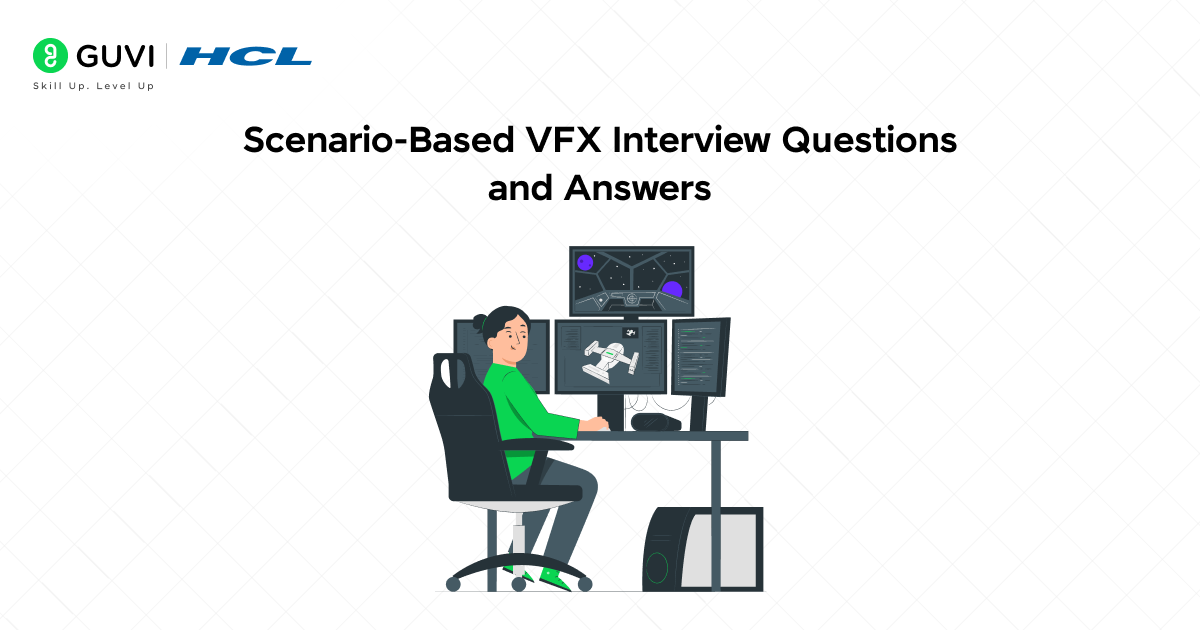
This is where interviews become practical. Scenario-based questions test your ability to think, adapt, and solve real-world problems under pressure. Whether it’s fixing a bad green screen, optimizing a slow render, or responding to last-minute client feedback, these questions reveal how you approach challenges in an actual production environment.
31. A CGI object looks fake in a live-action shot. What steps would you take to fix it?
First, check lighting consistency. Match shadows, reflections, and color temperature. Then, verify camera tracking accuracy and perspective alignment. Finally, refine textures, add imperfections, and apply depth of field and motion blur to integrate it naturally.
32. Your green screen footage has uneven lighting and color spill. How would you handle it?
I would use advanced keying techniques, isolate problematic areas with masks, and remove spill using color correction tools. If necessary, I would roto difficult sections manually to maintain edge quality.
33. A shot requires realistic destruction of a building. How would you approach it?
I would model a fractured version of the building, simulate destruction using a physics engine (like Houdini), generate debris and dust particles, render in passes, and composite them with proper lighting and camera shake.
34. The client says the explosion “doesn’t feel real.” What could be missing?
Realistic explosions require layered elements: fire, smoke, debris, shockwaves, lighting interaction, and environmental impact.
Often, what’s missing is secondary detail like dust interaction, dynamic lighting flicker, or motion blur.
35. How would you match CGI lighting with on-set footage?
I would analyze reference images, use HDRI captured from the set, study shadow direction and intensity, and replicate light temperature and exposure settings inside the 3D software.
36. A render is taking too long and delaying delivery. What would you do?
I would optimize geometry, reduce unnecessary subdivisions, simplify shaders, adjust sample rates, and render in passes. If possible, I’d distribute rendering across a render farm.
37. A tracked object keeps sliding in the shot. How would you fix it?
I would review the tracking points, remove unstable markers, add more reliable track points, refine solve settings, and manually adjust where needed to ensure stable integration.
38. The compositor says the render lacks depth. What could improve it?
Adding atmospheric haze, depth of field, Z-depth passes, ambient occlusion, subtle grain, and color contrast can enhance perceived depth.
39. How would you handle last-minute client revisions?
First, assess whether changes affect lighting, animation, or compositing. Then prioritize minimal rework using render passes rather than re-rendering entire scenes. Clear communication with the team is crucial to meet deadlines.
40. If a director wants a completely imaginary environment, how would you begin?
Start with concept art and mood boards. Build rough 3D layouts for scale and composition. Develop lighting tests early to define tone. Then proceed with modeling, texturing, simulation, and compositing in structured stages.
If you are interested in learning VFX through Adobe After Effects to the fullest, consider enrolling in HCL GUVI’s Certified Adobe After Effects for VFX Course, where you will be exposed to hands-on projects and a Globally Recognised Certification from HCL GUVI!
Conclusion
In conclusion, VFX interviews aren’t about memorizing software shortcuts. They’re about demonstrating clarity in fundamentals, confidence in workflow, and maturity in handling production challenges.
If you can explain concepts like compositing and linear workflow clearly, discuss render optimization intelligently, and confidently walk through scenario-based problem solving, you’re already ahead of most candidates. What really makes the difference is not just knowing what a technique is, but knowing why and when to use it.
Use these 40 questions as a self-test. If you can answer them smoothly, technically, and practically, you’re not just interview-ready, you’re production-ready.
Success Stories

About the Author
Lukesh S
A professional content writer who has experience in freelancing and now working as a Technical Content Writer at GUVI. Google Certified Digital Marketer. Have a sound knowledge of SQL, Data Structures and Cloud Computing.
View all posts by Lukesh S
Connect with me @








Did you enjoy this article?