


Career Articles
How I Switched from Web Developer to ML Engineer (A Web Developer's Real Story)
PHP Developer Resume: Writing Guide & Key to Landing Your Dream Job
My Frontend Developer Interview at Google: What Really Happens Behind Closed Doors
Future of Electric Vehicle Course: Fast-Track Your EV Career


Get In Touch For Details! Request More Information
16 Top Time Management Techniques And Tools For 2025: Features And Benefits
Feb 17, 2026 9 Min Read 2680 Views
(Last Updated)
Time is one of the most valuable resources we have, yet it is also one of the most challenging to manage effectively. In today’s fast-paced world, balancing work, studies, personal commitments, and hobbies can quickly become overwhelming. Many people struggle to allocate their time wisely, often feeling stressed or falling behind on important tasks.
Time management techniques offer practical solutions to this problem. They are strategies that help you plan your day, set priorities, and make the most of the hours available. By applying these techniques consistently, you can increase productivity, reduce stress, and create a balanced daily routine that supports both personal and professional goals.
In this blog, we will explore 16 top time management techniques and tools for 2025, explaining their key features, benefits, and practical applications. Whether you are a student, a professional, or someone looking to improve your daily productivity, this guide will provide actionable insights to help you manage your time more effectively and achieve your goals with ease.
Quick Answer
Time management techniques like Pomodoro, Time Blocking, and the Eisenhower Matrix, along with tools such as Notion, Google Calendar, and Trello, help you plan your tasks clearly and stay focused without distractions. They make your day more organized, reduce last-minute stress, and help you finish important work on time while keeping a healthy balance between study, work, and personal life.
Table of contents
- Key Roles Of Time Management Techniques
- Popular Time Management Techniques
- Pomodoro Technique
- Time Blocking
- Eisenhower Matrix
- 80/20 Pareto Principle
- Getting Things Done (GTD)
- Eat That Frog
- Parkinson’s Law
- Kanban Method
- ABC Method
- Most Important Tasks (MITs)
- Time Tracking
- Rapid Planning Method (RPM)
- SMART Goals
- Batch Processing
- Deep Work
- Two-Minute Rule
- Top Time Management Tools For 2025
- Notion
- Trello
- Google Calendar
- Todoist
- Microsoft To Do
- ClickUp
- Forest App
- Focus@Will
- Evernote
- Asana
- Slack
- Monday.com
- RescueTime
- Habitica
- Focus Booster
- Be Focused
- Importance Of Time Management
- Conclusion
- FAQs
- How do time management techniques help people with unpredictable work schedules?
- Which technique works best for people who struggle with motivation?
- Can time management techniques improve personal productivity as well?
- How long does it take to develop a habit of effective time management?
- Are digital tools necessary for time management?
Key Roles Of Time Management Techniques
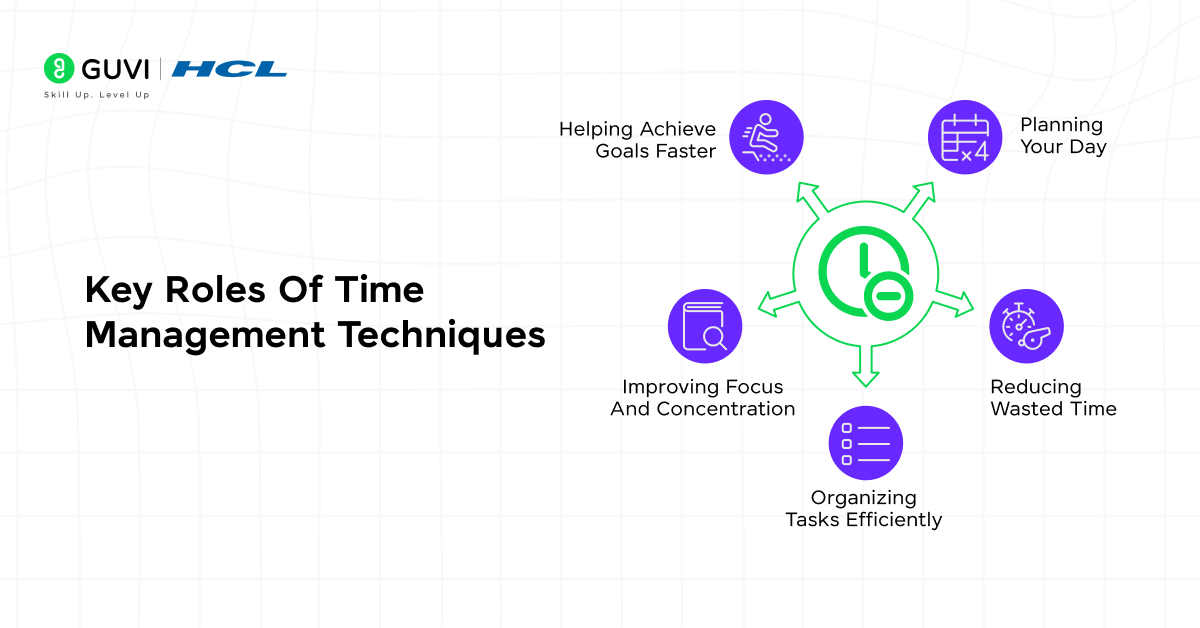
Time management techniques play several important roles in helping you make the most of your day. They provide structure, reduce wasted time, improve focus, and ensure that your daily tasks align with your larger goals. Understanding these key roles gives you a foundation for applying different techniques effectively, whether for work, studies, or personal projects.
1. Planning Your Day
Planning helps you structure your tasks and approach the day with clarity. It prevents confusion and ensures high-priority work gets done.
Example: Writing a daily to-do list with time blocks for each activity.
2. Reducing Wasted Time
Identifying and minimizing low-value activities like excessive social media or unnecessary meetings frees up hours for productive work.
Example: Turning off phone notifications during work hours.
3. Organizing Tasks Efficiently
Breaking larger tasks into smaller steps improves focus and prevents last-minute rushes.
Example: Dividing a research assignment into weekly milestones.
4. Improving Focus And Concentration
Dedicated focus time enhances task quality and completion speed. Techniques like Pomodoro or time blocking are useful.
Example: Using 25-minute focused work sessions with 5-minute breaks.
5. Helping Achieve Goals Faster
Consistently applying these techniques aligns daily actions with bigger goals and ensures steady progress.
Example: Weekly reviews of completed tasks to track progress toward objectives.
Popular Time Management Techniques
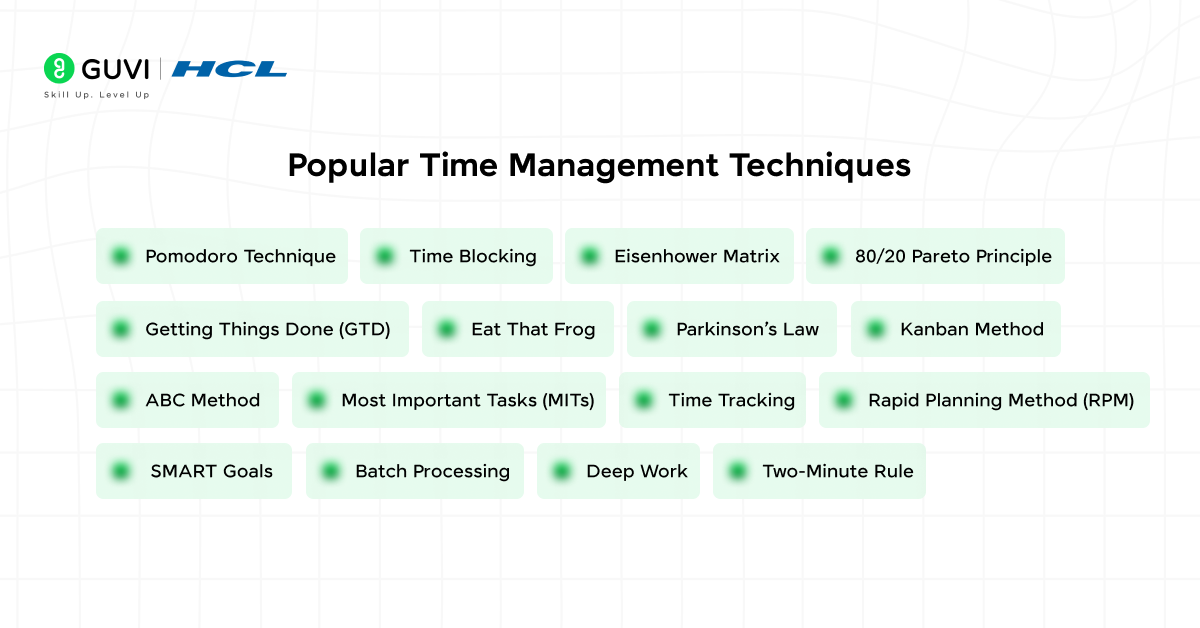
Time management helps you work smarter, stay focused, and get more done in less time. In this section, we explore the top techniques in 2025, showing how they work, their key features, advantages, practical tips, and examples to implement them effectively.
1. Pomodoro Technique
Staying focused for long stretches can be exhausting, but the Pomodoro Technique turns work into manageable bursts that keep your energy high and your mind sharp. By working for 25 minutes on a single task and then taking a 5-minute break, you create a rhythm that prevents burnout, maintains attention, and encourages consistent productivity. After completing four cycles, taking a longer break allows your brain to recharge fully, making it easier to tackle complex or repetitive tasks without feeling overwhelmed.
Key Features:
- Focused 25-minute work sessions
- Short 5-minute breaks, longer break after four cycles
- Flexible for different types of tasks
Advantages:
- Boosts focus and concentration
- Reduces mental fatigue
- Helps maintain consistent productivity throughout the day
Tips: Use a timer or a Pomodoro app to track sessions and breaks.
Example: Studying a challenging textbook chapter in four 25-minute focused sessions with short breaks between each.

2. Time Blocking
Multitasking often drains productivity, but Time Blocking helps you regain control by assigning specific time slots to each task. By dedicating blocks of your day to particular activities, you can focus deeply on high-priority work, reduce distractions, and prevent small tasks from overtaking your schedule. Planning your day this way ensures that essential work gets the attention it deserves while also leaving room for breaks and unforeseen responsibilities, ultimately creating a structured and balanced daily routine.
Key Features:
- Reduces distractions and multitasking
- Promotes deep, focused work periods
- Supports daily and weekly planning
Advantages:
- Improves time awareness
- Increases task completion rates
- Helps balance multiple responsibilities
Tips: Color-code tasks in your calendar to differentiate types of work.
Example: Scheduling 9–11 AM every day for uninterrupted work on a major project.
3. Eisenhower Matrix
Not all tasks are equally important, and the Eisenhower Matrix makes prioritization simple by separating work into four categories: Do (urgent and important), Schedule (important but not urgent), Delegate (urgent but not important), and Delete (neither urgent nor important). This method ensures that your energy goes into tasks that have the most impact while low-value work is minimized. Regularly reviewing and updating the matrix helps you adapt to shifting priorities without losing focus on what truly matters.
Key Features:
- Prioritizes tasks by urgency and importance
- Eliminates low-value work
- Simplifies decision-making
Advantages:
- Keeps focus on high-impact tasks
- Reduces stress from unnecessary tasks
- Encourages better planning and organization
Tips: Review your matrix each morning to adjust priorities based on new tasks.
Example: Sorting office tasks into urgent-important versus non-urgent helps handle the highest priority tasks first.
4. 80/20 Pareto Principle
Productivity is not about doing more but about doing what matters most. The 80/20 Pareto Principle emphasizes identifying the 20% of tasks that contribute to 80% of results, enabling you to focus on high-impact activities that yield the greatest benefits. By concentrating your efforts on these key tasks, you save time, reduce effort spent on low-value work, and achieve better outcomes in both professional and personal projects.
Key Features:
- Identifies high-value work
- Reduces wasted effort
- Optimizes productivity
Advantages:
- Maximizes results in minimal time
- Improves efficiency and focus
- Helps prioritize strategically
Tips: At the start of each week, identify the top 20% tasks that will produce the most results and schedule them first.
Example: A student prioritizing chapters most likely to appear on an exam instead of spending equal time on all topics.
5. Getting Things Done (GTD)
Cluttered minds lead to missed deadlines and stress, but GTD provides a clear, systematic approach to task management. By capturing all tasks, clarifying next actions, organizing priorities, reflecting on progress, and engaging in work strategically, GTD ensures nothing slips through the cracks. This method frees mental space, reduces stress, and allows you to focus on what truly needs your attention, whether for work, study, or personal projects.
Key Features:
- Five-step workflow: Capture, Clarify, Organize, Reflect, Engage
- Works for personal and professional tasks
- Clears mental clutter
Advantages:
- Reduces stress and forgetfulness
- Enhances task completion rates
- Improves planning and accountability
Tips: Use a notebook or app to capture tasks and review them daily.
Example: Listing all weekly tasks on Sunday and reviewing each morning to ensure deadlines are met.
6. Eat That Frog
Procrastination often comes from avoiding challenging tasks, but “Eat That Frog” flips this habit by encouraging you to tackle your toughest task first. Completing the most important or difficult task at the start of the day creates momentum, builds confidence, and reduces anxiety for the rest of your schedule. Once the “frog” is eaten, even smaller tasks feel easier, boosting overall productivity.
Key Features:
- Focuses on the most challenging tasks first
- Builds discipline and motivation
- Reduces procrastination
Advantages:
- Increases productivity early in the day
- Boosts confidence in task completion
- Reduces anxiety from pending important tasks
Tips: Identify your “frog” the night before to start immediately in the morning.
Example: Completing a major report first thing in the morning before tackling other routine tasks.
7. Parkinson’s Law
Work tends to expand to fill the time available, but Parkinson’s Law leverages this by imposing shorter, realistic deadlines for tasks. By giving yourself less time than usual, you focus intensely, reduce overthinking, and complete work faster. This principle is ideal for maintaining momentum and ensuring that minor delays or distractions don’t derail productivity.
Key Features:
- Encourages focused, efficient work
- Reduces wasted time
- Increases task output
Advantages:
- Improves efficiency and focus
- Prevents over-perfectionism
- Motivates timely task completion
Tips: Challenge yourself with tighter deadlines for daily tasks.
Example: Completing a 2-hour assignment in 1 hour by setting a stricter deadline.
8. Kanban Method
Visualizing work is a powerful way to manage tasks, and the Kanban Method makes it simple by showing tasks in columns that represent “To Do,” “In Progress,” and “Done.” This visual approach prevents overload, highlights bottlenecks, and allows teams or individuals to track progress easily. By moving tasks across the board, you maintain clarity on priorities and workflow.
Key Features:
- Visual task management
- Tracks progress
- Prevents task overload
Advantages:
- Improves workflow visibility
- Reduces missed tasks
- Enhances team collaboration or personal organization
Tips: Limit the number of tasks in progress to maintain focus.
Example: Using a Kanban board for project tasks ensures everyone knows what needs attention and what is complete.
9. ABC Method
Prioritizing tasks effectively can transform productivity, and the ABC Method does this by labeling tasks as A (high), B (medium), and C (low) priority. By always focusing on “A” tasks first, you ensure that critical activities are completed on time, while less important work doesn’t consume your energy or focus.
Key Features:
- Clear task hierarchy
- Focuses on high-priority tasks
- Reduces decision fatigue
Advantages:
- Increases task completion efficiency
- Keeps focus on critical work
- Improves daily planning
Tips: Reassess your ABC categories daily to account for new tasks.
Example: Completing all “A” tasks before moving on to “B” or “C.”
10. Most Important Tasks (MITs)
By focusing on 1–3 most important tasks each day, you ensure progress on what matters most and prevent your schedule from being dominated by low-value activities. Completing MITs creates a sense of accomplishment and drives productivity.
Key Features:
- Prioritizes daily high-impact tasks
- Limits focus to 1–3 key actions
- Prevents overwhelm
Advantages:
- Ensures critical tasks are done first
- Reduces stress
- Improves daily productivity
Tips: Keep MITs realistic and achievable to avoid frustration.
Example: Identify three tasks each morning and finish them before anything else.
11. Time Tracking
Understanding where your time goes is crucial, and time tracking provides insights into productivity leaks. Logging work, breaks, and distractions helps identify areas for improvement and informs better planning.
Key Features:
- Tracks all daily activities
- Reveals time drains
- Improves planning accuracy
Advantages:
- Enhances awareness of time use
- Identifies productivity bottlenecks
- Supports better decision-making
Tips: Use apps like Toggl or Clockify for automated tracking.
Example: Logging all work and break times to adjust schedule for maximum efficiency.
12. Rapid Planning Method (RPM)
RPM focuses on outcomes rather than tasks, encouraging you to define the result, purpose, and next action for each task. This keeps your work goal-oriented and aligned with priorities.
Key Features:
- Emphasizes results over tasks
- Keeps purpose in focus
- Encourages actionable planning
Advantages:
- Improves goal clarity
- Prevents wasted effort on irrelevant tasks
- Increases motivation
Tips: Write down the desired result, its purpose, and next action before starting any task.
Example: Planning a report by defining the final outcome, its purpose, and first step.
13. SMART Goals
Setting SMART goals ensures your objectives are clear, measurable, achievable, relevant, and time-bound. This structure increases the likelihood of completing tasks efficiently and effectively.
Key Features:
- Specific, measurable, achievable, relevant, time-bound
- Provides clear direction
- Supports accountability
Advantages:
- Increases goal achievement rates
- Enhances planning and focus
- Prevents vague or unrealistic targets
Tips: Review and update SMART goals weekly to stay on track.
Example: Completing 5 chapters of study material in 2 weeks with measurable checkpoints.
14. Batch Processing
Grouping similar tasks together minimizes context switching and increases efficiency. By completing a batch of related tasks in one session, you save time and mental energy.
Key Features:
- Groups similar tasks
- Reduces task-switching
- Increases efficiency
Advantages:
- Saves time and energy
- Improves focus
- Enhances workflow consistency
Tips: Schedule specific blocks for batch tasks, like emails or calls.
Example: Replying to all emails in a single 30-minute session instead of sporadically.
15. Deep Work
Deep Work involves long, uninterrupted periods of focused work on cognitively demanding tasks. By eliminating distractions, you maximize productivity, creativity, and output quality.
Key Features:
- Extended, focused work sessions
- Reduces multitasking
- Boosts high-quality output
Advantages:
- Improves skill mastery
- Produces high-quality results
- Increases task efficiency
Tips: Block off distractions like phone notifications during deep work sessions.
Example: Writing a report for 2 hours without checking emails or messages.
16. Two-Minute Rule
Small tasks often pile up, but the Two-Minute Rule encourages immediate action on any task that can be completed in under two minutes. This prevents clutter, keeps momentum, and maintains productivity.
Key Features:
- Handles quick tasks immediately
- Reduces task backlog
- Supports overall task management
Advantages:
- Keeps workflow smooth
- Reduces mental clutter
- Improves overall productivity
Tips: Combine with GTD to manage both small and large tasks efficiently.
Example: Responding to a short email immediately instead of postponing it.
Top Time Management Tools For 2025
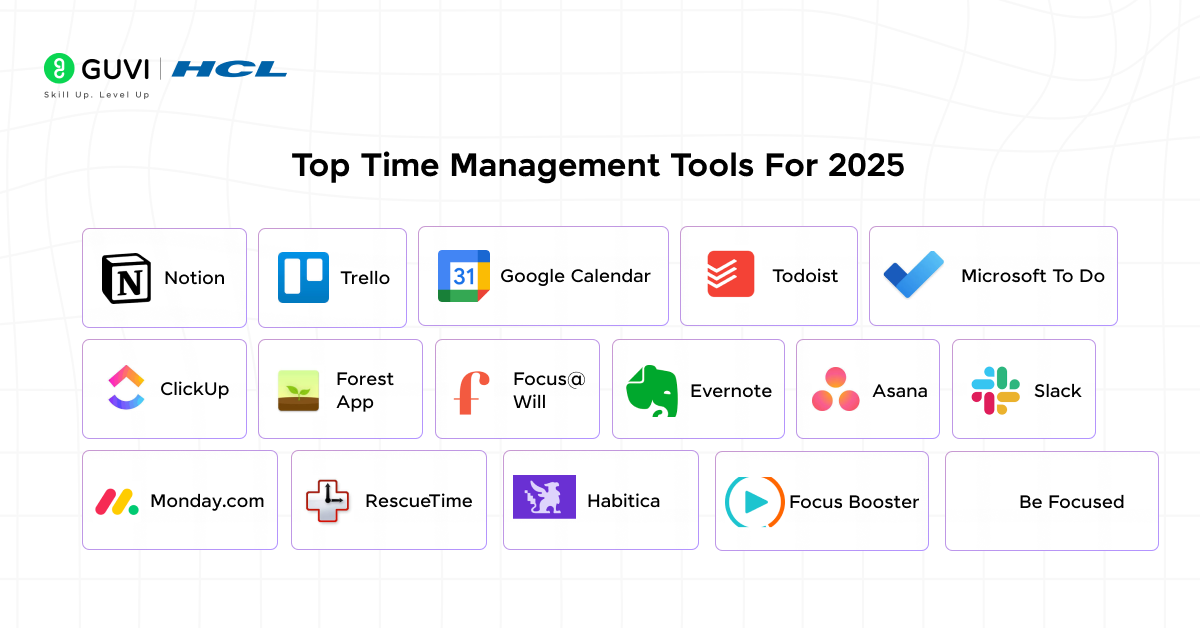
Time management is not just about techniques—it’s about using the right tools to organize, prioritize, and stay productive. In 2025, a variety of digital tools make task tracking, focus, and workflow management easier than ever. The tools below are top-rated for helping individuals and teams plan, execute, and track their tasks efficiently.
1. Notion
Notion is an all-in-one workspace that combines notes, tasks, databases, and project management in a single platform, keeping both personal and professional work organized. Its flexibility allows users to customize templates, track goals, and manage multiple projects seamlessly.
Key Features:
- Customizable templates for different needs
- Integrates databases, calendars, and task lists
- Easy tracking of projects and goals
Advantages:
- Centralizes work in one platform
- Reduces task duplication
- Boosts organization and planning
Rating: 4.8/5
Example: Planning weekly tasks and tracking project deadlines in Notion.
2. Trello
Trello uses the Kanban method to visually manage tasks on boards, making it easier to organize work and monitor progress. Its visual interface simplifies collaboration, workflow management, and task prioritization.
Key Features:
- Boards, lists, and cards to organize tasks
- Collaboration with team members
- Automation of repetitive tasks
Advantages:
- Improves workflow visibility
- Enhances team collaboration
- Reduces task management confusion
Rating: 4.7/5
Example: Assigning tasks to team members on a Trello board for project management.
3. Google Calendar
Google Calendar is a versatile scheduling tool for time blocking, setting reminders, and integrating events with other Google apps. It helps users maintain routines and manage appointments effectively.
Key Features:
- Color-coded events and tasks
- Task reminders and Gmail integration
- Easy to share schedules
Advantages:
- Simplifies daily planning
- Enhances time awareness
- Improves collaboration
Rating: 4.9/5
Example: Blocking 9–11 AM for focused study sessions or work tasks.
4. Todoist
Todoist is a task manager that tracks responsibilities with priorities, deadlines, and labels, helping users stay on top of both personal and professional work.
Key Features:
- Prioritize tasks with levels and labels
- Filter tasks by projects, dates, or priorities
- Track productivity trends
Advantages:
- Keeps daily tasks organized
- Encourages consistent completion
- Supports individual and team use
Rating: 4.7/5
Example: Creating a daily checklist to ensure all tasks are completed efficiently.
5. Microsoft To Do
Microsoft To Do syncs across devices and focuses on daily priorities. Its “My Day” feature emphasizes the most important tasks to ensure consistent productivity.
Key Features:
- “My Day” feature for daily focus
- Categorization of tasks
- Cloud sync across devices
Advantages:
- Reduces task overload
- Increases daily productivity
- Easy multi-device access
Rating: 4.6/5
Example: Planning weekly priorities and checking them off daily.
6. ClickUp
ClickUp is a comprehensive platform for task management, goals, and team collaboration. It allows real-time tracking of sprints, progress, and project goals.
Key Features:
- Goals, sprints, dashboards
- Custom workflows for teams
- Real-time collaboration
Advantages:
- Enhances project visibility
- Reduces missed deadlines
- Streamlines team collaboration
Rating: 4.8/5
Example: Tracking team project timelines and monitoring progress.
7. Forest App
Forest gamifies focus by growing virtual trees during work sessions, encouraging users to stay off their phones. It promotes concentration and builds productive habits.
Key Features:
- Timer-based focus sessions
- Visual progress with virtual trees
- Tracks focus streaks
Advantages:
- Encourages phone-free productivity
- Builds focus habits
- Makes task management fun
Rating: 4.5/5
Example: Studying for 30 minutes without checking the phone to grow a virtual tree.
8. Focus@Will
Focus@Will provides music scientifically designed to enhance concentration and productivity. Personalized playlists help maintain attention during cognitive tasks.
Key Features:
- Science-based audio tracks
- Personalized playlists for focus
- Performance tracking
Advantages:
- Enhances concentration
- Reduces distractions
- Boosts productivity for mental work
Rating: 4.4/5
Example: Listening to focus tracks while writing reports or studying.
9. Evernote
Evernote organizes notes, ideas, and tasks in one place, making research and project planning more efficient. Its cross-device accessibility ensures you always have information at hand.
Key Features:
- Notes with tags and notebooks
- Integration with emails and calendars
- Web clipping for research
Advantages:
- Reduces scattered information
- Makes ideas easily retrievable
- Enhances productivity through organization
Rating: 4.6/5
Example: Clipping research articles and organizing them into notebooks for projects.
10. Asana
Asana is a task and project management tool designed for teams, offering lists, timelines, and dashboards for tracking progress.
Key Features:
- Task assignment and timelines
- Team collaboration
- Project tracking dashboards
Advantages:
- Improves team productivity
- Enhances deadline adherence
- Centralizes project communication
Rating: 4.7/5
Example: Assigning marketing project tasks to team members and monitoring progress.
11. Slack
Slack is a communication platform that keeps teams connected, integrates with productivity tools, and reduces email overload.
Key Features:
- Channels for project communication
- Integrations with Trello, Asana, and Google Drive
- Pinning messages and reminders
Advantages:
- Speeds up team communication
- Reduces missed messages
- Supports collaboration
Rating: 4.6/5
Example: Coordinating a product launch with team updates in Slack channels.
12. Monday.com
Monday.com manages workflows, projects, and automations, giving teams control over tasks, timelines, and collaboration.
Key Features:
- Customizable dashboards
- Workflow automation
- Team collaboration
Advantages:
- Streamlines project management
- Reduces manual tracking
- Improves team visibility
Rating: 4.7/5
Example: Tracking software development tasks from backlog to completion.
13. RescueTime
RescueTime tracks time spent on apps and websites to reveal productivity leaks, helping users optimize their schedules.
Key Features:
- Automatic activity tracking
- Productivity scoring
- Detailed reports
Advantages:
- Identifies time-wasting habits
- Supports productivity improvements
- Increases awareness of digital behavior
Rating: 4.5/5
Example: Monitoring social media usage to reclaim lost productive hours.
14. Habitica
Habitica gamifies productivity by turning tasks into challenges, with avatars and rewards for completion. It motivates habit-building and task consistency.
Key Features:
- Gamified task tracking
- Rewards and leveling-up
- Habit and goal tracking
Advantages:
- Makes productivity fun
- Encourages task completion
- Boosts consistency
Rating: 4.4/5
Example: Completing daily exercise and work tasks to level up a Habitica avatar.
15. Focus Booster
Focus Booster is a Pomodoro-based app that tracks work sessions and breaks, helping users maintain consistent focus throughout the day.
Key Features:
- Timer-based sessions
- Track work and breaks
- Productivity reports
Advantages:
- Enhances focus
- Reduces mental fatigue
- Provides insights on productivity
Rating: 4.5/5
Example: Using 25-minute sessions to complete work with short breaks.
16. Be Focused
Be Focused is a Pomodoro timer app allowing task management, session scheduling, and tracking progress toward goals efficiently.
Key Features:
- Task-based Pomodoro timer
- Session scheduling and tracking
- Daily and weekly progress report
Advantages:
- Improves focus and task completion
- Supports consistent workflow
- Simple and user-friendly interface
Rating: 4.4/5
Example: Completing writing and editing tasks in structured 25-minute work intervals.
Importance Of Time Management
Managing time effectively is not just about doing more tasks; it’s about doing the right tasks at the right time. When you plan your day and allocate your hours wisely, you are more likely to accomplish high-priority tasks and leave room for relaxation and personal growth.
For instance, a student who schedules study sessions, breaks, and revision periods can cover more chapters in less time, while a professional who prioritizes urgent and important tasks can meet deadlines without last-minute stress. Effective time management helps in:
- Enhancing productivity: Completing tasks faster and more efficiently.
- Reducing stress: Avoiding the pressure of pending work.
- Supporting goal achievement: Staying focused on tasks that contribute to long-term objectives.
- Balancing life: Ensuring personal, professional, and leisure activities coexist.
- Building discipline: Creating structured routines that promote consistency.
By understanding the importance of time management, you are laying the foundation for a more organized and successful lifestyle.
If you want to strengthen your time management skills and explore other essential professional abilities, you can check out HCL GUVI’s Professional Development courses. These courses cover productivity, planning, and a variety of soft skills, offering practical strategies and guidance to implement effective time management in both personal and professional life.
Conclusion
Time management techniques are essential for structuring your day, prioritizing important tasks, and achieving goals without feeling overwhelmed. By implementing strategies like Pomodoro, Time Blocking, Eisenhower Matrix, GTD, and Kanban, you can maintain focus, reduce procrastination, and complete work more efficiently.
When combined with the right tools—such as Notion, Trello, Google Calendar, Todoist, and Forest—you gain a practical system to plan, track, and execute tasks seamlessly. These techniques and tools not only improve productivity but also help balance professional, academic, and personal responsibilities.
Consistently applying these strategies in daily routines allows you to make the most of your time, reduce stress, and move closer to your long-term objectives. Mastering time management in 2025 ensures you stay organized, focused, and successful in every area of life.
FAQs
1. How do time management techniques help people with unpredictable work schedules?
They allow flexible planning, so high-priority tasks are completed even if hours vary daily. Breaking tasks into smaller chunks makes it easier to adapt.
2. Which technique works best for people who struggle with motivation?
Pomodoro and Eat That Frog help build momentum. Completing small or challenging tasks first encourages consistent progress.
3. Can time management techniques improve personal productivity as well?
Yes. They help structure household chores, learning schedules, and personal projects, ensuring consistent achievement without burnout.
4. How long does it take to develop a habit of effective time management?
Generally, 2–4 weeks of consistent practice can establish routines, but mastering multiple techniques may take a few months.
5. Are digital tools necessary for time management?
Not mandatory, but they improve organization, tracking, and accountability, making it easier to implement techniques effectively.
Success Stories

About the Author
Jebasta
I translate the language of data into stories that anyone can understand. As a writer with a data science background, I simplify analytics, AI, and decision-making so beginners and enthusiasts can confidently explore the world of data.
View all posts by Jebasta
Connect with me @

















Did you enjoy this article?