


Academics Articles
What is a Command Line Interface? Complete Guide to Command Line Prompt
Why These Essential Characteristics of Operating System Matter in 2025
Essential Features of Operating System: A Beginner's Guide for 2025


Get In Touch For Details! Request More Information
Spring Boot + Cursor AI: Coding on Vibes
Oct 24, 2025 3 Min Read 3104 Views
(Last Updated)
Spring Boot already makes Java backend work feel lighter. But what if you could talk to your IDE like a teammate and get your code written, fixed, and tested without spending hours typing boilerplate?
That’s exactly what Cursor AI does. It’s like having a super-smart pair programmer who knows Spring Boot inside out, remembers your coding style, and can whip up an API faster than you can say “@RestController”.
Table of contents
- What’s Cursor AI?
- How to Get Started ?
- How It Feels to Code With Cursor AI?
- Cursor Rules = Vibe Control
- Why It Works So Well for Spring Boot?
- Security on Autopilot
- The Vibe
- Spring Boot Cursor Vibe Prompt Pack:
- Project Setup & Boilerplate
- Entities & Repositories
- Services
- Controllers (APIs)
- 5. Security
- Testing
- Utilities & Config
- Refactoring & Enhancements
- Quick Debug & Fix
- Conclusion:
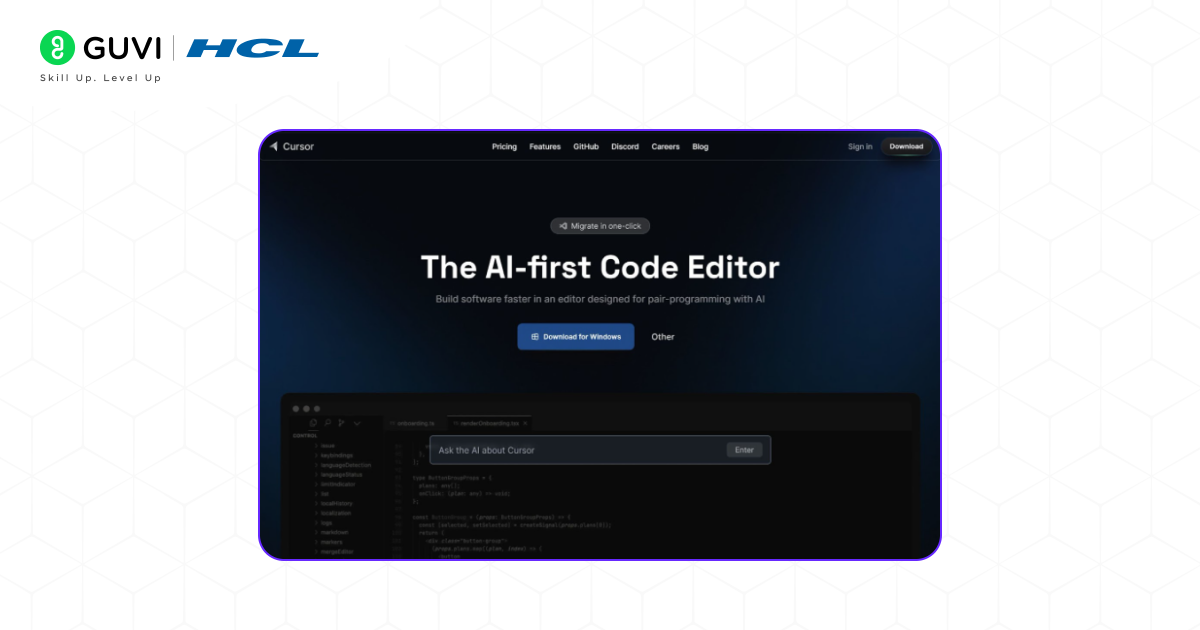
What’s Cursor AI?
Imagine VS Code, but with an AI that:
- Reads your entire project
- Writes new code from plain English
- Fixes bugs on request
- Creates tests
- Follows your team’s rules so the code always looks like your code
For Spring Boot, this means:
- CRUD APIs in seconds
- Entities, Repositories, and Services done for you
- Configs and security annotations added automatically
- Test cases generated without the headache
How to Get Started ?
- Download Cursor → cursor.com
- Open your Spring Boot project → Maven or Gradle
- Press Ctrl+K (Windows) or Cmd+K (Mac) → Ask the AI to do something
- Watch it code → Then tweak and commit
How It Feels to Code With Cursor AI?
Let’s say you’re building an Employee API.
You can literally type:
“Create a Spring Boot REST controller for Employee with CRUD endpoints, using JPA and validation.”
Boom, you get:
- Controller with @GetMapping, @PostMapping, @PutMapping, @DeleteMapping
- Entity with @Entity and validation annotations
- Repository interface
- Service layer
- Even imports sorted
Need tests? Just say:
“Write JUnit 5 tests for EmployeeController using MockMvc.”
Cursor Rules = Vibe Control
Vibe coding is fun… until your teammate writes public String NAME and you write private String name.
That’s where Cursor Rules come in you tell Cursor your style, and it never forgets.
Examples:
- Always use constructor injection (no @Autowired on fields)
- DTOs for all API responses (no returning entities directly)
- @PreAuthorize required for controller methods
- Use BCrypt for passwords
These rules live in a .cursor/rules/ folder and apply every time AI writes code.
Why It Works So Well for Spring Boot?
Spring Boot has numerous patterns. Once Cursor learns them, it’s unstoppable:
- Entities + Repositories: AI builds them with proper annotations
- Service Layer: Knows how to use @Service and transaction management
- Controllers: Follows your URL patterns and response formats
- Security: Adds method-level security without you asking twice
Security on Autopilot
With the right rules, Cursor can:
- Block @CrossOrigin(“*”)
- Force password hashing
- Add CSRF protection where needed
- Make sure sensitive data isn’t logged
The Vibe
Using Cursor AI with Spring Boot is like:
- Having a senior dev pair-program with you
- Never touching boilerplate again
- Shipping features in hours, not days
- Still keeping code clean, secure, and review-ready
You focus on what to build. Cursor handles the how.
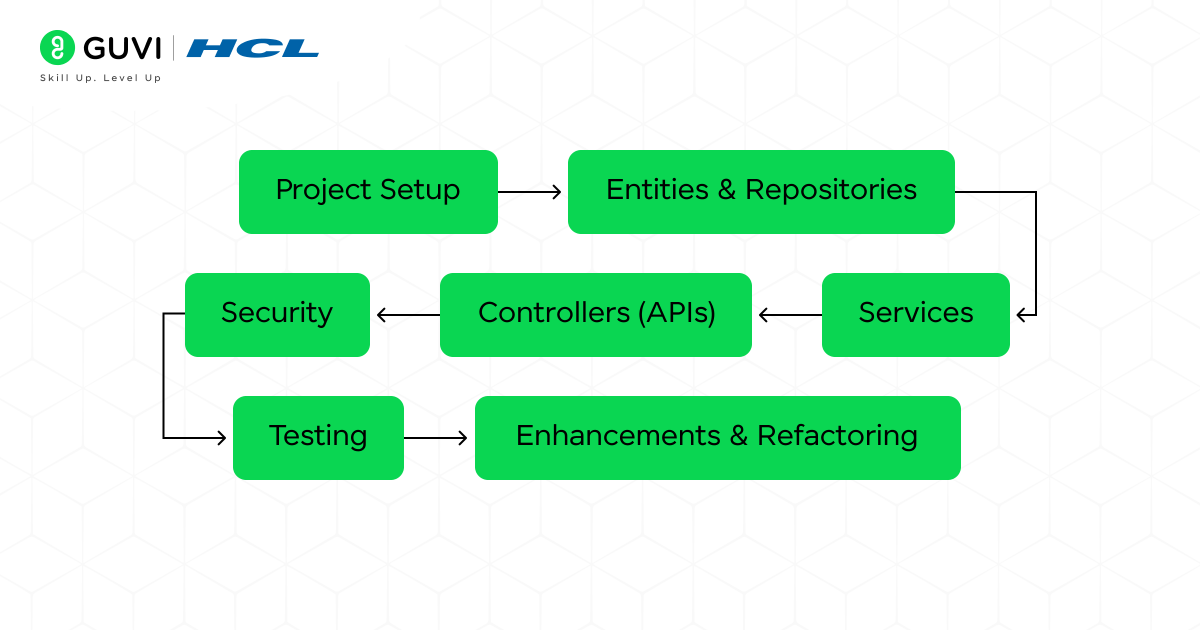
Spring Boot Cursor Vibe Prompt Pack:
These are ready-to-use plain English prompts you can drop into Cursor AI (Ctrl+K / Cmd+K) and get instant, usable Spring Boot code.

1. Project Setup & Boilerplate
- “Create a new Spring Boot application with Maven using Java 17, with dependencies for Spring Web, Spring Data JPA, Lombok, and H2 database.”
- “Add application.properties to connect to MySQL on localhost, port 3306, with username ‘root’ and password ‘root’.”
- “Enable CORS for http://localhost:3000 for all endpoints.”
2. Entities & Repositories
- “Create a JPA entity named Employee with fields: id (Long, primary key, generated), name (String), email (String, unique), department (String), salary (Double). Add validation annotations.”
- “Create a Spring Data JPA repository for Employee with methods to find by department and salary greater than a given value.”
- “Generate a JPA entity Product with @OneToMany relationship to Review entity.”
3. Services
- “Create a service layer for Employee with methods for create, update, delete, and get all employees, using constructor injection.”
- “Add transaction management to update and delete methods in EmployeeService.”
- “Refactor EmployeeService to throw a custom EmployeeNotFoundException if ID is not found.”
4. Controllers (APIs)
- “Create a REST controller for Employee with CRUD endpoints mapped to /api/employees.”
- “Add pagination and sorting support to the get all employees endpoint.”
- “Add validation error handling to the create employee endpoint, returning a proper JSON error response.”
- “Create an OrderController with endpoints for placing an order, cancelling an order, and listing all orders.”
5. Security
- “Configure Spring Security to require authentication for all endpoints except /login and /register.”
- “Add JWT authentication filter for incoming requests.”
- “Add role-based access control: ADMIN can add employees, USER can only view employees.”
- “Secure all controller methods with @PreAuthorize annotations based on roles.”
6. Testing
- “Write JUnit 5 tests for EmployeeService using Mockito to mock the repository.”
- “Generate integration tests for EmployeeController using MockMvc and H2 database.”
- “Add unit tests for the custom exception handler.”
- “Write tests for the OrderController ensuring unauthorized users cannot place an order.”
7. Utilities & Config
- “Add Swagger/OpenAPI 3 configuration to the project with UI available at /swagger-ui.html.”
- “Create a global exception handler using @ControllerAdvice.”
- “Write a DTO for Employee and a mapper class to convert between Employee entity and EmployeeDTO.”
- “Configure application.yml to use profiles: dev, test, prod with different database connections.”
8. Refactoring & Enhancements
- “Refactor EmployeeController to use ResponseEntity for all responses.”
- “Add logging using SLF4J to all service methods.”
- “Optimize repository queries to use JPQL instead of native queries.”
- “Convert all DTO classes to Java 17 records.”
9. Quick Debug & Fix
- “Find and fix N+1 query problems in this project.”
- “Add null checks to prevent NullPointerException in EmployeeService.”
- “Update all API responses to return a standard response format with status, message, and data fields.”
If you want to learn more about Full-stack development and become well-versed in Backend Development, consider enrolling in HCL GUVI’s IIT-M Pravartak certified Full-Stack Development Course with AI Tools, which provides you with all the resources and guidance to have a successful full-stack career!
Conclusion:
Spring Boot already makes backend development smooth, but when you combine it with Cursor AI, it becomes downright effortless. You’re no longer bogged down by boilerplate or repetitive tasks; instead, you describe what you need, and the AI builds it while respecting your team’s rules. From APIs and services to security and tests, Cursor acts like a dependable coding partner that vibes with your workflow. The result? Cleaner code, faster delivery, and more time to focus on the creative side of building applications. If you’re ready to code on vibes, Spring Boot + Cursor AI is the duo to try.
Success Stories

About the Author
Lavish Jain
A Professional Developer Mentor and Corporate Trainer with over 10 years of experience, I have contributed to technological advancements through comprehensive training and mentorship. My journey includes pivotal roles at Cluebix, Focus-4D,ThoughtWorks, and currently with Guvi -HCL Group, where I shape the careers of aspiring developers. I specialize in simplifying complex concepts, making them accessible to learners at all levels, and have successfully trained lakhs of budding developer through corporate and boot camp courses focused on full-stack development.
View all posts by Lavish Jain
Connect with me @













Did you enjoy this article?