


Selenium Articles
Selenium Framework Explained: From Basics to Best Practices
Fix Flaky Selenium Tests in Python with 6 Proven Ways


Get In Touch For Details! Request More Information
Page Object Model (POM) Design Pattern with Python Selenium: A Complete Guide
Sep 23, 2026 4 Min Read 4653 Views
(Last Updated)
Selenium tests often turn messy as projects grow. The Page Object Model fixes this by separating page logic from test logic. Each web page gets its own class, which holds the locators and actions for that page. Tests become shorter, cleaner, and easier to read.
Large test suites break easily when a single button ID changes. Teams end up fixing the same locator in ten different files. POM solves this problem by keeping all page details in one place, so a small UI change needs only one update.
Quick Answer:
The Page Object Model is a design pattern that keeps web page details separate from test code. Each page in your app gets its own class, and that class stores the locators and actions needed to interact with that page.
Your test scripts then simply call these methods instead of dealing with raw locators directly. This makes your Selenium tests shorter, easier to read, and much simpler to fix when the UI changes.
Table of contents
- What is Page Object Model (POM)?
- Key Benefits of POM:
- Folder Structure for POM
- Implementing POM in Python Selenium
- Step 1: Install Required Packages
- Step 2: Driver Setup (driver_factory.py)
- Step 3: Create Page Classes
- Step 4: Write Test Script (test_login.py)
- Step 5: Running the Tests
- Step 6: Advanced Enhancements
- Best Practices for POM in Python Selenium
- Conclusion
- FAQs
- What is Page Object Model in Selenium?
- Why should I use the Page Object Model instead of writing plain Selenium scripts?
- Is the Page Object Model only for Python Selenium, or does it work with other languages?
- Do I need Page Factory to implement POM in Python?
- Can beginners learn Page Object Model easily?
What is Page Object Model (POM)?
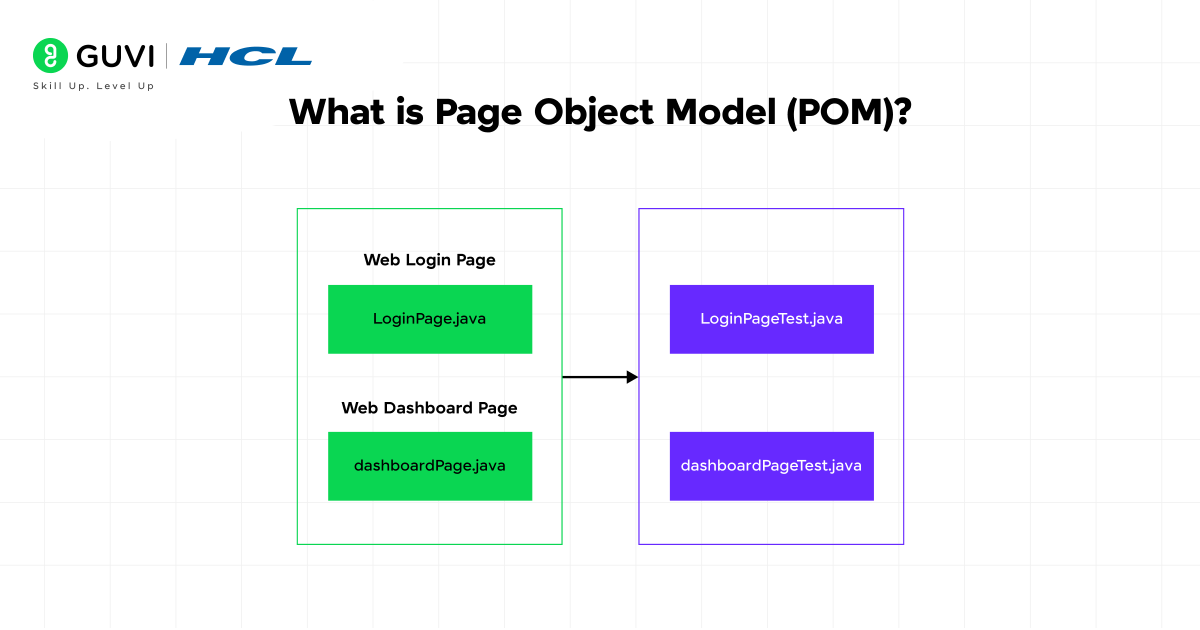
Page Object Model (POM) is a design pattern that creates an object repository for web UI elements. Each web page is represented as a class, and its elements are defined as variables. All possible interactions (like click, input, and get text) are implemented as methods within that class.
Key Benefits of POM:
- Separation of Concerns: Keeps locators and actions separate from test logic.
- Improved Maintainability: Update locators in one place.
- Code Reusability: Reuse common actions across tests.
- Better Readability: Tests are more readable and closer to business logic.
Ready to automate real web apps? HCL GUVI’s Selenium Automation Testing for Beginners Course teaches WebDriver, locators, and hands-on testing from scratch, with a certificate to boost your resume. Enroll now!
Folder Structure for POM
A clean directory structure is crucial for POM. Here’s a typical structure:
📦 project-root/
├── 📁 tests/
│ ├── 📝 __ init __.py # Empty init file
│ └── 📝 test_login.py # Test cases using Page Objects
│
├── 📁 pages/
│ ├── 📝 __ init __.py # Empty init file
│ ├── 📝 login_page.py # Page Object for Login Page
│ └── 📝 home_page.py # Page Object for Home Page
│
├── 📁 utils/
│ ├── 📝 __ init __.py # Empty init file
│ ├── 📝 driver_factory.py # Browser driver setup & teardown
│ └── 📝 config.py # Configurations (URLs, credentials)
│
├── 📁 reports/
│ ├── 📁 pytest_html/ # HTML report results
│ └── 📁 screenshots/ # Screenshots for failed tests
│
└── 📝 requirements.txt # Python dependencies
Want to build real software, not just study it? HCL GUVI’s Software and AI Engineer Programme trains you in full-stack or backend engineering, AI-assisted workflows, and live projects, with mentorship and placement support. Enroll now and start building your career today!
Implementing POM in Python Selenium
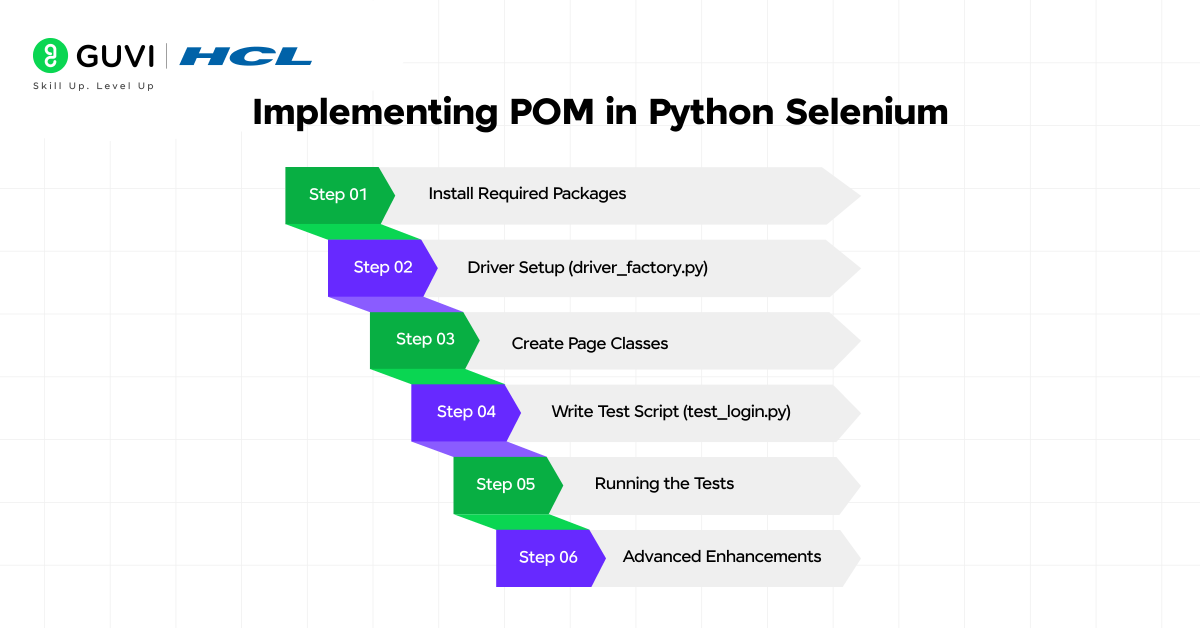
Let’s walk through an example of automating Amazon Login using POM.
Step 1: Install Required Packages
pip install selenium pytestStep 2: Driver Setup (driver_factory.py)
from selenium import webdriver

class DriverFactory:

    @staticmethod

    def get_driver():

        driver = webdriver.Chrome()

        driver.maximize_window()

        driver.implicitly_wait(10)

        return driver
Step 3: Create Page Classes
login_page.py
from selenium.webdriver.common.by import By

class LoginPage:

    def __init__(self, driver):

        self.driver = driver

        self.sign_in_link = (By.ID, "nav-link-accountList")

        self.email_field = (By.ID, "ap_email")

        self.continue_button = (By.ID, "continue")

    def click_sign_in(self):

        self.driver.find_element(*self.sign_in_link).click()

    def enter_email(self, email):

        self.driver.find_element(*self.email_field).send_keys(email)

    def click_continue(self):

        self.driver.find_element(*self.continue_button).click()
Step 4: Write Test Script (test_login.py)
import pytest

from pages.login_page import LoginPage

from utils.driver_factory import DriverFactory

class TestLogin:

    def setup_method(self):

        self.driver = DriverFactory.get_driver()

        self.driver.get("https://www.amazon.com")

    def teardown_method(self):

        self.driver.quit()

    def test_login_with_valid_email(self):

        login_page = LoginPage(self.driver)

        login_page.click_sign_in()

        login_page.enter_email("[email protected]")

        login_page.click_continue()

        assert "Authentication" in self.driver.title  # Example assertion
Step 5: Running the Tests
pytest tests/test_login.pyStep 6: Advanced Enhancements
- BasePage Class: For common actions like click(), send_keys(), get_text().
- PageFactory Pattern: To lazily initialize web elements.
- Logging & Reporting: Integrate Pytest HTML Reports.
- Environment Config: Manage URLs, credentials via config files.
Also Read: Selenium Framework Explained
Best Practices for POM in Python Selenium
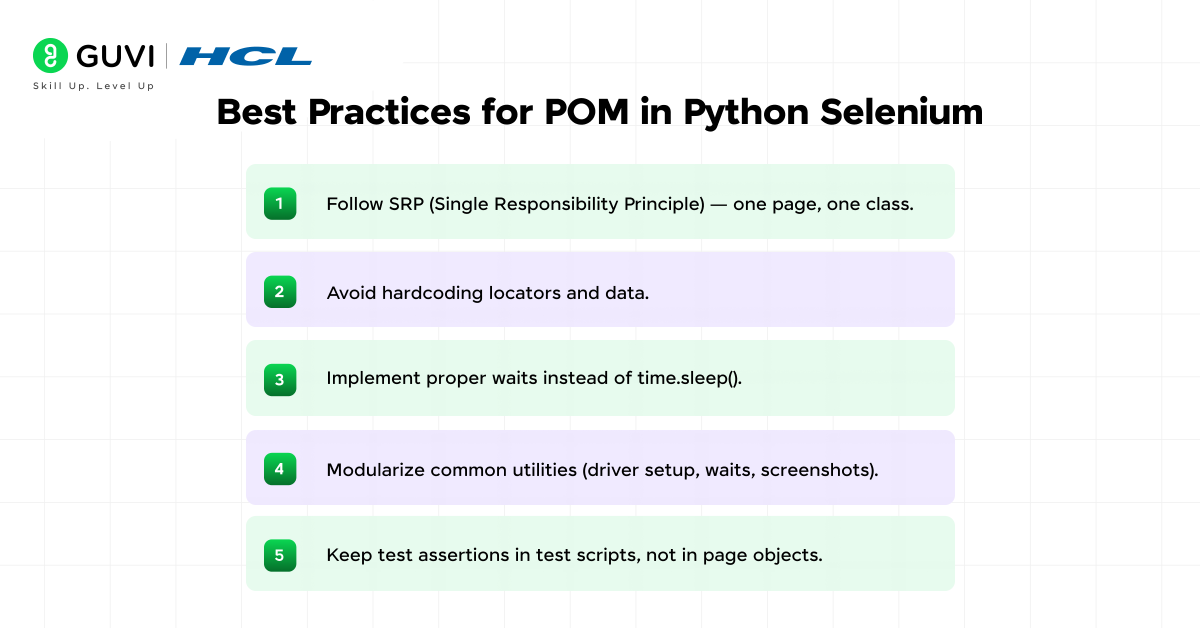
Here are the best practices to follow when using the Page Object Model in your Selenium test suite:
1. Follow SRP (Single Responsibility Principle)
Each page class should only handle one page. Mixing multiple pages in one class makes the code hard to maintain and confusing to debug.
2. Avoid Hardcoding Locators and Data
Locators and test data should live outside the test logic, in variables, config files, or separate objects. This makes updates fast when the UI or data changes.
3. Implement Proper Waits Instead of time.sleep()
Fixed sleep times slow down tests and still fail when the page loads faster or slower than expected. Explicit or fluent waits check for actual page conditions, so tests stay fast and stable.
4. Modularize Common Utilities
Put driver setup, wait functions, and screenshot capture in shared utility files. This avoids duplicate code and keeps every page object clean.
5. Keep Test Assertions in Test Scripts, Not in Page Objects
Page objects should only perform actions and return data. Assertions belong in the test file, since that keeps validation logic separate from page interaction logic.
Conclusion
Page Object Model turns messy Selenium scripts into clean, organized code that scales with your project. Once you build a few page classes and see how much easier maintenance becomes, going back to plain scripts feels impossible. A single locator change no longer means hunting through dozens of files, and new team members can read the tests without confusion.
FAQs
1. What is Page Object Model in Selenium?
Page Object Model is a design pattern that separates web page elements and actions from test scripts. Each page becomes its own class, making tests cleaner and easier to maintain.
2. Why should I use the Page Object Model instead of writing plain Selenium scripts?
Plain scripts repeat the same locators everywhere, so one UI change breaks many tests. Page Object Model keeps locators in one class, so updates take minutes, not hours.
3. Is the Page Object Model only for Python Selenium, or does it work with other languages?
The pattern works with Java, C#, JavaScript, and more. The core idea, separating page logic from test logic, stays the same across every language.
4. Do I need Page Factory to implement POM in Python?
No. Page Factory is a Java-specific feature. In Python, you implement the same idea using plain classes, locators, and methods, as shown in this guide.
5. Can beginners learn Page Object Model easily?
Yes. If you know basic Python and Selenium, you can start using this pattern right away. Small projects are the best way to practice it.
Success Stories













Did you enjoy this article?