


Software Automation & Testing Articles
How to Use Claude for A/B Testing Content Variations
Load Testing Your Application with k6: A Practical Introduction
Cypress Component Testing Tutorial: Test Your UI in a Real Browser, Not a Fake One
Manual Tester Roles and Responsibilities: 12 Important Duties for Career Growth


Get In Touch For Details! Request More Information

10 Limitations of Automation Testing in 2026: Guide for QA Engineers and Beginners
Sep 07, 2026 8 Min Read 14488 Views
(Last Updated)
Automation testing can run hundreds of repeatable checks faster than a person. It can verify login flows after every build, test APIs continuously and run the same regression suite across several browsers. But faster does not mean suitable for everything. An automated test only evaluates the conditions it has been designed to check. It does not naturally question whether a workflow feels confusing, notice an unexpected visual problem or explore a feature in the way an experienced tester might.
This is why the question “Can automation testing replace manual testing?” still has a simple answer in 2026: not completely. Modern automation tools are becoming more capable. Selenium continues to expand WebDriver BiDi support. Playwright now includes stronger reporting and testing workflows. Cypress is introducing tooling that can interact with AI-agent workflows. Yet these improvements do not remove the fundamental limitations of automation.
Understanding these limitations helps QA engineers decide what should be automated, what should remain manual and where a hybrid testing strategy delivers better results. If you are new to the field, start with this guide on who an automation testing engineer is and how to become one.
Quick Answer: The main limitations of automation testing include high setup costs, test maintenance, flaky scripts, limited exploratory testing and dependence on stable test data and environments. Automation testing speeds up repetitive testing but cannot completely replace human judgement in manual testing.
- Best for repetitive, stable and regression tests.
- Less effective for exploratory, usability and changing UI tests.
- Requires continuous script, environment and test-data maintenance.
- Works best when combined with manual testing.
Table of contents
- What Is Automation Testing?
- Automation Testing vs Manual Testing: Quick Comparison
- Top 10 Limitations of Automation Testing
- Not Every Test Case Should Be Automated
- Automation Requires High Initial Investment
- Automated Test Scripts Require Continuous Maintenance
- Dynamic Elements Can Make Tests Flaky
- Automation Has Limited Exploratory Ability
- Automation Cannot Fully Judge User Experience
- Debugging Failed Automation Can Take Time
- Mobile Automation Has Device and OS Fragmentation
- Automation Is Highly Dependent on Test Data and Environment Stability
- Automated Testing Still Depends on Human Decisions
- Limitations of Automation Testing at a Glance
- Automation Testing Tools in 2026
- When Should You Use Automation Testing?
- Repeated Frequently
- Stable
- Data-Heavy
- Business-Critical
- Time-Consuming Manually
- Required Across Many Environments
- When Is Manual Testing Better?
- How to Reduce the Limitations of Automation Testing
- Automate at the Right Level
- Use Stable Locators
- Keep Tests Independent
- Control Test Data
- Remove Obsolete Tests
- Track Flakiness
- Combine Automation With Exploratory Testing
- Top Limitations of Automation Testing in India in 2026
- Automation Test Engineer Salary in India in 2026
- Will AI Remove the Limitations of Automation Testing?
- Conclusion
- FAQs
- What are the main limitations of automation testing?
- Can automation testing replace manual testing?
- What cannot be automated in software testing?
- What is the biggest challenge in automation testing?
- Is automation testing still a good career in 2026?
What Is Automation Testing?
Automation testing uses scripts, frameworks and testing tools to execute predefined test cases with limited human intervention.
A test may:
- Open an application.
- Enter test data.
- Perform an action.
- Compare the actual result with an expected result.
- Mark the test as passed or failed.
For example, an automated login test can check whether valid credentials successfully open the user dashboard. Automation is particularly useful for:
- Regression testing
- Repetitive functional tests
- API testing
- Cross-browser testing
- Data-driven testing
- Continuous integration pipelines
- Performance testing
- Large repeatable test suites
It becomes less effective when a test depends heavily on human observation, unpredictable user behaviour or subjective judgement.
Automation Testing vs Manual Testing: Quick Comparison
| Factor | Automation Testing | Manual Testing |
|---|---|---|
| Execution speed | Fast for repeatable tests | Slower |
| Initial setup | High | Low |
| Repeated execution | Excellent | Time-consuming |
| Exploratory testing | Limited | Excellent |
| Human judgement | Limited | Strong |
| Regression testing | Excellent | Possible but repetitive |
| UI and usability assessment | Limited | Strong |
| Script maintenance | Required | No automation scripts |
| Large data-driven tests | Excellent | Difficult |
| Unexpected scenarios | Only partially handled | Tester can investigate immediately |
| Long-term cost | Can become cost-effective at scale | Labour cost continues with execution |
| Best use | Stable and repeatable workflows | New, changing or subjective workflows |
Automation and manual testing therefore solve different problems. The strongest QA strategy normally uses both.
Top 10 Limitations of Automation Testing
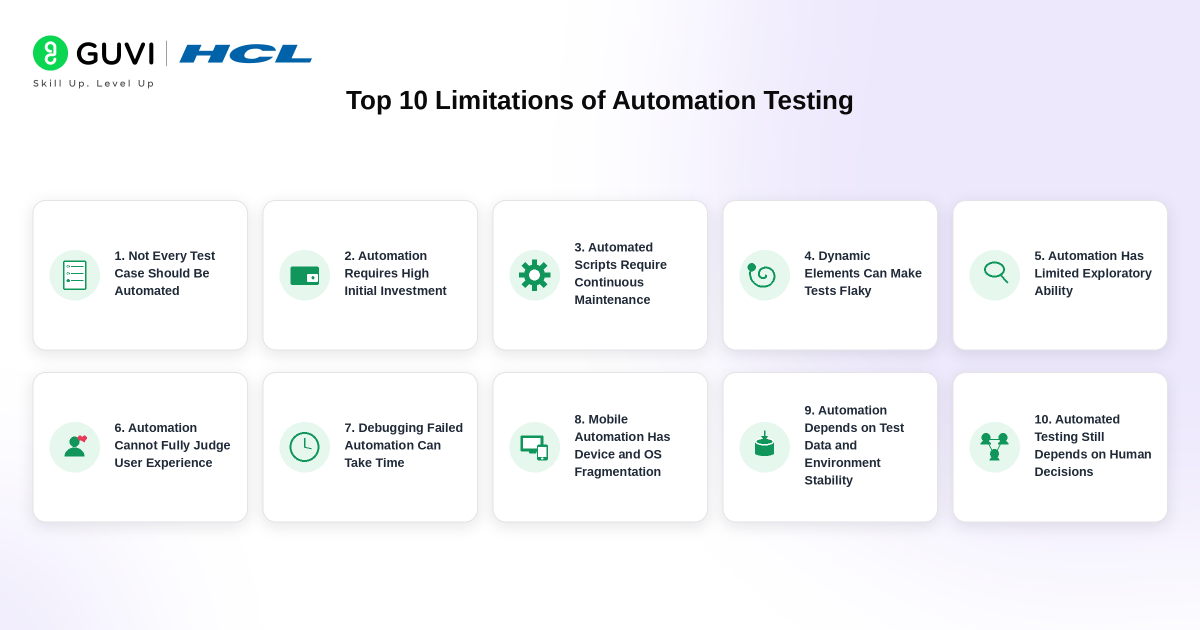
1. Not Every Test Case Should Be Automated
The first limitation is also one of the most important. Just because a test can technically be automated does not mean it should be. Automation testing performs best when the workflow is:
- Repetitive
- Stable
- Predictable
- Frequently executed
- Based on clear expected results
Consider a login test.
Enter username
→ Enter password
→ Click Login
→ Verify dashboard
This is a good automation candidate because the steps and expected result are clear.
Now consider:
Does this redesigned checkout process feel easier to use?
There is no simple pass/fail rule for that question.
A human tester can assess:
- Confusing instructions
- Poor wording
- Awkward navigation
- Unexpected visual behaviour
- User frustration
- Accessibility problems
Trying to automate every test creates unnecessary scripts and maintenance work.
A better strategy is to automate high-value repeatable scenarios and retain human testing where observation matters.
2. Automation Requires High Initial Investment
Automation can save execution time later, but creating a useful automation system requires upfront investment.
Teams may need to spend time and money on:
- Framework design
- Automation engineers
- Infrastructure
- Test environments
- CI/CD integration
- Cloud browsers or devices
- Test data
- Reporting systems
- Training
- Maintenance
Open-source tools may reduce licence costs, but they do not remove engineering costs.
A free automation framework still requires someone to:
- Design the tests
- Write the code
- Debug failures
- Maintain dependencies
- Manage environments
- Analyse reports
For a small application that changes rapidly or will only be tested a few times, building a large automated suite may cost more than the value it creates.
Before automating a project, teams should compare the expected maintenance effort with the number of times the test will actually run.
You can practise realistic use cases through these automation testing project ideas before designing larger test suites.
3. Automated Test Scripts Require Continuous Maintenance
Automated tests are software.
Like application code, they need maintenance.
Imagine a test containing:
Click #checkout-button
The development team changes the identifier to:
#continue-to-payment
The application may still work perfectly for users.
The automation test fails because the locator has changed.
Maintenance becomes more demanding when applications frequently change:
- Page structure
- Component names
- Selectors
- APIs
- Authentication flows
- Business rules
- Test data
- Browser behaviour
This creates test maintenance debt. A large suite containing thousands of brittle scripts can eventually consume so much engineering time that teams begin ignoring failures. Good test architecture can reduce this problem, but it cannot remove maintenance completely.
4. Dynamic Elements Can Make Tests Flaky
Modern applications frequently generate elements dynamically.
An element may:
- Load asynchronously
- Receive a changing ID
- Appear after an API response
- Move depending on screen size
- Render differently between sessions
Poorly designed locators may cause tests to fail even when the application itself is functioning correctly.
This is known as test flakiness.
For example, a fragile test might depend on:
div:nth-child(4) > button
A small layout change could break it.
More resilient approaches use stable selectors such as:
- Accessible roles
- Labels
- Dedicated test IDs
- Stable attributes
Modern frameworks have improved locator handling considerably. Playwright, for example, supports user-facing locators such as roles, labels and test IDs and automatically waits for many element conditions before actions. However, application architecture and unstable selectors can still create flaky automation.
Automation tools can reduce locator problems. They cannot guarantee that an unstable application will produce stable tests.
5. Automation Has Limited Exploratory Ability
Automated scripts follow instructions. Human testers explore. Suppose an automated checkout test contains these steps:
Add product
→ Open cart
→ Apply coupon
→ Pay
→ Verify confirmation
The script checks exactly that route.
A tester may behave differently.
They might:
- Remove the product after applying the coupon
- Press the Back button during payment
- Refresh the page
- Open another tab
- Change the quantity repeatedly
- Enter unusual characters
- Interrupt the workflow
- Switch networks
That behaviour may reveal a defect that nobody predicted while writing the test.
This is the central advantage of exploratory testing.
Humans can form a new hypothesis after observing something unusual.
Traditional automation cannot independently decide:
That delay looked strange. Let me investigate a completely different path.
AI-assisted testing is making automated exploration more capable, but human judgement still plays a major role in deciding whether an unexpected behaviour deserves further investigation.
6. Automation Cannot Fully Judge User Experience
A test can verify that a button exists.
Button visible = PASS
But is the button easy to notice?
Is its wording clear?
Does the screen feel overcrowded?
Is an animation distracting?
Does the form create confusion?
These questions require human judgement.
Automation can measure some UX-related properties, such as:
- Load time
- Element visibility
- Layout dimensions
- Accessibility rules
- Broken links
- Rendering differences
But it cannot fully reproduce how real users perceive an experience.
This becomes particularly important during:
- Usability testing
- Design validation
- Early prototypes
- New user journeys
- Accessibility reviews
- Visual quality checks
Automated accessibility scanners are useful as well, but they should complement rather than replace human accessibility testing.
7. Debugging Failed Automation Can Take Time
A failed automated test does not automatically mean the application contains a bug.
The failure could come from:
- Application defect
- Test-script defect
- Network timeout
- Missing test data
- Browser problem
- Environment failure
- Authentication issue
- Third-party dependency
- Incorrect assertion
- Infrastructure problem
This means engineers must investigate the failure.
For example:
Test: Payment completed successfully
Result: FAILED
The report alone may not reveal why.
The engineer may need to inspect:
- Screenshots
- Videos
- Browser traces
- Network requests
- Console logs
- Application logs
- Test data
Modern tools provide much better debugging information than older automation systems. Playwright includes Trace Viewer and reporting tools, while Cypress provides debugging and interactive test workflows.
But someone still has to interpret what went wrong.
This is why teams should track not only test execution time but also failure investigation time.
8. Mobile Automation Has Device and OS Fragmentation
Mobile testing creates another layer of complexity.
A mobile application may behave differently based on:
- Device manufacturer
- Screen size
- Operating system
- OS version
- Browser
- Network
- Permissions
- Hardware capabilities
- Orientation
Testing only one Android phone and one iPhone is rarely enough for a large consumer application.
Automation can help execute tests across device farms, but supporting more combinations increases:
- Infrastructure cost
- Execution time
- Test maintenance
- Debugging complexity
Native applications also interact with device-specific features such as:
- Camera
- GPS
- Notifications
- Biometrics
- Bluetooth
- Background services
Automating these workflows can require specialised environments and tools. The problem is therefore not that mobile automation is impossible. The challenge is maintaining meaningful coverage across a constantly changing device ecosystem.
9. Automation Is Highly Dependent on Test Data and Environment Stability
A stable test requires more than a good script. It also requires predictable data and infrastructure. Consider an automated test that checks whether a customer can use a discount code. It may fail because:
- The coupon expired
- Another test already used it
- The database was reset
- The account was locked
- The staging API was unavailable
None of these necessarily represents the bug the test was designed to detect. Good automation therefore requires careful test-data management.
Teams may need:
- Seed data
- Data cleanup
- Isolated accounts
- Mock services
- Dedicated test environments
- Database resets
- API stubs
As suites become larger, managing the environment can become as important as writing the tests themselves.
10. Automated Testing Still Depends on Human Decisions
Automation tools can execute tests. Humans decide what matters. A QA engineer still needs to determine:

- Which workflows are business-critical
- Which risks deserve deeper testing
- What should be automated
- What should remain manual
- Which failures are serious
- Whether coverage is sufficient
- When a test has become obsolete
This distinction becomes even more important with AI-assisted testing.
Modern testing tools are beginning to use AI for tasks such as test generation, maintenance and agent-assisted workflows. Playwright introduced Test Agents for planning, generating and healing tests, while Cypress has added capabilities designed to give AI agents access to an active Cypress testing session.
These tools can reduce repetitive work.
They do not remove the need for a QA engineer to understand:
- Product risk
- Business logic
- User behaviour
- Test strategy
- Release priorities
The question is therefore shifting from “Will automation replace testers?” to “Which testing decisions should humans make while automation handles repetitive execution?”
Limitations of Automation Testing at a Glance
| Limitation | Why It Happens | Best Response |
|---|---|---|
| Not every test is automatable | Some tests require judgement | Keep exploratory and UX testing manual |
| High initial cost | Framework and infrastructure setup | Automate high-ROI scenarios first |
| Script maintenance | Applications change | Use maintainable architecture and stable locators |
| Flaky tests | Timing, selectors and environments vary | Improve waits, selectors and isolation |
| Limited exploration | Scripts follow predefined paths | Combine with exploratory testing |
| Limited UX judgement | User perception is subjective | Conduct human usability reviews |
| Failure investigation | Test failure has many possible causes | Improve tracing and observability |
| Device fragmentation | Many devices and OS versions exist | Prioritise devices by user data |
| Environment dependency | Data and services change | Isolate and control test environments |
| Human decisions remain necessary | Tools do not understand all business risks | Maintain strong QA strategy |
Automation Testing Tools in 2026
Testing tools are evolving quickly, but newer versions do not eliminate the limitations discussed above.
| Tool | 2026 Version | Common Use |
|---|---|---|
| Selenium | 4.48.0 | Web browser automation |
| Playwright | 1.62 | End-to-end web testing |
| Cypress | 15.21.1 | Web application testing |
| Apache JMeter | 5.6.3 | Performance and load testing |
Selenium 4.48.0 is the latest stable Selenium release and was published Aug. 27, 2026. Cypress 15.21.1 was released Aug. 25, while Playwright’s current release notes list version 1.62. Apache continues to distribute JMeter 5.6.3 as its current release. The correct tool depends on the application and test requirement. A strong automation engineer should understand the testing problem before selecting a framework.
When Should You Use Automation Testing?
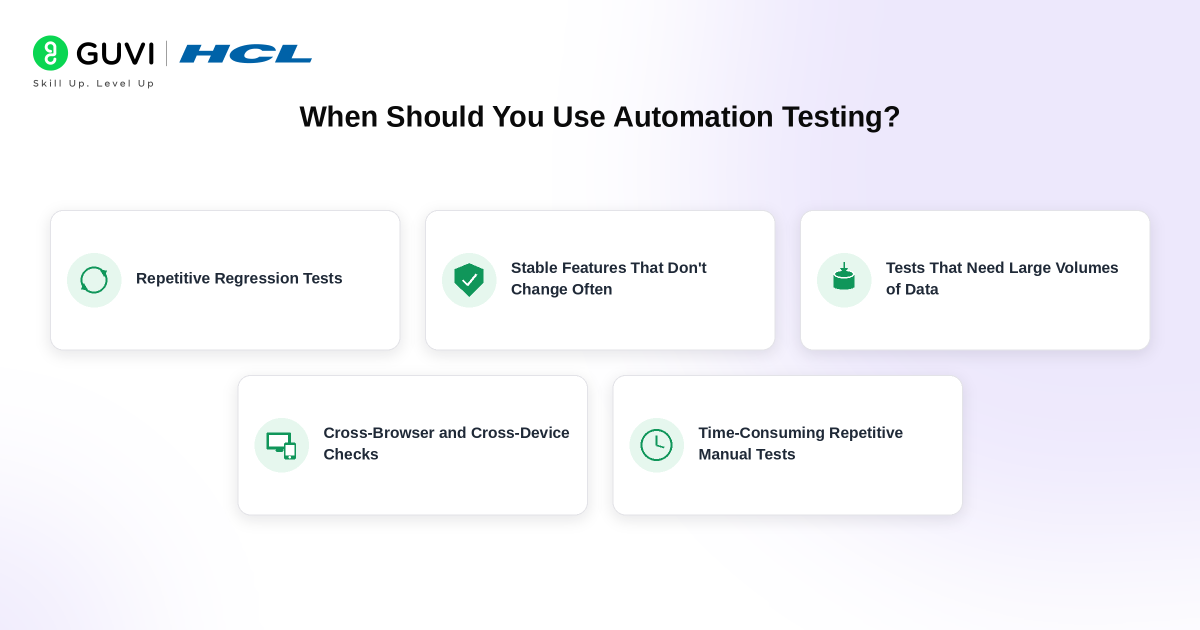
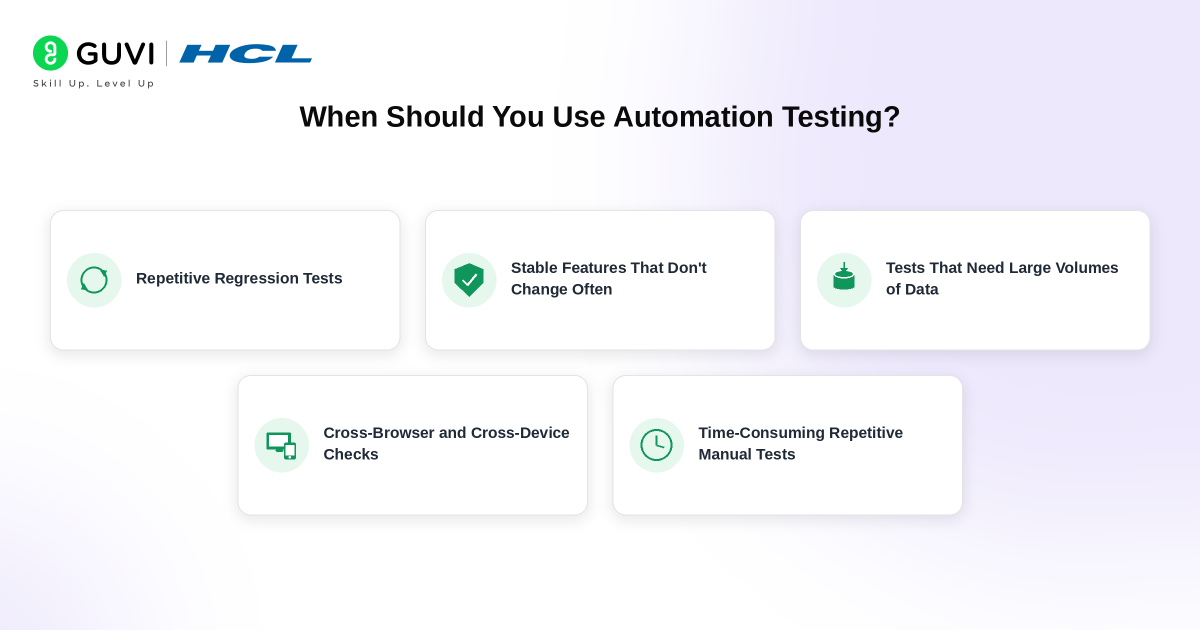
Automation testing delivers the most value when tests are:
1. Repeated Frequently
Regression tests that run after every release are excellent candidates.
2. Stable
If a feature changes every two days, automating it too early can create constant maintenance.
3. Data-Heavy
The same test can be executed against hundreds of input combinations automatically.
4. Business-Critical
Payment, authentication and checkout flows may justify frequent automated validation.
5. Time-Consuming Manually
A test that takes a person two hours but an automated suite ten minutes can deliver significant value over repeated runs.
6. Required Across Many Environments
Automation is helpful when the same workflow must be checked across browsers, operating systems or configurations.
When Is Manual Testing Better?
Manual testing remains valuable when:
- The feature is new
- Requirements are changing
- The test is exploratory
- User experience matters
- Visual quality requires judgement
- The scenario will run only once
- Human behaviour is difficult to predict
- The cost of automation exceeds its value
The goal is not to defend manual testing against automation. The goal is to select the most efficient approach for each risk.
How to Reduce the Limitations of Automation Testing
Automation limitations cannot be removed completely, but good engineering practices can reduce their impact.
1. Automate at the Right Level
Not every test needs to run through the browser.
A balanced test strategy can include:
- Unit tests
- API tests
- Integration tests
- UI tests
- Manual exploratory tests
UI automation is usually slower and more fragile than lower-level tests.
2. Use Stable Locators
Prefer stable, meaningful selectors over brittle DOM positions.
3. Keep Tests Independent
One test should not depend on another test completing first.
4. Control Test Data
Create predictable data and reset it when necessary.
5. Remove Obsolete Tests
A large test suite is not automatically a good test suite.
Delete tests that no longer protect meaningful behaviour.
6. Track Flakiness
Repeatedly rerunning failed tests until they pass hides quality problems.
Identify why tests are unstable.
7. Combine Automation With Exploratory Testing
Let automation repeatedly verify known behaviour. Let testers search for unknown problems. This division uses the strengths of both approaches.
Top Limitations of Automation Testing in India in 2026
Automation testing is widely used across India’s IT services, SaaS, fintech, e-commerce and product-development sectors.
The technical limitations remain the same globally, but Indian QA teams may also encounter practical challenges such as:
- Supporting large combinations of Android devices
- Testing applications across slower or unstable network conditions
- Maintaining legacy Selenium suites
- Integrating automation into existing CI/CD environments
- Finding the right balance between manual QA and automation engineering
- Managing automation skills across Java, Python and JavaScript ecosystems
For professionals, this means simply knowing how to run Selenium scripts is no longer enough. A strong automation profile in 2026 increasingly combines:
- Programming
- Web fundamentals
- API testing
- Test design
- CI/CD
- SQL
- Debugging
- Browser automation
- Performance-testing fundamentals
- Understanding of AI-assisted testing workflows
Automation Test Engineer Salary in India in 2026
Glassdoor reports an average base salary of approximately ₹6 lakh per year for Automation Test Engineers in India, with a typical base-pay range of about ₹5 lakh to ₹9 lakh per year. Recent individual submissions vary considerably based on experience, employer and city.
Salary alone should not determine the career path. Engineers who can design automation frameworks, debug complex failures and understand the complete QA lifecycle generally bring more value than those who only know tool syntax.
Will AI Remove the Limitations of Automation Testing?
AI will reduce some automation problems, but it is unlikely to remove all of them.
AI-assisted tools can help with:
- Generating test cases
- Suggesting locators
- Analysing failures
- Creating test plans
- Repairing some broken tests
- Exploring application states
For example, Playwright’s Test Agents include planner, generator and healer workflows intended to assist with test creation and repair. Cypress has also introduced tooling that allows AI agents to interact more directly with its testing environment.
But AI-generated tests still require validation. A generated test can be technically correct while checking the wrong business requirement. The future of QA is therefore likely to involve more intelligent automation combined with stronger human oversight, rather than fully autonomous testing with no tester involvement.
Build stronger automation testing skills to understand the real limitations of test automation in 2026 with HCL GUVI’s Selenium with Python Course. Learn Selenium, Python-based test automation, QA workflows, test scripting, debugging, and real-world automation practices through structured training designed for QA engineers and beginners.
Conclusion
Automation testing is powerful because it can execute repeatable checks faster, more consistently and at a larger scale than manual execution. Its limitations appear when teams expect automation to do something it was never designed to do.
Automation cannot automatically understand every user intention, recognise every unexpected problem or decide which product risk deserves attention. Scripts also require maintenance, stable environments and careful test design. The better approach in 2026 is not automation versus manual testing.
It is deciding which work should be automated and where human judgement creates more value. Automate stable, repetitive and high-value checks. Use manual testing for exploration, usability and unpredictable scenarios. Then use modern tools and AI-assisted workflows to reduce repetitive effort without removing thoughtful QA decision-making.
FAQs
What are the main limitations of automation testing?
The main limitations of automation testing include high initial setup effort, ongoing script maintenance, flaky tests, dependency on stable test environments, limited exploratory testing and difficulty evaluating subjective aspects such as usability. Automated tests also verify mainly the scenarios they have been designed or generated to examine.
Can automation testing replace manual testing?
No. Automation testing is excellent for repetitive regression checks, data-driven tests and large repeatable workflows. Manual testing remains valuable for exploratory testing, usability assessment and scenarios that require human judgement. Most mature QA strategies combine both approaches.
What cannot be automated in software testing?
Technically, many interactions can be automated, but some are poor automation candidates. Exploratory testing, subjective usability assessments, early prototypes and one-time scenarios often provide greater value when tested manually. The decision should be based on risk and return on automation effort rather than technical possibility alone.
What is the biggest challenge in automation testing?
Maintenance is one of the biggest long-term challenges. Applications, browsers, APIs and test environments change over time. Automated scripts must change with them. Poorly designed suites can therefore generate frequent false failures and require significant debugging effort.
Is automation testing still a good career in 2026?
Yes. Automation testing remains an important part of modern software development because companies continue to need fast regression testing and quality checks inside CI/CD pipelines. However, QA professionals benefit from learning programming, API testing, CI/CD, debugging and modern tools rather than relying on only one automation framework.
Success Stories

About the Author
Vaishali
I'm a seasoned writer with four years of experience across technical, non-technical, and just about every genre or niche you can imagine. Adaptable and curious, I enjoy exploring new topics and making information engaging and easy to understand. Fueled by a steady stream of tea, I approach each project with creativity, reliability, and genuine enthusiasm for storytelling.
View all posts by Vaishali
Connect with me @
















Did you enjoy this article?