


Uncategorised Articles
Q-Learning Explained: A Beginner's Guide
Claude for Code Documentation with JSDoc


Get In Touch For Details! Request More Information

How Teachers Use Claude to Create Lesson Plans
Aug 17, 2026 4 Min Read 367 Views
(Last Updated)
Teachers use Claude to create lesson plans by describing the subject, grade level, and learning objective, then asking Claude to draft a structured plan with an introduction, main activities, and an assessment or wrap up. Claude can also help adapt a plan for different skill levels, suggest discussion questions, or turn a topic into a full class outline. It does not replace a teacher’s judgment about their own students or curriculum requirements, but it removes a lot of the blank page problem that makes lesson planning slow.
Table of contents
- TL;DR
- Why Teachers Are Turning to Claude for Lesson Planning
- How Teachers Use Claude to Build a Lesson Plan
- Using Claude for Specific Subjects
- Where Claude Cannot Replace a Teacher's Judgment
- Tips for Getting Better Lesson Plans from Claude
- Common Mistakes Teachers Should Avoid
- Key Takeaways
- Conclusion
- FAQs
- Can Claude create a full lesson plan from just a topic?
- Does Claude know specific curriculum standards?
- Can Claude adjust a lesson for different skill levels?
- Is it safe to use Claude generated lesson plans without changes?
- What subjects work best for using Claude in lesson planning?
TL;DR
- Claude can help teachers draft lesson plans faster by organizing objectives, activities, and materials into a clear structure.
- It works well for adapting existing lesson plans to different grade levels or learning styles.
- Teachers can use it to generate discussion questions, quizzes, and homework ideas aligned with a lesson topic.
- It still needs a teacher’s review and judgment, since it does not know the specific classroom, students, or curriculum standards unless told.
- Used well, it cuts down the time spent on planning so teachers can focus more on actually teaching.
Teachers wanting to get more out of tools like this for classroom work can look into HCL GUVI’s Artificial Intelligence & Machine Learning Course, which covers practical ways to use AI tools beyond simple one line prompts.
Why Teachers Are Turning to Claude for Lesson Planning
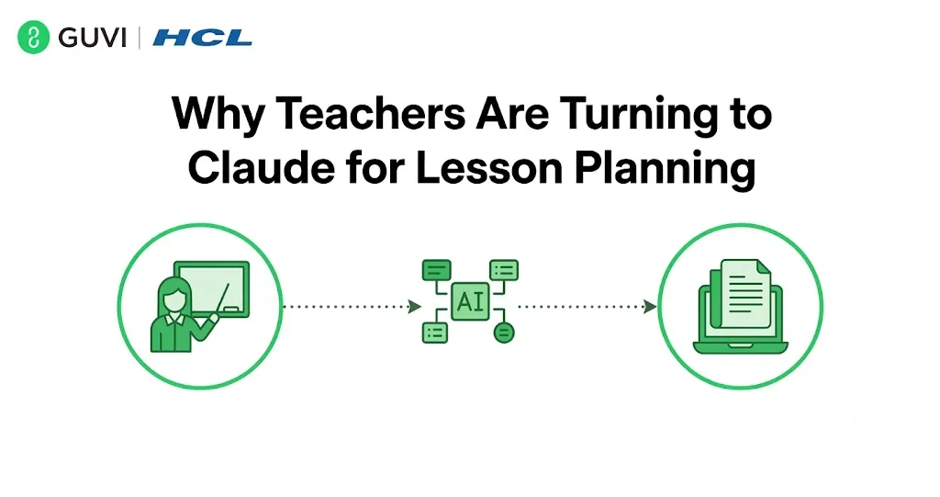
Lesson planning takes up a lot of a teacher’s time outside actual classroom hours, and most of that time goes into things like structuring the flow of the class, coming up with activities, and writing out questions for discussion or assessment.
Claude can take on the first draft of that work. A teacher explains what they are teaching and to which grade, and Claude puts together a starting structure that the teacher can then adjust based on what they know about their students.
This does not remove the teacher from the process, it just moves them from writing everything from scratch to editing and refining something that is already roughly in shape.
Read More: Claude Skills Made Simple: Create Your First Skill in Minutes
Research on lesson design has shown that having even a rough draft to react to, rather than starting from a blank page, significantly speeds up planning time for teachers, since editing and adjusting is mentally easier than generating ideas from scratch.
How Teachers Use Claude to Build a Lesson Plan
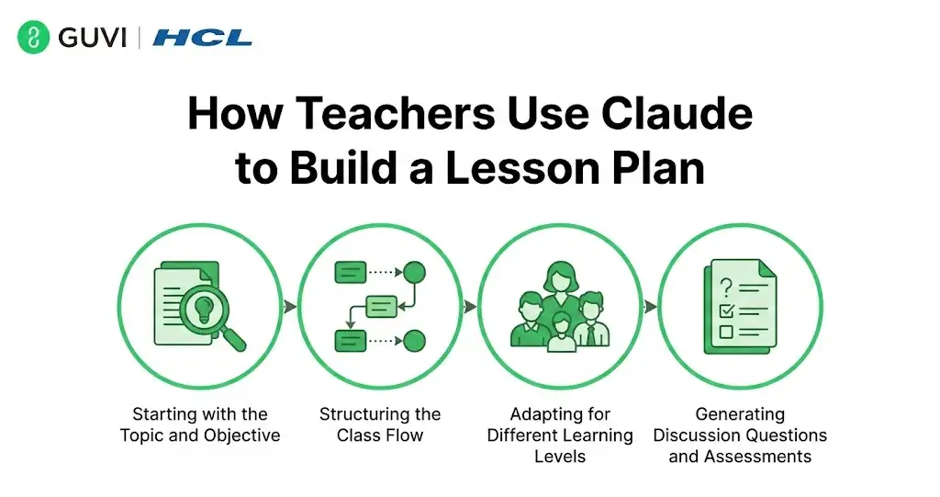
- Starting with the Topic and Objective
Most teachers begin by telling Claude the subject, grade level, and what students should be able to do by the end of the lesson. For example, a teacher might explain that they are teaching photosynthesis to seventh graders and want students to be able to explain the process in their own words by the end of class.
Claude then builds a plan around that objective instead of just listing generic facts about the topic.
- Structuring the Class Flow
A typical lesson plan needs an opening hook, a main teaching section, guided practice, and a closing activity. Teachers often ask Claude to lay out this structure with rough time estimates for each part, which helps them see the whole class at a glance before filling in the details.
- Adapting for Different Learning Levels
One thing teachers use Claude for often is adjusting the same lesson for different groups. A teacher might ask for a simpler version of an activity for students who need more support, and a more advanced version for students who are ahead. Claude can produce both versions from the same base lesson instead of the teacher writing two plans separately.
- Generating Discussion Questions and Assessments
Coming up with good discussion questions or a short quiz at the end of class takes time on its own. Teachers often ask Claude to generate a set of questions tied directly to the lesson objective, then pick and adjust the ones that fit their class best.
Teachers wanting to get more out of tools like this for classroom work can look into HCL GUVI’s Artificial Intelligence & Machine Learning Course, which covers practical ways to use AI tools beyond simple one-line prompts.
Using Claude for Specific Subjects
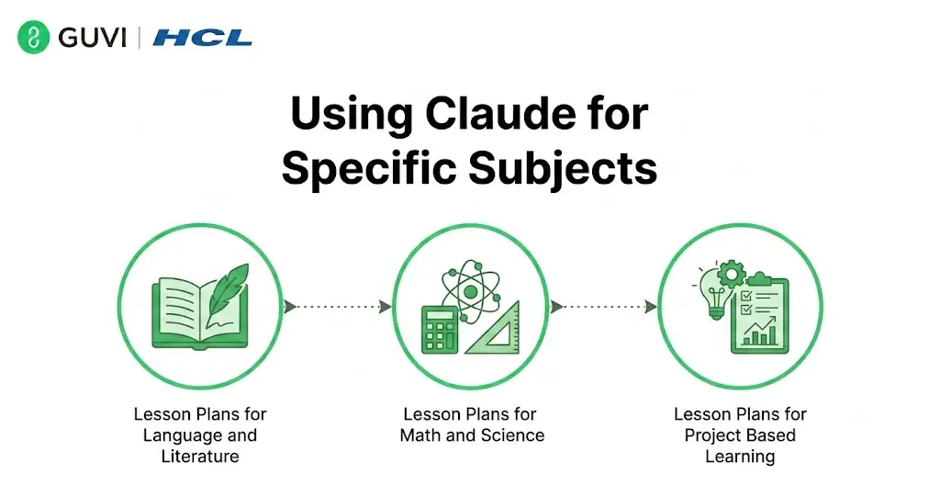
- Lesson Plans for Language and Literature
For literature or language classes, teachers use Claude to draft discussion questions about a text, create vocabulary exercises, or outline a lesson comparing two pieces of writing.

- Lesson Plans for Math and Science
For math and science, teachers often ask Claude to break down a concept into a step-by-step teaching sequence or to generate practice problems at a specific difficulty level.
- Lesson Plans for Project-Based Learning
For project-based lessons, Claude can help outline the phases of a project, the checkpoints along the way, and a rubric for how the final work should be assessed.
A lot of the time saved by teachers using AI for planning does not come from the topic research itself, but from the formatting and structuring work that usually takes just as long as the actual content.
Where Claude Cannot Replace a Teacher’s Judgment
Claude does not know a specific classroom, a specific group of students, or the exact curriculum standards a school follows unless it is told directly. It also cannot judge how a real class will respond to an activity on a given day.
This means the lesson plans Claude produces are a strong starting draft, not a final version. A teacher still needs to review it, adjust it for their students, and make sure it fits any required standards or school guidelines.
Tips for Getting Better Lesson Plans from Claude
- Give the exact grade level and subject, since general prompts lead to generic plans.
- Mention any curriculum standard or textbook the lesson needs to align with.
- Ask for multiple versions of an activity if the class has a wide range of skill levels.
- Ask Claude to explain why it structured the lesson a certain way, which often reveals gaps you can adjust.
Common Mistakes Teachers Should Avoid
- Using the first draft exactly as generated without adjusting it for the actual class.
- Leaving out important details like class size, available materials, or time limits.
- Not checking generated facts or examples for accuracy before using them in class.
- Relying on Claude for the full lesson without adding personal teaching style or classroom-specific context.
Key Takeaways
- Claude helps teachers move faster from a blank page to a structured lesson plan.
- It is useful for adapting lessons across skill levels and generating discussion questions or assessments.
- It does not know a school’s specific curriculum or a class’s specific needs unless told directly.
- Teachers still need to review and adjust generated plans before using them in class.
Conclusion
Claude works well as a starting point for lesson planning, handling the structuring and drafting work that usually takes up a lot of a teacher’s time. It is not a substitute for a teacher’s knowledge of their own students or their curriculum requirements, but it does remove a lot of the friction that makes planning slow. Used thoughtfully, it gives teachers more time to focus on the parts of teaching that actually need their attention in the classroom.
FAQs
1. Can Claude create a full lesson plan from just a topic?
Yes, Claude can build a full plan once given the topic, grade level, and learning objective, though it works best with some added detail about the class.
2. Does Claude know specific curriculum standards?
Not unless it is told directly, so teachers need to mention any specific standard or requirement they want the lesson to follow.
3. Can Claude adjust a lesson for different skill levels?
Yes, teachers often ask for an easier and a more advanced version of the same lesson, and Claude can generate both from the same base plan.
4. Is it safe to use Claude generated lesson plans without changes?
No, plans should always be reviewed and adjusted, since Claude does not know the specific class or students it is planning for.
5. What subjects work best for using Claude in lesson planning?
It works across most subjects, including language, math, science, and project based learning, though the level of detail needed varies by topic.
Success Stories

About the Author
Vishalini Devarajan
An Aerospace Engineer turned content writer, I focus on making complex concepts easy to understand through well-structured, reader-friendly blogs. Whether it’s a technical topic or a non-technical one, I love creating content that is clear, engaging, and impactful.
View all posts by Vishalini Devarajan
Connect with me @














Did you enjoy this article?