


Web Development Articles
How to Use Firebase Firestore for Real-Time Data in Web Apps
Web Designing Roadmap 2026: Best Guide to Become a Successful Web Designer


Get In Touch For Details! Request More Information

PHP Array Length: A Complete Guide to Finding Array Length in PHP [With Examples]
Jun 15, 2026 4 Min Read 2476 Views
(Last Updated)
Arrays are one of the most vital data structures in PHP. Due to their versatility and flexibility, they often act as an integral part of many PHP applications, whether it is a small project or a scalable software platform. But what makes them so special from a development perspective?
The simple and straight answer to this is their data storage capabilities and managing them in an efficient way by proper memory allocation. They can be very advantageous in performing multiple tasks like simplifying the data handling, looping, filtering the properties, and performing complex computations on collections of different information.
In PHP, Arrays can be of various types: indexed arrays (each element is assigned a number), associative arrays (instead of numbers, each element has its own unique name or ID to prevent operational conflict ), and multi-dimensional arrays (these are arrays within arrays; basically, each element itself is an array, a nested structure).
But how to find or calculate PHP array length? In this blog, our core focus will be on answering this question, along with the best code examples.
Table of contents
- What is Array Length in PHP, and Why is it Significant?
- Different Methods in PHP Array Length
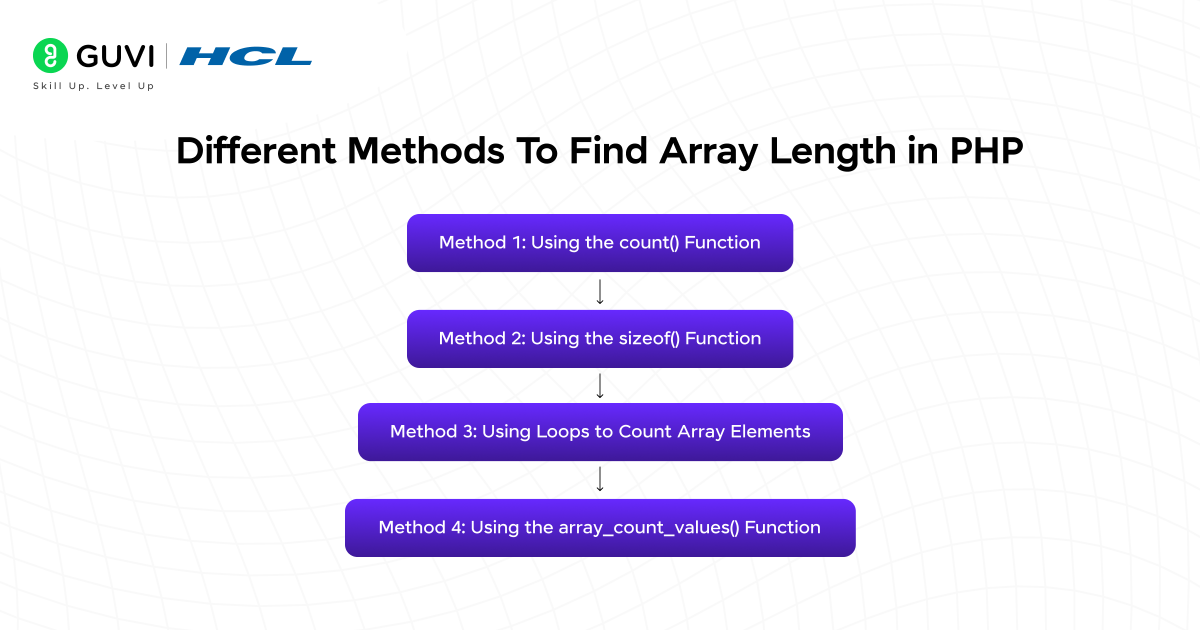
- Method 1: Using the count() Function
- Method 2: Using the sizeof() Function
- Method 3: Using Loops to Count Array Elements
- Method 4: Using the array_count_values() Function
- Common Mistakes to Avoid When Counting Array Length
- Conclusion
- FAQs
- What is the easiest way to find the length of an array in PHP?
- What is the difference between count() and sizeof() in PHP?
- Can array_count_values() be used to get the total number of elements in an array?
What is Array Length in PHP, and Why is it Significant?
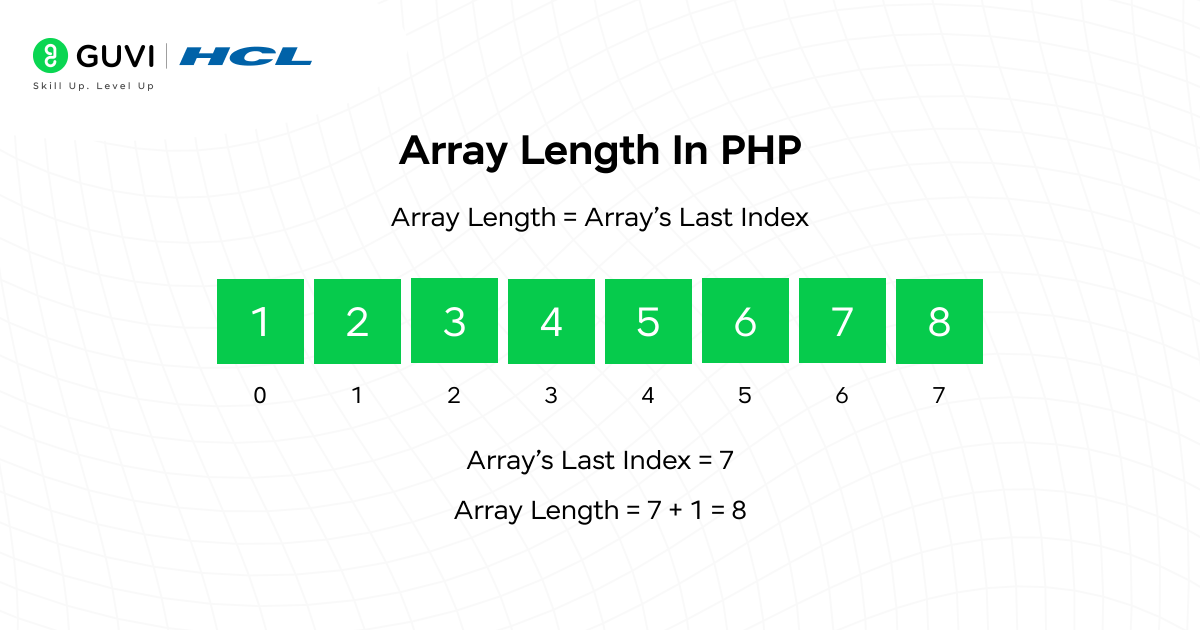
The length of an array in PHP, also known as the size of the array, is the total of all elements present in the array. But why is it important for us to calculate or determine the array length? Let’s have a look.
Imagine that you are solving a coding problem and there is a requirement to iterate over each element or traverse across the elements in a sequential order. In this case, you need to know the exact number of times the loop is going to run. Therefore, calculating the array length becomes essential. Its significance is not just limited to this particular reason; there are several use cases, such as validating an array is empty or not, assessing the data type of each element, or performing mathematical tasks such as average order value calculation, user engagement rate, error rate percentage, or retention rate of customers.
Developers can extensively use array lengths in designing and developing dynamic applications where the number of elements plays a crucial role by directly affecting the data processing and manipulation. For a better comprehension: if a shopping cart has zero product items in it, the app will display an empty cart icon or message in the user interface (UI); if it has a certain number of items, then it will show the exact numbers and can enable scrolling or pagination.
So now let us explore all the effective methods that PHP provides for finding the length of an array.
Different Methods in PHP Array Length
Method 1: Using the count() Function
The count() function is the most widely used and easiest method of all to find the length of the array. It is a built-in function provided by PHP itself, and it is implemented to count all the elements residing inside an array.
Code:
{
<?php
$fruits = [“Apple”, “Banana”, “Orange”];
$length = count($fruits);
echo “Total fruits: “. $length; // Output: 3
?>
}
Explanation: Here, the $fruits is an array variable that contains three (3) elements. The count function used in this code will calculate the total number of elements and store the numerical value in $length variable. And the echo (language construct) will print the output “Total fruits: 3” on the screen.
Method 2: Using the sizeof() Function
The sizeof() function serves the exact purpose as the count() function. This function also returns the same output by calculating the total number of elements in an array.
Code:
{
<?php
$fruits = [“Apple”, “Banana”, “Orange”, “Mango”];
$length = sizeof($fruits);
echo “Total fruits: “. $length; // Output: 4
?>
}
Explanation: Here the size of the array is four (4), i.e $fruits array has four (4) items in it. Developers most often use this method because it provides better readability.
Method 3: Using Loops to Count Array Elements
In some cases, developers or programmers prefer to count the total number of array elements manually, utilizing a loop, especially when they feel the need to build a custom logic or algorithm where counting is involved (for instance, counting only the specific items based on conditional statements).
Code:
{
<?php
$fruits = [“Apple”, “Banana”, “Orange”, “Grapes”];
$count = 0;
foreach ($fruits as $fruit) {
$count++;
}
echo “Total fruits: ” . $count; // Output: 4
?>
}
Explanation: This method involves more line code, but it’s helpful when you need to include conditions. In this specific example, you can see that the $count variable is initialized with the value 0.

The foreach loop traverses through all the elements of the $fruits array in sequential order and increases the $count by one (1) each time. After the operation of the loop gets finished, the $count variable stores the number of elements, which is four (4) in this case.
// Additional Method //
Explore: Convert Object to Array in PHP: Techniques and Examples
Method 4: Using the array_count_values() Function
The array_count_values() function is not a method for counting the length of the array. But we are including it because it is somewhat related to the concept of calculating the length of an array in PHP. This function’s primary purpose is to compute how many times each value appears in the array rather than calculating each element.
For better understanding: When we are even calculating the number of appearances of each elemnt in the array, in that process also we are calculating the length but the catch is we are not considering the multiple occurrences of each element (i.e, if the digit two (2) appears 3 times, then this method will consider it as one (1) ).
Code:
{
<?php
$fruits = [“Apple”, “Banana”, “Apple”, “Orange”, “Banana”];
$valueCounts = array_count_values($fruits);
echo “Total unique fruit types: “. count($valueCounts); // Output: 3
// To display how many times each fruit appears
print_r($valueCounts);
/*
Output:
Array
(
[Apple] => 2
[Banana] => 2
[Orange] => 1
)
*/
?>
}
Explanation: Carefully observe the line of code in this example. Here, the $fruits array variable consists of repeated elements. So, in this case, the array_count_values() function returns an associative array, where the keys are the unique fruit names and the values are their counts.
The count($valueCounts) function here is used to reflect the total number of unique fruits present inside the array, which in this case is three (3).
Common Mistakes to Avoid When Counting Array Length
The following are the most common mistakes programmers often encounter while calculating array length:
- Confusing array_count_values() with total array length.
- Forgetting to use COUNT_RECURSIVE for multidimensional arrays.
- Assuming sizeof() is different from count().
- Not initializing counters in manual loops.
- Accessing elements beyond the array length.
- Counting elements in empty or non-array variables.
Don’t just limit yourself to programming; expand your breadth of knowledge by getting into developing real-world full-stack projects that enhance your chances of getting hired. If you are someone who is looking for the right platform with expert guidance and career support, then join HCL GUVI’s IITM Pravartak Certified MERN Full Stack Development Course with AI Integration. Master the in-demand software tools and solidify your learning.
Conclusion
Knowing how to find the length of an array is a key skill for any PHP developer. Functions like count() and sizeof() make it easy to get the total number of elements, while loops allow for more customized counting when needed. array_count_values() comes in handy when you want to track unique values or their frequency. By using these methods correctly, you can handle arrays efficiently, avoid common mistakes, and make your PHP applications more dynamic, reliable, and easier to maintain.
FAQs
What is the easiest way to find the length of an array in PHP?
The easiest method is using the count() function, which returns the total number of elements in both indexed and associative arrays.
What is the difference between count() and sizeof() in PHP?
There is no functional difference. sizeof() is simply an alias of count(), so both return the same result.
Can array_count_values() be used to get the total number of elements in an array?
Not directly. array_count_values() counts how many times each value occurs, so it’s mainly used to find the number of unique elements, not the total length.
Success Stories





































Did you enjoy this article?