


Artificial Intelligence and Machine Learning Articles
Finance Manager to Data Analytics: Career Growth, Salary and Seniority
How to Evaluate LLM Outputs in Production Deployments
AI/ML Skills Gap 2026: Why Companies Can't Find Job-Ready Talent
20 AI/ML Interview Questions Recruiters Can Use Without a Tech Background - Best Guide


Get In Touch For Details! Request More Information
Google Stitch: AI Tool for UI Design & Prototyping
Aug 18, 2026 5 Min Read 1754 Views
(Last Updated)
Traditionally, designing UIs has been a layered process involving problem exploration, wireframing, visual design, prototyping, and development. While each stage improves clarity, it also requires significant time and effort.
With Google Stitch, this process starts differently. Instead of beginning with wireframes, you start with intent, and the system generates a structured UI based on what the interface is meant to achieve.
This removes the initial struggle and shifts the process from building interfaces manually to guiding systems that build them for you.
In this post, let’s explore how Google Stitch works and how it helps move from idea to prototype faster.
Table of contents
- TL;DR
- How Google Stitch Works (End-to-End Flow)
- The Shift to Vibe Design
- Prompt-Driven UI Design: The Core Mechanism
- Key Features That Define Google Stitch
- Speed vs Quality Tradeoff
- When Should You Use Google Stitch?
- Real Workflow Example (Idea to UI to Code)
- The Bigger Shift: Instruction-Based Design
- Future of AI in UI and UX Design
- Conclusion
- FAQs
- What is Google Stitch used for?
- Is Google Stitch suitable for beginners?
- Does Google Stitch replace UI designers?
- Can Google Stitch generate complete applications?
- What is vibe design in Google Stitch?
- Is Google Stitch free?
TL;DR
- Google Stitch is an AI-powered UI design tool that turns natural language into UIs, prototypes, and frontend code.
- It has a new design paradigm called vibe design, where intention replaces the manual process of designing layouts.
- It bridges the gap between idea, prototype, and development, accelerating product creation.
- It is best suited for initial stages like ideation and prototyping, and is designed to help you move faster, but is not intended for the final design stage.
- The primary transition is from visual design to instruction-based thinking.
What is Google Stitch?
Google Stitch is an AI design assistant that converts text prompts and ideas into UI layouts, prototypes, and frontend-ready code. Instead of manually building interfaces, users simply describe what they want, and the system generates a structured user interface. It helps accelerate the journey from idea to prototype by combining design and development workflows in a single system.
How Google Stitch Works (End-to-End Flow)
To get the most out of Google Stitch, it is important to understand how the workflow operates. It is not a one-stop shop. It is a continuous flow of ideas and changes.
- Prompt to Design Generation
You start by describing what you want to design in natural language. The system reads your prompt to understand the desired layout, hierarchy, and structure. Learn how to write more effective prompts in Best Practices for Writing Better AI Prompts. - Design to Iteration
Once the system has created your UI, you can tweak and make any changes that you want using simple and specific prompts. Rather than re-designing the screen from scratch, you are only changing elements. - Design to Prototype
You are able to generate a functional, interactive prototype from the designs instantly, allowing you to test how the user experience will work without any extra tools. - Prototype to Code
Finally, the system will automatically generate front-end code, in most cases HTML and CSS, that you can start working with in development.
This entire process is a seamless loop, allowing you to turn ideas into prototypes and code faster than ever. You do not need to jump between multiple applications and processes to turn a raw idea into something tangible.
If you want a more practical walkthrough of building interfaces with Google Stitch, explore Design Mobile App UI with Google Stitch: The Complete Guide.
AI tools like Stitch can generate a complete user interface wireframe in under 90 seconds, while the same process done manually can take several hours.
By dramatically reducing design time, teams can experiment with more ideas instead of committing too early to a single design direction.
The Shift to Vibe Design
Perhaps the most interesting aspect of Google Stitch is the notion of vibe design. Traditionally, designers build a UI by manually defining each spacing rule, component, and arrangement. They define every detail from scratch, and all elements are under the direct control of the designer.
Stitch, on the other hand, focuses on you defining intent. What should the application look like, what should the mood of the application be like, and who is the user that will interact with this application?
Traditional Design
Design, Refine, Prototype
Stitch Design
Intent, Generate, Iterate
This design principle removes the reliance on the designer during the initial stages, as anyone can create what they want with the focus on what the application’s goal is, not how the application will be laid out. It also encourages experimentation, as the possibilities are extensive.
Prompt-Driven UI Design: The Core Mechanism
The quality of your design depends on the input prompt. Below is an outline of how you can form a quality prompt:
- The purpose or idea of the application
- The visual style or mood you want to explore
- The content to be displayed on the interface
- Optional references or constraints that should be taken into consideration
You are not designing the UI in the traditional sense. You will be stating the rules that it should abide by and how it should perform.
Design a mobile interface for a personal finance application. Clean, minimal design with high readability. Show total balance, recent transactions, and spending categories. Assume the user is a young professionals who manage their finances month after month with the intention of understanding their financial situation at a quick glance.
Key Features That Define Google Stitch
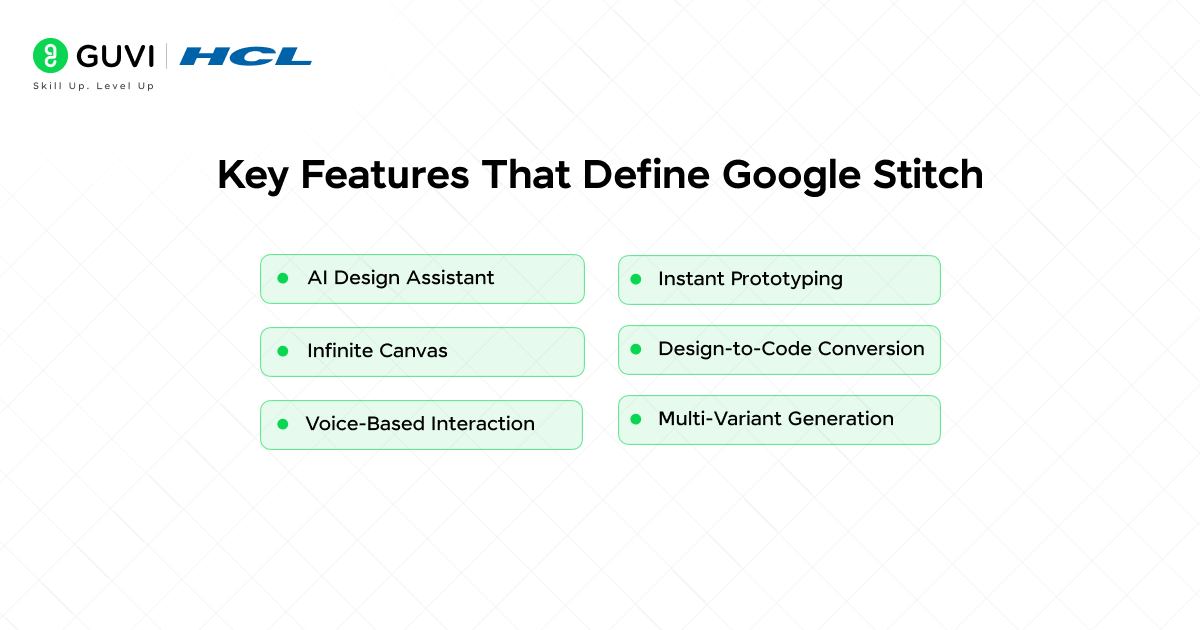
- AI Design Assistant
Your intelligent collaborator assists in designing multiple UI screens and identifying elements that may not work effectively. - Infinite Canvas
Maintain full context within one workspace. Your designs, prototypes, and generated code all exist together. - Voice-Based Interaction
Utilize natural language commands to communicate your requests and modify designs without manual effort. - Instant Prototyping
Static designs are quickly and seamlessly converted into functional interactive prototypes that users can easily test. - Design-to-Code Conversion
Your designs are translated to front-end code, which will be ideal to begin work in the development phase. - Multi-Variant Generation
The tool will generate several versions of a design with one request, giving you multiple options to choose from.
Speed vs Quality Tradeoff
With all the functionality and speed offered by Google Stitch, there are some limitations that should be kept in mind.

Strengths:
- Quick UI generation
- More approachable for less technically skilled people
- Faster to validate ideas
Weaknesses:
- Designs usually still require manual editing
- Multiple screens may sometimes look disjointed or incomplete
- The final output of the design is usually mid-fidelity rather than production-ready.
In a nutshell, Stitch provides a faster approach to idea generation. The results may not be suitable for production immediately, but they are useful to kickstart the design process.
Maintaining consistency while generating designs rapidly becomes easier when AI workflows are paired with structured systems. AI-Powered Prototyping with Design Systems explains this in detail.
When Should You Use Google Stitch?
Best Use Cases
- Early-stage product ideation
- Rapid prototyping
- MVP generation
- Concept validation
Worst Use Cases
- Final UI design for production
- Complex user flows
- Strict design system adherence
The best results come when Google Stitch is used alongside traditional workflows. To understand how AI accelerates interface creation and testing workflows, check out Rapid Prototyping with AI for Faster Web UI Design.
Real Workflow Example (Idea to UI to Code)

Consider the process you would use to create a travel app homepage.
Prompt
Design a mobile travel app homepage.
Theme: Bright, modern, and visually rich.
Content: Featured destinations, trending trips, and search bars.
Goal: Encourage the user to quickly begin exploring and booking trips.
Output Process
- A UI layout with clearly defined sections is generated.
- Multiple design variants are produced to explore different ways to structure and lay out the components.
- The selected design is turned into an interactive prototype.
- The code is exported so that it can be used by a developer.
Sample Code
<div class=”container”>
<header>
<h1>Explore Destinations</h1>
</header>
<section class=”search-bar”>
<input type=”text” placeholder=”Search places…” />
</section>
<section class=”cards”>
<div class=”card”>Paris</div>
<div class=”card”>Bali</div>
</section>
</div>
For those seeking more knowledge regarding AI-assisted design workflows and prompt engineering techniques, this ebook contains strategies to refine design outputs by structuring prompts effectively.
For a deeper understanding of AI-assisted prototype creation and workflow execution, read AI Prototyping Guide: How to Build Working Prototypes Faster.
The Bigger Shift: Instruction-Based Design
One of the most significant contributions Google Stitch provides is enabling instruction-based design over traditional visual design practices.
You will be able to describe desired components and layouts, and a tool will automatically create them instead of hand-crafting them through various tools. This transforms team workflows in several ways:
- Developers can create a quick UI prototype without needing to design first.
- Entrepreneurs can test and validate ideas quickly, on their own.
- Designers can focus on higher-level tasks like refinement and building scalable design systems.
This does not remove the need for designers but rather shifts their expertise and contributions to different stages of the process.
Future of AI in UI and UX Design
The future of AI in design is rapidly evolving. Several trends will emerge:
- Context-Aware Design Systems
AI design systems will move beyond single-screen compositions, understanding product ecosystems as a whole. - Real-Time Collaboration
AI-driven tools will transform into collaborative partners that work alongside designers instead of serving as passive tools. - End-to-End Product Generation
Entire products may be generated from an idea, with a minimal amount of manual input needed for deployment. - Personalized Interfaces
Dynamic UIs that adapt in real-time to the individual user’s behavior and needs.
If you want to leverage AI effectively, understanding its fundamentals is essential. HCL GUVI’s AI and Machine Learning course covers machine learning, prompt engineering, and AI workflows, helping you use tools like Google Stitch more strategically.
Conclusion
Google Stitch provides a powerful way to enhance the design process. The ability to go from concept to UI rapidly allows designers and other teams to work efficiently.
It is not a replacement for current tools, but rather a valuable addition that speeds up ideation and concept validation significantly. The best way to incorporate it into a workflow is to consider it as a foundation upon which to build, generating quickly and iterating intelligently.
FAQs
1. What is Google Stitch used for?
Google Stitch is used to generate UI designs, prototypes, and frontend code from natural language prompts.
2. Is Google Stitch suitable for beginners?
Yes, it is designed to be accessible for beginners and non-designers.
3. Does Google Stitch replace UI designers?
No, it assists in early-stage design but still requires human refinement for final output.
4. Can Google Stitch generate complete applications?
It can generate UI layouts and frontend code, but full applications require additional development work.
5. What is vibe design in Google Stitch?
It is a method where users describe intent and experience instead of layouts, allowing AI to generate UI.
6. Is Google Stitch free?
It is currently available through Google Labs with usage limits and may introduce pricing in the future.
Success Stories

About the Author
Vishalini Devarajan
An Aerospace Engineer turned content writer, I focus on making complex concepts easy to understand through well-structured, reader-friendly blogs. Whether it’s a technical topic or a non-technical one, I love creating content that is clear, engaging, and impactful.
View all posts by Vishalini Devarajan
Connect with me @













Did you enjoy this article?