


Game Development Articles
AI in Gaming: NPC Behavior and Procedural Generation
How to Design a Custom Game with Generative AI in 2026
Video Game Designer Salary in India 2026: Fresher to Senior (City-wise)
7 Best Game Development Project Ideas for Aspiring Game Designers


Get In Touch For Details! Request More Information
50 Game Developer Interview Questions and Answers for 2026
Jun 10, 2026 11 Min Read 9906 Views
(Last Updated)
After the lockdown, one of the prominent fields that is growing exponentially, especially in India is the gaming industry. The role of a game developer is a high-demand one at the moment and in order to crack the interview, you need to master the game developer interview questions and answers.
When preparing for a game development interview, it’s essential to cover a mix of foundational knowledge, practical coding skills, and industry-standard techniques.
Below is a comprehensive list of game developer interview questions and answers tailored to help you feel confident for game developer roles at three experience levels: fresher, intermediate, and advanced. So, without further ado let us get started!
Table of contents
- TL;DR Summary
- Game Developer Interview Questions: Beginner Level (Q1–Q15)
- What is the Game Loop, and why is it important?
- Explain the concept of Frames Per Second (FPS). Why does it matter?
- What is the difference between a Sprite and a Texture?
- Write a simple code to move a character forward in Unity using C#.
- What are physics engines, and can you name a few used in game development?
- What are the main components of a game engine?
- What is the difference between Unity and Unreal Engine?
- What is the difference between Update() and FixedUpdate() in Unity?
- What is collision detection?
- What programming languages are commonly used in game development?
- What is a Game Object in Unity?
- What is the difference between a 2D and 3D game engine?
- What is a prefab in Unity?
- What is the purpose of Time.deltaTime in Unity?
- What is a Scene in Unity or Unreal Engine?
- Game Developer Interview Questions: Intermediate Level (Q16–Q30)
- Explain the difference between Object Pooling and Garbage Collection.
- What is a Shader, and why is it important in game development?
- Write a Unity C# script to detect collisions between two objects.
- How does the MVC (Model-View-Controller) pattern apply to game development?
- What is the Level of Detail (LOD), and why is it used?
- What is the difference between forward rendering and deferred rendering?
- What is the role of a rigidbody in a physics engine?
- What is the difference between a local and world space in a game engine?
- What is raycasting, and how is it used?
- How does animation blending work in game engines?
- What is a NavMesh and how is it used in game AI?
- What is the difference between a trigger and a collider in Unity?
- What is a Scriptable Object in Unity?
- What is the purpose of coroutines in Unity?
- What is the difference between static and dynamic batching in Unity?
- Game Developer Interview Questions: Advanced Level (Q31–Q44)
- What is the Entity-Component-System (ECS) architecture?
- What is inverse kinematics (IK) and where is it used?
- What is a behaviour tree and how does it differ from a finite state machine?
- How does multiplayer game networking work?
- What is the difference between deterministic and non-deterministic physics?
- What is a draw call and how do you reduce them?
- What is a memory leak in game development and how do you detect one?
- What is procedural generation and when would you use it?
- How does spatial partitioning improve game performance?
- What is a render pipeline and what is the difference between URP and HDRP in Unity?
- What is a texture atlas and why is it used?
- What is the difference between a mesh collider and a primitive collider?
- What is the purpose of a game design document (GDD)?
- What is anti-aliasing and why is it important in games?
- Scenario-Based Game Developer Interview Questions (Q45–Q50)
- Your game drops to 20 FPS during a busy combat scene. How do you diagnose and fix it?
- You are designing the enemy AI for an open-world RPG. How would you approach it?
- A player reports that they occasionally fall through the floor. How do you investigate this?
- How would you design a save system for an open-world game?
- Your multiplayer game has a rubber-banding problem. What is causing it and how do you fix it?
- How would you design the monetisation system for a free-to-play mobile game without making it pay-to-win?
- Game Developer Salary in India in 2026
- 💡 Did You Know?
- Common Mistakes to Avoid
- Conclusion
- FAQs
- What topics are covered in a game developer interview?
- Is C# or C++ better for game development interviews?
- How many rounds are there in a game developer interview?
- Do I need a game portfolio for a game developer interview?
- What is the most important skill for a junior game developer interview?
TL;DR Summary
Here are 50 game developer interview questions and answers across all experience levels:
- Beginner (Q1–Q15): Game loop, FPS, sprites vs textures, Unity vs Unreal Engine, physics engines, prefabs, scenes, and basic C# concepts.
- Intermediate (Q16–Q30): Object pooling, shaders, animation blending, NavMesh, triggers vs colliders, coroutines, ScriptableObjects, and rendering pipelines.
- Advanced (Q31–Q44): ECS architecture, inverse kinematics, behaviour trees, multiplayer networking, draw calls, spatial partitioning, procedural generation, and anti-aliasing.
- Scenario-Based (Q45–Q50): FPS optimization, enemy AI design, collision issues, save systems, multiplayer lag handling, and free-to-play monetisation.
Start with the beginner questions if you’re new to game development. Move to intermediate topics once you’re comfortable with game engines and scripting. Focus on advanced and scenario-based questions to prepare for technical interviews at game studios and product companies.
Game Developer Interview Questions: Beginner Level (Q1–Q15)
These questions appear in first technical rounds and test whether you understand the foundational concepts every game developer needs. Questions from this section are common across all programming languages for game development and all engine choices.
1. What is the Game Loop, and why is it important?
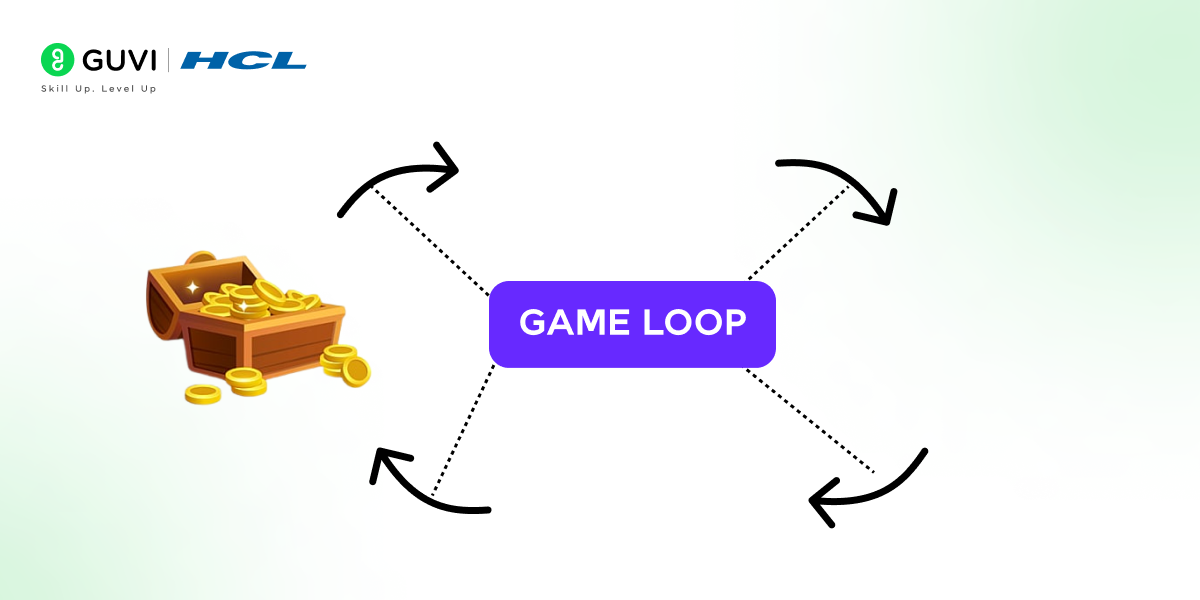
The game loop is a fundamental concept in game development that runs continuously to update the game state and render frames on the screen. It’s essential because it manages the real-time interaction between user inputs, physics, and graphics, making the game responsive and engaging.
2. Explain the concept of Frames Per Second (FPS). Why does it matter?
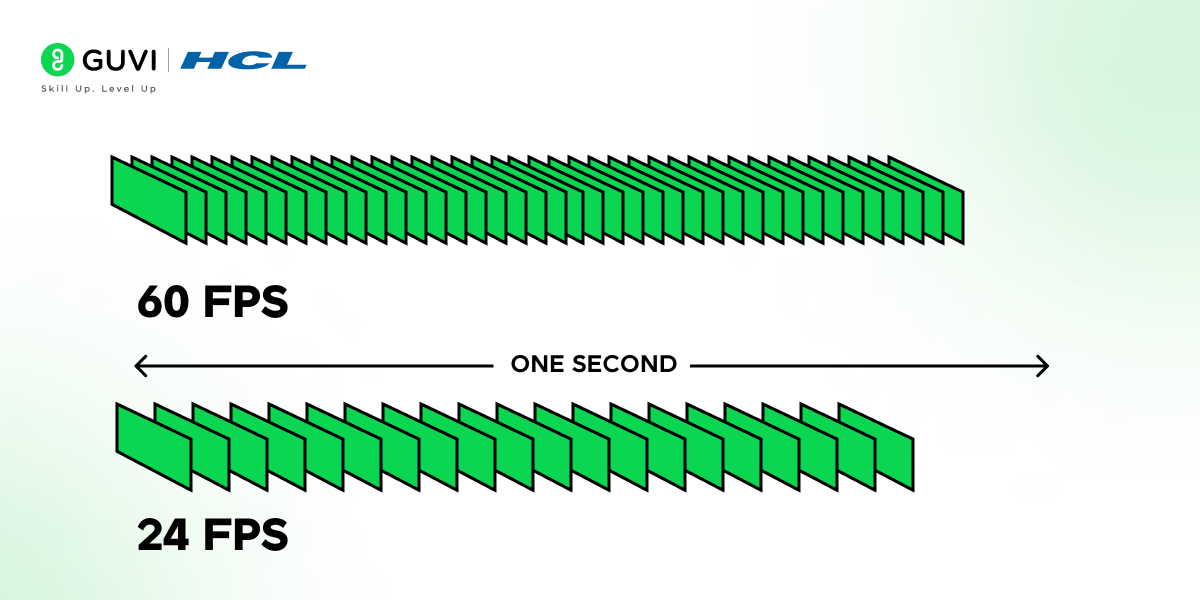
FPS stands for Frames Per Second, the number of frames your game renders every second. Higher FPS means smoother motion and better responsiveness.
- 30 FPS is acceptable for slower-paced games
- 60 FPS is standard for most action and competitive games
- 120+ FPS is expected in VR and high-end PC titles
Low FPS makes a game feel laggy, which directly hurts the player experience.
3. What is the difference between a Sprite and a Texture?
A sprite is an image or a 2D animation integrated into a game’s scene. A texture, on the other hand, is a flat image applied to a 3D model to give it color and detail. Sprites are usually used in 2D games, while textures are more common in 3D games.
4. Write a simple code to move a character forward in Unity using C#.
csharp

public class PlayerMovement : MonoBehaviour

{

    public float speed = 5f;

    void Update()

    {

        transform.Translate(Vector3.forward * speed * Time.deltaTime);

    }

}
5. What are physics engines, and can you name a few used in game development?
A physics engine simulates physical systems within games, like collision detection, rigid body dynamics, and fluid simulation. Common physics engines include Unity’s built-in physics, Box2D, Havok, and PhysX.
6. What are the main components of a game engine?
A game engine typically includes:
- Rendering engine draws graphics on screen
- Physics engine simulates gravity, collisions, and movement
- Audio engine manages sounds and music
- Input system handles keyboard, mouse, and controller input
- Scripting system allows developers to write game logic
- Asset pipeline manages textures, models, and animations
7. What is the difference between Unity and Unreal Engine?
| Feature | Unity | Unreal Engine |
|---|---|---|
| Primary Language | C# | C++ / Blueprints |
| Pricing | Free (with revenue limits) | Free (5% royalty above $1M) |
| Learning Curve | Beginner-friendly | Steeper |
| Graphics Quality | Good | Industry-leading |
| Best For | Mobile, indie, 2D/3D | AAA, realistic 3D games |
| Platform Support | 20+ platforms | Most major platforms |
For most beginners and mobile developers, Unity is the easier starting point. Unreal Engine is preferred for high-fidelity 3D and AAA productions.
8. What is the difference between Update() and FixedUpdate() in Unity?
Update()runs once per frame, used for input handling and general game logicFixedUpdate()runs at a fixed time interval (default 0.02 seconds), used for physics calculations
If you apply forces or move rigidbodies inside Update(), the behaviour becomes inconsistent across different frame rates. Always use FixedUpdate() for anything physics-related.
9. What is collision detection?
Collision detection is the process of determining whether two game objects have intersected or made contact. It’s what stops your character from walking through walls.
The two main approaches are:
- Discrete checks positions at specific intervals (faster, can miss fast-moving objects)
- Continuous checks along the path of movement (more accurate, more expensive)
10. What programming languages are commonly used in game development?
- C# primary language for Unity
- C++ used in Unreal Engine and performance-critical systems
- Python used for tooling, scripting, and automation
- Lua lightweight scripting for game logic (popular in Roblox and older engines)
- GDScript Godot’s native scripting language, similar to Python
11. What is a Game Object in Unity?
A Game Object is the fundamental building block of every Unity scene. Everything in a Unity game — characters, cameras, lights, and UI elements — is a Game Object. Game Objects are containers that hold Components, and it is the Components that give them behaviour and appearance.
12. What is the difference between a 2D and 3D game engine?
A 2D game engine renders flat, two-dimensional graphics using sprites and tilemaps. A 3D game engine renders three-dimensional environments using meshes, lights, and cameras with depth. Many engines like Unity and Godot support both. The choice depends on your game’s visual style and gameplay requirements.
13. What is a prefab in Unity?
A prefab is a reusable game object template stored as an asset. Instead of recreating the same object multiple times, you create it once as a prefab and instantiate copies whenever needed. Changes made to the original prefab automatically propagate to all instances in the scene.
14. What is the purpose of Time.deltaTime in Unity?
Time.deltaTime is the time elapsed since the last frame in seconds. Multiplying movement speed by Time.deltaTime makes movement frame-rate independent, so an object moves at the same real-world speed regardless of whether the game is running at 30 FPS or 120 FPS.
15. What is a Scene in Unity or Unreal Engine?
A scene is a container that holds all the objects, lights, cameras, and logic for one area or state of a game. A game can have multiple scenes — a main menu, a level, and a game-over screen are all separate scenes that load and unload as the player progresses.
Game Developer Interview Questions: Intermediate Level (Q16–Q30)
At this level, interviewers expect you to go beyond definitions. They want to see that you understand why things work the way they do, and how to apply that knowledge in a real project.
16. Explain the difference between Object Pooling and Garbage Collection.
Object pooling is a design pattern that reuses game objects instead of creating and destroying them repeatedly. Garbage collection, however, is the automated process of freeing up memory by removing objects that are no longer in use. Object pooling helps reduce performance overhead caused by garbage collection in resource-intensive games.
17. What is a Shader, and why is it important in game development?

A shader is a small program that runs on the GPU and determines how a surface looks, its colour, reflectivity, transparency, and lighting response.
- Vertex shaders process the position of each vertex
- Fragment shaders determine the final colour of each pixel
Shaders are what give games their visual style, from realistic PBR materials to stylised cel-shading effects.
18. Write a Unity C# script to detect collisions between two objects.
csharp

public class CollisionDetection : MonoBehaviour

{

    void OnCollisionEnter(Collision collision)

    {

        if (collision.gameObject.tag == "Enemy")

        {

            Debug.Log("Collision with enemy detected!");

        }

    }

}
19. How does the MVC (Model-View-Controller) pattern apply to game development?
The MVC pattern separates data (Model), the game’s visual interface (View), and user inputs (Controller). In games, this pattern allows for organized code and easy modifications, as each component can be independently changed without affecting the others.
20. What is the Level of Detail (LOD), and why is it used?
LOD is a technique that decreases the complexity of 3D models as they move farther from the camera. This optimization helps maintain high FPS by reducing unnecessary detail for less visible objects, preserving resources for rendering other game elements.
21. What is the difference between forward rendering and deferred rendering?
- Forward rendering, each object is lit individually during the rendering pass. Simpler but struggles with many dynamic lights.
- Deferred rendering, geometry and lighting are handled in separate passes. Better for complex scenes with many lights, but requires more memory.
Most modern game engines support both, and the choice depends on your scene complexity and target hardware.
22. What is the role of a rigidbody in a physics engine?
A rigidbody is a component that makes an object respond to physics forces, gravity, collisions, drag, and applied forces. Without a rigidbody, an object exists visually but doesn’t interact with the physical world.
In Unity, adding a Rigidbody component to a game object enables physics simulation for that object. You then control it by applying forces rather than directly setting its position.
23. What is the difference between a local and world space in a game engine?
- Local space coordinates relative to the object’s own position and rotation
- World space coordinates relative to the scene’s global origin (0, 0, 0)
When you parent one object to another, the child’s local position is relative to its parent. Understanding this distinction is essential when working with transformations, especially in hierarchical object structures like character rigs.
24. What is raycasting, and how is it used?
Raycasting shoots an invisible ray from a point in a direction and detects what it hits. It’s used for:
- Line-of-sight checks in AI
- Shooting mechanics (hitscan weapons)
- Mouse picking (detecting which object you click on)
- Ground detection for character controllers
25. How does animation blending work in game engines?
Animation blending smoothly transitions between two or more animations by interpolating between them. Instead of snapping from an idle pose to a run, the engine gradually mixes both animations during the transition.
In Unity, this is handled through the Animator Controller, where you define blend trees and transitions with conditions. The result is fluid, natural-looking character movement.
26. What is a NavMesh and how is it used in game AI?
A NavMesh (Navigation Mesh) is a simplified representation of the walkable surfaces in a game world. AI agents use it to find valid paths between points without walking through walls or off edges. The NavMesh is baked from the static geometry of the scene and updated at runtime for dynamic obstacles.
27. What is the difference between a trigger and a collider in Unity?
- Collider — creates a physical surface that blocks movement and triggers physics responses like bouncing and friction
- Trigger — detects when objects enter its volume but does not block movement; fires OnTriggerEnter events instead
Triggers are commonly used for pickups, checkpoint zones, and area-based events.
28. What is a Scriptable Object in Unity?
A Scriptable Object is a data container that can store large amounts of shared data independent of any scene. It is defined as a class that inherits from ScriptableObject and saved as an asset file. Common uses include storing weapon stats, dialogue trees, and level configuration data that multiple game objects need to reference.
29. What is the purpose of coroutines in Unity?
Coroutines are functions that can pause execution and resume later across multiple frames using the yield keyword. They are used for time-based sequences like fade effects, delayed actions, and spawning waves of enemies without blocking the main thread.
30. What is the difference between static and dynamic batching in Unity?
- Static batching — combines meshes marked as static into one draw call at build time. Reduces CPU overhead at runtime but increases memory usage.
- Dynamic batching — Unity automatically batches small dynamic meshes at runtime. Limited by vertex count and material constraints.
Both are optimisation techniques to reduce draw calls and improve rendering performance.
Game Developer Interview Questions: Advanced Level (Q31–Q44)
Advanced game developer interview questions and answers are designed for mid-to-senior roles. Interviewers are looking for architectural depth — not just what you know but how you make decisions under real constraints.
31. What is the Entity-Component-System (ECS) architecture?
ECS is a design pattern that separates game objects into three parts:
- Entity, a unique ID representing a game object (no data, no logic)
- Component stores data only (e.g.,
PositionComponent,HealthComponent) - System contains logic that operates on entities with specific components
ECS decouples data from behaviour, which makes large-scale games significantly more performant and maintainable. Unity’s DOTS (Data-Oriented Technology Stack) is built on ECS principles.
32. What is inverse kinematics (IK) and where is it used?
Inverse kinematics is the process of calculating joint rotations in a character rig to reach a target position. Instead of manually animating each joint, you define where the hand or foot should end up, and IK solves the chain backwards.
33. What is a behaviour tree and how does it differ from a finite state machine?
A behaviour tree is a hierarchical structure used to model complex AI decision-making. Unlike FSMs, behaviour trees are more modular and scalable, you build behaviour out of composable nodes (selectors, sequences, conditions, actions) rather than explicit state transitions.
34. How does multiplayer game networking work?
Multiplayer games typically follow one of two models:
- Client-server, a central server holds the authoritative game state; clients send inputs and receive updates
- Peer-to-peer, clients communicate directly without a central server (less common due to cheating and latency issues)

35. What is the difference between deterministic and non-deterministic physics?
- Deterministic physics — given the same inputs, the simulation always produces the same output. Essential for lockstep multiplayer where all clients must stay in sync.
- Non-deterministic physics — floating point variations across hardware can cause different results. Acceptable for single-player games but problematic in multiplayer.
Games like StarCraft and Age of Empires use deterministic simulation for this exact reason.
36. What is a draw call and how do you reduce them?
A draw call is a command sent from the CPU to the GPU to render a mesh. Too many draw calls create a CPU bottleneck, even if the GPU is underutilised.
Ways to reduce draw calls:
- Batching combines multiple meshes into one draw call (static and dynamic batching)
- GPU instancing renders multiple copies of the same mesh in one call
- Atlasing combines multiple textures into one texture atlas
37. What is a memory leak in game development and how do you detect one?
A memory leak occurs when memory is allocated but never released, causing available memory to shrink over time. In games, this often manifests as progressive performance degradation the longer you play.
Detection methods:
- Unity’s Memory Profiler to inspect heap allocations
- Visual Studio’s Diagnostic Tools for C++ projects
- Tracking object counts over time to spot unexpected growth
38. What is procedural generation and when would you use it?
Procedural generation uses algorithms rather than manual design to create game content like terrain, dungeons, items, or even music.
Use cases:
- Infinite world generation (Minecraft)
- Roguelike dungeon layouts
- Randomised loot systems
- NPC dialogue variation
39. How does spatial partitioning improve game performance?
Spatial partitioning divides the game world into regions to avoid checking every object against every other object. Instead of O(n²) comparisons, you only check objects within the same or adjacent regions.
Common approaches:
- Quadtrees / Octrees — recursively divide 2D/3D space
- BSP trees — used extensively in older shooters (Quake, Doom)
- Grid-based partitioning — simple and fast for uniform object distributions
40. What is a render pipeline and what is the difference between URP and HDRP in Unity?
A render pipeline is the sequence of steps the engine uses to process and display a frame.
In Unity:
- URP (Universal Render Pipeline) optimised for performance across mobile, PC, and consoles. Easier to customise with Shader Graph.
- HDRP (High Definition Render Pipeline) targets high-end PC and console hardware with physically accurate lighting, volumetrics, and advanced post-processing.
Choose URP for cross-platform projects and HDRP when visual fidelity is the top priority.
41. What is a texture atlas and why is it used?
A texture atlas is a large image that contains multiple smaller textures packed together. It reduces the number of material and texture swaps the GPU needs to perform during rendering. By grouping related textures — like all UI elements or all character skins — into one atlas, you reduce draw calls and improve batching efficiency significantly.
42. What is the difference between a mesh collider and a primitive collider?
- Primitive collider — simple shapes like box, sphere, or capsule. Very fast to compute and used for most gameplay objects.
- Mesh collider — matches the exact shape of a 3D mesh. Accurate but computationally expensive. Should be set to convex mode where possible to allow physics interactions.
The general rule is to use primitive colliders for everything that moves and only use mesh colliders for static environmental geometry where accuracy is critical.
43. What is the purpose of a game design document (GDD)?
A GDD is a living document that describes every aspect of a game before and during production. It covers the game concept, mechanics, story, characters, level design, UI, audio design, and technical requirements. It serves as the single source of truth for the entire development team and prevents scope creep by defining what is and is not in the game.
44. What is anti-aliasing and why is it important in games?
Anti-aliasing smooths jagged edges on rendered geometry by blending edge pixels with surrounding colours. Without it, diagonal and curved edges look like staircases (aliasing). Common techniques include MSAA (Multi-Sample Anti-Aliasing), FXAA (Fast Approximate Anti-Aliasing), and TAA (Temporal Anti-Aliasing). TAA is the current standard for real-time rendering due to its quality and performance balance.
Scenario-Based Game Developer Interview Questions (Q45–Q50)
These questions test how you actually think and solve problems. There is rarely a single correct answer — interviewers evaluate your reasoning process, your awareness of trade-offs, and how you handle real situations on a team.
45. Your game drops to 20 FPS during a busy combat scene. How do you diagnose and fix it?
Start by profiling, never guess. Use Unity’s Profiler or Unreal’s built-in tools to identify whether the bottleneck is CPU-bound, GPU-bound, or memory-related.
Typical culprits and fixes:
- Too many draw calls → enable static/dynamic batching or GPU instancing
- Expensive physics → reduce FixedUpdate frequency, simplify colliders
- Particle system overhead → reduce particle counts, use GPU particles
- Garbage collection spikes → eliminate per-frame allocations, use object pooling
- Shadow rendering → reduce shadow distance or cascade count
Fix the biggest bottleneck first, then re-profile before making further changes.
46. You are designing the enemy AI for an open-world RPG. How would you approach it?
Start with a clear behaviour hierarchy. For an open-world RPG, I would use a combination of:
- Behaviour trees for individual enemy decision-making (patrol, investigate, attack, retreat)
- Perception systems for sight, hearing, and alert states
- Navigation meshes for pathfinding in complex environments
- Group coordination for enemies that should flank or support each other
I would also implement a LOD system for AI, enemies far from the player run simplified logic to save CPU cycles, with full AI activating as the player approaches.
47. A player reports that they occasionally fall through the floor. How do you investigate this?
This is almost always a collision detection issue. The most common cause is high-speed movement causing an object to tunnel through a thin collider between physics frames.
Investigation steps:
- Enable continuous collision detection on the player’s rigidbody
- Check that the floor collider has adequate thickness
- Log the player’s velocity and position when the bug occurs
- Reproduce at different frame rates to confirm it’s frame-rate dependent
If the issue only happens occasionally, add a safety raycast downward each frame and reset the player’s position if they fall below the floor threshold.
48. How would you design a save system for an open-world game?
A robust save system needs to capture the full game state without impacting performance.
My approach:
- Serialise to JSON or binary: JSON is human-readable and easier to debug; binary is smaller and faster
- Save asynchronously: Never save on the main thread; use coroutines or async/await to avoid frame drops
- Checkpoint system: Auto-save at natural transition points (entering a new zone, completing a quest)
- Versioning: Include a save file version number so future updates can migrate old saves gracefully
- Multiple save slots: Always, so players don’t lose progress to a single bad save
49. Your multiplayer game has a rubber-banding problem. What is causing it and how do you fix it?
Rubber-banding happens when a client’s local prediction disagrees with the server’s authoritative state, causing the player to snap back to a previous position.
Causes:
- Server corrections overriding client-side prediction too aggressively
- High latency between client and server
- Inconsistent physics simulation between client and server
Fixes:
- Implement client-side prediction with server reconciliation — the client predicts movement locally, the server corrects only when there’s a meaningful discrepancy
- Use lag compensation to account for network delay when validating hit detection
- Smooth corrections with interpolation rather than snapping
50. How would you design the monetisation system for a free-to-play mobile game without making it pay-to-win?
This is a game design and systems design question that tests your understanding of player psychology, business models, and ethical design.
A balanced approach:
- Cosmetic-only purchases — sell skins, emotes, and visual effects that have zero impact on gameplay
- Battle pass system — time-limited progression rewards that are achievable without paying but faster with the pass
- Energy systems with fair timers — gating content behind time rather than money, with reasonable refresh rates
- Respect player time — do not design artificial friction just to sell skip timers
- Transparency — clearly communicate odds for any loot box or gacha mechanic (now legally required in many countries)
If you want to learn more about Unity and game development, consider enrolling for HCL GUVI’s Unity Course, which teaches everything you need and will also provide an industry-grade certificate!
Game Developer Salary in India in 2026
Knowing the salary range is useful context when preparing for interviews and negotiating offers. The figures below are sourced from Glassdoor and AmbitionBox.
| Level | Experience | Average Annual Salary |
|---|---|---|
| Junior Game Developer | 0–2 years | ₹3,00,000 to ₹6,00,000 |
| Mid-Level Game Developer | 2–5 years | ₹6,00,000 to ₹12,00,000 |
| Senior Game Developer | 5+ years | ₹12,00,000 to ₹25,00,000 |
| Unity Developer (India avg) | All levels | ₹5,50,000 |
India’s gaming market is projected to exceed $7 billion by 2026. Studios like Nazara Technologies, nCore Games, Moonfrog Labs, and Dream11’s gaming division are actively hiring. Check out HCL GUVI’s guide on product-based companies for game developers for a full list of top hiring studios in India.
💡 Did You Know?
- Many game developers spend over 50% of their time debugging and optimizing code rather than creating new features.
- The AI used in games often relies on simplified algorithms to balance performance with realistic behavior.
- Multiplayer games can experience latency issues even with advanced networking solutions, making optimization crucial for player experience.
Common Mistakes to Avoid
- Memorising answers without understanding them. Interviewers for game developer roles follow up every answer with a deeper question. If you say “I use object pooling,” expect “Show me how you implemented it” or “What problem did it solve in your project?” Know your answers deeply, not just the surface definition.
- Ignoring performance topics. Many candidates prepare for game design questions but skip optimisation. Draw calls, batching, memory profiling, and LOD systems come up in almost every intermediate and advanced game developer interview. They are not optional topics.
- Not having a game project on your portfolio. Game development interviewers almost always ask “What have you built?” Having at least one completed or nearly complete game on itch.io or GitHub, however small, separates you from candidates who only have coursework. Check GUVI’s game development project ideas for inspiration.
Conclusion
In conclusion, whether you’re just starting out or tackling advanced concepts, being well-prepared with these game developer interview questions and answers enables you to answer both theoretical knowledge and hands-on coding practice that will make a difference.
Remember, interviews often test not just your technical abilities but also your problem-solving skills, adaptability, and creativity in game development.
FAQs
1. What topics are covered in a game developer interview?
Game developer interview questions and answers typically cover the game loop, FPS and rendering, physics and collision, design patterns (ECS, MVC, object pooling), shaders, AI behavior systems, multiplayer networking, memory optimisation, and engine-specific topics like Unity’s component system or Unreal’s Blueprint system.
2. Is C# or C++ better for game development interviews?
For Unity roles, C# is expected. For Unreal Engine or AAA studio roles, C++ is the standard. Many candidates prepare both. The game developer interview questions and answers in this guide include Unity C# code examples for the most common scenarios.
3. How many rounds are there in a game developer interview?
Most game studios conduct 2 to 4 rounds: an initial screening, a technical round covering game developer interview questions and answers like those in this guide, a take-home or live coding exercise, and a portfolio review or design discussion round.
4. Do I need a game portfolio for a game developer interview?
Yes. Almost every game developer interview includes a portfolio review. At minimum, have one complete or near-complete game playable online or on GitHub. The game does not need to be large — demonstrating clean code, working mechanics, and performance awareness is more important than scope.
5. What is the most important skill for a junior game developer interview?
Understanding the game loop, Unity’s Update/FixedUpdate distinction, basic physics, and object-oriented programming will cover most junior game developer interview questions and answers. Beyond that, having a playable project to discuss gives you a significant advantage over candidates with only theoretical knowledge.
Success Stories

About the Author
Jebasta
I translate the language of data into stories that anyone can understand. As a writer with a data science background, I simplify analytics, AI, and decision-making so beginners and enthusiasts can confidently explore the world of data.
View all posts by Jebasta
Connect with me @










Did you enjoy this article?