


Full Stack Development Articles
My Full Stack Developer Interview Experience: What Nobody Tells You
What Is CRUD? A Complete Guide to Create, Read, Update, Delete in Modern Applications
How to Build Your First ML Powered Web App (Even If You're Not a Data Scientist)
How to Stay Valuable as a Web Developer in The Era of AI [2026]


Get In Touch For Details! Request More Information

Convert Object to Array in PHP: Techniques and Examples
Nov 03, 2025 4 Min Read 1751 Views
(Last Updated)
In PHP, objects and arrays are types of data structures that are used to store and organize data effectively. When developers program features and functionalities with PHP, they don’t rely solely on specific data variables; instead, they often switch between objects and arrays depending on the task at hand. Objects are used for organizing the data using classes, whereas arrays provide flexibility for manipulating the data.
However, there are multiple scenarios where the need to convert object to array arises, such as managing and handling API responses, conducting JSON operations, or facilitating the data processing phase.
In this blog, we will walk through all the essential techniques of converting an object to an array in PHP. So, let’s begin. However, before we do, let’s first understand what objects and arrays are in PHP.
Table of contents
- What Are Objects and Arrays in PHP?
- Why Convert Object to Array?
- Techniques to Convert an Object to an Array in PHP
- Type Casting (array)$object
- Using get_object_vars()
- Using json_encode() and json_decode()
- Using a Loop (Manual Conversion)
- Using a Custom Function (object_to_array())
- Conclusion
- FAQs
- What is the best way to convert an object to an array in PHP?
- Will type casting convert nested objects, too?
- Can I convert only specific properties?
What Are Objects and Arrays in PHP?

Objects: In PHP, an object is a type of data structure that represents an instance of a class. It allows programmers to categorize data variables (properties) and functions; as a result, modeling real-world entities becomes easier and more straightforward.
Objects are generally considered an ideal choice for organizing complex datasets because, while creating objects, we can assign unique values to each object while sharing the same structure defined by the same class.
Arrays: An Array, on the other hand, is a type of data structure that is dynamic and provides flexibility to store multiple data values under a single variable. Data are stored in these variables in the form of an index or in key-value pairs (where the key represents the index position of the data value).
The primary purpose of utilizing arrays is to perform various data manipulation tasks, such as sorting, filtering, searching, merging, mapping, and many more.
Why Convert Object to Array?
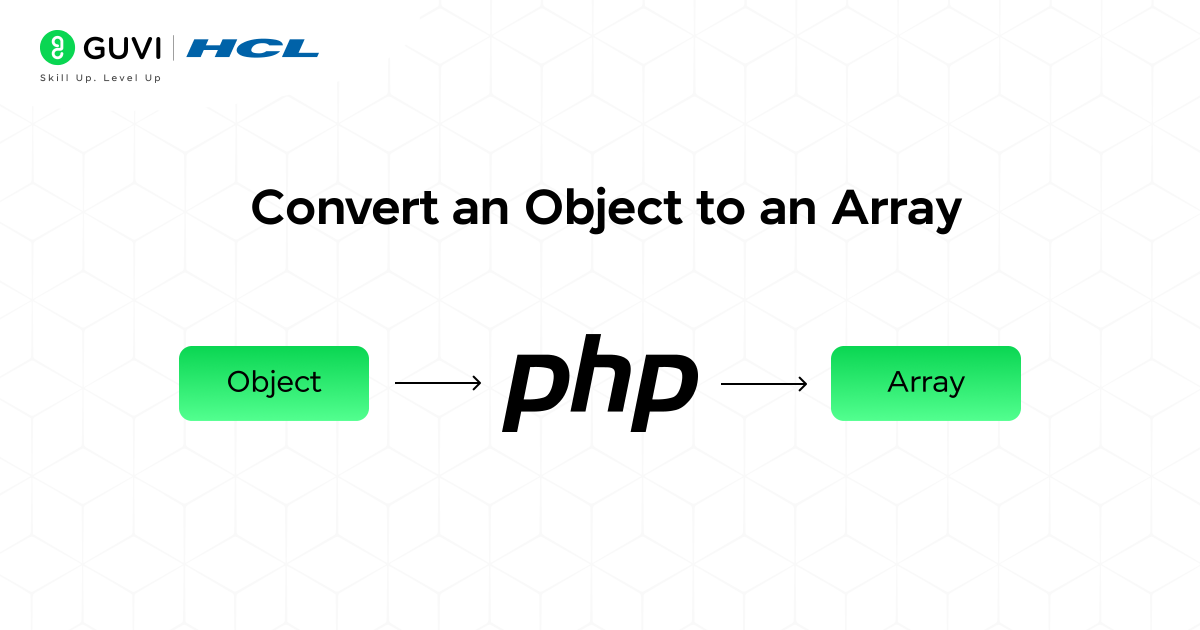
Converting an object into an array in PHP is crucial because arrays are more flexible and easier to use for various programming tasks. It allows the developers to quickly access and modify the data using the built-in functionalities offered by PHP. In addition to this, converting objects into arrays provides you with more control and efficiency for processing the data, which improves your PHP code by making it cleaner, faster, and easier to maintain.
This conversion of variables is necessary, especially in practical situations where data needs to be manipulated, analyzed, and presented to the end users based on their dynamic interactions (event triggering).
Real-World Example
In an e-commerce website, you know how vital the product catalog section is. But to display that section with all essential pointers such as description, user ratings and reviews, high-quality images, and brief video elements, APIs are integrated into the code to fetch the information from the server database.
When the data is fetched, the API returns the product data as an object. Now, for displaying those products in a structured fashion, features such as product sorting, category filters, and popular items recommendations need to be added.
And to enable this feature, converting the data objects into arrays is essential (through functions like array_filter(), usort(), array_map(), etc), as it enhances the performance and speed of the application.

Techniques to Convert an Object to an Array in PHP
The following are the most effective conversion techniques:
1. Type Casting (array)$object
It is the simplest and fastest method among all to convert an object to an array in PHP. In this method, you just have to place the array variable before the object, and the PHP language will interpret it automatically and transform it into an associative array.
It is the ideal way for conversion when the object size is small and not deeply nested.
How to Execute: First, take your object and place (array) before it — PHP will automatically convert all its properties into an associative array.
(Code)
{
Input:
<?php
$person = (object) [
‘name’ => ‘John’,
‘age’ => 25
];
$array = (array) $person;
print_r($array);
?>
______________________________________
Output:
Array ( [name] => John [age] => 25 )
}
2. Using get_object_vars()
It is a function that is utilized for returning all the public properties of an object in the form of an associative array.
It is beneficial only when the data are stored in public variables rather than in private ones. Sensitive properties won’t be displayed in the output; in a way, they are protected.
How to Execute: You call the get_object_vars() function and pass your object inside it — this function then collects all the object’s public properties and returns them as an array.
(Code)
{
Input:
<?php
$person = (object) [
‘name’ => ‘John’,
‘age’ => 25
];
$array = get_object_vars($person);
print_r($array);
?>
______________________________________
Output:
Array ( [name] => John [age] => 25 )
}
3. Using json_encode() and json_decode()
When it comes to dealing with nested and complex objects, using this method is the most effective way to convert the object into a JSON string and, after that, decode it into an array variable.
Since it is a method that supports deep conversion, it’s often used for handling data that comes from APIs or JSON responses.
How to Execute: First, convert the object into a JSON string using json_encode(), then immediately decode it back into an array with json_decode() by setting the second parameter to true.
(Code)
{
Input:
<?php
$person = (object) [
‘name’ => ‘John’,
‘details’ => (object) [
‘age’ => 25,
‘city’ => ‘New York’
]
];
$array = json_decode(json_encode($person), true);
print_r($array);
?>
______________________________________
Output:
Array ( [name] => John [details] => Array ( [age] => 25 [city] => New York ) )
}
4. Using a Loop (Manual Conversion)
In this conversion technique, you have to manually go through each property inside the object using a foreach loop and store it in an empty array.
By performing this operation, you gain complete control over the data conversion. Here, you can easily skip, rename, or modify the keys while the conversion process is taking place.
How to Execute: You loop through the object’s properties using foreach and, for each key-value pair, store them in a new array — manually building your array step by step.
(Code)
{
Input:
<?php
$person = (object) [
‘name’ => ‘John’,
‘age’ => 25
];
$array = [];
foreach ($person as $key => $value) {
$array[$key] = $value;
}
print_r($array);
?>
______________________________________
Output:
Array ( [name] => John [age] => 25 )
}
5. Using a Custom Function (object_to_array())
Designing a custom function tailored to your problem objective is the most flexible and reusable approach.
Utilizing a custom function can help you convert both simple and nested object types into arrays. And you can implement it anywhere in your program without the tedious process of repeating or rewriting code.
How to Execute: You create a reusable function that checks if the value is an object or array, and then recursively converts everything — including nested objects — into arrays automatically.
(Code)
{
Input:
<?php
function object_to_array($obj) {
if (is_object($obj)) {
$obj = get_object_vars($obj);
}
if (is_array($obj)) {
return array_map(‘object_to_array’, $obj);
}
return $obj;
}
$person = (object) [
‘name’ => ‘John’,
‘details’ => (object) [
‘age’ => 25,
‘city’ => ‘New York’
]
];
$array = object_to_array($person);
print_r($array);
?>
______________________________________
Output
Array ( [name] => John [details] => Array ( [age] => 25 [city] => New York ) )
}
Are you someone who is constantly seeking the best platform to acquire skills in Full Stack Development? If you are unsure which course is best for your career prospects, end your search today and enroll in HCL GUVI’s IITM Pravartak Certified MERN Full Stack Development Course with AI Integration. It is a comprehensive and insightful program with expert guidance, hands-on projects, and career support. Join us today and transform your career with expert-led training.
Conclusion
Ultimately, we can conclude that converting an object to an array in PHP is a crucial process in ensuring the code’s adaptability to various situations. From performing API data handling and JSON data processing to managing template rendering and configuring file parsing, each task becomes simpler after this conversion.
We had a clear understanding of all the practical techniques of converting an object to an array, along with the code snippet examples. I hope this blog was effective in guiding you through all the aspects related to this particular conversion procedure. To explore more interesting topics, visit HCL GUVI’s comprehensive and insightful blog page to satisfy your curiosity.
FAQs
What is the best way to convert an object to an array in PHP?
Use type casting (array)$object for simple data, and json_encode() & json_decode() for nested objects.
Will type casting convert nested objects, too?
No, it only converts the top level. Use json_encode()/json_decode() or a custom function for deep objects.
Can I convert only specific properties?
Yes, use a loop method and add conditions to pick the properties you need.
Success Stories



























Did you enjoy this article?