


Artificial Intelligence and Machine Learning Articles
Finance Manager to Data Analytics: Career Growth, Salary and Seniority
How to Evaluate LLM Outputs in Production Deployments
AI/ML Skills Gap 2026: Why Companies Can't Find Job-Ready Talent
20 AI/ML Interview Questions Recruiters Can Use Without a Tech Background - Best Guide


Get In Touch For Details! Request More Information

Claude in Excel for HR: Headcount Planning Guide
Jun 19, 2026 5 Min Read 753 Views
(Last Updated)
As your organization grows, managing headcount planning in Excel becomes more complicated. It starts out with simple formulas for employee headcount, vacancies, and hiring demand, but those begin to fall apart as more data gets thrown into the mix.
With AI tools such as Claude, however, Excel becomes much more than a spreadsheet. HR professionals can analyze workforce data faster, identifying trends, and creating reports, without needing to work with complicated formulas.
In this article, you will learn how to use Claude in Excel for HR for headcount planning through a set of structured steps, practical examples, and best practices.
TL;DR
- Claude allows HR teams to analyze workforce data and enhance headcount planning with AI-driven insights and conversational prompts.
- Tasks such as predicting attrition, forecasting hiring, and summarizing the workforce can be simplified, even for those without advanced Excel skills.
- Clean and structured data is necessary for effective AI analysis, as AI requires a consistent and clear dataset.
- Claude can identify patterns and trends that support business decisions, but these insights should always be validated with business understanding.
- The use of clear prompts and repeatable processes helps scale HR planning and increase efficiency across the HR team.
Table of contents
- Understanding Headcount Planning
- How Claude Enhances Excel Workflows for HR
- Setting Up Claude for Excel Usage
- Connecting Claude with Excel
- Structuring HR Data for AI-Based Planning
- Common Data Preparation Mistakes
- Using Claude in Excel for Headcount Planning
- Generating Workforce Insights
- Forecasting Hiring Needs
- When Should You Use Claude for Headcount Planning?
- Practical Example: Headcount Planning Workflow
- Step 1: Analyze Current Headcount
- Step 2: Analyze Attrition Trends
- Step 3: Identify Hiring Gaps
- Step 4: Forecast Hiring Needs
- Outcome
- Best Practices for Accurate Headcount Planning
- Common Pitfalls When Using Claude in Excel
- Conclusion
- FAQs
- What is Claude in Excel used for in HR?
- Do I need coding knowledge to use Claude with Excel?
- What data is required for headcount planning?
- How accurate are Claude’s predictions?
- Can Claude replace Excel formulas?
- What are the common mistakes to avoid when using Claude for headcount planning?
Understanding Headcount Planning

Headcount planning is the process of determining the number of employees an organization needs to achieve a specific objective over a defined timeframe. It helps HR teams align hiring with business goals and budget constraints.
The process becomes more complex when relying only on traditional Excel methods. HR professionals often manage large datasets including employee count, vacancies, and attrition rates within a single spreadsheet.
As businesses grow, the demand for accurate workforce planning increases. This has led organizations to adopt AI-based solutions to improve efficiency and decision-making.
How Claude Enhances Excel Workflows for HR

Claude changes how HR teams use Excel by allowing them to interact with data using natural language. Instead of writing formulas, HR professionals can ask questions and receive structured outputs instantly.
Tasks such as analyzing attrition trends, summarizing employee data, and forecasting hiring needs can be completed using simple prompts. This removes the need for advanced technical knowledge.
Claude goes beyond calculations by identifying patterns and providing contextual insights. This enables HR teams to make more strategic and informed workforce planning decisions.
If you want to understand the fundamentals of generative AI and how tools like Claude connect to real-world applications, you can explore this beginner-friendly guide here: Generative AI eBook
Setting Up Claude for Excel Usage
Claude operates as a chat-like interface where users interact with datasets using prompts. This can be done by uploading Excel files or through workflow integrations.
The key requirement is having an accessible and well-structured dataset. Claude must be able to understand relationships between different data points.
A basic setup is usually sufficient. As long as the data is clear and readable, HR teams can begin using Claude for workforce planning.
Once the setup is complete, understanding how to interact with Claude effectively becomes important for better outputs.
Connecting Claude with Excel
Claude can be used with Excel by exporting data as a CSV or XLSX file and uploading it for analysis. Once uploaded, prompt-based interaction can be used to analyze the dataset.
The data must remain structured and readable. Claude needs to clearly interpret rows, columns, and relationships to generate accurate insights.
Basic data cleaning may be required before analysis to ensure consistency and improve output accuracy.
If you are using Python for preprocessing, here’s a simple example:
import pandas as pd
df = pd.read_excel(“hr_data.xlsx”)
df = df.dropna()
df[‘Attrition’] = df[‘Attrition’].map({‘Yes’: 1, ‘No’: 0})
df.to_csv(“cleaned_hr_data.csv”, index=False)
Structuring HR Data for AI-Based Planning
AI’s efficacy is heavily dependent on the structure of its input. A messy dataset will produce faulty outputs even if the prompts used are well-written.
It is important to ensure that every column in the dataset is clearly labeled and each employee is defined in a single row. A good structure includes Employee ID, Department, Role, Joining Date, and Attrition status.
Maintaining uniformity across formatting, categories, and labels is critical. Failure to standardize data leads to inaccurate interpretations and unreliable insights.
Many HR data issues are not due to a lack of data, but to inconsistent formatting and poor structure. Even small inconsistencies — like mismatched labels or missing values — can significantly impact the accuracy of AI-driven insights.
Common Data Preparation Mistakes
Data formatting errors, unclear labels, and missing values often result in flawed AI analysis. These issues directly impact the accuracy of workforce planning outputs.
Merged cells and data spread across multiple sheets make it difficult to identify patterns. Even advanced AI tools struggle with inconsistent structures.
Keeping data clean and in a single structured format improves reliability. This allows AI-driven analysis to support informed and accurate decision-making.
Using Claude in Excel for Headcount Planning
Once HR data is structured, Claude can be used without relying on complex Excel formulas or filters. It enables quick analysis through simple prompts.
HR professionals can request insights on metrics such as headcount distribution or employee turnover. Claude generates structured outputs based on these queries.
The effectiveness of results depends on prompt clarity. Well-defined questions lead to more accurate and actionable insights.
Generating Workforce Insights
Using prompts, HR teams can identify variations in headcount distribution and track attrition trends. This helps uncover gaps within the workforce.
Claude eliminates the need for manual data compilation and pivot tables. Insights can be generated instantly through conversational interaction.
These outputs act as a guide for decision-making. They help HR teams focus on areas that require immediate attention.
Forecasting Hiring Needs
Forecasting headcount needs is one of the most powerful uses of Claude in workforce planning. It enables HR teams to anticipate workforce requirements based on historical data.
Claude can provide insights by identifying workforce patterns and attrition trends. This supports proactive hiring decisions instead of reactive planning.
These predictions are not exact but offer a strong baseline. They can be refined further using business constraints and budget considerations.
When Should You Use Claude for Headcount Planning?
Claude is most useful when HR teams are working with large or frequently changing datasets that require continuous analysis. It becomes especially valuable when tracking attrition trends, workforce distribution, and hiring gaps over time. This is usually where Excel starts becoming more of a bottleneck than a solution.

It is also effective when teams need quick insights without spending time on manual Excel formulas or pivot tables. This allows HR professionals to focus more on decision-making rather than data processing. It may seem like a small shift, but in practice, it changes how teams actually work with data.
However, Claude should not be used blindly for every scenario. It works best when combined with structured data and clear objectives, ensuring that the outputs remain relevant and actionable. Without that, even strong AI outputs can end up being misleading if they are not reviewed carefully.
Practical Example: Headcount Planning Workflow
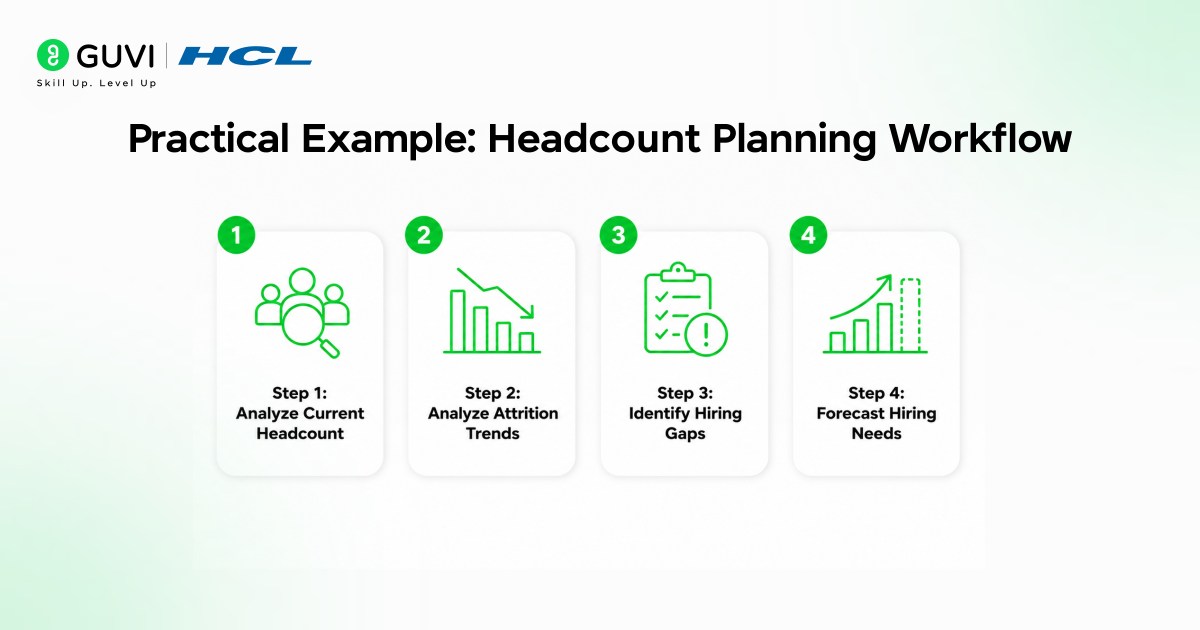
This example demonstrates how Claude can transform raw workforce data into actionable hiring insights. The workflow simplifies the process into clear and logical steps.
Instead of manually analyzing spreadsheets, HR teams can provide data and use prompts. This reduces effort and improves accuracy.
The goal is to identify workforce gaps and estimate future staffing requirements.
Step 1: Analyze Current Headcount
Analyze current workforce distribution across departments. This helps identify imbalances in staffing.
Example prompt:
“Report current headcount and department totals.”
This provides a clear overview of employee distribution.
Step 2: Analyze Attrition Trends
Analyze patterns of employee departures to identify trends. This helps determine which departments require replacement hiring.
Example prompt:
“Report employee attrition for the past 6 months.”
This highlights key areas that need support.
Step 3: Identify Hiring Gaps
Combine current workforce data with attrition insights to identify gaps. This helps prioritize hiring needs.
Example prompt:
“Identify potential workforce shortfalls across departments.”
This clearly indicates areas that require additional hiring.
Step 4: Forecast Hiring Needs
Estimate the number of hires required based on trends and analysis. This supports workforce planning and resource allocation.
Example prompt:
“Forecast hiring needs for the coming three months.”
These estimates provide directional guidance and should be validated with business context.
Outcome
This approach converts raw workforce data into structured analysis within minutes, reducing the need for manual effort and simplifying complex analytical processes.
HR teams can reuse the same prompts as data updates, improving consistency and scalability across planning workflows.
Overall, headcount planning becomes faster, more efficient, and easier to manage at scale.
Best Practices for Accurate Headcount Planning
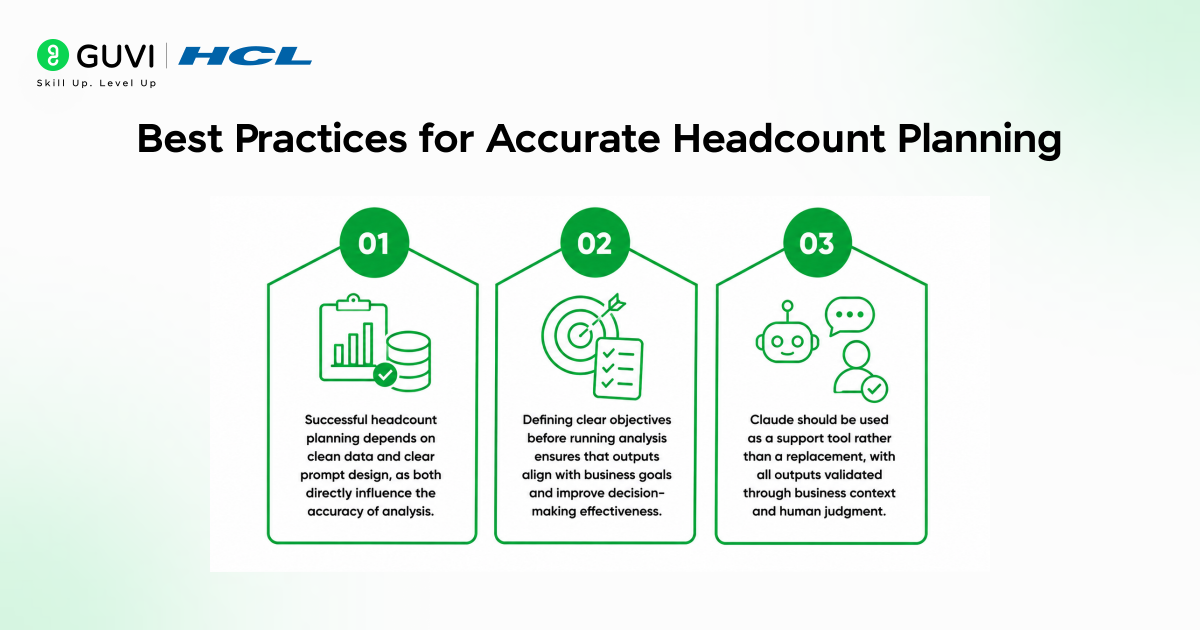
Successful headcount planning depends on clean data and clear prompt design, as both directly influence the accuracy of analysis.
Defining clear objectives before running analysis ensures that outputs align with business goals and improve decision-making effectiveness.
Claude should be used as a support tool rather than a replacement, with all outputs validated through business context and human judgment.
In many cases, tools like Claude work best when used as a thinking partner for analysis rather than replacing decision-making entirely.
Common Pitfalls When Using Claude in Excel
Low-quality data and unclear prompts are the primary causes of weak or misleading outputs in AI-driven analysis.
Using Claude as a search tool instead of an analytical tool often results in superficial insights that lack depth.
Over-reliance on AI without proper human validation can lead to poor decision-making and misaligned workforce strategies.
To build practical, industry-aligned skills in Artificial Intelligence and Machine Learning Course, especially in areas like AI-driven workforce analytics and headcount planning, programs like HCL GUVI in collaboration with IIT Madras Pravartak can help bridge the gap between conceptual knowledge and real-world application.
Conclusion
Claude enables HR teams to shift from manual workforce analysis to AI-assisted decision-making, improving both speed and efficiency in day-to-day operations.
The effectiveness of this approach depends on structured data, clear prompts, and well-defined workflows that guide analysis. When combined with human expertise, Claude can support more accurate, scalable, and practical workforce planning outcomes.
FAQs
1. What is Claude in Excel used for in HR?
Claude in Excel is used to analyze HR data, generate insights, and support workforce planning and forecasting. It allows HR teams to work with data using simple prompts instead of complex formulas, helping shift from manual reporting to faster, insight-driven decision-making.
2. Do I need coding knowledge to use Claude with Excel?
No, coding knowledge is not required to use Claude with Excel. HR professionals can interact with data using simple, conversational prompts after uploading their datasets, making it accessible even for non-technical users.
3. What data is required for headcount planning?
Headcount planning requires structured HR data such as employee details, departments, roles, joining dates, and attrition status. The data should be clean and consistently formatted to ensure accurate and reliable AI outputs.
4. How accurate are Claude’s predictions?
Claude’s predictions are directional and depend heavily on the quality and structure of the input data. It identifies patterns and trends to support planning decisions, but these insights should always be validated using business context and human judgment.
5. Can Claude replace Excel formulas?
Claude does not replace Excel formulas but complements them by simplifying data analysis through prompts. It reduces manual effort, but traditional Excel functions may still be required for certain structured operations.
6. What are the common mistakes to avoid when using Claude for headcount planning?
Common mistakes include using unstructured data, asking vague prompts, and relying too much on AI outputs without validation. These often lead to inaccurate insights. For better results, keep data clean, ask clear questions, and always review outputs with business context.
Success Stories

About the Author
Vishalini Devarajan
An Aerospace Engineer turned content writer, I focus on making complex concepts easy to understand through well-structured, reader-friendly blogs. Whether it’s a technical topic or a non-technical one, I love creating content that is clear, engaging, and impactful.
View all posts by Vishalini Devarajan
Connect with me @











Did you enjoy this article?