


Artificial Intelligence and Machine Learning Articles
CI/CD Pipelines for Machine Learning Projects
A/B Testing for Machine Learning Models
Canary Deployment Strategies for ML Models
What is Model Drift Detection: Keeping Models Accurate in Production


Get In Touch For Details! Request More Information
How to Build a Plugin from Scratch in Cowork
Jun 24, 2026 6 Min Read 1075 Views
(Last Updated)
A Cowork plugin is a group of files that can teach Claude how to do a specific job encoding your methodology, your workflows, your tool connections.
Anthropic publishes pre-built plugins for common roles like Sales, Finance, and Legal. Customising those with your company’s context can help tailor the plugin to your needs. But building a Cowork plugin from scratch is for when your team has workflows, processes, or institutional knowledge that existing plugins do not cover.
This tutorial walks through how to build cowork plugin, when to build from scratch, how to create one inside Cowork, what changes once it is running, and how to refine it over time.
Quick TL;DR Summary
- What a Cowork plugin is: A group of files that teaches Claude your workflows, methodology, and tool connections packaged into skills, commands, connectors, and sub-agents.
- When to build from scratch: When your workflow does not map to an existing plugin, when you need to encode institutional knowledge, or when you need Claude to coordinate across a specific combination of tools.
- How to start: In Cowork, describe the plugin you want to build even one sentence is enough. Claude follows up with questions about your workflow, tools, standards, and edge cases.
- What changes with a plugin: Instead of restating your full methodology every session, a command runs the whole process with your criteria already loaded consistent results whether a senior employee or a new hire runs it.
- How to refine it: Run it on real work, tell Claude what is off, and it updates the plugin files directly. Show Claude an example deliverable and it picks up the structure and formatting.
- Things to know: Plugins work in Cowork, not Chat. They live on your machine and do not sync automatically. Available as a research preview for all paid Claude plans on macOS and Windows.
Table of contents
- What is a Cowork Plugin?
- Why Build from Scratch?
- What's Inside a Plugin
- Skills: Domain Knowledge Claude Draws On Automatically
- Commands: Structured Workflows Triggered by Typing
- Connectors: Links to Your Tools
- Sub-agents Specialized Workers for Complex Tasks
- How to Create a Plugin
- What Changes With a Plugin
- Finance: Monthly Close
- Sales: Renewal Scoring
- Legal: Contract Review
- Refining Your Plugin
- Conclusion
- FAQs
- What is a Cowork plugin?
- When should I build a plugin from scratch instead of customising an existing one?
- Do I need to know how to code to build a Cowork plugin?
- How do I start building a plugin in Cowork?
- What are the four components inside a Cowork plugin?
What is a Cowork Plugin?
Cowork is Claude’s desktop tool for knowledge work, the place where you set a goal and Claude delivers finished, professional output. Plugins are what make it work specifically for your job, not just any job.
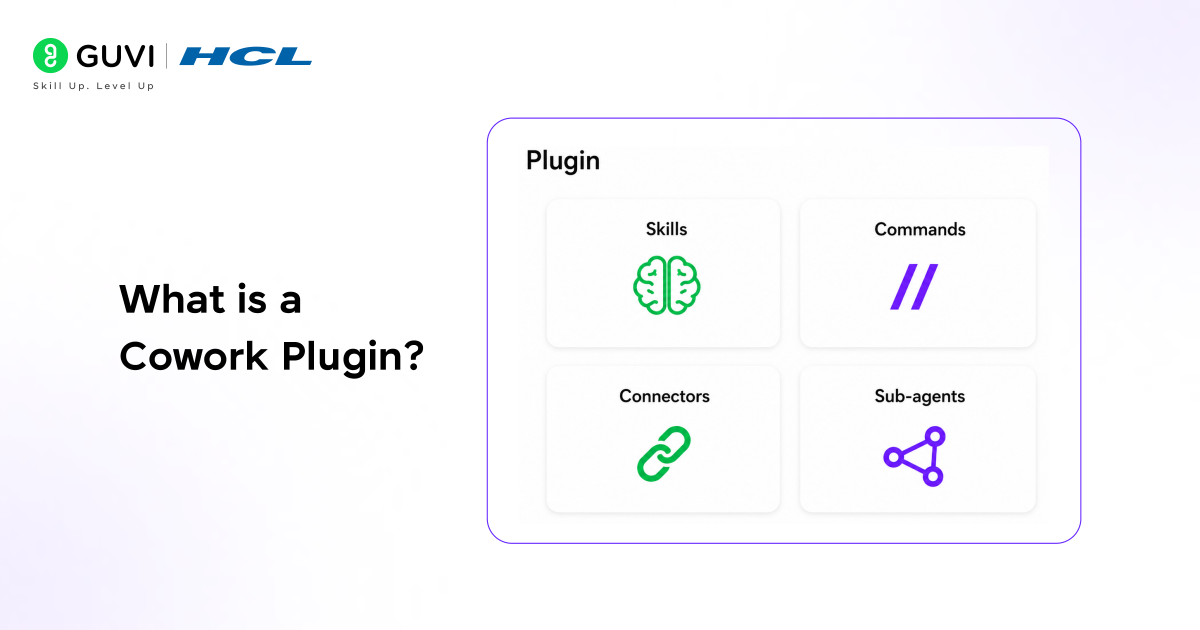
A build Cowork plugin means creating a structured set of files that tells Claude how your team works, your standards, your tools, your process, your typical deliverables. Once built, anyone on the team can run the same workflow by typing a single slash command, and Claude will apply your full methodology every time.
Think of it this way. Without a plugin, you explain your process to Claude each session. With a plugin, the explanation is already there: your chart of accounts, your scoring criteria, your review framework, your formatting preferences. Claude draws on it automatically without being told.
Why Build from Scratch?
Anthropic publishes 11 open-source plugins for common roles: Sales, Finance, Legal, Marketing, Data, Product, and others. They are strong starting points, and for many teams, customizing one of those is the right move. Building from scratch is for when that does not close the gap.
- Your workflow does not map to an existing plugin. Your workflow has specific tools, sequences, output formats, and criteria that an existing plugin does not cover, and customizing one still leaves too much out.
- You want to encode institutional knowledge for your team. The way your team actually does things, your standards, your judgment calls, your process documentation, packaged so everyone works from the same playbook, not a generic one.
- You need Claude to coordinate across your specific tools. Your workflow pulls from a particular combination of data sources, applies particular criteria, and produces a particular deliverable. A custom plugin builds that exact configuration.
When Anthropic announced plugins for Cowork on January 30, 2026, analysts dubbed it a potential “SaaSpocalypse”. The idea: teams could build specialized AI systems that understand their workflows without relying on dedicated SaaS tools. In response, shares of some legal research platforms dropped by 14–16% within days.
What’s Inside a Plugin
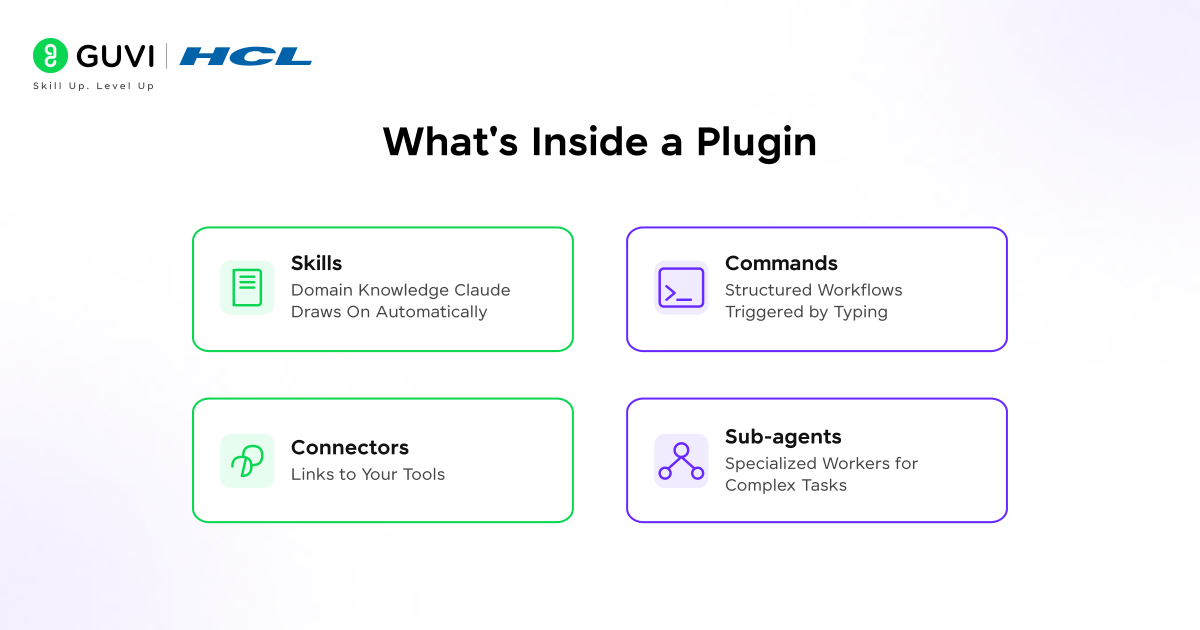
A plugin can include four types of components. Claude builds the right combination based on what you describe. Understanding what each one does gives you a framework for what to share when building.
Skills: Domain Knowledge Claude Draws On Automatically
A skill is a file containing knowledge, methodology, or standards that Claude loads when it is relevant to what you are working on. A skill might be a few lines describing a formatting preference, or a detailed methodology covering your full review framework.
Skills can also carry supporting reference documents, playbooks, compliance frameworks, and pricing matrices that Claude loads when relevant. Claude reads each skill’s description and draws on it when it matches what you are working on. Your knowledge and judgment calls become skills.
Commands: Structured Workflows Triggered by Typing
Commands are explicit workflows you trigger by typing a slash followed by the command name. A single plugin often includes several commands for different parts of the same function.
Commands can accept inputs so /close-package North America and /close-package Europe run the same process with a different scope. Recurring commands can run as scheduled tasks with your criteria applied each time. Commands can also chain to each other, where the output of one feeds the next. Your repeatable tasks become commands.
Connectors: Links to Your Tools
A plugin works without connectors; you can upload data manually or describe the situation, but connected tools let Claude pull what it needs mid-workflow and write results back. Your data sources become connectors.
You can direct Claude to search broadly across a connected tool or look in a specific place, depending on what the workflow needs.
Sub-agents Specialized Workers for Complex Tasks
Sub-agents let Claude split a complex workflow across multiple workers with separate context windows. One agent might research a company while another pulls data from your CRM, and a third scans Slack for relevant context.
They can run in parallel or in sequence, each with its own focus. This is particularly useful when a workflow pulls from several sources at once or when a task regularly hits context limits from processing too much in a single pass.
Every component of a Cowork plugin — including skills, commands, connectors, and sub-agents — is file-based, built using Markdown and JSON. This makes plugins easy to read, edit, and understand without deep coding knowledge. With Plugin Create, Anthropic’s built-in builder, you can even create plugins from scratch without knowing the file structure.
How to Create a Plugin
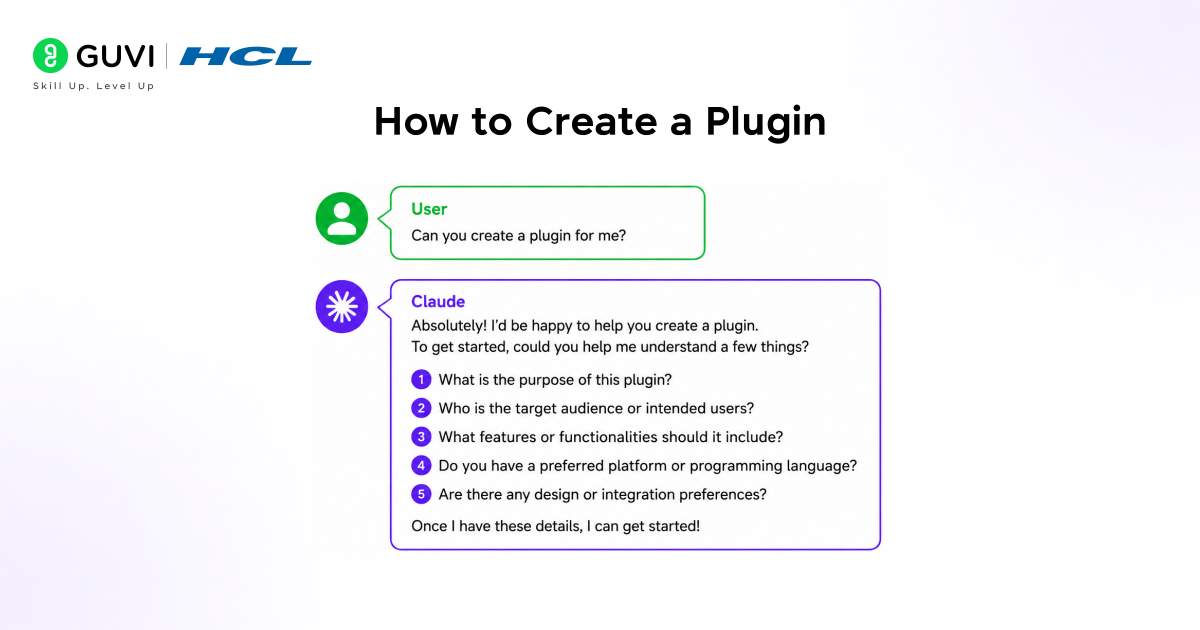
The process for building a Cowork plugin from scratch starts with a single description. Cowork includes Plugin Create, a built-in plugin that walks you through the entire build process.
In Cowork, describe the plugin you want to build even a sentence is enough to start:
I need a plugin for our customer success team
A simpler start works too. Claude will follow up with questions about your workflow, your tools, your standards, and how you handle edge cases. The more you can share, the more precisely it builds but you do not need to have everything figured out before you begin.
If you have existing documents, process guides, example deliverables you have been happy with, scoring frameworks, style guides share them during the build. Claude maps what you give it to the relevant parts of the plugin: your knowledge becomes skills, your repeatable steps become commands, your data sources become connectors.

What Changes With a Plugin
The clearest way to see what a build Cowork plugin actually changes is to compare the same workflow with and without one. Here are three examples directly from Anthropic’s documentation.
Finance: Monthly Close
Without a plugin: You paste in the full context each session.
Claude handles it, but restating your full close methodology every session is overhead that compounds, and the output may vary depending on who provides the instructions.
With your plugin:
/monthly-close North America
Skills load your chart of accounts, materiality thresholds, close calendar, and narrative standards. Connectors pull from your data warehouse. The command runs the full process a new analyst runs it and gets the same rigour as a senior team member.
Sales: Renewal Scoring
Without a plugin: You direct Claude to each source separately.
Pull usage data for Meridian Health from our analytics dashboard. Check for support escalations in the last 90 days. Compare their current contract against our pricing tiers. Score the renewal risk and flag expansion opportunities.
You are restating your scoring criteria and specifying the output format every time.
With your plugin:
/renewal-score Meridian Health
Skills hold your scoring criteria and competitive positioning. Connectors pull from your CRM and analytics dashboard. Claude scores the account and flags expansion opportunities of consistent quality whether a senior rep or a new hire runs it.
Legal: Contract Review
Without a plugin: This prompt covers a few checks on one agreement.
Review this vendor agreement. Our standard on indemnification is capped at 2x contract value. Flag auto-renewals over 12 months. Use GREEN/YELLOW/RED.
A full review applies dozens of standard positions across every clause type. You would need to restate all of them for each new agreement.
With your plugin:
/due-diligence
Skills hold your standard positions across every clause type and your severity classifications. A connector accesses the data room. Claude reviews every document against your playbook and produces a risk-rated summary.
Refining Your Plugin
A plugin built in a single session is a starting point, not a finished product. The best plugins are refined through real work over time. Here is how to do that systematically:
- Run it on real work and refine as you go. If you run a command and something is off, a step is missing, the criteria need adjusting, the output format is not right, tell Claude, and it can update the plugin files directly. Looking through the files after Claude builds them can also help you spot gaps early.
- Show Claude the deliverable. Upload an example of output you have been happy with, or point Claude to one in a connected drive. Claude picks up the structure, emphasis, and formatting directly and applies it to the plugin.
- Keep skills focused. Claude composes multiple skills when a task spans several areas, and focused skills with specific descriptions activate more reliably than broad ones. If a skill is not loading when you expect it to, its description is likely too vague. Structure it as: what it does, when to use it, what it covers.
- Consider sub-agents for multi-source or long-running tasks. If a workflow pulls from several tools at once, or if a task regularly hits context limits from processing too much in one pass, sub-agents let Claude split the work across separate context windows.
If you want to learn more about building skills for Claude Code and automating your procedural knowledge, do not miss the chance to enroll in HCL GUVI’s Intel & IITM Pravartak Certified Artificial Intelligence & Machine Learning courses. Endorsed with Intel certification, this course adds a globally recognized credential to your resume, a powerful edge that sets you apart in the competitive AI job market
Conclusion
In conclusion, knowing how to build a Cowork plugin from scratch means knowing how to encode your team’s work into something Claude can repeat reliably your standards, your tools, your judgment, your output format packaged once and available to everyone.
The build process starts with a single description in Cowork. Plugin Create handles the structure. You refine it on real work. And once it is running, a command that used to require a full prompt with all your methodology restated becomes one line — consistent whether a senior employee or a new hire runs it.
That is what separates a well-built plugin from just using Claude with good prompts. The prompt is already inside the plugin. You just run the command.
FAQs
1. What is a Cowork plugin?
A Cowork plugin is a group of files that teaches Claude how to do a specific job — encoding your team’s methodology, workflows, standards, and tool connections. It packages that knowledge into skills Claude draws on automatically, commands you trigger with a slash, connectors to your tools, and sub-agents for complex parallel tasks.
2. When should I build a plugin from scratch instead of customising an existing one?
Build from scratch when your workflow does not map to any of the 11 official Anthropic plugins, when customising an existing plugin still leaves important gaps, or when you need to encode institutional knowledge specific to your team your criteria, your formats, your tools in a way that no generic plugin covers.
3. Do I need to know how to code to build a Cowork plugin?
No. Plugin Create in Cowork walks you through the entire build process using a guided conversation. You describe what you want, answer Claude’s follow-up questions, share any existing documents or examples, and Claude builds the files. Every component is plain text Markdown and JSON so you can read and edit it without any coding knowledge.
4. How do I start building a plugin in Cowork?
Open Cowork and type a description of the plugin you want to build even one sentence is enough to start. Plugin Create is a built-in plugin that walks you through the rest. Claude will ask about your workflow, your tools, your standards, and how you handle edge cases. If you have existing process documents or example deliverables, share them during the build.
5. What are the four components inside a Cowork plugin?
Skills are domain knowledge files Claude draws on automatically when relevant. Commands are structured workflows triggered by typing a slash command. Connectors link Claude to your external tools and data sources. Sub-agents are specialised workers Claude spins up to handle parallel or long-running tasks across separate context windows.
Success Stories

About the Author
Vishalini Devarajan
An Aerospace Engineer turned content writer, I focus on making complex concepts easy to understand through well-structured, reader-friendly blogs. Whether it’s a technical topic or a non-technical one, I love creating content that is clear, engaging, and impactful.
View all posts by Vishalini Devarajan
Connect with me @



Did you enjoy this article?