


Python Articles
Freelancing as a Python Developer: Getting Your First Client
Common Python Mistakes Beginners Make And How to Fix Them
Python Best Practices: Writing Clean, Maintainable Code Like a Pro
How to Build a Python Developer Portfolio That Gets You Hired


Get In Touch For Details! Request More Information

What Is a String in Python? (Complete Guide)
Apr 03, 2026 7 Min Read 2004 Views
(Last Updated)
Are Python programs truly working with text, or are they only moving characters without understanding how strings behave under the hood? Every configuration file, user input, API response, and log entry in Python is powered by strings, yet many developers use them without fully understanding their structure, performance characteristics, and limitations. A clear grasp of Python strings helps prevent subtle bugs, improves data handling accuracy, and leads to cleaner, more maintainable code.
Explore how Python strings work, how they are created and managed in memory, and how slicing, formatting, and built-in methods are applied in real-world programming scenarios.
Quick Answer: A string in Python is an immutable sequence of Unicode characters used to represent and manipulate text. Strings support indexing, slicing, formatting, and rich built-in methods, which makes them essential for handling user input, files, APIs, data transformation, and memory-efficient text processing in real-world Python applications.
Table of contents
- What Is a String in Python?
- Numbers as text
- Creating Strings in Python
- Single Quotes vs Double Quotes
- Triple-Quoted Strings for Multi-Line Text
- Empty Strings
- Raw Strings and Their Purpose
- String Immutability Explained
- Accessing Characters in a String
- Indexing (Positive and Negative Indexing)
- Accessing Individual Characters
- Understanding IndexError
- String Slicing in Python
- Basic Slicing Syntax
- Start, Stop, and Step Parameters
- Reverse Strings Using Slicing
- Practical Slicing Examples
- Common String Operations in Python
- Python Built-In String Methods: Case Conversion, Search, Split, and Validation
- Case Conversion Methods
- Searching and Replacing Methods
- Splitting and Joining Strings
- Trimming Whitespace
- Validation Methods
- String Formatting in Python
- Best Practices for Readable and Efficient Formatting
- Special Characters in Python Strings: Escapes, Quotes, Unicode, and Raw Strings
- Python String Memory Model and Performance Optimization Strategies
- Strings vs Other Python Data Types
- Strings vs Lists
- Strings vs Bytes
- Common Errors and Pitfalls with Strings
- Best Practices for Working with Strings
- Conclusion
- FAQs
- Why are Python strings immutable and how does it affect coding?
- When should raw strings be used instead of regular strings?
- What is the most efficient way to build large strings in Python?
What Is a String in Python?
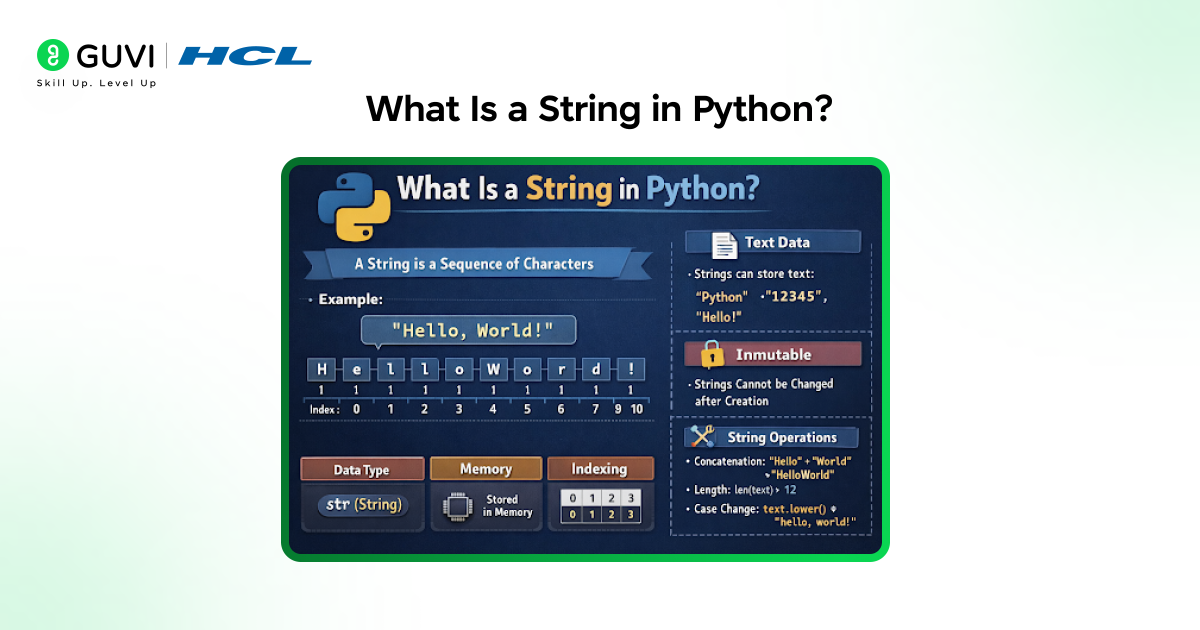
A string in Python is a built-in data type used to represent textual data as an ordered sequence of Unicode characters. It allows programs to store, process, and manipulate text such as names, messages, configuration values, and structured data labels. Strings are immutable, which means their content cannot be altered after creation and any operation that appears to modify a string actually produces a new object in memory. Python strings support indexing, slicing, and a rich set of methods that handle searching, formatting, validation, and transformation of text.
Here are quick examples of a string in Python:
- Basic text
name = “Python”
- Sentence
message = “Hello, World!”
Numbers as text
(Still a string, because it’s enclosed in quotes)
code = “12345”
- Single character
letter = “A”
- Special characters
symbols = “@#$_-+=!”
- Multi-line string
info = “””Python strings
can span multiple lines.”””
Creating Strings in Python
1. Single Quotes vs Double Quotes
Python allows strings to be created using single quotes or double quotes, and both forms behave identically at runtime, which is an important concept when learning Python fundamentals. The choice mainly affects readability and escaping rules, since double quotes reduce the need to escape apostrophes in text and single quotes reduce escaping of quotation marks. Consistent usage across a codebase improves clarity and avoids unnecessary escape characters.
| Factor | Single Quotes (‘ ‘) | Double Quotes (” “) |
| Purpose | Define string literals | Define string literals |
| Runtime behavior | No difference in execution | No difference in execution |
| Escape handling | Requires escaping apostrophes inside text | Requires escaping double quotation marks |
| Readability use case | Preferred when text contains double quotes | Preferred when text contains apostrophes |
| Consistency impact | Improves readability when used consistently | Improves readability when used consistently |
| Performance | Identical to double-quoted strings | Identical to single-quoted strings |
| Common usage pattern | Often used for short literals and keys | Common in user-facing messages and text |
2. Triple-Quoted Strings for Multi-Line Text
Triple-quoted strings support text that spans multiple lines and preserves line breaks exactly as written. They are commonly used for documentation strings, formatted messages, and embedded text blocks where readability matters. Indentation inside triple-quoted strings becomes part of the value, which requires careful alignment to avoid unintended whitespace.
3. Empty Strings
An empty string represents a valid string object with zero length. It is often used as an initial value for text accumulation, default parameters, or conditional checks. Empty strings evaluate as false in boolean contexts, which makes them useful in validation logic and flow control.
4. Raw Strings and Their Purpose
Raw strings treat backslashes as literal characters rather than escape sequences. They are primarily used for regular expressions, file paths, and patterns where backslashes appear frequently. Raw strings simplify definitions and reduce errors caused by unintended escape processing.
String Immutability Explained
- What Immutability Means in Python?
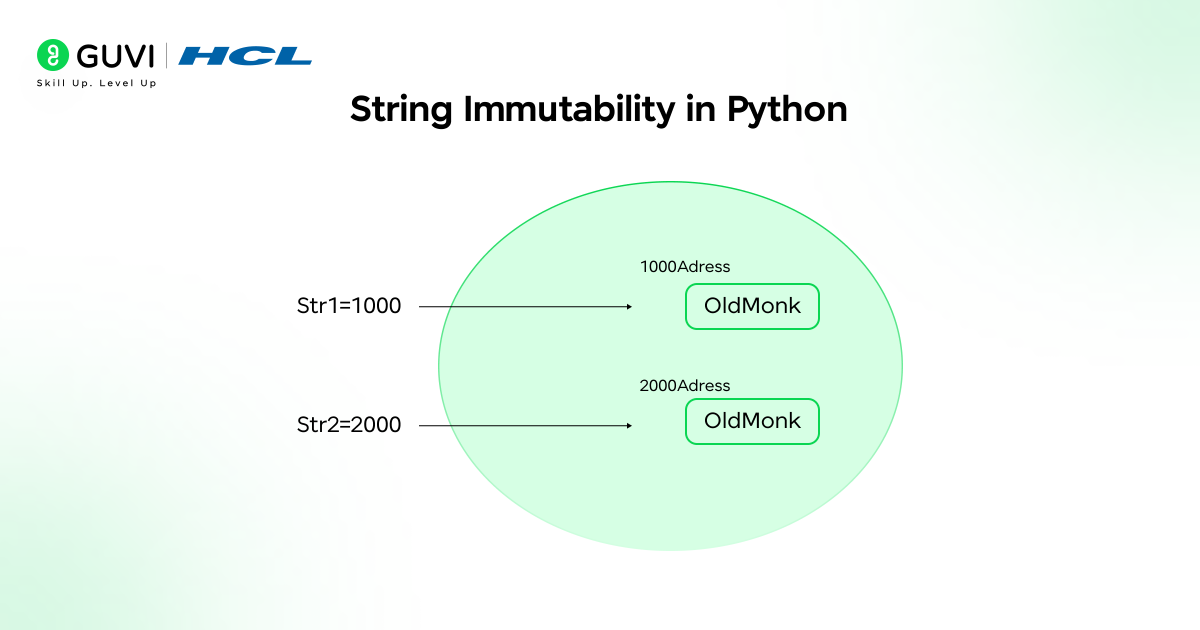
Immutability means that a string’s content cannot be altered after it is created. Any operation that appears to modify a string actually produces a new string object with the updated value. This behavior provides consistency and predictability across string operations.
- Why Strings Cannot Be Changed in Place?
Python strings rely on immutability to support safe reuse and internal optimizations. Allowing in-place modification would introduce side effects where multiple references point to the same altered value. Immutability avoids these risks and keeps string behavior stable across scopes.
- Memory and Performance Implications
Immutable strings allow Python programming to reuse objects and optimize memory usage for repeated values. Operations that create many intermediate strings can increase memory allocation and execution time. Efficient patterns such as join operations reduce overhead during large-scale text construction.
- Common Beginner Mistakes Related to Immutability
- Assuming In-Place Modification- Beginners often expect methods such as replace() or upper() to alter the original string, but these methods return a new string instead.
- Missing Reassignment After String Operations-Failing to reassign the result of a string method call causes the original value to remain unchanged, which leads to incorrect outputs.
- Unexpected Results During Data Cleaning- String normalization steps appear to execute correctly, but unchanged values persist because the new string is never stored.
- Formatting Logic Errors- Message construction and text formatting logic break when developers assume earlier string operations have already updated the value.
Want to build a strong foundation in Python beyond syntax basics? Explore HCL GUVI’s Python Hub to strengthen your understanding of core concepts, real-world use cases, and best practices that help you write clean, reliable, and production-ready Python code.
Accessing Characters in a String
1. Indexing (Positive and Negative Indexing)
Strings support zero-based indexing, where the first character is accessed using index zero. Negative indexing allows access from the end of the string, which simplifies retrieval of trailing characters. Index values must fall within the valid range of the string length.
2. Accessing Individual Characters
Each indexed position in a string returns a new string containing a single character. This behavior allows character-level inspection and comparison during parsing and validation. Direct modification of a character is not possible due to immutability.
3. Understanding IndexError
An IndexError occurs when code attempts to access a position outside the valid bounds of a string. This error often arises from incorrect length assumptions or missing boundary checks. Defensive logic using length validation prevents such runtime failures.
String Slicing in Python
1. Basic Slicing Syntax
String slicing extracts a contiguous or stepped subset of characters using index ranges. The syntax always returns a new string object and preserves the original value unchanged. Slicing operates in constant time for boundary calculation and linear time for character extraction, which makes it predictable in performance-sensitive code.
text = "pythonprogramming"

segment = text[0:6]

# "python"
2. Start, Stop, and Step Parameters
The start index specifies the first character position to include, the stop index specifies the position where slicing ends, and the step controls how many positions to skip between characters. Negative values are allowed and follow the same rules in reverse traversal.
text = "0123456789"

subset = text[1:9:2]

# "1357"
3. Reverse Strings Using Slicing
A negative step value reverses traversal direction. This method avoids loops and temporary buffers, which makes it both concise and efficient.
value = "abcdef"

reversed_value = value[::-1]

# "fedcba"
4. Practical Slicing Examples
Slicing is commonly applied to strip prefixes, extract tokens from fixed-format identifiers, mask sensitive values, and parse date components from strings with stable layouts. Accurate index boundaries prevent IndexError and data corruption.
Common String Operations in Python
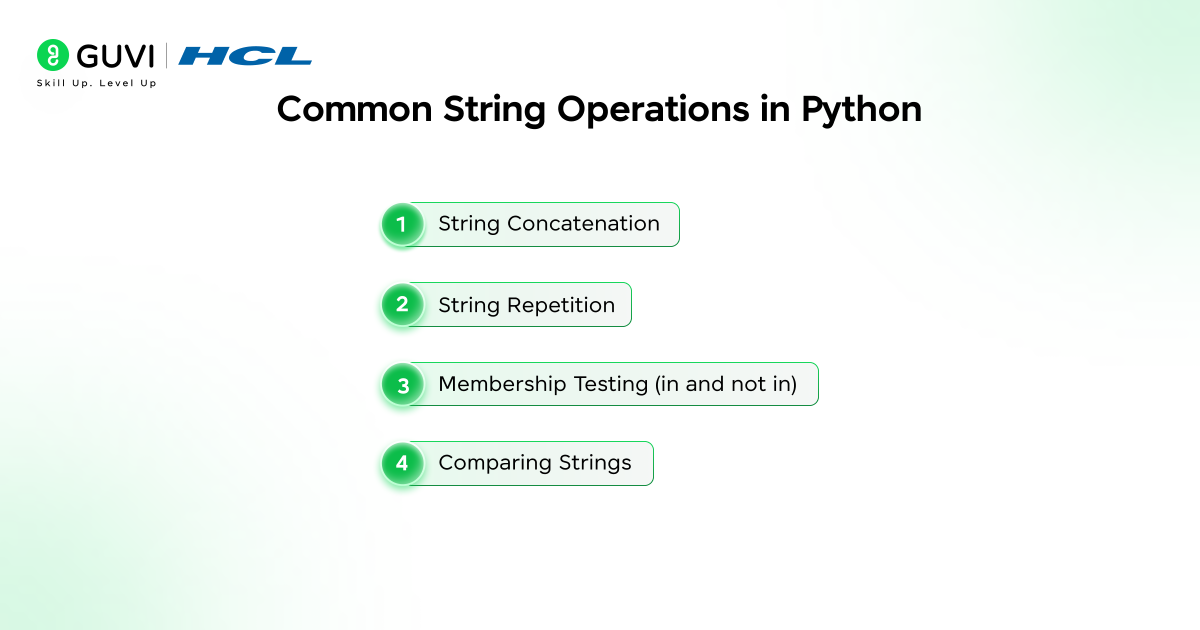
- String Concatenation
Concatenation combines string operands into a new object. Each operation allocates fresh memory, which makes repeated concatenation inside loops inefficient.
result = “data” + “_processed”
- String Repetition
Repetition creates a new string containing multiple copies of the original content. It is frequently used for separators, padding, and visual formatting.
divider = “=” * 30
- Membership Testing (in and not in)
Membership testing performs substring searches and returns boolean results. This operation is optimized internally and preferred over manual search logic.
“error” in “error detected”
- Comparing Strings
String comparison evaluates Unicode code point order. Comparisons are case-sensitive unless normalization is applied explicitly.
“apple” < “banana” # True
Python Built-In String Methods: Case Conversion, Search, Split, and Validation
Here are Python built-in string methods for case conversion, searching, splitting, and validation that Python developers use for efficient text processing.
1. Case Conversion Methods
Case conversion normalizes text for comparison, indexing, and storage. These methods do not mutate the original string.
value.lower()
value.upper()
value.casefold()
2. Searching and Replacing Methods
Search methods return index positions or boolean indicators. Replacement methods generate new strings with substituted content.
log.find("ERROR")

log.replace("ERROR", "WARN")
3. Splitting and Joining Strings
Splitting converts strings into lists based on delimiters. Joining assembles strings efficiently from iterable elements and minimizes memory churn.
fields = "a|b|c".split("|")

combined = "|".join(fields)
4. Trimming Whitespace
Trimming methods remove leading and trailing whitespace introduced by user input, files, or network payloads.
text.strip()5. Validation Methods
Validation methods confirm structural properties of string content and simplify input verification logic.
"2026".isdigit()

"alpha".isalpha()

"abc123".isalnum()
String Formatting in Python
- Using f-Strings
F-strings evaluate expressions directly at runtime and produce readable formatting logic. They support expressions, method calls, and numeric formatting.
price = 19.99

output = f"Total: {price:.2f}"- format() Method
The format method supports positional and named placeholders, which is useful for reusable templates and externalized strings.
"{user} logged in at {time}".format(user="admin", time="10:45")- Percent-Style Formatting
Percent-style formatting remains available for backward compatibility. It is limited in flexibility and clarity for complex expressions.
"%s scored %d" % ("Alice", 95)Best Practices for Readable and Efficient Formatting
- Use a single formatting style consistently within a module
- Prefer f-strings for clear syntax and better performance
- Keep formatting logic close to the data being formatted
Special Characters in Python Strings: Escapes, Quotes, Unicode, and Raw Strings
- Newline, Tab, and Backslash
Escape characters control layout and representation of special characters in output streams.
Escape characters control layout and representation of special characters in output streams.
text = "Line1\nLine2\tIndented\\Path"
- Quotes Inside Strings
Escaping or alternating quote styles allows literal quote characters to appear safely inside strings.
message = 'She said "Hello"'- Unicode Characters
Python strings store Unicode characters natively, which supports multilingual text and symbolic representation without extra configuration.
check = "✓"- When to Use Raw Strings?
Raw strings disable escape sequence interpretation and are essential for regular expressions and Windows file paths.
pattern = r"\d+\.\d+"Python String Memory Model and Performance Optimization Strategies
- How Python Stores Strings
Strings are stored as immutable objects with fixed memory layouts. This design supports safe sharing and predictable behavior across references.
- Interning and Reuse
Python may intern short or frequently used strings, which allows multiple variables to reference the same memory location. Interning improves comparison speed and reduces memory usage.
- Performance Considerations With Large Strings
Operations that generate many intermediate strings increase allocation overhead and garbage collection pressure. Efficient construction patterns reduce runtime cost.
- When to Use join() Instead of Concatenation?
The join method allocates memory once and copies content sequentially. It is the preferred approach for assembling strings from loops or large collections.
parts = ["log", "entry", "complete"]

result = " ".join(parts)
Want to move from understanding Python strings to writing confident, real-world Python code? Enroll in HCL GUVI’s Python Course to master core Python concepts through structured learning and hands-on practice, earn a globally recognised certification, learn at your own pace with 100 percent online access, get full lifetime access to all content, clear doubts through a dedicated support forum, and sharpen your skills using four gamified practice platforms that prepare you for real-world applications.
Strings vs Other Python Data Types
Strings vs Lists
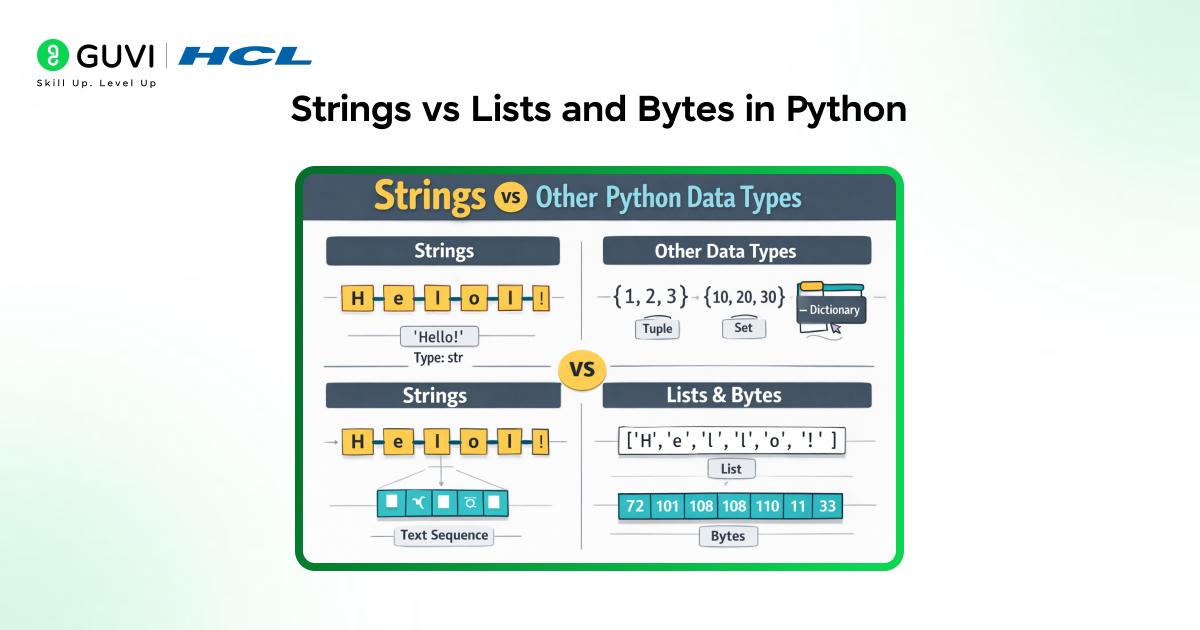
Strings represent a fixed sequence of characters intended for text handling, whereas lists represent a flexible collection of elements that can change over time. A string character behaves as a complete value, but a list element can hold any object type. String immutability supports safety and predictable behavior, while list mutability supports dynamic data manipulation.
Strings vs Bytes
Strings are designed for text and follow Unicode standards, which makes them suitable for internationalization and readable output. Bytes store raw binary values and are closely aligned with how data is transmitted or stored at the system level. Strings require encoding before transmission, and bytes require decoding before human interpretation.
| Key Factor | Strings (str) | Lists (list) | Bytes (bytes) |
| Core purpose | Represent textual data using Unicode characters | Store ordered collections of elements | Represent raw binary data |
| Mutability | Immutable, content cannot be changed after creation | Mutable, elements can be added, removed, or modified | Immutable, binary content remains fixed |
| Data stored | Unicode characters | Any Python objects | Integers between 0 and 255 |
| Human readability | Human-readable text | Depends on stored elements | Not human-readable by default |
| Indexing result | Returns a string character | Returns an element of any type | Returns an integer |
| Slicing result | Returns a new string | Returns a new list | Returns a new bytes object |
| Memory behavior | Optimized through immutability and internal reuse | Requires additional memory for dynamic resizing | Compact and efficient for binary payloads |
| Common operations | Formatting, searching, splitting, joining | Appending, removing, sorting | Encoding, decoding, binary manipulation |
| Typical use cases | User input, messages, file paths, JSON keys | Collections of values, dynamic data sets | File I/O, network protocols, encryption |
| Encoding awareness | Uses Unicode internally | No encoding concept | Encoding-dependent representation |
| Interoperability | Ideal for application logic and UI | Ideal for data structures and workflows |
Common Errors and Pitfalls with Strings
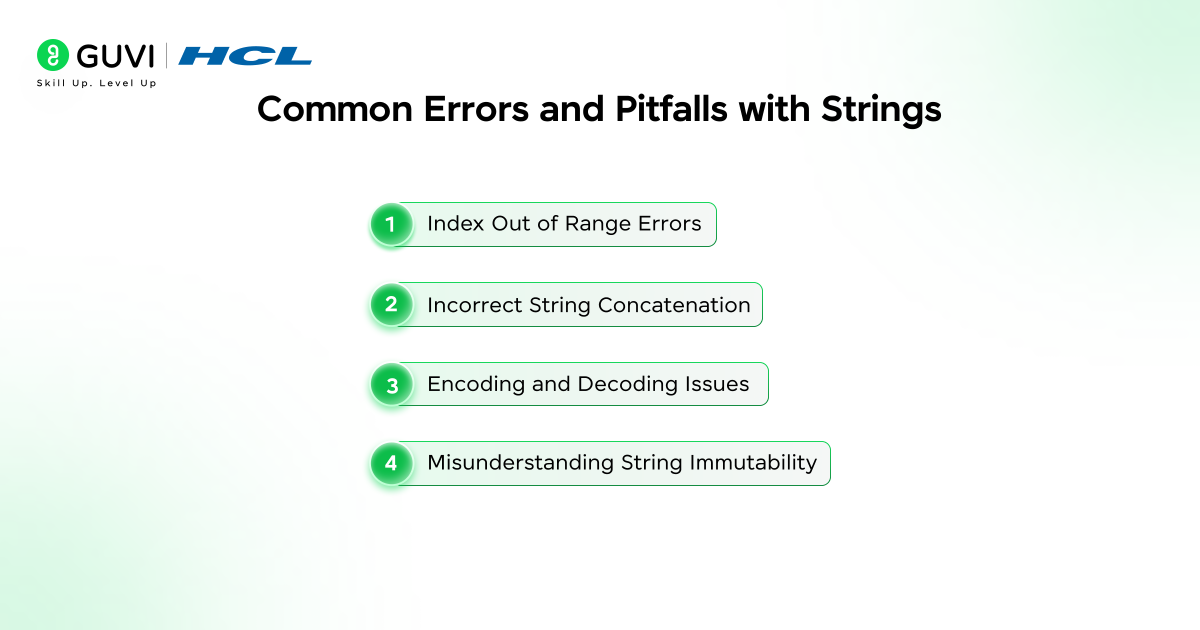
- Index Out of Range Errors: Occur when code attempts to access a character position outside the valid bounds of a string. These errors often arise due to incorrect assumptions about string length or missing checks before indexing.
- Incorrect Concatenation: Happens when strings are combined with numeric or boolean values without explicit type conversion. This results in runtime type errors and often appears during logging, message construction, or dynamic output generation.
- Encoding and Decoding Issues: Appear when text data is decoded using an incompatible character encoding or encoded multiple times. Such issues lead to unreadable characters, data corruption, or failures during file I/O and network communication.
- Misunderstanding Immutability: Leads to logic errors when code expects in-place modification of string content. Operations such as replacement, slicing, or case conversion always return new string objects, which can cause unintended behavior if reassignment is missed.
Best Practices for Working with Strings

- Writing Clean and Readable String Logic: Use meaningful variable names and keep string operations concise and explicit. Separate validation, transformation, and formatting steps to improve maintainability and reduce logical complexity.
- Choosing the Right Formatting Method: Use f-strings for clear syntax and efficient runtime performance in modern Python. Reserve older formatting styles for legacy compatibility or specialized formatting requirements.
- Handling User Input Safely: Apply strict validation rules, escape unsafe characters, and reject unexpected formats before further processing. These steps reduce the risk of injection flaws, malformed data, and application errors.
- Performance-Friendly String Operations: Use join operations to combine multiple string fragments and avoid repeated concatenation inside loops. Rely on built-in string methods that are optimized at the interpreter level to reduce memory overhead and execution time.
Conclusion
Python strings are a core building block for text handling, data exchange, and application logic, and they highlight key benefits of Python such as readability and simplicity. Understanding how strings are created, accessed, sliced, formatted, and managed in memory leads to more predictable behavior and better performance. Strong command over string operations helps reduce errors, improve data quality, and write maintainable Python code that scales across real-world use cases.
FAQs
1. Why are Python strings immutable and how does it affect coding?
Python strings are immutable to support safe reuse, predictable behavior, and memory optimization. Immutability prevents accidental side effects when the same string is referenced in multiple places and requires reassignment after any transformation.
2. When should raw strings be used instead of regular strings?
Raw strings should be used when working with regular expressions, file paths, or patterns that contain frequent backslashes. They prevent escape sequence interpretation and reduce errors caused by unintended character processing.
3. What is the most efficient way to build large strings in Python?
The most efficient approach is using the join() method with an iterable of string parts. This avoids repeated memory allocation that occurs with concatenation inside loops and improves performance for large-scale text construction.
Success Stories

About the Author
Vaishali
I'm a seasoned writer with four years of experience across technical, non-technical, and just about every genre or niche you can imagine. Adaptable and curious, I enjoy exploring new topics and making information engaging and easy to understand. Fueled by a steady stream of tea, I approach each project with creativity, reliability, and genuine enthusiasm for storytelling.
View all posts by Vaishali
Connect with me @















Did you enjoy this article?