


Python Articles
Freelancing as a Python Developer: Getting Your First Client
Common Python Mistakes Beginners Make And How to Fix Them
Python Best Practices: Writing Clean, Maintainable Code Like a Pro
How to Build a Python Developer Portfolio That Gets You Hired


Get In Touch For Details! Request More Information
Dependency Management for Python on Custom OS Builds
Jul 21, 2026 5 Min Read 1262 Views
(Last Updated)
Dependency management for Python is crucial when deploying applications on custom operating system builds. Unlike standard Linux distributions, custom OS environments may lack preinstalled libraries and familiar tools, making it challenging to maintain consistent and reliable Python environments. Proper dependency management for Python ensures that applications function correctly across development, testing, and production.
This blog covers the fundamentals of dependency management for Python, Python-specific methods, actionable steps for managing dependencies on custom OS builds, and security best practices. It is useful for developers, DevOps engineers, and system administrators who work with Python applications in specialized or minimal OS environments, helping them ensure reproducible and secure deployments.
Quick Answer
Dependency management for Python on custom OS builds requires isolating environments, pinning package versions, including system libraries, building native extensions, automating installations, and following security best practices.
Table of contents
- What Is Dependency Management?
- Dependency Management For Python
- Methods For Dependency Management On Custom OS Builds
- Use Isolated Python Environments
- Pin Package Versions
- Include System-Level Dependencies
- Build Native Extensions Locally
- Automate Dependency Installation
- Maintain Dependency Lock Files
- Test On Target OS
- Security And Best Practices
- Regularly Audit Dependencies
- Limit Unnecessary Packages
- Document Dependencies Clearly
- Automate Security Checks
- 💡 Did You Know?
- Conclusion
- FAQs
- Why is Dependency Management for Python critical on custom OS builds?
- Are virtual environments enough?
- How can I ensure reproducible builds?
- How do I handle native extensions?
- What are best practices for security?
What Is Dependency Management?
Dependency management for Python involves tracking and controlling all software libraries and packages an application requires to run correctly. It ensures consistent behavior across environments, prevents conflicts, and simplifies maintenance and reproducible builds.
Key Points:
- Version Control: Ensure correct versions of dependencies are installed to avoid conflicts.
- Conflict Resolution: Detect and resolve incompatible dependencies that may break applications.
- Reproducibility: Maintain consistent environments across development, testing, and production.
- Ease of Maintenance: Simplifies debugging, updating, and deploying software efficiently.
Dependency Management For Python
Dependency management for Python focuses on handling both Python packages and the system-level libraries they depend on. Proper management ensures that Python applications run reliably on different environments, including custom OS builds, without conflicts or missing components. It involves isolating Python environments, tracking package versions, and ensuring compatibility with OS-specific requirements.
Key Points:
- Python Packages and Libraries: Python applications rely on packages available via PyPI or internal repositories. Each package may have its own dependencies, which need careful tracking.
- System-Level Dependencies: Many Python packages depend on OS libraries such as libssl, libffi, or database clients, which may not be present on custom OS builds.
- Dependency Isolation: Creating isolated Python environments ensures that each project maintains its own set of dependencies without conflicting with system Python or other projects.
Do check out the Python Course by HCL GUVI, a live mentor-led course that helps you strengthen your Python skills and gain hands-on experience with environment setup and package management, which is directly relevant for managing dependencies on custom OS builds.
Methods For Dependency Management On Custom OS Builds
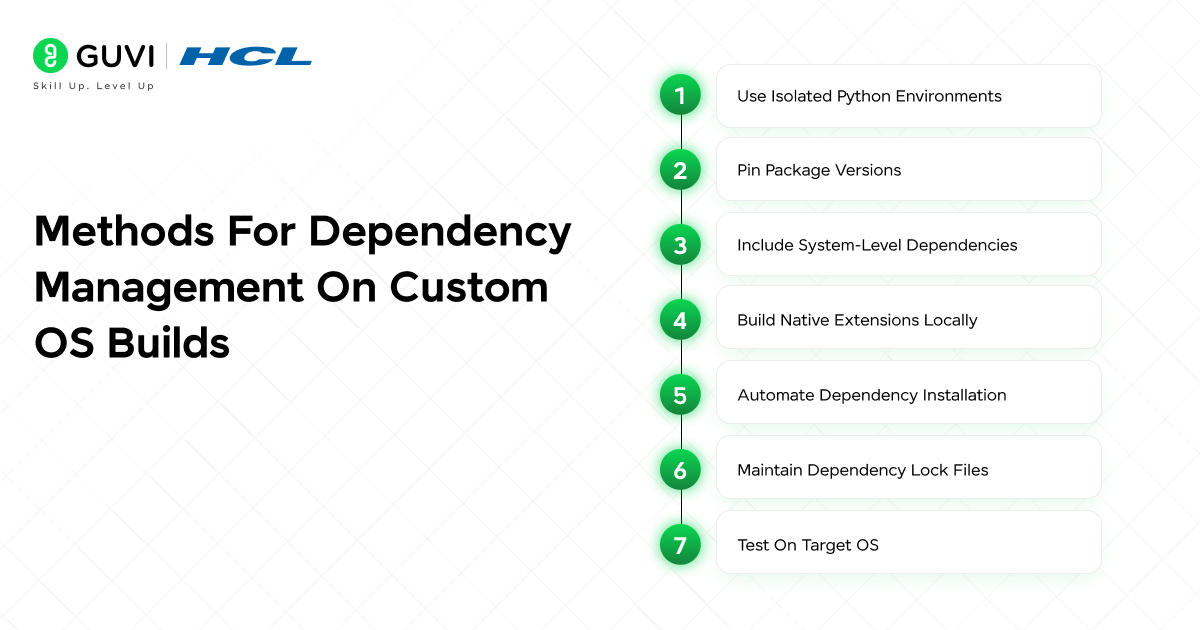
Managing dependency management for Python on custom OS builds requires a systematic approach. This section covers the main methods that ensure Python applications are reliable and reproducible in specialized environments. The methods covered in this section include:
- Use Isolated Python Environments
- Pin Package Versions
- Include System-Level Dependencies
- Build Native Extensions Locally
- Automate Dependency Installation
- Maintain Dependency Lock Files
- Test On Target OS
Do check out the Python eBook by HCL GUVI, which helps you build strong Python fundamentals and understand core concepts like modules, packages, and environment setup. This knowledge directly supports dependency management for Python by helping you understand how libraries work and how Python applications depend on them across different systems.
1. Use Isolated Python Environments
Creating project-specific virtual environments allows Python applications to run independently of the system Python, avoiding conflicts and maintaining a clean workspace. By isolating dependencies, developers can install packages required for one project without affecting others. This isolation also makes it easier to manage version upgrades and rollbacks without introducing inconsistencies in the system environment.
Key Points:
- Isolation: Keeps project dependencies separate from the global Python installation.
- Consistency: Ensures all developers and CI/CD pipelines use the same environment.
Tips:
- Use python -m venv env_name or pipenv.
- Activate the environment before installing packages to avoid global contamination.
2. Pin Package Versions
Locking dependencies to specific versions ensures that the application behaves consistently across different installations. Without pinning, updates to packages may introduce breaking changes or alter behavior unexpectedly. Version pinning allows teams to recreate exact environments for development, testing, and production, reducing the likelihood of bugs caused by mismatched dependencies.
Key Points:
- Reproducibility: Guarantees identical setups in development and production.
- Stability: Prevents unexpected breakage due to upstream package updates.
Tips:
- Use pip freeze > requirements.txt.
- Commit the requirements file to version control for team-wide consistency.
3. Include System-Level Dependencies
Python packages often rely on underlying system libraries. Ensuring these are present prevents runtime failures and compilation errors. For example, packages handling encryption, networking, or database connectivity may require specific libraries. Explicitly documenting and installing these system-level dependencies ensures that dependency management for Python remains effective and reduces deployment issues on custom OS builds.
Key Points:
- Critical Libraries: Includes SSL, database clients, or other C libraries.
- Compatibility: Align library versions with Python packages.
Tips:
- Maintain a checklist of required OS-level dependencies.
- Use the OS package manager to automate installations.
4. Build Native Extensions Locally
Some Python packages include compiled C/C++ extensions, which may not be compatible with precompiled wheels on custom OS builds. Compiling these extensions locally ensures compatibility with the specific OS architecture and avoids runtime errors. This process also allows developers to optimize performance for the target environment, enhancing dependency management for Python practices.
Key Points:
- Custom Builds: Ensures compatibility with the target OS architecture.
- Performance: Local compilation can optimize for the specific system.
Tips:
- Install build tools like gcc, make, and python-dev.
- Test compiled modules in the isolated environment.
5. Automate Dependency Installation
Automation reduces human error and ensures reproducible installations across different machines and environments. By scripting the installation process or integrating it into CI/CD pipelines, teams can consistently recreate environments without missing dependencies or version mismatches, streamlining dependency management for Python.
Key Points:
- CI/CD Integration: Automatically sets up environments during builds.
- Efficiency: Saves time and prevents manual mistakes.
Tips:
- Use shell scripts, Makefile, or CI/CD pipelines.
- Combine Python package installations with OS package installations.

6. Maintain Dependency Lock Files
Lock files record exact versions of dependencies to ensure deterministic builds. They allow developers to roll back to a known stable environment if updates introduce issues, making debugging and maintenance easier. Proper use of lock files strengthens dependency management for Python by providing consistent reference points across all environments.
Key Points:
- Exact Versions: Avoids discrepancies between development and production.
- Debugging Ease: Easier to trace issues when versions are fixed.
Tips:
- Update lock files only after testing.
- Use Pipfile.lock for pipenv or requirements.txt for venv.
7. Test On Target OS
Validating Python applications on the actual target OS helps catch environment-specific issues that may not appear in development. Testing on the intended system ensures that dependencies, OS libraries, and compiled extensions work together correctly, reinforcing dependency management for Python and reducing deployment failures and runtime errors.
Key Points:
- Environment-Specific Bugs: Detect issues not visible in development.
- Reliability: Ensures deployment stability.
Tips:
- Use lightweight VMs or containers that mirror the custom OS.
- Run automated test suites in the target environment.
Explore: Securing Python Environments on Custom OS Images
Security And Best Practices
Proper security practices are critical for effective dependency management for Python. This section covers key security measures and best practices to ensure that your Python applications remain secure and maintainable on custom OS builds. The main areas include:
- Regularly Audit Dependencies
- Limit Unnecessary Packages
- Document Dependencies Clearly
- Automate Security Checks
Do check out the HCL GUVI Learn Hub Python, which offers free tutorials, beginner-friendly lessons, and hands-on coding practice to build your Python fundamentals This is a great resource to reinforce concepts like modules, packages, and environment setups that are useful when learning dependency management for Python.
1. Regularly Audit Dependencies
Conducting regular audits of both Python packages and system libraries helps identify known vulnerabilities and potential security threats. Dependencies may have updates that fix security issues, so staying up to date is essential for maintaining a secure environment.
Key Points:
- Vulnerability Awareness: Detects outdated or insecure packages.
- Prevent Exploits: Reduces risk of attacks due to known issues.
Tips:
- Use tools like safety, bandit, or pip-audit to check Python packages.
- Integrate dependency audits into CI/CD pipelines for continuous monitoring.
2. Limit Unnecessary Packages
Installing only the packages that are strictly required minimizes the attack surface. Each additional dependency increases potential security risks and maintenance overhead, so keeping dependencies minimal enhances overall security.
Key Points:
- Reduced Attack Surface: Fewer packages mean fewer vulnerabilities.
- Simplified Maintenance: Easier to update and monitor fewer packages.
Tips:
- Review project requirements regularly.
- Remove unused or deprecated packages promptly.
3. Document Dependencies Clearly
Maintaining clear documentation of all Python packages, versions, and system libraries ensures that environments can be reproduced accurately and securely. Documentation also helps new developers understand what is installed and why, reducing the risk of introducing insecure packages.
Key Points:
- Transparency: Clear records of all dependencies.
- Reproducibility: Easier to replicate environments safely.
Tips:
- Maintain requirements.txt or Pipfile with detailed notes.
- Include OS-level dependencies and their versions in the documentation.
4. Automate Security Checks
Integrating automated security checks in the development workflow ensures that vulnerabilities are detected early and consistently. This proactive approach strengthens the security posture of Python applications on custom OS builds.
Key Points:
- Continuous Monitoring: Detects vulnerabilities as they arise.
- Early Detection: Prevents security issues before deployment.
Tips:
- Include security tools in CI/CD pipelines.
- Schedule regular scans and reviews of all dependencies.
💡 Did You Know?
- Many Python runtime errors on custom OS builds are caused by missing system libraries, not faulty Python code
- Precompiled Python wheels are often incompatible with minimal or hardened operating systems
- Automating dependency management significantly reduces deployment errors and maintenance overhead
Conclusion
Effective dependency management for Python on custom OS builds combines environment isolation, version control, system library management, compilation of native extensions, automation, and security best practices. Applying these methods ensures that Python applications remain reliable and consistent across development, testing, and production environments.
To elevate this knowledge, developers should implement automated workflows for dependency installation, regularly audit and update dependencies, and consistently test on target OS builds. This approach not only strengthens application reliability but also enhances maintainability and security.
FAQs
1. Why is Dependency Management for Python critical on custom OS builds?
Custom OS builds often lack standard libraries and tools, making isolated and well-documented dependency management essential.
2. Are virtual environments enough?
They isolate Python packages, but must be combined with proper system library management and version pinning.
3. How can I ensure reproducible builds?
Use version-locked requirements files, automate installation, and always test on the target OS.
4. How do I handle native extensions?
Compile them locally on the target OS with the appropriate build tools and libraries.
5. What are best practices for security?
Audit dependencies regularly, minimize unnecessary packages, document all dependencies, and automate security checks.
Success Stories

About the Author
Jebasta
I translate the language of data into stories that anyone can understand. As a writer with a data science background, I simplify analytics, AI, and decision-making so beginners and enthusiasts can confidently explore the world of data.
View all posts by Jebasta
Connect with me @











Did you enjoy this article?