


Software Development Articles
How to Read and Understand System Design Diagrams?
System Engineer Roles and Responsibilities: 12 Proven Duties for Growth
SAP Consultant Roles and Responsibilities: 12 Proven Duties for Growth and Success
Network Engineer Roles and Responsibilities: 12 Essential Duties for Success


Get In Touch For Details! Request More Information
Classifications of Operating Systems Explained
Jul 07, 2026 6 Min Read 7869 Views
(Last Updated)
What allows a computer to think and execute commands with precision? The answer is in the operating system. It acts as the command center that connects hardware and users through a structured framework. Without it, even the most powerful processor remains inactive. The operating system shapes how a device performs, interacts, and adapts to its workload across personal, enterprise, and embedded environments.
Read the full blog to understand the structure, classifications, and critical functions of operating systems that keep every digital device running efficiently.
Table of contents
- What is an Operating System?
- Major Classifications of Operating Systems
- Classification of Operating Systems by User and Processing
- Comparative Table: Classification of Operating Systems by User and Processing
- Classification of Operating Systems by Function or User-Hardware Interaction
- Comparative Table: Classification of Operating Systems by Function or User-Hardware Interaction
- Classification of Operating Systems by Device Type
- Comparative Table: Classification of Operating Systems by Device Type
- Top 10 Functions of Operating Systems
- Conclusion
- FAQs
- How does an operating system improve system performance?
- What are the key components of an operating system?
- Why is security important in an operating system?
What is an Operating System?
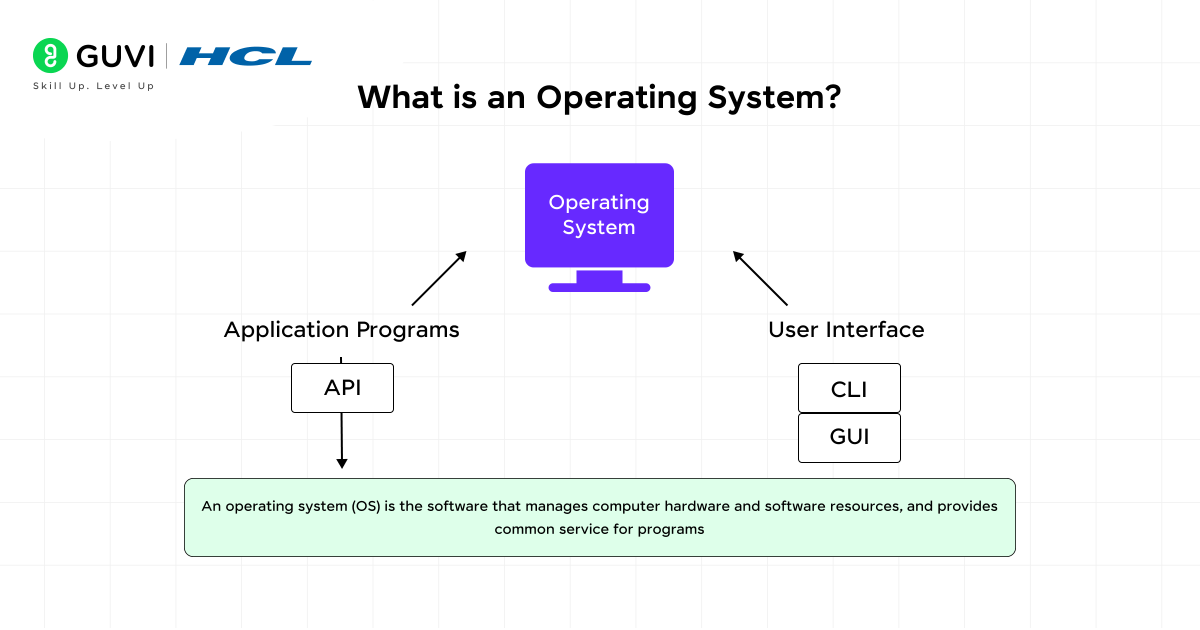
An operating system is core software that manages hardware and coordinates applications. It controls memory use and resource access across programs. The operating system maintains a structured file system that stores data and retrieves it with accuracy. It schedules CPU activity so programs can run together without conflict. Device input is processed through drivers, and output is directed through controlled channels. The system enforces user permissions and protects files from unauthorized actions.

Major Classifications of Operating Systems

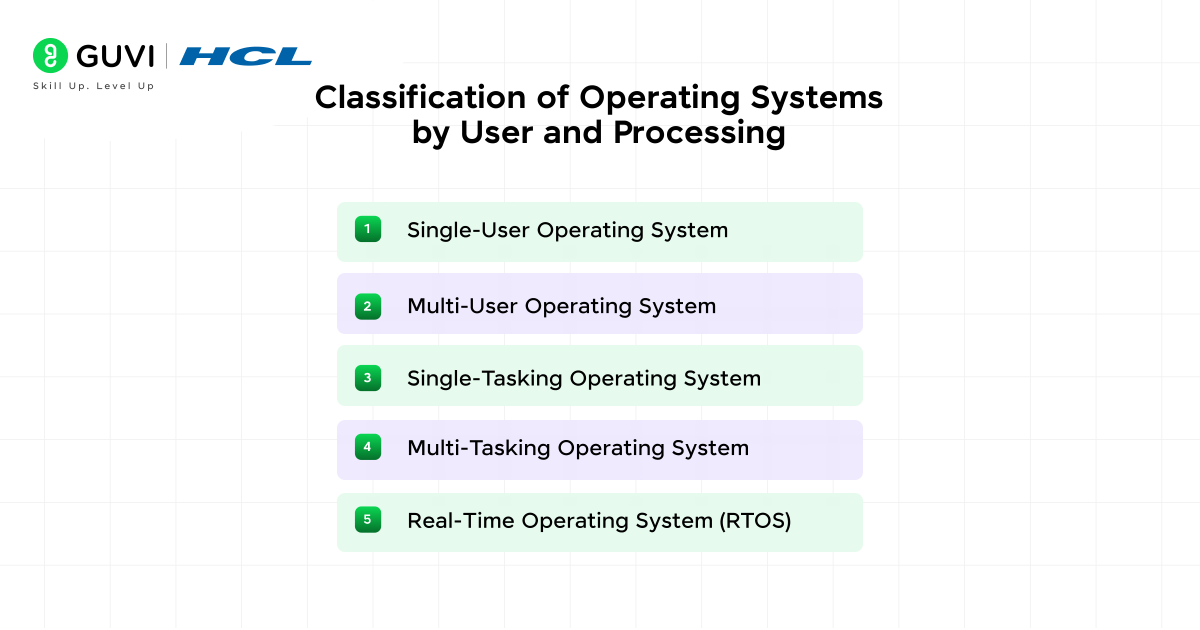
1. Classification of Operating Systems by User and Processing
Operating systems are grouped based on how they manage users and execute tasks. This classification defines the balance between performance and control. Each system type follows a specific design principle that determines how resources such as CPU time and storage are allocated. A solid understanding of these categories helps professionals match system architecture with operational needs in computing and embedded environments.
1.1 Single-User Operating System
A single-user operating system supports one active user at a time and executes processes sequentially. It provides full access to system resources without multi-user scheduling. Its simplicity makes it suitable for systems with minimal hardware or limited multitasking needs. MS-DOS and early Windows versions use this structure.
Key Traits
- One active user session per device
- Sequential execution of commands and applications
- Minimal kernel complexity and overhead
- Direct hardware access with less abstraction
Primary Applications
- Personal computers performing basic office or administrative tasks
- Standalone terminals in small offices or classrooms
- Legacy systems where process isolation and concurrency are unnecessary
1.2. Multi-User Operating System
A multi-user operating system supports multiple users logged in to the same machine, either locally or remotely. It uses process isolation and access control to prevent resource conflict. Such systems maintain fairness through time-sharing and security through permission layers. UNIX, Linux, and Windows Server are major examples.
Key Traits
- Supports simultaneous user sessions with isolation
- Allocates CPU, memory, and storage dynamically
- Maintains system security with privilege levels
- Provides remote access and central administration
Primary Applications
- Server farms and enterprise networks
- Cloud infrastructure supporting virtual sessions
- Research clusters handling multi-user computation
1.3. Single-Tasking Operating System
A single-tasking operating system executes one program at a time. It completes one job before accepting the next. Its design focuses on reliability and predictable control over hardware. MS-DOS and early embedded firmware operate on this principle.
Key Traits
- Executes one process during each cycle
- Predictable operation with limited scheduling logic
- Small memory footprint and simple control flow
- Low risk of resource contention
Primary Applications
- Embedded controllers in appliances and industrial tools
- Fixed-purpose computing modules in IoT devices
- Environments prioritizing stability over multitasking
1.4. Multi-Tasking Operating System
A multi-tasking operating system executes several tasks concurrently. It divides processor time among applications and ensures that all active processes get execution slots. The kernel employs scheduling algorithms such as round-robin or priority-based allocation. Windows, macOS, and Linux are modern examples.
Key Traits
- Executes multiple applications concurrently
- Optimizes CPU utilization with efficient scheduling
- Provides memory protection and inter-process communication
- Balances background and foreground tasks effectively
Primary Applications
- Workstations running development tools, browsers, and design software
- Servers handling multiple active connections and processes
- Multimedia editing and simulation environments require high responsiveness
1.5. Real-Time Operating System (RTOS)
A real-time operating system executes commands within fixed and measurable time limits. It uses deterministic scheduling to guarantee that time-critical operations occur precisely when expected. Systems like QNX, FreeRTOS, and VxWorks are optimized for consistent timing and reliability.
Key Traits
- Predictable execution with strict timing constraints
- Priority-based preemptive scheduling
- Rapid interrupt handling and low latency
- Built-in fault recovery for continuous operation
Primary Applications
- Robotics and process automation systems
- Automotive control units and avionics software
- Medical devices and precision manufacturing systems
New to Operating Systems? Before exploring different types of operating systems, build a strong understanding of OS fundamentals, process management, memory allocation, and file systems through our beginner-friendly Operating System Tutorial.
Explore the Complete Operating System Tutorial
Comparative Table: Classification of Operating Systems by User and Processing
| Type of OS | User Access Model | Processing Approach | Timing Control | Key Traits | Common Devices | Applications |
| Single-User OS | One user per session | Sequential execution | No fixed timing | Simple structure, low overhead, direct hardware control | PCs, kiosks, terminals | Cloud environments, shared databases, and academic setups |
| Multi-User OS | Multiple users (local/remote) | Time-shared processing | Moderate | Process isolation, access control, balanced allocation | Servers, clusters, enterprise systems | Usually a single user |
| Single-Tasking OS | One user per session | One task at a time | Predictable | Low memory use, minimal scheduling | Embedded panels, IoT, industrial tools | Appliance firmware, controllers, low-power modules |
| Multi-Tasking OS | Single/multiple users | Concurrent execution | General | Priority scheduling, memory protection, IPC | Laptops, desktops, workstations | Development, multimedia, general computing |
| Real-Time OS (RTOS) | Embedded boards, robotics, and medical devices | Deterministic, concurrent | Strict | Fast interrupts, low latency, high reliability | Embedded boards, robotics, medical devices | Automation, flight control, autonomous systems |
2. Classification of Operating Systems by Function or User-Hardware Interaction
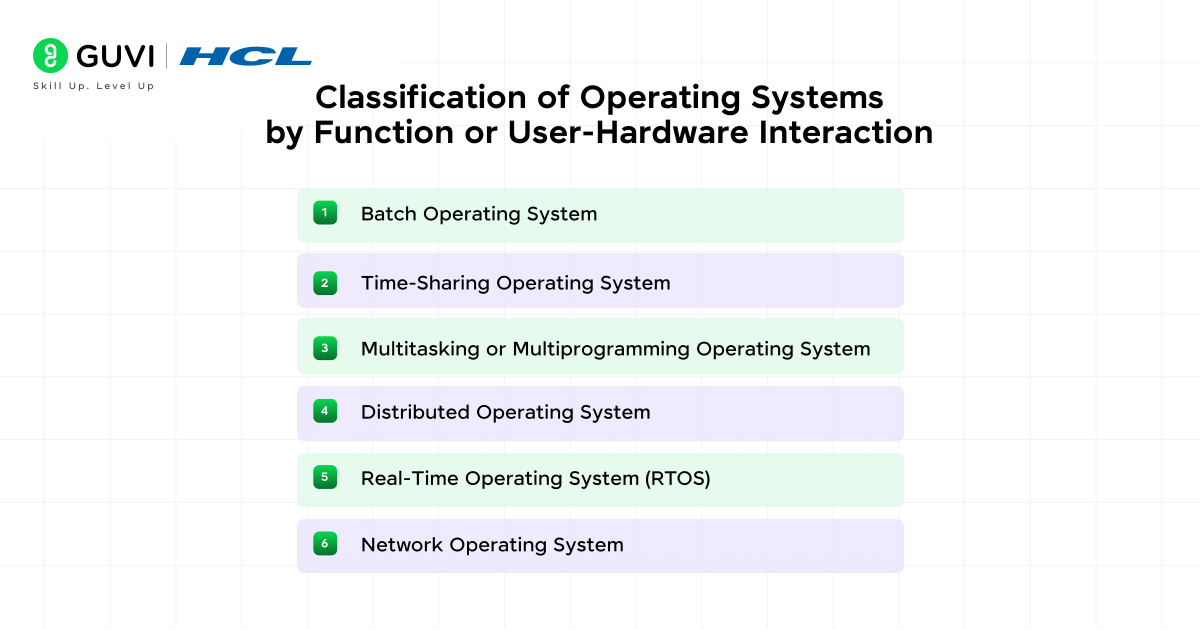
Operating systems can also be grouped by how they interact with users and handle processing tasks. Each type reflects a distinct control structure that defines how workloads are processed and executed. This classification helps in understanding how the system balances automation and network-level coordination.
2.1. Batch Operating System
Batch operating systems process jobs in batches without direct user input during execution. Users submit jobs to a queue, and the system executes them sequentially. This structure reduces idle CPU time and improves throughput in repetitive workloads.
Key Traits
- Executes grouped jobs automatically
- Minimal user interaction during processing
- High efficiency for repetitive and scheduled tasks
Common Applications
- Payroll and financial reporting systems
- Scientific computations are handled in queued batches
- Legacy mainframes performing data processing
2.2. Time-Sharing Operating System
A time-sharing operating system allows multiple users to share a single computer’s resources at the same time. It divides CPU time into slices so each user gets an active session. This improves interaction speed and supports multiple terminals.
Key Traits
- Multiple users access the same system concurrently
- Uses time-slicing to distribute CPU resources
- Maintains isolation and fairness between sessions
Common Applications
- Academic and research terminals
- Multi-user development environments
- Mainframes running concurrent sessions
2.3. Multitasking or Multiprogramming Operating System
A multitasking operating system executes multiple programs at once by dividing CPU time across active processes. It helps a single user run several applications simultaneously. This design improves responsiveness and system efficiency.
Key Traits
- Executes several applications in parallel
- Uses scheduling to manage process priorities
- Supports background and interactive tasks
Common Applications
- Personal computers running productivity tools
- Engineering and design workstations
- Servers handling mixed workloads
2.4. Distributed Operating System
A distributed operating system manages several independent machines and presents them as one system. It coordinates processing across nodes, balancing workload and communication. Each node works autonomously but follows a shared scheduling and memory protocol.
Key Traits
- Connects multiple systems as one logical unit
- Shares storage and computation across nodes
- Provides fault tolerance through redundancy
Common Applications
- Cloud clusters and parallel computing systems
- Data centers and high-performance clusters
- Enterprise workloads needing scalability and load balancing
2.5. Real-Time Operating System (RTOS)
A real-time operating system processes data within strict time limits. It uses deterministic scheduling to respond immediately to hardware signals or sensor inputs. Every task is executed predictably with controlled latency.
Key Traits
- Executes tasks within fixed time frames
- Uses priority-based scheduling
- Offers consistent and reliable timing behavior
Common Applications
- Industrial automation and robotics
- Flight control and automotive systems
- Medical instruments and embedded sensors
2.6. Network Operating System
A network operating system manages data exchange and shared resources across connected systems. It handles file sharing, user authentication, and remote access over a local or wide area network.
Key Traits
- Manages connected devices and shared resources
- Controls user permissions and network traffic
- Offers centralized management of distributed systems
Common Applications
- File and print servers in organizations
- Centralized network management in enterprises
- Remote workstation access for collaborative teams
Want to understand how operating systems manage users, processes, and resources? Dive deeper into core Operating System concepts with practical examples and interview-focused explanations.

Learn Operating Systems Step-by-Step
Comparative Table: Classification of Operating Systems by Function or User-Hardware Interaction
| Type of OS | Processing Model | User Interaction | Resource Management | Timing Control | Common Devices | Applications |
| Batch OS | Executes jobs in batches | None during execution | Queued job scheduling | No strict timing | Mainframes, legacy PCs | Payroll, data entry, repetitive tasks |
| Time-Sharing OS | CPU time sliced among users | Moderate via terminals | Shared memory & CPU | Moderate | Multi-user servers, academic systems | Research, development, mainframes |
| Multitasking / Multiprogramming OS | Runs multiple programs concurrently | Continuous via GUI/CLI | Preemptive scheduling | Flexible | PCs, workstations | Development, design, multimedia |
| Distributed OS | Coordinates processing across nodes | Limited per node | Networked resource pooling | Variable (network-based) | Data centers, HPC clusters | Cloud computing, enterprise loads |
| Real-Time OS (RTOS) | Executes tasks within fixed limits | Minimal | Deterministic scheduling | Strict | Embedded, industrial systems | Robotics, automotive, medical |
| Network OS | Manages networked devices | Remote or GUI-based | Centralized resource control | General |
3. Classification of Operating Systems by Device Type
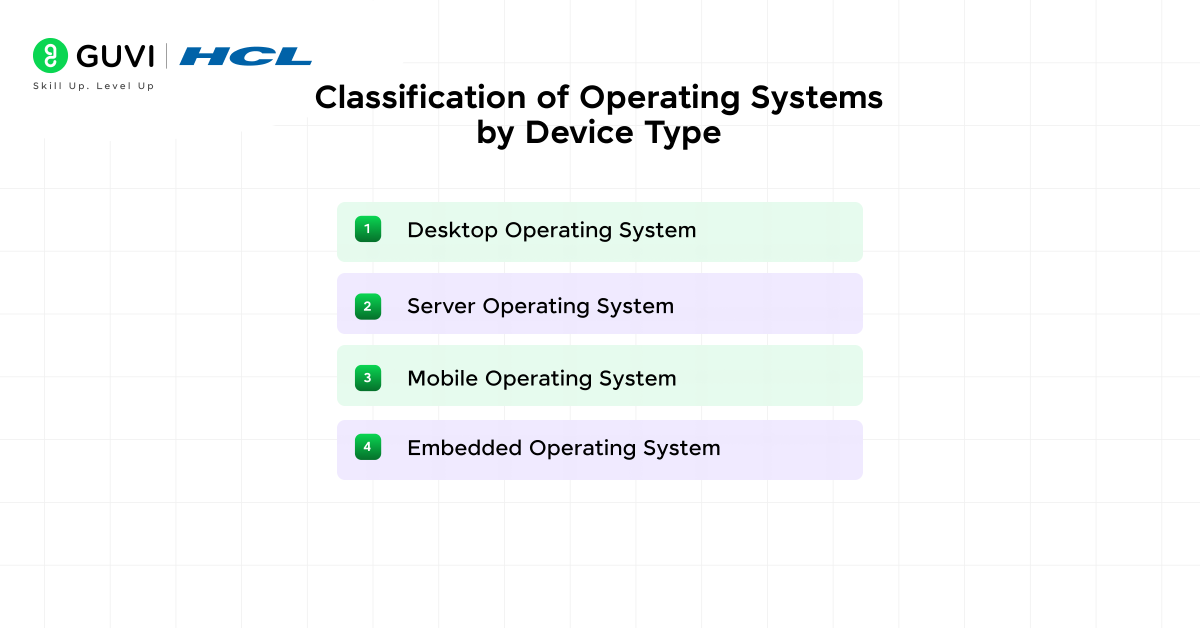
Operating systems differ based on the hardware they control and the environment they operate in. Each category focuses on performance, reliability, and user needs according to the device’s purpose. The following sections outline the main OS types and their roles across computing platforms.
3.1. Desktop Operating System
A desktop operating system manages personal computers used for daily work, design, or entertainment. It provides a graphical interface and runs a wide range of applications. Examples include Windows and Linux distributions.
Key Traits
- Supports multitasking and graphical interfaces
- Manages file systems and memory allocation
- Provides compatibility for productivity and media tools
Common Uses
- Office workstations and creative studios
- Software development and testing environments
- Educational and research laboratories
3.2. Server Operating System
A server operating system is optimized for handling network connections, managing databases, and hosting web or enterprise applications. It prioritizes stability, scalability, and resource management over visual design. Examples include Windows Server and Unix-based systems.
Key Traits
- Manages concurrent network requests and user sessions
- Offers high uptime, load balancing, and secure access control
- Supports virtualization, file sharing, and remote administration
Common Uses
- Data centers and cloud infrastructure
- Web hosting and enterprise management systems
- File, print, and database servers
3.3. Mobile Operating System
A mobile operating system supports touch-based interaction and power-efficient resource handling. It integrates communication and app frameworks within a limited hardware capacity. Examples include Android and HarmonyOS.
Key Traits
- Optimized for battery performance and connectivity
- Runs applications within controlled sandboxes for security
- Integrates telephony and wireless features
Common Uses
- Smartphones and tablets
- Smartwatches and wearable devices
- Mobile-based enterprise and retail systems
3.4. Embedded Operating System
An embedded operating system runs on dedicated hardware built for a specific task. It often operates with limited memory and real-time requirements. Examples include VxWorks and QNX.
Key Traits
- Designed for fixed-function applications
- Provides deterministic performance and reliability
- Occupies minimal memory and processing power
Common Uses
- Industrial control systems and automotive electronics
- Smart home appliances and IoT devices
- Medical and defense equipment
Comparative Table: Classification of Operating Systems by Device Type
| OS Type | Main Purpose | Hardware Environment | Interface | Performance Focus | Security Level | Examples | Common Uses |
| Desktop OS | Runs personal computers and supports multitasking | PCs with high memory and storage | GUI and CLI | Balanced speed and usability | Medium to High | Windows, macOS, Linux | Office work, design, coding, education |
| Server OS | Manages users, data, and network resources | High-end servers with redundant hardware | CLI or web console | Uptime and scalability | High | Windows Server, Linux Server, Unix | Cloud hosting, enterprise systems, databases |
| Mobile OS | Powers smartphones and tablets with touch input | ARM processors and sensors | Touch-based GUI | Battery efficiency and speed | High | Android, iOS, HarmonyOS | Communication, mobile apps, navigation |
| Embedded OS | Controls specific-purpose devices | Microcontrollers with limited memory | Minimal or no interface | Real-time performance | Very High | Embedded Linux, QNX, VxWorks | IoT, automotive, industrial tools |
Go beyond understanding systems, build the intelligent software that runs on them. Enroll in our AI Software Development Course and gain industry-certified training from IIT Madras & MongoDB Inc., work on 15+ hands-on projects, and access 100 % placement support to launch your career in AI & software development.
Top 10 Functions of Operating Systems
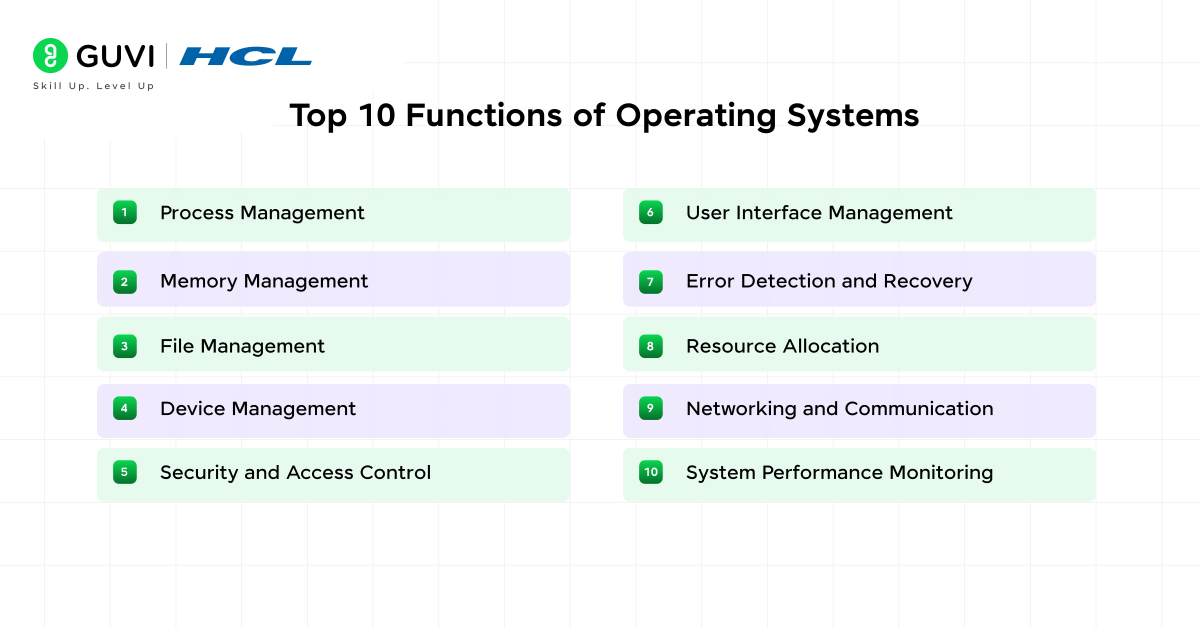
- Process Management: The operating system creates and terminates processes. It manages context switching and assigns CPU cycles based on priority. This coordination keeps multiple tasks active without resource conflict and ensures predictable response times during high load.
- Memory Management: The OS tracks every memory segment in use and prevents overlap between applications. It manages paging and segmentation to optimize space and supports virtual memory that extends available RAM through disk allocation.
- File Management: The OS structures data into organized files and directories. It assigns permissions, controls access rights, and maintains metadata. It also handles file read, write, and deletion requests, which keep stored data consistent and retrievable.
- Device Management: The OS coordinates communication between the CPU and external hardware. It uses drivers to control printers, disks and network cards. Each device request is queued and prioritized to maintain smooth input and output flow.
- Security and Access Control: The OS establishes authentication and authorization layers that prevent unauthorized use. It maintains user accounts and applies encryption for sensitive operations. It also isolates processes to contain potential breaches.
- User Interface Management: The OS provides either a command-line interface for direct control or a graphical interface for intuitive access. Both interfaces translate user actions into system-level instructions that interact with core services.
- Error Detection and Recovery: The OS monitors all active operations and detects faults in processes, memory, or devices. It logs errors, triggers recovery and restores system stability. This helps reduce data loss and maintain uptime.
- Resource Allocation: The OS distributes CPU time and device access among programs. It applies scheduling algorithms that balance workload and prevent system bottlenecks.
- Networking and Communication: The OS manages data exchange between connected systems. It supports protocols such as TCP/IP and controls sockets and routing, which allow reliable communication across local and global networks.
- Performance and System Monitoring: The OS records process activity and hardware usage to evaluate performance. It applies caching and buffering to reduce latency and increase throughput for active applications.
Understanding operating system functions is essential for mastering Computer Science fundamentals and preparing for technical interviews. Explore process management, memory management, file systems, and security concepts in detail.
Read the Complete Operating System Tutorial
Conclusion
Operating systems are the foundation that allows hardware and software to work in coordination. Every OS type serves a purpose, whether it is Windows for productivity, Linux for servers, or RTOS for embedded systems. These platforms control efficiency and performance across computing environments. Understanding operating system concepts helps professionals choose the right platform and build systems that remain reliable under growing technical demands.
FAQs
1. How does an operating system improve system performance?
An operating system improves performance by managing resources such as CPU and storage. It uses process scheduling and caching techniques to reduce idle time and optimize throughput. Efficient memory allocation and I/O control allow applications to execute faster and maintain stability even under heavy workloads.
2. What are the key components of an operating system?
An operating system consists of a kernel, file system, device drivers, user interface, and system libraries.
3. Why is security important in an operating system?
Security protects data and system resources from unauthorized access and harmful activity. The OS enforces authentication and encryption during data operations. It also isolates processes to prevent interference and applies updates that strengthen overall system defense.
Success Stories

About the Author
Vaishali
I'm a seasoned writer with four years of experience across technical, non-technical, and just about every genre or niche you can imagine. Adaptable and curious, I enjoy exploring new topics and making information engaging and easy to understand. Fueled by a steady stream of tea, I approach each project with creativity, reliability, and genuine enthusiasm for storytelling.
View all posts by Vaishali
Connect with me @











Did you enjoy this article?