


Data Structure Articles
Sliding Window Technique: Explained with Examples
Two Pointer Technique: Problems and Applications


Get In Touch For Details! Request More Information
Master String DSA in JavaScript: A Beginner’s Roadmap 2026
Feb 06, 2026 5 Min Read 2413 Views
(Last Updated)
Mastering string DSA is essential for your journey as a JavaScript developer. Strings are one of the most fundamental data types in any programming language, and they’re especially common in JavaScript. Whether you’re manipulating text, storing data, or displaying information, string operations form the backbone of countless programming tasks.
As you begin working with JavaScript strings, you’ll discover they have unique characteristics. In fact, strings in JavaScript are immutable, meaning once created, they cannot be altered directly. Additionally, JavaScript provides a rich set of built-in methods to manipulate strings efficiently, such as finding string length using the length property or extracting portions with the substring() method.
Throughout this guide, you’ll learn these essential string concepts and methods in a straightforward, beginner-friendly approach that will strengthen your data structures and algorithms foundation.
Table of contents
- What is a string in JavaScript?
- 1) Creation and literals
- 2) Primitive vs String object
- 3) Immutability
- 4) Indexing, length, and “characters”
- Essential String Methods Every Beginner Should Know
- 1) charAt, indexOf, and includes
- 2) slice, substring, and split
- 3) toUpperCase, toLowerCase, and trim
- 4) replace and replaceAll
- 5) concat and template literals
- String DSA problems to practice with JavaScript
- 1) Reverse a string
- 2) Check for a palindrome
- 3) Find the longest substring without repeating characters
- 4) Check if two strings are anagrams
- Concluding Thoughts…
- FAQs
- Q1. How long does it typically take to learn Data Structures and Algorithms (DSA)?
- Q2. Which programming language is best for learning DSA?
- Q3. How can I practice DSA effectively?
- Q4. Are there any recommended online courses or resources for learning DSA?
- Q5. How important is DSA knowledge for coding interviews?
What is a string in JavaScript?
A string in JavaScript is one of the most fundamental data types: it represents a sequence of characters (letters, digits, symbols, whitespace, etc.).You can think of a string like a read-only chain of characters, used to store and process text. Because strings are everywhere in programming (user input, messages, identifiers, file contents, etc.), mastering them is essential for any JavaScript developer and especially useful in solving string-based DSA problems.
Here are the key properties and behaviors of strings in JavaScript:
1) Creation and literals
You can define a string using:
- Single quotes: ‘hello’
- Double quotes: “world”
- Backticks (template literals): `hello ${name}`
All three forms let you represent textual data; backticks (template literals) add extra capabilities such as interpolation (${…}) and multi-line strings that make string-building more expressive.
2) Primitive vs String object
- Strings in JavaScript are primitive values, not objects.
- However, JavaScript allows you to use methods on primitive strings by implicitly “wrapping” them in temporary String objects under the hood.
- You can also explicitly create a String object via new String(“text”), but this is generally discouraged because it can lead to surprising behavior in comparisons (primitive vs object) and performance overhead.
3) Immutability
One of the most important features: strings are immutable in JavaScript. Once a string is created, you cannot change its individual characters directly. Any “modification” you do (e.g., replacing a substring, trimming whitespace, or concatenating) results in creating a new string rather than altering the original.
This immutability has practical implications:
- Repeated string concatenation in loops can be inefficient (since many intermediate strings are created).
- Building large strings piece-by-piece is often better handled via arrays + join() or other techniques.
- Understanding immutability helps reason about memory usage and performance in DSA solutions.
4) Indexing, length, and “characters”
- You can access a character in a string via bracket notation (str[i]) or via the charAt(i) method.
- Strings are zero-indexed: the first character is at index 0, the last is at str.length – 1.
Use the length property to get how many characters a string contains:
const s = “hello”;
console.log(s.length); // 5
Note: JavaScript does not have a separate “character” type (like char in C/C++). A single-character string is just a string of length 1. Internally, JavaScript strings use UTF-16 encoding, meaning each “character slot” may correspond to UTF-16 code units (some Unicode characters may take more than one code unit).
Essential String Methods Every Beginner Should Know
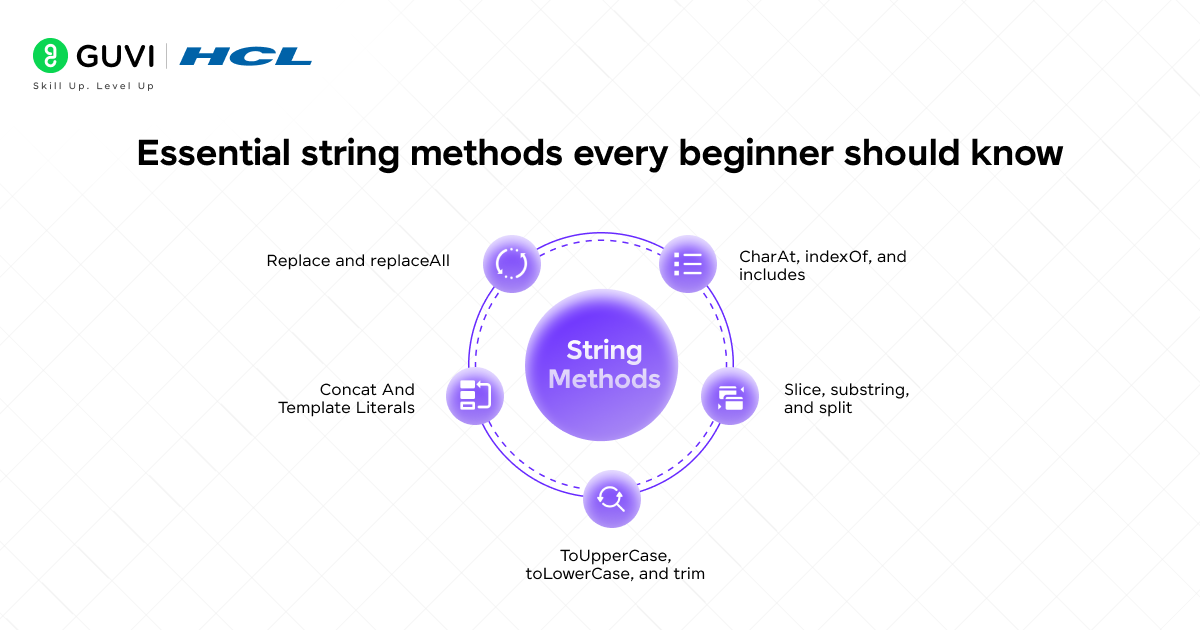
JavaScript provides a rich arsenal of built-in string methods that help you manipulate and extract information from strings. Learning these methods is crucial for tackling string-based DSA problems efficiently. Let’s explore the most essential ones you’ll need in your coding toolkit.
1) charAt, indexOf, and includes
These methods help you investigate characters and substrings within a string:
- charAt(index) returns the character at a specified position. Characters in JavaScript strings are zero-indexed, with the first character at position 0 and the last at string.length – 1.
const text = “Hello World”;
console.log(text.charAt(0)); // “H”
console.log(text.charAt(4)); // “o”
- indexOf(substring) searches for a substring and returns the index of its first occurrence or -1 if not found. This method is case-sensitive and accepts an optional second parameter to specify where to start searching.
const text = “Hello World”;
console.log(text.indexOf(“World”)); // 6
console.log(text.indexOf(“world”)); // -1 (case-sensitive)
console.log(text.indexOf(“l”, 4)); // 9 (starts searching from index 4)
- includes(substring) checks if a string contains a specific substring and returns a boolean value. It’s perfect when you only need to know if a substring exists without needing its position.
const text = “Hello World”;
console.log(text.includes(“World”)); // true
console.log(text.includes(“Earth”)); // false
2) slice, substring, and split
These methods help you extract portions of strings:
- slice(start, end) extracts characters from a string between two specified indices. The end parameter is optional and exclusive (up to but not including that character).
const text = “Hello World”;
console.log(text.slice(0, 5)); // “Hello”
console.log(text.slice(6)); // “World” (omitting end extracts to the end)
- substring(start, end) is similar to slice() but with a key difference: if start is greater than end, the arguments are swapped. With slice(), this would return an empty string.
const text = “Hello World”;
console.log(text.substring(6, 11)); // “World”
console.log(text.substring(11, 6)); // “World” (arguments swapped)
- split(separator) divides a string into an array of substrings based on a specified separator. This is particularly useful for breaking strings into components.
const text = “apple,banana,orange”;
console.log(text.split(“,”)); // [“apple”, “banana”, “orange”]
console.log(“Hello World”.split(” “)); // [“Hello”, “World”]
3) toUpperCase, toLowerCase, and trim
These methods are valuable for string normalization:
- toUpperCase() converts all characters to uppercase, returning a new string without modifying the original.
- toLowerCase() converts all characters to lowercase, also returning a new string.
const text = “Hello World”;
console.log(text.toUpperCase()); // “HELLO WORLD”
console.log(text.toLowerCase()); // “hello world”
- trim() removes whitespace from both ends of a string, which helps clean user input.
const text = ” Hello World “;
console.log(text.trim()); // “Hello World”
4) replace and replaceAll
These methods allow you to substitute parts of a string:
- replace(pattern, replacement) replaces the first occurrence of a pattern with a replacement string. The pattern can be a string or a regular expression.
const text = “Hello World”;
console.log(text.replace(“World”, “JavaScript”)); // “Hello JavaScript”
- replaceAll(pattern, replacement) introduced in 2021, replaces all occurrences of a pattern with a replacement string.
const text = “apple apple apple”;
console.log(text.replaceAll(“apple”, “orange”)); // “orange orange orange”
5) concat and template literals
These offer different ways to combine strings:
- concat(str1, str2, …) joins two or more strings and returns a new string. While functional, it’s generally less preferred than other concatenation methods.
const text1 = “Hello”;
const text2 = “World”;
console.log(text1.concat(” “, text2)); // “Hello World”
- Template literals are a modern, more readable way to create strings with embedded expressions. They use backticks () rather than quotes and allow for multiline strings and expression interpolation using ${expression}` syntax.
const name = “JavaScript”;
const greeting = `Hello ${name}!`; // “Hello JavaScript!”

const multiline = `This string
spans multiple
lines`;
Understanding these string methods thoroughly gives you the foundation to solve many string-related algorithmic problems efficiently. Rather than reinventing common string operations, leverage these built-in methods to write cleaner and more optimized code for your DSA challenges.
To add a little curiosity to your learning journey, here are some quick and fascinating facts about strings in JavaScript that might surprise you:
JavaScript Strings Aren’t Really “Text” Under the Hood: JavaScript strings are actually sequences of UTF-16 code units, not characters! That’s why emojis or certain Unicode symbols sometimes take up two “slots” in your string.
Strings Are Immutable: Once a string is created, it can’t be changed — any operation like replace() or concat() actually makes a new string.
Template Literals Changed Everything: Introduced in ES6 (2015), backticks (`) made it possible to create multi-line strings and embed variables directly using ${} — no more awkward + concatenations!
From being simple text containers to handling complex Unicode and dynamic expressions, JavaScript strings have evolved into one of the most versatile and powerful tools in programming.
String DSA problems to practice with JavaScript
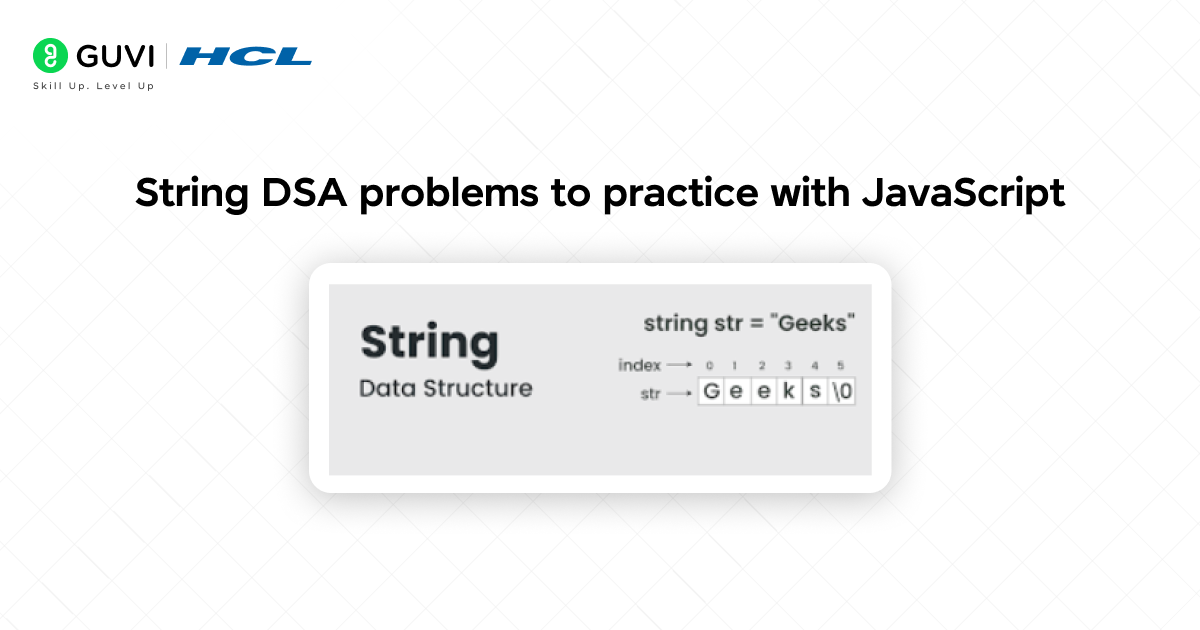
Practicing string problems is an excellent way to sharpen your DSA skills in JavaScript. Let’s explore five fundamental string challenges that will build your algorithm expertise.
1) Reverse a string
Reversing a string is a fundamental operation that tests your ability to manipulate characters. There are multiple approaches to tackle this problem:
// Using built-in methods
function reverseString(str) {
return str.split(”).reverse().join(”);
}
// Using a for loop (no built-in methods)
function reverseStringLoop(str) {
let reversed = ”;
for(let i = str.length – 1; i >= 0; i–) {
reversed += str[i];
}
return reversed;
}
2) Check for a palindrome
A palindrome reads the same backward as forward, ignoring spaces, punctuation, and capitalization. Examples include “racecar” and “A man, a plan, a canal: Panama”.
function isPalindrome(str) {
// Clean the string – remove non-alphanumeric and convert to lowercase
const cleanStr = str.toLowerCase().replace(/[^a-z0-9]/g, ”);
// Check if string equals its reverse
return cleanStr === cleanStr.split(”).reverse().join(”);
}
3) Find the longest substring without repeating characters
This problem requires finding the longest substring without duplicate characters. For instance, in “abcabcbb”, the answer is “abc” with length 3.
function longestUniqueSubstring(str) {
let maxLength = 0;
let start = 0;
const charMap = new Map();
for(let end = 0; end < str.length; end++) {
if(charMap.has(str[end])) {
// Move start pointer to position after the last occurrence
start = Math.max(start, charMap.get(str[end]) + 1);
}
charMap.set(str[end], end);
maxLength = Math.max(maxLength, end – start + 1);
}
return maxLength;
}
4) Check if two strings are anagrams
Two strings are anagrams if they contain the same characters with the same frequencies, regardless of order. For example, “listen” and “silent” are anagrams.
function areAnagrams(s1, s2) {
if(s1.length !== s2.length) return false;
const charCount = {};
// Count characters in first string
for(let char of s1) {
charCount[char] = (charCount[char] || 0) + 1;
}
// Decrement counts for second string
for(let char of s2) {
if(!charCount[char]) return false;
charCount[char]–;
}
return true;
}
Want to go beyond mastering string algorithms in JavaScript? HCL GUVI’s end-to-end DSA using Java Course equips you with robust data structure skills, algorithmic thinking, and placement-ready confidence — even if you’re starting from scratch.
Concluding Thoughts…
Mastering string manipulation stands as a fundamental skill for your growth as a JavaScript developer. Throughout this guide, you’ve learned essential string methods like charAt(), indexOf(), and slice() that form the building blocks for solving complex string problems. Additionally, you now understand how JavaScript’s string immutability affects performance and memory allocation.
Practice remains the key to strengthening these concepts. Start with the basic problems outlined above—reversing strings, checking palindromes, finding unique substrings—before gradually tackling more complex challenges. Remember that efficient solutions often leverage built-in methods rather than reinventing them from scratch.
Before long, you’ll transform from a beginner struggling with basic string operations to a confident developer who tackles complex text processing challenges with ease.
FAQs
Q1. How long does it typically take to learn Data Structures and Algorithms (DSA)?
The time to learn DSA varies, but with focused effort, you can build a solid foundation in 3-6 months. Consistent practice and application are key to mastering these concepts.
Q2. Which programming language is best for learning DSA?
While DSA concepts are language-agnostic, popular choices include C++, Java, and Python. The best language depends on your goals and prior experience. C++ is powerful but has a steeper learning curve, Java is widely used in industry, and Python is beginner-friendly.
Q3. How can I practice DSA effectively?
Effective DSA practice involves solving problems regularly on platforms like LeetCode or HackerRank, implementing data structures from scratch, and analyzing time and space complexity. Aim to solve at least 2 problems daily and review solutions to learn new approaches.
Q4. Are there any recommended online courses or resources for learning DSA?
There are several excellent resources for learning DSA, including online courses like Princeton’s Algorithms on Coursera, MIT’s Introduction to Algorithms on YouTube, and books like “Introduction to Algorithms” by Cormen et al. Websites like GeeksforGeeks also offer comprehensive DSA tutorials.
Q5. How important is DSA knowledge for coding interviews?
DSA knowledge is crucial for coding interviews, especially at large tech companies. Many interview questions are designed to test your understanding of data structures, algorithms, and problem-solving skills. Strong DSA skills can significantly improve your chances of success in technical interviews.
Success Stories

About the Author
Jaishree Tomar
A recent CS Graduate with a quirk for writing and coding, a Data Science and Machine Learning enthusiast trying to pave my own way with tech. I have worked as a freelancer with a UK-based Digital Marketing firm writing various tech blogs, articles, and code snippets. Now, working as a Technical Writer at GUVI writing to my heart’s content!
View all posts by Jaishree Tomar
Connect with me @















Did you enjoy this article?