


Uncategorised Articles
The Weekly Client Check-In: A Template for Forward Deployed Engineers
Q-Learning Explained: A Beginner's Guide


Get In Touch For Details! Request More Information
How to Build a Feedback Loop to Improve Claude Prompts
Aug 18, 2026 4 Min Read 457 Views
(Last Updated)
Writing an effective Claude prompt is rarely a one-time task. The best AI results come from continuous testing, evaluation, and refinement through a structured prompt feedback loop. By combining Claude prompt optimization, prompt engineering, AI optimization, and LLM evaluation, developers can consistently improve response quality, reduce errors, and build more reliable AI applications. In this guide, let us analyse how to build a Feedback Loop to improve Claude Prompts
Table of contents
- TL;DR
- Direct Answer Box
- What Is a Prompt Feedback Loop?
- How to Build a Feedback Loop to Improve Claude Prompts
- Step 1: Why Prompt Optimization Matters
- Step 2: Define Your Success Criteria
- Step 3: Create Your Initial Prompt
- Step 4: Test Across Multiple Scenarios
- Step 5: Evaluate Claude's Responses
- Step 6: Collect User Feedback
- Step 7: Refine and Retest the Prompt
- Step 8: Monitor Performance Continuously
- Prompt Evaluation Metrics
- Which Developers Should Use Prompt Feedback Loops?
- Tasks You Can Automate Using Prompt Feedback Loops
- What AI Should Not Replace
- Best Practices
- Conclusion
- FAQs
- What is a prompt feedback loop?
- Why is Claude prompt optimization important?
- What is LLM evaluation?
- How often should prompts be updated?
- Can prompt engineering improve AI accuracy?
- Which industries benefit from prompt feedback loops?
- What is the biggest benefit of a prompt feedback loop?
TL;DR
- A prompt feedback loop improves Claude’s response quality over time.
- Evaluate outputs using measurable criteria instead of guesswork.
- Prompt engineering helps reduce hallucinations and inconsistencies.
- Continuous testing leads to better AI optimization.
- Developers should iterate prompts based on real user feedback.
Data Point: According to Anthropic, prompt engineering and systematic prompt evaluation significantly improve AI performance by making instructions clearer, reducing ambiguity, and producing more consistent responses across different use cases.
Direct Answer Box
| A prompt feedback loop is a continuous process of testing, evaluating, and refining prompts to improve Claude’s responses. By combining Claude prompt optimization, prompt engineering, LLM evaluation, and user feedback, developers can identify weaknesses, improve accuracy, and create reliable AI workflows that deliver consistent, high-quality outputs across real-world applications. |
What Is a Prompt Feedback Loop?
A prompt feedback loop is an iterative process that continuously improves AI prompts based on evaluation results. Instead of writing a prompt once and accepting the output, developers repeatedly test, analyze, modify, and measure prompt performance until they achieve the desired outcome.
This approach transforms prompt engineering from trial and error into a structured optimization process. Whether you’re building customer support bots, content generation systems, coding assistants, or enterprise AI tools, a feedback loop helps improve consistency, accuracy, and overall AI performance.
The process generally follows these stages:
- Create an initial prompt.
- Test it with multiple inputs.
- Evaluate the responses.
- Identify weaknesses.
- Refine the prompt.
- Repeat the process.
How to Build a Feedback Loop to Improve Claude Prompts
Step 1: Why Prompt Optimization Matters
Even powerful AI models like Claude depend heavily on prompt quality. Poorly written prompts often lead to vague, inconsistent, or inaccurate responses.
Effective Claude prompt optimization helps developers:
- Improve response accuracy
- Reduce hallucinations
- Increase consistency
- Generate better structured outputs
- Improve user satisfaction
- Save development time
- Reduce unnecessary API usage
Instead of expecting perfect results from the first attempt, successful developers continuously refine prompts based on measurable outcomes.
Step 2: Define Your Success Criteria
Before testing prompts, decide what success looks like.
For example, if you’re building a customer support chatbot, evaluation criteria may include:
- Accuracy
- Relevance
- Completeness
- Response time
- Tone consistency
- Safety
- User satisfaction
Clearly defined metrics make it easier to compare prompt versions objectively rather than relying on subjective opinions.
Step 3: Create Your Initial Prompt
Start with a prompt that clearly defines:
- The task
- Expected output
- Context
- Constraints
- Formatting requirements
Well-structured prompts reduce ambiguity and give Claude better instructions for producing high-quality responses.
For example, instead of asking:
“Summarize this article.”
A stronger prompt would be:
“Summarize this article in under 150 words using bullet points, highlighting the key findings, challenges, and recommendations.”
Specific instructions typically produce more reliable outputs.
Step 4: Test Across Multiple Scenarios
Avoid evaluating prompts using only one example.
Instead, test your prompt with different types of inputs, including:
- Simple requests
- Complex questions
- Edge cases
- Ambiguous inputs
- Long documents
- Real customer queries
Testing across diverse scenarios helps identify weaknesses that may not appear during limited evaluations.
Step 5: Evaluate Claude’s Responses
The next step is LLM evaluation.
Rather than asking whether the response “looks good,” assess it using measurable factors such as:
- Accuracy
- Relevance
- Clarity
- Completeness
- Logical reasoning
- Factual consistency
- Formatting quality
Recording evaluation scores for each prompt version allows developers to track improvements over time.
Developers who want to master prompt engineering, machine learning, AI workflows, and real-world application development can build these practical skills through HCL GUVI’s Artificial Intelligence and Machine Learning Course.
Step 6: Collect User Feedback
Once your prompts have been tested internally, gather feedback from real users. User interactions often reveal issues that automated testing may miss, such as unclear responses, missing context, or inconsistent formatting.
Useful feedback sources include:
- User ratings
- Support tickets
- Customer surveys
- Conversation logs
- Error reports
- Internal QA reviews
Analyzing this feedback helps developers identify recurring problems and prioritize prompt improvements.
Step 7: Refine and Retest the Prompt
Prompt optimization is an ongoing process. Based on evaluation results and user feedback, refine your prompt by making instructions clearer, adding missing context, improving formatting requirements, or simplifying complex requests.

Each updated version should be tested against the same evaluation criteria used previously. Comparing results across multiple iterations helps determine whether the changes actually improve response quality rather than introducing new issues.
Step 8: Monitor Performance Continuously
Even well-performing prompts require continuous monitoring as user needs and business requirements evolve.
Developers should regularly review:
- Response accuracy
- User satisfaction
- Completion rates
- Error frequency
- Hallucination rates
- Response consistency
Continuous monitoring ensures your prompt feedback loop remains effective over time and supports long-term AI optimization.
Prompt Evaluation Metrics
The following metrics help developers objectively measure prompt performance.
| Metric | Why It Matters |
| Accuracy | Measures factual correctness |
| Relevance | Ensures responses match the prompt |
| Clarity | Improves readability and understanding |
| Consistency | Produces reliable outputs across similar inputs |
| Completeness | Covers all required information |
| Safety | Reduces harmful or inappropriate responses |
| User Satisfaction | Reflects overall response quality |
Which Developers Should Use Prompt Feedback Loops?
A structured prompt feedback loop benefits anyone building AI-powered applications.
It is particularly valuable for:
- AI application developers
- Prompt engineers
- Machine learning engineers
- Data scientists
- Product teams
- Customer support automation teams
- Content generation platforms
- Enterprise AI teams
Organizations deploying large language models at scale can significantly improve reliability by integrating continuous prompt evaluation into their development workflow.
Leading AI teams rarely rely on a single version of a prompt. Instead, they continuously test multiple prompt variations, compare performance using evaluation metrics, and refine instructions based on user feedback to improve accuracy, consistency, and overall model performance.
Tasks You Can Automate Using Prompt Feedback Loops
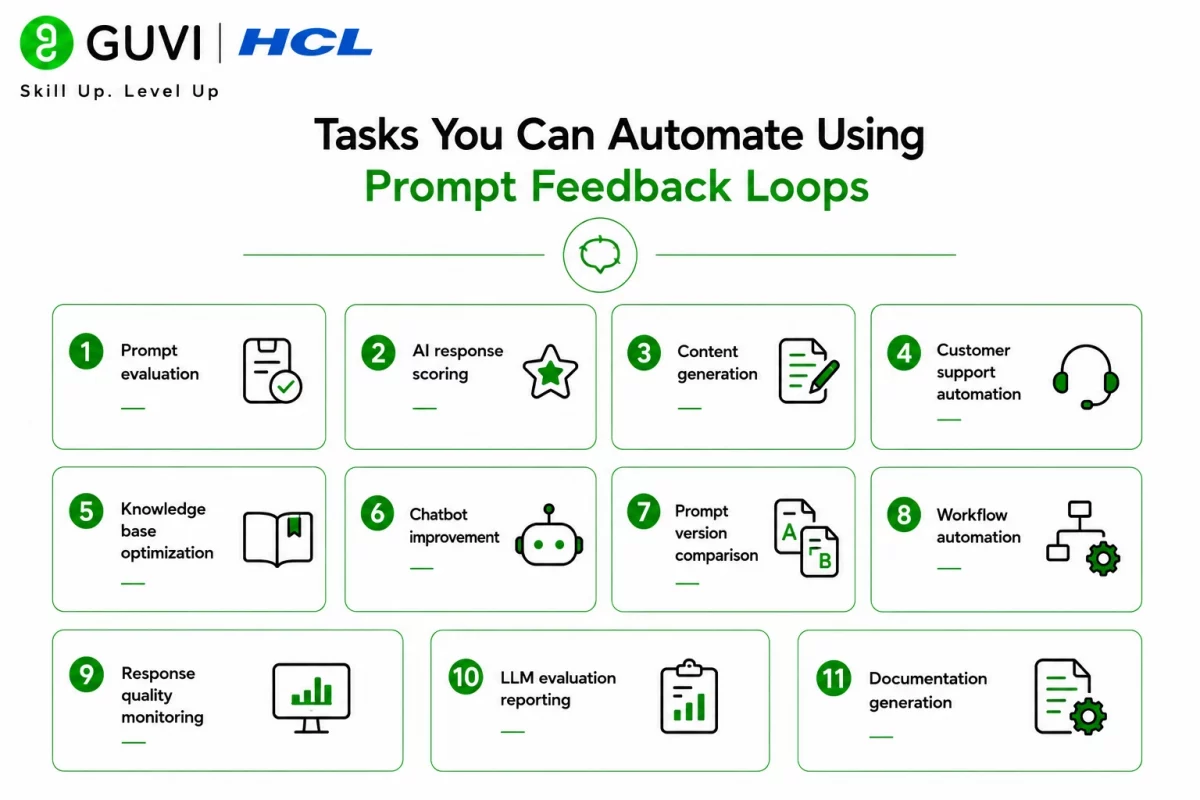
A well-designed prompt feedback loop can improve many AI-powered workflows, including:
- Prompt evaluation
- AI response scoring
- Content generation
- Customer support automation
- Knowledge base optimization
- Chatbot improvement
- Prompt version comparison
- Workflow automation
- Response quality monitoring
- LLM evaluation reporting
- Documentation generation
- AI performance analysis
To understand the fundamentals behind prompt engineering and intelligent automation, HCL GUVI’s Artificial Intelligence eBook introduces concepts such as generative AI, machine learning, prompt design, and AI optimization, helping beginners build a strong foundation in modern AI development.
What AI Should Not Replace
Even highly optimized prompts cannot replace human expertise in critical situations.
AI should not replace:
- Human judgment
- Strategic decision-making
- Legal advice
- Medical diagnosis
- Ethical reviews
- Final content approval
- Security assessments
- Creative thinking
Human oversight remains essential to ensure responsible and accurate AI usage.
Warning:A well-written prompt does not guarantee perfect AI responses. Claude may occasionally produce inaccurate, incomplete, or misleading information. Always validate outputs, especially when they are used for business decisions, customer communication, or high-impact applications.
Best Practices
- Define measurable evaluation metrics.
- Test prompts using diverse datasets.
- Collect continuous user feedback.
- Refine prompts incrementally.
- Maintain prompt version history.
- Monitor performance regularly.
- Combine automated evaluation with human review.
Conclusion
Building a prompt feedback loop transforms prompt engineering into a continuous improvement process rather than a one-time task. By combining structured evaluation, user feedback, and regular optimization, developers can improve Claude’s accuracy, consistency, and reliability over time. A systematic approach to Claude prompt optimization ultimately leads to more effective AI applications and better user experiences.
FAQs
1. What is a prompt feedback loop?
A prompt feedback loop is the continuous process of testing, evaluating, refining, and monitoring prompts to improve AI responses over time.
2. Why is Claude prompt optimization important?
It improves response accuracy, consistency, clarity, and overall AI performance while reducing errors and hallucinations.
3. What is LLM evaluation?
LLM evaluation is the process of measuring AI outputs using metrics such as accuracy, relevance, completeness, safety, and user satisfaction.
4. How often should prompts be updated?
Prompts should be reviewed regularly based on user feedback, performance metrics, and changing business requirements.
5. Can prompt engineering improve AI accuracy?
Yes. Clear instructions, better context, and continuous optimization significantly improve response quality.
6. Which industries benefit from prompt feedback loops?
Healthcare, finance, education, customer support, software development, marketing, and enterprise automation all benefit from structured prompt optimization.
7. What is the biggest benefit of a prompt feedback loop?
Its biggest advantage is continuous improvement, enabling AI systems to deliver more reliable, accurate, and consistent responses as they evolve.
Success Stories

About the Author
HCL GUVI
This article was selected and published as part of the HCL GUVI AI Blogathon 2026, an initiative designed to encourage students, AI enthusiasts, and aspiring tech writers to simplify complex AI concepts through impactful technical content. The contest recognized high-quality, original, and insightful AI-focused blogs, with selected authors receiving publication opportunities on the HCL GUVI blog platform along with official author credits and recognition.
View all posts by HCL GUVI
Connect with me @









Did you enjoy this article?