


Artificial Intelligence and Machine Learning Articles
AI/ML Skills Gap 2026: Why Companies Can't Find Job-Ready Talent
20 AI/ML Interview Questions Recruiters Can Use Without a Tech Background - Best Guide
How Industry-Backed AI/ML Bootcamps Are Changing the AI/ML Hiring Pipeline - Best Guide 2026
From IT Support to AI Engineer: A Realistic Career Switch Guide 2026


Get In Touch For Details! Request More Information

Multi-Turn Conversation Management with Claude API
Aug 05, 2026 4 Min Read 629 Views
(Last Updated)
A single prompt can answer a question, but real AI applications rarely end after one interaction. Whether you’re building a customer support chatbot, an AI coding assistant, a virtual tutor, or an enterprise copilot, users expect the AI to remember previous messages, maintain context, and respond naturally across an ongoing conversation.
This is where multi-turn conversation management becomes essential. While the Claude API generates responses based on the messages you provide, your application is responsible for maintaining conversation history, managing context, optimizing token usage, and ensuring the conversation remains coherent over time.
In this article, you’ll learn how multi-turn conversations work with the Claude API, best practices for managing context, handling long conversations, and designing scalable conversational applications.
Table of contents
- TL;DR Summary
- What Is Multi-Turn Conversation Management?
- Why Is Conversation Management Important?
- How Does Claude Handle Conversation Context?
- What Should Be Stored?
- Structuring Messages Effectively
- Managing Long Conversations
- Conversation Memory Strategies
- Handling User Sessions
- Managing Token Usage
- Tool Use in Multi-Turn Conversations
- Common Mistakes
- Real-World Example
- Multi-Turn Conversations vs Stateless Requests
- Conclusion
- FAQs
- What is a multi-turn conversation?
- Does the Claude API automatically remember previous conversations?
- How can I manage very long conversations?
- Why is conversation management important?
- Should I store every message forever?
- How do session IDs help?
- Can Tool Use be combined with multi-turn conversations?
TL;DR Summary
- Claude relies on the conversation history sent with each API request.
- Your application is responsible for storing and managing context.
- Longer conversations require strategies like summarization and context pruning.
- Well-managed conversation history improves response quality and reduces costs.
- Session management, memory design, and prompt organization are key to scalable AI applications.
- Monitor token usage to avoid exceeding context limits.
What Is Multi-Turn Conversation Management?
A multi-turn conversation is a dialogue where each response builds upon previous interactions instead of treating every request as completely independent.
For example:
User: Explain Python decorators.
Claude: Explains.
User: Can you show a practical example?
Claude understands that “practical example” refers to Python decorators because the earlier conversation is included in the request.
Without previous messages, the second question becomes ambiguous.
Why Is Conversation Management Important?
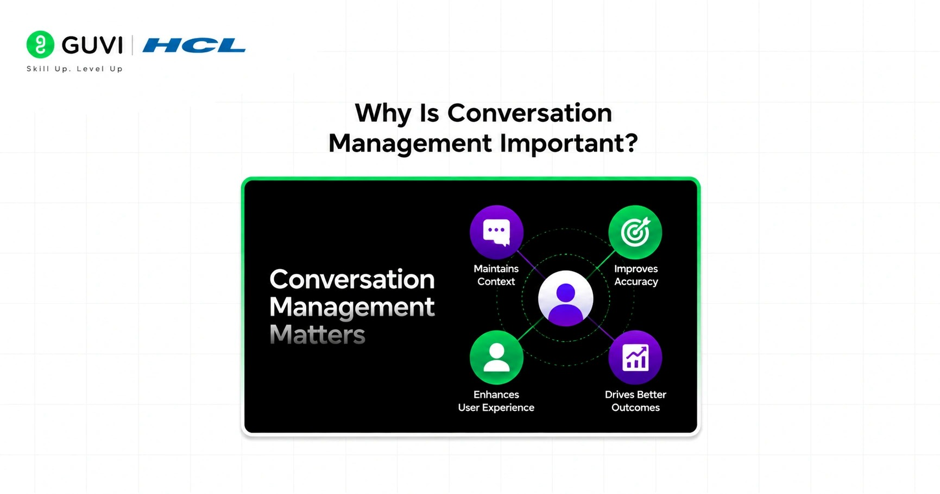
Good conversation management creates AI experiences that feel natural and personalized.
Benefits include:
- Better contextual understanding
- More accurate follow-up answers
- Reduced repetition
- Improved user satisfaction
- More efficient workflows
- Natural conversational flow
Applications that ignore context often produce confusing or repetitive responses.
📊 Data Point
Conversational AI systems consistently perform better when relevant context is preserved while irrelevant history is removed, improving both response quality and token efficiency.
How Does Claude Handle Conversation Context?

Unlike traditional chat applications, the Claude API does not automatically store previous conversations for future requests.
Instead, your application sends the conversation history with each API call.
A simplified workflow looks like this:
User Message
│
▼
Application Stores History
│
▼
Previous Messages + New Prompt
│
▼
Claude API
│
▼
Assistant Response
│
▼
Conversation Updated
The quality of future responses depends on the context you provide.
What Should Be Stored?
Most applications maintain a structured conversation history that includes:
- System instructions
- User messages
- Assistant responses
- Tool results (if applicable)
- Metadata (timestamps, session IDs, etc.)
Keeping conversations organized makes them easier to retrieve, summarize, and manage.
Structuring Messages Effectively
A well-structured conversation generally follows a consistent order:
- System instructions
- Previous conversation
- Latest user message
Maintaining this structure helps preserve context while keeping the conversation predictable.
💡 Pro Tip
Avoid mixing unrelated conversations into the same session. Separate topics lead to cleaner context and better responses.
Managing Long Conversations
As conversations grow, sending the entire history with every request becomes inefficient.
Common strategies include:
- Conversation Summarization
Replace older exchanges with concise summaries that preserve key information.
- Context Pruning
Remove messages that are no longer relevant to the current discussion.
- Sliding Context Window
Keep only the most recent messages plus important historical context.
These techniques help control token usage without losing essential information.
Conversation Memory Strategies
Different applications require different memory approaches.
| Strategy | Best For |
| Full history | Short conversations |
| Sliding window | Ongoing chats |
| Summarized history | Long-running sessions |
| Persistent user profile | Personalized assistants |
| Retrieval-based memory | Enterprise knowledge assistants |
Many production systems combine multiple strategies.
Keep multi-turn chats context-aware by storing prior messages and sending the full history each turn.
Learn AI & ML with HCL GUVI’s Artificial Intelligence and Machine Learning course.

Handling User Sessions
Each conversation should typically be associated with a unique session.
Applications commonly store:
- Session ID
- User ID
- Conversation history
- Preferences
- Context summaries
- Recent tool outputs
Proper session management prevents conversations from becoming mixed between users.
Managing Token Usage
Every message contributes to the total number of tokens processed.
To reduce unnecessary token consumption:
- Remove obsolete messages.
- Summarize lengthy discussions.
- Avoid repeating system instructions.
- Eliminate duplicate information.
- Keep prompts concise.
Efficient context management improves both performance and cost.
⚠️ Warning
Sending excessively long histories can increase latency, API costs, and the likelihood of reaching context window limits.
Tool Use in Multi-Turn Conversations
When using Claude’s Tool Use capability, conversation history should also include relevant tool interactions.
For example:
User → Claude → Tool Request → Tool Result → Claude Response
Including tool outputs helps Claude maintain awareness of previous actions without requiring the user to repeat information.
Common Mistakes
| Mistake | Better Approach |
| Sending every message forever | Summarize older context |
| Mixing multiple topics | Separate conversations |
| Losing system instructions | Maintain consistent system prompts |
| Ignoring token usage | Monitor and optimize context |
| Forgetting tool results | Include relevant tool responses |
| No session tracking | Use unique conversation IDs |
Real-World Example
Imagine an AI customer support assistant.
A customer asks about resetting a password, later reports a login issue, and then requests help enabling multi-factor authentication.
Instead of treating each question independently, the application maintains the conversation history. Claude can reference earlier troubleshooting steps, avoid repeating instructions, and provide a smoother support experience.
If the conversation becomes very long, the application summarizes completed issues while preserving the active discussion, reducing token usage without losing important context.
Multi-Turn Conversations vs Stateless Requests
Not every application needs conversation memory.
| Stateless Request | Multi-Turn Conversation |
| Independent queries | Context-aware dialogue |
| Simple API calls | Ongoing interactions |
| No history required | History maintained |
| Lower token usage | Higher context requirements |
| Suitable for utilities | Ideal for assistants and copilots |
Choose the approach that best matches your application’s user experience.
Conclusion
Multi-turn conversation management is a foundational element of building intelligent applications with the Claude API. While Claude excels at understanding context, it depends on your application to provide that context in a structured, efficient way. By managing conversation history, optimizing token usage, implementing robust session handling, and summarizing older interactions, you can create AI experiences that feel natural, responsive, and scalable.
Whether you’re developing a chatbot, coding assistant, customer support solution, or enterprise copilot, thoughtful conversation management is just as important as prompt design. Combined with features like Tool Use and Retrieval-Augmented Generation (RAG), it enables AI systems to deliver consistent, context-aware interactions over time.
FAQs
What is a multi-turn conversation?
A multi-turn conversation is an ongoing dialogue where each response builds on previous interactions, allowing the AI to maintain context across multiple user messages.
Does the Claude API automatically remember previous conversations?
No. The Claude API generates responses based on the messages included in each request. Your application must store and send the relevant conversation history.
How can I manage very long conversations?
Common approaches include summarizing older messages, removing irrelevant context, using a sliding context window, and maintaining persistent user information separately from the conversation.
Why is conversation management important?
Effective conversation management improves contextual understanding, reduces repetitive responses, enhances user experience, and helps control token usage.
Should I store every message forever?
Not necessarily. Retaining only relevant context or replacing older exchanges with summaries is often more efficient and produces better responses.
How do session IDs help?
Session IDs keep conversations organized by ensuring each user’s dialogue remains separate, preventing context from being mixed across conversations.
Can Tool Use be combined with multi-turn conversations?
Yes. Including relevant tool requests and results in the conversation history helps Claude maintain context about previous actions and provide more consistent responses.
Success Stories

About the Author
Vishalini Devarajan
An Aerospace Engineer turned content writer, I focus on making complex concepts easy to understand through well-structured, reader-friendly blogs. Whether it’s a technical topic or a non-technical one, I love creating content that is clear, engaging, and impactful.
View all posts by Vishalini Devarajan
Connect with me @











Did you enjoy this article?