


Python Articles
Python and SQL for FP&A: What Finance Managers Should Learn
Excel SQL Python for BPO Professionals Best Guide to Move Into Data Science
Go vs Python for Forward Deployed Engineering Workloads
Python for Forward Deployed Engineers: What You Actually Need to Know


Get In Touch For Details! Request More Information
If you’ve worked with web APIs, configuration files, or any kind of data exchange between applications, you’ve almost certainly run into JSON. It’s everywhere, from the response you get back from a weather API to the settings file your app reads on startup. Python makes working with JSON simple through a built-in module, and understanding it is one of the most practical skills you can pick up early.
Table of contents
- TL;DRSummary
- What Is JSON in Python?
- Understanding JSON in Plain Terms
- The JSON Module: Your Starting Point
- Reading JSON From a String
- Reading JSON From a File
- Working With Nested JSON
- Modifying JSON Data
- Converting Python Back to JSON
- Writing JSON to a File
- Python to JSON Type Mapping
- Handling Errors When Parsing JSON
- Common Real-World Use Cases
- Conclusion
- FAQs
- What is JSON in Python?
- What is the difference between json.loads() and json.load()?
- What is the difference between json.dumps() and json.dump()?
- How does Python represent JSON data after parsing?
- Can I modify JSON data after loading it into Python?
- How should I handle invalid JSON data in Python?
- What are the most common real-world uses of JSON in Python?
TL;DR Summary
- JSON is the most widely used format for exchanging structured data, and Python provides built-in support through the json module with no additional installation required.
- The four core functions loads(), load(), dumps(), and dump() handle nearly all JSON operations, including reading from strings, files, and writing data back to JSON.
- Once JSON is parsed, it becomes standard Python dictionaries and lists, making it easy to access, modify, and work with using familiar Python syntax.
Master JSON in Python for data exchange, APIs, and config files. Learn Python from zero to hero with HCL GUVI’s Python Zero to Hero Course. Start your Python journey here
What Is JSON in Python?
JSON (JavaScript Object Notation) is a lightweight, text-based data format used to exchange data between systems. In Python, the built-in json module converts JSON text into Python objects like dictionaries and lists, and converts Python objects back into JSON text. No installation needed — it ships with the standard library.
Understanding JSON in Plain Terms
- JSON represents data as key-value pairs, very similar to a Python dictionary. It supports strings, numbers, booleans, null values, arrays, and nested objects — which is why it maps onto Python’s data structures so naturally.
- Here’s what a JSON object looks like:
- { “make”: “Tesla”, “model”: “Model 3”, “year”: 2022, “color”: “Red” }
- This is human-readable, language-independent, and lightweight, which is exactly why it became the standard format for APIs, config files, and data storage across nearly every modern programming language.
- It’s important to remember that JSON is a text format, not a Python object. When you load JSON into Python, it gets converted into a Python dictionary or list.
- When you’re ready to send data back out, you convert it back into JSON text. Keeping that distinction clear avoids a lot of beginner confusion.
The JSON Module: Your Starting Point
- Python’s json module handles all of this conversion. It’s part of the standard library, so no pip install is required just import it and start working.
- import json
- The module gives you four core functions, and almost everything you do with JSON in Python uses one of them.
| Function | Purpose | Input | Output |
| json.loads() | Parse a JSON string | String | Python object |
| json.load() | Parse a JSON file | File object | Python object |
| json.dumps() | Convert Python object to JSON string | Python object | String |
| json.dump() | Write Python object to a JSON file | Python object | File |
The naming convention is easy to remember: functions ending in s work with strings, and the ones without s work with files.
Reading JSON From a String
| json.loads() — load string — converts a JSON-formatted string directly into a Python dictionary: import json json_string = ‘{“name”: “John”, “age”: 30, “city”: “New York”}’ data = json.loads(json_string) print(data) |
| Output: {‘name’: ‘John’, ‘age’: 30, ‘city’: ‘New York’} |
| print(data[‘name’]) Output: John |
Once parsed, data behaves like a normal Python dictionary. You access values with square brackets, just as you would with any dict.
JSON (JavaScript Object Notation) was originally derived from JavaScript object syntax, but it has evolved into a language-independent data format supported by virtually every major programming language. Thanks to its lightweight structure, human-readable syntax, and efficient parsing, JSON has become the standard format for data exchange in REST APIs, cloud services, and modern web applications.
Reading JSON From a File
When your JSON lives in a file rather than a string, json.load() reads it directly:
| import json with open(‘data.json’) as f: json_data = json.load(f) print(json_data) |
| Output: {‘make’: ‘Tesla’, ‘model’: ‘Model 3’, ‘year’: 2022, ‘color’: ‘Red’} |
The with open() context manager handles closing the file automatically, even if an error occurs while reading. This is the standard, safe way to read any file in Python not just JSON.
Working With Nested JSON
- Real-world JSON is rarely flat. APIs commonly return nested objects and arrays, and you need to chain keys and indices to reach the data you want.
| import json json_string = ‘{“numbers”: [1, 2, 3], “car”: {“model”: “Model X”, “year”: 2022}}’ data = json.loads(json_string) print(data[‘numbers’][0]) # Output: 1 print(data[‘car’][‘model’]) # Output: Model X |
- data[‘numbers’][0] uses array indexing to grab the first element of a list. data[‘car’][‘model’] chains two dictionary lookups to reach a nested object.
- Once JSON is loaded into Python, navigating it is no different from navigating any nested dictionary or list; the same rules apply all the way down.
Modifying JSON Data
Since parsed JSON becomes a regular Python dictionary, you modify it using standard dictionary operations.
| Adding a new key: json_data[‘color’] = ‘red’ Updating an existing key: json_data[‘year’] = 2023 Merging in another dictionary: more_data = json.loads(‘{“model”: “Model S”, “color”: “Red”}’) json_data.update(more_data) Deleting a key: del json_data[‘year’] |
None of this is JSON-specific; it’s exactly how you’d work with any Python dictionary. That consistency is part of why JSON feels so natural in Python.
Converting Python Back to JSON
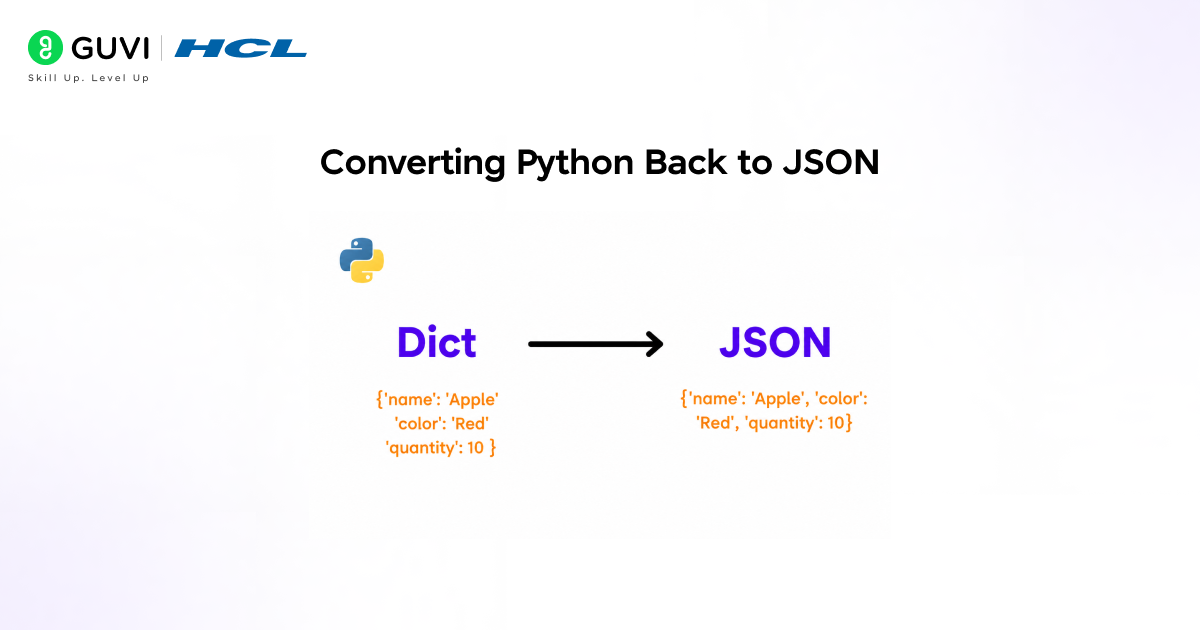
Once you’re done modifying data, you’ll often need to send it somewhere else an API, a file, or a database. That requires converting the Python object back into a JSON string using json.dumps():
| import json data = {“name”: “Alice”, “age”: 28, “is_admin”: False} json_string = json.dumps(data) print(json_string) Output: ‘{“name”: “Alice”, “age”: 28, “is_admin”: false}’ |
- Notice that Python’s False becomes JSON’s false (lowercase); this is one of several small but important type differences between the two formats.
- For readability, especially when debugging or logging, pass indent to pretty-print the output:
| print(json.dumps(data, indent=2)) { “name”: “Alice”, “age”: 28, “is_admin”: false } |

Writing JSON to a File
json.dump() writes a Python object directly to a file as JSON; no need to convert to a string first:
| import json data = {“name”: “Alice”, “age”: 28} with open(‘output.json’, ‘w’) as f: json.dump(data, f, indent=2) |
This is the standard pattern for saving configuration, caching API responses, or persisting any structured data your application needs to read back later.
Master JSON in Python for data exchange, APIs, and config files. Learn Python from zero to hero with HCL GUVI’s Python Zero to Hero Course. Start your Python journey here
Python to JSON Type Mapping
Understanding how Python types map to JSON types prevents a lot of confusing bugs, especially around booleans and None.
| Python Type | JSON Type |
| dict | object |
| list, tuple | array |
| str | string |
| int, float | number |
| True / False | true / false |
| None | null |
Note that both Python lists and tuples convert to JSON arrays — but converting JSON back to Python always gives you a list, never a tuple. JSON has no concept of tuples, so that distinction is lost in the round trip.
Handling Errors When Parsing JSON
Not all text is valid JSON, and malformed JSON will raise a json.JSONDecodeError. Production code should always handle this case rather than letting it crash the program.
| import json invalid_json = ‘{“name”: “Alice”, “age”:}’ try: data = json.loads(invalid_json) except json.JSONDecodeError as e: print(f“Invalid JSON: {e}”) |
Wrapping json.loads() or json.load() in a try/except block is good practice anywhere you’re parsing JSON from an external source, API responses, user uploads, or third-party files since you can’t guarantee the data will always be well-formed.
Common Real-World Use Cases
- JSON shows up constantly in everyday Python work. APIs return JSON responses that you parse with json.loads() after a request. Configuration files store application settings in a structured, human-readable format.
- Data pipelines use JSON as an intermediate format when moving data between systems written in different languages.
- Caching layers serialize Python objects into JSON strings to store in Redis or similar systems. Logging systems often format structured logs as JSON lines for easier machine parsing.
- In each case, the same two ideas apply: parse JSON into Python with loads() or load(), and convert Python back into JSON with dumps() or dump().
Conclusion
JSON in Python comes down to two directions: reading JSON into Python objects and writing Python objects back into JSON. The JSON module’s four core functions, loads(), load(), dumps(), and dump(), cover nearly everything you’ll need.
Once JSON is loaded into Python, it behaves exactly like a dictionary or list, so all your existing Python skills apply directly. Get comfortable with these basics, and working with APIs, config files, and structured data becomes second nature.
FAQs
1. What is JSON in Python?
JSON (JavaScript Object Notation) is a lightweight text-based format used to store and exchange structured data. In Python, the built-in json module allows developers to convert JSON data into Python objects and vice versa.
2. What is the difference between json.loads() and json.load()?
json.loads() reads JSON data from a string and converts it into a Python object. json.load() reads JSON data directly from a file and converts it into a Python object.
3. What is the difference between json.dumps() and json.dump()?
json.dumps() converts a Python object into a JSON-formatted string. json.dump() writes a Python object directly to a file in JSON format.
4. How does Python represent JSON data after parsing?
When JSON is loaded into Python, JSON objects become dictionaries, JSON arrays become lists, JSON strings become Python strings, numbers become integers or floats, booleans become True or False, and null becomes None.
5. Can I modify JSON data after loading it into Python?
Yes. Once JSON is parsed, it becomes a regular Python dictionary or list. You can add, update, delete, or merge data using standard Python operations before converting it back to JSON.
6. How should I handle invalid JSON data in Python?
You should wrap JSON parsing operations in a try-except block and catch json.JSONDecodeError. This prevents malformed JSON from causing your application to crash and allows you to handle errors gracefully.
7. What are the most common real-world uses of JSON in Python?
JSON is commonly used for working with web APIs, storing configuration settings, exchanging data between applications, caching structured data, processing data pipelines, and creating machine-readable log files.
Success Stories

About the Author
Vishalini Devarajan
An Aerospace Engineer turned content writer, I focus on making complex concepts easy to understand through well-structured, reader-friendly blogs. Whether it’s a technical topic or a non-technical one, I love creating content that is clear, engaging, and impactful.
View all posts by Vishalini Devarajan
Connect with me @














Did you enjoy this article?