


Python Articles
Freelancing as a Python Developer: Getting Your First Client
Common Python Mistakes Beginners Make And How to Fix Them
Python Best Practices: Writing Clean, Maintainable Code Like a Pro
How to Build a Python Developer Portfolio That Gets You Hired


Get In Touch For Details! Request More Information
What Is Web Scraping in Python? A Beginner’s Guide
Jul 24, 2026 4 Min Read 338 Views
(Last Updated)
Many developers and data professionals need to collect data from websites at scale but find manual copying impractical. Web scraping in Python automates this process, letting you extract structured data from any publicly accessible website in minutes. Learning Python web scraping opens doors to data engineering, market research, and automation roles across every industry.
Table of contents
- TL;DR Summary
- How Does Web Scraping Work?
- Python Libraries for Web Scraping
- Step-by-Step Web Scraping Example with BeautifulSoup
- Step 1: Install the Required Libraries
- Step 2: Fetch the Web Page
- Step 3: Parse the HTML
- Step 4: Extract the Data
- Step 5: Save the Data to a CSV
- Handling Dynamic Websites with Selenium
- Scraping Responsibly: Rules Every Scraper Must Follow
- Conclusion
- FAQs
- What is web scraping in Python?
- Is web scraping legal in Python?
- What is the difference between BeautifulSoup and Scrapy?
- How do I scrape a JavaScript website in Python?
- What format should I save scraped data in?
- How do I avoid getting blocked while web scraping?
- Can I scrape data behind a login in Python?
- What is robots.txt and why does it matter for web scraping?
TL;DR Summary
- Web scraping in Python is the process of automatically extracting data from websites using code.
- Python is the most popular language for web scraping due to its simple syntax and powerful libraries like BeautifulSoup, Scrapy, and Selenium.
- Web scraping is used for price monitoring, lead generation, research data collection, and competitive analysis.
- This guide covers how web scraping works, the tools involved, and a step-by-step example to get you started.
Want to build real Python automation and data skills with hands-on projects? Explore HCL GUVI’s Python Programming Course, designed for beginners and working professionals looking to apply Python in real-world scenarios.
How Does Web Scraping Work?
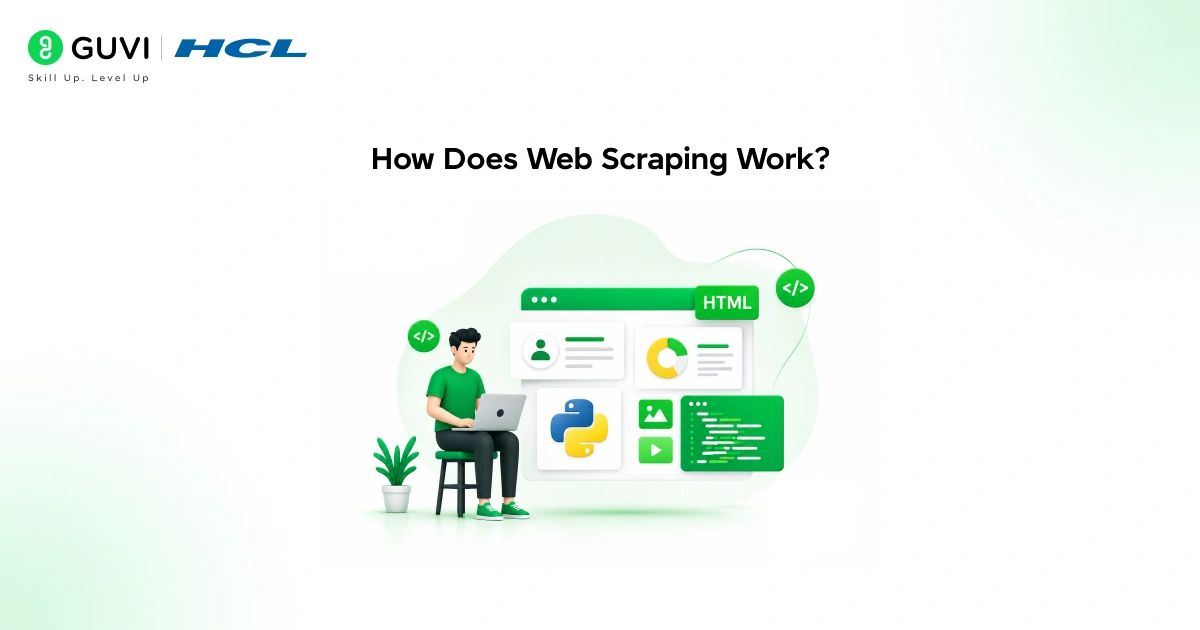
Web scraping works in three steps:
- Sending an HTTP request to a website’s URL to fetch the raw HTML
- Parsing the HTML to locate and extract the specific data you need
- Storing the extracted data in a structured format like CSV, JSON, or a database
Python handles all three steps through a combination of the requests library for fetching pages and BeautifulSoup or lxml for parsing HTML.
Python Libraries for Web Scraping
Choosing the right library depends on the complexity of your scraping task.
| Library | Best For | JavaScript Support |
| requests | Fetching static HTML pages | No |
| BeautifulSoup | Parsing and extracting HTML data | No |
| Scrapy | Large-scale scraping pipelines | No |
| Selenium | Dynamic pages requiring browser interaction | Yes |
| Playwright | Modern browser automation at scale | Yes |
For most beginner tasks, combining requests and BeautifulSoup is sufficient. Use Selenium or Playwright when the target site loads data through JavaScript that requests cannot access.
Read More: What Is Web Scraping and How to Use It?
Step-by-Step Web Scraping Example with BeautifulSoup
Step 1: Install the Required Libraries
pip install requests beautifulsoup4Step 2: Fetch the Web Page
import requests

url = "https://books.toscrape.com"

response = requests.get(url)

print(response.status_code)  # Output: 200
A status code of 200 means the request was successful. The response.text attribute contains the full HTML of the page.
Step 3: Parse the HTML
from bs4 import BeautifulSoup

soup = BeautifulSoup(response.text, "html.parser")

print(soup.title.text)  # Output: All products | Books to Scrape
BeautifulSoup converts raw HTML into a navigable tree structure. You can search for any tag, class, or attribute.
Step 4: Extract the Data
books = soup.find_all("article", class_="product_pod")

for book in books:

    title = book.h3.a["title"]

    price = book.find("p", class_="price_color").text

    print(f"{title}: {price}")
find_all returns every matching element on the page. Here we extract the title and price of each book listed on the page.
Step 5: Save the Data to a CSV
import csv

with open("books.csv", "w", newline="", encoding="utf-8") as file:

    writer = csv.writer(file)

    writer.writerow(["Title", "Price"])

    for book in books:

        title = book.h3.a["title"]

        price = book.find("p", class_="price_color").text

        writer.writerow([title, price])
The scraped data is now saved as a structured CSV file ready for analysis.
Want to build real Python automation and data skills with hands-on projects? Explore HCL GUVI’s Python Programming Course, designed for beginners and working professionals looking to apply Python in real-world scenarios.
Handling Dynamic Websites with Selenium
Some websites load content through JavaScript after the initial page load. requests cannot access this content because it only fetches the initial HTML. Selenium controls a real browser and waits for JavaScript to execute before extracting data.
from selenium import webdriver

from selenium.webdriver.common.by import By

import time

driver = webdriver.Chrome()

driver.get("https://example-dynamic-site.com/products")

time.sleep(3)  # Wait for JavaScript to load

products = driver.find_elements(By.CLASS_NAME, "product-title")

for product in products:

    print(product.text)

driver.quit()
Use Selenium when inspecting a page in your browser shows content that is absent in the raw HTML source viewed with Ctrl+U.
Scrapy, one of Python’s most powerful web scraping frameworks, was first released in 2008 and is maintained by Zyte, a company specializing in web data extraction. It provides built-in support for concurrent requests, automatic retries, cookie management, and data pipelines, making it a popular choice for building scalable web crawlers and production-grade scraping systems capable of processing large volumes of web pages efficiently.

Scraping Responsibly: Rules Every Scraper Must Follow
Web scraping comes with ethical and legal responsibilities.
- Always check the website’s robots.txt file at domain.com/robots.txt before scraping
- Never scrape personal or private user data
- Add delays between requests to avoid overloading the server
- Do not bypass login walls, CAPTCHAs, or paywalls
- Review the website’s terms of service for scraping restrictions
Adding polite delays between requests is both ethical and practical. Aggressive scraping often triggers rate limiting or IP bans.
import time

import random

for url in url_list:

    response = requests.get(url)

time.sleep(random.uniform(1, 3)) # Random delay between requestsPython is the language of choice for a large proportion of web scraping projects, thanks to its rich ecosystem of libraries and ease of use. BeautifulSoup, one of the most popular HTML parsing libraries, is downloaded millions of times each month from PyPI. Its simple API for navigating and extracting data from HTML and XML documents has made it a go-to tool for developers building web crawlers, data extraction pipelines, and automation scripts.
Conclusion
Web scraping in Python is one of the most practically useful automation skills a developer can add to their toolkit. From monitoring prices and collecting research data to building data pipelines for machine learning, the ability to extract structured information from the web opens up significant opportunities across data science, business intelligence, and software engineering.
Start by scraping a simple static site like books.toscrape.com using requests and BeautifulSoup, save the results to CSV, and gradually explore Scrapy for larger projects.
FAQs
What is web scraping in Python?
Web scraping in Python is the automated extraction of data from websites using libraries like requests, BeautifulSoup, and Scrapy to fetch HTML and parse structured information from it.
Is web scraping legal in Python?
Web scraping publicly available data is generally legal but depends on the website’s terms of service and local regulations. Always check robots.txt, avoid scraping personal data, and review the site’s terms before scraping.
What is the difference between BeautifulSoup and Scrapy?
BeautifulSoup is a parsing library used for extracting data from HTML. Scrapy is a full scraping framework that handles requests, parsing, data pipelines, and concurrency, making it better suited for large-scale scraping projects.
How do I scrape a JavaScript website in Python?
Use Selenium or Playwright, which control a real browser and wait for JavaScript to execute before extracting content. requests alone cannot access dynamically loaded content.
What format should I save scraped data in?
CSV is the simplest format for tabular data. JSON works well for nested structures. For large datasets or recurring scraping jobs, store data in a database like PostgreSQL or SQLite.
How do I avoid getting blocked while web scraping?
Add random delays between requests, rotate user-agent headers, respect robots.txt, and avoid scraping during peak traffic hours. For large-scale scraping, use rotating proxies.
Can I scrape data behind a login in Python?
You can use requests.Session to maintain cookies and simulate a login for sites that permit it. However, scraping data behind login walls often violates terms of service and should only be done with explicit permission.
What is robots.txt and why does it matter for web scraping?
robots.txt is a file at the root of a website that specifies which pages scrapers are permitted to access. Respecting it is both an ethical obligation and a practical way to avoid legal issues and IP bans.
Success Stories

About the Author
Vishalini Devarajan
An Aerospace Engineer turned content writer, I focus on making complex concepts easy to understand through well-structured, reader-friendly blogs. Whether it’s a technical topic or a non-technical one, I love creating content that is clear, engaging, and impactful.
View all posts by Vishalini Devarajan
Connect with me @






Did you enjoy this article?