


Python Articles
Ray Serve Tutorial: How to Deploy Scalable ML Models with RayServe
SQLModel: Combining SQLAlchemy + Pydantic for Cleaner Code


Get In Touch For Details! Request More Information
Celery + Redis: Asynchronous Task Queues in Python
Jul 16, 2026 4 Min Read 103 Views
(Last Updated)
Many Python web applications slow down or time out when handling tasks that take more than a second to complete, such as sending emails, resizing images, or generating PDFs. Celery Redis Python solves this by moving those tasks to background workers that run independently from your main application. Mastering async task queues is an essential skill for any Python backend developer building production-grade applications in 2026.
Table of contents
- TL;DR Summary
- What Is Celery and What Is Redis?
- Setting Up Celery with Redis in Python
- Step 1: Install Dependencies
- Step 2: Start a Redis Instance
- Step 3: Configure Celery
- Step 4: Define Tasks
- Step 5: Call Tasks Asynchronously
- Step 6: Start a Celery Worker
- Celery Task States
- Using Task Queues for Priority
- Real-World Example: E-Commerce Order Processing
- Common Mistakes When Using Celery with Redis
- Conclusion
- FAQ
- What is Celery used for in Python?
- Why use Redis as a Celery broker?
- What is the difference between Celery broker and backend?
- How do I retry a failed Celery task?
- What is Celery Beat used for?
- Can Celery run tasks in parallel?
- How do I monitor Celery workers in production?
- What serialisation format should I use with Celery?
TL;DR Summary
- Celery Redis task in Python is a combination used to run background tasks asynchronously in Python applications.
- Celery is a distributed task queue that executes jobs outside the main request cycle.
- Redis acts as the message broker that passes task messages from your application to Celery workers.
- Together they enable features like sending emails, processing images, generating reports, and scheduling jobs without blocking your web server.
- This guide walks through setup, configuration, and real-world usage step by step.
Want to build production-grade Python backends with async task queues, REST APIs, and cloud deployment? Explore HCL GUVI’s Python Programming Course, designed for developers who want to go beyond tutorials and build real scalable systems.
What Is Celery and What Is Redis?
Celery is an open-source distributed task queue for Python. It lets you define functions as tasks and execute them asynchronously in the background using worker processes.
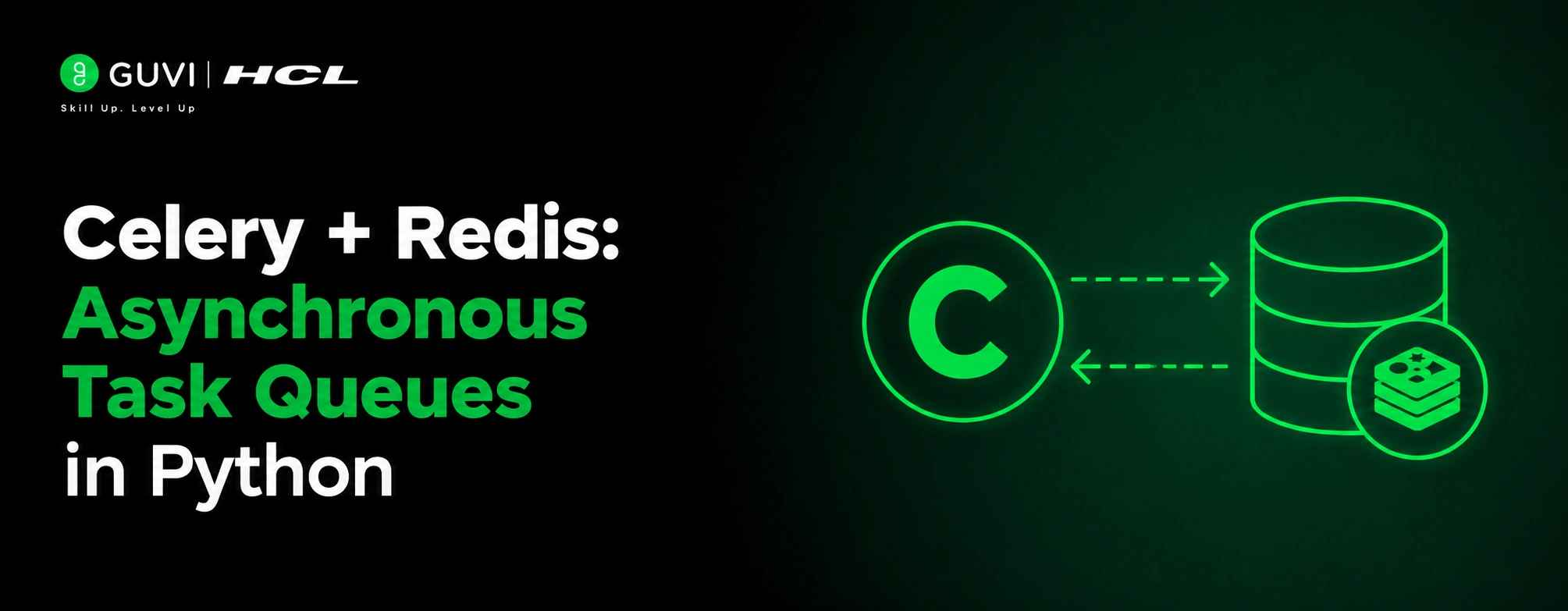
Redis is an in-memory data store used here as a message broker. When your app creates a task, Celery sends a message to Redis. A Celery worker picks it up and executes the task independently of your web process.
The flow looks like this:
- Your app calls a Celery task
- Celery sends a message to Redis
- A Celery worker receives the message from Redis
- The worker executes the task and optionally stores the result back in Redis
Setting Up Celery with Redis in Python
Step 1: Install Dependencies
| pip install celery redis |
If you are using Django, also install the Django Celery integration:
| pip install django-celery-results |
Step 2: Start a Redis Instance
The simplest way to run Redis locally is with Docker:
| docker run -d -p 6379:6379 redis |
Redis will now be available at redis://localhost:6379.
Step 3: Configure Celery
Create a celery.py file in your project root:
| from celery import Celery app = Celery( “myproject”, broker=”redis://localhost:6379/0″, backend=”redis://localhost:6379/0″, include=[“myproject.tasks”] ) app.conf.update( task_serializer=”json”, result_serializer=”json”, accept_content=[“json”], timezone=”Asia/Kolkata”, enable_utc=True, ) |
The broker is where Celery sends task messages. The backend is where results are stored after execution.
Step 4: Define Tasks
| # tasks.py from myproject.celery import app import time @app.task def send_welcome_email(user_email): time.sleep(2) # Simulate email sending print(f”Email sent to {user_email}”) return f”Done: {user_email}” @app.task def generate_report(report_id): time.sleep(5) # Simulate report generation return f”Report {report_id} ready” |
The @app.task decorator registers the function as a Celery task that can be called asynchronously.
Step 5: Call Tasks Asynchronously
| # In your view or API handler from myproject.tasks import send_welcome_email, generate_report # Async call – returns immediately result = send_welcome_email.delay(“[email protected]”) print(result.id) # Task ID for tracking # Check result later print(result.status) # PENDING, SUCCESS, FAILURE print(result.get()) # Blocks until result is ready |
Using .delay() sends the task to Redis immediately and returns an AsyncResult object. Your web server responds to the client without waiting for the task to finish.

Step 6: Start a Celery Worker
| celery -A myproject worker –loglevel=info |
The worker connects to Redis, listens for incoming task messages, and executes them as they arrive. You can run multiple workers to process tasks in parallel.
Celery Task States
Every Celery task goes through defined states:
| State | Meaning |
| PENDING | Task is queued, not yet picked up |
| STARTED | Worker has begun executing the task |
| SUCCESS | Task completed successfully |
| FAILURE | Task raised an exception |
| RETRY | Task failed and is scheduled to retry |
| REVOKED | Task was manually cancelled |
Celery is one of the most widely used Python libraries for background task processing, with millions of downloads each month on PyPI. It has been adopted by organizations such as Instagram, Mozilla, and Robinhood to handle asynchronous workloads. Among the supported message brokers, Redis is the most popular choice because of its low latency, straightforward setup, and excellent performance for many common task queue workloads.
Using Task Queues for Priority
Celery supports multiple queues, allowing you to separate high-priority and low-priority tasks.
| @app.task(queue=“high_priority”) def process_payment(payment_id): pass @app.task(queue=“low_priority”) def send_newsletter(user_id): pass |
Start workers dedicated to specific queues:
| celery -A myproject worker -Q high_priority –concurrency=4 celery -A myproject worker -Q low_priority –concurrency=2 |
Payment tasks always have dedicated workers, preventing newsletter sending from competing with critical operations.
Want to build production-grade Python backends with async task queues, REST APIs, and cloud deployment? Explore HCL GUVI’s Python Programming Course, designed for developers who want to go beyond tutorials and build real scalable systems.
Real-World Example: E-Commerce Order Processing
Consider an e-commerce platform where placing an order triggers multiple downstream operations: sending a confirmation email, updating inventory, generating an invoice PDF, and notifying the warehouse.
Running all of these synchronously would make the checkout endpoint take 10 to 15 seconds to respond. With Celery and Redis:
| @app.task def process_order(order_id): send_confirmation_email.delay(order_id) update_inventory.delay(order_id) generate_invoice.delay(order_id) notify_warehouse.delay(order_id) |
The checkout endpoint calls process_order.delay(order_id) and responds to the user in milliseconds. All four downstream tasks run in parallel across multiple workers. This pattern is standard in fintech, e-commerce, and SaaS platforms handling high order volumes.
Redis Streams, introduced in Redis 5.0, provide persistent message storage and consumer groups, making them well suited for high-throughput messaging and event-driven applications. Compared with traditional list-based messaging, Redis Streams offer greater resilience by allowing messages to be retained and acknowledged, helping applications recover more reliably after failures or restarts. These capabilities have made Streams an increasingly popular choice for production workloads that require durable message processing.
Common Mistakes When Using Celery with Redis
1. Not setting a result backend and losing task results: Without a configured backend, Celery cannot store task results and result.get() raises an exception. Always set the backend to Redis or a database if you need to check task status or retrieve results.
2. Passing large objects as task arguments: Celery serialises task arguments through Redis. Passing large objects like DataFrames, images, or full database records creates large messages that slow down the broker. Pass IDs or small primitives and fetch the data inside the task instead.
3. Ignoring task timeouts: A task that hangs indefinitely blocks a worker permanently. Set time_limit and soft_time_limit on tasks that interact with external services to ensure workers are always released back to the pool.
4. Running only one worker process: A single worker processes tasks sequentially. Use the concurrency flag when starting workers to match your server’s CPU count and handle parallel task execution properly.
5. Not monitoring Celery workers in production: Without monitoring, failed tasks and dead workers go undetected. Use Flower, the real-time Celery monitoring tool, or integrate with Sentry to track task failures and worker health in production.
Conclusion
As Python backend systems scale to handle more users and more complex workflows, Celery and Redis remain the most battle-tested combination for async task processing in the ecosystem.
Start by adding a single background task to an existing project, verify it works end to end, and gradually move more blocking operations to Celery workers.
FAQ
What is Celery used for in Python?
Celery is used to run tasks asynchronously in the background, such as sending emails, processing files, or scheduling periodic jobs, without blocking the main application.
Why use Redis as a Celery broker?
Redis is fast, lightweight, and easy to set up. It works as a message queue that holds task messages until a Celery worker is available to process them.
What is the difference between Celery broker and backend?
The broker receives and queues task messages. The backend stores task results after execution so you can check status or retrieve output later.
How do I retry a failed Celery task?
Use the self.retry() method inside a bound task with bind=True. Set max_retries and countdown to control how many times and how often the task retries.
What is Celery Beat used for?
Celery Beat is a scheduler that sends periodic tasks to workers at defined intervals, similar to a cron job, without manual triggering.
Can Celery run tasks in parallel?
Yes. Start multiple workers or set the concurrency flag on a single worker to process multiple tasks simultaneously across CPU cores.
How do I monitor Celery workers in production?
Use Flower, an open-source real-time web dashboard for Celery, or integrate with Sentry for error tracking and task failure alerts.
What serialisation format should I use with Celery?
JSON is the recommended serialisation format for Celery tasks. It is human-readable, widely supported, and avoids the security risks associated with Python pickle serialisation.
Success Stories

About the Author
Vishalini Devarajan
An Aerospace Engineer turned content writer, I focus on making complex concepts easy to understand through well-structured, reader-friendly blogs. Whether it’s a technical topic or a non-technical one, I love creating content that is clear, engaging, and impactful.
View all posts by Vishalini Devarajan
Connect with me @













Did you enjoy this article?