


Artificial Intelligence and Machine Learning Articles
Finance Manager to Data Analytics: Career Growth, Salary and Seniority
How to Evaluate LLM Outputs in Production Deployments
AI/ML Skills Gap 2026: Why Companies Can't Find Job-Ready Talent
20 AI/ML Interview Questions Recruiters Can Use Without a Tech Background - Best Guide


Get In Touch For Details! Request More Information

How Replit Understands Code at Scale: A Practical Guide
Jun 16, 2026 5 Min Read 1427 Views
(Last Updated)
You open a codebase with thousands of files. You need to understand how everything connects, find where a function is used, or refactor a variable across the entire project.
Traditional editors make you wait. Indexing takes minutes. Search is slow. Understanding the full picture requires hours of manual exploration.
Replit built something fundamentally different. A system that understands your code the moment you open it. Instant navigation. Real-time analysis. Complete project awareness.
This guide explains replit code at scale, i.e how Replit’s AI-powered code intelligence works at a massive scale and why it changes how you build software.
Table of contents
- Quick TL;DR Summary
- Why Traditional Code Analysis Fails at Scale
- How Replit Built Code Intelligence That Actually Scales
- Step 1: Cloud-based architecture
- Step 2: AI-powered understanding
- Step 3: Incremental analysis
- Step 4: Distributed processing
- Step 5: Real-time synchronization
- The AI Behind the Intelligence
- What This Unlocks for Real Development
- How to Use Replit's Code Intelligence: Step-by-Step Process
- Step 1: Open Your Project
- Step 2: Use Smart Autocomplete
- Step 3: Jump to Definitions
- Step 4: Find All References
- Step 5: Refactor Safely
- Step 6: Explore Unfamiliar Code
- Step 7: Fix Issues Immediately
- Common Mistakes Developers Make
- Getting Maximum Value From Code Intelligence
- The Data Infrastructure Behind It All
- Conclusion
- FAQs
- How does Replit's AI code intelligence differ from GitHub Copilot?
- Does code intelligence work with private codebases?
- What happens when the AI makes mistakes?
- Can code intelligence understand custom frameworks?
- How much does this impact Replit's server costs?
Quick TL;DR Summary
- This guide explains how Replit uses AI to understand entire codebases instantly at massive scale.
- You will learn the technical architecture behind code intelligence, from AI models to distributed processing systems.
- The guide covers what makes Replit different, including cloud-based analysis and real-time synchronization.
- Real-world performance comparisons show how Replit eliminates indexing delays regardless of project size.
- Practical tips explain how to maximize code intelligence through shortcuts and AI-powered refactoring.
- You will understand the infrastructure powering code intelligence and what it means for the future of development.
How Replit Makes Sense of Code at Scale?
Replit makes sense of code at scale using AI models trained on billions of lines of code combined with cloud-based distributed systems. This allows it to instantly analyze entire codebases and provide real-time code navigation, smart autocomplete, and safe refactoring across thousands of files without any indexing delays.
Why Traditional Code Analysis Fails at Scale
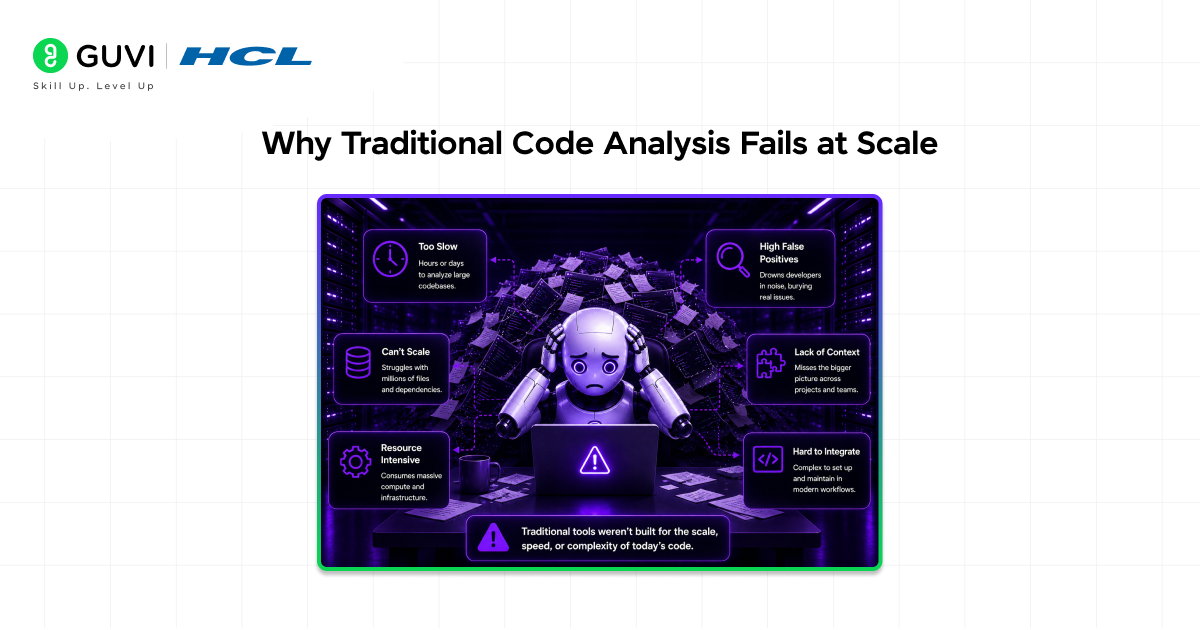
- Local machine limitations
Your laptop has limited CPU and RAM. Analyzing a 10,000-file project maxes out your resources. The editor becomes sluggish. Indexing takes forever. Your actual coding grinds to a halt.
- Linear scaling problems
Traditional tools analyze code linearly. Double your project size, double the analysis time. Add more files and performance degrades proportionally. This does not work for real-world applications.
- Stale indexes
Local indexing happens periodically. Between index updates, your editor’s understanding of the code is outdated. You make changes but autocomplete does not know about them yet. Jump to definition takes you to old code.
- Single-language focus
Most code intelligence tools optimize for one language. Building a full-stack app with JavaScript, Python, and SQL? You need three different analysis systems that do not talk to each other.
Read More: Vibe Coding 101 with Replit: Build Your First App Without Overthinking Code
How Replit Built Code Intelligence That Actually Scales
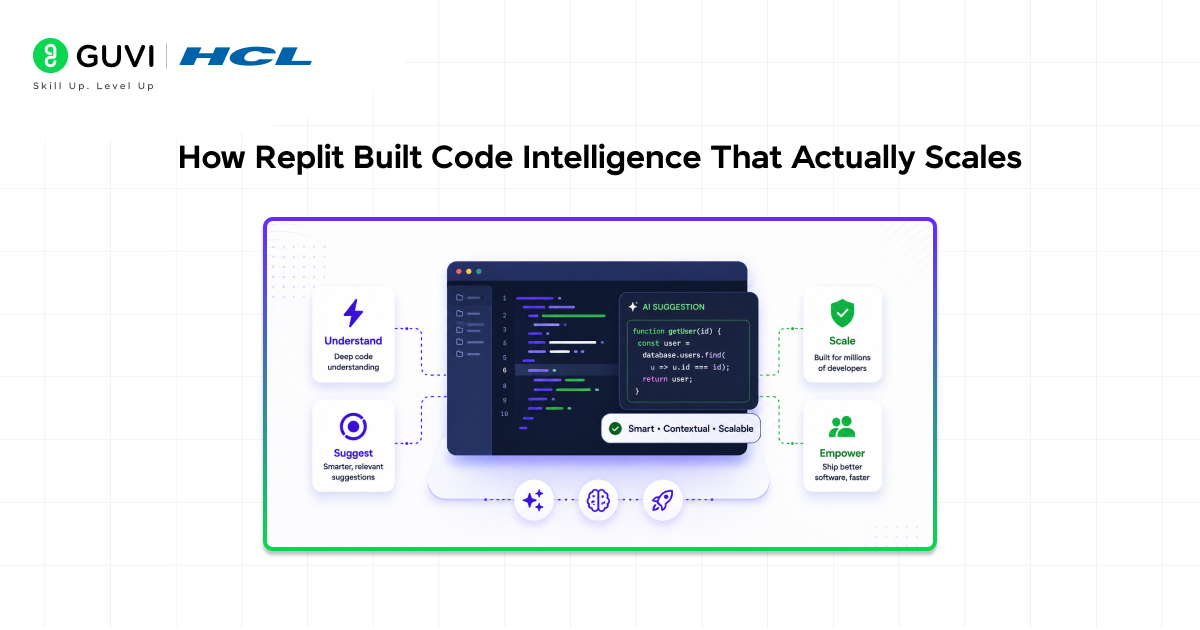
Step 1: Cloud-based architecture
Replit runs code analysis on their servers, not your machine. Powerful backend systems handle the computational heavy lifting. Your browser just displays results. Project size has zero impact on local performance.
Step 2: AI-powered understanding
Replit uses machine learning models trained on billions of lines of code. These models understand programming patterns, common practices, and language idioms across dozens of programming languages simultaneously.
Step 3: Incremental analysis
The system does not re-analyze everything when you change one line. It understands what changed and updates only the affected parts. Change a function and it updates that function’s relationships in milliseconds, not minutes.
Step 4: Distributed processing
Large codebases get split across multiple analysis workers. Each worker handles a portion of the code. Results merge together into a unified understanding. This parallelization makes analysis time nearly constant regardless of project size.
Step 5: Real-time synchronization
As you type, changes stream to the analysis backend. The system updates its understanding continuously. There is no “wait for indexing” step. Intelligence is always current, always accurate.
How Replit Makes Sense of Code at Scale?
Replit makes sense of code at scale using AI models trained on billions of lines of code combined with cloud-based distributed systems. This allows it to instantly analyze entire codebases and provide real-time code navigation, smart autocomplete, and safe refactoring across thousands of files without any indexing delays.
The AI Behind the Intelligence
- Training on massive code datasets
Replit’s models trained on public code repositories containing billions of lines across every major programming language. This teaches the AI what good code looks like, common patterns, and how developers actually structure projects.
- Understanding context, not just syntax
Traditional tools parse syntax. Replit’s AI understands semantics. It knows a variable named userEmail probably contains an email address. It recognizes authentication middleware patterns. It understands framework conventions automatically.
- Learning from your codebase
AI does not just apply general knowledge. It learns your specific project’s patterns. If you consistently name API handlers a certain way, the AI picks up on this and suggests similar names for new handlers.
- Predicting what you need next
The system does not wait for you to ask. It predicts what you are likely to type next based on context, your coding patterns, and common practices in similar codebases. Autocomplete suggestions appear before you finish thinking the thought.
What This Unlocks for Real Development
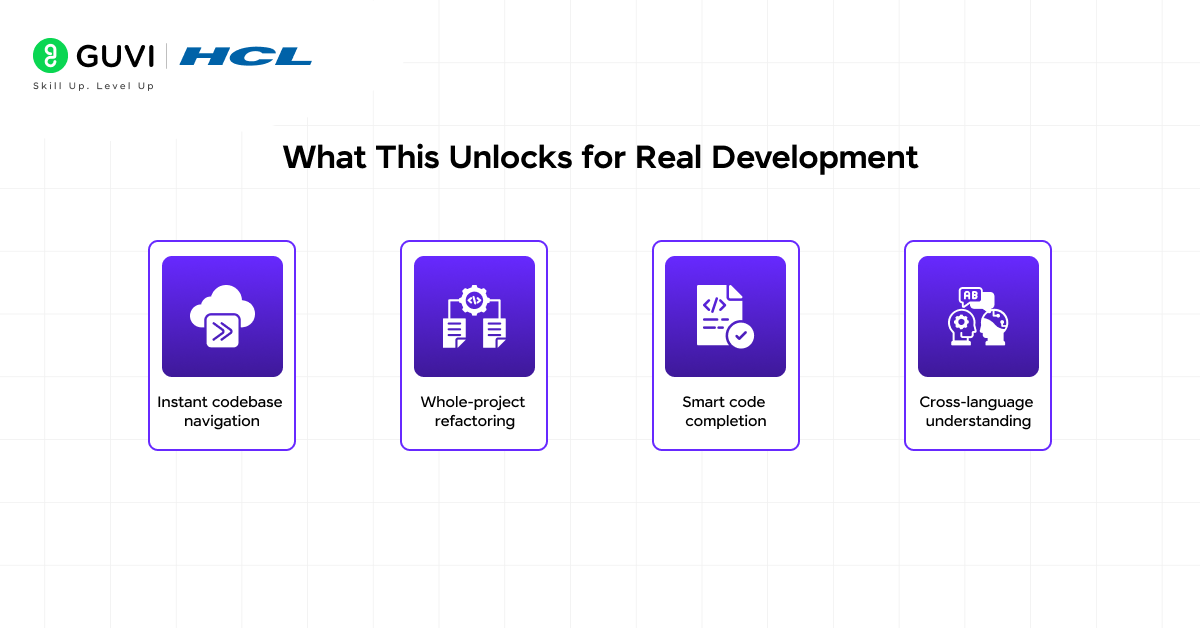
- Instant codebase navigation
Click any function name. Replit jumps to its definition instantly, even if it is in a different repository or package. No searching. No guessing. Direct navigation through millions of lines of code.
- Whole-project refactoring
Rename a variable and Replit updates every reference across your entire codebase in one operation. The AI understands scope, so it only changes the references that actually point to that variable, avoiding false positives.
- Smart code completion
Autocomplete that actually understands what you are building. Working on user authentication? Suggestions prioritize auth-related functions and variables. Writing database queries? It suggests relevant table names and columns.
- Cross-language understanding
Building a full-stack app? Replit’s intelligence spans languages. Define a TypeScript interface for an API response and the Python backend suggestions reflect that structure. True full-stack intelligence.
How to Use Replit’s Code Intelligence: Step-by-Step Process
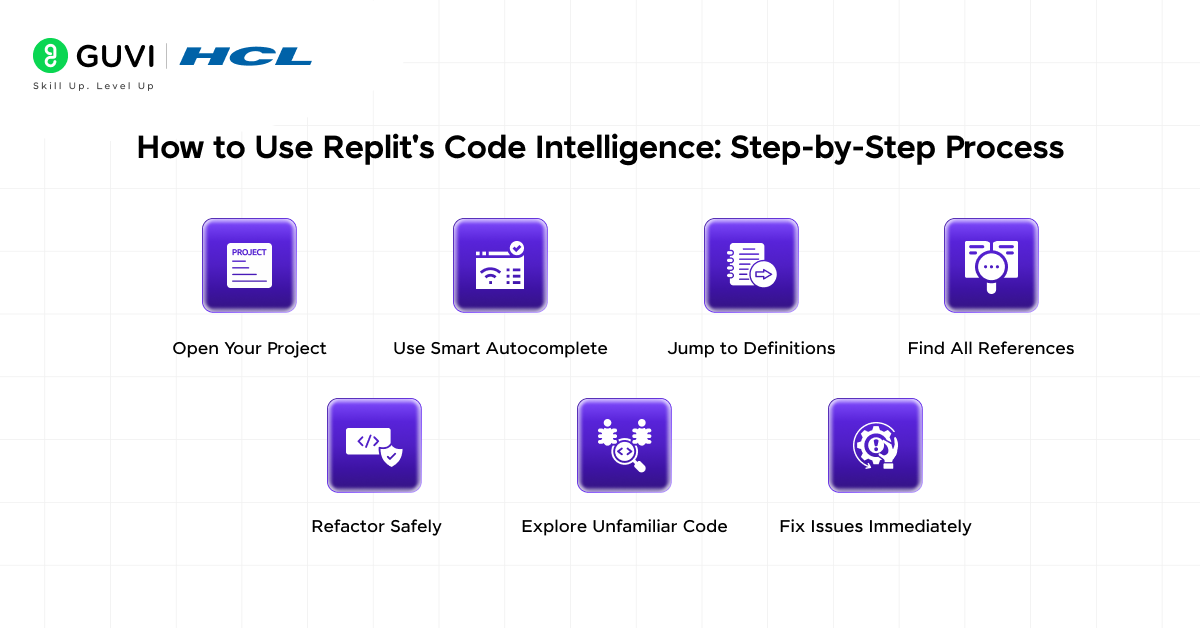
Here is exactly how to use Replit’s code intelligence features to work faster and smarter.
Step 1: Open Your Project
Start Coding Immediately
Open any project in Replit. Code intelligence activates instantly. No configuration needed. No waiting for indexing. The system is already analyzing your entire codebase in the background.

Step 2: Use Smart Autocomplete
Let AI Finish Your Code
Start typing a function or variable name. Replit shows context-aware suggestions based on your entire project. Press Tab or Enter to accept suggestions. The AI knows what variables are in scope and what types are expected.
Step 3: Jump to Definitions
Navigate Instantly Across Files
Click any function, variable, or class name while holding Cmd (Mac) or Ctrl (Windows). Replit jumps directly to where it is defined, even if it is in a different file or imported package. No manual searching required.
Step 4: Find All References
See Where Code Gets Used
Right-click any function or variable and select “Find All References”. Replit shows every place that code is used across your entire project. Use this before making changes to understand the impact.
Step 5: Refactor Safely
Rename Across Entire Project
Right-click a variable or function and select “Rename Symbol”. Type the new name. Replit automatically updates every reference across all files. The AI understands scope, so it only changes the correct references.
Step 6: Explore Unfamiliar Code
Follow the Code Trail
Working with code you did not write? Use jump to definition to explore how functions connect. Use find all references to see usage examples. Follow the trail through your codebase interactively instead of reading files top to bottom.
Step 7: Fix Issues Immediately
Act on AI Warnings
Replit highlights unused variables, missing imports, and potential errors with colored underlines. Hover over them to see the issue. Click the lightbulb icon for suggested fixes. Apply fixes with one click.
Common Mistakes Developers Make
- Not trusting AI suggestions
- Manual search instead of using jump to definition
- Ignoring the AI’s warnings
- Not exploring unfamiliar codebases interactively
Getting Maximum Value From Code Intelligence
- Master keyboard shortcuts
Learn shortcuts for jump to definition, find all references, and symbol search. Keyboard navigation is 10x faster than clicking through menus.
- Use semantic search, not text search
Searching for “user authentication” with semantic search finds relevant code even if those exact words do not appear. The AI understands meaning, not just text matching.
- Let autocomplete write boilerplate
Stop typing repetitive code manually. Start the pattern and let autocomplete finish it. The AI knows common patterns and writes them accurately.
- Follow AI suggestions for refactoring
When code intelligence suggests extracting a function or renaming a variable, it spotted a code smell. Follow the suggestion. Your code will be cleaner and more maintainable.
- Explore with “find all references”
Before changing any function, find all references to see how it is used. This prevents breaking changes and reveals usage patterns you might not have considered.
Replit’s code intelligence infrastructure processes over 100 million requests daily from developers around the world.
Even at scale, the system maintains sub-100ms response times, ensuring fast and seamless coding assistance during peak usage.
The Data Infrastructure Behind It All
- Processing billions of tokens
Replit’s analysis backend processes billions of code tokens daily. Each token gets analyzed, categorized, and connected to related tokens across the codebase.
- Graph databases for code relationships
Code relationships are stored in graph databases optimized for traversal queries. Finding all functions that call a specific function is a simple graph query, returning results in milliseconds.
- Real-time streaming updates
Changes stream from your editor to the analysis backend through WebSocket connections. The backend processes updates and streams intelligence back. Round-trip latency measured in milliseconds.
- Distributed caching layers
Multiple caching layers store frequently accessed analysis results. Project-level cache, user-level cache, and global cache for popular open-source projects. Cache hits avoid recomputation entirely.
To learn more on how Replit makes sense of code at scale, consider HCL GUVI’s Intel & IITM Pravartak Certified Artificial Intelligence & Machine Learning course. Endorsed with Intel certification, this course adds a globally recognized credential to your resume, a powerful edge that sets you apart in the competitive AI job market.
Conclusion
Code intelligence at scale is not about better autocomplete. It is about fundamentally changing how you interact with code.
Replit combined cloud infrastructure, AI models, and distributed systems to build intelligence that actually scales. No configuration. No waiting. No performance degradation as projects grow.
The result is simple: you think about what to build, not how to navigate your codebase. The AI handles understanding. You handle creation.
FAQs
1. How does Replit’s AI code intelligence differ from GitHub Copilot?
Copilot generates code suggestions. Replit’s code intelligence understands your existing codebase structure, relationships, and patterns. They solve different problems and can work together.
2. Does code intelligence work with private codebases?
Yes. Your code stays private. Analysis happens on Replit’s servers but your code never gets used to train public models without explicit permission.
3. What happens when the AI makes mistakes?
The system is highly accurate but not perfect. Always review AI suggestions before accepting them. You maintain full control over your code.
4. Can code intelligence understand custom frameworks?
Yes. The AI learns patterns from your codebase, including custom frameworks. It recognizes your conventions and suggests code that follows them.
5. How much does this impact Replit’s server costs?
Replit optimizes heavily for efficiency. Caching, incremental analysis, and distributed processing keep costs manageable while providing powerful intelligence to millions of developers.
Success Stories

About the Author
Vishalini Devarajan
An Aerospace Engineer turned content writer, I focus on making complex concepts easy to understand through well-structured, reader-friendly blogs. Whether it’s a technical topic or a non-technical one, I love creating content that is clear, engaging, and impactful.
View all posts by Vishalini Devarajan
Connect with me @


















Did you enjoy this article?