


Artificial Intelligence and Machine Learning Articles
How to Evaluate LLM Outputs in Production Deployments
AI/ML Skills Gap 2026: Why Companies Can't Find Job-Ready Talent
20 AI/ML Interview Questions Recruiters Can Use Without a Tech Background - Best Guide
How Industry-Backed AI/ML Bootcamps Are Changing the AI/ML Hiring Pipeline - Best Guide 2026


Get In Touch For Details! Request More Information

ChatPRD + Replit: From Spec to Running App in Minutes
Jun 24, 2026 7 Min Read 758 Views
(Last Updated)
If you have spent any time in product or engineering teams, you know how long the gap between a written spec and a working app actually is. You write the PRD, it goes to engineering, requirements get misinterpreted, scope creep sets in, and weeks pass before anyone sees something running. ChatPRD Replit app development closes that gap in a way that was not practical until now.
ChatPRD is an AI-powered product requirements document tool that helps product managers write structured, developer-ready specs in minutes. Replit is a cloud-based development environment where those specs can be turned into running applications, also in minutes, using AI-assisted code generation. Together, the two tools form a pipeline from idea to deployed app that fits inside a single working session.
In this article, we cover what each tool does, how the workflow connects them, a step-by-step walkthrough of going from a ChatPRD spec to a live Replit app, practical examples, what the workflow cannot do, and best practices for teams using this approach. Let us get started.
Table of contents
- Quick TL;DR Summary
- What Is ChatPRD?
- What Is Replit and How Does the AI Assistant Work?
- What Replit Handles in This Workflow
- How ChatPRD and Replit Work Together
- The Connection in Practice
- Step-by-Step: From ChatPRD Spec to Running App
- Step 1: Write the Spec in ChatPRD
- Step 2: Set Up a Replit Project
- Step 3: Review the Generated Application Structure
- Step 4: Add a Feature From the PRD
- Step 5: Run and Deploy
- Practical Examples: What Teams Are Building With This Workflow
- Internal Feedback and Survey Tools
- Status and Progress Dashboards
- Approval Workflow Tools
- Client-Facing Portals
- Prototype Validation Apps
- Best Practices for ChatPRD Replit App Development
- Be Specific in ChatPRD Before Moving to Replit
- Paste the Full PRD Into Replit, Not Just a Summary
- Build One Feature at a Time From the Acceptance Criteria
- Review Security-Relevant Code Before Sharing Any URL
- Use the Acceptance Criteria as Your Test Checklist
- Conclusion
- FAQs
- What is ChatPRD Replit app development?
- What is ChatPRD and what does it produce?
- Does ChatPRD integrate directly with Replit?
- What programming languages and frameworks work best in Replit for this workflow?
- Can I use this workflow for production applications?
Quick TL;DR Summary
1. ChatPRD Replit app development is a workflow where you write a structured product spec in ChatPRD and turn it into a running application inside Replit using AI-assisted code generation.
2. ChatPRD generates a developer-ready PRD from a plain-English product description, including user stories, requirements, and acceptance criteria.
3. You paste or import the spec into Replit’s AI assistant, which uses it to generate the application code, file structure, and initial UI.
4. The entire workflow from spec to deployed URL can be completed in a single working session with no local environment setup required.
5. This guide covers setup, a full step-by-step app build, practical examples, a comparison with traditional workflows, and best practices.
What Is ChatPRD?
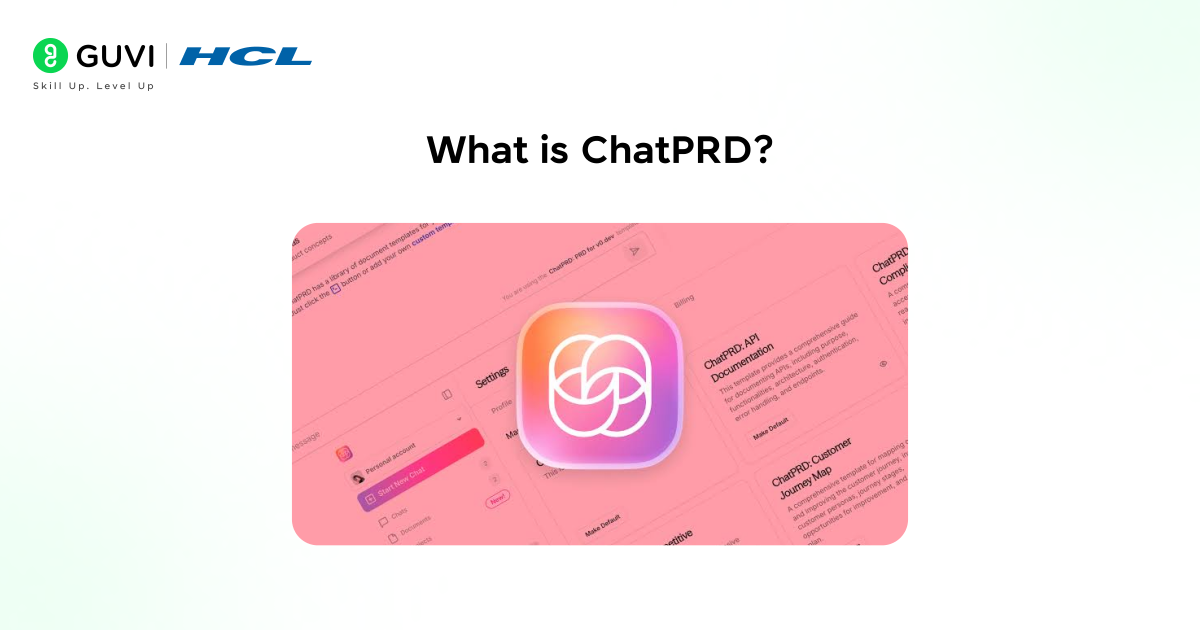
ChatPRD is an AI writing tool built specifically for product managers. You describe a product idea, a feature, or a problem in plain English, and ChatPRD generates a structured product requirements document with a problem statement, goals, user stories, functional requirements, non-functional requirements, and acceptance criteria.
The output is not a generic template filled with placeholder text. It is a reasoned document that a developer can read and act on. ChatPRD understands product management conventions and produces specs in a format that engineering teams can work from without extensive back-and-forth.
For the Replit workflow, what matters most is that ChatPRD produces structured, unambiguous requirements. An AI assistant in Replit reads better specifications and generates better code. The quality of the spec directly affects the quality of the first-pass application.
What Is Replit and How Does the AI Assistant Work?
Replit is a cloud-based development environment that runs entirely in the browser. You write code, run it, and deploy it without installing anything locally. It supports Python, JavaScript, Node.js, and dozens of other languages.
Replit’s AI assistant, built into the editor, can generate code from a description, explain existing code, debug errors, and add new features on request. You interact with it the same way you would describe a task to a developer: tell it what you want, and it generates an implementation.
For the ChatPRD workflow, the AI assistant is the bridge between the written spec and working code. You provide the PRD as context, describe the first feature you want to build, and the assistant generates the code to implement it.
What Replit Handles in This Workflow
- The development environment has no local setup, dependency management, or version conflicts.
- AI-assisted code generation from natural language and structured spec input
- Deployment of a public URL is available the moment you click Run
- Collaboration team members can view and edit the same project in real time
Replit hosts over 30 million projects across more than 200 countries. Its Always On deployment feature keeps applications running without requiring server management, making it ideal for internal tools and prototypes that need to stay accessible.
In workflows like ChatPRD with Replit, this means every app generated from a spec can be instantly deployed and shared with stakeholders for feedback.
How ChatPRD and Replit Work Together
The connection between the two tools is not a technical integration; there is no API link or plugin. The workflow is a process: ChatPRD produces a structured spec, and you use that spec as the input to Replit’s AI assistant.
This works because AI code generators perform significantly better when given structured, specific input. A well-written PRD with clear user stories and acceptance criteria gives the Replit assistant enough context to generate a meaningful first version of the application rather than a generic template.
The workflow also introduces a useful discipline: writing the spec first forces clarity about what you are building before a single line of code is written. The app that comes out of Replit reflects the spec that went into ChatPRD.
The Connection in Practice
- ChatPRD produces a spec that answers: what is the product, who are the users, what does it do, and how does success get measured.
- Replit’s AI assistant reads that spec and answers: what code structure, what API routes, what UI components, and what data model implements this.
- The developer reviews, adjusts, and iterates on both tools to remove the blank-page problem at their respective stages.
Step-by-Step: From ChatPRD Spec to Running App
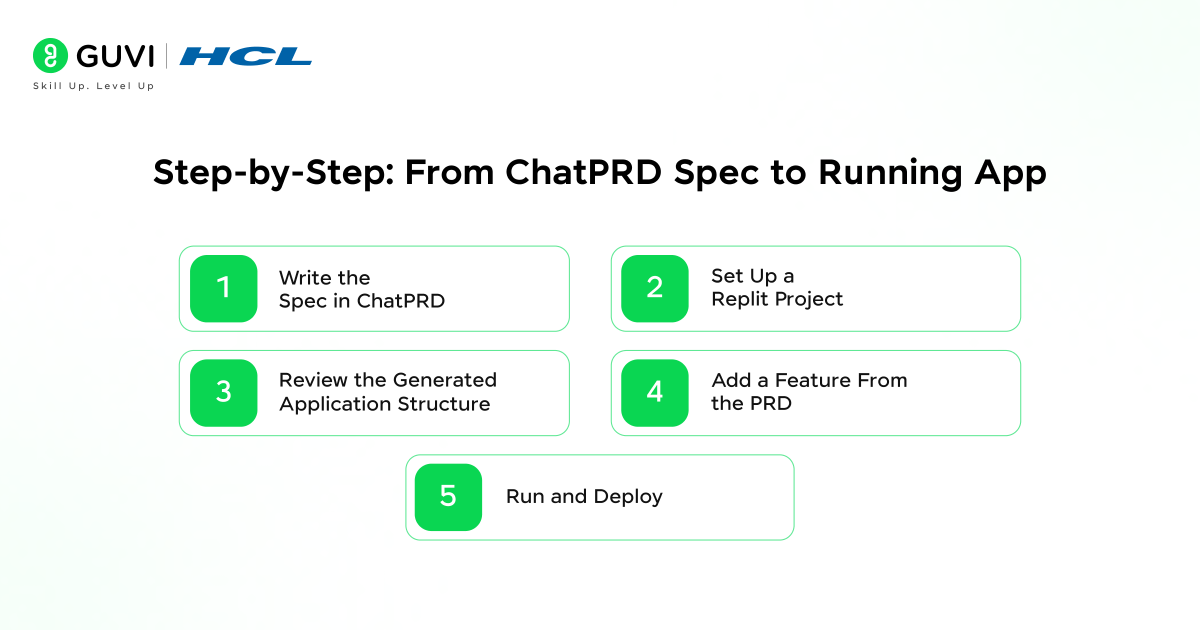
Here is the complete walkthrough of the ChatPRD Replit app development workflow, from writing the initial spec to a deployed application with a shareable URL. The example app is a simple Employee Feedback Tracker, a tool where employees submit feedback and managers view aggregated responses.
Step 1: Write the Spec in ChatPRD
1. Open ChatPRD and describe your product in plain English.
2. For this example, type: “I need an internal web app where employees can submit anonymous feedback on team culture. Managers can log in and see all feedback, filter by department, and mark items as reviewed.”
3. ChatPRD generates a structured PRD. Review it and add any missing details, specific form fields, authentication requirements, and data retention rules.
4. Export or copy the completed PRD.
The output from ChatPRD for this example will include sections covering problem statement, goals, user types, functional requirements for the submission form and manager dashboard, non-functional requirements for anonymity and access control, and acceptance criteria for each feature.
Step 2: Set Up a Replit Project
1. Create a new Replit project and select Python as the language.
2. Open the AI assistant panel in Replit.
3. Paste the full ChatPRD output into the assistant as context, then add: “Based on this PRD, create a Flask web application with the structure and routes needed to implement these requirements.”
4. Review the generated file structure. Replit will typically create main.py, templates/, and a requirements.txt.
Step 3: Review the Generated Application Structure
Once you send the prompt, the Replit AI assistant will:
- Propose a file structure based on the PRD features, routes for feedback submission, manager login, and dashboard
- Generate the Flask routes, HTML templates, and basic data model derived from the requirements
- Add comments in the code that reference the relevant PRD requirements, making it easy to trace implementation back to the spec.
Open each file and read through what the assistant generated. Pay attention to how it interprets the anonymity requirement and the manager authentication requirement — these are the areas most likely to need adjustment.
Step 4: Add a Feature From the PRD
With the base application working, pick a specific acceptance criterion from the ChatPRD output and ask the assistant to implement it. For this example:
“Add a department filter to the manager dashboard. The filter should be a
dropdown populated from the departments in the feedback table. Selecting
a department filters the feedback list to show only entries from that
department. Selecting ‘All’ shows all feedback.”
The assistant will update the relevant route in main.py, modify the dashboard template, and add the SQL query to populate the dropdown. It works across multiple files simultaneously while keeping the existing logic intact.
This is where ChatPRD Replit app development shows its structural advantage. Each feature request to the AI assistant directly references an acceptance criterion from the spec. The PRD is not just a planning document; it becomes the source of prompts for code generation throughout the build.
Step 5: Run and Deploy
1. Click Run in Replit, and the Flask app starts immediately.
2. Replit generates a public URL for the running application.

3. Open the URL and test the submission form and manager dashboard against the acceptance criteria in the ChatPRD spec.
4. Share the URL with stakeholders for review, no deployment pipeline or staging server required.
5. Enable Always On in Replit for persistent access between sessions.
In a ChatPRD-generated spec, acceptance criteria serve a second purpose in the Replit workflow—they effectively become the test cases for the running application.
Each criterion represents a specific, verifiable condition, allowing teams to check them directly against the live app immediately after deployment. Teams using this approach report that the spec-to-verification loop, which traditionally takes days, can now happen within a single session.
Practical Examples: What Teams Are Building With This Workflow
Here are the most common types of applications that product and engineering teams are building using the ChatPRD Replit app development workflow. Each one follows the same pattern: spec in ChatPRD, code in Replit.
1. Internal Feedback and Survey Tools
Forms where employees, customers, or users submit structured input. ChatPRD handles the data schema and anonymity requirements well. Replit generates the form, submission logic, and results view. Typically built and deployed in under two hours.
2. Status and Progress Dashboards
Internal tools where a team tracks project milestones, task completion, or KPI progress. ChatPRD defines the data fields and display requirements. Replit generates the CRUD interface and the dashboard view.
3. Approval Workflow Tools
Simple request and approval flows for expense submissions, leave requests, and content approvals. ChatPRD structures the workflow states and permissions. Replit implements the state machine, notification logic, and manager view.
4. Client-Facing Portals
Lightweight portals where clients can view project updates, submit requests, or access reports. ChatPRD defines the access levels and content types. Replit generates the authenticated views and data presentation layer.
5. Prototype Validation Apps
Functional prototypes built to validate a product assumption before committing engineering resources. ChatPRD structures the hypothesis and success metrics as requirements. Replit builds the working prototype fast enough to test with real users the same day.
In traditional product development, building a prototype often takes 2–3 weeks, meaning teams invest significant effort before validating key assumptions.
The ChatPRD + Replit workflow reduces this to just hours, allowing teams to run multiple validation experiments in the time it once took to build a single prototype.
Best Practices for ChatPRD Replit App Development
A few habits make the difference between a fast, useful workflow and one that produces vague output that requires extensive rework.
1. Be Specific in ChatPRD Before Moving to Replit
Add data field names, user role definitions, and specific UI behaviour to your ChatPRD input before generating the spec. Vague descriptions produce vague requirements, which produce code that needs heavy rewriting. Specificity at the spec stage saves time at the code stage.
2. Paste the Full PRD Into Replit, Not Just a Summary
The Replit AI assistant uses the context you give it. A full PRD with user stories and acceptance criteria produces better-structured code than a one-paragraph summary. Treat the spec as the primary prompt.
3. Build One Feature at a Time From the Acceptance Criteria
Rather than asking Replit to implement the entire PRD in one prompt, reference individual acceptance criteria from ChatPRD for each feature request. This keeps each generated change focused and reviewable. It also mirrors how a developer would work through a spec.
4. Review Security-Relevant Code Before Sharing Any URL
Generated authentication, access control, and data handling code should be reviewed by someone with security awareness before you share the application URL with anyone outside your immediate team. Replit generates functional code, not necessarily hardened code.
5. Use the Acceptance Criteria as Your Test Checklist
After deployment, go through each acceptance criterion in the ChatPRD output and verify it against the live application. This turns the spec into a structured QA checklist without writing separate test cases. Any criterion that fails becomes the next prompt to the Replit AI assistant
Studies on software development rework costs show that defects caught at the requirements stage can cost 5 to 10 times less to fix than those discovered after code is written.
ChatPRD’s structured output pushes clarity earlier in the process, allowing AI-generated code in Replit to start from a more accurate foundation—so rework happens at the prompt level instead of the code level.
If you want to learn more about building skills for Claude Code and automating your procedural knowledge, do not miss the chance to enroll in HCL GUVI’s Intel & IITM Pravartak Certified Artificial Intelligence & Machine Learning courses. Endorsed with Intel certification, this course adds a globally recognized credential to your resume, a powerful edge that sets you apart in the competitive AI job market.
Conclusion
In conclusion, ChatPRD Replit app development is a practical workflow for anyone who needs to move from a product idea to a running application without waiting for a full engineering sprint. ChatPRD brings structure and clarity to the requirements stage. Replit brings speed and accessibility to the build stage.
The workflow has real limits: AI-generated code needs review, complex systems need traditional engineering, and production infrastructure for high-traffic applications belongs on dedicated cloud hosting. Within those limits, the combination consistently delivers working applications from written specs inside the same working session.
Understanding the workflow well, using specific inputs at every stage, and reviewing AI output critically are what separate teams that get reliable results from this approach from those who find it inconsistent. Used thoughtfully, ChatPRD and Replit together remove the two most common sources of delay in early product delivery: time spent writing requirements and time spent waiting for a first working version.
FAQs
1. What is ChatPRD Replit app development?
ChatPRD Replit app development is a workflow where you write a structured product requirements document using ChatPRD’s AI assistant, then use that spec as the input to Replit’s AI code generator to build a working application. The two tools together reduce the time from product idea to deployed, shareable app from days to hours.
2. What is ChatPRD and what does it produce?
ChatPRD is an AI tool built for product managers. You describe a product or feature in plain English, and it generates a structured PRD including problem statement, goals, user stories, functional and non-functional requirements, and acceptance criteria. The output is formatted for developer handoff, not just internal documentation.
3. Does ChatPRD integrate directly with Replit?
There is no native technical integration between the two tools. The workflow is a process: you generate the PRD in ChatPRD, copy it, and paste it into Replit’s AI assistant as context. The structured spec format that ChatPRD produces is well-suited to AI code generation, which is what makes the combination effective.
4. What programming languages and frameworks work best in Replit for this workflow?
Python with Flask is the most common choice for this workflow because it is concise, well-supported by Replit, and Replit’s AI assistant generates reliable Flask code. Node.js with Express is a good alternative for JavaScript-first teams. For data-heavy applications, adding SQLite or connecting to an external database through environment variables is straightforward.
5. Can I use this workflow for production applications?
For internal tools, prototypes, and low-traffic applications, yes. For high-traffic, security-sensitive, or infrastructure-critical production systems, traditional development with dedicated hosting is more appropriate. Replit’s Always On feature is suitable for internal tools that need to stay accessible, not for systems requiring SLA guarantees.
Success Stories

About the Author
Vishalini Devarajan
An Aerospace Engineer turned content writer, I focus on making complex concepts easy to understand through well-structured, reader-friendly blogs. Whether it’s a technical topic or a non-technical one, I love creating content that is clear, engaging, and impactful.
View all posts by Vishalini Devarajan
Connect with me @








Did you enjoy this article?