


Artificial Intelligence and Machine Learning Articles
Finance Manager to Data Analytics: Career Growth, Salary and Seniority
How to Evaluate LLM Outputs in Production Deployments
AI/ML Skills Gap 2026: Why Companies Can't Find Job-Ready Talent
20 AI/ML Interview Questions Recruiters Can Use Without a Tech Background - Best Guide


Get In Touch For Details! Request More Information

How to Create Effective AI Prompts (With Examples)
Jun 19, 2026 6 Min Read 2901 Views
(Last Updated)
You’ve probably typed something into ChatGPT, hit enter, and got a response that was technically correct but completely missed the point. Too generic. Too vague. Or just not what you needed.
The problem usually isn’t the AI; it’s the prompt. Prompting is now one of the most important skills you can develop if you want to get real value from AI tools. Whether you’re using AI for writing, coding, research, or learning, the quality of your input directly determines the quality of your output.
In this article, you’ll learn how to write effective AI prompts that actually work, with frameworks, examples, and practical templates you can start using today. No jargon overload, just clear principles and hands-on examples.
TL;DR Summary
- Effective AI prompting is about giving AI tools the right context, clarity, and structure to get accurate, useful outputs, not just typing a question.
- This guide covers the core principles of prompt engineering, including role assignment, context-setting, format control, and constraint-based prompting.
- You’ll learn the most common prompting frameworks like Zero-Shot, Few-Shot, and Chain-of-Thought, with real examples for each.
- The article walks through practical prompt templates for writing, coding, data analysis, and learning, covering the most common use cases for beginners and professionals alike.
- It also covers the most frequent prompting mistakes and how to fix them, so you stop getting vague or off-target responses.
- By the end, you’ll have a working understanding of how to structure prompts that consistently deliver better results from tools like ChatGPT, Gemini, and Claude.
Table of contents
- What is Prompt Engineering?
- The Core Elements of an Effective AI Prompt
- Role or Persona
- Task
- Context
- Format Instructions
- Constraints
- Effective Ways to Craft AI Prompts
- Start With the End in Mind
- Be Specific, Not Smart-Sounding
- Use the "Who, What, How" Structure
- Layer Your Instructions Clearly
- Iterate Deliberately, Not Randomly
- Anchor With Examples When Precision Matters
- Test the Same Prompt Across Different AI Tools
- Prompting Frameworks You Should Know
- Zero-Shot Prompting
- Few-Shot Prompting
- Chain-of-Thought Prompting
- Role-Based Prompting
- Prompt Examples by Use Case
- For Writing and Content
- For Coding Help
- For Learning a New Concept
- For Data Analysis
- For Summarisation
- Common Prompting Mistakes (And How to Fix Them)
- Conclusion
- FAQs
- What is prompt engineering in simple terms?
- Do I need coding knowledge to write effective prompts?
- Which AI tools can I apply these prompting techniques to?
- What is zero-shot prompting?
- What is the difference between few-shot and chain-of-thought prompting?
What is Prompt Engineering?
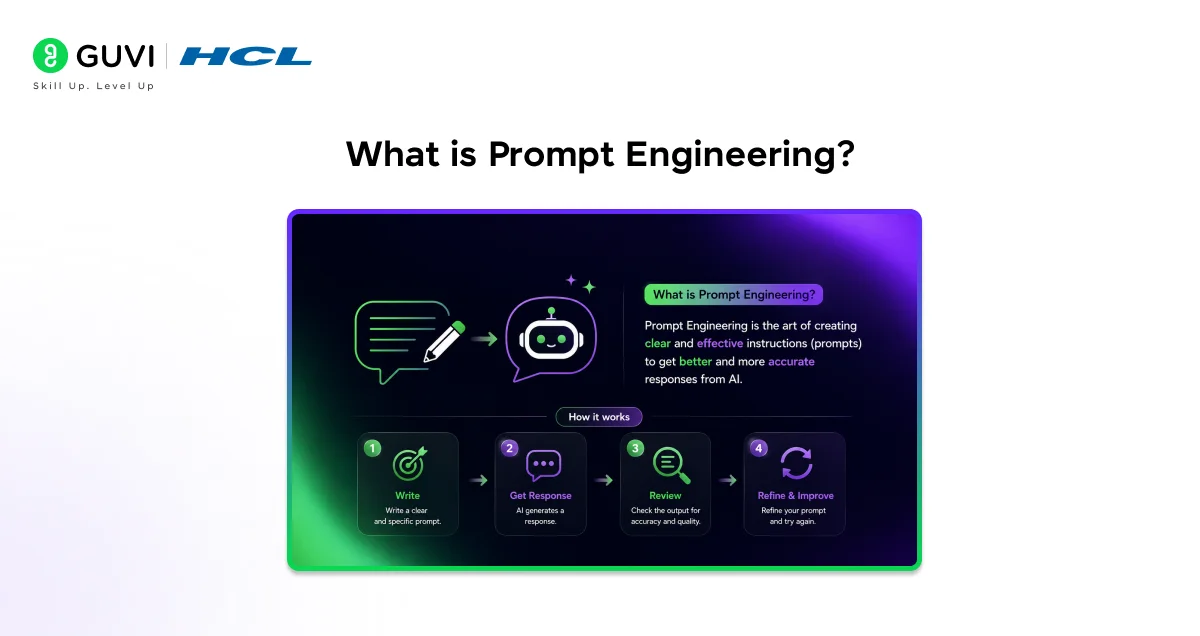
Prompt engineering is the practice of designing inputs or “prompts” that guide AI models to produce accurate, relevant, and useful responses.
Think of it this way. An AI language model is incredibly capable, but it doesn’t know your specific goal, your audience, your tone preference, or how detailed you want the output to be, unless you tell it.
Prompt engineering is how you communicate all of that.
It’s not a programming skill in the traditional sense. You don’t need to write code. But it does require you to think carefully about:
- What you want the AI to do
- Who the output is for
- What format do you expect
- What constraints do you want the AI to follow
It’s a skill that sits at the intersection of communication, logic, and a basic understanding of how language models work.
If you want to learn the best practices in prompt engineering, read the blog – Best Practices for Prompt Engineering [Updated]
The Core Elements of an Effective AI Prompt
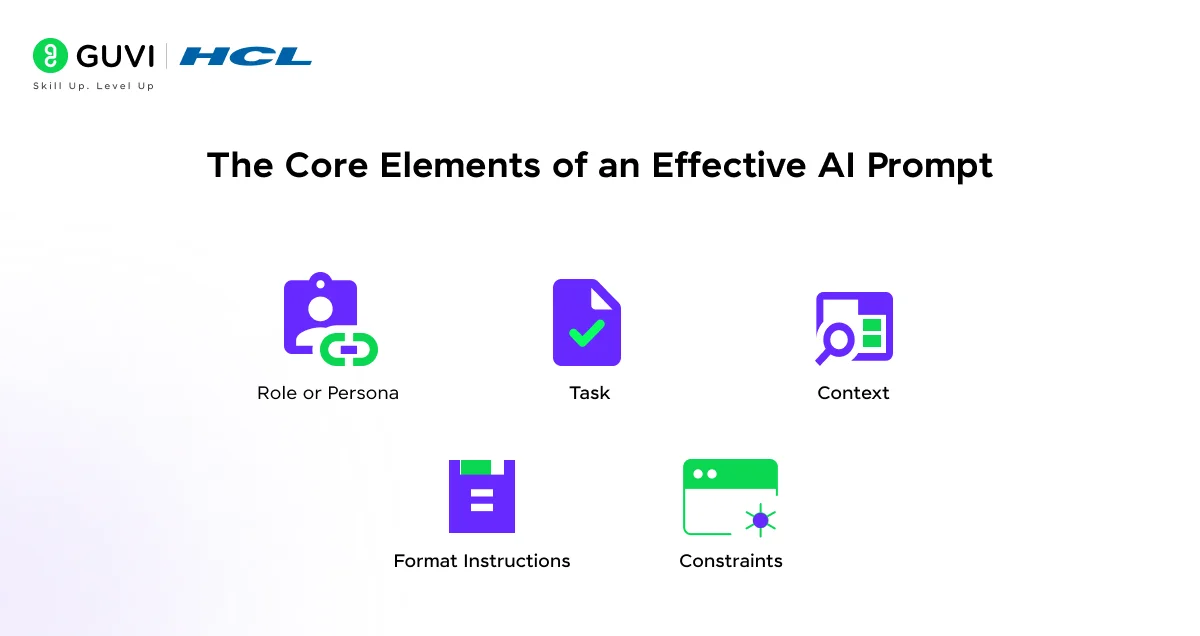
Every strong prompt is built on a few key components. You don’t always need all of them, but understanding each one helps you decide what to include for a given task.
1. Role or Persona
Assigning a role tells the AI who it should be when responding. This shapes the tone, depth, and style of the output dramatically.
Example: “You are a senior data scientist explaining feature engineering to a junior analyst.”
This simple addition shifts the response from generic to expert-level and contextually appropriate.
2. Task
Be explicit about what you want done. Vague instructions produce vague results.
Instead of: “Write something about Python.”
Try: “Write a 300-word beginner’s introduction to Python, covering what it is, why it’s popular, and three common use cases.”
3. Context
Context gives the AI the background it needs to tailor the response. Think of it as answering the question: Why are you asking this?
Example: “I’m preparing a presentation for non-technical stakeholders at a retail company. Explain how AI is being used in inventory management.”
4. Format Instructions
If you want bullet points, tables, numbered steps, or a specific word count, say so. AI tools default to whatever format they think is appropriate, which may not match what you need.
Example: “Format your response as a numbered list with a one-sentence explanation for each point.”
5. Constraints
Constraints help the AI stay focused. You can set limits on length, complexity, tone, perspective, or what to avoid.
Example: “Avoid technical jargon. Keep the tone friendly but professional. Do not include any product recommendations.”
Also Read: ChatGPT Prompt Engineering for Developers: A Practical Guide
Effective Ways to Craft AI Prompts
Knowing the elements of a good prompt is one thing. Knowing how to put them together in a way that consistently delivers results is another. These are the approaches that actually move the needle.
1. Start With the End in Mind
Before you type anything, ask yourself: What does a perfect response look like?
If you can describe the ideal output clearly in your head, you can describe it clearly in your prompt. Think about the length, the tone, the format, and the level of detail you need. The more specific your mental picture, the easier it is to translate that into a prompt.
2. Be Specific, Not Smart-Sounding
A common mistake is trying to make prompts sound sophisticated when what the AI actually needs is clarity.
Instead of: “Elucidate the multifaceted dimensions of machine learning paradigms.”
Try: “Explain the main types of machine learning — supervised, unsupervised, and reinforcement — with one real-world example for each.”
Straightforward language produces better results almost every time.
3. Use the “Who, What, How” Structure
When in doubt, build your prompt around three questions:
- Who is this for? (audience or role)
- What do you need? (the actual task)
- How should it be delivered? (format, tone, length)
Example: “[Who] For a non-technical HR manager, [What] explain what large language models are and why companies are adopting them, [How] in a short paragraph using plain language and no technical terms.”
This structure alone will improve the majority of your prompts immediately.
4. Layer Your Instructions Clearly
When a task has multiple requirements, lay them out in order rather than bundling everything into one long sentence. This gives the AI a clear sequence to follow.
Example:
- “First, summarise the key argument of the text below in two sentences.”
- “Then, identify any assumptions the author makes.”
- “Finally, suggest one counterargument.”
Layered instructions reduce the chance that the AI will skip or merge steps.
5. Iterate Deliberately, Not Randomly
If the first response isn’t quite right, don’t just rephrase the whole prompt and hope for better results. Identify exactly what’s off — is it the tone? The depth? The format? — and correct only that part.
Example follow-up prompts:
- “This is good but too technical. Simplify the language for a general audience.”
- “The structure is right but the examples feel generic. Replace them with examples from the healthcare industry.”
- “Make this 30% shorter without losing the key points.”
Targeted iteration gets you to a strong output far faster than starting over each time.
6. Anchor With Examples When Precision Matters
If you have a very specific style or format in mind, show it — don’t just describe it. Pasting an example of what you want (even a short one) gives the AI a concrete target to match.
Example: “Write a product description in this style: ‘Clean. Fast. Built for people who don’t have time to waste.’ — three short, punchy sentences, no fluff, action-oriented.”
Anchoring with a sample is one of the quickest ways to close the gap between what you imagine and what you get.
7. Test the Same Prompt Across Different AI Tools
Different models respond differently to the same prompt. A prompt that works well in ChatGPT may produce a different output in Claude or Gemini. If you’re relying on AI for consistent work, it’s worth testing your key prompts across tools to find which one best suits your specific use case.
Prompting Frameworks You Should Know
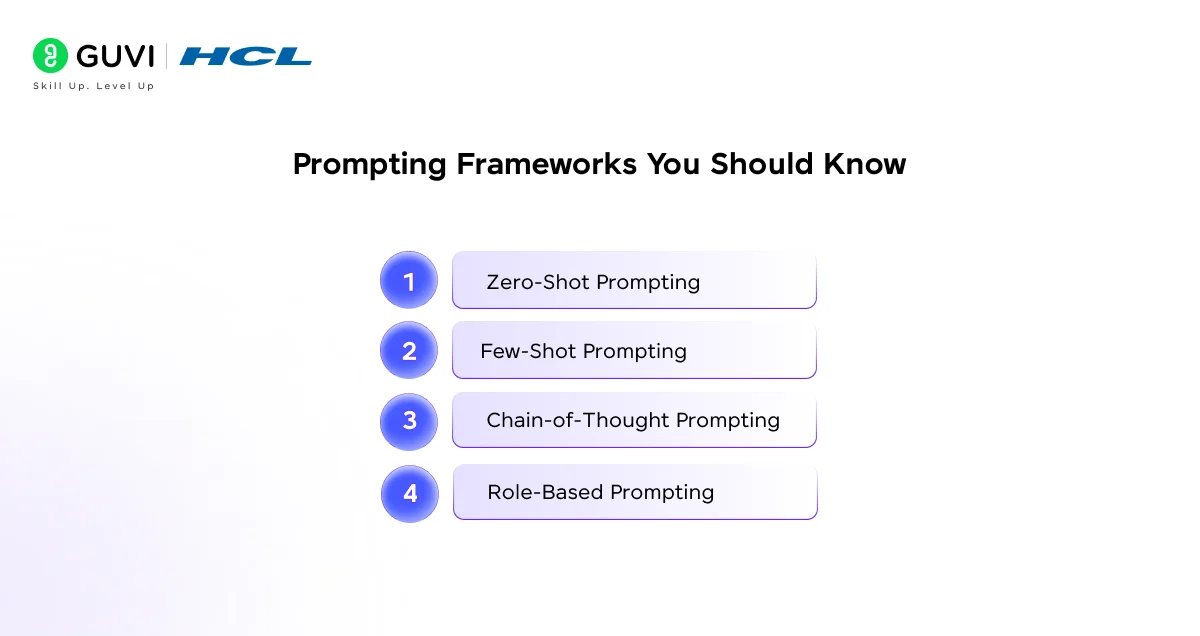
Beyond individual elements, there are established frameworks that combine them in structured ways. Here are the most useful ones.
1. Zero-Shot Prompting
This is the most basic approach, you give the AI a task with no examples. It works well for straightforward requests where the output format is obvious.

Example: “Summarise this paragraph in two sentences: [paragraph]”
Zero-shot prompting is fast but can produce inconsistent results for complex or ambiguous tasks.
2. Few-Shot Prompting
Here, you provide one or more examples of the input-output pattern you want. This trains the AI on-the-fly to match your expected style or format.
Example:
Input: “The meeting was scheduled for Monday.” Output: “Meeting scheduled: Monday”
Input: “The project deadline has been moved to the 15th of next month.” Output: [AI continues the pattern]
Few-shot prompting is especially useful for formatting tasks, classification, and content generation with a consistent style.
3. Chain-of-Thought Prompting
The Chain-of-Thought Prompting asks the AI to reason step by step before arriving at an answer. It significantly improves accuracy for logic-heavy or multi-step problems.
Example: “Think through this step by step: A store sells 120 items per day at ₹50 each. If they run a 20% discount on weekends, what is the difference in weekly revenue compared to a week with no discount? Show your reasoning.”
Adding “think step by step” or “show your reasoning” often produces more accurate and explainable answers.
4. Role-Based Prompting
Covered earlier, but worth emphasizing as its own framework. Assigning a role-based prompting fundamentally changes how the AI responds.
Some useful role prompts:
- “Act as a career counsellor helping a recent computer science graduate.”
- “You are a strict code reviewer. Point out any issues in this Python function.”
- “Respond as a patient tutor explaining this concept to someone who has asked three times already.”
Prompt Examples by Use Case
Let’s look at practical prompts across the most common scenarios.
1. For Writing and Content
Weak: “Write a blog post about AI.”
Strong: “Write a 600-word introductory blog post on how AI is changing the education sector. Target audience: working professionals considering upskilling. Tone: conversational but informative. Include a real-world example and end with a call to action.”
2. For Coding Help
Weak: “Fix my code.”
Strong: “Here is a Python function that is supposed to return the average of a list. It’s throwing a ZeroDivisionError when the list is empty. Identify the bug, explain why it occurs, and provide the corrected code with comments.”
3. For Learning a New Concept
Weak: “Explain neural networks.”
Strong: “Explain neural networks using a real-world analogy. I understand basic statistics but have no deep learning background. Keep the explanation under 250 words and end with one practical example of where neural networks are used today.”
4. For Data Analysis
Weak: “Analyse this data.”
Strong: “Here is a dataset showing monthly sales figures for a retail store over 12 months. Identify any notable trends, flag months with significant drops or spikes, and suggest two possible business explanations for the patterns you observe.”
5. For Summarisation
Weak: “Summarise this article.”
Strong: “Summarise the following article in 5 bullet points. Each point should be one sentence. Focus only on the key findings and actionable insights. Avoid including background information or introductory context.”
The term “prompt engineering” only entered mainstream use around 2022, but the underlying concept dates back to early NLP research in the 2010s. Today, dedicated prompt engineering roles are being advertised at companies including Google, Microsoft, and several AI startups, often with salaries comparable to mid-level software engineering positions. Knowing how to prompt effectively is quickly becoming a baseline expectation in tech and content roles.
Common Prompting Mistakes (And How to Fix Them)
Even with the right intentions, certain habits consistently lead to weak outputs. Here are the most common ones to watch out for.
1. Being too vague: Vague prompts produce vague responses. If you wouldn’t accept “it depends” as a useful answer in real life, don’t give the AI a prompt that invites it.
Fix: Add specifics: audience, purpose, format, and scope.
2. Asking multiple questions at once: When you stack several questions into one prompt, the AI often answers some partially and skips others entirely.
Fix: Ask one question at a time, or clearly number your sub-questions so the AI addresses each one.
3. Skipping context: If the AI doesn’t know why you’re asking, it defaults to the most general interpretation of your request.
Fix: Add a one-sentence context statement before your actual ask.
4. Ignoring format instructions: If you need a table, a list, or a specific word count, leaving it out guarantees you won’t get it.
Fix: State your format requirements explicitly at the end of your prompt.
5. Accepting the first output without iteration: Prompting is rarely a one-shot process for complex tasks. The first response is often a starting point, not a final answer.
Fix: Follow up with targeted corrections: “make this more concise,” “change the tone to formal,” or “add a real-world example.”
If you’re serious about learning effective AI prompts and want to apply them in real-world scenarios, don’t miss the chance to enroll in HCL GUVI’s Intel & IITM Pravartak Certified Artificial Intelligence & Machine Learning Course, co-designed by Intel. It covers Python, Machine Learning, Deep Learning, Generative AI, Agentic AI, and MLOps through live online classes, 20+ industry-grade projects, and 1:1 doubt sessions, with placement support from 1000+ hiring partners.
Conclusion
In conclusion, prompting is a skill, and like any skill, it improves with deliberate practice. The difference between a frustrating AI experience and a genuinely useful one often comes down to how clearly and specifically you communicate your intent.
Start with the core elements: role, task, context, format, and constraints. Layer in frameworks like few-shot or chain-of-thought when the task demands it. And always be willing to iterate, your second or third prompt is usually far stronger than your first.
As AI tools continue to evolve, prompt engineering will only become more valuable. The good news is that you don’t need a technical background to get good at it. You just need to think clearly and communicate precisely.
FAQs
1. What is prompt engineering in simple terms?
Prompt engineering is the skill of writing clear, structured inputs for AI tools so they produce accurate and useful outputs. It’s essentially about communicating your intent to an AI as precisely as possible.
2. Do I need coding knowledge to write effective prompts?
No. Prompt engineering is largely a communication and critical thinking skill. While understanding how language models work can help, it’s not a requirement for writing effective prompts.
3. Which AI tools can I apply these prompting techniques to?
These techniques work across most major AI tools, including ChatGPT, Claude, Gemini, Copilot, and Perplexity. The core principles apply regardless of the platform.
4. What is zero-shot prompting?
Zero-shot prompting means giving the AI a task without any examples. It works for simple, well-defined tasks but may produce inconsistent results for more complex requests.
5. What is the difference between few-shot and chain-of-thought prompting?
Few-shot prompting provides examples of the desired input-output pattern. Chain-of-thought prompting asks the AI to reason step by step before giving an answer. Both improve output quality but are suited to different types of tasks.
Success Stories

About the Author
Lukesh S
A professional content writer who has experience in freelancing and now working as a Technical Content Writer at HCL GUVI having sound knowledge in Blog Writing and Creative Writing!
View all posts by Lukesh S
Connect with me @


















Did you enjoy this article?