


Artificial Intelligence and Machine Learning Articles
Claude for Code Documentation with JSDoc
How to Integrate Claude into a Next.js App with App Router


Get In Touch For Details! Request More Information
Replit Pro Launch: Core Plan Improvements Explained
Jun 24, 2026 5 Min Read 547 Views
(Last Updated)
If you have ever wanted to code without setting up a complicated development environment on your computer, Replit was probably already on your radar. It is one of the most popular browser-based coding platforms in the world, letting you write, run, and share code from anywhere with just an internet connection.
Now, Replit has made two big announcements at once. They have launched a brand new plan called Replit Pro, built for serious developers and professionals. At the same time, they have upgraded their Core plan to offer more value than before.
In this guide, we will walk you through everything you need to know about these updates, what changed, why it matters, and how you can make the most of it whether you are a student just learning to code, a freelancer building projects, or a developer who lives inside an IDE.
Quick TL;DR Summary
1. This guide explains what the Function Connector is and how it allows Claude to go beyond its built-in knowledge by connecting to real-world tools and live data.
2. You will learn how Claude automatically decides when to use a function and which one to call, without you needing to do anything technical.
3. The guide covers the main types of functions available, including search, weather, maps, sports data, file creation, and code execution.
4. Real-world examples show you exactly how the Function Connector works in everyday situations like trip planning, following sports, and getting work done.
5. Practical tips help you phrase your requests in ways that get the most out of Claude’s function calling abilities.
6. You will also understand the current limitations so you can set the right expectations and use Claude more effectively.
Table of contents
- What Is Replit?
- What Is Replit Pro?
- What Changed With the Core Plan?
- Why Does This Matter?
- How Do the Plans Compare?
- Real World Examples of Who Benefits
- Example 1: The Student
- Example 2: The Freelance Developer
- Example 3: The Educator
- Example 4: The Startup Team
- Pros and Cons of the Update
- Pros
- Cons
- Tips for Getting the Most Out of Replit After This Update
- Limitations to Keep in Mind
- Conclusion
- FAQs
- Is Replit Pro worth it for individual developers?
- Do existing Core subscribers get the upgraded features automatically?
- Can I try Replit Pro before committing?
- Does Replit Pro include access to all AI features?
- Is Replit suitable for team projects?
What Is Replit?
Replit is an online coding platform that lets you build and run software directly in your browser. You do not need to install anything, configure environments, or worry about your operating system. You just open a browser, pick your programming language, and start writing code.
It supports over 50 programming languages including Python, JavaScript, HTML, CSS, and more. It is widely used by students, hobbyists, educators, and increasingly, professional developers who want a fast and flexible workspace.
Think of it like Google Docs, but for code. Everything is in the cloud, accessible from any device, and easy to share with others.
What Is Replit Pro?
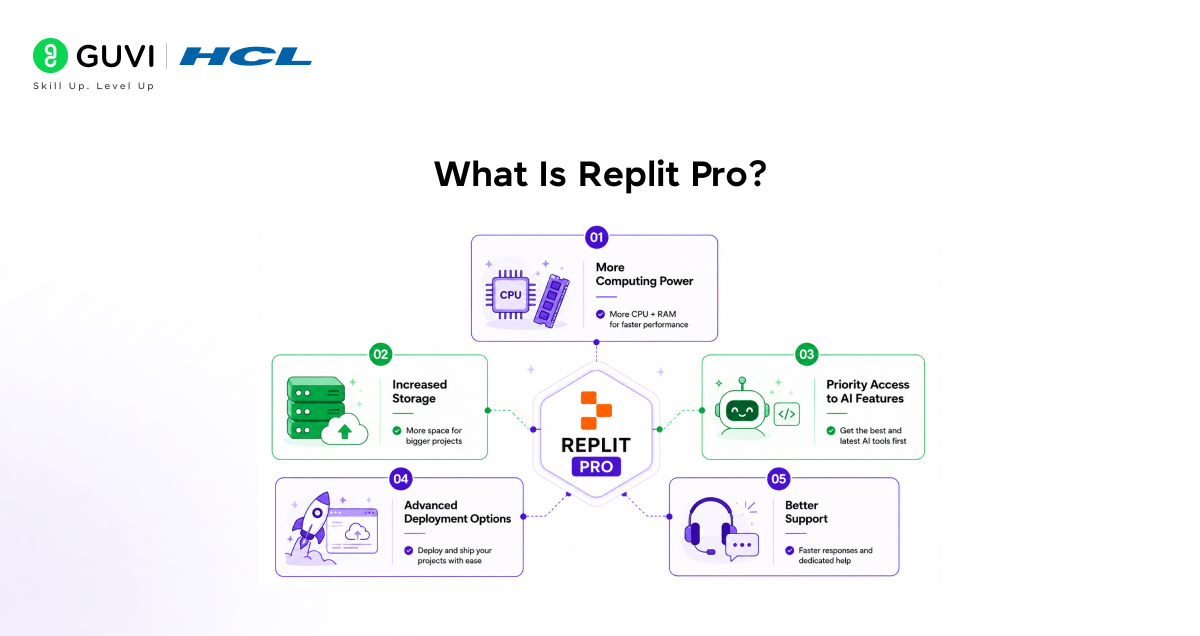
Replit Pro is the new top-tier plan designed for developers who need more than what a basic or mid-level plan offers. It is built around the idea that professional developers have different needs compared to hobbyists or learners.
Here is what Replit Pro brings to the table.
- More computing power.
Pro users get significantly more CPU and RAM, meaning their projects run faster and can handle heavier workloads without slowing down.
- Increased storage.
Larger projects need more space, and Pro gives you that without having to constantly manage or delete old files.
- Priority access to AI features.
Replit has been building out its AI coding assistant, and Pro users get the best and fastest access to those tools.
- Advanced deployment options.
If you want to take a project and put it live on the internet, Pro makes that process smoother and more reliable.
- Better support.
Professional users get faster responses and more dedicated help when something goes wrong.
Replit Pro is clearly aimed at developers who are building real products, not just experimenting with code for fun.

What Changed With the Core Plan?
While Pro is getting all the attention, the Core plan upgrade is just as important for the majority of Replit users.
Replit has increased the resources available on Core, which means users on this plan now get more out of their subscription without paying more. Some of the improvements include better performance for running projects, more storage than before, and improved access to AI features.
For students, educators, and developers who do not need the full power of Pro, Core is now a much more attractive option. It sits comfortably in the middle, offering real value without the premium price tag of Pro.
Why Does This Matter?
For a long time, Replit was seen primarily as a learning tool or a quick prototyping platform. It was great for beginners and for sharing small projects, but serious developers often moved on to more powerful local setups or cloud environments for bigger work.
This update changes that perception. By introducing Pro and improving Core, Replit is making a clear statement that it wants to be a platform for real professional development, not just education and experimentation.
This matters because it means developers can now consider Replit as a genuine alternative to traditional setups, especially for teams that want to collaborate easily, work from multiple devices, or skip the overhead of managing local environments.
Replit already has over 30 million users worldwide. Its Pro and Core upgrades are designed to convert more of these casual users into paying members by offering features that are genuinely worth paying for.
How Do the Plans Compare?
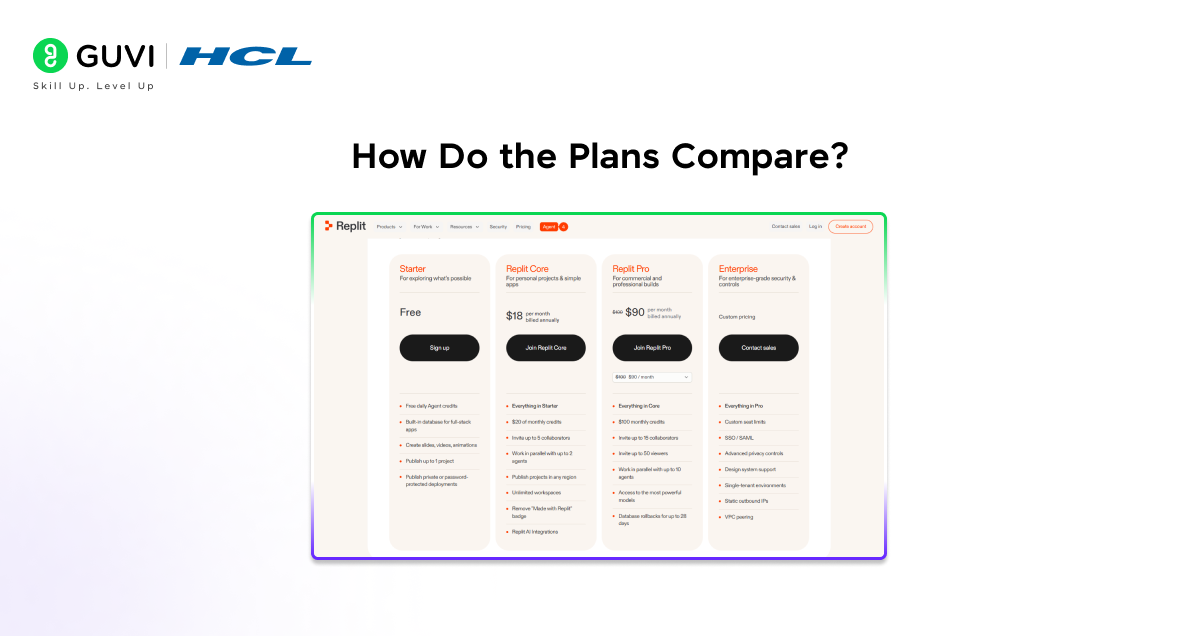
Here is a simple breakdown of how the three main Replit plans stack up after these updates.
- Free Plan
Good for beginners and casual users. You get basic access to Replit’s coding environment with limited resources. Enough to learn and experiment, but not built for heavy projects.
- Core Plan (Updated)
A strong middle ground. You get more computing power, more storage, and better AI access than the free plan. This is the right choice for students, hobbyists, and developers who work on personal or small professional projects.
- Pro Plan (New)
Built for professionals. Maximum compute power, the highest storage limits, advanced deployment, priority AI access, and dedicated support. If you are building and shipping real software products, this is the plan for you.
Explore: Replit Google Cloud Marketplace Listing Explained
Real World Examples of Who Benefits
Example 1: The Student
A computer science student using Replit for assignments and side projects will find the updated Core plan much more useful. More storage means more projects saved, and better AI access means help is available when they get stuck on a problem.
Example 2: The Freelance Developer
A freelancer building web apps for clients needs reliability and performance. Replit Pro gives them the power to work on larger codebases, deploy projects quickly, and present professional results to clients without the headache of managing servers.
Example 3: The Educator
A coding teacher who wants students to collaborate on projects in real time benefits from Replit’s shared environments. The Core upgrade makes this experience smoother without requiring students to pay for an expensive plan.
Example 4: The Startup Team
A small team building a product together can use Replit Pro to collaborate in the same environment, run heavier backend processes, and deploy directly from the platform. It replaces a lot of the tooling that teams usually need to stitch together separately.
Replit was originally created to help people learn programming in underserved communities where access to expensive hardware and software was limited.
What started as a simple learning tool has evolved into a full professional development platform, now used by engineers at some of the world’s leading tech companies.
Pros and Cons of the Update
Pros
- The Pro plan finally gives serious developers a reason to stay on Replit instead of moving to other platforms.
- The Core upgrade delivers real value without raising the price, which is good news for existing subscribers.
- AI features are improving across both plans, making coding faster and more accessible.
- Deployment tools becoming more robust means Replit is closer to being a full end-to-end development platform.
Cons
- The Pro plan comes at a higher price point, which may not suit developers on a tight budget.
- Free plan users do not see a significant improvement, which could push them toward competitors.
- Replit is still a browser-based tool, and for some workflows, that comes with limitations compared to a fully local setup.
Heavy users who need extremely large compute resources may still find even Pro falls short of what a dedicated cloud server offers.
Tips for Getting the Most Out of Replit After This Update
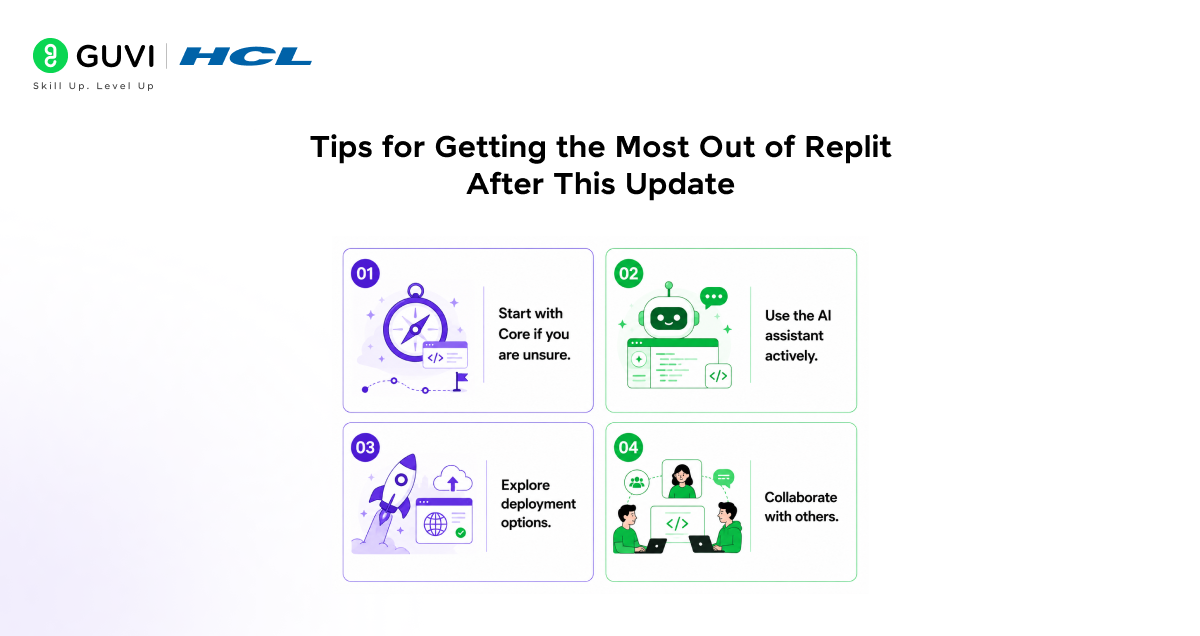
- Start with Core if you are unsure.
If you are not sure whether you need Pro, the updated Core plan is a great starting point. It now offers enough for most non-enterprise use cases, and you can always upgrade later.
- Use the AI assistant actively.
Both Core and Pro include access to Replit’s AI coding assistant. Use it to debug faster, generate boilerplate code, and get suggestions while you write. It is one of the most underused features on the platform.
- Explore deployment options.
If you have been building projects on Replit but hosting them elsewhere, try Replit’s built-in deployment tools. The Pro plan in particular makes this much more seamless.
- Collaborate with others.
Replit’s shared workspaces are one of its biggest strengths. Whether you are on Core or Pro, invite teammates or classmates into your project and work together in real time.
Limitations to Keep in Mind
- Replit is a browser-based platform, which means internet connectivity is essential. It is not the right tool for fully offline workflows.
- Very large projects with complex infrastructure needs may still require a dedicated cloud environment beyond what Replit currently offers.
- Some developers prefer the control and customisation that comes with local development setups, which Replit cannot fully replicate.
- Pricing for Pro may be a barrier for individual developers in markets where subscription costs are harder to justify.
If you want to learn more on Replit Pro launch and its core, do not miss the chance to enroll in HCL GUVI’s Intel & IITM Pravartak Certified Artificial Intelligence & Machine Learning course. Endorsed with Intel certification, this course adds a globally recognized credential to your resume, a powerful edge that sets you apart in the competitive AI job market.
Conclusion
Replit Pro and the improved Core plan represent a meaningful step forward for one of the most accessible coding platforms in the world. Replit is no longer just for learning. It is growing into a platform where real work gets done.
If you are a student, the updated Core plan gives you more room to grow. If you are a professional developer, Pro finally offers the resources and reliability to take your work seriously on the platform.
The best part is that Replit has kept its core promise: you can still open a browser, start coding, and build something real without setting up a single thing on your machine. These updates just make that experience more powerful for everyone involved.
FAQs
1. Is Replit Pro worth it for individual developers?
It depends on what you are building. If you are working on real products that need reliable performance and deployment, Pro is a strong investment. For personal projects and learning, the updated Core plan is likely enough.
2. Do existing Core subscribers get the upgraded features automatically?
Yes. Replit has stated that the improvements to the Core plan apply to existing subscribers without requiring them to take any action or pay more.
3. Can I try Replit Pro before committing?
Replit typically offers a trial period for new plan upgrades. Check the Replit website for the latest information on trial availability in your region.
4. Does Replit Pro include access to all AI features?
Pro users get priority and expanded access to Replit’s AI assistant. Core users also get AI access, but with some limitations compared to Pro.
5. Is Replit suitable for team projects?
Yes. Replit supports collaborative coding environments where multiple users can work on the same project at the same time, making it a practical choice for small teams and classrooms.
Success Stories

About the Author
Vishalini Devarajan
An Aerospace Engineer turned content writer, I focus on making complex concepts easy to understand through well-structured, reader-friendly blogs. Whether it’s a technical topic or a non-technical one, I love creating content that is clear, engaging, and impactful.
View all posts by Vishalini Devarajan
Connect with me @








Did you enjoy this article?