


Artificial Intelligence and Machine Learning Articles
Finance Manager to Data Analytics: Career Growth, Salary and Seniority
How to Evaluate LLM Outputs in Production Deployments
AI/ML Skills Gap 2026: Why Companies Can't Find Job-Ready Talent
20 AI/ML Interview Questions Recruiters Can Use Without a Tech Background - Best Guide


Get In Touch For Details! Request More Information
AI-Powered Prototyping with Design Systems: How to Build Faster Without Losing Consistency
Sep 09, 2026 5 Min Read 1044 Views
(Last Updated)
Quick Answer: AI-powered prototyping with design systems enables teams to generate consistent UI layouts using tokens and components, reducing design time, minimizing rework, improving collaboration, and accelerating the transition from concept to scalable, development-ready products.
Design systems can reduce design time by 30-50%, but when combined with AI-powered prototyping, that efficiency multiplies significantly. Instead of manually creating each screen, teams can generate structured layouts in seconds while staying aligned with predefined tokens and components. This shift is changing how products are built, moving from slow and repetitive workflows to faster and system-driven design processes that scale across teams and products.
Curious how this actually works in practice? Keep reading to explore the full breakdown.
Table of contents
- What is AI-Powered Prototyping?
- What Is a Design System?
- Core Elements of a Design System
- How to Build AI-Powered Prototyping with Design Systems
- Step 1: Create a Tokenized Design Foundation
- Step 2: Standardize Component Architecture
- Step 3: Define Prompt Schemas and Constraints
- Step 4: Integrate AI with Design Tools
- Step 5: Generate and Evaluate Prototypes
- Step 6: Apply Human-Led Refinement
- Step 7: Map Designs to Code Components
- Step 8: Scale Across Teams and Products
- Real Example: AI-Powered Prototyping with Design Systems (SaaS Dashboard)
- Step 1: Design System (Input to AI)
- Step 2: Structured Prompt (What You Give AI)
- Step 3: AI Output (What Gets Generated)
- Step 4: System-Constrained Generation (What Makes This Work)
- Step 5: Human-Led Refinement
- Step 6: Design to Code Mapping
- Step 7: Final Outcome
- Key Benefits of AI-Powered Prototyping with Design Systems
- Best AI Tools for Prototyping with Design Systems
- Future Advancements in AI-Powered Prototyping
- Conclusion
- FAQs
- Can AI-generated prototypes be used directly in development?
- Do startups benefit from AI-powered prototyping?
- What skills are needed to use AI for prototyping effectively?
- How do I choose the best AI course for my career goals?
- What job roles can I apply for after completing an AI & ML course?
What is AI-Powered Prototyping?
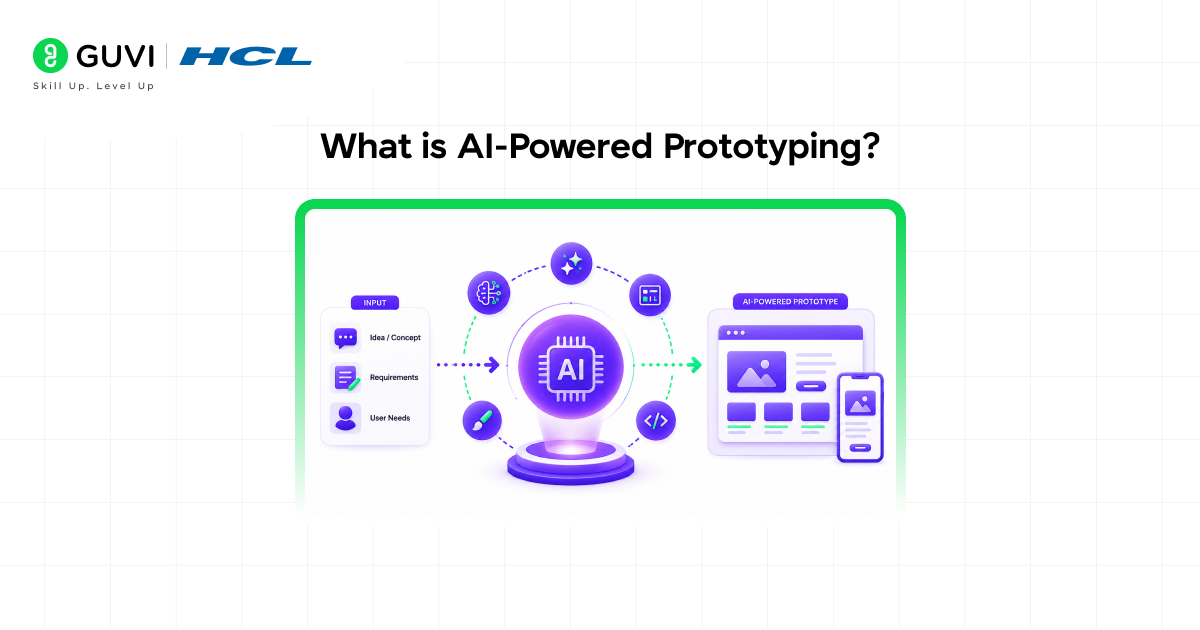
AI-powered prototyping is a design approach where machine learning models generate user interfaces and interaction flows from structured prompts, design tokens, and contextual inputs. AI can infer component hierarchies and usability patterns by interpreting user goals and system rules. This reduces manual effort while enabling rapid iteration and exploration of multiple design variations. When integrated with design systems, it ensures consistency and smoother transitions from early concepts to development-ready, production-aligned prototypes.
What Is a Design System?
A design system is a structured framework that standardizes digital product design using reusable components, tokens, patterns, and rules. It serves as a single source of truth, aligning design and development while ensuring consistency across screens, platforms, and teams. Instead of building from scratch, teams rely on predefined systems that embed visual, functional, and interaction logic into scalable and reusable assets.
Core Elements of a Design System
- Color Tokens: Define a consistent and reusable color palette (primary, secondary, semantic colors) across all interfaces
- Typography Scale: Establish font families, sizes, weights, and hierarchy for clear readability and structure
- Spacing Rules: Standardize margins, padding, and layout spacing to maintain visual balance
- UI Components: Predefined elements like buttons, forms, cards, and modals for consistent interactions
- Grid and Layout Patterns: Provide structure for content alignment and responsive design
- Interaction States: Define hover, active, focus, and disabled states for better user feedback
- Accessibility Rules: Ensure designs meet usability standards like contrast and keyboard navigation
- Brand Voice and UX Principles: Guide tone, messaging, and overall user experience consistency
How to Build AI-Powered Prototyping with Design Systems
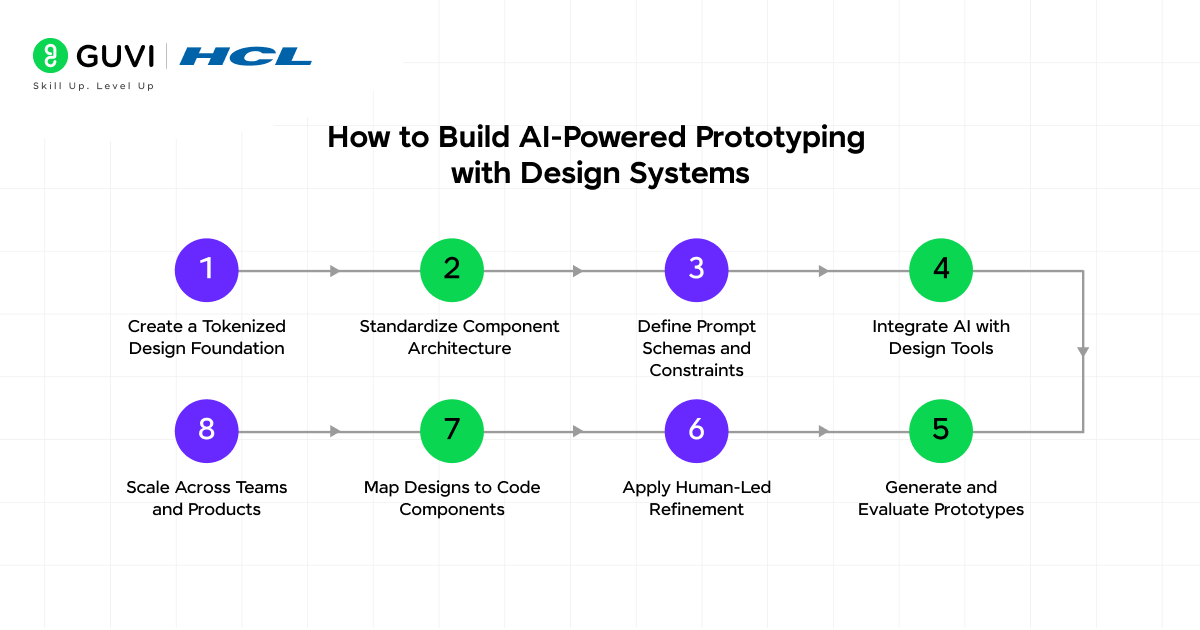
Step 1: Create a Tokenized Design Foundation
Start by converting your design system into machine-readable tokens. Define color variables, typography scales, spacing units, and component variants in a structured format (JSON or design token tools). This ensures AI can reference consistent values instead of guessing visual styles during generation.
Step 2: Standardize Component Architecture
Build a library of reusable, atomic components such as buttons, inputs, cards, and modals. Define their states, variants, and constraints using tools like Figma components or Storybook. This allows Artificial Intelligence to assemble interfaces using predefined building blocks rather than generating disconnected UI elements.
Step 3: Define Prompt Schemas and Constraints
Create structured prompt templates that include layout requirements, user actions, data context, and interaction logic. Add explicit constraints for grid systems, spacing rules, accessibility, and responsiveness. This reduces ambiguity and ensures AI outputs follow system-level rules.
Step 4: Integrate AI with Design Tools
Connect AI tools with your design environment (e.g., Figma AI, plugins, or APIs). Ensure the AI can access component libraries, tokens, and layout rules. This integration enables direct generation of system-aligned screens instead of isolated mockups.
Step 5: Generate and Evaluate Prototypes
Use AI to create multiple layout variations and interaction flows based on the same input. Evaluate outputs for hierarchy, usability, and alignment with product goals. This stage focuses on exploration while maintaining system consistency.
Step 6: Apply Human-Led Refinement
Refine AI-generated designs by improving UX logic, fixing edge cases, and ensuring accessibility compliance. Designers validate whether the generated flows actually solve user problems and meet business requirements.
Step 7: Map Designs to Code Components
Translate validated designs into frontend components using frameworks like React, Vue, or Flutter. Since designs follow system tokens and components, mapping becomes more predictable and reduces implementation gaps.
Step 8: Scale Across Teams and Products
Once stabilized, extend the workflow across multiple teams and products. Use shared prompt libraries, centralized design systems, and governance rules to maintain consistency while enabling faster, parallel design execution.
Build scalable AI systems without compromising consistency by mastering core AI and ML fundamentals. Join HCL GUVI’s Artificial Intelligence and Machine Learning Course to learn from industry experts and Intel engineers through live online classes, develop in-demand skills like Python, ML, MLOps, Generative AI, and Agentic AI, and gain hands-on experience with 20+ industry-grade projects, 1:1 doubt sessions, and placement support with 1000+ hiring partners.
Real Example: AI-Powered Prototyping with Design Systems (SaaS Dashboard)
Context: A product team is building a Finance Analytics Dashboard. They already have a design system in Figma with tokens and components, and they use Figma AI along with Galileo AI.
Step 1: Design System (Input to AI)
The system is already structured like this:
Tokens (machine-readable)
{

 "color.primary": "#4F46E5",

 "color.background": "#FFFFFF",

 "spacing.md": "16px",

 "font.heading": "Inter-Bold-24",

 "border.radius": "8px"

}
Components
- Button (primary, secondary, disabled)
- Card (with header + content)
- Table (sortable, paginated)
- Navbar
- Chart container
Step 2: Structured Prompt (What You Give AI)
Instead of vague prompts, the team uses a structured schema:
Create a finance dashboard screen

User goal:

- Track monthly revenue

- Compare expenses vs profit

Layout constraints:

- Use 12-column grid

- Top navbar (fixed)

- 3 summary cards in first row

- Chart section below (bar + line)

Components:

- Use "Card" for summaries

- Use "ChartContainer" for graphs

- Use "Table" for transactions

Design rules:

- Follow spacing.md

- Use primary color for highlights

- Maintain accessibility contrast
Step 3: AI Output (What Gets Generated)
AI generates a structured UI layout:
Output Structure
- Navbar (system component)
- Row 1: 3 Cards
- Revenue
- Expenses
- Profit
- Row 2: Chart Container
- Bar chart (expenses)
- Line chart (revenue)
- Row 3: Table (transactions)
Every element:
- Uses system components
- Follows token values
- Respects layout rules

Step 4: System-Constrained Generation (What Makes This Work)
This is the core difference.
Without a design system:
- Random colors
- Inconsistent spacing
- UI drift
With design system:
- AI uses color.primary = #4F46E5
- AI uses predefined Button/Card components
- AI follows spacing + grid rules
Result: Consistency by design, not by manual effort
Step 5: Human-Led Refinement
Designers refine the AI output:
- Fix UX gaps
- Improve hierarchy
- Handle edge cases
- Validate accessibility
AI accelerates creation, but humans ensure usability and logic.
Step 6: Design to Code Mapping
Because everything is system-based, mapping becomes predictable.
In React:
<Card variant="summary">

 <RevenueChart />

</Card>

<Table data={transactions} />
This way:
- No redesign is needed
- And, there is minimal dev rework
Step 7: Final Outcome
Without AI + Design System
- 6-8 hours per screen
- Inconsistencies across UI
- High dev rework
With AI + Design System
- 10-15 minutes prototype
- 90% system-compliant
- Faster handoff to development
Key Benefits of AI-Powered Prototyping with Design Systems
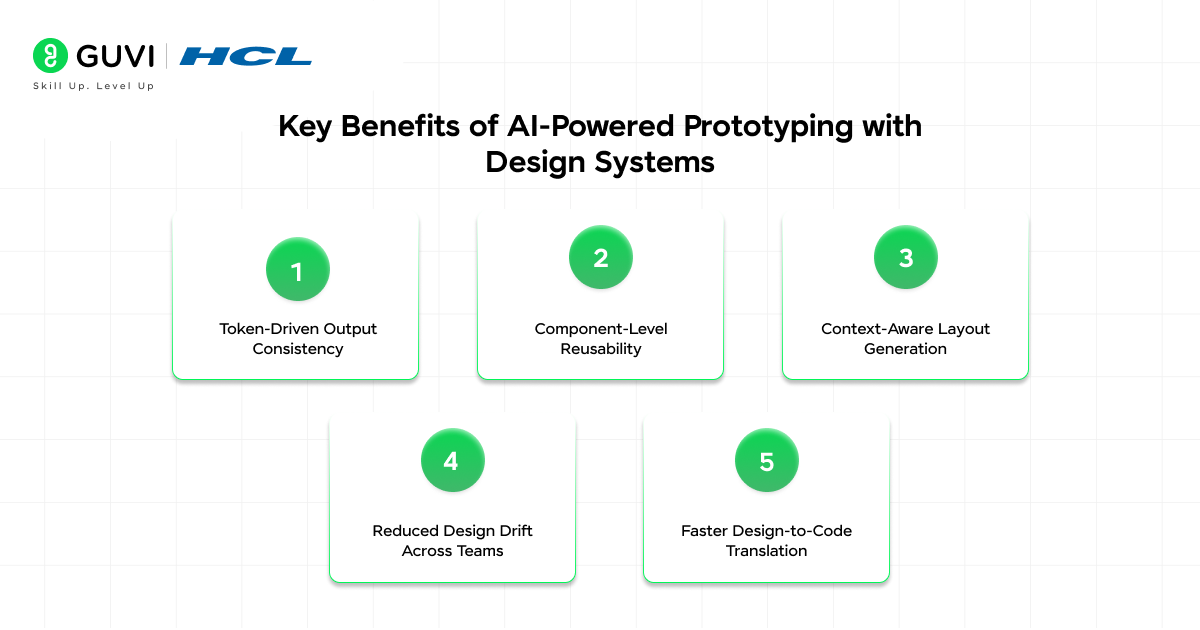
- Token-Driven Output Consistency: AI generates screens using predefined color, spacing, and typography tokens, ensuring every layout adheres to exact brand specifications
- Component-Level Reusability: Prototypes are built using system-defined components like buttons, cards, and forms, making them directly reusable in development
- Context-Aware Layout Generation: AI uses inputs like user goals and screen requirements to create structured hierarchies instead of generic UI blocks
- Reduced Design Drift Across Teams: Centralized design systems ensure that multiple designers or teams produce consistent outputs even when working in parallel
- Faster Design-to-Code Translation: Since prototypes follow system rules, they can be mapped more easily to frontend frameworks, reducing rework during implementation
Best AI Tools for Prototyping with Design Systems
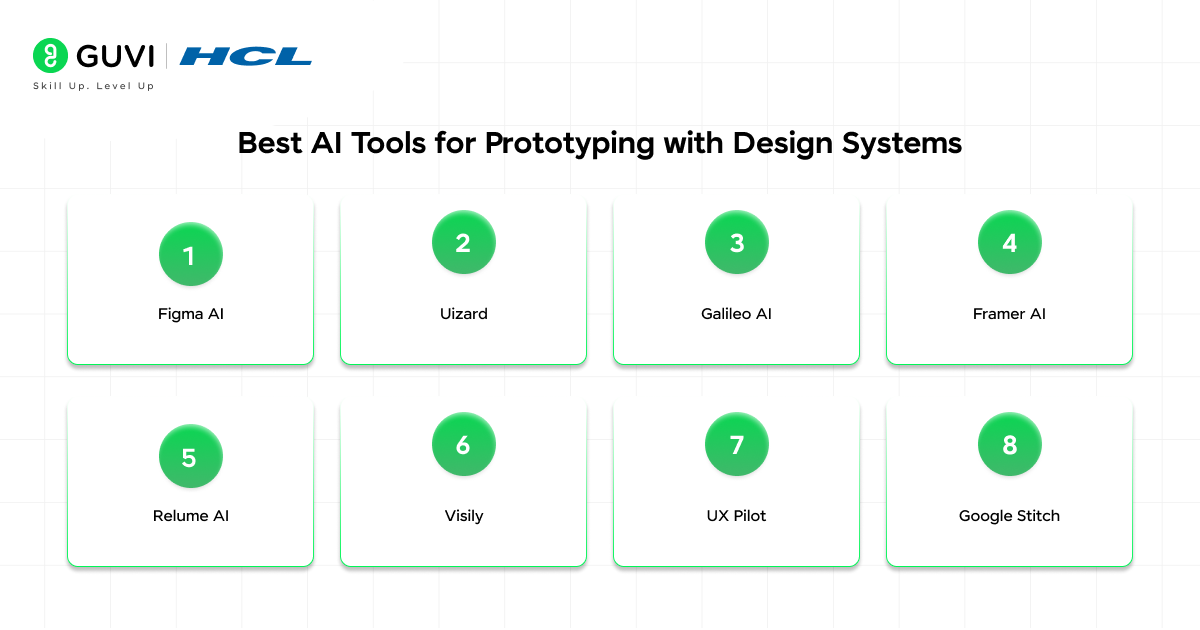
- Figma AI: Native AI inside Figma that helps generate layouts, edit designs via prompts, and integrate directly with design systems, making it ideal for teams already using component libraries and tokens
- Uizard: An AI-first prototyping tool that converts text, sketches, or screenshots into wireframes and clickable prototypes, useful for rapid ideation and early-stage validation
- Galileo AI: Generates high-fidelity UI screens from simple text prompts, making it strong for quick concept visualization before refining in design systems
- Framer AI: Focused on website and interactive prototyping, it can generate responsive layouts and even deploy them, bridging the gap between design and production
- Relume AI: Specialized in sitemap, wireframe, and style guide generation, making it highly useful for structured, system-driven website prototyping
- Visily: A no-code AI design tool that helps create high-fidelity wireframes and prototypes quickly with drag-and-drop components and AI-assisted editing
- UX Pilot: A strong AI UI generator focused on structured UX flows and interaction logic, useful for refining user journeys alongside design systems
- Google Stitch: Designed for early-stage validation and quick UI exploration, helping teams test ideas before moving into structured design systems
Future Advancements in AI-Powered Prototyping
AI-powered prototyping is moving toward design-to-code automation, where tools will generate clean, production-ready React or Flutter components directly from prompts. Real-time design system syncing will ensure AI always pulls the latest tokens and components without manual updates. We’ll also see auto UX validation, where AI flags usability or accessibility issues during generation. Another shift is data-aware prototyping, where layouts adapt based on real user data or analytics. Finally, multi-modal inputs like sketches, voice, or screenshots will drive faster, more intuitive prototype creation.
Conclusion
AI-powered prototyping with design systems is not just about speed, it is about building with structure. When AI is guided by well-defined tokens, components, and rules, it produces outputs that are both fast and consistent. Teams that combine AI efficiency with strong systems and human validation can reduce rework, improve collaboration, and scale product design more effectively from idea to production.
FAQs
Can AI-generated prototypes be used directly in development?
AI-generated prototypes can accelerate development, but they usually require refinement. When aligned with a design system, they are closer to reusable components, making the transition to code faster and more structured.
Do startups benefit from AI-powered prototyping?
Yes, startups can quickly validate ideas, test user flows, and build MVPs without heavy design effort. This helps reduce time-to-market while still maintaining a consistent product experience.
What skills are needed to use AI for prototyping effectively?
Teams need a basic understanding of design systems, prompt structuring, and UX principles. Clear inputs and system knowledge help generate more accurate and usable prototypes.
How do I choose the best AI course for my career goals?
Choose an AI course based on your career goals, curriculum, hands-on projects, mentor support, industry tools, and placement assistance. A structured AI & ML Programme can help you build practical skills and a strong portfolio.
What job roles can I apply for after completing an AI & ML course?
You can apply for roles such as AI Engineer, Machine Learning Engineer, Data Scientist, NLP Engineer, Computer Vision Engineer, and AI Developer. To prepare for these roles, consider a project-based AI & ML Programme with career support.
Success Stories

About the Author
Vaishali
I'm a seasoned writer with four years of experience across technical, non-technical, and just about every genre or niche you can imagine. Adaptable and curious, I enjoy exploring new topics and making information engaging and easy to understand. Fueled by a steady stream of tea, I approach each project with creativity, reliability, and genuine enthusiasm for storytelling.
View all posts by Vaishali
Connect with me @













Did you enjoy this article?