


Artificial Intelligence and Machine Learning Articles
Claude for Code Documentation with JSDoc
How to Integrate Claude into a Next.js App with App Router


Get In Touch For Details! Request More Information
How to Use the scVI-Tools Bioinformatics Skill Bundle with Claude
Jul 08, 2026 6 Min Read 905 Views
(Last Updated)
The scVI-Tools bioinformatics Claude skill bundle is a deep learning toolkit for single-cell omics analysis. Installed through the Claude Code Life Sciences marketplace, it gives Claude access to model selection guidance, training workflows, and integration pipelines for the full suite of scvi-tools models scVI, scANVI, totalVI, PeakVI, MultiVI, DestVI, veloVI, and sysVI, covering everything from batch correction and cell type annotation to multi-modal integration and RNA velocity analysis.
scvi-tools is a Python library built on PyTorch and AnnData for probabilistic modelling and analysis of single-cell omics data. It was developed by the Yosef Lab at UC Berkeley and is part of the scverse ecosystem. The Claude skill bundle wraps this library with guided workflows that bench scientists can run directly through conversation, without writing custom training code from scratch.
This tutorial covers what the scVI-Tools skill bundle provides, which models are included, how to install it, what workflows it supports, how it fits alongside the single-cell RNA QC skill, related tutorials in the life sciences ecosystem, and answers to frequently asked questions.
Quick TL;DR Summary
- What it is: A Claude Code skill bundle that provides model selection guidance, training workflows, and integration pipelines for scVI, scANVI, totalVI, PeakVI, MultiVI, DestVI, veloVI, and sysVI, covering single-cell and multi-modal omics analysis.
- Install command: /plugin install scvi-tools@life-sciences after adding the anthropics/life-sciences marketplace.
- What it runs on: Claude Code. The skill bundle is part of the Claude for Life Sciences toolkit. It is not a web connector; it works through the Claude Code terminal interface.
- What it replaces: Days of writing and debugging custom training code. The skill guides Claude through data preparation, model training, batch correction, cell type annotation, differential expression, and multi-modal integration.
- Complementary skill: The single-cell RNA QC skill handles upstream quality control using scverse best practices. Use it before the scVI-Tools bundle for a complete QC-to-analysis pipeline.
Table of contents
- What is the scVI-Tools Skill Bundle?
- Models Covered in the Bundle
- How to Install the scVI-Tools Skill Bundle
- Path 1: Standalone Skill Install via Claude Code
- Path 2: Bio-Research Plugin Install (Cowork)
- Workflows the Bundle Supports
- scRNA-seq Integration scrna_integration.md
- Batch Correction batch_correction_sysvi.md
- Label Transfer label_transfer.md
- CITE-seq Analysis citeseq_totalvi.md
- ATAC-seq Analysis atac_peakvi.md
- Multiome Integration multiome_multivi.md
- Spatial Deconvolution spatial_deconvolution.md
- RNA Velocity rna_velocity_velovi.md
- Transfer Learning scarches_mapping.md
- Using scVI-Tools with the single-cell-rna-qc Skill
- Conclusion
- FAQs
- What is the scVI-Tools bioinformatics skill bundle for Claude?
- How do I install the scVI-Tools skill in Claude Code?
- What Python packages do I need installed locally?
- What is the difference between scVI and scANVI?
- Can I use scVI-Tools with ATAC-seq and multiome data?
What is the scVI-Tools Skill Bundle?
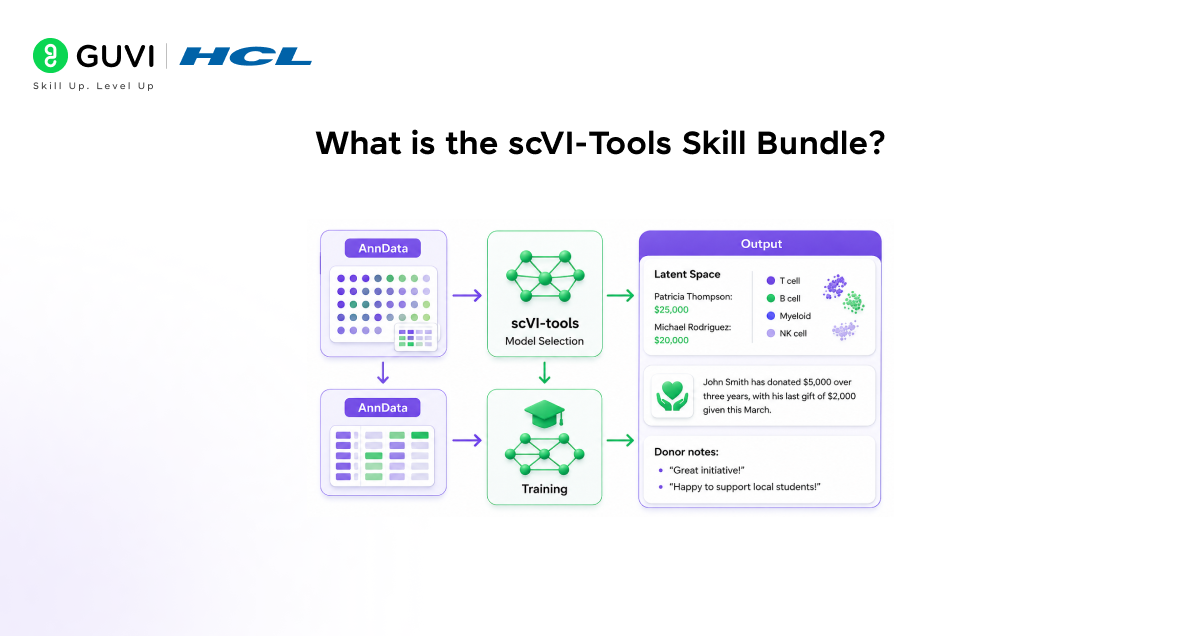
scvi-tools (single-cell variational inference tools) is a Python library for deep probabilistic analysis of single-cell omics data. It is built on PyTorch and AnnData and is part of the scverse ecosystem for single-cell biology. Originally developed in the Yosef Lab at UC Berkeley, it is widely used for RNA-seq integration, cell type annotation, multi-modal analysis, and spatial transcriptomics deconvolution.
The scVI-Tools bioinformatics Claude skill bundle extends Claude Code with workflows and guidance for these analyses. Instead of writing Python scripts from scratch, users get help with model selection, data preparation, training, and result interpretation through simple conversations.
This bundle is available in two places in the Anthropic ecosystem. It can be used as a standalone skill in the life sciences marketplace or as part of the bio-research plugin, which includes additional tools like single-cell QC, Nextflow pipelines, and instrument data conversion.
The scverse project — which includes tools like scvi-tools, Scanpy, and AnnData — was detailed in a 2023 Nature Biotechnology paper co-authored by leading scientists such as Fabian Theis, Nir Yosef, and Sarah Teichmann. The ecosystem aims to provide a standardized and interoperable platform for single-cell omics analysis. The Claude scVI-Tools skill bundle integrates directly with this ecosystem using the AnnData format and scverse best practices.
Models Covered in the Bundle
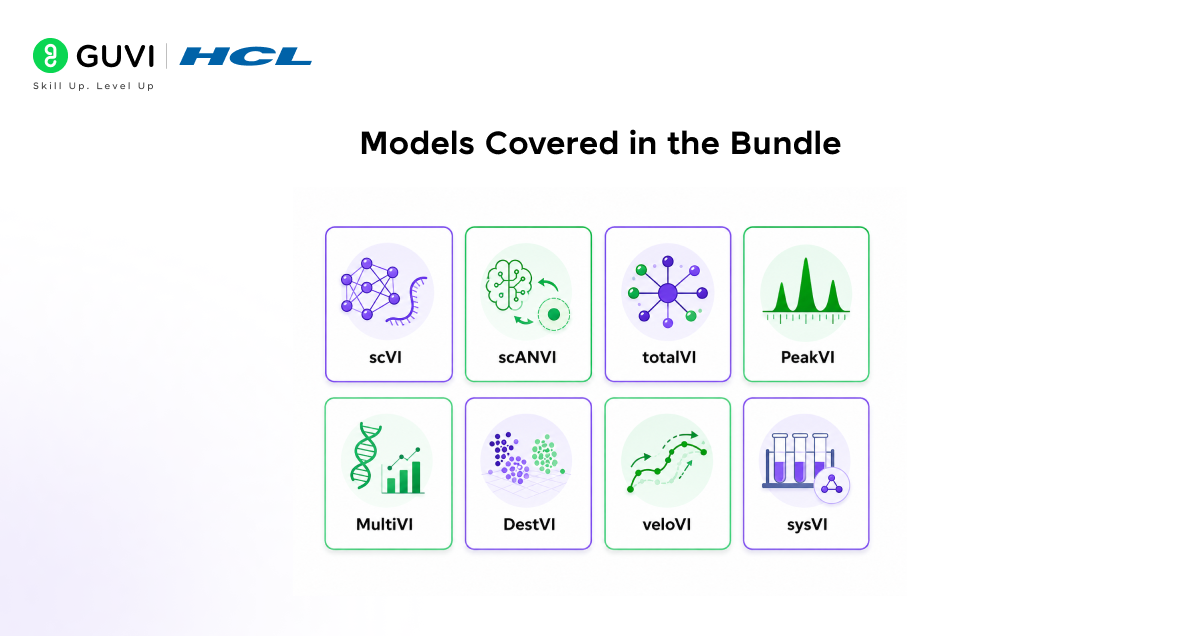
The scVI-Tools skill bundle covers eight models from the scvi-tools library, each targeting a different single-cell or multi-modal analysis task:
- scVI single-cell variational inference for scRNA-seq data. Used for data integration, dimensionality reduction, and batch correction across experiments. The core model of the library.
- scANVI single-cell ANnotation using Variational Inference. Extends scVI with semi-supervised cell type annotation, using known cell type labels from one dataset to annotate unknown cells in another through label transfer.
- totalVI joint probabilistic modelling of CITE-seq data. Handles paired single-cell RNA and protein measurements, enabling integrated analysis, denoising, and differential expression across both modalities.
- PeakVI deep learning model for ATAC-seq data. Analyses chromatin accessibility at single-cell resolution, covering dimensionality reduction, batch correction, and differential accessibility testing.
- MultiVI deep generative model for multiome data integration. Handles paired single-nucleus RNA-seq and ATAC-seq data, enabling joint analysis of gene expression and chromatin accessibility.
- DestVI spatial transcriptomics deconvolution. Deconvolves bulk-like spatial transcriptomics profiles by estimating the composition of cell types at each spatial location using a trained scVI reference.
- veloVI deep generative model for RNA velocity analysis. Models transcriptional dynamics from spliced and unspliced RNA counts to infer the direction and rate of cellular differentiation.
- sysVI systematic integration for batch correction. Designed for large-scale integration of single-cell RNA-seq datasets from different systems, technologies, or experimental conditions.

How to Install the scVI-Tools Skill Bundle
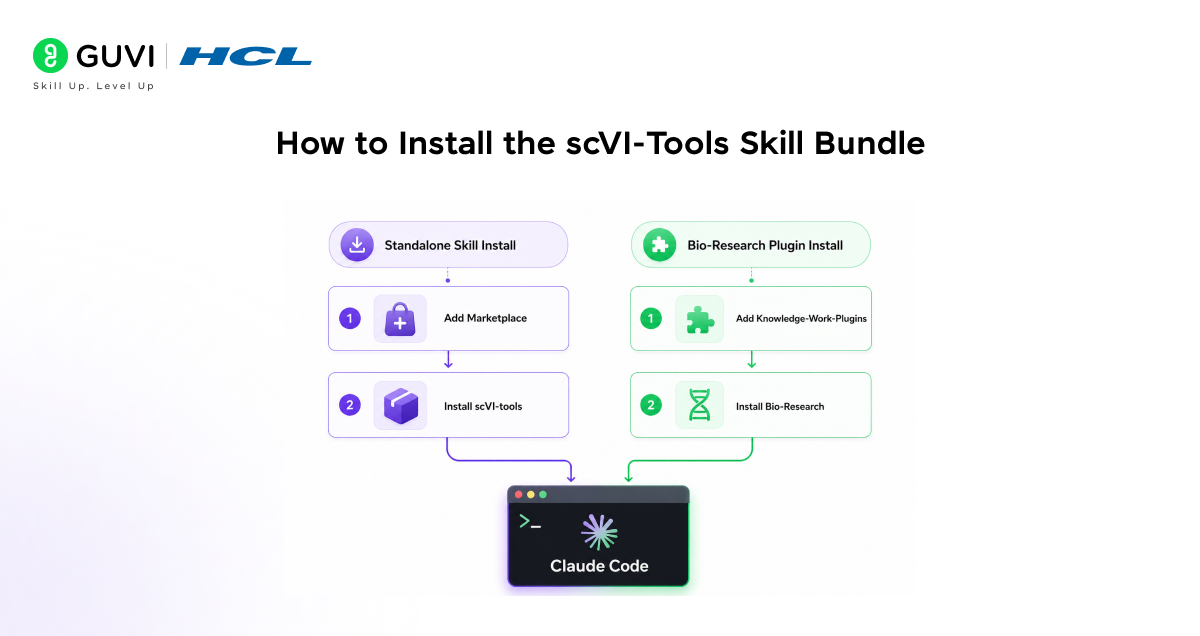
Path 1: Standalone Skill Install via Claude Code
This installs only the scVI-Tools skill, without the other life sciences tools:
1. Add the anthropics/life-sciences marketplace:
/plugin marketplace add anthropics/life-sciences
2. Install the scVI-Tools skill:
/plugin install scvi-tools@life-sciences
3. Restart Claude Code to activate the skill.
4. Verify the installation:
/mcp
Path 2: Bio-Research Plugin Install (Cowork)
This installs scVI-Tools alongside the full bio-research bundle, which includes single-cell QC, Nextflow pipelines, instrument data conversion, and scientific problem selection:
5. Install the bio-research plugin:
/install anthropics/knowledge-work-plugins bio-research
6. Run the start command to see all available tools:
/bio: start
7. Select the scVI-Tools workflow from the available options.
The scVI-Tools skill does not require authentication or API keys — it runs locally using your installed Python environment with scvi-tools. Ensure that scvi-tools is installed in your Python environment before running the skill. Installation: pip install scvi-tools
Workflows the Bundle Supports
The scVI-Tools bioinformatics Claude skill bundle is organized around the reference files in the skill’s documentation. Each reference file covers a distinct workflow with data preparation guidance, model configuration, training steps, and output interpretation:
scRNA-seq Integration scrna_integration.md
End-to-end scVI training for integrating multiple single-cell RNA-seq datasets. Covers loading AnnData objects, preprocessing, model initialization with batch keys, training, latent space extraction, and UMAP visualization.
Example prompt: I have three scRNA-seq datasets from different patients in AnnData format. Use scVI to integrate them and generate a UMAP coloured by batch and cell type.
Batch Correction batch_correction_sysvi.md
sysVI-based batch correction for large-scale dataset integration. Addresses batch effects arising from different sequencing technologies, sample preparation protocols, or experimental conditions across cohorts.
Example prompt: I have datasets from 10x Chromium v2 and v3 that need batch correction before downstream analysis. Guide me through the sysVI batch correction.
Label Transfer label_transfer.md
scANVI-based semi-supervised cell type annotation. Uses a reference dataset with known cell type labels to annotate query cells in a new dataset, enabling consistent cell type naming across experiments.
Example prompt: I have a reference PBMC dataset with annotated cell types and a new query dataset. Use scANVI to transfer the cell type labels to my query dataset.
CITE-seq Analysis citeseq_totalvi.md
totalVI-based joint analysis of paired RNA and protein data from CITE-seq experiments. Covers denoising, integration, dimensionality reduction, and differential expression testing across both modalities.
Example prompt: My CITE-seq dataset has RNA and surface protein measurements for PBMCs. Use totalVI to produce a joint latent space and identify protein-based cluster markers.
ATAC-seq Analysis atac_peakvi.md
PeakVI-based chromatin accessibility analysis. Covers peak matrix loading, model training, batch correction for ATAC data, dimensionality reduction, and differential accessibility testing between cell populations.
Example prompt: I have single-nucleus ATAC-seq data from brain tissue across three donors. Use PeakVI to integrate and identify differentially accessible regions between neuronal subtypes.
Multiome Integration multiome_multivi.md
MultiVI-based joint analysis of paired snRNA-seq and snATAC-seq data from multiome experiments. Produces a shared latent space for integrated downstream analysis of both modalities simultaneously.
Example prompt: I have a 10x Multiome dataset with paired RNA and ATAC data. Use MultiVI to generate a joint embedding and identify co-accessible peaks and expressed genes.
Spatial Deconvolution spatial_deconvolution.md
DestVI-based cell type deconvolution of spatial transcriptomics data. Uses a trained scVI reference model from a matched scRNA-seq dataset to estimate cell type proportions at each spatial location.
Example prompt: I have Visium spatial transcriptomics data from a tumour section and a matched scRNA-seq reference. Use DestVI to deconvolve the cell type composition at each spot.
RNA Velocity rna_velocity_velovi.md
veloVI-based RNA velocity analysis from spliced and unspliced RNA counts. Models transcriptional kinetics to infer the direction and rate of cellular state transitions.
Example prompt: I have spliced and unspliced count matrices from my scRNA-seq data. Use veloVI to estimate RNA velocity and overlay it on my UMAP to show differentiation trajectories.
Transfer Learning scarches_mapping.md
scArches-based reference mapping for query-to-reference integration. Maps new query data into an existing reference atlas without retraining the reference model, enabling scalable data integration.
Example prompt: I want to map my new T cell dataset onto an existing PBMC reference atlas. Use scArches to project my cells into the reference latent space.
Using scVI-Tools with the single-cell-rna-qc Skill
The scVI-Tools bundle works most effectively when paired with the single-cell-rna-qc skill, which handles the upstream quality control step. The two skills form a complete end-to-end single-cell analysis pipeline:
- Step 1 Quality Control (single-cell-rna-qc skill): Run automated QC and filtering on raw scRNA-seq data using scverse best practices. The skill performs MAD-based filtering, generates comprehensive QC visualizations, and outputs a clean AnnData object ready for downstream analysis.
- Step 2 Integration and Analysis (scVI-Tools skill): Take the QC-filtered AnnData object and run scVI, scANVI, or other models for batch correction, cell type annotation, and downstream analysis.
The plugin ID for the QC skill is single-cell-rna-qc@life-sciences. Install it alongside the scVI-Tools skill:
/plugin install single-cell-rna-qc@life-sciences
/plugin install scvi-tools@life-sciences
Running QC before scVI training is important because scvi-tools models are sensitive to low-quality cells and doublets. The single-cell RNA QC skill removes these before they enter the training data, which typically results in cleaner latent spaces and more interpretable cell type clusters.
If you want to learn more about building skills for Claude Code and automating your procedural knowledge, do not miss the chance to enroll in HCL GUVI’s Intel & IITM Pravartak Certified Artificial Intelligence & Machine Learning courses. Endorsed with Intel certification, this course adds a globally recognized credential to your resume, a powerful edge that sets you apart in the competitive AI job market.
Conclusion
In conclusion, the scVI-Tools bioinformatics Claude skill bundle turns Claude Code into a guided computational biology assistant for single-cell omics analysis. It covers eight models across the full range of single-cell and multi-modal tasks from RNA integration and cell type annotation to spatial deconvolution and RNA velocity, with model selection guidance, training workflows, and output interpretation built into the skill.
The install takes two commands. Paired with the single-cell RNA QC skill for upstream QC, it forms a complete pipeline from raw data to integrated, annotated single-cell atlas. And because it is part of the open-source anthropics/life-sciences and anthropics/knowledge-work-plugins repositories, the skill files are readable, auditable, and extendable.
Add the marketplace, install the skill, and start with whichever model matches your current dataset. The reference documentation inside the skill covers each workflow in detail, and Claude Code handles the execution from there.
FAQs
1. What is the scVI-Tools bioinformatics skill bundle for Claude?
The scVI-Tools skill bundle is a Claude Code skill that provides model selection guidance, training workflows, and integration pipelines for the scvi-tools Python library. It covers eight models: scVI, scANVI, totalVI, PeakVI, MultiVI, DestVI, veloVI, and sysVI for single-cell and multi-modal omics analysis, making these deep learning workflows accessible through conversation without writing custom training code.
2. How do I install the scVI-Tools skill in Claude Code?
Add the anthropics/life-sciences marketplace with /plugin marketplace add anthropics/life-sciences, then install the skill with /plugin install scvi-tools@life-sciences. Restart Claude Code and verify the installation with /mcp. Alternatively, install the full bio-research plugin from the knowledge-work-plugins marketplace with /install anthropics/knowledge-work-plugins bio-research.
3. What Python packages do I need installed locally?
The scVI-Tools skill requires the scvi-tools Python package installed in your environment: pip install scvi-tools. scvi-tools itself depends on PyTorch and AnnData. For GPU acceleration, ensure a compatible CUDA environment is set up. The skill’s environment_setup.The MD reference file covers installation and environment validation in detail.
4. What is the difference between scVI and scANVI?
scVI is an unsupervised model for single-cell RNA-seq integration and batch correction. It learns a latent representation of cells without using cell type labels. scANVI is a semi-supervised extension of scVI that uses known cell type labels from one dataset to annotate unlabelled cells in another through label transfer. Use scVI when you want to integrate and explore data without labels. Use scANVI when you have a labelled reference and want to annotate a new query dataset.
5. Can I use scVI-Tools with ATAC-seq and multiome data?
Yes. PeakVI handles single-nucleus ATAC-seq data for chromatin accessibility analysis. MultiVI handles paired snRNA-seq and snATAC-seq data from 10x Multiome experiments. Both models use the same AnnData-based workflow as the RNA models. The atac_peakvi.md and multiome_multivi.md reference files in the skill bundle cover these workflows.
Success Stories

About the Author
Vishalini Devarajan
An Aerospace Engineer turned content writer, I focus on making complex concepts easy to understand through well-structured, reader-friendly blogs. Whether it’s a technical topic or a non-technical one, I love creating content that is clear, engaging, and impactful.
View all posts by Vishalini Devarajan
Connect with me @









Did you enjoy this article?