


Artificial Intelligence and Machine Learning Articles
LLM Engineer Skills: What You Need to Know in 2026
Text Classification with Scikit-learn: TF-IDF to BERT


Get In Touch For Details! Request More Information
ChEMBL Connector in Claude: Query Bioactivity Data Easily
Jun 24, 2026 6 Min Read 359 Views
(Last Updated)
If you work in drug discovery, computational chemistry, or biomedical research, you already know ChEMBL. It is one of the largest open-access databases of bioactive molecules, and searching it manually, filtering by target, activity, molecule type, and assay data takes time. The ChEMBL connector Claude integration changes how you interact with that data entirely.
Instead of navigating the ChEMBL web interface, writing API queries, or downloading datasets to inspect locally, you simply ask Claude in plain English. It queries ChEMBL directly, retrieves compound or target data, and returns a clear, structured answer inside the chat.
In this article, we will cover what the ChEMBL connector does, how to connect it, what data Claude can access, practical prompts for research workflows, and what the connector cannot do, so you get a complete, honest picture. Let us get started.
Quick TL;DR Summary
- The ChEMBL connector Claude integration gives you direct access to ChEMBL bioactivity and compound data through plain-English queries inside Claude.
- You connect it once through Claude’s connector settings with no coding required.
- Ask Claude to find compounds by target, retrieve bioactivity data, look up molecule properties, or summarise assay results without leaving the chat.
- It connects to the ChEMBL REST API and covers compounds, targets, assays, activities, and mechanisms of action.
- The connector is read-only and does not write to any system. Itt is a research query and exploration tool.
- This guide walks through setup, practical prompts for drug discovery and cheminformatics workflows, limitations, and best practices.
Table of contents
- What Is the ChEMBL Connector?
- Prerequisites: What You Need Before You Start
- What You Need
- Step 1: Connect ChEMBL to Claude
- How to Connect
- Step 2: Understanding What Claude Can Access
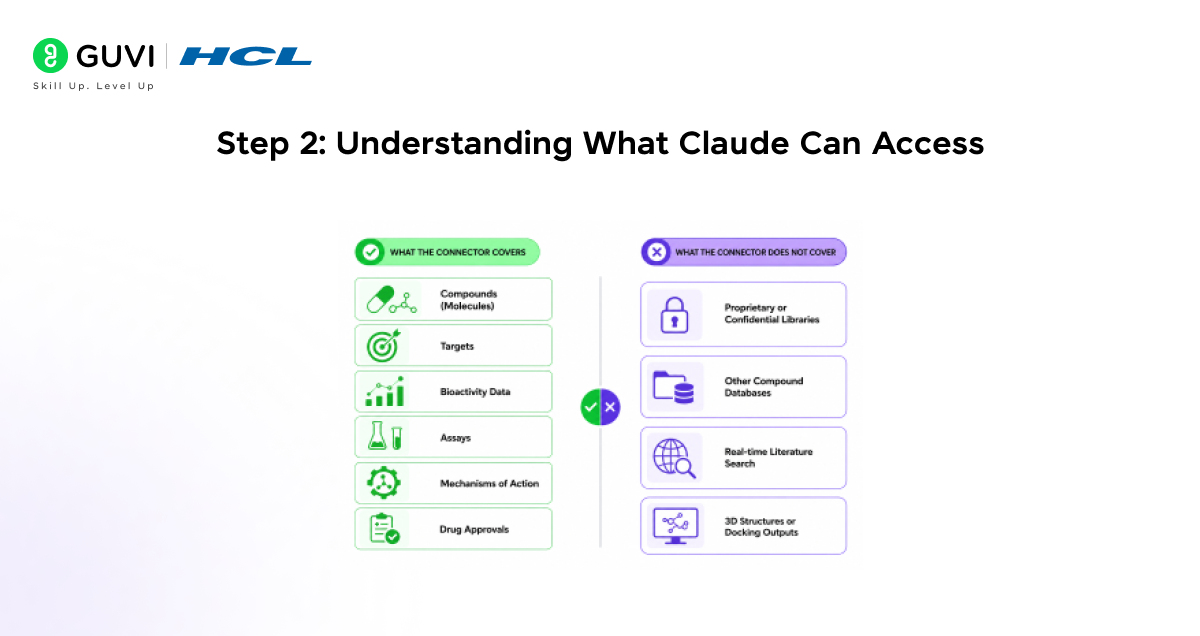
- What the Connector Covers
- What the Connector Does Not Cover
- Step 3: Running Your First Query With Claude
- Simple Queries to Start With
- Step 4: Practical Prompts for Drug Discovery and Research Workflows
- Compound Lookups and Properties
- Target and Bioactivity Queries
- Assay and Mechanism Questions
- Comparative and Exploratory Queries
- How the ChEMBL Connector Claude Integration Works
- What Happens When You Ask a Question
- Step 5: What the ChEMBL Connector Claude Cannot Do
- Current Limitations
- ChEMBL Connector Claude vs. Manual ChEMBL Search: A Comparison
- Manual ChEMBL Search
- ChEMBL Connector Claude
- Best Practices When Using the ChEMBL Connector Claude Integration
- Be Specific About the Data You Need
- Use ChEMBL IDs When You Know Them
- Ask Follow-Up Questions in the Same Chat
- Validate Critical Data Points
- Conclusion
- FAQs
- What is the ChEMBL connector in Claude?
- Do I need a ChEMBL account or API key to use the connector?
- What types of data can I query through the ChEMBL connector Claude integration?
- Can Claude perform docking or ADMET predictions using ChEMBL data?
- Can Claude access PubChem or other compound databases through this connector?
What Is the ChEMBL Connector?
ChEMBL is a manually curated open-access database maintained by the EMBL-EBI. It contains bioactivity data for over 2.4 million compounds, 15,000 targets, and 1.4 million assays, making it one of the most comprehensive public resources for drug discovery and medicinal chemistry research.
The ChEMBL connector in Claude is a native integration that gives Claude direct access to this database through the ChEMBL REST API. You describe what you are looking for in plain English, and Claude retrieves the relevant compound, target, or activity data without you writing a single line of code.
Think of it as having a research assistant who knows ChEMBL’s entire data structure and can run precise queries on it while you stay in a natural conversation
Key points to remember:
• No programming knowledge is required to query ChEMBL through Claude
• Claude interprets your plain-English question and maps it to the correct ChEMBL API endpoint
• Results are returned as structured, readable summaries inside the chat
Prerequisites: What You Need Before You Start
Setup is minimal. You do not need a ChEMBL account, API key, or any local installation. Here is what you need before connecting.
What You Need
- For a Claude Pro, Team, or Enterprise account, the connector is not available on the free plan.
- Access to the Claude connector settings found in the left sidebar or the tools menu inside Claude.
- Basic familiarity with ChEMBL concepts, compounds, targets, assays, and bioactivity data so you can ask useful questions.
- No API key required. ChEMBL’s REST API is publicly accessible, and the connector handles authentication automatically.
ChEMBL contains bioactivity data extracted from over 90,000 peer-reviewed publications and is continuously updated by the EMBL-EBI team. It is freely available under a Creative Commons licence. The ChEMBL connector in Claude queries the same live API used by researchers, ensuring access to up-to-date scientific data rather than static snapshots.

Step 1: Connect ChEMBL to Claude
Connecting takes about two minutes. There is no OAuth login or third-party account required since ChEMBL is a public database. Here is exactly how to do it.
How to Connect
1. Open Claude and click the connector icon in the left sidebar or tools menu.
2. Search for ChEMBL in the connector directory and click on it.
3. Click Connect. The connector activates immediately with no login prompt.
4. The connector will show as Connected in your tools panel.
5. Start a new chat. Claude can now query the ChEMBL database directly.
Unlike connectors linked to private organizational systems, the ChEMBL connector accesses a public scientific database. No patient data, proprietary compound libraries, or confidential research data are involved at any stage.
Step 2: Understanding What Claude Can Access
Before running your first query, it helps to know which ChEMBL data types the connector exposes. This shapes how you ask questions and what kinds of answers to expect.
What the Connector Covers
- Compounds (Molecules) ChEMBL IDs, SMILES strings, molecular formulas, molecular weight, LogP, and other physicochemical properties.
- Targets protein targets, their UniProt IDs, organism, target type, and linked compounds.
- Bioactivity data IC50, Ki, EC50, and other activity values from published assays, with units and activity types.
- Assays assay descriptions, assay type, organism tested, and linked publications.
- Mechanisms of action of known drug mechanisms linked to specific targets and compounds.
- Drug approvals, approved drugs in ChEMBL, their indications, and development phase.
What the Connector Does Not Cover
- Proprietary or confidential compound libraries not in the public ChEMBL database.
- PubChem, ZINC, or other compound databases. The ChEMBL connector is specific to ChEMBL data.
- Real-time literature search outside of what ChEMBL has already curated from publications.
- 3D structure files or docking outputs, ChEMBL stores 2D representations and bioactivity data only.
Step 3: Running Your First Query With Claude
Once the connector is active, you can start querying immediately. Write the way you would describe a research need to a colleague not like an API call.
Simple Queries to Start With
- “Find approved drugs that target EGFR and show their activity data.”
- “What is the ChEMBL ID and molecular weight of imatinib?”
- “List compounds with IC50 below 100 nM against SARS-CoV-2 main protease.”
- “What targets are associated with ChEMBL compound CHEMBL25?”
Claude will query the ChEMBL API, retrieve the relevant records, and return the answer as a readable table or structured summary. If multiple results match, Claude will organize them clearly and highlight the most relevant entries.
Here is what a typical response looks like for a compound lookup:
ChEMBL ID: CHEMBL941
Molecule Name: Imatinib
Molecular Formula: C29H31N7O
Molecular Weight: 493.60
Primary Target: BCR-ABL tyrosine kinase
Max Phase: 4 (Approved)
Step 4: Practical Prompts for Drug Discovery and Research Workflows
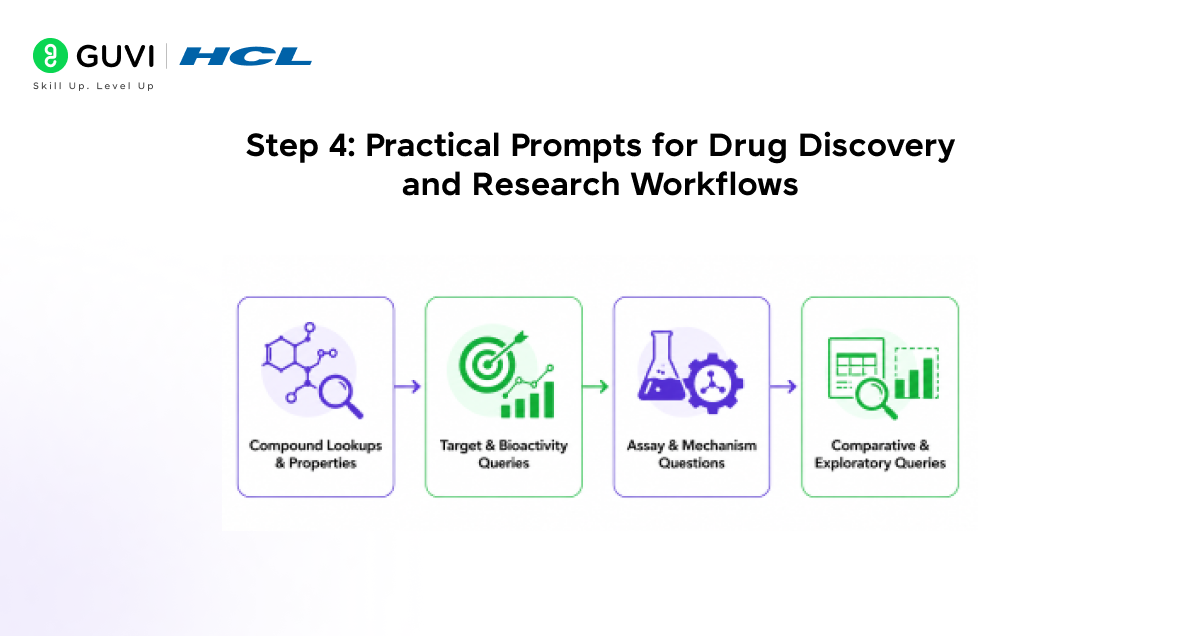
Here are prompts organized by the research tasks that scientists, medicinal chemists, and bioinformaticians handle regularly. These are ready to use or adapt.
Compound Lookups and Properties
• “What is the SMILES string and molecular weight of aspirin?”
• “Retrieve physicochemical properties for ChEMBL compound CHEMBL192.”
• “Is sildenafil an approved drug in ChEMBL? What is its primary target?”
Target and Bioactivity Queries
• “List the top 10 most potent compounds targeting BRAF with IC50 values.”
• “What approved drugs target the dopamine D2 receptor?”
• “Find all compounds tested against Mycobacterium tuberculosis with activity type MIC.”
Assay and Mechanism Questions
• “What assay was used to measure the activity of compounds against CDK2 in ChEMBL?”
• “Explain the mechanism of action for metformin as recorded in ChEMBL.”
• “What is the development phase for venetoclax in ChEMBL and what is its target?”
Comparative and Exploratory Queries
• “Compare IC50 values for erlotinib and gefitinib against EGFR.”
• “Find compounds structurally related to ibuprofen and show their targets.”
• “How many approved drugs in ChEMBL target kinases?”
ChEMBL is one of the primary datasets used to train AI-driven drug discovery models, including those for activity prediction, ADMET profiling, and virtual screening. With the ChEMBL connector in Claude, researchers can now query and explore this dataset using plain English — without writing a single line of Python.
How the ChEMBL Connector Claude Integration Works
Understanding what happens behind the scenes helps you ask better questions and interpret results correctly.
What Happens When You Ask a Question
1. You type a plain-English research question into Claude.
2. Claude identifies the relevant ChEMBL data entity compound, target, assay, or activity.
3. Claude constructs the appropriate ChEMBL REST API call.
4. The API returns structured JSON data from ChEMBL.
5. Claude parses, filters, and presents the data as a readable summary or table.
Key things to understand:
• Claude does not store or cache ChEMBL data between sessions
• Each query calls the live ChEMBL API, so results reflect the current database state
• Complex queries may be broken into multiple API calls by Claude automatically.
Step 5: What the ChEMBL Connector Claude Cannot Do
The connector is a powerful query and exploration tool. It has real limits worth knowing clearly, especially in a research context where data accuracy matters.
Current Limitations
- Claude cannot query non-ChEMBL databases. PubChem, ZINC, BindingDB, and DrugBank are separate systems. The connector is ChEMBL-specific.
- Claude cannot perform computational chemistry tasks. It cannot run docking simulations, calculate ADMET predictions, or generate 3D conformers from ChEMBL data.
- Claude cannot interpret raw assay data beyond what ChEMBL has curated. If an assay result has been flagged as unreliable in ChEMBL, Claude will return it as-is without independent validation.
- Very large result sets may be truncated. Queries returning thousands of compounds will be summarised or paginated. Ask Claude to filter by specific criteria to get precise results.
- Claude cannot write back to ChEMBL. The connector is read-only. No data submission or modification is possible.
Think of Claude with the ChEMBL connector as a knowledgeable research assistant who has read everything in ChEMBL but cannot run experiments, use other databases, or validate data beyond what is already curated there.
ChEMBL Connector Claude vs. Manual ChEMBL Search: A Comparison
Let us pause and compare the traditional workflow with the ChEMBL connector Claude approach, because the contrast matters for researchers choosing how to work.
Manual ChEMBL Search
When using the ChEMBL web interface or API directly:
• You must know ChEMBL’s data structure and entity types
• API users must write and maintain Python or R code
• Web interface queries are limited to predefined search and filter options
ChEMBL Connector Claude
With the connector active in Claude:
• You write questions in plain English with no API knowledge needed
• Claude maps your question to the correct endpoint automatically
• Follow-up questions continue in the same context without re-running queries
Best Practices When Using the ChEMBL Connector Claude Integration
The connector works best when you bring specificity to your queries. Vague questions return broad results. Focused questions return useful ones.
1. Be Specific About the Data You Need
Include the target name, compound name or ChEMBL ID, activity type, and any threshold values. The more context you give, the more precise the result.
2. Use ChEMBL IDs When You Know Them
If you already know a ChEMBL ID for a compound or target, include it in your question. This avoids ambiguity when compound names have synonyms or when a target has multiple entries.
3. Ask Follow-Up Questions in the Same Chat
Claude retains context across a conversation. After retrieving a compound list, you can ask Claude to filter it further, sort it differently, or explain a specific result — without starting over.
4. Validate Critical Data Points
For research that informs decisions, hit selection, SAR analysis, and target prioritization, always verify key data points against the ChEMBL web interface or the original publication. Claude makes retrieval fast, but scientific judgment still sits with you.
ChEMBL was created to support open drug discovery and originated from a Wellcome Trust-funded chemogenomics initiative. Maintained by EMBL-EBI since 2008, it has become a foundational resource used by academia, biotech companies, and AI model developers worldwide. The ChEMBL connector in Claude brings this dataset directly into a conversational research workflow for the first time.
If you want to learn more about building skills for Claude Code and automating your procedural knowledge, do not miss the chance to enroll in HCL GUVI’s Intel & IITM Pravartak Certified Artificial Intelligence & Machine Learning courses. Endorsed with Intel certification, this course adds a globally recognized credential to your resume, a powerful edge that sets you apart in the competitive AI job market.
Conclusion
In conclusion, the ChEMBL connector Claude integration is a direct and practical tool for researchers who work with bioactivity data, compound properties, and drug target information. By connecting Claude to ChEMBL, you eliminate the gap between having a research question and getting a structured, data-backed answer.
It does not require programming knowledge, a ChEMBL account, or any local setup. It is read-only, grounded in publicly curated scientific data, and designed for interactive exploration rather than bulk data processing.
Once you understand what the connector can and cannot do, it becomes a reliable part of your research workflow faster than the web interface for ad-hoc queries, and more accessible than the API for teams without dedicated cheminformatics support. Understanding the ChEMBL connector Claude deeply is a practical step toward faster, more conversational scientific data exploration.
FAQs
1. What is the ChEMBL connector in Claude?
The ChEMBL connector is a native integration in Claude that gives it direct access to the ChEMBL bioactivity database. You can query compound properties, target data, bioactivity values, assay information, and drug mechanisms using plain English — without writing API calls or code.
2. Do I need a ChEMBL account or API key to use the connector?
No. ChEMBL is a publicly accessible open database, and its REST API does not require authentication. The connector handles all API communication automatically. You only need a Claude Pro, Team, or Enterprise account to activate the connector.
3. What types of data can I query through the ChEMBL connector Claude integration?
You can query compound properties, SMILES strings, molecular weight, bioactivity data (IC50, Ki, EC50), targets, assays, mechanisms of action, and drug approval status. Both ICD-10-CM and ICD-10-PCS equivalent data types — compounds and targets — are covered.
4. Can Claude perform docking or ADMET predictions using ChEMBL data?
No. The ChEMBL connector is a data retrieval tool. Claude can retrieve bioactivity values and physicochemical properties from ChEMBL, but it cannot run computational chemistry calculations, docking simulations, or ADMET predictions. Those tasks require dedicated cheminformatics tools.
5. Can Claude access PubChem or other compound databases through this connector?
No. The ChEMBL connector is specific to ChEMBL. PubChem, ZINC, BindingDB, and DrugBank are separate databases with separate connectors or APIs. For cross-database queries, you would need additional connectors or tools.
Success Stories

About the Author
Vishalini Devarajan
An Aerospace Engineer turned content writer, I focus on making complex concepts easy to understand through well-structured, reader-friendly blogs. Whether it’s a technical topic or a non-technical one, I love creating content that is clear, engaging, and impactful.
View all posts by Vishalini Devarajan
Connect with me @











Did you enjoy this article?