


Artificial Intelligence and Machine Learning Articles
Finance Manager to Data Analytics: Career Growth, Salary and Seniority
How to Evaluate LLM Outputs in Production Deployments
AI/ML Skills Gap 2026: Why Companies Can't Find Job-Ready Talent
20 AI/ML Interview Questions Recruiters Can Use Without a Tech Background - Best Guide


Get In Touch For Details! Request More Information

What is LiteLLM? A Beginner’s Guide to Using Multiple AI Models with Python
Aug 04, 2026 4 Min Read 1449 Views
(Last Updated)
Building AI applications today often feels like assembling a puzzle where every piece comes from a different provider. One of them is more efficient in reasoning, another one is quicker, and the third one is cheaper, yet combining all three of them into a unified workflow soon emerges as a complicated engineering challenge.This is exactly the problem LiteLLM is designed to solve.
LiteLLM is a unifying layer that eliminates the friction of using many large language models. It enables you to standardize interactions by having a single interface to each provider, instead of customizing your code to each provider.
With LiteLLM, developers are able to easily switch models, can implement intelligent model routing, and can create flexible systems without being tied to a single ecosystem. In this blog, you’ll learn how LiteLLM works and how to apply it using Python in real-world scenarios.
Quick Answer:
LiteLLM is an open-source Python library, which is a unified LLM proxy that enables developers to access several AI models using a single API. It simplifies integration because requests and responses are standardized, and it is easy to change providers. LiteLLM supports multi-model API, model routing and error handling, enabling developers to develop flexible, scalable, and cost-effective AI applications.
Table of contents
- What is LiteLLM?
- Main Features of LiteLLM
- Multi-Model API Support
- Model Routing
- Cost Tracking
- Fallback Mechanism
- Logging and Monitoring
- How LiteLLM Works (Architecture)
- Installing LiteLLM (Step-by-Step)
- Step 1: Install LiteLLM
- Step 2: Set API Keys
- Step 3: Basic Setup
- Your First LiteLLM Program
- What’s Happening Here?
- Switching Between Models Easily
- Example:
- Using LiteLLM as an LLM Proxy
- Start Proxy Server:
- Building a Simple Python Code Generator
- Step 1: Define the prompt
- Step 2: Send request
- Output Example:
- Handling Errors in LiteLLM
- Common Errors:
- Using Fallback Models
- Model Routing in LiteLLM
- Example:
- Top Features of LiteLLM
- Unified API Across Providers
- Multi-Model API Support
- Model Routing
- Built-in Error Handling
- Automatic Fallbacks
- Streaming Responses
- Logging and Cost Tracking
- Proxy Mode (LLM Gateway)
- Provider-Agnostic Flexibility
- Lightweight and Easy to Integrate
- Wrapping it up:
- Frequently Asked Questions
- Is LiteLLM free?
- What is the main purpose of LiteLLM?
- Does LiteLLM support an LLM proxy?
- What is model routing in LiteLLM?
What is LiteLLM?
LiteLLM is a lightweight abstraction layer designed to standardize how developers interact with multiple large language models (LLMs). In simple terms, it is a universal adapter with which you can call various AI models with a common API.
LiteLLM offers one interface instead of code writing each provider separately (OpenAI, Anthropic, Hugging Face, etc.). This implies that you are able to change models without having to re-write your logic.
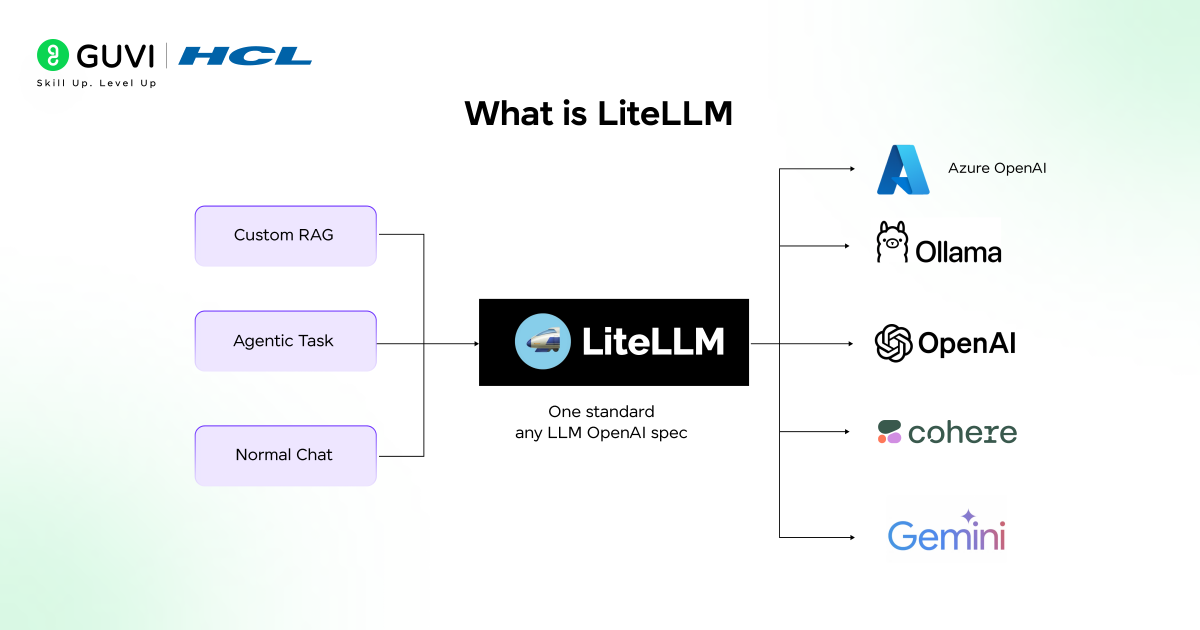
Key Concept:
- LiteLLM = Single API to a collection of LLM providers.
It basically works as:
- An LLM proxy
- A multi-model API layer
- An example routing system.
Main Features of LiteLLM
Let’s break down the most important features that make LiteLLM powerful.
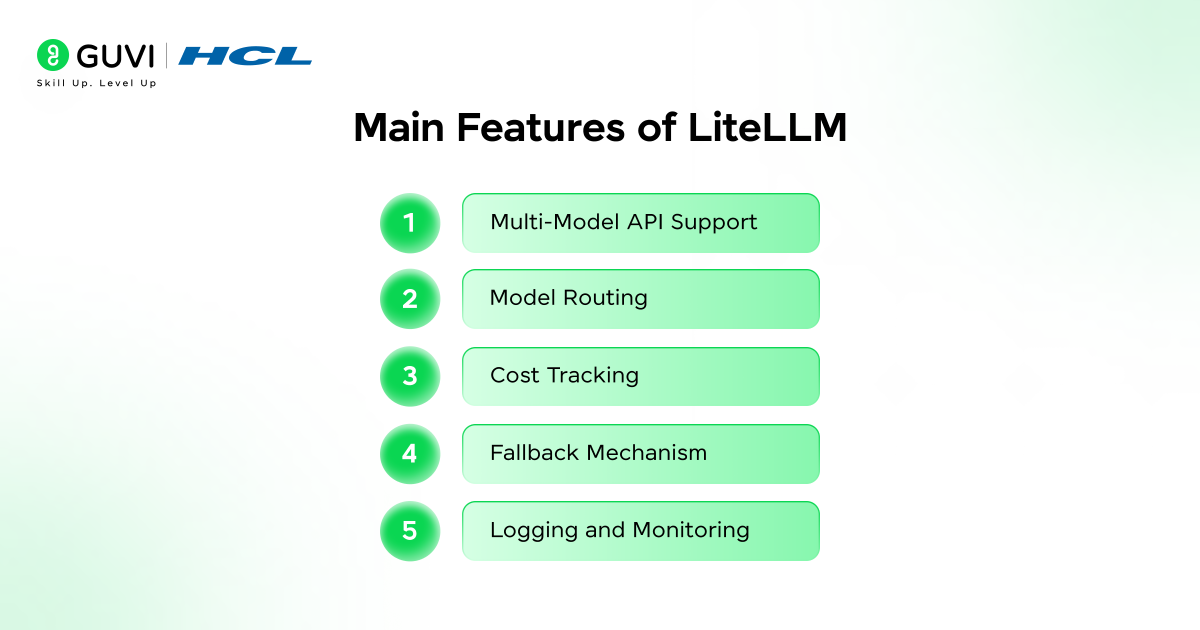
1. Multi-Model API Support
LiteLLM enables you to use various models such as:
- GPT models
- Claude
- Open-source models
All through the same function call.
2. Model Routing
You can specify such rules as:
- Apply low cost models to use in simple tasks.
- For complex queries, use advanced models.
This is referred to as model routing, and assists in balancing cost and performance.
3. Cost Tracking
LiteLLM can track:
- Token usage
- Cost per request
This comes in handy in the production areas.
4. Fallback Mechanism
LiteLLM may automatically switch between models should one fail.
Example:
- If GPT does not work, switch back to Claude.
5. Logging and Monitoring
LiteLLM supports:
- Request logging
- Debugging
- Observability
How LiteLLM Works (Architecture)
Consider LiteLLM as an intermediate between your app and AI vendors.
Flow:
- Your app makes a request to LiteLLM
- The request is processed by LiteLLM
- It decides which model to use (routing)
- Makes request to provider.
- Responds in a standardized form.
Installing LiteLLM (Step-by-Step)
To start using LiteLLM, you need Python installed.
Step 1: Install LiteLLM
pip install litellm
Step 2: Set API Keys
You’ll need API keys for providers.
Example:
export OPENAI_API_KEY=”your_key_here”
Step 3: Basic Setup
Create a Python file and import LiteLLM:
from litellm import completion
Your First LiteLLM Program
Let’s write a simple program using Python.
| from litellm import completion response = completion( model=”gpt-3.5-turbo”, messages=[{“role”: “user”, “content”: “Explain LiteLLM in simple terms”}] ) print(response[‘choices’][0][‘message’][‘content’]) |
What’s Happening Here?
- model → specifies which model to use
- messages → input prompt
- completion() → unified function call
Switching Between Models Easily
Here’s the real power of LiteLLM.
Example:
| response = completion( model=“claude-2”, messages=[{“role”: “user”, “content”: “Explain AI”}] ) |
You don’t need to change your code logic—just the model name.
Using LiteLLM as an LLM Proxy
LiteLLM can also run as a proxy server, which is useful for teams.
Why use proxy mode?
- Centralized API management
- Security control
- Logging requests
- Rate limiting
Start Proxy Server:
| litellm –model gpt-3.5-turbo |
Now your app can call this proxy instead of calling APIs directly.
Building a Simple Python Code Generator
Let’s build something practical.
Step 1: Define the prompt
| messages = [ {“role”: “system”, “content”: “You are a Python coding assistant”}, {“role”: “user”, “content”: “Write a Python function to reverse a string”} ] |
Step 2: Send request
| response = litellm.completion( model=”openai/gpt-4o-mini”, messages=messages ) print(response.choices[0].message.content) |
Output Example:
| def reverse_string(s): return s[::-1] |
Handling Errors in LiteLLM
In production systems, error handling is critical.
| import litellm try: response = litellm.completion( model=”openai/gpt-4o-mini”, messages=messages, timeout=10, max_retries=3 ) except litellm.LiteLLMError as e: print(“Error:”, e) |
Common Errors:
- Missing API key
- Rate limits
- Network issues
LiteLLM standardizes these errors, making debugging easier.
Using Fallback Models
If one model fails, LiteLLM allows fallback.
try:
| response = litellm.completion(model=”openai/gpt-4o-mini”, messages=messages) except litellm.LiteLLMError: response = litellm.completion(model=”anthropic/claude-3″, messages=messages) |
Model Routing in LiteLLM
Model routing helps you choose models dynamically.
Example:
| def choose_model(prompt): return “openai/gpt-4o” if len(prompt) > 100 else “openai/gpt-4o-mini” model = choose_model(“Explain machine learning”) response = litellm.completion( model=model, messages=[{“role”: “user”, “content”: “Explain machine learning”}] ) |

Top Features of LiteLLM
LiteLLM has some really cool features that make it very useful for people who work with artificial intelligence. These features help make it easier to work with models at the same time. They also make LiteLLM more flexible. Help it work better and cost less.
1. Unified API Across Providers
One of the things about LiteLLM is that it has a simple way of working with different providers. LiteLLM has one API that works for all providers. This means you do not have to learn a way of working with each provider. You can just use the syntax for LiteLLM every time.
| import litellm response = litellm.completion( model=”openai/gpt-4o-mini”, messages=[{“role”: “user”, “content”: “Hello”}] ) |
This same structure works across multiple providers, making development faster and cleaner.
2. Multi-Model API Support
LiteLLM lets you work with LiteLLM providers like OpenAI, Anthropic, Mistral and more all in one place.
This makes it easy to do things like
- Compare model outputs
- Use different models, for different tasks
- Build systems that can adapt to different situations
3. Model Routing
Model routing enables dynamic selection of models based on conditions like prompt length, task type, or cost.
| def choose_model(prompt): return “openai/gpt-4o” if len(prompt) > 100 else “openai/gpt-4o-mini” |
This helps in:
- Optimizing performance
- Reducing unnecessary costs
- Improving user experience
4. Built-in Error Handling
LiteLLM standardizes error handling across providers, so you don’t need to write separate logic for each API.
try:
| response = litellm.completion(model=”openai/gpt-4o-mini”, messages=messages) except litellm.LiteLLMError as e: print(“Error:”, e) |
This ensures consistent debugging and cleaner code.
5. Automatic Fallbacks
If a model fails due to rate limits or downtime, LiteLLM allows you to switch to another model automatically.
| response = litellm.completion( model=[“openai/gpt-4o”, “anthropic/claude-3”], messages=messages ) |
This improves reliability in production systems.
6. Streaming Responses
LiteLLM supports streaming outputs, allowing you to receive responses token-by-token in real time.
| for token in litellm.stream(model=”openai/gpt-4o-mini”, messages=messages): print(token, end=””) |
Useful for:
- Chat applications
- Live AI assistants
- Interactive tools
7. Logging and Cost Tracking
LiteLLM provides built-in tools to track:
- API usage
- Token consumption
- Estimated costs
| litellm.enable_logging(True) |
This is essential for managing budgets in production environments.
8. Proxy Mode (LLM Gateway)
LiteLLM can run as a centralized LLM proxy server, allowing teams to manage all AI requests from a single point.
| litellm –model openai/gpt-4o-mini |
Benefits include:
- Centralized API management
- Security control
- Rate limiting
- Monitoring
9. Provider-Agnostic Flexibility
Switching between providers is as simple as changing the model name.
| model=”mistral/mistral-7b” |
This prevents vendor lock-in and gives you full flexibility.
10. Lightweight and Easy to Integrate
LiteLLM is:
- Lightweight
- Easy to install
- Compatible with existing Python workflows
You can integrate it into projects without major restructuring.
Take your learning beyond theory with HCL GUVI’s AI & Machine Learning Course. Learn Python, build real projects, and master concepts like model routing and multi-model systems.
Start your journey with GUVI’s IIT-M Pravartak certified program today!!!
Wrapping it up:
It does not have to be complicated to manage multiple LLMs, and that is where LiteLLM can really come in. It also makes development easier by having all the models under a single interface that enables you to have the freedom to select the appropriate model of each task.
Not only does LiteLLM simplify API complexity, but also allows more intelligent cost, performance, and scalability decisions. This flexibility will be crucial as AI progresses to multi-model systems.
LiteLLM can make you remain efficient, flexible, and prepared to the future especially when you are developing modern AI applications.
Frequently Asked Questions
1. Is LiteLLM free?
LiteLLM is free. but, you can pay to access paid LLM services such as OpenAI or Anthropic.
2. What is the main purpose of LiteLLM?
LiteLLM is an interface that works with multiple LLMs. It offers a single API interface that makes it less complex and more flexible.
3. Does LiteLLM support an LLM proxy?
Yes, LiteLLM can be used as an LLM proxy server, which enables the centralized control, logging and routing of AI requests.
4. What is model routing in LiteLLM?
The model routing will enable you to dynamically select alternative models depending on the conditions such as the complexity of a task, cost, or even the performance requirements.
Success Stories

About the Author
Vishalini Devarajan
An Aerospace Engineer turned content writer, I focus on making complex concepts easy to understand through well-structured, reader-friendly blogs. Whether it’s a technical topic or a non-technical one, I love creating content that is clear, engaging, and impactful.
View all posts by Vishalini Devarajan
Connect with me @













Did you enjoy this article?