


Artificial Intelligence and Machine Learning Articles
Finance Manager to Data Analytics: Career Growth, Salary and Seniority
How to Evaluate LLM Outputs in Production Deployments
AI/ML Skills Gap 2026: Why Companies Can't Find Job-Ready Talent
20 AI/ML Interview Questions Recruiters Can Use Without a Tech Background - Best Guide


Get In Touch For Details! Request More Information

How to Use Generative AI for Unit Testing? A Detailed Guide
Apr 02, 2026 5 Min Read 934 Views
(Last Updated)
What if you could generate meaningful unit tests in seconds instead of spending hours writing them manually? That’s exactly what generative AI is starting to change.
As a developer, you already understand the importance of unit testing, but the real challenge is consistency, coverage, and time. This is where generative AI steps in, not to replace your thinking, but to accelerate it.
By helping you generate test cases, uncover edge scenarios, and maintain test suites, AI allows you to focus more on building logic and less on repetitive tasks. So, let’s learn more about using generative AI for unit testing in this article!
Quick Answer:
You can use generative AI for unit testing by providing your code and context to automatically generate test cases, edge scenarios, and assertions, then refining and integrating them into your workflow for better coverage and efficiency.
Table of contents
- What is Generative AI for Unit Testing?
- Why You Should Use Generative AI for Unit Testing?
- Step-by-Step: How to Use Generative AI for Unit Testing?
- Step 1: Give the AI the Right Context
- Step 2: Generate the First Set of Tests
- Step 3: Critically Review the Generated Tests
- Step 4: Improve Coverage Using Iterative Prompting
- Step 5: Align Tests with Your Framework and Standards
- Step 6: Add Mocks, Stubs, and Dependencies
- Step 7: Integrate Tests into Your CI/CD Pipeline
- Step 8: Use AI for Test Maintenance
- Step 9: Generate Synthetic Test Data
- Step 10: Build a Reusable Prompt Library
- Common Mistakes to Avoid
- What This Workflow Looks Like in Reality
- Did You Know?
- Popular Tools for AI-Based Unit Testing
- Code Generation Assistants
- Dedicated Testing Tools
- Practical Example: Using AI for Unit Testing
- Generative AI + Unit Testing: A Hybrid Future
- Final Thoughts
- FAQs
- Can generative AI write unit tests automatically?
- Is AI-generated unit testing reliable?
- Which tools are best for AI-based unit testing?
- Can generative AI improve test coverage?
- Does generative AI replace manual unit testing?
What is Generative AI for Unit Testing?
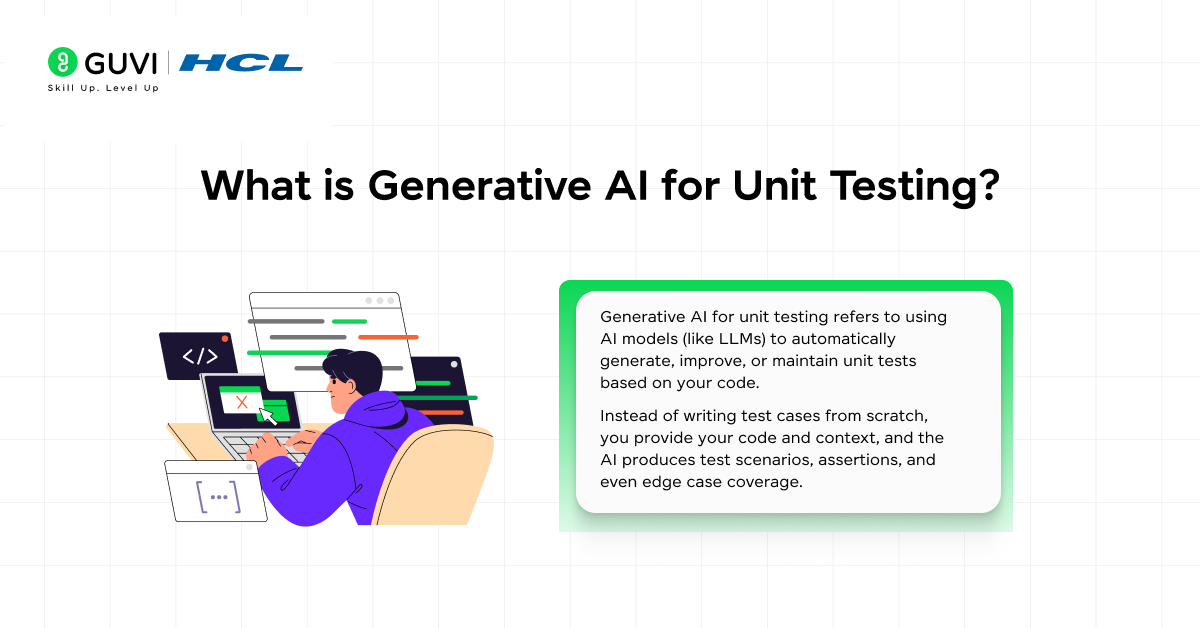
Generative AI for unit testing refers to using AI models (like LLMs) to automatically generate, improve, or maintain unit tests based on your code.
Instead of writing test cases from scratch, you provide your code and context, and the AI produces test scenarios, assertions, and even edge case coverage.
At a core level, these models:
- Analyze your code structure and logic
- Learn patterns from existing code and tests
- Generate test cases that simulate real-world usage
This means you’re no longer just writing tests; you’re guiding a system that writes them with you.
If you are interested to learn more about Generative AI and how it impacts the current technological landscape, consider reading HCL GUVI’s Free Generative AI Ebook, where you learn the basic mechanism of GenAI and its real-world applications in the fields of gaming, coding, entertainment, and many more.
Why You Should Use Generative AI for Unit Testing?
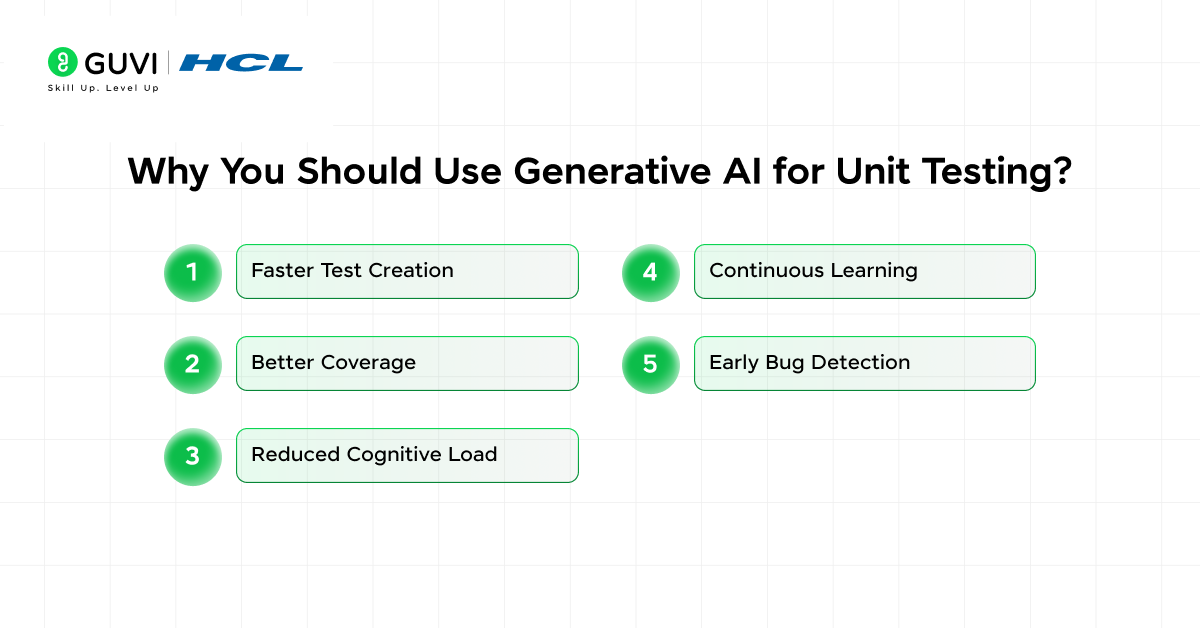
Here’s the thing: the biggest value isn’t just speed. Its coverage and thinking breadth.
- Faster Test Creation: AI can generate dozens of test cases in seconds, reducing manual effort significantly.
- Better Coverage: AI explores edge cases and unusual inputs that developers often overlook.
- Reduced Cognitive Load: You focus on logic and architecture while AI handles repetitive test writing.
- Continuous Learning: AI systems improve as they receive feedback and more context.
- Early Bug Detection: AI-generated tests help identify issues early in the development cycle, improving release quality.
Step-by-Step: How to Use Generative AI for Unit Testing?
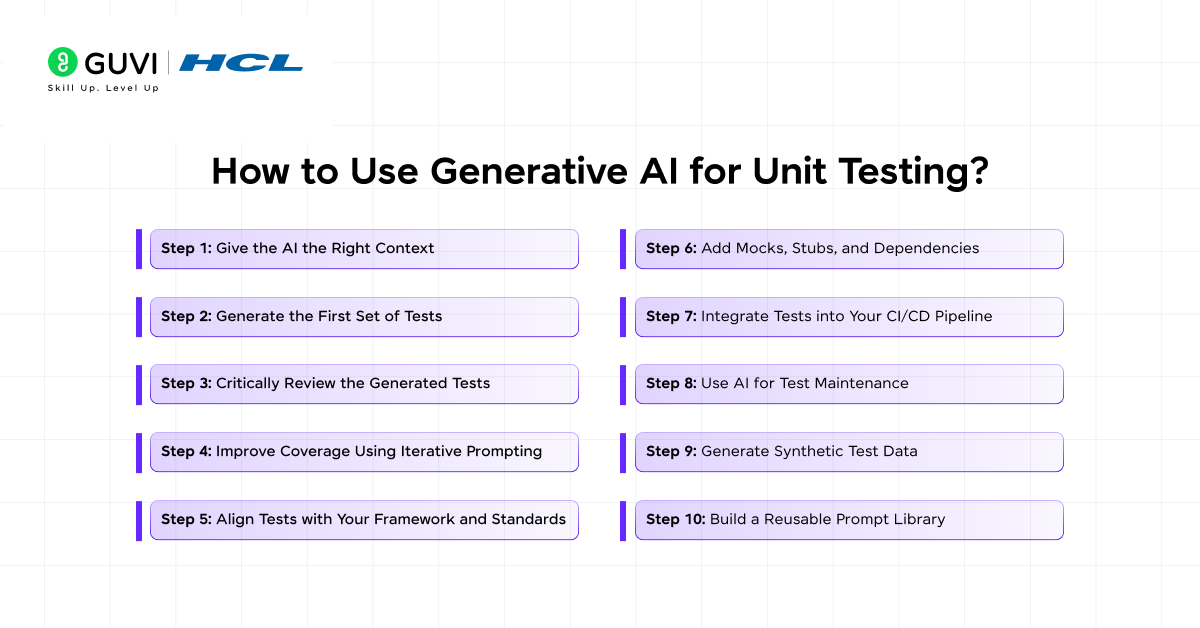
The real value isn’t just “generate tests with AI.” It’s about how you guide, refine, and integrate AI into your development workflow so it actually improves your code quality.
Here’s a detailed breakdown you can follow in real projects.
Step 1: Give the AI the Right Context
This is where everything starts. If your input is vague, your output will be mediocre.
What you should provide:
Think of it like briefing a junior developer. The more clarity you give, the better the result.
Include:
- The function or class code
- A short description of what it does
- Expected inputs and outputs
- Known constraints or edge cases
- The testing framework you want (pytest, Jest, JUnit, etc.)
Example
Instead of saying: “Write tests for this function”
Do this:
Generate unit tests using pytest for the following function.
Include edge cases, invalid inputs, and boundary conditions.
Function:
def withdraw(balance, amount):

   if amount > balance:

       raise ValueError("Insufficient funds")

   return balance - amount
What this really means
You’re not asking AI to “guess.” You’re reducing ambiguity, which directly improves test quality.
Step 2: Generate the First Set of Tests
Once you provide context, AI will:
- Identify test scenarios
- Create test functions
- Add assertions
- Suggest edge cases
Typical output includes:
- Happy path tests
- Failure scenarios
- Boundary conditions
- Type validation cases
Example output (simplified)
def test_withdraw_success():

   assert withdraw(100, 50) == 50

def test_withdraw_insufficient_balance():

   with pytest.raises(ValueError):

       withdraw(50, 100)
What to watch here
AI is great at:
- Covering obvious cases
- Structuring tests quickly
But it may miss:
- Business-specific rules
- Hidden constraints
Step 3: Critically Review the Generated Tests
This step separates average developers from strong ones. You should never blindly trust AI-generated tests.
What you need to check
1. Logic correctness
- Are assertions actually valid?
- Is the expected output correct?
2. Business rules
- Does it match real-world behavior?
- Any domain-specific conditions missing?
3. Edge cases
- Null / None values
- Empty inputs
- Extreme values
4. Test quality
- Are tests meaningful or redundant?
- Are names descriptive?
Example refinement
AI might miss:
withdraw(100, 0)
withdraw(100, -10)
You should add:
def test_withdraw_zero_amount():

   assert withdraw(100, 0) == 100

def test_withdraw_negative_amount():

   # depends on business rule

   pass
Key idea
AI gives you a starting point, not the final answer.
Step 4: Improve Coverage Using Iterative Prompting
Here’s where most people underuse AI. Instead of one prompt, you refine continuously.
Follow-up prompts you should use
- “Add boundary test cases”
- “Include invalid data types”
- “Test performance edge cases”
- “Generate negative test scenarios”
- “Add tests for exception handling”
Example
Extend the test suite to include:
– Negative values
– Large numbers
– Invalid data types
Why this matters
Each iteration:
- Expands coverage
- Improves robustness
- Reduces blind spots
You’re basically training the AI per task.
Step 5: Align Tests with Your Framework and Standards
AI doesn’t always follow your team’s conventions. You need to adapt the output.
Things to standardize
- Naming conventions
- File structure
- Test grouping
- Fixtures and mocks
- Dependency handling
Example (Jest)
AI output:
test("should work", () => { ... })
You refine:
describe("withdraw()", () => {

 it("should return updated balance when sufficient funds", () => {

   expect(withdraw(100, 50)).toBe(50);

 });

});
Key takeaway
Make AI-generated tests feel like they were written by your team.
Step 6: Add Mocks, Stubs, and Dependencies
Real-world unit tests aren’t just pure functions.
You’ll deal with:
- APIs
- Databases
- External services
Use AI to generate mocks
Example prompt: Generate unit tests for this function using mocks for API calls.
Example output idea
- Mock API response
- Simulate failure scenarios
- Validate retry logic
Why this matters
AI can:
- Speed up mock creation
- Suggest realistic test setups
But you still decide:
- What should be mocked
- What should be integration-tested

Step 7: Integrate Tests into Your CI/CD Pipeline
Now comes the real impact. Once your tests are ready:
Add them to your pipeline
- Run on every commit
- Run before merges
- Trigger on pull requests
Where AI helps again
You can ask AI:
- “Generate tests for changed code only”
- “Update tests based on this diff”
Outcome
- Faster feedback loops
- Reduced regression bugs
- More confident releases
Step 8: Use AI for Test Maintenance
This is underrated. Tests break when code changes. Maintaining them is painful.
Use AI to:
- Refactor outdated tests
- Fix failing assertions
- Update test data
Example prompt: Update these unit tests based on the following code changes.
What this unlocks
You move from: Writing tests once
To: Maintaining tests continuously with AI assistance
Step 9: Generate Synthetic Test Data
Sometimes your tests need realistic data.
AI can help generate:
- Large datasets
- Edge-case inputs
- Randomized test values
Example use cases
- Testing recommendation systems
- Validating data pipelines
- Stress testing APIs
Example prompt: Generate test data for edge cases in a user registration system.
Step 10: Build a Reusable Prompt Library
If you’re serious about using AI, don’t start from scratch every time. Create a prompt system.
Example categories
1. Basic test generation
- “Generate unit tests for this function”
2. Edge case expansion
- “Add boundary and edge cases”
3. Mocking
- “Include mocks for external dependencies”
4. Refactoring
- “Improve readability and structure of these tests”
Why this matters
- Saves time
- Ensures consistency
- Improves output quality over time
Common Mistakes to Avoid
Let’s be honest, most people misuse AI here.
- Blind trust: AI is not always correct. Validate everything.
- Poor prompts: Vague inputs = weak tests.
- Ignoring business logic: AI doesn’t know your domain deeply.
- Over-generation: Too many unnecessary tests can slow pipelines.
- No iteration: One-shot prompting limits AI’s potential.
What This Workflow Looks Like in Reality
Let’s simplify the entire flow:
- You write a function
- You prompt AI for tests
- AI generates baseline tests
- You review and fix them
- You ask AI to expand coverage
- You integrate into your test suite
- CI/CD runs tests automatically
- AI helps maintain tests over time
Did You Know?
Popular Tools for AI-Based Unit Testing
Here are some widely used tools:
Code Generation Assistants
- GitHub Copilot
- ChatGPT
- Google Duet AI
Dedicated Testing Tools
- Diffblue (Java auto test generation)
- TestRigor
- Virtuoso QA
Some tools can fully generate tests, while others assist you interactively.
Practical Example: Using AI for Unit Testing
Let’s say you have this function:
def divide(a, b):

   return a / b
AI-Generated Test Cases May Include:
- Normal case → divide(10, 2)
- Edge case → divide(0, 5)
- Error case → divide(10, 0)
- Negative inputs → divide(-10, 2)
This is where AI shines, it doesn’t forget edge cases.
Generative AI + Unit Testing: A Hybrid Future
What this really means is simple: You don’t replace developers — you upgrade them.
The best teams today are using a hybrid approach:
- AI for speed and coverage
- Humans for logic and validation
AI handles:
- Repetition
- Scale
- Pattern recognition
You handle:
- Business understanding
- Edge-case judgment
- System thinking
If you’re serious about learning Generative AI and want to apply it in real-world scenarios, don’t miss the chance to enroll in HCL GUVI’s Intel & IITM Pravartak Certified Artificial Intelligence & Machine Learning course, co-designed by Intel. It covers Python, Machine Learning, Deep Learning, Generative AI, Agentic AI, and MLOps through live online classes, 20+ industry-grade projects, and 1:1 doubt sessions, with placement support from 1000+ hiring partners.
Final Thoughts
Generative AI is reshaping how you approach unit testing by turning it from a manual effort into a guided, intelligent process. When used correctly, it helps you move faster, improve coverage, and catch issues earlier in the development cycle.
The key is to treat AI as a collaborator, not a replacement, review its output, refine it, and integrate it into your workflow. As testing continues to evolve, developers who combine their expertise with AI capabilities will have a clear advantage in building reliable, high-quality software.
FAQs
1. Can generative AI write unit tests automatically?
Yes, generative AI can create unit tests based on your code and prompts. It generates test cases, assertions, and edge scenarios quickly. However, you still need to review and refine them for accuracy.
2. Is AI-generated unit testing reliable?
AI-generated tests are useful but not fully reliable on their own. They may miss business logic or include incorrect assumptions. You should always validate and adjust the output.
3. Which tools are best for AI-based unit testing?
Popular tools include GitHub Copilot, ChatGPT, Diffblue, and TestRigor. Each helps in generating or improving test cases. Your choice depends on your programming language and workflow.
4. Can generative AI improve test coverage?
Yes, AI can significantly improve coverage by identifying edge cases and unusual inputs. It explores scenarios developers might overlook. Iterative prompting further enhances coverage.
5. Does generative AI replace manual unit testing?
No, it doesn’t replace manual testing but enhances it. AI speeds up test creation and reduces repetitive work. Developers still handle validation, logic, and critical decisions.
Success Stories

About the Author
Lukesh S
A professional content writer who has experience in freelancing and now working as a Technical Content Writer at HCL GUVI having sound knowledge in Blog Writing and Creative Writing!
View all posts by Lukesh S
Connect with me @












Did you enjoy this article?