


Python Articles
Go vs Python for Forward Deployed Engineering Workloads
Python for Forward Deployed Engineers: What You Actually Need to Know
Freelancing as a Python Developer: Getting Your First Client


Get In Touch For Details! Request More Information

What Is a Tuple in Python? A Complete Guide
Mar 24, 2026 6 Min Read 1561 Views
(Last Updated)
Why would Python give you a data structure that looks like a list but refuses to let you change its contents? At first glance, tuples seem restrictive but that restriction is exactly what makes them powerful. Tuples are designed for safety, clarity, and performance when your data should remain constant throughout a program’s execution. They play a quiet but critical role in Python’s design philosophy.
Continue through this guide to understand what a tuple in Python is, how it works with examples, and when using a tuple is a smarter choice than using a list.
Quick Answer:
A tuple in Python is an ordered, immutable sequence used to store fixed collections of values. Unlike lists, tuples cannot be modified after creation, which makes them safer, more memory-efficient, and faster to iterate. Tuples are commonly used for function return values, fixed records, dictionary keys, and read-only data where structure and integrity must be preserved.
Table of contents
- What Is a Tuple in Python?
- Tuple Properties in Python
- How to Create a Tuple in Python
- Tuple Creation Examples
- Accessing Elements in a Tuple
- Positive Indexing
- Negative Indexing
- Performance Implications
- Common Tuple Operations
- Tuple Packing and Unpacking
- Tuple Packing
- Tuple Unpacking
- Tuple Packing and Unpacking in Python: Key Concepts at a Glance
- Tuple vs List in Python
- When to Use Tuple vs List?
- Tuple vs List in Python: A Comparison
- Real-World Use Cases of Tuples
- Common Beginner Mistakes with Tuples
- Best Practices for Using Tuples
- Conclusion
- FAQs
- Are tuples faster than lists?
- Can tuples contain mutable objects?
- Can tuples be used as dictionary keys?
What Is a Tuple in Python?
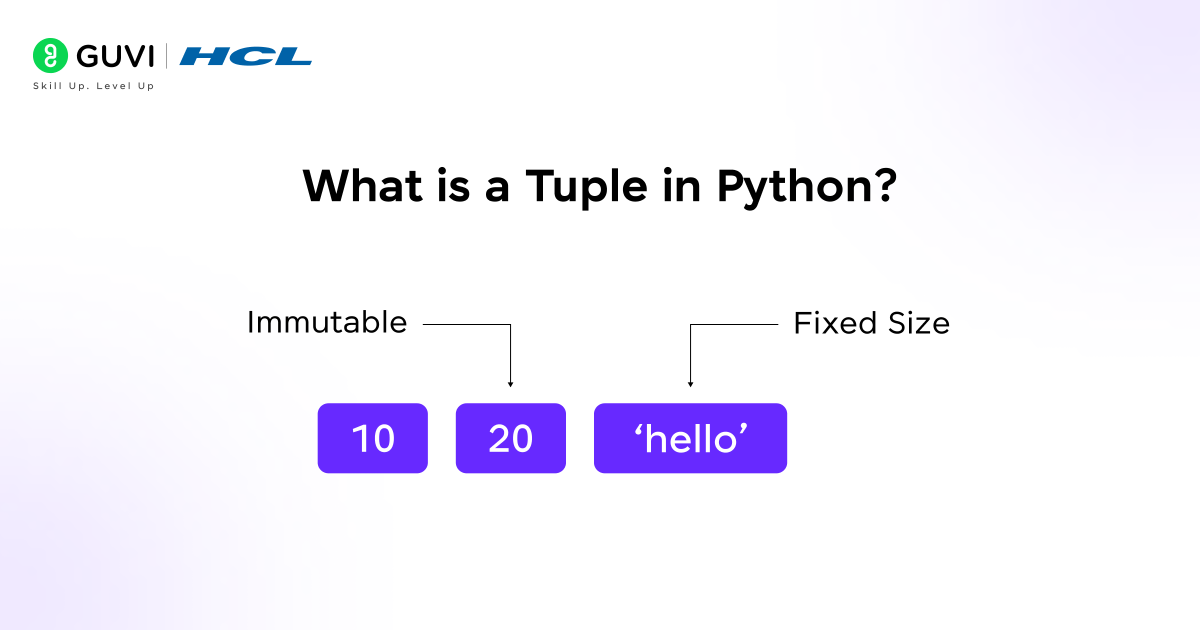
A tuple in Python is a built-in sequence type that represents an ordered, immutable collection of object references. Internally, a tuple stores references to Python objects in a fixed-size memory structure, which is allocated at creation time and never resized. Because tuples cannot change length or rebind element references, Python can make strong guarantees about their behavior, enabling optimizations such as faster iteration, reduced memory overhead, and hashability when elements are immutable.
Tuple Properties in Python
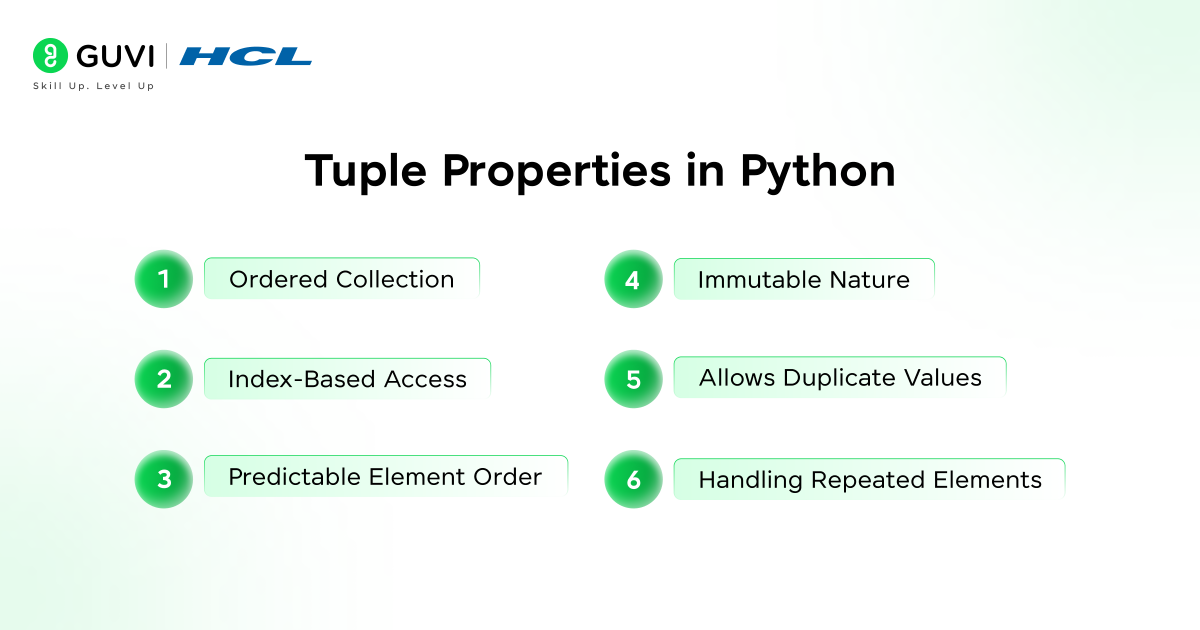
- Ordered Collection
Tuples preserve the exact order in which elements are defined, and this order is part of the tuple’s identity. Python guarantees that iteration, unpacking, and positional access always follow this fixed order, which is essential for representing structured data where position conveys meaning.
- Index-Based Access
Tuple elements are accessed using zero-based indexes, and Python resolves index lookups in constant time. Negative indexing is supported, allowing access relative to the end of the tuple without additional computation or traversal.
- Predictable Element Order
Because tuples are immutable, their element order can never change after creation. This predictability makes tuples safe for use in APIs, function returns, and data contracts where positional consistency must be preserved across calls.
- Immutable Nature
Tuples cannot be modified after creation. Operations such as reassignment, insertion, deletion, or resizing are not supported. Any operation that appears to change a tuple actually results in the creation of a new tuple object.
Immutability means both the tuple length and element bindings are fixed. The tuple holds references to objects, and while those references cannot change, the referenced objects may still be mutable if their type allows it.
- Allows Duplicate Values
Tuples allow repeated values without restriction. Each occurrence is stored at a distinct index, and duplicates do not affect lookup, iteration, or unpacking behavior.
- Handling Repeated Elements
Repeated elements are treated as independent positional entries. Methods like count() and index() operate on values while still respecting positional ordering.
- Supports Multiple Data Types
Tuples can contain references to objects of any type, including integers, strings, functions, classes, and custom objects. This flexibility makes tuples ideal for heterogeneous records.
Want to understand tuples and other core Python concepts with real clarity? Explore HCL GUVI’s Python Hub for beginner-friendly explanations, syntax breakdowns, and practical Python use cases.
How to Create a Tuple in Python
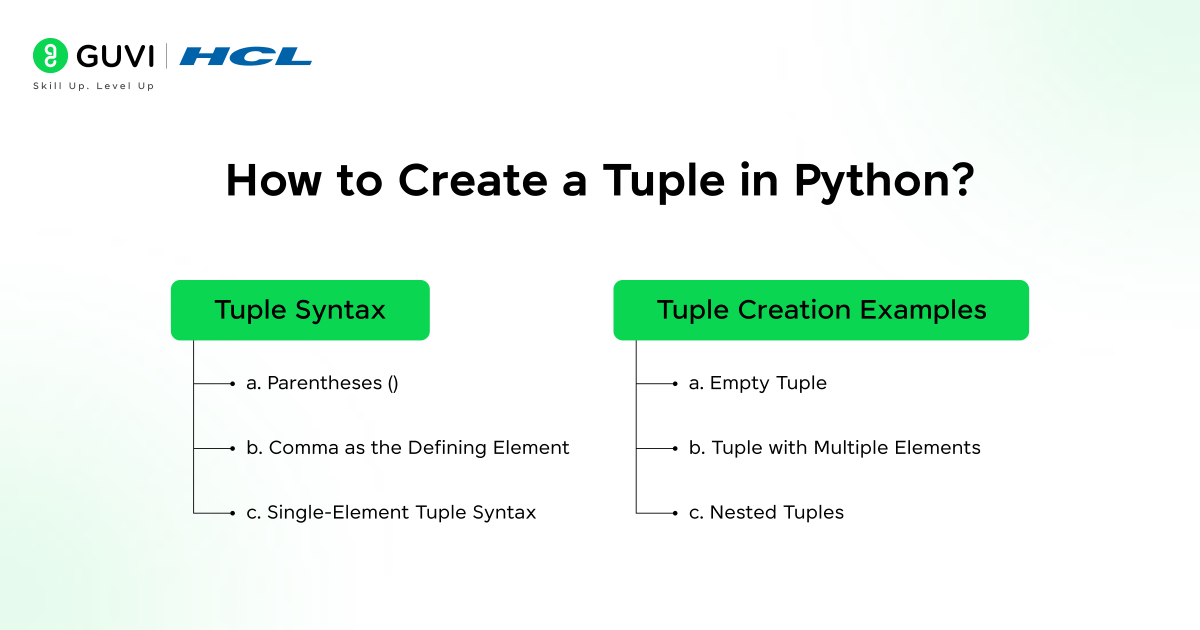
- Tuple Syntax
- Parentheses ()
Parentheses are the most readable way to define a tuple and explicitly group elements. While optional in many contexts, they are strongly recommended to avoid ambiguity and improve maintainability.
- Comma as the Defining Element
The comma operator is what actually creates a tuple, not the parentheses. This is why tuples can be created without parentheses in assignments, function returns, and unpacking expressions.
- Single-Element Tuple Syntax
A single-element tuple must include a trailing comma. Without the comma, Python treats the expression as a scalar value. This rule exists to disambiguate grouping parentheses from tuple creation.
2. Tuple Creation Examples
- Empty Tuple
An empty tuple is a singleton object in Python, meaning the same empty tuple instance is reused internally. This reduces memory usage and improves efficiency.
- Tuple with Multiple Elements
Tuples can store any number of elements. Each element reference is stored contiguously, enabling fast indexed access and iteration.
- Nested Tuples
Tuples can contain other tuples or complex objects. While the outer tuple remains immutable, inner mutable objects can still change, which is an important distinction when reasoning about immutability.
Accessing Elements in a Tuple
- Indexing (Interpreter-Level Behavior)
Tuple indexing is implemented as a direct pointer offset lookup in CPython. Because tuples store references in a contiguous array and never resize, element access does not require bounds reallocation or structural checks, making it faster than list access in practice.
Positive Indexing
- Time complexity: O(1)
- Index resolution is computed once and mapped directly to a memory slot.
- No dynamic resizing or reference shifting occurs.
Negative Indexing
- Python converts negative indexes internally using:
effective_index = len(tuple) + index - This conversion happens before bounds checking, ensuring consistent behavior across all sequences.
- Slicing Tuples
- Slice Mechanics
When slicing a tuple, Python:
- Creates a slice object
- Computes normalized start, stop, and step
- Allocates a new tuple object
- Copies references (not values) into the new tuple
This ensures:
- Zero side effects
- Predictable memory layout
- Safe reuse in concurrent or shared contexts
- Returned Type Guarantees
Even a full slice (t[:]) produces a distinct tuple object, unlike lists where slicing is often used defensively.
Performance Implications
- Time complexity: O(k) where k is the slice length
- Memory overhead is proportional to slice size
- References are copied, not deep objects
Common Tuple Operations
- Length Retrieval
A tuple stores its length as fixed metadata at creation time. Because tuples are immutable and never change size, Python does not need to traverse elements to compute their length. As a result, calling len(tuple) is a true constant-time O(1)operation, making it extremely efficient even for large tuples.
- Iteration Using Loops
Tuple iteration is optimized by Python’s interpreter due to the tuple’s immutable structure and predictable memory layout. Since elements cannot change, the interpreter performs fewer safety and resize checks during iteration. This reduces overhead and improves cache locality, which is why tuples are often preferred in tight loops, static datasets, and function argument handling where performance and predictability matter.
- Membership Testing (in)
Membership testing in a tuple performs a linear scan, but practical performance is often acceptable because tuples typically contain fewer elements and remain immutable. Immutability allows certain internal optimizations, and when tuple elements are hashable, membership checks can be optimized further by converting tuples to sets for repeated lookups.
- Concatenation and Repetition Costs
Tuple concatenation and repetition always create new tuple objects because tuples cannot be modified in place. Repeated concatenation inside loops is inefficient and leads to unnecessary memory allocation. Instead, tuple literals, unpacking expressions, or building collections first and converting them into tuples should be preferred for better performance and cleaner code.
Tuple Packing and Unpacking
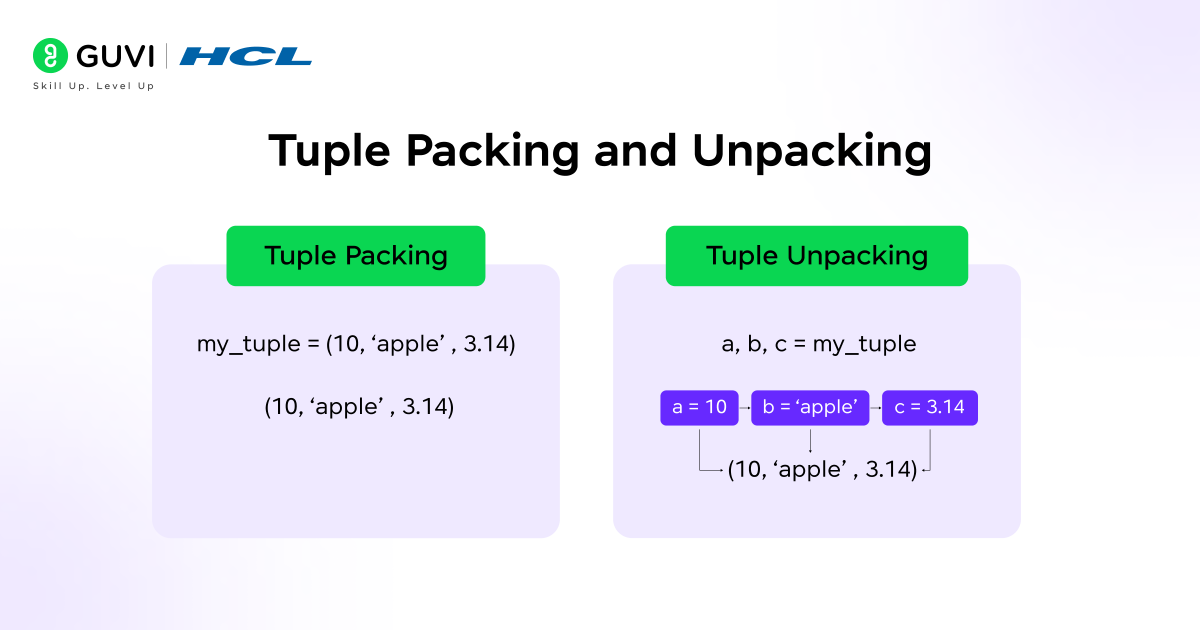
1. Tuple Packing
Tuple packing is the automatic grouping of multiple values into a single tuple without requiring explicit parentheses. When Python practice encounters a comma-separated sequence of values, it implicitly creates a tuple object. This behavior is deeply integrated into the language syntax and is commonly used in function returns, assignments, and data grouping. Packing allows multiple related values to be treated as a single logical unit while remaining lightweight and immutable.
2. Tuple Unpacking
Tuple unpacking assigns elements of a tuple to multiple variables in a single statement. Python matches values positionally, enabling clear and concise variable assignment. Unpacking supports multiple assignments, where several variables are assigned at once, and is widely used to improve readability. A common practical use is swapping variable values without a temporary variable, which works because the right-hand side is packed into a tuple before being unpacked on the left-hand side.

Tuple Packing and Unpacking in Python: Key Concepts at a Glance
| Factor | Tuple Packing | Tuple Unpacking |
| Purpose | Group multiple values into one tuple | Assign tuple values to variables |
| Syntax | t = a, b, c | a, b, c = t |
| Key Mechanism | Comma creates the tuple | Positional mapping |
| Common Use | Function return values | Multiple assignment |
| Order Matters | Yes | Yes |
| Error Case | None | ValueError on count mismatch |
| Performance | Lightweight | Faster than manual indexing |
| Special Use | Implicit in return | Variable swapping (a, b = b, a) |
Tuple vs List in Python

Tuples and lists in Python are both ordered sequence types in Python, but they differ fundamentally in design intent and behavior. Mutability is the key distinction: lists are mutable, allowing elements to be added, removed, or modified in place. On the other hand, tuples are immutable, meaning their structure and contents cannot change after creation. In terms of syntax, lists are defined using square brackets [], whereas tuples use parentheses () or even just commas.
Regarding use cases, lists are ideal for dynamic collections that evolve over time, such as accumulators or queues, while tuples are better suited for static records, configuration values, and data that must remain constant to preserve program correctness.
When to Use Tuple vs List?
- Read-Only Data: Use tuples when data should not be modified after creation. Immutability prevents accidental changes and makes tuples safe to share across different parts of a program.
- Fixed Collections: Tuples are ideal for representing fixed-size collections such as coordinates, RGB color values, database rows, or structured records where each position has a defined meaning.
- Function Returns: Tuples are commonly used to return multiple values from functions. Their immutability clearly signals that the returned data is a single, grouped result rather than a modifiable collection.
Ready to move beyond understanding tuples to building real Python programs? Enroll in HCL GUVI’s Python Programming Course to learn core Python concepts with 100% online, self-paced learning, full lifetime access, and an industry-recognised certification at an affordable fee, supported by dedicated forum mentoring and 4 gamified practice platforms.
Tuple vs List in Python: A Comparison
| Factor | Tuple | List |
| Mutability | Immutable (cannot be changed after creation) | Mutable (elements can be added, removed, or modified) |
| Syntax | () or comma-separated values | [] |
| Performance | Faster access and iteration due to immutability | Slightly slower due to dynamic resizing |
| Memory Usage | More memory-efficient | Uses more memory |
| Safety | Safer for shared or constant data | Risk of accidental modification |
| Hashable | Yes (if all elements are hashable) | No |
| Dictionary Keys | Can be used as keys | Cannot be used as keys |
| Typical Use Cases | Fixed records, coordinates, config data, function returns | Dynamic collections, accumulators, data processing |
| Intent Signal | Indicates read-only or fixed structure | Indicates data meant to change |
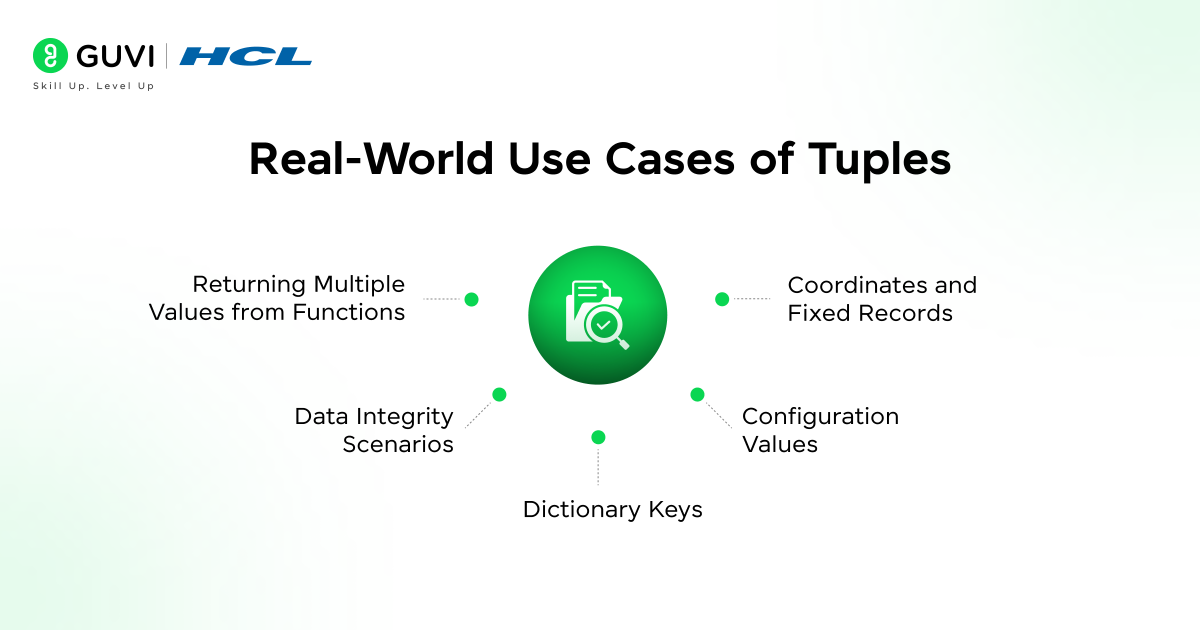
Real-World Use Cases of Tuples
- Returning Multiple Values from Functions
Tuples are the standard mechanism Python uses to return multiple values from a function. Internally, Python packs multiple return values into a single tuple and unpacks them at the call site. This enables clean and readable function interfaces without requiring custom objects, while preserving value order and structural consistency.
- Coordinates and Fixed Records
Tuples are ideal for representing coordinates and fixed-length records such as (x, y), (latitude, longitude), or structured rows. Their immutability ensures positional meaning remains stable, which is critical when each element has a predefined semantic role.
- Dictionary Keys
Tuples can be used as dictionary keys because they are immutable and hashable, provided all contained elements are hashable. This makes them suitable for composite keys such as (user_id, timestamp) or (row, column) in lookup tables and matrix-based logic.
- Configuration Values
Tuples are commonly used to store configuration constants and default parameters. Their immutable nature prevents runtime modification, reducing the risk of accidental state changes and improving application reliability.
- Data Integrity Scenarios
In scenarios where values must remain unchanged after creation, such as identifiers, lookup mappings, or protocol definitions, tuples provide strong guarantees of data integrity. Their read-only behavior supports predictable execution and safer program design.
Common Beginner Mistakes with Tuples
- Forgetting the Comma: The most frequent mistake is defining a single-element tuple without a trailing comma. Writing (10) creates an integer, not a tuple, whereas (10,) correctly creates a tuple. This happens because Python identifies tuples by commas, not parentheses.
- Trying to Modify Elements: Beginners often attempt to update, append, or remove elements from a tuple. Since tuples are immutable, operations like assignment (t[0] = 5) or methods such as append() raise errors. Any change requires creating a new tuple.
- Confusing Tuples with Lists: Tuples and lists look similar but serve different purposes. Using tuples when frequent modification is required leads to rigid code, while using lists for fixed data can introduce accidental mutations.
- Incorrect Unpacking: Tuple unpacking fails when the number of variables does not match the number of elements. Mismatched unpacking raises a ValueError, and forgetting to use the unpacking operator (*) when handling variable-length tuples is a common source of bugs.
Want a clear, practical explanation of Python tuples and core concepts you’ll actually use? Download HCL GUVI’s Python eBook to strengthen your fundamentals with structured explanations, real examples, and beginner-friendly clarity.
Best Practices for Using Tuples
- Prefer Tuples for Fixed Data: Use tuples when the data represents a record, configuration, or constant set of values that should not change during execution. This improves safety and intent clarity.
- Use Meaningful Structure: Design tuples with a clear positional meaning. When tuples grow large or positions become unclear, consider using named tuples or data classes for better readability.
- Avoid Unnecessary Nesting: Deeply nested tuples can make code hard to read and maintain. Keep tuple structures simple unless hierarchical grouping is explicitly required.
- Combine with Unpacking for Readability: Leverage tuple unpacking to make code clearer and more expressive. Assigning tuple elements directly to well-named variables improves readability and reduces indexing errors.
Conclusion
Tuples may look simple, but they are a foundational building block in Python’s design. Their immutability, predictable structure, and performance advantages make them ideal for fixed data, safe sharing, and clear intent. Understanding tuples helps you write more reliable, efficient, and expressive Python code, especially when correctness and data integrity matter most.
FAQs
Are tuples faster than lists?
Yes. Tuples are generally faster than lists for iteration and access because they are immutable, have a simpler internal structure, and require less memory management overhead.
Can tuples contain mutable objects?
Yes. A tuple itself is immutable, but it can contain mutable objects such as lists or dictionaries. The tuple reference cannot change, but the mutable elements inside it can.
Can tuples be used as dictionary keys?
Yes, as long as all elements inside the tuple are immutable. Because tuples are hashable when their contents are hashable, they are commonly used as dictionary keys.
Success Stories

About the Author
Vaishali
I'm a seasoned writer with four years of experience across technical, non-technical, and just about every genre or niche you can imagine. Adaptable and curious, I enjoy exploring new topics and making information engaging and easy to understand. Fueled by a steady stream of tea, I approach each project with creativity, reliability, and genuine enthusiasm for storytelling.
View all posts by Vaishali
Connect with me @














Did you enjoy this article?