


Python Articles
Freelancing as a Python Developer: Getting Your First Client
Common Python Mistakes Beginners Make And How to Fix Them
Python Best Practices: Writing Clean, Maintainable Code Like a Pro
How to Build a Python Developer Portfolio That Gets You Hired


Get In Touch For Details! Request More Information

Is Python Case Sensitive? Everything You Need to Know With Examples
Jul 17, 2026 8 Min Read 8525 Views
(Last Updated)
Yes, Python is case-sensitive. It treats uppercase and lowercase letters as completely different characters in variable names, function names, class names, and keywords, so name, Name, and NAME are three separate identifiers as far as Python is concerned.
Have you ever written a Python program that looked perfectly correct, only to fail because of a single uppercase letter? This is exactly what it means to say Python Case Sensitive rules are strict.
One small change in capitalization can mean the difference between working code and a frustrating error, since Python treats uppercase and lowercase characters as completely different.
Read the full blog to understand whether Python Case Sensitive rules affect variables, functions, keywords, and imports:
Table of contents
- TL;DR Summary
- What Does Case Sensitive Mean in Python?
- Case Sensitivity in Python Variables
- Case Sensitivity in Python Functions and Methods
- Case Sensitivity in Python Keywords
- Case Sensitivity in Python Class Names
- Case Sensitivity in Python Modules and Imports
- Case Sensitivity in Strings and Comparisons
- How Python Handles Case Sensitivity Internally?
- Identifier Lookup Mechanism
- Symbol Tables and Name Resolution
- Why Python Does Not Normalize Case
- Python Case Sensitivity Rules for Variables, Functions, Classes, Keywords
- Common Errors Due to Case Sensitivity in Python (With Fixes)
- NameError Due to Incorrect Casing
- Function Not Found Errors
- Import Errors Linked to Filename Case
- Python vs Java vs JavaScript Case Sensitivity Comparison
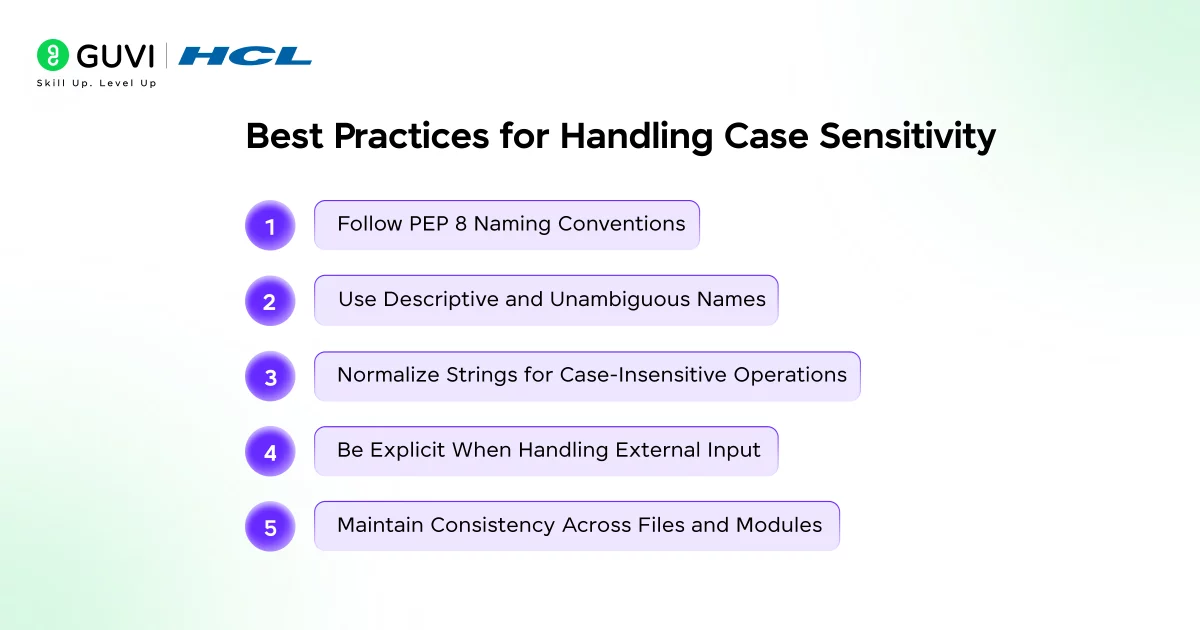
- Best Practices for Handling Case Sensitivity
- Best Practices for Handling Case Sensitivity
- Follow PEP 8 Naming Conventions
- Use Descriptive and Unambiguous Names
- Normalize Strings for Case-Insensitive Operations
- Be Explicit When Handling External Input
- Maintain Consistency Across Files and Modules
- Conclusion
- FAQs
- Is Python case sensitive for variables?
- Are Python keywords case sensitive?
- Is Python case sensitive on Windows?
- Can I make Python case insensitive?
TL;DR Summary
- Is Python Case Sensitive? Yes, always, for variables, functions, classes, keywords, and module imports.
- name, Name, and NAME are treated as three completely different identifiers with no automatic normalization.
- Python keywords must always be lowercase; writing If instead of if raises a syntax error.
- Case sensitivity in imports interacts with the operating system’s file system, which is why code can work on Windows but break on Linux.
- Java and JavaScript are also case sensitive like Python Case Sensitive rules require, but each enforces it slightly differently, covered in a dedicated comparison below.
What Does Case Sensitive Mean in Python?
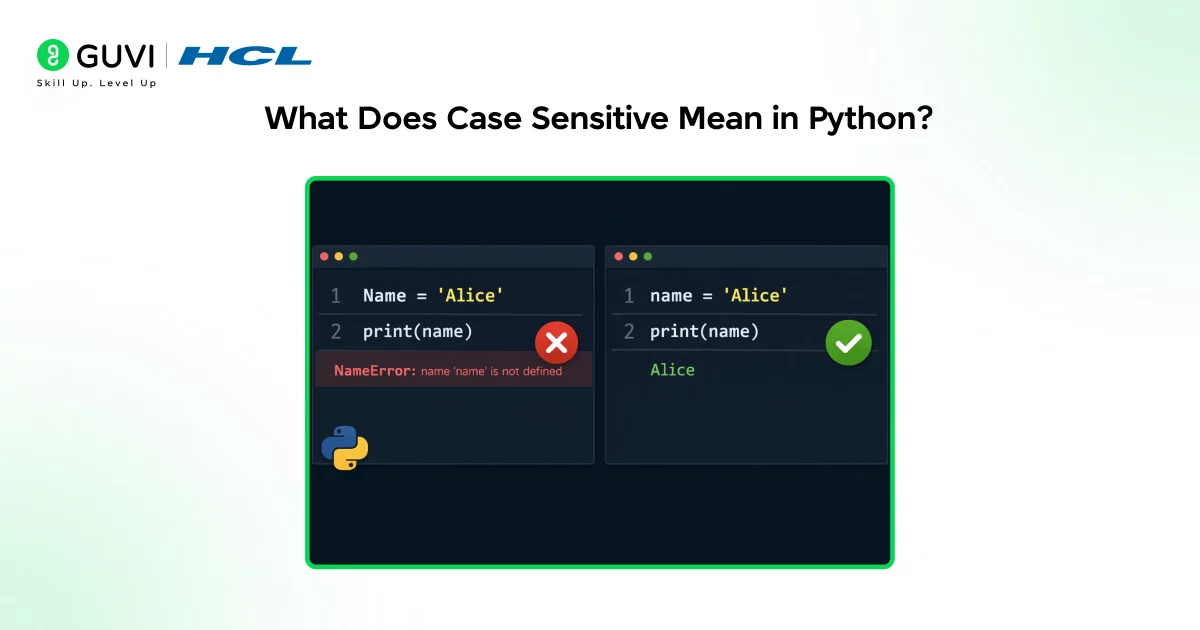
Understanding what Python Case Sensitive actually means starts here. In Python, case sensitivity means the interpreter treats uppercase and lowercase letters as distinct characters when resolving identifiers.
Names such as variables, functions, classes, and modules are matched exactly as written, without normalization. This means count, Count, and COUNT are separate identifiers referring to different objects in memory.
This precise string matching ensures unambiguous lookup in local, global, and built-in namespaces, letting Python maintain predictable, explicit behavior throughout a program.
Case Sensitivity in Python Variables
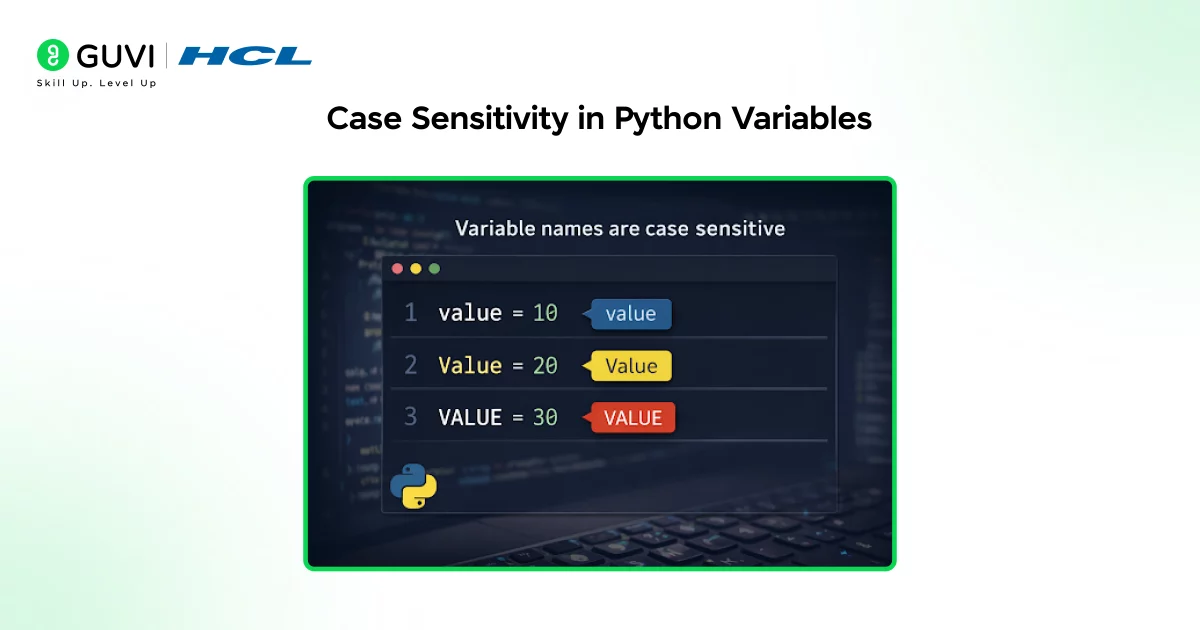
- Variable Names Are Case Sensitive
This is the first place Python Case Sensitive behavior shows up for most beginners. Python performs name lookup by matching the exact string representation of a variable name within the current scope.
There is no normalization or fallback mechanism for casing differences. Even a single letter case mismatch prevents Python from locating the intended variable.
Internally, variable names are stored as keys in namespace dictionaries (local, global, or object namespaces). Since dictionary keys are case sensitive, identifiers must match exactly for successful lookup.
- Code Example: name vs Name as Different Variables
Consider the following code:
name = "Aditi"
Name = "Rahul"
NAME = "Priya"

print(name)   # Output: Aditi
print(Name)   # Output: Rahul
print(NAME)   # Output: Priya

# Using the wrong casing raises an error
print(nAme)   # NameError: name 'nAme' is not defined
Each variable occupies a different namespace entry and holds a separate value. Accessing one does not affect the others. If you attempt to use a casing that was never actually assigned, Python raises a NameError. This behavior is consistent across function scopes, classes, and modules.
- Common Beginner Mistakes with Variable Casing
Beginners frequently introduce bugs by:
- Changing letter case unintentionally while typing variable names
- Reusing similar variable names that differ only by case
- Copying code snippets and modifying casing inconsistently
Such mistakes often result in runtime errors rather than syntax errors, making them harder to diagnose. Avoiding case-only differences in identifiers significantly improves code clarity and reliability.
Case Sensitivity in Python Functions and Methods
- Function and Method Names Are Case Sensitive
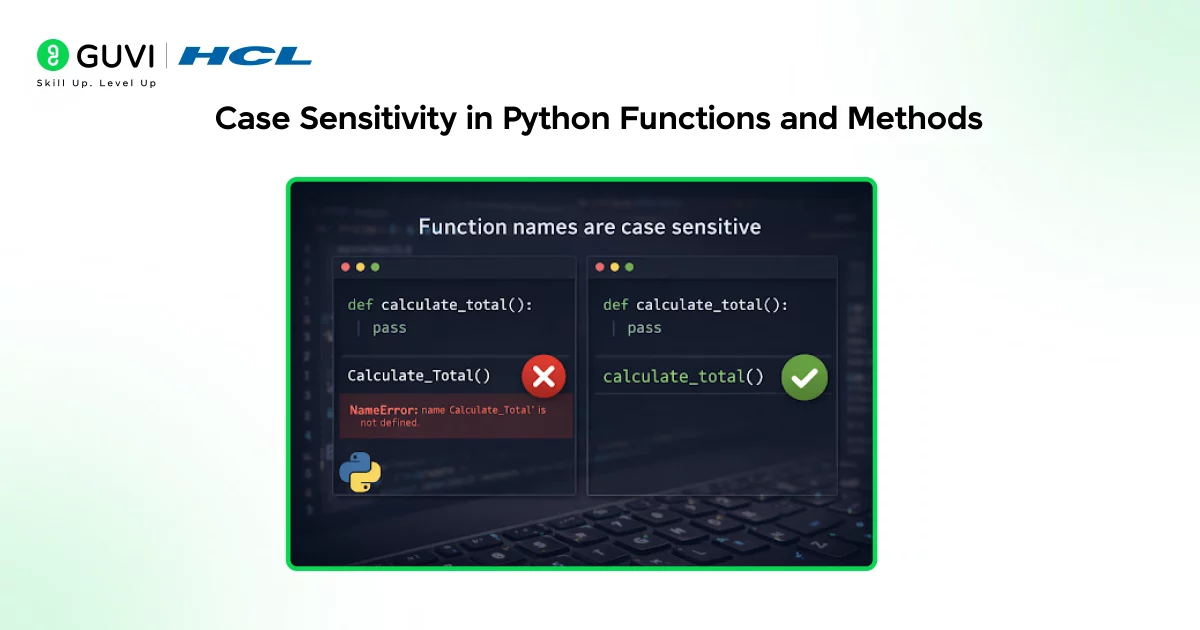
The same Python Case Sensitive rule applies to functions. When a function is defined, its name is bound to a function object using the precise casing provided.
Any call to that function must use the same casing, or Python will fail to locate it. This applies equally to standalone functions, instance methods, class methods, and static methods.
- Code Example: Function Naming and Case Sensitivity def calculate_total(price, quantity): return price * quantity print(calculate_total(100, 3)) # Output: 300
- Wrong casing fails, even though the logic is identical
- print(Calculate_Total(100, 3)) # NameError: name ‘Calculate_Total’ is not defined print(calculate_Total(100, 3)) # NameError: name ‘calculate_Total’ is not defined
Calling Calculate_Total() or calculate_Total() will raise a NameError. Python does not attempt to infer intent or search for similarly named functions.
- Impact on Built-In and User-Defined Functions
Python is case sensitive in the same way as many mainstream programming languages, though the implications differ slightly across ecosystems.
All built-in functions follow strict lowercase naming conventions. Functions such as print, len, type, and range must be called using exact casing; calling Print() or LEN() will fail, and user-defined functions follow the same rules.
Case Sensitivity in Python Keywords
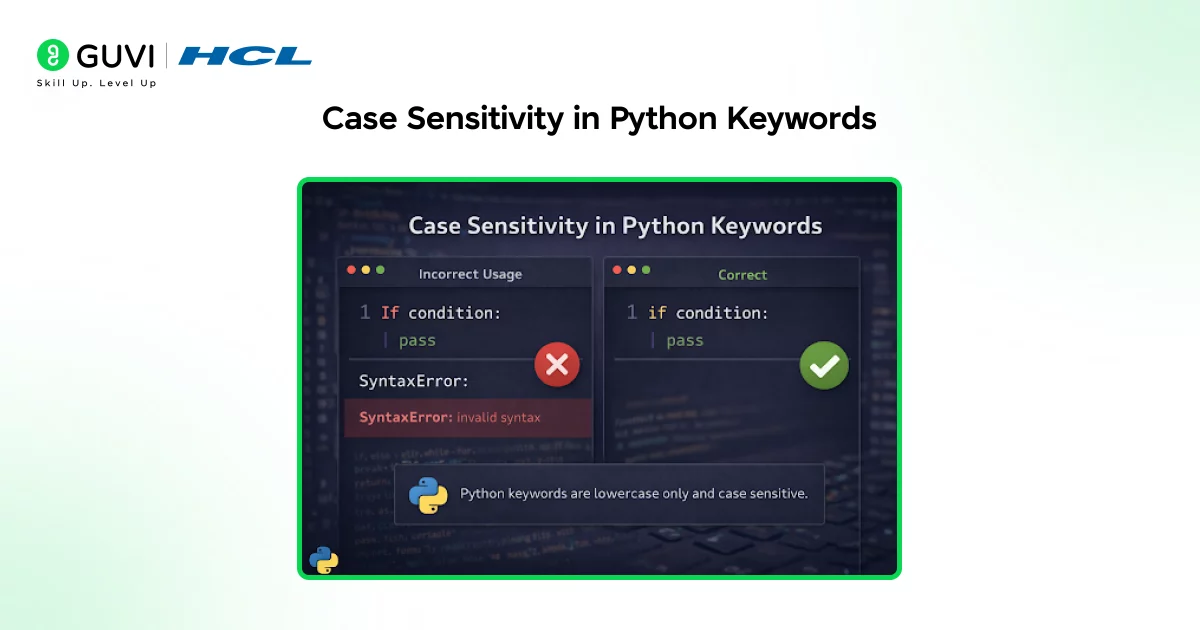
- Python Keywords Are Lowercase Only
Keywords are where Python Case Sensitive rules become non-negotiable. Python keywords are reserved words that define the core syntax of the language, stored internally as fixed, lowercase tokens.
Keywords cannot be reassigned, overridden, or aliased, which keeps Python’s grammar simple, readable, and unambiguous.
- Why if Works but If Does Not
The Python interpreter recognizes if as a conditional keyword because it exactly matches a predefined language token. Writing If changes the casing, causing Python to treat it as a regular identifier instead.
Since If has no syntactic meaning in that context, Python raises a syntax error rather than guessing your intent.
- Common Python Keywords
Common Python keywords include if, else, elif, while, for, break, continue, def, class, return, try, except, finally, import, from, as, with, pass, lambda, and yield.
Special constant-like keywords such as True, False, and None also follow strict casing rules, and all keywords must be written exactly to function correctly.
Confused by Python’s case sensitivity rules and common naming errors? Download HCL GUVI’s Python eBook to master core concepts like variables, functions, imports, and write error-free Python code with confidence.
Case Sensitivity in Python Class Names
- Class Naming Conventions vs Language Rules
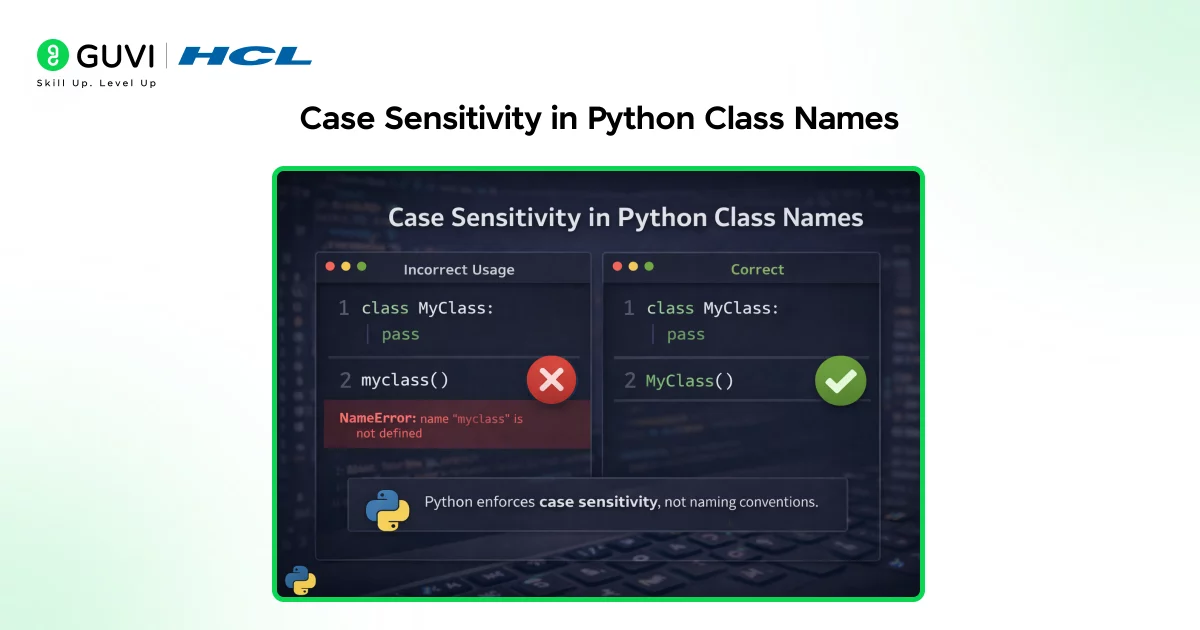
Class names are another area where Python Case Sensitive behavior matters. Python enforces case sensitivity for class names but does not enforce naming conventions at the language level. By convention, class names use PascalCase to visually distinguish them from variables and functions, improving readability and making object-oriented structures easier to identify.
- Code Example: Class Names and Case Sensitivity class Student: def init(self, name): self.name = name s = Student(“Meera”) print(s.name) # Output: Meera
- Using the wrong casing for the class name fails
- s2 = student(“Arjun”) # NameError: name ‘student’ is not defined
- Difference Between Convention and Enforcement
While PascalCase is strongly recommended, Python only enforces exact name matching, not stylistic rules. Classes can technically be defined using lowercase, uppercase, or mixed casing under Python Case Sensitive rules, but inconsistent casing reduces clarity and increases the likelihood of reference errors.
- Why MyClass and myclass Are Different
If a class is defined as MyClass, referencing it as myclass results in a NameError. Python treats these as completely separate identifiers because name resolution depends on exact string matching. The interpreter does not infer intent based on naming similarity, which reinforces the need for consistent class naming practices.
Ready to stop case-sensitivity errors and write confident Python code? Enroll in HCL GUVI’s Python course to learn with 100% online, self-paced modules and enjoy full lifetime access to all content as you build strong Python fundamentals.
Case Sensitivity in Python Modules and Imports
- Import Statements Are Case Sensitive
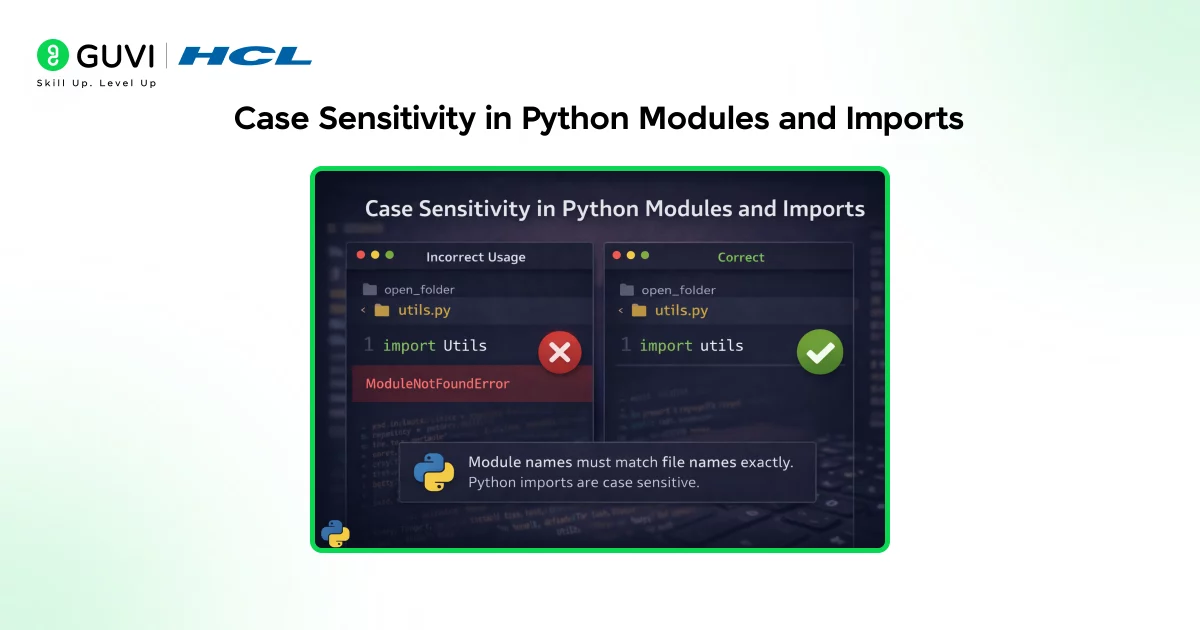
Being Python Case Sensitive also affects how imports work. Python’s import mechanism resolves module and package names using exact string matching against file and directory names.
When an import runs under Python Case Sensitive rules, Python searches sys.path for a file matching the exact casing. Any mismatch can prevent Python from finding the module, resulting in a ModuleNotFoundError.
- How File Names Affect Imports?
This is a classic example of Python Case Sensitive rules causing real deployment headaches. If a module file is named utils.py, importing it as Utils or UTILS introduces ambiguity.
On case-sensitive file systems, such imports fail immediately. On case-insensitive systems, the import may succeed, masking the issue until later.
This inconsistency often leads to deployment failures when code is moved to production environments, which commonly run on Linux. Using consistent, lowercase file names and matching import statements exactly helps prevent these environment-specific errors and ensures reliable module resolution.
- OS Differences (Linux vs Windows vs macOS)
The interaction between Python Case Sensitive rules and the OS is worth understanding well. File systems handle letter casing differently, which directly affects how Python resolves imports.
Linux uses a strictly case-sensitive file system, so utils.py, Utils.py, and UTILS.py are treated as different files, and any casing mismatch fails immediately.
Windows uses a case-insensitive but case-preserving file system, so importing utils may succeed even if the file is named Utils.py. macOS commonly behaves the same way by default.
This inconsistency can mask casing mistakes during local development and cause unexpected failures once code is deployed to Linux-based production servers.
Case Sensitivity in Strings and Comparisons
- Strings Preserve Case
Strings are also affected by Python Case Sensitive rules. Python strings preserve the exact casing of every character at the time of creation.
Uppercase and lowercase letters are stored as distinct Unicode code points, so “A” and “a” are fundamentally different. Python never normalizes casing unless the developer explicitly transforms it.
- Case-Sensitive String Comparison Behavior
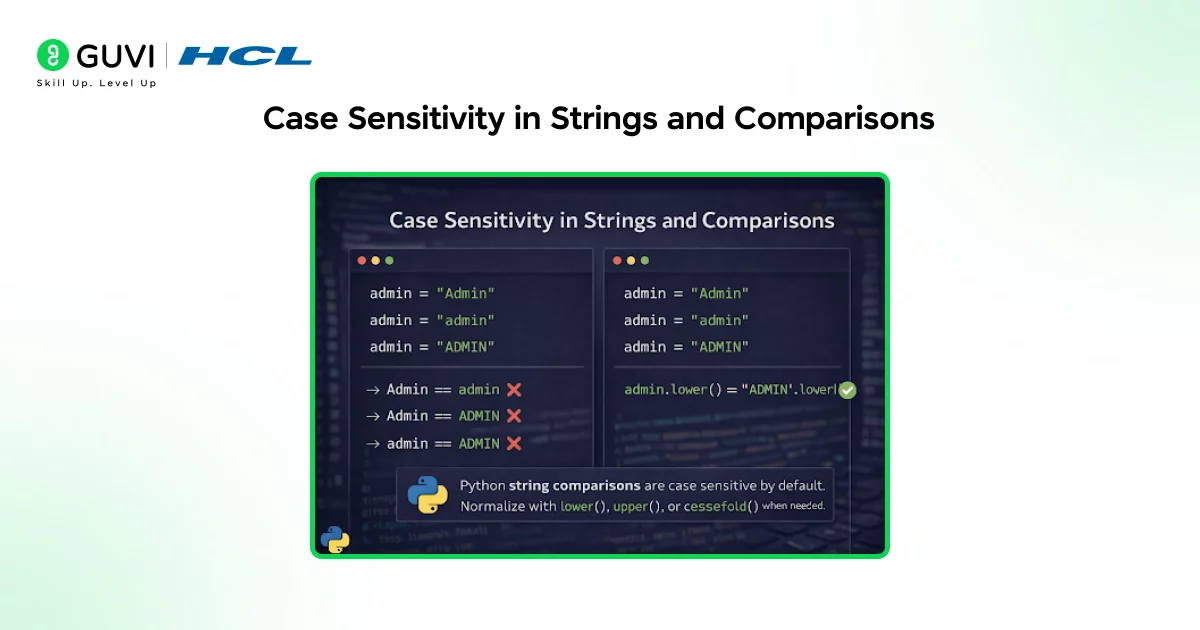
String comparisons are another place Python Case Sensitive behavior shows up. By default, Python compares strings character-by-character using Unicode values, so “Admin”, “admin”, and “ADMIN” are all unequal.
This directly affects conditionals, filtering, dictionary lookups, and authentication logic. A login system comparing raw input without normalization may reject valid users due to casing alone.
- When and Why to Normalize Strings?
Working around Python Case Sensitive string comparisons, normalization is necessary whenever casing shouldn’t affect the outcome, such as user input, search, form validation, or external API data.
Methods like lower() and upper() handle simple cases, while casefold() provides a more Unicode-aware transformation for internationalized text. Normalizing before comparison reduces subtle bugs.

How Python Handles Case Sensitivity Internally?
1. Identifier Lookup Mechanism
Here’s the internal mechanism that makes Python Case Sensitive behavior consistent. Python resolves identifiers using exact string matching, searching local scope, enclosing scopes, global scope, and finally built-in scope.
At each stage, Python looks for a name that matches exactly, including casing. There’s no fallback or fuzzy matching, ensuring deterministic resolution.
2. Symbol Tables and Name Resolution
This is the technical reason Python Case Sensitive behavior exists at all. Internally, Python stores identifiers in symbol tables implemented as dictionaries, for modules, functions, classes, and objects.
Because dictionary keys are case sensitive, count, Count, and COUNT are stored as separate entries, making correct casing essential for lookup.
3. Why Python Does Not Normalize Case
Being Python Case Sensitive by design, rather than by accident, is a deliberate choice. Automatic case normalization would introduce ambiguity, make debugging harder, and obscure programmer intent.
By enforcing strict case sensitivity, Python keeps its execution model simple and transparent, aligning with its philosophy of explicit, readable code.
Want to understand Python’s case-sensitivity rules and avoid naming errors in real code? Explore HCL GUVI’s Python Hub to strengthen core concepts, practice examples, and improve your Python fundamentals step by step.
Python Case Sensitivity Rules for Variables, Functions, Classes, Keywords
Pulling every Python Case Sensitive rule covered above into one place, here’s the complete cheat sheet:
| Identifier Type | Case Sensitive? | Convention | Example |
|---|---|---|---|
| Variables | Yes | snake_case, all lowercase | total_price, not Total_Price |
| Functions/Methods | Yes | snake_case, all lowercase | calculate_total(), not Calculate_Total() |
| Classes | Yes | PascalCase (CapWords) | class Student:, not class student: |
| Constants | Yes | ALL_UPPERCASE with underscores | MAX_LIMIT, not max_limit |
| Keywords | Yes, lowercase only | Fixed by the language, never customizable | if, for, def, never If, For, Def |
| Modules/Imports | Yes, tied to file names | lowercase, matches the actual file exactly | import utils, not import Utils |
| Built-in functions | Yes | Always lowercase | print(), len(), never Print(), Len() |
The pattern across every row in this Python Case Sensitive summary: Python never guesses your intent based on similar spelling. If the casing doesn’t match exactly, the identifier is treated as if it doesn’t exist at all.
Common Errors Due to Case Sensitivity in Python (With Fixes)
1. NameError Due to Incorrect Casing
This is the most common Python Case Sensitive error beginners run into. A NameError occurs when Python cannot find an identifier with the specified casing in the current scope.
This commonly happens when a variable or class is referenced with different capitalization than its definition, and even a single mismatched letter results in a runtime error.
The Fix:
# Problem
user_name = "Kavya"
print(User_Name)   # NameError: name 'User_Name' is not defined

# Fix: use the exact same casing everywhere
user_name = "Kavya"
print(user_name)   # Output: Kavya
2. Function Not Found Errors
This is a second common Python Case Sensitive mistake. Functions must be called using the exact name defined in the code. Calling a function with incorrect casing causes Python to treat it as an undefined identifier. This Python Case Sensitive rule applies equally to user-defined functions and built-in functions, such as calling Print() instead of print().
The Fix:
# Problem
def greet_user():
    print("Hello!")

Greet_User()   # NameError: name 'Greet_User' is not defined

# Fix: match the function definition's exact casing
greet_user()   # Output: Hello!
3. Import Errors Linked to Filename Case
This third Python Case Sensitive error catches even experienced developers off guard. Import-related errors often arise when module names in import statements do not match the exact casing of the file or package name. These Python Case Sensitive issues are especially common when code developed on case-insensitive file systems is deployed to case-sensitive environments.
The Fix:
# Problem (file is actually named utils.py)
import Utils   # ModuleNotFoundError on Linux/macOS (case-sensitive systems)

# Fix: match the file name's exact casing
import utils   # Works consistently across all operating systems
Using consistent, lowercase module names and matching import statements precisely helps prevent these errors regardless of which operating system your code eventually runs on.
Python vs Java vs JavaScript Case Sensitivity Comparison
Being Python Case Sensitive isn’t unique, Java and JavaScript apply the same rule with slightly different consequences. Here’s how the three compare directly:
| Aspect | Python | Java | JavaScript |
|---|---|---|---|
| Case sensitive? | Yes | Yes | Yes |
| When errors surface | Runtime (NameError) | Compile time (caught before running) | Runtime (ReferenceError) |
| Keyword casing | Always lowercase | Always lowercase | Always lowercase |
| Variable convention | snake_case | camelCase | camelCase |
| Class convention | PascalCase | PascalCase | PascalCase |
| Typing | Dynamically typed | Statically typed | Dynamically typed |
| File/module name sensitivity | Tied to OS file system | Class name must match file name exactly (enforced by compiler) | Not tied to a strict file-naming rule |
The biggest practical difference across these Python Case Sensitive languages is when you find out about a casing mistake. Java’s compiler catches casing errors before your program ever runs, since it’s statically typed.
Python and JavaScript are both dynamically typed, so a casing mistake often stays hidden until that exact line executes, which is why testing every code path matters more here.
Best Practices for Handling Case Sensitivity
Best Practices for Handling Case Sensitivity
1. Follow PEP 8 Naming Conventions
These practices help you work with Python Case Sensitive rules instead of constantly fighting them. Adhering to the official Python style guide (PEP 8) works with Python Case Sensitive rules rather than against them, improving readability and reducing casing errors.
- Variables and functions: Use snake_case with all lowercase letters and underscores to separate words. This is another example of why Python Case Sensitive identifiers should be predictable and easy to type correctly.
- Classes: Use PascalCase (CapWords convention) to clearly distinguish class names from variables and functions.
- Constants: Use ALL_UPPERCASE with underscores for values intended to remain unchanged, which helps signal intent and prevents accidental reassignment.
Consistent naming under Python Case Sensitive conventions reduces mental overhead and helps developers quickly recognize the role of each identifier.
2. Use Descriptive and Unambiguous Names
Even with Python Case Sensitive rules working exactly as designed, this remains a common self-inflicted problem. Avoid using identifiers that differ only by letter casing, such as data, Data, and DATA.
This practice increases the likelihood of NameError and makes code harder to read and debug. Clear, descriptive names reduce ambiguity and improve maintainability.
3. Normalize Strings for Case-Insensitive Operations
Working around Python Case Sensitive behavior deliberately, rather than fighting it, is the goal here. When performing comparisons where letter casing should not matter, such as user authentication, search functionality, or text filtering, normalize both values before comparison.
- Use str.lower() or str.upper() for simple, predictable comparisons.
- Use str.casefold() for more robust, internationalized comparisons, as it handles Unicode characters more accurately than basic case conversion.
Normalizing strings ensures consistent behavior across different user inputs and prevents subtle bugs caused by casing differences.
4. Be Explicit When Handling External Input
External data doesn’t respect Python Case Sensitive conventions the way your own code does. Data from users, files, APIs, or third-party systems often comes with inconsistent casing. Always normalize or validate such input before processing it. This practice improves reliability and prevents logic errors that only appear under specific input conditions.
5. Maintain Consistency Across Files and Modules
This final Python Case Sensitive best practice prevents the most environment-specific bugs. Ensure that module names, file names, and import statements use consistent casing. This avoids environment-specific issues when moving code between operating systems with different file system behaviors.
Conclusion
Python’s strict case sensitivity is not a limitation but a design choice that promotes clarity, precision, and predictable behavior. By treating identifiers with different casing as distinct, Python avoids ambiguity and enforces explicit naming across variables, functions, classes, keywords, and imports. Understanding how case sensitivity works helps prevent common errors, improves debugging efficiency, and encourages consistent coding practices. Learning Python and its sensitivity is essential for writing reliable, maintainable Python programs at any scale.
FAQs
Is Python case sensitive for variables?
Yes, Python is case sensitive for variables. Variable names with different letter casing are treated as separate identifiers. For example, count, Count, and COUNT refer to three different variables and store independent values.
Are Python keywords case sensitive?
Yes, Python keywords are case sensitive and must be written in lowercase. Keywords such as if, else, for, and whilewill not work if their letter casing is changed, and Python will raise a syntax error.
Is Python case sensitive on Windows?
Yes, Python itself is case sensitive on all operating systems, including Windows. Variable names, function names, and keywords follow the same case rules. However, file systems on Windows are case insensitive, which can affect module imports.
Can I make Python case insensitive?
No, Python cannot be made fully case insensitive. Case sensitivity is a core language design feature. However, you can handle case-insensitive comparisons manually by converting strings to a common case using methods like .lower() or .upper().
Success Stories

About the Author
Jebasta
I translate the language of data into stories that anyone can understand. As a writer with a data science background, I simplify analytics, AI, and decision-making so beginners and enthusiasts can confidently explore the world of data.
View all posts by Jebasta
Connect with me @














Did you enjoy this article?