
Sticky Notes Board Project Requirements & Tech Stack
Pre-requisites for Sticky Board Project
Before diving into the Sticky Notes Board implementation, let’s ground ourselves. These lessons make sure you have the right setup, the right tools, and a clear idea of what inputs and outputs we’re working with. Think of it as laying the foundation before construction begins.
Basic Requirements
To follow this project smoothly, you’ll need a handful of tools installed and accounts set up:
- Node.js & npm
- Node.js lets us run JavaScript outside the browser.
- npm (Node Package Manager) comes bundled with Node and is used to install React and other dependencies.
- Recommendation: Install the LTS (Long Term Support) version from nodejs.org. At the time of writing, Node 18+ works perfectly.
- Code Editor
- Use VS Code for ease of development. It has built-in support for JavaScript/React and integrates well with Git.
- Web Browser
- A modern browser like Chrome, Edge, or Firefox. Chrome DevTools will be useful for debugging.
- Git & GitHub
- Git is a version control system, and GitHub is where we’ll host the repository for easy deployment.
- Install Git: git-scm.com
- Verify after install:
git --version
- Netlify Account
- Netlify is the platform we’ll use to host our React app permanently.
- Sign up for free at netlify.com using your GitHub account for smooth integration.
Tech Stack Used
This project doesn’t need a heavy stack. Here’s what we’ll use:
- Frontend Framework:
- ReactJS (via Create React App)
- Handles components, state management, rendering.
- Language:
- JavaScript (ES6+) — arrow functions, destructuring, template literals.
- Styling:
- CSS — simple, clean styling for the board and notes. No frameworks, just hand-written styles in index.css.
- Persistence Layer:
- Browser localStorage — keeps notes saved even after a page reload.
- Version Control & Hosting:
- Git + GitHub — track code history and host the repository.
- Netlify — runs the build step (npm run build) and serves the optimized production code to the world.
Input
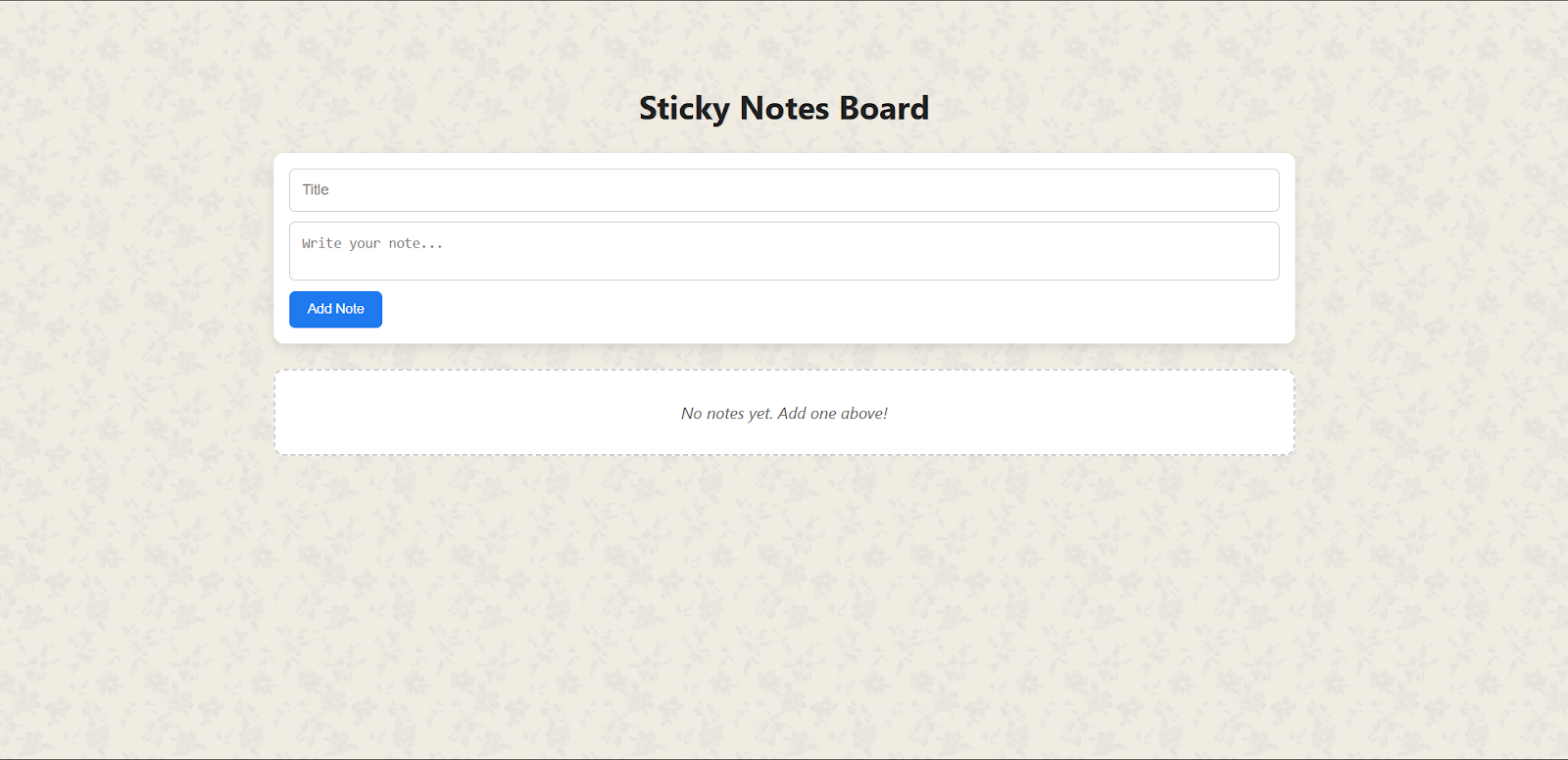
The app expects two types of user inputs:
- Title: a short string for each note (optional, can be empty).
- Body: the content of the note, which can be multiple lines.
These inputs come from a small form at the top of the page. Users can also edit existing notes, which re-opens the input fields with prefilled values.
Output
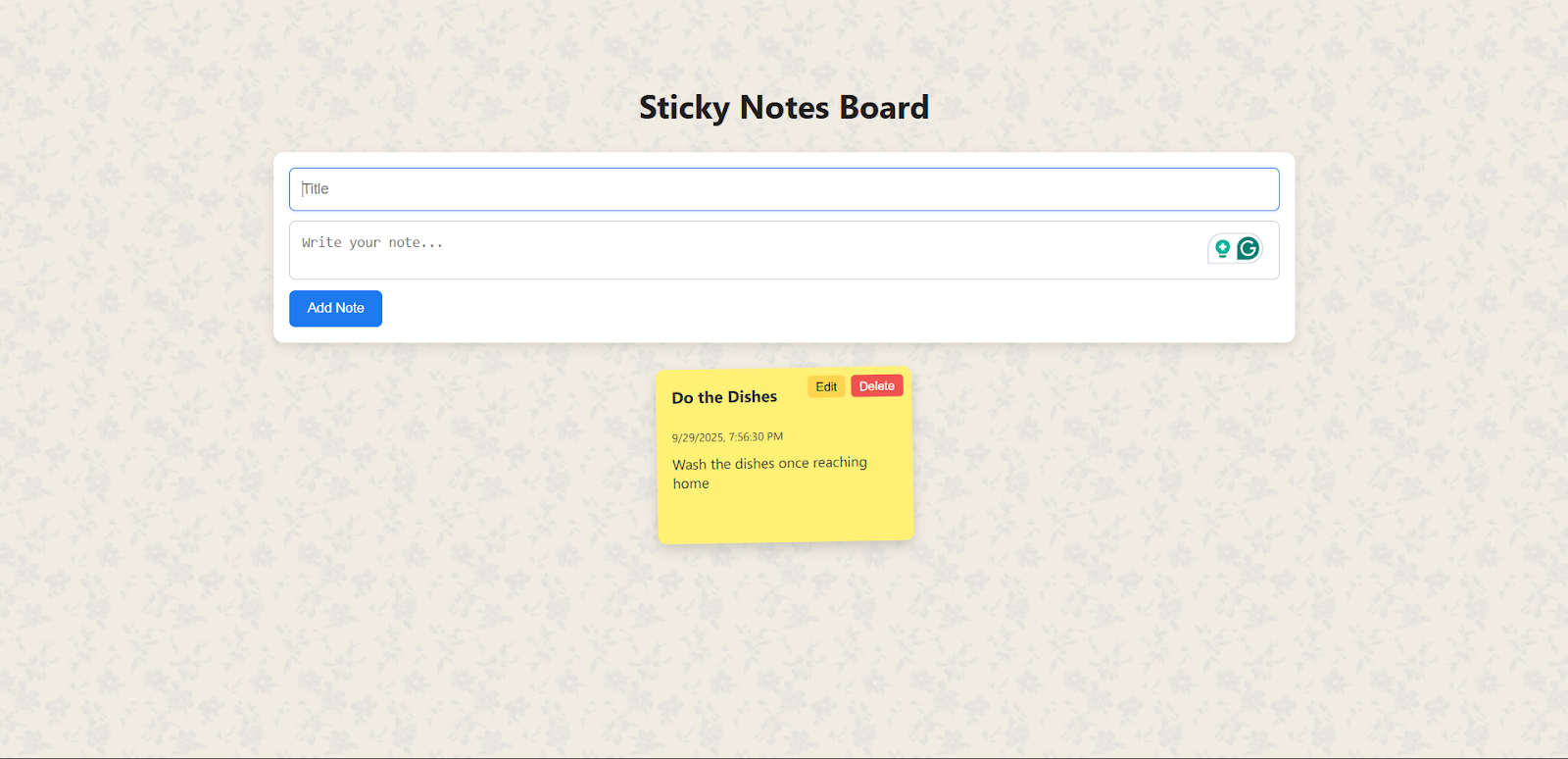
The outputs of the app are:
- Sticky Note Cards:
Each note appears as a “sticky card” on the board, showing the title, content, and last updated date. - Dynamic Updates:
When a note is added, edited, or deleted, the board updates instantly without refreshing. - Persistent Data:
Notes are stored in localStorage, so when you close and reopen the browser, your notes remain. - Deployed Web App:
After deployment, the output isn’t just visible on your computer, it’s available online via a Netlify link.
ReactJS Projects










