


Software Development Articles
My Google SDE Interview Experience: From Rejection to Selection [2026 Success Story]
Apple Interview Experience for Software Developers: What to Expect
Decoding Differences between Network OS and Distributed OS
Operating System Examples: Top OS Types, Features, and Uses Explained


Get In Touch For Details! Request More Information

SaaS or Software or Software as a Service: A Detailed Guide
Oct 27, 2025 5 Min Read 2161 Views
(Last Updated)
What if businesses could run powerful software without installing a single program or managing a single server? SaaS makes that possible. It delivers applications through the internet and shifts infrastructure and security to the provider, which allows teams to focus on using the software rather than maintaining it.
Read this blog to gain a complete understanding of SaaS and its role in modern technology strategy.
- The global SaaS market reached nearly USD 266 billion in 2024 and is projected to pass USD 315 billion in 2025.
- Analysts expect SaaS to grow to more than USD 1.2 trillion by 2032 with a compound annual growth rate close to 18–20%.
- Around 95% of organizations worldwide now use at least one SaaS application in their operations.
Table of contents
- What is SaaS?
- Brief History of SaaS
- Features and Characteristics of SaaS
- Trending SaaS Tools
- How SaaS Works?
- Step 1: Application Hosting
- Step 2: User Access and Authentication
- Step 3: Data Processing and Storage
- Step 4: Continuous Updates
- Step 5: Monitoring and Support
- Best Benefits of SaaS
- Cost Efficiency
- Easy Scalability
- Faster Deployment
- Seamless Collaboration
- Continuous Updates and Security
- Common Scenarios and Top Applications of SaaS
- Customer Relationship Management (CRM)
- Enterprise Resource Planning (ERP)
- Project Management
- Human Resource Management (HRM)
- Accounting and Finance
- Difference Between SaaS, PaaS, and IaaS
- Software as a Service (SaaS)
- Platform as a Service (PaaS)
- Infrastructure as a Service (IaaS)
- SaaS, PaaS, and IaaS: Comparison Table
- SaaS vs. On-Premises Software
- Future Advancements in SaaS
- Conclusion
- FAQs
- What makes SaaS different from traditional licensing?
- Can SaaS integrate with existing business systems?
- Is SaaS suitable for highly regulated industries?
What is SaaS?
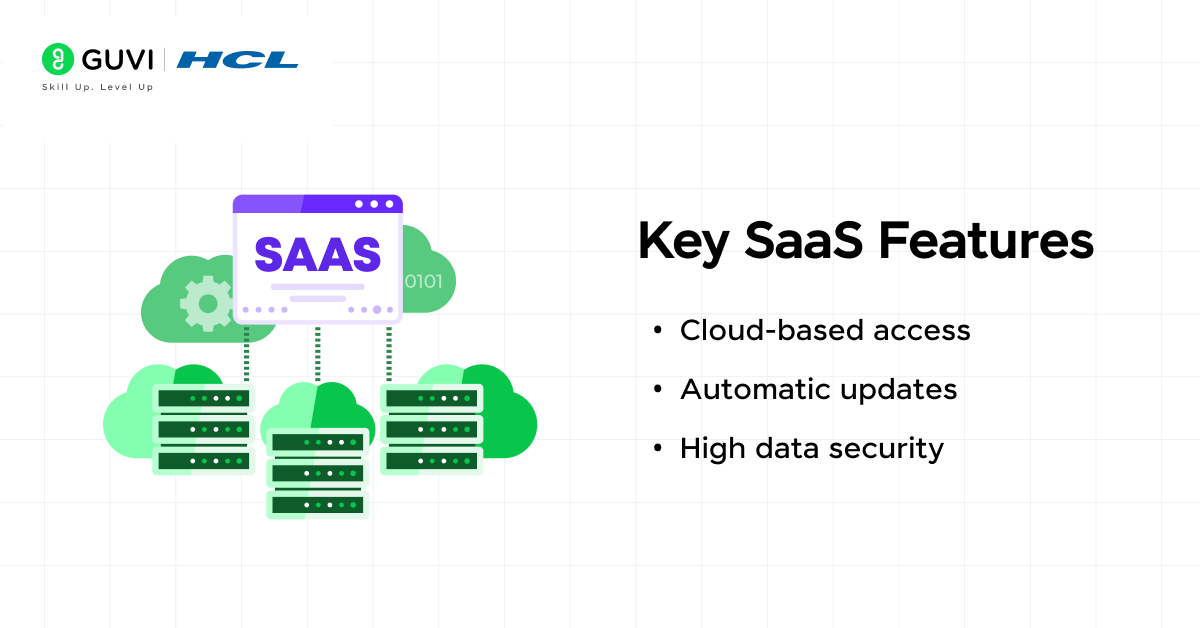
SaaS (Software as a Service) is a cloud-based software delivery model where applications are hosted online and accessed via the internet. SaaS providers handle maintenance and database security, so users focus on using the service. Companies choose SaaS because it reduces upfront costs and removes the need for complex infrastructure.
Brief History of SaaS
SaaS has its roots in the 1960s with mainframe time-sharing, where multiple users accessed software through terminals. This model faded as personal computers became common, yet the idea of shared access remained valuable. In the late 1990s, the concept returned through application service providers that delivered business software from centralized servers. Broadband internet made remote software delivery faster and more reliable, which encouraged more businesses to adopt this approach.
Salesforce launched its cloud-based CRM in 1999 and showed that an entire enterprise application could run entirely in a browser. Through the 2000s, Amazon Web Services and other infrastructure providers made scalable hosting more accessible. This combination of better connectivity and affordable infrastructure turned SaaS into a dominant way to deliver software across industries.
Read: Top 10 Cloud Computing Trends You Should Know
Features and Characteristics of SaaS
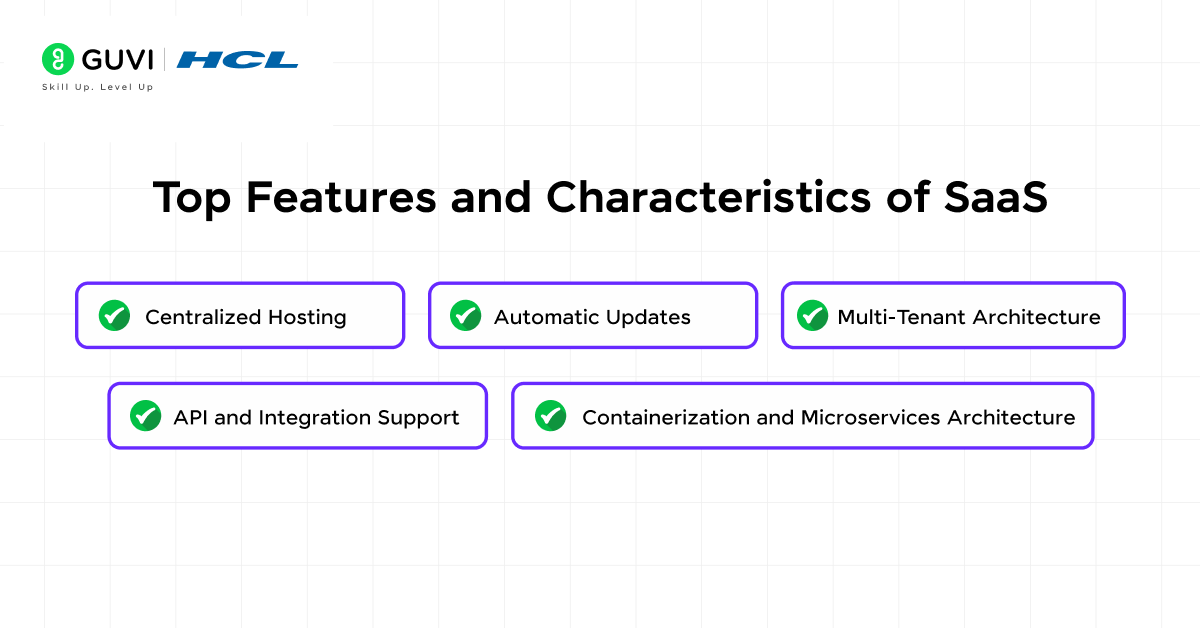
The following features make SaaS suitable for enterprises and individual professionals who need scalable and secure solutions:
- Centralized Hosting: Software runs on provider-managed infrastructure that uses virtualized resources. This removes the need for physical servers and reduces on-site maintenance work.
- Automatic Updates: Providers roll out patches and feature upgrades on the server side. Users receive improvements instantly without installing updates manually.
- Multi-Tenant Architecture: A single software instance serves multiple customers while isolating their data. This approach optimizes resource use and simplifies upgrades for all users.
- API and Integration Support: Most SaaS platforms provide REST or GraphQL APIs which allow connection with CRMs, ERPs and analytics tools. This creates an ecosystem where data flows across systems without manual transfer.
- Containerization and Microservices Architecture: Many modern SaaS solutions use container-based deployment and microservices design. This approach allows independent scaling of services, faster rollouts of new features and better fault isolation during incidents.

Trending SaaS Tools
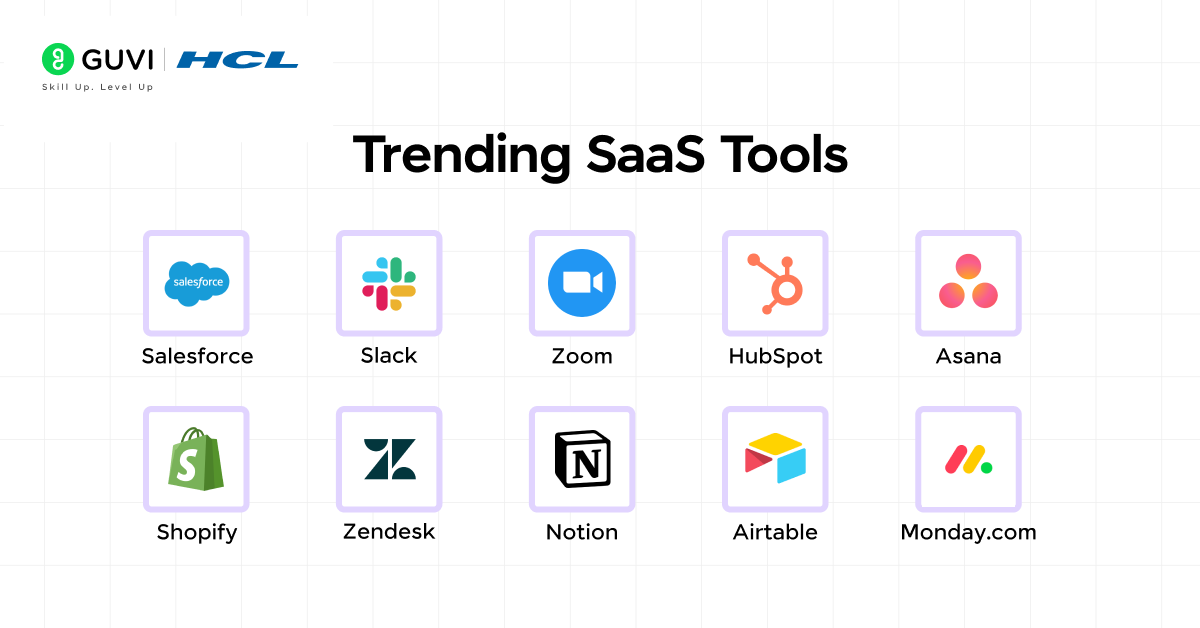
- Salesforce-CRM Excellence: Salesforce remains the leading customer relationship management platform. It offers sales tracking and analytics that help businesses improve customer engagement.
- Slack-Team Communication: Slack provides a centralized space for messaging and integration with other business apps. It keeps teams connected and reduces email dependency.
- Zoom-Virtual Meetings: Zoom powers online meetings, webinars, and collaboration sessions. It is valued for its reliability and easy integration with scheduling and project tools.
- HubSpot-Marketing Automation: HubSpot helps teams run inbound marketing campaigns and analyze results in one place. It is widely used by small and mid-sized businesses.
- Asana-Project Management: Asana tracks tasks and dependencies. Its visual boards and reporting features help teams stay on schedule and maintain clear accountability.
- Shopify-E-Commerce Operations: Shopify gives businesses an easy way to launch online stores, manage payments, and handle inventory from a single dashboard.
- Zendesk-Customer Support: Zendesk offers ticketing, live chat, and self-service tools that improve response times and customer satisfaction.
- Notion-Knowledge Management: Notion combines documents and task management in one workspace. It is popular for creating centralized knowledge hubs for teams.
- Airtable-Collaborative Database: Airtable provides a spreadsheet-like interface with database capabilities. It helps teams organize projects and build lightweight applications.
- Monday.com-Workflow Automation: Monday.com allows teams to design custom workflows, track project progress, and automate repetitive tasks. It is widely used for cross-team coordination.
How SaaS Works?
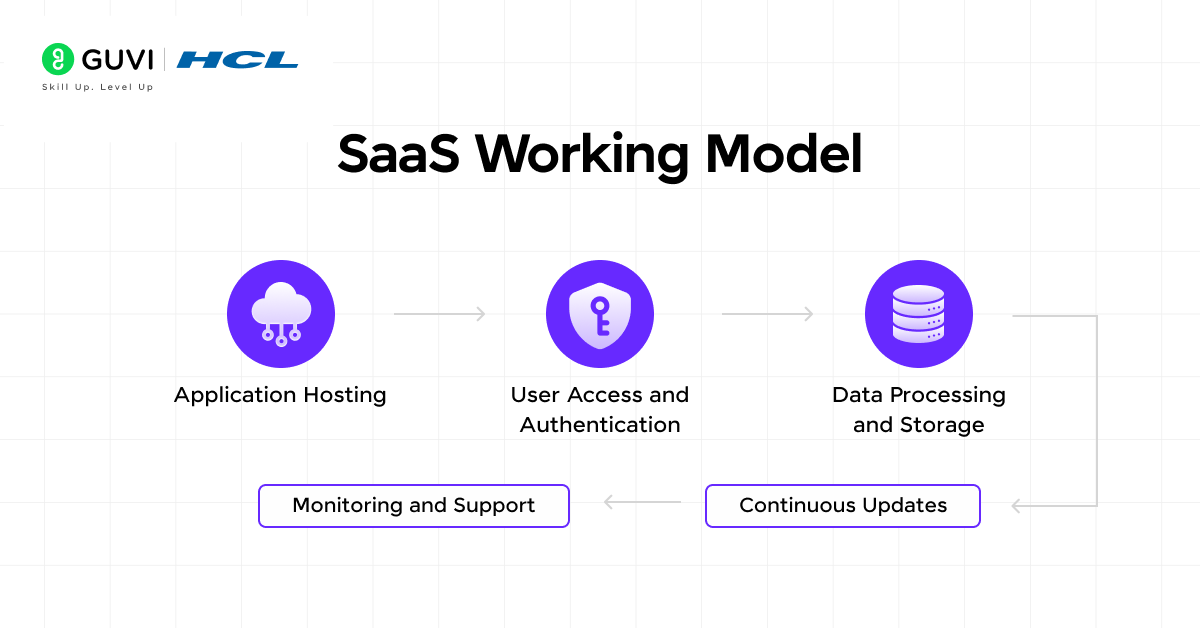
Step 1: Application Hosting
The provider hosts the application on cloud infrastructure that uses virtualization and load balancing. Compute and networking resources are provisioned automatically, which keeps performance stable even during heavy traffic.
Step 2: User Access and Authentication
Users connect to the application through a browser or a lightweight client. Authentication systems verify credentials and apply role-based permissions to control access to data and features.
Step 3: Data Processing and Storage
The application processes user actions in real time and stores data in provider-managed databases. Encryption protects data at rest and in transit, and regular backups reduce the risk of loss.
Step 4: Continuous Updates
The provider deploys patches, security fixes, and new features directly on the server side. Users work with the latest version of the software without manual installation.
Step 5: Monitoring and Support
Providers track application health through monitoring tools and respond to incidents before they disrupt users. Service-level agreements define expected uptime and performance targets.
Best Benefits of SaaS
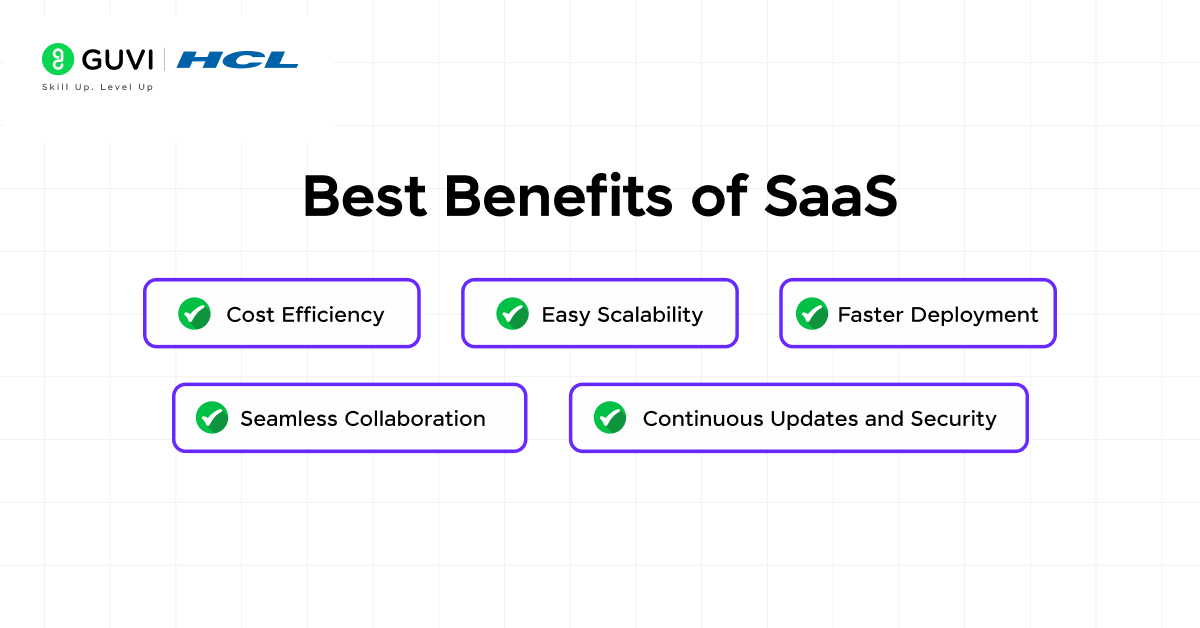
1. Cost Efficiency
Traditional software often requires expensive servers and licensing contracts. SaaS moves those costs to a recurring subscription model, which spreads expenses evenly and avoids large capital purchases. Providers include infrastructure and support in the subscription, which reduces hidden costs that come from maintenance and downtime.
2. Easy Scalability
Businesses no longer need to predict hardware capacity years in advance. SaaS platforms let them add users or storage space within minutes. This flexibility keeps technology aligned with business growth or seasonal changes and prevents wasted resources during slower periods.
3. Faster Deployment
Legacy software installations often take weeks with local configuration and manual updates. SaaS applications become available almost immediately after sign-up. This speed lets teams adopt new tools quickly, which accelerates project timelines and reduces reliance on internal IT resources.
4. Seamless Collaboration
Teams work in a shared cloud environment where data stays synchronized in real time. This reduces version conflicts and ensures that everyone sees the same information regardless of location or device. Integration with communication tools further improves workflow continuity.
5. Continuous Updates and Security
Providers manage upgrades and apply patches across all users simultaneously. This approach reduces exposure to security risks caused by outdated software. Regular audits and compliance certifications also help businesses meet industry regulations such as GDPR or HIPAA without heavy internal effort.
Take your understanding of SaaS to the next level with our Introduction to Cloud Computing Course. Learn the fundamentals of cloud platforms, virtualization, and scalable architectures that power SaaS solutions worldwide.
Common Scenarios and Top Applications of SaaS

1. Customer Relationship Management (CRM)
SaaS CRMs manage sales pipelines and provide analytics dashboards. They help businesses improve lead conversion and maintain stronger customer relationships. Salesforce and HubSpot are widely used examples.
2. Enterprise Resource Planning (ERP)
Cloud-based ERP systems manage finance and supply chain operations. SaaS ERP solutions lower infrastructure costs and provide unified data visibility for better decisions.
3. Project Management
SaaS project management platforms allow task tracking and resource planning. They give managers clear visibility into progress and deadlines. Asana, Trello, and Monday.com are popular options.
4. Human Resource Management (HRM)
Cloud HRM platforms manage payroll, employee records, and performance reviews. They help organizations stay compliant with labor laws and simplify HR workflows.
5. Accounting and Finance
SaaS accounting solutions automate invoicing, expense tracking, and reporting. They make financial records accurate and accessible for audits and forecasting.
Difference Between SaaS, PaaS, and IaaS
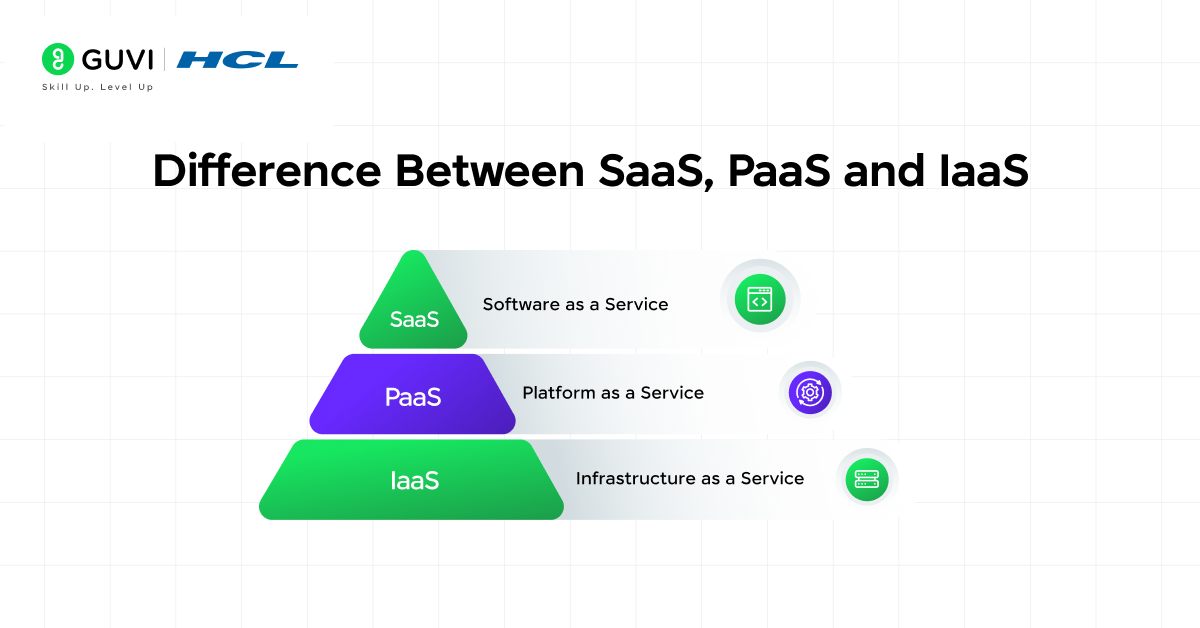
Cloud computing offers several service models, and understanding the differences helps organizations choose the right approach for their needs. SaaS, PaaS, and IaaS address separate layers of the technology stack, each serving a distinct purpose:
Software as a Service (SaaS)
SaaS delivers ready-to-use applications over the internet. Users access software through a browser without installing it locally. The provider manages infrastructure, updates, and security, which allows businesses to focus only on using the application. Examples include Salesforce, Google Workspace, and Slack.
Platform as a Service (PaaS)
PaaS offers a managed environment where developers build and deploy applications. The platform supplies runtime, databases, and middleware so teams concentrate on writing code rather than configuring servers. Examples include Google App Engine and Heroku.
Infrastructure as a Service (IaaS)
IaaS provides virtualized computing resources such as virtual machines, storage, and networking. Organizations manage the operating system and applications while the provider handles physical hardware. This gives flexibility for custom configurations and is suited for businesses that want full control. Examples include Amazon EC2, Microsoft Azure Virtual Machines, and Google Compute Engine.
SaaS, PaaS, and IaaS: Comparison Table
| Feature | SaaS | PaaS | IaaS |
| Management Responsibility | Provider handles everything from infrastructure to updates | Provider handles servers and runtime. User manages code and data | Provider handles hardware. User manages OS, middleware and apps |
| Customization | Limited to settings or add-ons | High for apps built on the platform | Full control over OS and workloads |
| Use Case | Quick access to business tools | Building and deploying applications | Running custom workloads and environments |
| Scalability | Automatic scaling by provider | Scaling managed by the user | Scaling managed by user |
| Skill Requirement | Low | Medium | High |
| Deployment Speed | Immediate | Fast after development | Slower due to setup needs |
SaaS vs. On-Premises Software
Organizations often compare SaaS with on-premises software to decide which approach best supports their operations. On-premises software requires installation and maintenance on local servers, which gives full control but also creates higher costs and administrative effort.
SaaS delivers software through the internet, which shifts maintenance and infrastructure responsibility to the provider. This difference affects cost structure and the speed of deployment. Here is a clear comparison:
| Feature | SaaS | On-Premises |
| Deployment | Available from any device with an internet connection | Requires manual installation on local servers and devices |
| Cost Structure | Subscription model with predictable payments | Large upfront license and infrastructure costs |
| Maintenance | Provider handles updates, patches, and server upkeep | Internal IT team responsible for upgrades and troubleshooting |
| Scalability | Scales quickly by adding users or storage online | Requires hardware purchases and long planning cycles |
| Accessibility | Access is limited to the company network unless a VPN is configured | Security managed by a provider with industry certifications |
| Security Control | Security policies and monitoring are handled internally | Security policies and monitoring handled internally |
| Time to Value | Immediate access after subscription activation | Longer setup time due to installation and configuration |
Future Advancements in SaaS
SaaS is evolving into a more intelligent and adaptive model that supports automation and advanced customization. The next stage of innovation will focus on several key areas that redefine how businesses use software:
- FinOps and Usage Intelligence: Advanced cost-optimization tools are built into SaaS platforms. They track consumption patterns and recommend right-sizing of licenses or resource tiers, which improves budget accuracy.
- Zero-Trust Security Models: Identity-based access control and micro-segmentation are being adopted. Continuous verification of user and device context is applied at every access request, which reduces exposure to internal and external threats.
- Edge Computing Integration: Workloads will process closer to the user or device which reduces latency. This approach is essential for industries like IoT and manufacturing where real-time processing is critical.
- Modular and Flexible Subscriptions: SaaS vendors will offer granular pricing where businesses activate only the features they need. This creates cost control and reduces waste from unused functionality.
- Expansion of Low-Code and No-Code Tools: Platforms will give business teams the ability to create applications and workflows without deep programming knowledge. IT departments will still manage permissions and governance to maintain data integrity.
Future-proof your career by combining SaaS knowledge with cutting-edge AI skills in our AI & Software Development Course. Certified by IITM Pravartak, this program offers dual expertise in AI and full-stack development, 1:1 mentorship, real-world projects, and 100% placement support. Start your journey to becoming a job-ready AI engineer who can build and deploy intelligent SaaS solutions.
Conclusion
SaaS has reshaped how businesses access and use software by reducing infrastructure demands and delivering continuous updates without manual work. It supports collaboration and lowers costs. It also provides faster deployment compared to traditional on-premises solutions.
With options ranging from CRM and ERP systems to project management and analytics tools, SaaS offers solutions for nearly every industry. Understanding its features and differences from other cloud models helps organizations choose the right strategy for growth.
FAQs
What makes SaaS different from traditional licensing?
SaaS uses a subscription model where users access applications online. Traditional software usually requires a one-time license and local installation, which leads to higher upfront costs and longer deployment times.
Can SaaS integrate with existing business systems?
Yes. Most SaaS platforms provide APIs that connect with CRMs, ERPs and analytics tools. This allows data to move between systems automatically which creates smoother workflows.
Is SaaS suitable for highly regulated industries?
Many SaaS providers meet strict compliance standards such as HIPAA, GDPR and SOC 2. This makes them suitable for sectors like healthcare, finance and government when vendor certifications match regulatory needs.
Success Stories

About the Author
Vaishali
I'm a seasoned writer with four years of experience across technical, non-technical, and just about every genre or niche you can imagine. Adaptable and curious, I enjoy exploring new topics and making information engaging and easy to understand. Fueled by a steady stream of tea, I approach each project with creativity, reliability, and genuine enthusiasm for storytelling.
View all posts by Vaishali
Connect with me @













Did you enjoy this article?